Tag: Networking

  • What to Check in Wi-Fi Mesh Software Support Before You Buy

    What to Check in Wi-Fi Mesh Software Support Before You Buy

    Wi-Fi mesh software support affects security, stability, compatibility, roaming, and long-term value. Firmware records, update policies, Wi-Fi 7 support, and end-of-life terms deserve careful attention before making a purchase.

    Check the Update Record, Not Just the Promise

    A manufacturer’s update history says more than a broad promise of future support. eero, for example, publishes detailed release notes. Its eeroOS 7.17.1 release on September 11, 2026 fixed intermittent disconnects on Wi-Fi 7 networks, addressed a HomeKit Secure Router issue, and added performance and stability improvements. Earlier releases in August also added protection against the NatJack router vulnerability. eero says new software reaches customer networks within a few weeks of public release.

    Google also provides a public record for Nest WiFi software. Its latest listed Nest WiFi Pro release, dated February 23, 2026, added mesh performance and robustness improvements plus stability and security fixes. Google WiFi and Nest WiFi also received security and stability fixes in April 2026. Automatic updates form part of the system, while the Google Home app shows the current software version.

    This history matters more than a claim such as ‘future updates included.’ A product with a clear release archive offers a better view of how a company handles faults, security issues, and network performance after launch.

    Confirm Mesh Compatibility Before Adding Nodes

    Mesh support does not mean universal compatibility. TP-Link offers several separate mesh platforms, including Deco, OneMesh, EasyMesh, and Omada EAP Mesh. These systems do not form one unified mesh network. TP-Link states that Deco, OneMesh, EasyMesh, and Omada use different software and technology, so seamless roaming across those families does not work.

    EasyMesh also requires careful model checks. Some TP-Link products need a firmware update before EasyMesh support becomes available. TP-Link advises buyers to check the exact product page, hardware version, and firmware details before upgrading or expanding a mesh network. That detail can prevent a costly mistake. A router and satellite may share the same brand name yet belong to separate software ecosystems. The result can be separate networks rather than one smooth mesh, with no seamless roaming between them.

    Look Closely at Wi-Fi 7 Software Support

    Wi-Fi 7 adds features such as Multi-Link Operation (MLO), plus access to the 6 GHz band and other improvements that can raise network capacity and reliability. Yet new hardware also brings new software issues.

    NETGEAR’s August 2026 firmware release for the WBE708 fixed a problem that could cause instant mesh to fail in 802.11be mode. The same release listed a known issue where some MLO clients could fail to connect when band steering remained active.

    TP-Link’s Deco BE95 provides another clear example. Its 2026 firmware record lists stability and security improvements, plus a fix for failed satellite firmware updates. Earlier releases addressed MLO client display errors, IPv6 problems, roaming behavior, and other device-specific faults.

    These examples show why Wi-Fi 7 support should involve more than a Wi-Fi 7 logo on the box. Release notes should show active work on MLO, roaming, backhaul, security, and client compatibility.

    Check Security Support and End-of-Life Rules

    Security support deserves the same attention as speed. NETGEAR’s June 2026 security advisory lists fixes for several Orbi and Nighthawk products. The advisory also marks some older models as End-of-Support (EoS). NETGEAR states that EoS products no longer receive security updates and recommends replacement for continued support.

    That policy makes the product’s support life important at the point of purchase. A lower-cost mesh kit may look attractive if the hardware meets current needs, but an older platform with a short support window can create problems later.

    Check the App, Web Controls, and Backhaul Options

    Software support also covers daily network control. A good mesh platform should offer clear setup, device details, network diagnostics, parental controls, guest access, and useful firmware controls. A web interface can add value for users who prefer a larger management screen rather than a phone app.

    Backhaul support also matters. Ethernet backhaul can give satellite nodes a wired path to the main router, while wireless backhaul relies on radio links. TP-Link’s current comparison notes that Deco supports Ethernet backhaul and that Deco Mesh uses 802.11k/v/r roaming, while OneMesh and EasyMesh use 802.11k/v.

    The best software support is not a long feature list. It is a clear record of fixes, security care, exact compatibility, and continued attention to the problems that appear after real homes place dozens of devices on a mesh network.

    Frequently Asked Questions

    1. Why does software support matter for a Wi-Fi mesh system? Software controls important functions such as security, stability, roaming, compatibility, and network performance after purchase.
    2. Is every mesh product from the same brand compatible? No. Brands can offer separate mesh platforms that do not form one unified network.
    3. What should Wi-Fi 7 software support include? Key areas include Multi-Link Operation (MLO), 6 GHz support, roaming, backhaul performance, security fixes, and client compatibility.
    4. Why should firmware release notes be checked before purchase? Release notes show how often a company fixes security problems, connection faults, compatibility issues, and other software defects.
    5. What does End-of-Support mean for a mesh router? End-of-Support means the product may no longer receive security updates, which can make replacement necessary for continued support.

  • Top Job Search Hurdles and Proven Strategies to Overcome Them

    Top Job Search Hurdles and Proven Strategies to Overcome Them

    Finding the right job can be a difficult and time-consuming process. Candidates often face intense competition, lengthy hiring processes, and changing employer expectations. The challenges can begin with finding suitable vacancies and continue through resume screening, interviews, and repeated applications.

    Career guidance and recent research point to several common hurdles, including finding roles that match a candidate’s skills, tailoring resumes for individual applications, dealing with Applicant Tracking Systems (ATS), employment gaps, and limited professional experience.

    Finding the Right Job

    Finding an opening that fits a candidate’s skill set, qualifications, and ambitions is another hurdle when searching for employment opportunities. According to Jobscan, the 2025 State of the Job Search survey reveals that 30% of the surveyed found it difficult to find a job that matches their qualifications and skills.

    Applying to all open opportunities does not guarantee success in the job search journey. To begin with, candidates need to be aware of the type of opportunity they wish to pursue, along with the type of working conditions, responsibilities, salary expectations, and ambitions.

    There are several options for expanding one’s search beyond just job boards. Opportunities at target firms, associations, and networking within the firm can prove helpful. Networking could also reveal openings that cannot be discovered through other avenues.

    Creating a Resume that Gets Noticed

    Creating customized resumes for various job opportunities is yet another key challenge. According to Jobscan, 26% of the surveyed people viewed the need to adapt their resumes as one of the challenges. Also, 24% indicated the need to ensure their resume was compatible with Applicant Tracking Systems as one of the issues, whereas 22% faced problems with the conciseness of their resume.

    Using a master resume can help in overcoming this problem. Individuals would maintain all their experience, accomplishments, and skills in one single file and then customize the relevant information to meet the demands of particular job openings.

    In addition, using relevant keywords in their resume, which would correspond to the needs outlined in the job description, would also assist in finding relevant qualifications.

    Overcoming Limited Experience and Employment Gaps

    Limited work experience may be one of the biggest obstacles, especially for fresh graduates or those who have recently changed professions. A gap in work experience, inadequate educational background or training, and lack of references can further complicate one’s job search process. One could use their transferable skills, completed projects, training, and accomplishments to resolve such problems. In the course of the interview, a candidate should be ready to talk about his/her employment gaps but at the same time explain what he/she learned during that time.

    Professional inexperience can become an obstacle in itself especially for fresh graduates and career changers. Other obstacles include employment gaps, lack of education or training, as well as a lack of professional references.

    This can be resolved through showcasing transferable skills, relevant projects, training, and accomplishments. During the interview, candidates will have to be ready to explain their employment gap as well as the skills and experiences gained throughout the gap. Now attention can be shifted to the skills and experience that the candidate can bring to the table.

    Preparing for Interview

    Getting to the interview stage does not guarantee employment. Unpreparedness, a lack of information about the company, and an inability to answer basic questions may hinder your chances of securing employment.

    Interview preparation requires knowing the employer and the description of the job and rehearsing probable interview questions. Preparation of examples that would demonstrate your skills and experiences is also recommended.

    According to a LinkedIn survey by BrighterMonday, out of 1,878 votes, 46% voted for the actual job interview as the most difficult stage in the job-seeking process. 27% voted for preparing a good CV or cover letter, 23% voted for searching for job vacancies, and 4% chose other options.

    Staying Consistent During Long Job Search

    A long job search can also be hard. According to Jobscan, 32% of participants responded that they have been searching for a job for over six months.

    Beyond counting applications, a candidate can see whether their efforts lead to interviews, recruiter interactions, and networking. If there is no reply to applications, one may reconsider their resume or apply to other positions.

    Job search involves many trials, rejections, and uncertainties. The right strategy, including appropriate actions, may help you overcome them.

    Frequently Asked Questions

    1. What is one of the biggest challenges during a job search?

    Finding suitable roles matching your skills, qualifications, career goals and expectations can make the job search difficult and time-consuming.

    2. Why should candidates customise their resumes for different jobs?

    Customising resumes highlights relevant skills and experience while helping candidates align their applications with specific job descriptions and requirements.

    3. How can candidates address employment gaps?

    Candidates can explain employment gaps honestly while highlighting transferable skills, relevant projects, training, achievements and experience gained during that period.

    4. How can job seekers prepare better for interviews?

    Research the employer, understand the job description, practise likely questions and prepare specific examples demonstrating your skills and previous experience.

    5. What can candidates do during a prolonged job search?

    Track applications, review resumes, target suitable positions, build professional networks, develop skills and adjust strategies when applications receive limited responses.

  • Pioneering Women in Tech: The Visionaries Who Shaped Computing, Spaceflight, and AI

    Pioneering Women in Tech: The Visionaries Who Shaped Computing, Spaceflight, and AI

    Throughout history, women have made groundbreaking contributions to technology, often overcoming significant barriers. From early programming to modern artificial intelligence, their work has laid the foundation for many of the innovations we rely on today. Here are seven women whose vision and determination changed the course of technology.

    Ada Lovelace: The First Computer Programmer

    Ada Lovelace is widely regarded as the world’s first computer programmer. In the 1840s, she wrote an algorithm for Charles Babbage’s Analytical Engine. Her notes also revealed her understanding that machines could handle more than just numbers. Her ideas arrived long before modern computers existed and helped shape the very concept of programming.

    Grace Hopper: Making Computers Accessible

    Grace Hopper played a major role in making computers easier to use. She helped develop COBOL, one of the earliest programming languages designed for business applications. Hopper also championed the idea of machine-independent programming languages. Her work made computing more practical and opened the field to a wider audience.

    Katherine Johnson: The Mathematician Behind NASA’s Missions

    Katherine Johnson was a mathematician whose calculations helped NASA send astronauts safely into space. She verified flight paths for missions including John Glenn’s historic orbital flight. Her work demonstrated the critical role of mathematics in space travel. Johnson later became an inspiration for women and minorities pursuing careers in STEM.

    Hedy Lamarr: From Hollywood to Wireless Communication

    Hedy Lamarr was not only a famous actress but also a brilliant inventor. During World War II, she and composer George Antheil developed a frequency-hopping communication system. This idea later became a foundation for technologies used in wireless communication. Her inventive work earned widespread recognition decades after it was created.

    Radia Perlman: The Mother of the Internet

    Radia Perlman transformed how computer networks communicate. She created the Spanning Tree Protocol, which enabled large networks to manage connections without creating endless loops. Her work became essential to Ethernet networking and helped make modern networks more reliable. Perlman’s contribution remains a key part of today’s connected world.

    Margaret Hamilton: Software Engineering for the Moon Landing

    Margaret Hamilton led the team that developed the onboard flight software for NASA’s Apollo missions. Her software was critical to the success of Apollo 11’s lunar landing. Hamilton also helped establish the discipline of software engineering and reliable computer systems. Her work showed how vital software could be to major missions.

    Fei-Fei Li: Advancing Artificial Intelligence

    Fei-Fei Li has been instrumental in the growth of modern artificial intelligence. She helped create ImageNet, a large visual database that became essential for training and testing image-recognition systems. Her research advanced computer vision and contributed to the rapid development of today’s AI technology.

  • The Evolution of Wi-Fi: From 802.11b to Wi-Fi 7

    The Evolution of Wi-Fi: From 802.11b to Wi-Fi 7

    Wi-Fi technology has undergone remarkable transformations since its inception, evolving to meet the growing demands for speed, capacity, and reliability. Here is a concise timeline of the major Wi-Fi generations:

    • Wi-Fi 1 (802.11b) – Introduced in 1999, this standard brought wireless networking to homes, offering speeds up to 11 Mbps over the 2.4 GHz band.
    • Wi-Fi 2 (802.11a) – Arriving shortly after, Wi-Fi 2 delivered faster 54 Mbps speeds and operated on the 5 GHz band, reducing interference and improving performance.
    • Wi-Fi 3 (802.11g) – Launched in 2003, it combined 54 Mbps speeds with 2.4 GHz compatibility, making faster wireless connections more accessible to consumers.
    • Wi-Fi 4 (802.11n) – This generation introduced MIMO technology and wider channels, achieving speeds up to 600 Mbps and significantly improving coverage and multi-device performance.
    • Wi-Fi 5 (802.11ac) – Focused on gigabit-class speeds, Wi-Fi 5 enhanced 5 GHz performance, capacity, and reliability, enabling smoother streaming, gaming, and connected device experiences.
    • Wi-Fi 6 (802.11ax) – With technologies like OFDMA and MU-MIMO, Wi-Fi 6 dramatically improved efficiency in crowded networks, delivering faster speeds and stronger connections overall.
    • Wi-Fi 7 (802.11be) – The latest generation pushes boundaries with multi-link operation, wider channels, and extremely high speeds designed for demanding modern applications such as augmented reality, 8K streaming, and industrial IoT.

    Each iteration has built upon its predecessor, making wireless connectivity faster, more reliable, and better suited for an increasingly connected world.

  • Top CSE and IT Interview Questions Every Fresher Should Master

    Top CSE and IT Interview Questions Every Fresher Should Master

    Recruiters evaluate far more than technical knowledge in a first CSE or IT interview. They assess problem-solving, communication, coding fundamentals, and project understanding across every interview stage. A structured preparation plan focused on concepts, practical scenarios, and consistent practice helps candidates build confidence and perform better.

    The Question Behind Every Question

    Most freshers walk into their first technical interview expecting a quiz. What they actually face is closer to an audit of how they think. A recruiter asking about linked lists rarely cares whether the definition is memorized. They want to see reasoning happen in real time: how a problem gets broken down, where the logic might fail, and how clearly that thinking gets explained out loud.

    A first CSE or IT interview, whether for a campus placement drive or an entry-level software developer role, usually spans programming, data structures, object-oriented concepts, databases, operating systems, networks, and behavioral rounds. The exact mix shifts with the role. A developer position leans heavily on coding and algorithms, while IT support or infrastructure roles lean more on troubleshooting and systems knowledge.

    Programming: Where Code Quality Gets Tested

    Programming questions reveal how a candidate writes and reasons about code, not just whether syntax gets remembered correctly. Common ground includes the difference between a compiler and an interpreter, how loops and conditionals behave, and how a broken program gets debugged. Interviewers watch closely for whether a candidate clarifies the problem first, writes readable code, and checks edge cases before calling a solution finished. Estimating the time and space complexity of a solution matters here too, even for problems that look simple on the surface.

    Data Structures and Algorithms: Where Efficiency Gets Tested

    DSA questions move the focus from writing code to choosing the right approach. Expect arrays, linked lists, stacks, queues, hash tables, trees, and graphs to come up regularly. A candidate might be asked to detect a cycle in a linked list or compare breadth-first and depth-first search. These questions judge algorithmic thinking and awareness of trade-offs between time and space. Recognizing patterns across problems matters more than memorizing solutions.

    Object-Oriented Programming: Where Design Thinking Gets Tested

    Object-oriented questions assess how a candidate structures software rather than how many terms they can define. Encapsulation, inheritance, polymorphism, abstraction, and the difference between overloading and overriding come up often. A simple example, such as a payment system supporting multiple payment methods, tends to surface how abstraction works in practice. Freshers also face basic version control questions, including the difference between Git and GitHub or how a merge conflict gets resolved. Since most entry-level roles involve collaborative codebases.

    DBMS and SQL: Where Data Modeling Gets Tested

    Database questions check whether a candidate understands how applications store and protect information. Primary and foreign keys, normalization, joins, indexes, and ACID properties form the core of this section. Recruiters ask about normalization to assess scalable database design, not a textbook definition. Writing a basic query or explaining how an index speeds up lookups while adding storage overhead signals genuine practical readiness.

    Operating Systems and Networks: Where Resource Management Gets Tested

    Operating system questions cover processes versus threads, deadlock, virtual memory, and context switching, testing how well a candidate understands resource management. Networking questions typically include TCP versus UDP, DNS, and how to troubleshoot a system that cannot connect to the internet. These areas carry extra weight for infrastructure and cybersecurity roles.

    Real Scenarios: Where Problem Ownership Gets Tested

    Scenario questions reveal how a candidate responds when something breaks. A recruiter might ask what gets checked first when a user cannot log in or how a slow website gets investigated. Developers face similar scenarios framed differently: debugging a failing API or tracing a slow database query. A strong answer follows a clear sequence: identify the issue, gather information, isolate the cause, test a fix, and communicate the result. Many interviewers care more about how a candidate explains an imperfect solution than how fast they reach the optimal one. Online assessments and recorded video screenings now appear before many technical rounds, so coding tests, aptitude sections, and SQL exercises are worth expecting alongside live interviews.

    Coding Round vs Technical Round

    Not every company tests the same way. Service-based companies such as TCS, Infosys, and Wipro emphasize core CS fundamentals, aptitude, and basic coding over advanced algorithms. Product-based companies place far more weight on DSA and multiple rounds of coding interviews. Startups often focus on projects and how quickly a candidate can debug real, messy code. Knowing which category a target company falls into helps direct limited preparation time toward what actually gets tested.

    Projects and Behavioral Questions: Where Ownership Gets Tested

    Project questions separate candidates who understand their résumé from those who simply list technologies. Expect questions on personal contribution, technology choices, and lessons learned from mistakes. The STAR method, covering Situation, Task, Action, and Result, works well for structuring behavioral answers.

    A Preparation Plan That Actually Works

    A focused plan beats scattered revision. Reading the job description first identifies which technologies matter most. Revising one core subject a day, rather than cramming everything at once, builds retention. Solving coding and SQL problems under a time limit builds speed. Rehearsing project explanations aloud builds fluency under pressure. Keeping a short error log, noting each mistaken concept and its correction, turns preparation into a measurable cycle instead of passive review.

    Final Thought

    The candidates who stand out rarely know more facts than everyone else in the room. They connect concepts to real problems, explain their reasoning without hesitation, and treat an interview as a conversation rather than an exam. That shift in mindset, more than any single answer, is what separates a strong first impression from a forgettable one.

  • Best Optical Fiber Modems for High-Speed Internet in 2026

    Best Optical Fiber Modems for High-Speed Internet in 2026

    As internet demands continue to rise, choosing the right optical fiber modem is essential for a seamless online experience. Here are the top optical fiber modems for high-speed internet in 2026, each offering reliable performance and future-ready features.

    Nokia Beacon 24

    The Nokia Beacon 24 delivers reliable fiber internet with Wi-Fi 7-ready performance, strong coverage, and smooth connectivity for homes. It supports multiple connected devices without slowing down and offers simple app-based management. Its stable signal, low latency, and future-ready features make it a dependable modem for high-speed internet in 2026.

    TP-Link XGZ030 GPON ONT

    The TP-Link XGZ030 GPON ONT is designed for gigabit fiber connections with dependable speed and efficiency. It supports high-bandwidth activities like streaming, gaming, and video conferencing without interruptions. Easy installation, low power consumption, and compatibility with many internet service providers make it a practical choice for modern households.

    Huawei OptiXstar EG8145X6

    Huawei’s OptiXstar EG8145X6 combines GPON technology with fast wireless performance for seamless internet access. It handles multiple users efficiently while delivering strong indoor coverage. Advanced security features, stable signal quality, and support for smart home devices help it remain one of the top optical fiber modem choices in 2026.

    ZTE ZXHN F670L

    The ZTE ZXHN F670L offers excellent fiber connectivity with dual-band Wi-Fi and multiple Gigabit Ethernet ports. It provides consistent speeds for online gaming, 4K streaming, and remote work. Easy configuration, dependable performance, and broad ISP compatibility make this modem suitable for both families and small office environments.

    D-Link DPN-FX3060V

    The D-Link DPN-FX3060V delivers fast optical fiber performance with reliable GPON connectivity and efficient wireless networking. It supports voice services alongside internet access, making it suitable for complete home communication. Strong network stability, secure connections, and user-friendly management ensure smooth everyday internet usage across multiple connected devices.

    Netlink HG323RGW

    The Netlink HG323RGW is a budget-friendly GPON modem that balances affordability with dependable performance. It supports high-speed broadband, dual-band wireless connectivity, and multiple LAN ports for wired devices. Compact design, simple setup, and consistent internet speeds make it a smart option for everyday home networking in 2026.

    Syrotech SY-GPON-1110-WDONT

    The Syrotech SY-GPON-1110-WDONT is widely used with Indian fiber broadband services thanks to its reliable performance and easy deployment. It supports stable Wi-Fi, fast GPON connectivity, and multiple wired connections for home users. Affordable pricing, dependable uptime, and compatibility with several ISPs make it a strong value-for-money fiber modem.

  • Top SEO Conferences to Attend in August 2026: Expert Insights and Networking Opportunities

    Top SEO Conferences to Attend in August 2026: Expert Insights and Networking Opportunities

    August 2026 is shaping up to be a pivotal month for SEO professionals, with a lineup of conferences that cover AI search trends, technical SEO updates, and actionable strategies. Whether you are looking to refine your skills, expand your network, or stay ahead of industry shifts, these events offer invaluable opportunities.

    MozCon 2026

    MozCon brings together top marketers for sessions on search rankings, AI-powered SEO, content optimization, link building, and analytics insights. This conference is ideal for professionals seeking advanced tactics and data-driven approaches.

    BrightonSEO San Diego

    BrightonSEO offers practical workshops and expert-led sessions covering advanced SEO techniques, digital marketing trends, and networking opportunities. Attendees gain hands-on knowledge from industry leaders.

    DigiMarCon Australia 2026

    DigiMarCon Australia focuses on SEO, AI marketing, content strategies, PPC, social media, and emerging digital technologies. It is a comprehensive event for marketers looking to integrate multiple channels.

    Digital Summit Minneapolis

    Digital Summit delivers actionable SEO sessions, AI search insights, and conversion optimization strategies. Networking with experienced digital marketing professionals is a highlight of this event.

    Affiliate Summit East

    Affiliate Summit explores SEO-driven affiliate marketing, traffic generation, partnerships, monetization techniques, and performance marketing strategies. It is tailored for professionals focused on growth through affiliates.

    State of Search Conference

    State of Search highlights technical SEO, local search, AI updates, content marketing, and practical sessions from respected global leaders. This conference is essential for staying current with search engine developments.

    Content Marketing World Events

    Content-focused conferences discuss SEO-friendly writing, AI content strategies, audience engagement, search visibility, and sustainable organic traffic growth. They are perfect for content creators and strategists.

    Why Attend SEO Conferences?

    Attending SEO conferences helps professionals discover trends, build valuable connections, learn practical skills, and remain competitive in evolving search landscapes. Networking with peers and experts can open doors to new opportunities and insights.

    For the latest news, exclusives, and videos, join our WhatsApp Channel.

  • UPES and HPE Launch AI-Powered Centre of Excellence to Train Next-Gen Engineers

    UPES and HPE Launch AI-Powered Centre of Excellence to Train Next-Gen Engineers

    Dehradun, July 24, 2026 – UPES has partnered with Hewlett Packard Enterprise (HPE) to inaugurate the HPE Networking AI-Driven Centre of Excellence (CoE), a milestone in the university’s AI-first educational strategy. The CoE is designed to bridge the gap between classroom theory and enterprise-grade practice in AI-driven networking, cloud infrastructure, cybersecurity, and other emerging technologies.

    The centre will offer a comprehensive learning ecosystem, including curriculum integration, faculty development, hands-on lab work, live demonstrations, project-based learning, HPE-led bootcamps, certification pathways, and opportunities for interdisciplinary research. Students will also gain access to HPE Networking training at Associate and Specialist levels, as well as potential internships and hiring pathways through HPE, its partners, and customers.

    According to a recent NASSCOM and Deloitte report, India will need over 1.25 million AI professionals by 2027, with an estimated shortfall of more than 600,000 skilled workers. The new CoE directly addresses this demand by preparing students for careers in AI, enterprise networking, cloud, and cybersecurity.

    For UPES, the CoE exemplifies its AI-first university strategy, which integrates AI across the curriculum, faculty, and industry partnerships rather than confining it to a single course or department. The partnership aims to produce graduates who are not just job-ready but capable of shaping enterprise AI adoption across multiple domains.

    The inauguration was the centerpiece of a day-long engagement between UPES and HPE’s global leadership. The event began with a welcome reception and a leadership roundtable on industry-academia collaboration. After the formal inauguration and showcase, an interactive student session featured a keynote by Shishir Singh, Senior Vice President and General Manager of Network Products & Advanced Technology at HPE, titled “The Bridge: Degree to Career.” The delegation also toured the Bajaj Engineering Skills Training (BEST) Centre before reaffirming the long-term partnership.

    Other senior HPE leaders present included M. Muthukumar, Vice President – Platform Software Engineering and Managing Director, HPE Networking India; Maria Delting, Human Resource Leader – HPE Networking; Shalini Dutta, Head of Global Talent Acquisition; Beth Kremer, Senior Manager – University Recruitment & Programs and TA Operations; Samuel Daniel, India Leader – University Relations & Strategy; and Archana Yadav, Senior Global Program Manager, HPE Academic Alliance.

    Speaking at the event, Shishir Singh said, “The future of enterprise technology will be shaped by professionals who can seamlessly combine AI, networking, cloud and cybersecurity to solve complex real-world challenges. We are delighted to partner with UPES to create an environment where students gain practical exposure to industry technologies, learn from practitioners, and build skills that are relevant to tomorrow’s digital economy. Strong industry-academia partnerships like this are essential to developing the next generation of innovators and technology leaders.”

    Dr. Abhishek Sinha, Pro Vice Chancellor – Student Success, UPES, added, “AI is fundamentally reshaping enterprise technologies, and universities have a responsibility to ensure students are prepared not just for today’s jobs, but for the careers and industries that are rapidly emerging. Through this partnership, our students will gain access to advanced technologies, global perspectives and experiential learning opportunities that will strengthen their ability to innovate, solve complex problems and lead in an AI-driven future. It is another important step in UPES’ vision as India’s AI-first university.”

    The partnership builds on UPES’s existing collaborations with global leaders including OpenAI, Google Cloud, Salesforce, and Harvard Business Impact. With the HPE Networking AI-Driven Centre of Excellence, the initiative aims to foster innovation, interdisciplinary learning, and future-ready talent prepared to lead the next wave of AI-driven enterprise transformation.

  • HTTP vs HTTPS vs SOCKS5 Proxies: A Practical Guide to Choosing the Right Protocol Based on Tool Support and Traffic Type

    HTTP vs HTTPS vs SOCKS5 Proxies: A Practical Guide to Choosing the Right Protocol Based on Tool Support and Traffic Type

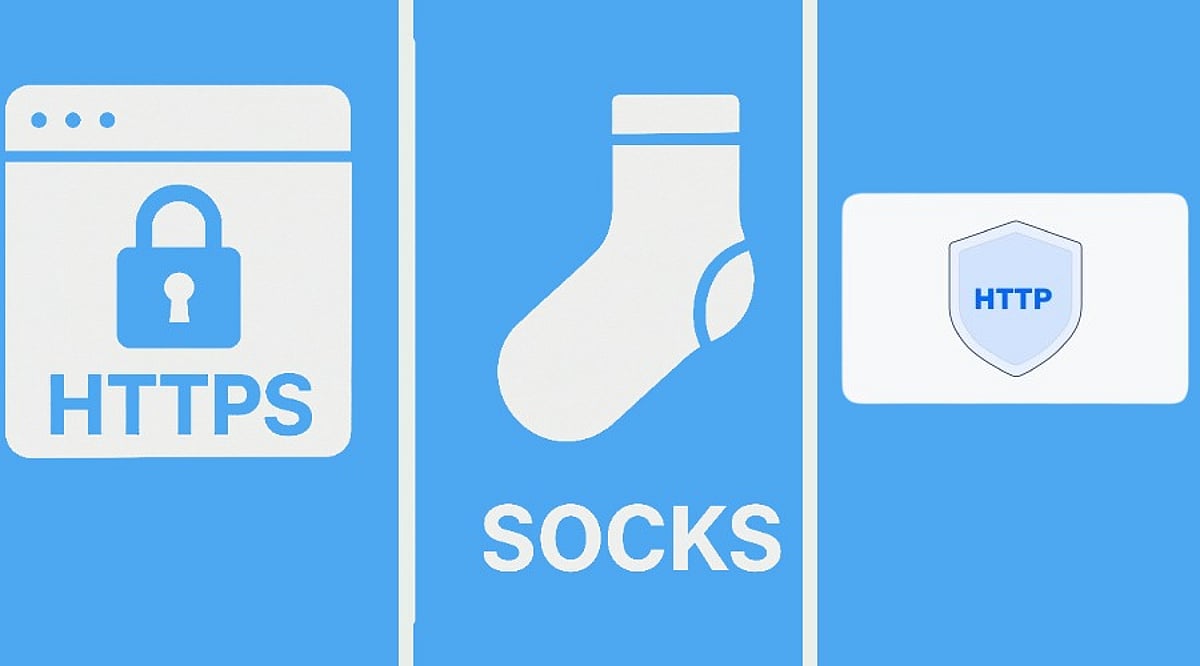
    Choosing between HTTP, HTTPS, and SOCKS5 proxies can be confusing. The key is to first check which proxy endpoint your tool supports, then consider whether your task is mainly web traffic. The protocol defines how you connect to the proxy; it does not directly determine proxy quality.

    When the wrong protocol is selected, the result is often not just slower speed. More commonly, the tool appears connected while the target site won’t open, or part of the login, API, or forwarding chain keeps failing. This guide clarifies where each protocol fits and provides scenario tables to narrow your testing order.

    What Traffic Are HTTP, HTTPS, and SOCKS5 Suitable For?

    These are common protocol names used when connecting to proxy services. In practice, don’t choose by protocol name alone. Check whether your tool’s proxy settings, request type, and troubleshooting path match.

    Are HTTP Proxies Suitable for Web Access and Regular APIs?

    HTTP proxies are common for web access, browser proxies, web requests, and simple API debugging. Their advantage is a low connection barrier and a clear troubleshooting path: host, port, username, password, and target site reachability can usually be checked one by one. If your task is mainly opening webpages, submitting forms, accessing dashboards, or making basic API requests, HTTP proxies are often enough.

    Which Encrypted Access Scenarios Fit HTTPS Proxies?

    HTTPS proxies are often misunderstood. Some users see that the target website starts with https:// and assume they must buy an “HTTPS proxy.” Others read HTTPS proxy as meaning “the proxy itself makes all access safer.” Neither interpretation is precise. In actual setup, HTTPS proxies usually refer to proxy protocol support between the client and the proxy, and common web scenarios may also involve CONNECT tunneling. Before purchasing, check the delivered protocol, port, and authentication method, and confirm whether your tool provides HTTP, HTTPS, or SOCKS5 fields.

    Are SOCKS5 Proxies Suitable for Client Software and Non-Web Traffic?

    SOCKS5 proxies are more general-purpose for forwarding. They are common in client software, Telegram, script tools, V2RayN, Proxifier, SocksCap64, some anti-detect browsers, and traffic that is not purely web-based. If the tool explicitly requires SOCKS5, or the business flow is not purely web requests, SOCKS5 is often worth testing first. Conversely, if your browser or system proxy only provides HTTP/HTTPS entries, forcing SOCKS5 may add forwarding layers and troubleshooting cost.

    Which Proxy Protocol Should Be Tested First in Different Scenarios?

    • Browser access, web login, store dashboard operations, regular web scraping: First check the HTTP/HTTPS entries provided by the browser, system proxy, or anti-detect browser. Configuration fields are more direct, and failures are easier to trace.
    • API requests, script requests, backend service calls: Start with what the request library and runtime environment support. Most web requests are easier to validate with HTTP/HTTPS first.
    • Client software, Telegram, forwarding tools, non-web traffic: First check whether the software natively supports SOCKS5 and whether DNS, routing, and authentication all take effect.

    Whichever protocol you choose, the more practical test is to verify the same target site, same region, and same tool: whether the target page opens consistently, whether region/language/timezone remain consistent after login, whether CAPTCHA/403/429 increases noticeably, and whether session duration meets the task requirement.

    Why an HTTPS Proxy and Accessing an HTTPS Website Are Not the Same Thing

    This is the most common misunderstanding. Accessing an HTTPS website means the target website uses an encrypted connection. An HTTPS proxy refers to a proxy connection protocol or proxy service capability. They are related but not the same. For example, when you use a browser to visit https://example.com, the proxy configured may be HTTP, HTTPS, or SOCKS5. Whether the visit succeeds depends on whether the proxy service supports the corresponding request method, whether the tool handles tunneling correctly, and whether host, port, username, and password are correct.

    HTTP, HTTPS, and SOCKS5 Proxy Selection Table

    Protocol choice ultimately comes back to the proxy settings your tool exposes. Many providers support multiple protocols, but your software may offer only one input method. Some tools appear to support multiple protocols, but DNS, routing, system proxy, browser proxy, and authentication still need to match. Before formal configuration, confirm the device and software entry, then run a small test based on the real task.

    FAQ

    Is a SOCKS5 Proxy Always Faster Than an HTTP Proxy?

    No. Speed is more affected by proxy quality, distance to the target region, network congestion, concurrent load, and target site response. SOCKS5 has broader compatibility, but that does not mean it is always faster for web access.

    Do I Have to Use an HTTPS Proxy for Web Access?

    No. A target website using HTTPS does not mean the proxy entry must be HTTPS. The key is whether the tool configuration is correct and whether host, port, username, and password pass verification.

    Why Does the Same Proxy Work in Software A but Not in Software B?

    The common reason is that the two tools handle proxy protocol, authentication, DNS, and routing differently. Check the software proxy entry first, then confirm host, port, username, and password, and finally check whether the target site restricts that region or type of access.

    Full Summary

    The main difference between HTTP, HTTPS, and SOCKS5 is how your tool connects and what kind of traffic you need to send. Web access and regular API requests usually start with HTTP/HTTPS validation, while client software, forwarding tools, and non-web traffic more commonly use SOCKS5. The protocol itself does not determine proxy speed or stability. Final judgment should still combine the tool’s proxy fields, host and port, username and password, target region, session duration, and real target-site test results. Visit Global Proxy to find out more.

  • Top 10 Powerline Networking Adapters for 2026: Reliable Wired Internet Without Extra Cables

    Top 10 Powerline Networking Adapters for 2026: Reliable Wired Internet Without Extra Cables

    Weak Wi-Fi can disrupt work, streaming, and online gaming. Powerline networking adapters offer a simple way to deliver stable internet through existing electrical wiring, eliminating the need for new Ethernet cables. These are the top powerline networking adapters for 2026, covering both HomePlug AV2 and G.hn standards.

    Two Standards, One Decision

    Before buying a powerline adapter, you must choose between two competing standards: HomePlug AV2 and G.hn. HomePlug AV2 is the older, more widely compatible standard, while G.hn offers higher theoretical speeds up to 2,400 Mbps. The catch is that devices from the two standards do not work together. Speed ratings on the box are optimistic; real-world performance depends on wiring age, circuit layout, and electrical noise. Always plug adapters directly into a wall outlet, not a power strip or surge protector.

    The Top 10 Powerline Adapters for 2026

    1. NETGEAR PLP2000 – AV2000 HomePlug AV2, dual Gigabit ports, pass-through outlet. Ideal for gaming, 4K streaming, and busy home offices.
    2. TP-Link TL-PA9020P Kit – Same AV2000 specs as NETGEAR with a reputation for consistent performance across different homes.
    3. Zyxel PLA6456 – G.hn standard, up to 2400 Mbps. Starts a new network; won’t pair with existing HomePlug AV2 adapters.
    4. TRENDnet TPL-407E2K v2 – Compact AV500 adapter for tight spaces. Suitable for HD streaming and smart TVs.
    5. NexusLink GPL-1200 – G.hn adapter at a lower price, up to 1200 Mbps, with a Gigabit port. Good for small offices.
    6. TP-Link TL-PA7017P Kit – AV1000 speed, single Gigabit port, pass-through design. A reliable, affordable choice for streaming and video calls.
    7. TP-Link TL-WPA8631P Kit – Combines AV1300 powerline with AC1200 Wi-Fi extender and three Gigabit ports. Covers both wired and wireless needs.
    8. Devolo Magic 2 Wi-Fi 6 – Premium G.hn adapter with up to 2400 Mbps, Wi-Fi 6, and mesh networking. Manages heavy loads across multiple floors.
    9. TP-Link TL-PA4010 Kit – Entry-level AV500 kit. Simple plug-and-play for browsing and HD video in dead zones.
    10. TP-Link TL-WPA7817 Kit – AV1000 powerline with built-in Wi-Fi 6 access point. Designed for detached spaces like garages or workshops.

    What This Means for Buyers

    Powerline adapters have become a practical solution for homes and small offices. The most important decision is which standard to commit to: HomePlug AV2 for broad compatibility, or G.hn for higher speeds if starting fresh. Get the standard right, and future upgrades remain simple.

    Final Thoughts

    Speed isn’t everything—reliability across every room matters more. Powerline adapters use existing wiring to extend a wired connection without drilling. For many in 2026, the best upgrade isn’t a new router, but a stronger wired backbone built on what’s already there.

    Frequently Asked Questions

    1. What is a powerline networking adapter, and how does it work? It uses your home’s electrical wiring to transmit network data, creating a wired connection where Wi-Fi is weak.
    2. Are powerline adapters better than Wi-Fi extenders? Powerline provides a more stable wired connection for gaming and streaming; Wi-Fi extenders improve wireless coverage.
    3. Do they work in every home? Performance depends on wiring quality, distance between outlets, and being on the same electrical circuit.
    4. What features should I look for? Choose HomePlug AV2 or G.hn, Gigabit Ethernet ports, pass-through sockets, and speed ratings that match your needs.
    5. Can I use them in an office? Yes, they provide reliable connectivity for desktops, VoIP phones, printers, and video conferencing where Ethernet cabling is impractical.