Tag: no-code

  • What Is Vibe Coding? How AI-Powered Development Lets Anyone Build Apps Without Writing Code

    What Is Vibe Coding? How AI-Powered Development Lets Anyone Build Apps Without Writing Code

    Building an app once required years of learning programming languages, debugging errors, and understanding complex logic. That barrier is fading fast. Vibe coding has changed how people approach software development, letting anyone describe an idea in plain English and watch an AI model turn it into working code.

    What Vibe Coding Actually Means

    Vibe coding is a method of building software where a person describes their goal in natural language, and an AI model writes, runs, and fixes the code based on that description. Instead of learning syntax or writing every function manually, a user simply says something like “build me a to-do list app with dark mode,” and the AI generates a working version.

    The term was coined by AI researcher Andrej Karpathy in February 2025, when he described giving in to “the vibes” and letting AI handle the coding almost entirely. Collins Dictionary later named vibe coding its Word of the Year for 2025, officially defining it as the practice of using natural language prompts to make an AI program produce the desired code.

    How the Process Actually Works

    Vibe coding generally follows a simple loop: describe what you want to build, the AI interprets the request and writes the underlying code, you review the output and ask for adjustments, and the AI refines it further based on that feedback.

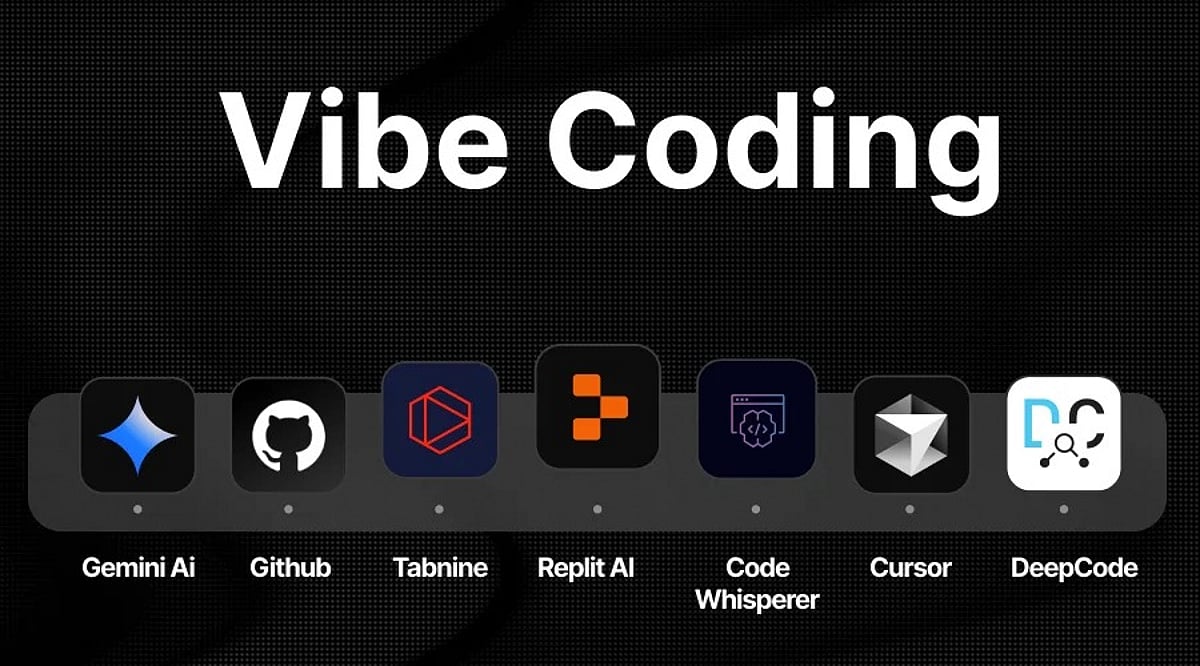
    Tools such as Lovable, Replit, Bolt, GitHub Copilot, and Cursor have built entire platforms around this workflow, handling tasks like database setup, real-time updates, and error debugging automatically. Instead of writing a complex database query, a user might simply describe the dashboard they want, and the AI generates the required logic behind it.

    Why It Matters for Non-Coders & Businesses

    Vibe coding lowers the barrier to entry for building software in a way few previous tools have managed. People with no programming background can now launch functional apps, websites, and prototypes without hiring a developer or spending months learning to code. Businesses benefit too, since ideas can move from concept to a working demo in hours rather than weeks. According to reports, by mid-2026 roughly 25 percent of Y Combinator startups were building products using mostly AI-generated code, showing how quickly this shift has moved from a novelty into standard practice for early-stage teams.

    The Limits & Risks Worth Knowing

    Vibe coding is not without its downsides. Since users often skip reading the generated code line by line, mistakes and security gaps can slip through unnoticed. Early adopters have reported issues ranging from broken features to AI-generated content that misrepresented real data, such as fake product reviews appearing on a demo app.

    Developers who understand the underlying logic can catch these problems faster, which is why many experts recommend treating AI output as a strong first draft rather than a finished product, especially for anything handling sensitive user data.

    The Road Ahead for App Development

    Vibe coding is reshaping who gets to build software, shifting the developer’s role from writing every line of code to guiding an AI assistant toward the right outcome. As AI models keep improving at understanding context and intent, the applications people can create this way will only grow more capable.

    It is not about replacing skilled developers entirely, but about giving far more people the tools to turn their ideas into something real, faster than ever before.

    Frequently Asked Questions

    1. What is vibe coding? Vibe coding is an approach where a person describes an idea in plain language and lets an AI assistant translate it into working software, rather than writing the code line by line.
    2. Does vibe coding replace developers? No, it does not replace skilled developers entirely. It gives more people the tools to turn their ideas into working applications, and experienced developers still play a key role in guiding, refining and reviewing the output.
    3. Can someone with no coding experience use vibe coding to build an app? Yes, vibe coding makes app building accessible to people who never learned to program, since the process relies on describing intent rather than writing syntax.
    4. Is AI-generated code from vibe coding safe to use directly? Experts recommend treating AI output as a strong first draft rather than a finished product, especially for anything handling sensitive user data, so a review step remains important.
    5. How will vibe coding evolve as AI models improve? As AI models get better at understanding context and intent, the applications people can build through vibe coding are expected to grow more capable and complex over time.
  • Workflow Automation Comparison: Zapier vs Make vs n8n vs Pipedream – Which Tool Is Right for You?

    Workflow Automation Comparison: Zapier vs Make vs n8n vs Pipedream – Which Tool Is Right for You?

    Choosing the right workflow automation tool has become more complex as platforms evolve beyond simple task automation. Zapier, Make, n8n, and Pipedream now offer distinct strengths in AI, API access, code support, and pricing. This guide breaks down each platform to help you decide based on your team’s technical level, workflow complexity, and scale.

    Key Takeaways

    • Zapier: Best for non-technical teams needing simple automation and extensive SaaS integrations.
    • Make: Ideal for complex visual workflows with branching, conditions, and granular control.
    • n8n: Leads for technical and AI automation, offering self-hosting and execution-based pricing.
    • Pipedream: Excels for developer-focused API and code workflows with compute-time billing.

    Zapier: Ease of Use and Ecosystem

    Zapier remains the go-to for teams that want fast setup and a large app ecosystem. Its strength lies in simple business automation across sales, marketing, operations, and support. Recent updates embed AI by Zapier directly into the Zap editor, combining normal actions, AI decisions, tool calls, filters, and branches in one flow.

    Pricing starts at free (100 tasks/month), then $19.99/month (Professional) and $69/month (Team). Tables, Interfaces, and Zapier MCP are now included in these plans. However, costs can rise at higher volumes, and AI actions may consume tasks at 1x, 3x, or 5x multipliers.

    Make: Visual Control for Complex Workflows

    Make shines when workflows require multiple paths, conditions, and data transformations. Its Scenario Builder provides a clear visual map of connections. With over 3,000 apps and a credit-based pricing model, it suits automation specialists and operations teams.

    Free plan: 1,000 credits/month. Core: $12/month for 10,000 credits. Pro: $21/month for 10,000 credits. Teams: $38/month for 10,000 credits. Enterprise custom. Make also places AI agents inside the Scenario Builder, with visibility into decisions and tool calls. Maia offers conversational workflow creation, and agent memory, AI web search, and human approval are supported.

    n8n: Technical and AI-Focused Automation

    n8n has transformed into an automation engineering platform. Its strengths include code, APIs, databases, AI agents, workflow control, and self-hosting via the Community Edition. Cloud pricing uses workflow executions: EUR 20/month for 2,500 executions, offering value for multi-step workflows.

    A major update on September 9, 2026, introduced n8n Assistant, which creates workflows from natural-language instructions, requests credentials, runs workflows, and finds errors. This reduces n8n’s learning curve significantly.

    Pipedream: Developer-First Integration Layer

    Pipedream focuses on APIs, webhooks, code, and events. JavaScript and Python support custom logic, and Pipedream Connect helps SaaS products embed integrations. Pricing is based on compute time and memory: at 256 MB, one credit covers 30 seconds. Higher memory uses credits faster. Best for software engineers and product teams needing direct API control.

    Which Platform Should You Choose?

    • Non-technical business teams: Zapier – safe, simple, broad SaaS coverage.
    • Complex visual automation: Make – superior branching and visual design.
    • Technical and AI-heavy workflows: n8n – strongest mix of AI, code, self-hosting, and execution pricing.
    • API-first development: Pipedream – ideal for custom code, webhooks, and integration layers.

    No single tool wins across all scenarios. The best choice depends on your workflow type: simple SaaS tasks favor Zapier, complex visual flows favor Make, technical/AI workflows favor n8n, and API-heavy products favor Pipedream.

    Frequently Asked Questions

    Which automation tool is easiest to use?

    Zapier is generally the easiest, especially for non-technical teams.

    Is Make better than Zapier for complex workflows?

    Yes, Make excels at workflows with multiple paths, conditions, and advanced visual logic.

    Is n8n good for AI automation?

    Yes. n8n combines AI agents with APIs, code, databases, and self-hosting, making it strong for technical AI workflows.

    Should developers choose Pipedream or n8n?

    Pipedream is better for API-first development and custom code; n8n offers broader workflow orchestration and self-hosting.

    Which automation platform is best overall?

    There is no universal winner, but n8n leads for technical/AI automation, while Make and Zapier excel in visual control and simplicity respectively.

  • 10 AI-Powered No-Code Platforms That Let Anyone Build Mobile Apps

    10 AI-Powered No-Code Platforms That Let Anyone Build Mobile Apps

    Artificial intelligence is democratizing mobile app development, enabling entrepreneurs, creators, and beginners with no programming experience to bring their ideas to life. AI-driven no-code platforms now generate interfaces, workflows, and functional app components from simple natural-language prompts, slashing development time and letting users focus on product design and user experience.

    Visual Platforms Simplify App Creation

    Platforms like FlutterFlow, Bubble, and Adalo combine visual drag-and-drop interfaces with AI-powered assistance. Users describe features, generate layouts, and connect workflows without writing extensive code. This approach accelerates prototyping and helps non-technical founders test concepts before committing to traditional development resources.

    Faster Journey from Idea to Prototype

    AI app builders dramatically shorten the path from concept to working prototype. Instead of spending weeks building basic screens and functionality, users combine prompts with visual controls to create applications in days. This speed makes experimentation easier, especially for startups seeking to validate ideas and gather early feedback.

    Automated Interface and Design Creation

    AI automates much of the interface creation process. Users describe the app they want, and the tools generate screen layouts, navigation structures, and design elements. These components can then be refined visually, giving beginners control over their applications without requiring extensive technical expertise.

    Simplified Databases and Integrations

    Many platforms assist with databases, integrations, and application logic through simplified interfaces. Creators can connect APIs, configure data structures, and establish automated workflows without deep technical knowledge. This enables the development of increasingly sophisticated applications while avoiding the complexity of traditional frontend and backend work.

    No-Code Platforms Have Limitations

    Despite their accessibility, AI-powered no-code tools aren’t suitable for every project. Complex applications may require custom programming, advanced security controls, or specialized infrastructure. Before choosing a platform, users should evaluate pricing, scalability, data ownership, and integration capabilities to ensure the tool fits their specific needs.

    AI Is Changing Software Development

    The rise of AI-powered app builders reflects a broader shift in software development. While programming knowledge remains valuable, AI and no-code platforms are lowering barriers for people with limited technical experience. As these tools become more capable, users can increasingly turn ideas into functional mobile applications with fewer traditional development resources.

  • AI’s Quiet Cost Revolution: How Digital Production Is Becoming Nearly Free

    AI’s Quiet Cost Revolution: How Digital Production Is Becoming Nearly Free

    There’s a version of the AI story that grabs headlines: frontier models, billion-parameter training runs, and the race between labs. But the version that matters to most businesses is far more consequential — and far less flashy. It’s the story of specific, boring production costs collapsing toward zero, and of the workflows, budgets, and org charts built around those costs quietly becoming obsolete.

    This isn’t about intelligence. It’s about cost structure. And cost structure, historically, is what actually reorganizes industries.

    The Death of the Resolution Constraint

    For twenty years, image resolution dictated real decisions. A 600-pixel product photo couldn’t be used on a billboard, a hero banner, or a modern retina display. You either reshot the asset, licensed a new one, or accepted a visibly worse result. That constraint dictated photography budgets, campaign timelines, and asset management policy — and created a graveyard of unusable assets.

    Machine learning didn’t remove that constraint by making cameras better. It removed it by making missing information reconstructable. Modern neural upscaling doesn’t just stretch pixels; it infers what detail would have been there, based on training on millions of high-resolution originals. The result: a low-resolution asset from a decade ago can be brought to usable modern size without a reshoot or compromise.

    The economic consequence is not that images look nicer. It’s that an entire category of work stopped needing to happen. Every archived asset a company owns just became potentially reusable. The reshoot budget line item became optional. And the capability has already commoditized — free browser-based implementations put it in anyone’s hands.

    The Death of the Build Constraint

    The same compression is happening to software production. Building a native mobile app once required platform-specific engineers, build pipelines, store submission expertise, and ongoing maintenance — a gate that filtered out all but well-funded organizations. That gate is now being dismantled from two directions: no-code platforms abstracted away the mechanics, and generative models absorbed parts that required judgment.

    The marginal cost of putting a functioning native app in front of customers has fallen roughly 100x in under a decade. Of course, the output doesn’t match a bespoke engineering team — but that’s the wrong comparison. The real counterfactual for most businesses was no app at all. When price drops 100x while quality drops only 20%, the market floods with new entrants who were previously priced out.

    The Pattern Beneath Both

    Strip away the specifics, and a four-step structure appears:

    1. A production capability was expensive because it required scarce human expertise.
    2. A model learned the statistical structure of that expertise well enough to approximate it.
    3. The capability became a commodity at near-zero marginal cost.
    4. The bottleneck moved upstream — into judgment.

    When image upscaling was hard, owning good source assets was a competitive advantage. Now upscaling is free, it’s not. When app development was expensive, having an app signaled seriousness. Now anyone can ship one in an afternoon, it signals nothing.

    What This Means in Practice

    Capabilities that become universal stop being advantages. If a tool is free and browser-based, your competitor has it too. ‘We use AI’ is not a strategy — it’s like saying ‘we use electricity.’ The window where AI adoption itself feels like a differentiator is closing fast.

    Value is captured downstream of the tools. The operator who identifies a category that nobody served because it cost $60,000 — and serves it for $200 — captures the value. That identification is genuinely hard work.

    Quality thresholds are contextual. A 20% quality degradation is catastrophic for a medical device, irrelevant for a neighborhood gym’s booking app. Most evaluations compare AI output against the best human alternative, but the real counterfactual is usually nothing at all.

    The compression is not finished. Every production task with large training data and a tolerant quality threshold is on the list. Copywriting went first. Design is going. Video is going now. Voice has largely gone.

    For businesses, the strategic move is not to adopt AI tools faster — everyone will have them soon. The move is to notice which constraint just disappeared, and to reorganize around a world where it’s gone, before the rest of the market updates its assumptions. The tools are already free. Working out what’s now possible that was impossible 18 months ago — and acting on it — is the part that still requires a human.

  • Meta Launches Pocket: AI-Powered App Lets Anyone Create and Share Mini Games Without Coding

    Meta Launches Pocket: AI-Powered App Lets Anyone Create and Share Mini Games Without Coding

    Meta has quietly launched a new AI-powered app called Pocket, marking the company’s entry into the gaming space. The app allows users to create, play, and share mini games using simple text prompts — no coding or game development experience required. This move signals Meta’s ambition to extend its AI capabilities beyond chatbots and image tools into interactive entertainment.

    What Is Pocket?

    Pocket is a social app designed for quick and easy game creation. According to reports, the app is the result of Meta’s acquisition of the vibe-coded gaming platform Gizmo earlier this year. Gizmo was described as a creative platform for making and sharing small interactive experiences, which Pocket now offers under a new name.

    The app was released on the Google Play Store on June 29, 2026. Once installed, users can type a short prompt, and the AI generates a mini game based on that idea. The finished game can be played immediately, shared with friends, and improved over time.

    Game Creation Simplified

    Pocket focuses on short, casual games rather than large, narrative-driven titles. The key innovation is that users no longer need to learn programming or use complex software. Anyone with a smartphone can turn an idea into a playable game in seconds. Meta hopes this will encourage more people to become creators rather than just consumers of content.

    AI Opens the Door for New Creators

    Pocket is part of a broader trend where AI is lowering the barriers to creative tasks. In the past, game development required months of learning coding and mastering tools. Now, AI handles much of the heavy lifting, enabling students, social media users, and small creators to experiment and iterate quickly.

    This could accelerate prototyping and feedback loops, allowing creators to build minimum viable products and refine them based on user input.

    Pocket’s Role in Meta’s Bigger Strategy

    Pocket may be more than just a fun app — it fits into Meta’s long-term vision for AI and social experiences. While Meta has heavily invested in the metaverse, the high cost and complexity of VR devices have limited adoption. Pocket offers a different approach: almost anyone with a smartphone can use it.

    If Pocket gains traction, it could shift user behavior from passive scrolling to active creation and sharing of games, potentially becoming a new way for Meta to keep users engaged on its platforms.

    As AI continues to reshape entertainment, Pocket represents a significant step toward democratizing game development and making it accessible to everyone.

  • Top 7 Codeless AI Platforms Powering Automation and AI Agents in 2026

    Top 7 Codeless AI Platforms Powering Automation and AI Agents in 2026

    Artificial intelligence has undergone a dramatic transformation. While early AI systems could answer questions or generate text and images, today’s AI can complete entire business tasks independently—managing operations, responding to customers, and executing workflows with minimal human intervention. This shift has made codeless AI platforms one of the fastest-growing segments in technology.

    Industry reports project the global no-code and low-code AI market to exceed $78 billion in 2026. Businesses are increasingly adopting platforms that allow them to build AI systems without writing code. These tools enable the creation of chatbots, automation of daily tasks, deployment of AI agents, and integration of software through intuitive visual interfaces. Below are the leading platforms dominating this ecosystem.

    Zapier Leads Everyday AI Automation

    Zapier remains a dominant force in automation, serving over 3.8 million users and integrating with more than 8,000 applications. Its most significant 2026 update is the new AI Actions system, which allows AI models to understand instructions and execute multi-step business tasks automatically. For instance, AI can now sort customer leads, send emails, update CRM systems, and handle onboarding without manual configuration. Its simplicity and extensive app network make Zapier a top choice for startups and small businesses seeking quick, code-free automation.

    n8n Becomes Popular for Advanced AI Agents

    n8n has rapidly grown among AI automation platforms, offering deeper control over AI system operations compared to typical no-code tools. Research analyzing over 6,000 public AI workflows on n8n reveals that many developers use it to create autonomous AI agents capable of decision-making, memory, API integration, and complex task completion without oversight. Its open-source nature allows companies to self-host, providing full control over their AI infrastructure—making it highly attractive to advanced builders and enterprise teams.

    Make Strengthens Visual AI Workflow Systems

    Make continues to excel as a visual automation platform, distinguished by its drag-and-drop interface that lets users connect apps and build automated systems without technical expertise. Its latest update introduces smarter AI workflow creation: users can describe a task, and the platform automatically generates the corresponding workflow. Many companies now leverage Make for content production, customer support, internal operations, and digital marketing, enabling non-technical teams to harness automation easily.

    Workato Dominates Large Enterprise Automation

    Workato remains a powerhouse for enterprise automation, particularly favored by large organizations for handling complex internal operations at scale. In 2026, the company has emphasized agentic AI systems that can perform tasks across finance, HR, procurement, and customer support without constant employee supervision. Numerous Fortune 500 companies rely on Workato for its robust security, enterprise integrations, and advanced automation infrastructure.

    Bubble Expands into AI App Development

    Originally a no-code website builder, Bubble has transformed into a broader AI ecosystem. Users can now build complete AI-based software products without traditional programming. Startups especially appreciate Bubble for its speed in product launch. Builders are using it for SaaS platforms, AI marketplaces, chatbot systems, and customer-facing applications, cementing Bubble’s role in the growing AI software market.

    Microsoft Power Automate Grows Inside Enterprise AI

    Microsoft has significantly enhanced Power Automate, driven by deeper integration with Microsoft Copilot and the larger Microsoft business ecosystem. Companies can now automate office work, manage reports, handle repetitive tasks, and connect AI assistants directly with corporate software. Large enterprises continue to choose Microsoft for its strong security, robotic process automation, and seamless integration with existing business tools.

    Meta Pushes AI Business Agents Forward

    Meta has introduced a new enterprise AI business agent system designed to automate customer conversations across WhatsApp, Instagram, and Messenger. The system can answer queries, handle bookings, qualify leads, and manage sales conversations automatically. Reports indicate over one million businesses have tested earlier versions, underscoring how quickly autonomous AI systems are entering the mainstream.

    The Big AI Trend of 2026

    The most significant shift is the rise of agentic AI systems. Unlike traditional chatbots that only respond when asked, modern AI systems now act independently—connecting with external tools, making decisions, and executing entire workflows with minimal manual control. Industry experts predict that by the end of 2026, more than 65% of enterprise automation projects will incorporate AI agents instead of conventional rule-based systems.

    Codeless AI ecosystems have evolved far beyond simple productivity tools. They now form the foundation of how businesses build, operate, and scale technology in the artificial intelligence era.

    Frequently Asked Questions

    1. What is Codeless AI?

    Codeless AI refers to platforms that allow users to create AI tools, automation systems, and chatbots without writing code.

    2. Why is Zapier popular in AI automation?

    Zapier connects over 8,000 apps and helps automate business tasks using AI-powered workflows.

    3. What makes n8n different from other automation tools?

    n8n offers open-source flexibility and allows creation of advanced AI agents with deeper workflow control.

    4. How are AI systems changing businesses in 2026?

    AI systems now handle customer support, automate operations, manage workflows, and reduce manual work.

    5. Why are businesses moving toward codeless AI platforms?

    These platforms save development time, reduce costs, and make advanced automation accessible without technical expertise.

  • The Best No-Code AI App Builders for 2026: Build Apps Without Coding

    The Best No-Code AI App Builders for 2026: Build Apps Without Coding

    No-code AI platforms are making application development accessible by allowing users to build intelligent apps without writing traditional programming code.

    Bubble continues to be one of the most popular no-code platforms, enabling users to create web applications while integrating AI models and automation services.

    Glide transforms spreadsheets into powerful mobile and web applications with AI-powered workflows, making rapid business app development simple.

    Microsoft Power Apps combines low-code development with Microsoft Copilot AI, enabling organizations to build business applications using natural language prompts.

    Softr allows users to build client portals, internal tools, and business applications by connecting databases with customizable no-code interfaces and AI capabilities.

    FlutterFlow has become a leading visual app builder for creating cross-platform mobile applications while supporting AI integrations and custom backend services.

    Modern no-code AI builders include features like AI chatbots, workflow automation, document generation, image creation, and intelligent data processing. Businesses increasingly use these platforms to build customer support tools, CRM systems, inventory management apps, employee portals, and productivity solutions.

    Selecting the right no-code AI platform depends on deployment options, integrations, scalability, pricing, security, and the complexity of the intended application.