Tag: PC hardware

  • Lenovo Project Swan Rollable Laptop Unveiled at IFA 2026: Specs, Price, and Availability

    Lenovo Project Swan Rollable Laptop Unveiled at IFA 2026: Specs, Price, and Availability

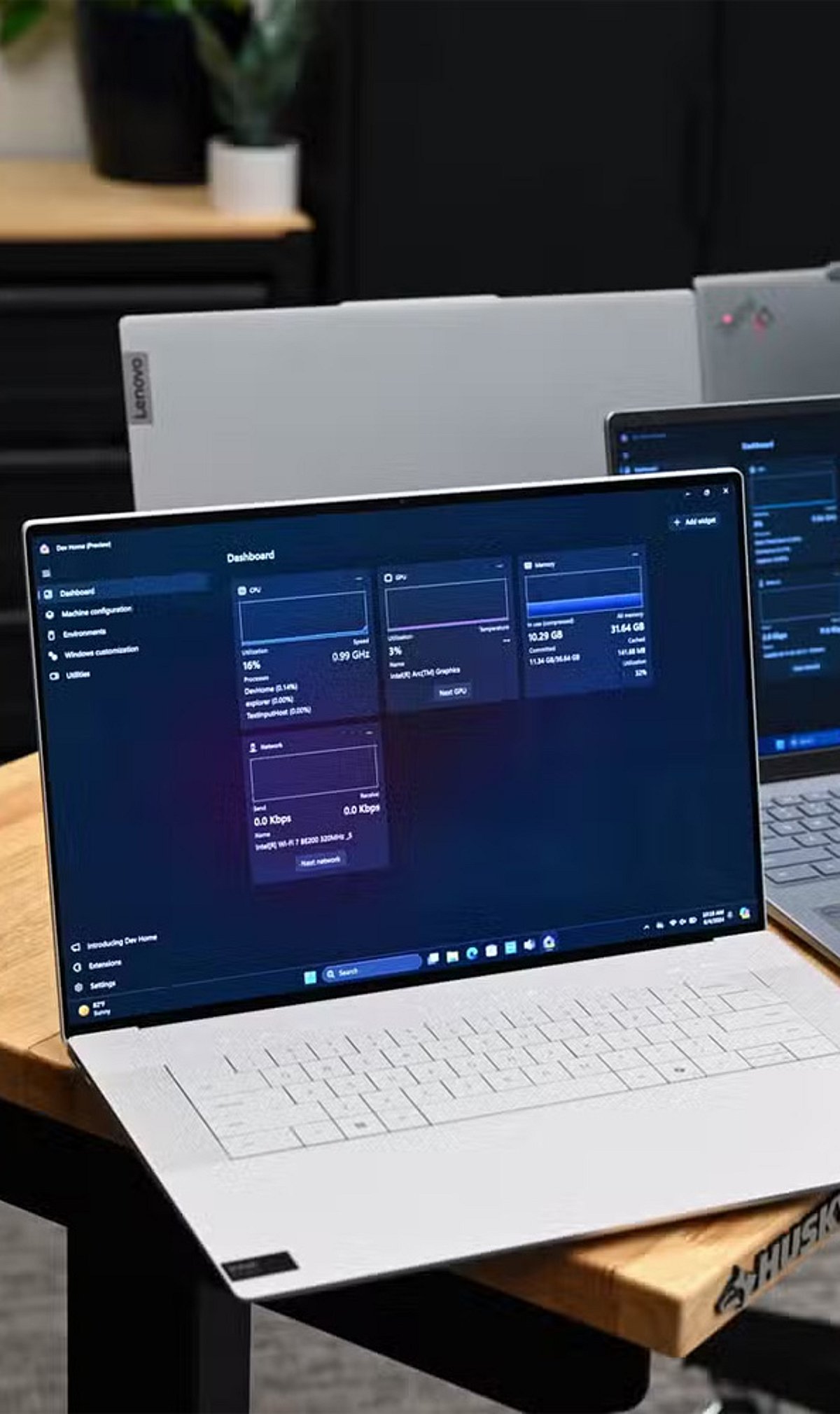
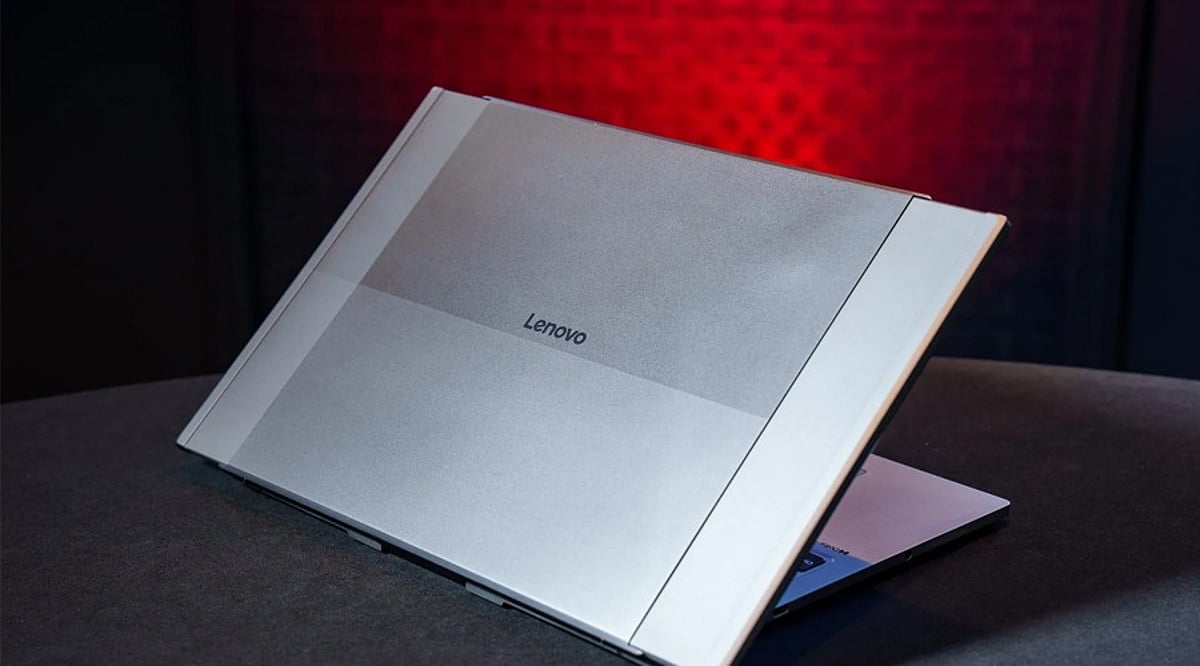
    Lenovo has introduced Project Swan at IFA 2026 in Berlin, a rollable laptop concept that expands from a standard 14-inch display to a 17-inch screen using a flexible OLED panel. Designed for professionals who require extra workspace without sacrificing portability, the ThinkBook concept aims to bridge the gap between compact laptops and larger monitors.

    The device starts as a conventional 14-inch laptop and expands horizontally to a 17-inch 16:9 display via a motorized mechanism. This approach keeps the laptop’s base footprint unchanged while providing additional screen real estate for multitasking, document comparisons, presentations, dashboards, and creative workflows. Project Swan runs on an Intel Core Ultra 7 processor based on the Lunar Lake architecture.

    Measuring approximately 17.9mm thick and weighing around 1.6kg, the rollable laptop is lighter than many traditional 17-inch models while offering comparable screen space when fully expanded. The horizontal expansion design distinguishes it from Lenovo’s earlier ThinkBook Plus Gen 6 Rollable, which increased screen height instead.

    Durability remains a key concern before any commercial launch. The moving OLED mechanism could experience wear, dust infiltration, and hinge stress over repeated use. Battery consumption may also rise when the larger display operates for extended periods. Lenovo has not announced pricing or retail availability, classifying the device as a proof of concept for now. Nonetheless, Project Swan points toward future laptops that adapt their screen size based on changing work needs.

  • Cooling Pad vs. Laptop Stand: The Ultimate Guide to Choosing the Right Laptop Accessory in 2026

    Cooling Pad vs. Laptop Stand: The Ultimate Guide to Choosing the Right Laptop Accessory in 2026

    A laptop running hot can affect performance, battery life, and long-term reliability. That’s why many users consider accessories like cooling pads and laptop stands to improve airflow and comfort. While both aim to keep your laptop cooler, they work in different ways and suit different users.

    If you’re unsure which one deserves a place on your desk, here’s a detailed comparison to help you decide.

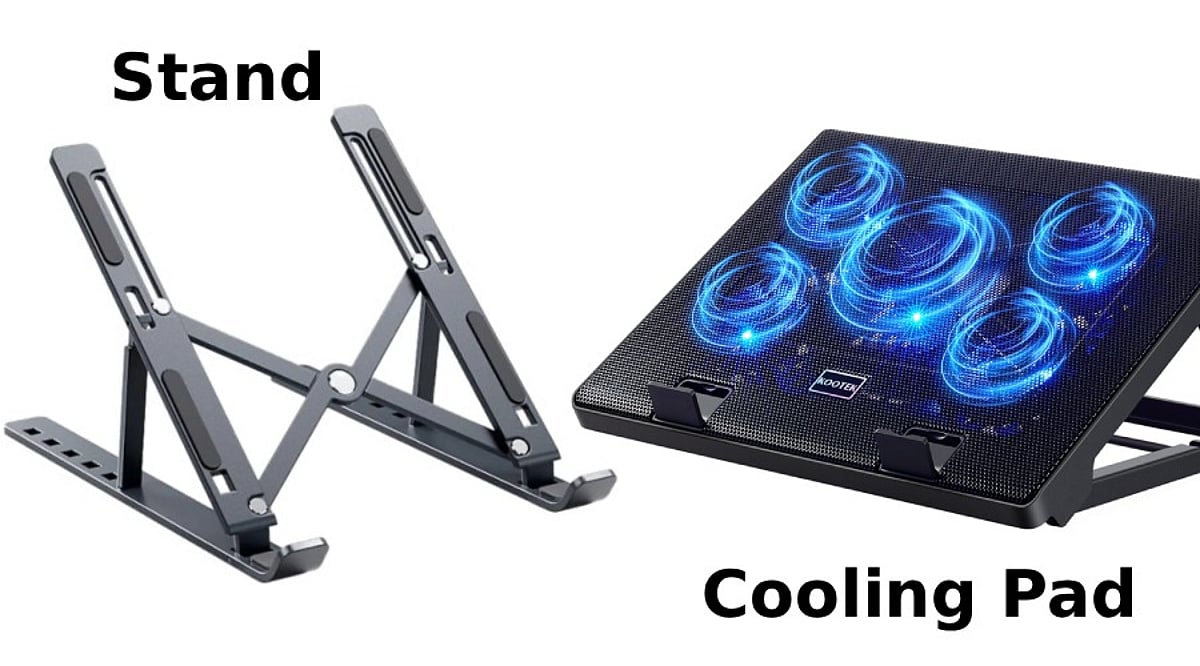
    What Is a Laptop Cooling Pad?

    A cooling pad is a hardware add-on with fans that help blow cold air directly into your laptop’s vents. They can be charged using a USB port and have various speeds, angles, and LED lights.

    A cooling pad is highly recommended for gaming laptops or powerful laptops that tend to heat up when performing tasks such as gaming, video editing, 3D rendering, coding, and more.

    • Best for: Gamers, video editors, graphic designers, developers and engineers, multitasking users

    What Is a Laptop Stand?

    It helps elevate your laptop to the right height and allows proper airflow underneath it. Unlike a cooling pad, it doesn’t have fans. The laptop stand is portable and lightweight and does not require charging.

    • Best for: Students, office workers, remote employees, writers, everyday users

    Cooling Performance: Which Works Better?

    While a cooling pad can lower temperatures, laptop stands don’t have fans that actively move air over the laptop’s bottom. The laptop will be cooled thanks to the elevated position and better airflow.

    Winner: Cooling Pad

    Comfort and Ergonomics

    In case you work long hours on your laptop, ergonomics is as important as temperature.

    The main function of laptop stands is elevating the laptop screen to eye level, and therefore reducing strain on your neck and shoulders. Moreover, some adjustable laptop stands allow you to adjust the viewing angle.

    As for the cooling pads, they elevate laptops; however, not for ergonomic reasons.

    Winner: Laptop Stand

    Noise, Portability, and Power

    There are spinning fans inside the cooling pads, so they make some noise. In expensive cooling pads, it will be barely noticeable, while in cheap ones, it can be pretty loud. Also, cooling pads occupy more space on the table and require you to take away one of your USB ports.

    Laptop stands do not make any noise. They are lighter, foldable, and portable.

    Winner: Laptop Stand

    Which One Is More Valuable?

    In general, for most people, the laptop stand seems more valuable since it increases comfort, provides better airflow, and does not need any electrical power.

    But if your laptop tends to overheat when playing games or using demanding applications, then you should consider purchasing a cooling pad.

    It all depends on what you use your laptop for.

    Cooling Pad vs Laptop Stand: Quick Comparison

    Feature Cooling Pad Laptop Stand
    Active cooling Yes (fans) No
    Ergonomics Limited Excellent
    Noise Low to moderate None
    Portability Bulky Lightweight, foldable
    Power needed USB port None
    Best for Gaming, heavy workloads Office, study, everyday use

    Who Should Buy a Cooling Pad?

    The purchase of a cooling pad would be justified if you:

    • Frequently play graphic games.
    • Edit videos or create 3D content.
    • Feel that your laptop becomes increasingly hot.
    • Face thermal throttling.
    • Live in a warm climate.

    Who Should Purchase a Laptop Stand?

    A laptop stand should be purchased by those who:

    • Work at home or in the office.
    • Take online lessons or participate in online video conferences.
    • Need improved posture.
    • Use their laptops primarily for web surfing or typing.
    • Require a portable device.

    Can They Be Used Together?

    Yes. Most people use both the cooling pad and the laptop stand with the external keyboard. Some expensive cooling pads also have height adjustability features, which means you get both active cooling and better ergonomics.

    If you spend a lot of time working at your desk and also do performance-intensive work, using both is the best option.

    Final Verdict

    A cooling pad and laptop stand address two entirely different needs. If your concern is the laptop’s temperature while performing intense tasks, then the cooling pad is a much more logical buy for you.

    Should your primary concern be comfort and productivity, the laptop stand would suit you better since it does not make any noise, weighs very little, requires no maintenance, and suits almost everyone.

    The gamer, artist, or professional who runs heavy-duty software will get much out of a cooling pad. The office worker, student, or home user will do fine with a decent laptop stand.

    Frequently Asked Questions

    Is a cooling pad better than a laptop stand?

    A cooling pad is better for heavy workloads, while a laptop stand is ideal for comfort, posture, and everyday productivity.

    Do cooling pads actually reduce laptop temperature?

    Yes. Cooling pads improve airflow and can lower temperatures, especially on gaming laptops with bottom-mounted air intake vents.

    Can a laptop stand prevent overheating?

    A laptop stand improves airflow underneath the device, helping reduce heat buildup during regular work, though not as effectively.

    Should gamers buy a cooling pad or a stand?

    Gamers should choose a cooling pad because active fans help maintain lower temperatures during long gaming sessions and intensive workloads.

    Can I use a cooling pad and laptop stand together?

    Yes. Some cooling pads include adjustable stands, while external keyboards make combined ergonomic and cooling setups even more effective.

  • Avoid These Common Laptop Buying Mistakes for a Smarter Purchase

    Avoid These Common Laptop Buying Mistakes for a Smarter Purchase

    When purchasing a new laptop, it’s easy to get overwhelmed by specifications and flashy features. However, making the wrong choice can lead to poor performance, unnecessary expenses, and frustration. To help you make an informed decision, we’ve compiled a list of common laptop buying mistakes and how to avoid them.

    1. Ignoring Your Usage Needs

    Choosing a laptop without considering your primary tasks often leads to overspending on features you don’t need or poor performance for everyday requirements. Always assess how you’ll use the device—whether for work, gaming, or casual browsing—before making a decision.

    2. Focusing Only on the Processor

    A powerful processor alone cannot guarantee smooth performance if other components like RAM, storage, cooling, and graphics are inadequate. A balanced configuration is essential for handling diverse workloads efficiently.

    3. Buying Too Little RAM

    Opting for 8GB or less of RAM for demanding tasks like video editing or multitasking can quickly become a bottleneck. As software requirements grow, insufficient RAM slows down your laptop, so consider 16GB or more for future-proofing.

    4. Choosing Slow Storage

    Traditional hard drives significantly reduce boot times and application performance. Solid-state drives (SSDs) offer much faster speeds, quicker file access, and better overall responsiveness, making them a worthwhile investment for daily use.

    5. Ignoring Battery Life

    Attractive specifications mean little if the battery drains quickly. For frequent travelers or those who work remotely, a laptop with long battery life is crucial to avoid constant charging during meetings, flights, or long work sessions.

    6. Overlooking Display Quality

    Poor screen brightness, low resolution, and inaccurate colors can hinder productivity and cause eye strain during extended use. A high-quality display enhances both work efficiency and entertainment experiences.

    7. Forgetting Port Availability

    Insufficient USB, HDMI, or Thunderbolt ports may force you to buy expensive adapters, creating inconvenience when connecting accessories or external displays. Check that your laptop has the ports you need for your peripherals.

    8. Skipping Build Quality

    Weak hinges and flimsy construction reduce durability, leading to higher repair costs and shorter device lifespan. A well-built laptop withstands everyday handling and travel, offering better long-term reliability.

    9. Ignoring Future Upgradability

    Choosing a laptop with upgradeable RAM or storage extends its usability and saves money, as you can enhance performance without replacing the entire device. Prioritize models that allow easy upgrades when possible.

    By avoiding these common pitfalls, you can ensure that your new laptop meets your needs and provides a great experience for years to come.

  • 7 Best Power Supply Units for High-End Gaming PCs in 2026

    7 Best Power Supply Units for High-End Gaming PCs in 2026

    Building a high-end gaming PC requires careful component selection, and the power supply unit (PSU) is often overlooked. A reliable PSU ensures stable power delivery, protects your expensive hardware, and keeps your system running smoothly during long gaming sessions. Here are seven top-rated PSUs that deliver the performance and reliability needed for premium gaming rigs.

    Corsair RM1000x

    The Corsair RM1000x is a trusted choice for powerful gaming systems. Its 80 Plus Gold efficiency, fully modular cables, and quiet fan keep power delivery stable during long gaming sessions. It easily supports high-end GPUs and modern processors while maintaining reliable performance, making it a favorite among PC builders worldwide.

    Seasonic Prime TX-1000

    The Seasonic Prime TX-1000 delivers premium performance with 80 Plus Titanium efficiency and excellent voltage regulation. Built using high-quality components, it provides clean and consistent power even under heavy gaming workloads. Its long warranty, silent operation, and dependable build quality make it a strong investment for enthusiasts seeking maximum reliability.

    ASUS ROG Thor 1200W Platinum III

    Designed for gaming enthusiasts, the ASUS ROG Thor 1200W Platinum III combines strong performance with premium features. It includes high efficiency, quiet cooling, and a built-in OLED display showing real-time power usage. The fully modular design simplifies cable management while delivering dependable power for demanding gaming hardware.

    MSI MPG A1000G PCIe 5

    The MSI MPG A1000G PCIe 5 is built for the latest gaming systems with native support for modern graphics cards. Its 80 Plus Gold certification ensures efficient power delivery, while fully modular cables improve airflow inside the case. Reliable voltage stability makes it suitable for high-performance gaming and multitasking.

    Dark Power 13

    Dark Power 13 focuses on silent operation without sacrificing performance. It features 80 Plus Titanium efficiency, advanced cooling, and excellent power stability for premium gaming PCs. Native PCIe 5 support prepares it for current and future graphics cards, making it a dependable long-term power supply option.

    EVGA SuperNOVA 1000 G7

    The EVGA SuperNOVA 1000 G7 offers compact design, strong efficiency, and dependable performance for gaming enthusiasts. Fully modular cables reduce clutter, while premium components ensure stable power delivery during demanding workloads. It balances reliability, quiet operation, and value, making it suitable for powerful gaming and content creation systems alike.

    Cooler Master XG Plus 850 Platinum

    The Cooler Master XG Plus 850 Platinum combines efficient performance with modern features for gaming PCs. It delivers stable power through an 80 Plus Platinum design while offering fully modular cables and customizable RGB lighting. Built for demanding hardware, it ensures smooth performance, cleaner cable management, and dependable long-term reliability.

  • DDR4 vs DDR5 RAM: The Definitive Guide for Gamers and PC Builders in 2026

    DDR4 vs DDR5 RAM: The Definitive Guide for Gamers and PC Builders in 2026

    As we approach 2026, the debate between DDR4 and DDR5 RAM remains a critical decision for PC builders and gamers. Both memory standards offer distinct advantages, but choosing the right one depends on your budget, performance needs, and future‑proofing goals. Here is a comprehensive breakdown to help you decide.

    DDR4: Affordable and Reliable

    DDR4 memory has been the industry standard for years and continues to deliver excellent gaming performance for budget and mid‑range PCs. Its mature ecosystem means lower prices and broad compatibility with existing motherboards and processors. For gamers who prioritize value and are building a system without cutting‑edge demands, DDR4 remains a smart choice.

    DDR5: Higher Bandwidth and Future‑Ready

    DDR5 offers significantly higher bandwidth and faster data transfer rates, which translate to better multitasking and improved performance in modern workloads. It operates at a lower voltage (1.1 V vs. 1.2 V for DDR4) and includes advanced power management for greater efficiency. New Intel and AMD platforms increasingly favor DDR5, making it the forward‑looking option.

    Gaming Performance: Where It Matters

    In most games, the difference in frame rates between DDR4 and DDR5 is modest. However, CPU‑intensive titles—such as open‑world games and real‑time strategy—benefit noticeably from DDR5’s higher bandwidth. Gamers who play demanding simulators or esports titles at high refresh rates may see tangible improvements, while casual players will likely be satisfied with DDR4.

    Content Creation and Productivity

    For video editing, 3D rendering, and AI workloads, DDR5’s increased memory bandwidth provides a clear advantage. Tasks that involve large datasets or frequent memory access run noticeably faster, making DDR5 the preferred choice for creators and professionals who rely on their PC for work.

    Power Efficiency

    DDR5 not only uses less voltage but also incorporates on‑module power management and improved data integrity features. This leads to lower overall power consumption and heat output, which can be beneficial in compact builds or systems where thermal management is a priority.

    Cost and Upgrade Path

    DDR4 systems remain significantly cheaper to build today. The memory itself is less expensive, and compatible motherboards and processors are widely available at lower price points. In contrast, DDR5 requires a newer motherboard and processor, increasing the upfront investment. However, as DDR5 matures, its prices continue to drop.

    Future‑Proofing

    Looking ahead, new Intel and AMD platforms are designed with DDR5 in mind. Choosing DDR5 now ensures your system can take advantage of upcoming CPU architectures and software optimizations. For builders who plan to keep their PC for several years, DDR5 is the smarter long‑term investment.

    Who Should Choose Which?

    Choose DDR4 if: You are building a budget‑focused gaming PC and want the best performance per dollar without needing the latest platform.

    Choose DDR5 if: You are building a high‑end gaming rig, a workstation for content creation, or simply want the most future‑proof memory available.

    Ultimately, both standards are viable in 2026. Your decision should balance current needs, budget, and how long you plan to keep your system before upgrading again.