
Tag: phone settings

  • 7 Essential Privacy Settings to Configure on Your New Smartphone

    7 Essential Privacy Settings to Configure on Your New Smartphone

    When you unbox a new phone, protecting your privacy should be a top priority. By adjusting a few key settings, you can significantly reduce the risk of unauthorized access and data leaks. Here are seven essential steps to secure your device right away.

    1. Enable Screen Lock: Use a strong PIN, password, fingerprint, or facial recognition to prevent unauthorized access if your phone is lost or stolen.
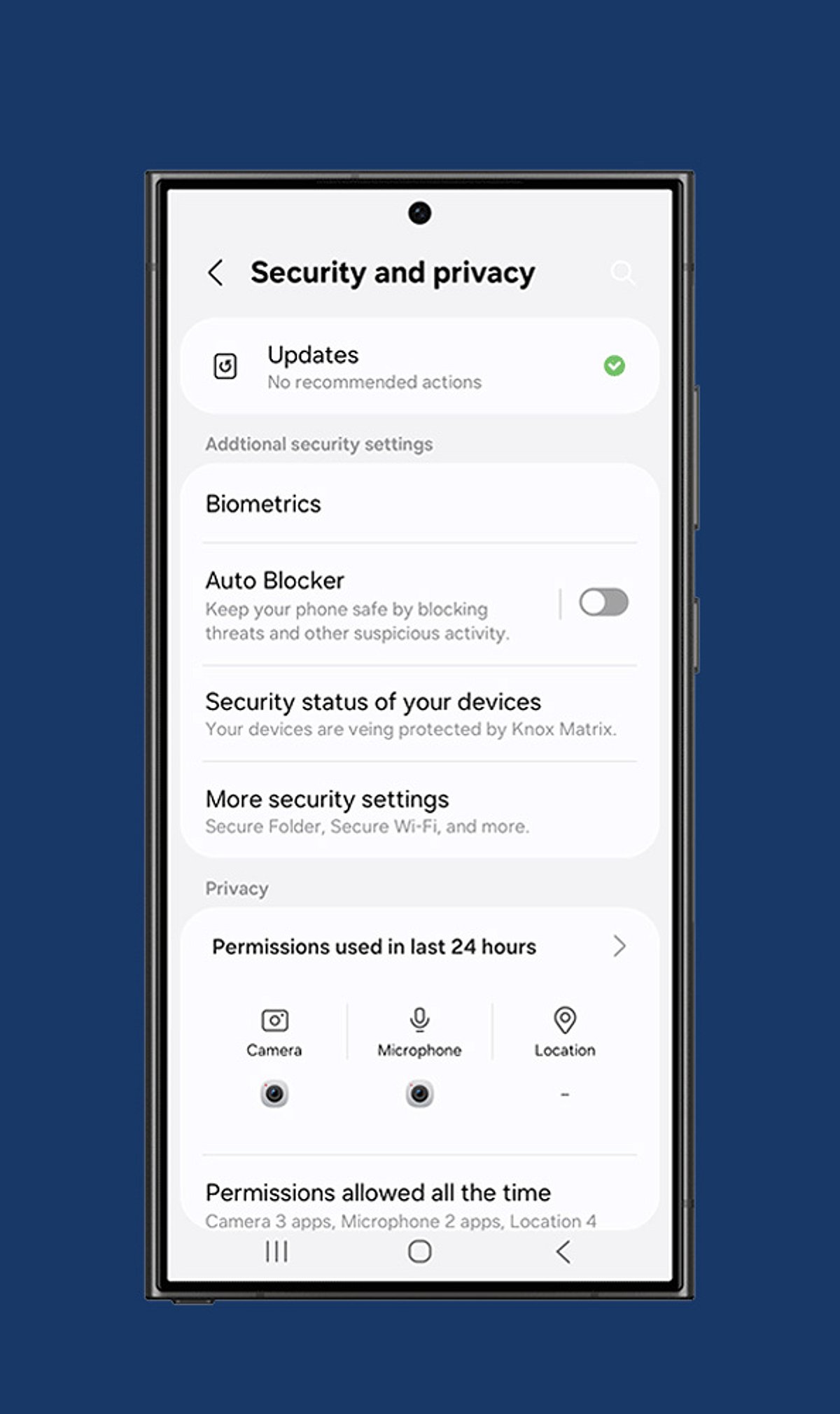
    2. Review App Permissions: Only grant apps access to camera, microphone, contacts, and location when absolutely necessary. Revoke permissions for any app that doesn’t need them.
    3. Turn On Two-Factor Authentication: Add an extra layer of security to your important accounts by requiring a second verification step beyond your password.
    4. Disable Ad Personalization: Limit targeted advertising and reduce tracking by restricting your phone’s advertising identifier.
    5. Manage Location Sharing: Set location access to “While Using the App” instead of “Always” to prevent apps from tracking you in the background.
    6. Activate Device Encryption: Ensure that all sensitive files, messages, and personal information remain encrypted and unreadable even if someone gains physical access to your phone.
    7. Configure Find My Device: Enable remote tracking, locking, and data wiping features before your phone is ever misplaced or stolen.

    Additionally, regularly review your cloud backup settings, install software updates promptly, and keep your operating system patched against the latest security threats.

  • Simple Phone Settings That Slashed My Screen Time by Hours

    Simple Phone Settings That Slashed My Screen Time by Hours

    Like many people, I found myself constantly checking my phone throughout the day. Social media, notifications, and endless scrolling consumed hours without me realizing it. Instead of deleting apps completely, I explored built-in phone settings that encouraged mindful usage. These simple adjustments helped me regain focus and improve my daily routine.

    Turning Off Unnecessary Notifications

    The first change was disabling notifications from social media, shopping, and entertainment apps. Constant alerts were the biggest trigger for checking my phone. I kept only essential notifications for calls, messages, email, and work-related apps. Fewer interruptions made it easier to stay focused and reduced unnecessary screen pickups throughout the day.

    Setting App Time Limits

    I used my phone’s Digital Wellbeing or Screen Time feature to set daily limits for distracting apps. Social media, streaming platforms, and games each received a fixed time allowance. Once the limit expired, I had to decide whether to continue, making me more conscious of how I spent my time online.

    Using Grayscale and Organizing Apps

    Switching the display to grayscale made colorful apps less appealing and reduced the urge to scroll endlessly. I also moved distracting apps into folders on the last home screen page. That extra step created a small pause before opening them, helping me break the habit of mindless phone usage.

    Activating Focus Mode and Bedtime Mode

    Focus Mode temporarily blocked distracting apps during work hours, helping me stay productive without constant interruptions. Bedtime Mode automatically silenced notifications and dimmed the screen at night. These features reduced late-night scrolling, improved my sleep quality, and encouraged healthier digital habits without requiring drastic lifestyle changes.

    Tracking My Progress

    Weekly screen time reports showed exactly how much time I spent on different apps. Seeing the numbers motivated me to make better decisions and celebrate small improvements. Tracking progress turned screen time reduction into an achievable goal rather than an overwhelming challenge, making it easier to stay consistent.

    The Results and Key Takeaway

    Within a few weeks, my screen time dropped noticeably. I became more productive, slept better, and spent more time reading, exercising, and connecting with family. The biggest lesson was that small adjustments to app settings can create lasting habits. You don’t need a digital detox—just smarter control over your phone.