Tag: presentations

  • Gamma AI Review: Create Professional Presentations, Documents, and Webpages Instantly

    Gamma AI Review: Create Professional Presentations, Documents, and Webpages Instantly

    Gamma is an AI-driven content creation app that enables users to create presentations, write documents, build websites, and produce visual content in record time. By combining artificial intelligence with advanced design technologies, Gamma helps users generate professional-looking content quickly without sacrificing quality.

    General Information

    • Founded: 2020
    • Platform Support: Web, Android, iOS
    • Download: Click Here

    Main Features of Gamma

    • Generates AI-based presentations, documents, webpages, and visualizations from straightforward prompts.
    • Provides professionally designed templates, highly customizable themes, and interactive layouts.
    • Offers AI content creation, rewriting, summarization, and AI-based image generation.
    • Facilitates collaborative working, cloud-based content synchronization, and sharing.
    • Enables exporting of presentations and documents in professional formats using the AI Presentation app.

    Benefits of Gamma

    • Create professional presentations, documents, and web pages faster with AI-generated content and automated formatting.
    • Access eye-catching templates and smart layouts that produce high-quality content without special design skills.
    • Collaborate in real time with team members for editing, reviewing, and sharing work across devices.
    • Streamline content generation with AI writing tools, content refinement, multimedia integration, and interactivity.
    • Ideal for business, education, and creative purposes thanks to intelligent content generation, design features, and collaboration capabilities.

    Challenges of Gamma

    • Some advanced AI features and premium templates require a paid subscription.
    • An internet connection is needed for AI-driven content creation, cloud synchronization, and collaboration.
    • Highly personalized designs may need manual adjustments to meet specific formatting or branding needs.
    • Advanced exporting and collaboration tools may only be available via premium plans.
    • AI-generated content should always be reviewed before final use.

    Subscription Information

    Gamma offers both free and paid subscription plans. The free version includes essential AI content creation tools, basic templates, and collaboration features with usage limits. Premium plans provide higher AI usage limits, advanced templates, custom branding, expanded export options, team collaboration tools, and additional productivity features.

    Support Options

    • Help Center and Learning Resources: FAQs, Help Center, tutorials, AI presentation guides, documentation, product updates, template resources, and knowledge base.
    • Customer Support: Email support, technical assistance, Help Center support, enterprise support, account assistance, and documentation.

    Conclusion

    Gamma is a robust and highly advanced AI-based content creation system that simplifies presentation design, document creation, and webpage building using intelligence. With modern templates, collaboration capabilities, and intelligent writing tools, it is suitable for professionals, educators, students, and creators.

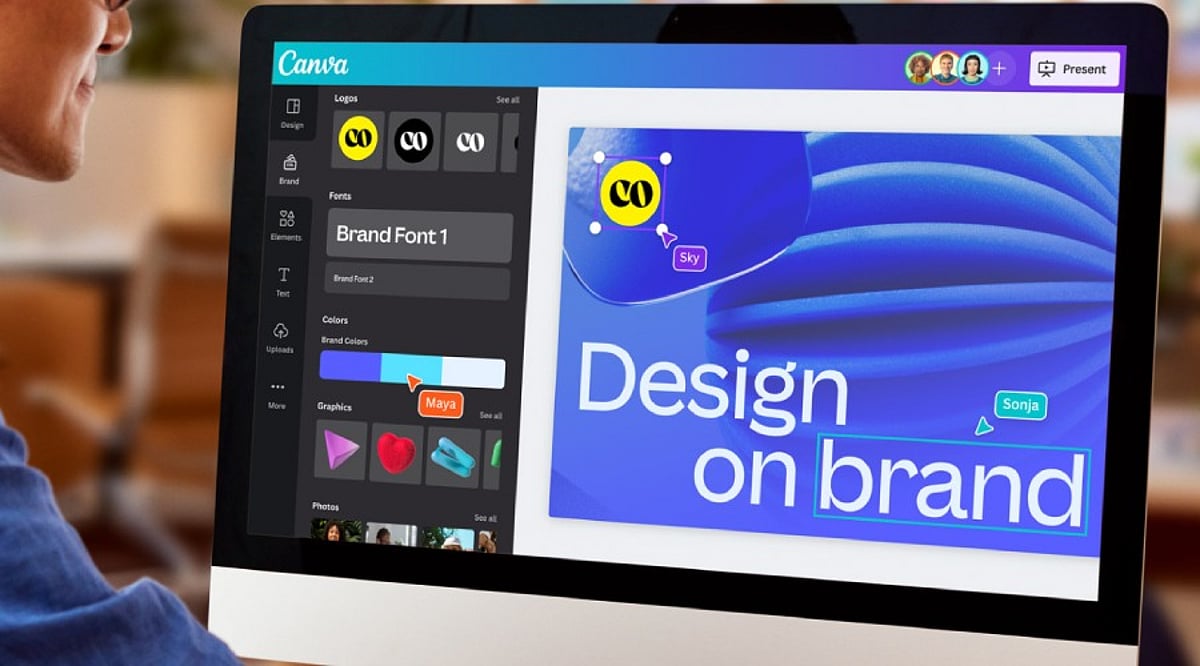
  • Unlock Professional Branding: How Canva Pro Streamlines Logo Design, Presentations, and Brand Kits

    Unlock Professional Branding: How Canva Pro Streamlines Logo Design, Presentations, and Brand Kits

    Canva Pro helps businesses create professional logos, presentations, and consistent branding using Brand Kits, AI-powered design tools, and flexible collaboration features, making visual content creation faster, easier, and more professional.

    A Professional Logo Builds Brand Identity

    A logo gives a company a distinctive identity. Customers tend to recognize the logo before anything else related to the company. Canva Pro has thousands of tweakable templates for logos that can fit various business types. The different templates have features that make it easy to change the layout, color, font, etc. A company can have a logo ready very quickly while maintaining the right professional look.

    Besides that, Canva Pro enables you to export your logo in SVG file format, which means you get a high-quality logo regardless of the logo’s size. A logo looks perfect on a business card, mug, website, billboard, and product packaging. In addition to that, exporting in transparent PNG format allows the logo to be seamlessly integrated with various backgrounds and eliminates unwanted blank boxes. The editing tools powered by AI help create and tweak various shapes and colors easily.

    Brand Kit Keeps Every Design Consistent

    Brand consistency plays a major role in business success. Customers remember a brand more easily when every design shares the same colors, fonts, and logo style. Canva Pro solves this challenge through its Brand Kit feature.

    The Brand Kit stores logos, brand colors, heading fonts, body fonts, and other visual elements in one place. Every new project can use these saved assets with only a few clicks. This simple process saves valuable time and keeps every design uniform across presentations, social media graphics, brochures, reports, and advertisements.

    Canva Pro now allows up to 100 Brand Kits. This feature serves marketing agencies, design studios, and companies that manage several brands at the same time. Each brand keeps its own colors, fonts, and logo without confusion.

    Brand Kit Builder Saves Valuable Time

    Many businesses already have a website or a brand guideline document. Canva Pro offers another helpful feature called Brand Kit Builder. This tool collects logos, fonts, colors, and other visual details directly from a company website or a PDF brand guide.

    The entire setup takes far less time than manual entry. A business starts new design projects with a complete brand identity already in place. This process also reduces mistakes and keeps every team member on the same visual style from the first project onward.

    Canva Pro Creates Professional Presentations

    Business presentations need a clean layout, readable text, attractive charts, and strong visual balance. Canva Pro includes thousands of presentation templates for sales meetings, business proposals, company reports, educational sessions, and product launches.

    Built-in charts and infographic tools help present numbers in a clear format. Animation features add smooth movement that keeps audience attention from the first slide to the last. Presenter View displays speaker notes while the audience sees only the presentation. Video presentation tools allow recording and sharing without extra software. Team members can also edit the same presentation together, which supports faster project completion.

    AI Features Speed Up Creative Work

    Artificial intelligence is a vital part of modern-day design. Canva Pro’s expanding Visual Suite offers a variety of tools equipped with AI technology to help the designer make layouts, edit images, create texts, and improve the design further.

    The release of new products such as Magic Studio, Canva Sheets, Canva Code, and advanced photo editing opens a door for many different design possibilities through the platform itself, not just graphic design. Today, businesses create their presentations, documents, promotions, and other visual outputs in one workspace rather than jumping around from one application to another.

    Better Brand Control Creates Better Results

    Strong brands stay consistent across every customer touchpoint. A matching logo, color palette, font style, and presentation design help customers recognize a business quickly. Canva Pro supports this goal through one central location for every important brand asset.

    Every employee or designer works with the same approved colors, logos, and fonts. Marketing campaigns, presentations, reports, and digital content maintain the same professional appearance. This level of consistency strengthens brand recognition and builds customer confidence over time.

    Canva Pro Fits Businesses of Every Size

    Small businesses often need affordable design software, while larger companies need advanced brand management tools. Canva Pro serves both groups through flexible features. A startup can create its first logo and presentation within hours. A growing company can manage several brands through multiple Brand Kits. A design agency can organize client projects with clear separation between each brand identity.

    Simple tools remove technical barriers, yet professional export options support high-quality business materials. This balance makes Canva Pro suitable for beginners as well as experienced designers.

    Final Thoughts

    Canva Pro has developed into something more advanced than a basic design service. Over 220 million users, support for more than 100 languages, and powerful business tools speak of the service’s global applicability. The features of creating logos in a professional way, exporting SVG images, exporting transparent background images, the ability of having Brand Kit and Brand Kit Builder, AI design tools, presentation abilities, make it possible to create various visual content easily. Introduction of 100 Brand Kits allows various agencies and organizations to produce different brands within the same platform.

    Frequently Asked Questions

    What is Canva Pro used for?

    Canva Pro is a design platform that helps users create logos, presentations, marketing materials, social media graphics, and branded content with premium features.

    What is the benefit of Canva Pro Brand Kit?

    Brand Kit stores logos, colors, fonts, and other brand assets in one place to ensure consistent branding across all designs.

    Can Canva Pro create professional presentations?

    Yes. Canva Pro offers thousands of presentation templates, animations, charts, speaker notes, collaboration tools, and video presentation features.

    Does Canva Pro support AI-powered design?

    Yes. Canva Pro includes AI features such as Magic Studio, AI image editing, content generation, and layout suggestions to speed up design work.

    Who should use Canva Pro?

    Canva Pro is ideal for startups, small businesses, marketing teams, agencies, educators, and enterprises looking to create professional visual content efficiently.

  • Why ‘Deck Talk’ Is the Biggest Threat to Thought Leadership by 2026

    Why ‘Deck Talk’ Is the Biggest Threat to Thought Leadership by 2026

    In an era where polished presentations dominate corporate communication, the rise of “Deck Talk”—an over-reliance on slick slides and automated content—poses a serious risk to genuine thought leadership. As we approach 2026, professionals must recognize how this trend undermines authentic expertise and meaningful dialogue. Here’s why deck-driven discourse is becoming the biggest challenge to lasting influence.

    The Problem with Deck Talk

    Excessive reliance on polished presentations replaces original thinking, reducing authentic expertise and meaningful conversations across modern workplaces globally. When every leader uses the same templated decks, unique voices are lost.

    AI-generated slides increase content volume but often dilute unique perspectives, making leadership voices appear repetitive and interchangeable to audiences. Automation may save time but sacrifices depth.

    Surface-level insights are common when beautiful slides prioritize aesthetics over substance. This limits deeper analysis, critical thinking, and actionable business recommendations for decision-makers.

    Why Authenticity Matters More

    Authentic storytelling—sharing genuine experiences, failures, and lessons—resonates more effectively than perfectly designed presentation decks packed with generic business frameworks alone.

    Audience fatigue is growing as professionals increasingly disengage from repetitive slide presentations lacking originality, practical value, or meaningful interaction during meetings and conferences worldwide.

    Trust deficits emerge when overproduced presentations lack demonstrated expertise. Audiences question whether leaders truly understand their stated subjects deeply when the focus is on flashy visuals rather than substance.

    A Better Path Forward

    Conversation-led leadership encourages fresh perspectives, collaboration, and stronger engagement than one-way presentation formats dominating corporate communication today.

    Original research—publishing unique insights, case studies, and firsthand data—strengthens credibility far beyond recycled slides or generic AI-generated business content.

    Long-term influence requires consistent expertise, transparent communication, and valuable contributions instead of polished presentation aesthetics alone. True thought leaders invest in substance over style.

  • How AI-Powered Slide Generators Are Automating Presentation Creation — Inside HIX AI’s Agent Workspace

    How AI-Powered Slide Generators Are Automating Presentation Creation — Inside HIX AI’s Agent Workspace

    Modern work environments often feel more fragmented than necessary. Most professionals juggle multiple tools—one for research, another for writing, a third for data organization, and yet another for presentations. This constant switching between applications not only slows productivity but also breaks concentration, making tasks feel longer and more burdensome.

    A more efficient approach is emerging: the Smart AI Agent Workspace. Instead of executing each step manually, users can issue a single command, and a team of AI agents handles the rest. These agents research, write, organize ideas, and even generate presentations within a unified environment.

    HIX AI is one platform that brings this vision to life. It integrates multiple AI capabilities into a single workspace, including its HIX AI Slides tool, which can transform raw ideas or documents into complete, ready-to-use presentations. The goal is to shift from manual, step-by-step workflows to automated, streamlined processes.

    The Hidden Cost of Digital Busywork

    Most people underestimate how much time is lost to routine digital tasks. It’s not the big projects that slow things down—it’s the small, repetitive actions: switching between apps, copying and pasting content, formatting documents, and recreating the same material in different tools. This so-called “digital glue work” consumes hours without adding real value.

    The problem intensifies with complex assignments that involve multiple sources, spreadsheet data, written explanations, and a final presentation. Each step requires a separate tool, forcing users to constantly switch platforms instead of focusing on critical thinking and decision-making.

    Modern AI-driven systems aim to solve this by consolidating everything into one environment. They treat work not as a sequence of isolated steps but as a single process, eliminating manual busywork and letting users concentrate on outcomes.

    How an AI Agent Workspace Actually Operates

    Understanding the User’s Goal

    An AI presentation maker starts by comprehending what the user truly wants to achieve. Instead of treating input as a simple command, the system reads the intent behind it and identifies the final deliverable—whether a report, article, or slide deck.

    Breaking Down the Task

    Once the objective is clear, the system automatically decomposes the work into smaller sub-tasks. Different AI agents are assigned to research, content creation, structuring, and formatting. Each agent focuses on its piece, making the overall process more efficient and organized.

    Delivering the Final Output

    After all steps are completed, the results are assembled into a cohesive final output within the same workspace. No manual linking or app switching is required. This approach is exactly how HIX AI and its HIX AI Slides module convert raw data into polished presentations or articles.

    HIX AI’s Implementation of the Agent Workspace

    A Unified AI Workspace

    HIX AI is designed as a single environment where various AI functions work together seamlessly, rather than as a collection of separate tools. The goal is to eliminate the need to jump between applications and centralize everything in one place.

    Multi-Agent Coordination

    Behind the scenes, several AI agents handle different parts of the workflow. One agent may focus on research, another on writing, and another on organizing or formatting the final product. These agents cooperate without user intervention—the user simply issues one command.

    End-to-End Automation

    When a task is assigned, the system processes it from start to finish. Whether generating content or building a presentation with HIX AI Slides, the result is a complete, well-structured output ready for use in the same workspace.

    AI Slides: Fully Automated Presentation Generation

    HIX AI Slides is built to dramatically simplify presentation creation. Users can just type a topic, upload a document, or provide raw ideas, and the system automatically produces a full slide deck with structured content and layout.

    The tool handles various input types like PDFs, reports, or notes. It breaks the content into logical segments and arranges them into a coherent sequence, ensuring no important information is lost and the presentation flows smoothly.

    Design is also automated. The platform adjusts layouts, spacing, and visual placement to create clean, professional slides without manual tweaking. The output is ready to use, though users can refine or edit it directly within the workspace.

    Conclusion

    The way we work is shifting from manual, step-by-step processes to interconnected, intelligent systems. Instead of using separate tools for each stage, professionals can now rely on AI-driven environments that handle the heavy lifting in one place.

    This transformation is embodied by the AI Agent Workspace. It unites research, writing, structuring, and presentation creation into a single flow, reducing effort and time. Ultimately, it’s not about working faster—it’s about working smarter, letting users focus on thinking and decision-making while the system executes the details.