
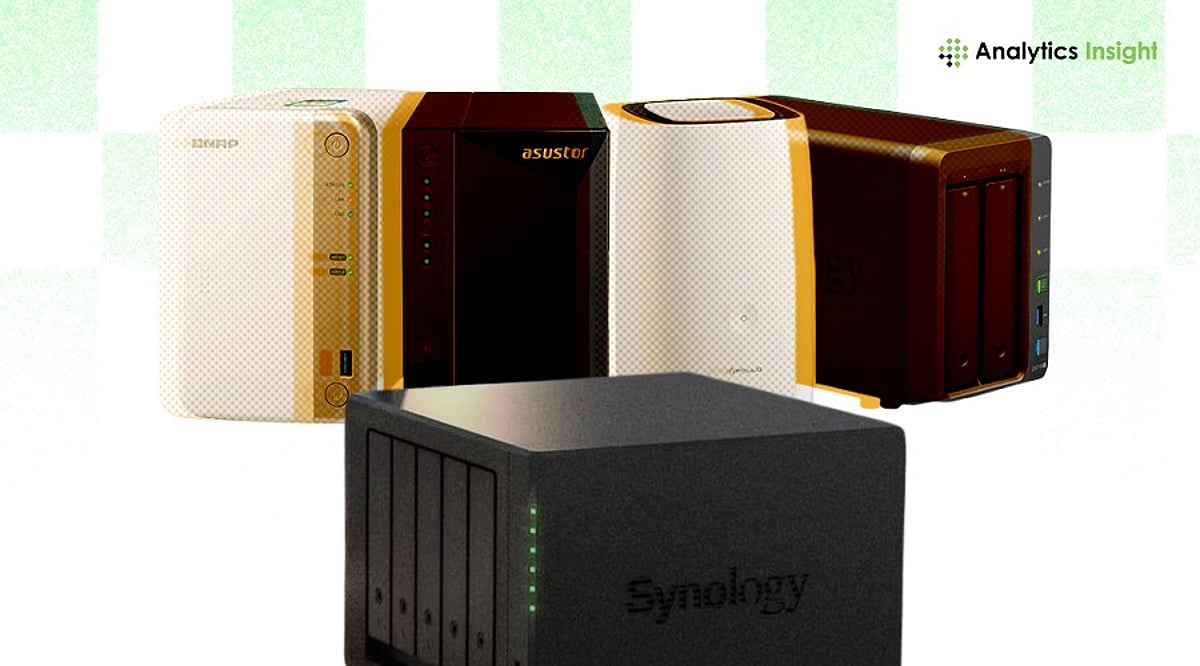
Network Attached Storage (NAS) has become an essential component for modern security camera systems, enabling centralized storage, remote access, and scalable data management. This guide covers the best NAS devices for surveillance, key features to look for, and how to choose the right system for your needs.
What is a NAS System?
NAS stores and retrieves data from a single network location, allowing multiple users to access it simultaneously. For security cameras, NAS records video continuously and makes footage available on demand. Its expandable storage makes it suitable for both small homes and large businesses.
NAS vs. DVR vs. NVR: Key Differences
Security camera storage generally falls into three categories: NAS, DVR, and NVR. NAS stands out for its device integration and larger storage expansion capabilities compared to traditional DVR and NVR setups.
Cloud-Connected NAS and Hybrid Models
Modern surveillance systems often combine NAS with cloud connectivity. Hybrid NAS offers remote access to live and recorded footage, data redundancy through cloud backup, and reduced risk of hardware failure. This combination supports uninterrupted surveillance and secure long-term storage.
Key Features to Look For
- High storage capacity with expansion options
- Support for multiple camera streams
- Continuous recording capability
- RAID support for data protection
- Remote access and mobile viewing
- Integration with IP camera systems
- Encryption and cybersecurity protections
Best NAS Devices for Security Camera Systems
Synology DiskStation DS923+
Ideal for small businesses and professionals, the DS923+ supports multiple IP cameras with strong performance for constant recording. It offers expandable storage and solid surveillance software.
Synology DiskStation DS224+
A great choice for home security, the DS224+ is easy to use and handles multiple video streams while maintaining energy efficiency and reliable recording.
QNAP TS-464
Designed for small-to-medium businesses, the TS-464 features robust processing and network connectivity, supporting HD and 4K camera streams. RAID storage enhances data security.
Asustor Lockerstor 4 Gen2 (AS6704T)
This NAS handles multiple cameras simultaneously with dual network ports, providing stability for continuous HD surveillance.
TerraMaster F4-425
A value-oriented option for growing companies, the F4-425 offers good performance at an affordable price, with RAID support for data security.
Benefits of NAS in Security Camera Systems
NAS centralizes all camera recordings, making footage easily accessible. As surveillance needs grow, NAS allows storage expansion without replacing the entire system.
Technical Considerations
Before choosing a NAS, evaluate the number of cameras, resolution, and network bandwidth. Look for RAID redundancy to prevent data loss, energy efficiency, and compatibility with existing surveillance hardware and software.
Final Thoughts
NAS technology continues to evolve to meet increasing surveillance demands. Hybrid and cloud-enabled NAS are shaping the future of video storage by merging local performance with remote access capabilities.
FAQs
What is the best NAS for security camera systems?
Top models include Synology DS923+, QNAP TS-464, and Asustor Lockerstor 4 Gen2, offering multi-camera support, RAID, remote access, and hybrid cloud integration.
How much storage is required for a security camera NAS?
Storage depends on camera resolution. A single 4K camera can use 300–500 GB per month. Multi-camera systems need several terabytes, so an expandable NAS with RAID is recommended.
Can NAS replace NVR for CCTV systems?
Yes, NAS can replace NVR in IP camera setups, offering more flexibility, scalability, and centralized control, along with hybrid cloud backup.
Is cloud integration necessary with NAS for security cameras?
Not mandatory, but hybrid NAS with cloud backup improves safety and accessibility, protecting against hardware failure or on-site damage.
Which NAS features matter most for surveillance?
Key features include multi-camera support, RAID, high network speed, 24/7 recording, and strong encryption. Remote mobile access and AI-based video management further enhance performance.