Tag: Runway

  • Master AI Video Creation: A Complete Step-by-Step Guide

    Master AI Video Creation: A Complete Step-by-Step Guide

    Key Takeaways

    • A clear script and short scene plan give AI video creation better structure and control.
    • Tools such as Veo, Kling, and Runway offer different options for visual quality and creative control.
    • Human editing and final checks remain essential for strong visuals, sound, continuity, and captions.

    Artificial intelligence video tools can turn a short script into cinematic scenes, product clips, social media videos, tutorials, and short films. The process now goes far beyond a single text prompt. A strong result starts with a clear idea, moves through a shot plan, uses suitable AI models, and ends with careful editing, sound, captions, and quality checks. The AI video market has also changed fast, with Google Veo, Kling, Runway, and other platforms taking major roles in modern video production.

    Start with a Clear Video Idea

    Every AI video needs a clear purpose before the first prompt. A YouTube video may need a wider frame and longer story, while a TikTok, Instagram Reel, or YouTube Short usually needs a vertical 9:16 frame. A product advert may need sharp product detail, while a short film may need stronger character and scene control.

    A simple plan should define the subject, audience, length, visual style, voice style, and final platform. A 60-second video, for example, can have a five-second hook, a main section, a short payoff, and a final call to action. A clear plan also reduces wasted AI credits.

    Turn the Script into Short Scenes

    A complete video should not depend on one large prompt. A better method splits the script into short scenes. Each scene can have a clear subject, action, location, camera view, light style, and mood.

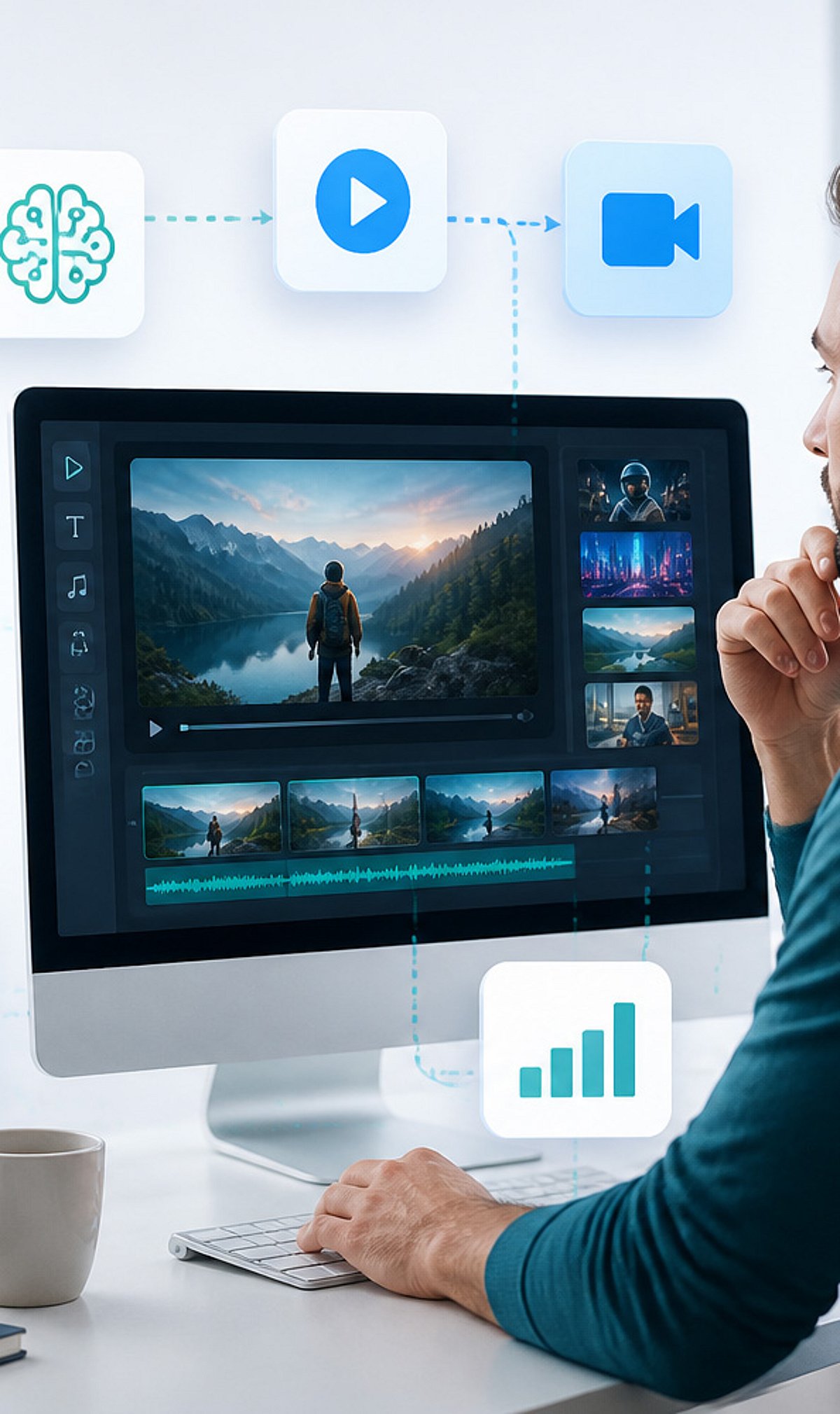
    For example, a video about AI video tools could open with a creator at a desk, move to an AI video interface, show a cinematic generated scene, and then return to the creator. Short clips give better control and make weak shots easier to replace.

    Character consistency also matters. A reference image can establish the same face, clothes, location, product, or visual style across several scenes. Current AI video workflows place more focus on reference control and shot consistency than older text-to-video methods.

    Pick the Right AI Video Tool

    Google Veo 3.1, Kling 3.0, and Runway now sit among the main choices for AI video work. Each platform suits different production needs. Veo 3.1 stands out for high visual quality and native audio. Kling 3.0 supports multi-shot story work and synced audio. Runway offers strong creative control and a broad production workflow. These strengths can change as new model versions arrive, so model names and versions need a date check before publication.

    Sora no longer serves as a current general option. OpenAI ended the Sora web and app experience on April 26, 2026. The Sora API also has a scheduled shutdown date of September 24, 2026.

    Write Better Video Prompts

    A useful prompt should describe the subject, action, setting, camera, light, movement, and visual style. A prompt such as ‘a person at a computer’ gives limited control. A stronger version can describe a filmmaker at a modern desk, a cinematic studio, warm practical lights, shallow depth of field, a slow camera push, realistic skin texture, and natural movement.

    Specific details help an AI model understand the intended shot. Camera direction also matters. Terms such as close-up, wide shot, tracking shot, slow push, overhead view, and shallow depth of field can shape the result.

    Add Voice, Music, and Sound

    A strong video needs more than attractive visuals. Voiceover can explain the subject, while music can set the mood. Sound effects can add realism to footsteps, machines, doors, vehicles, weather, and other actions.

    Current AI video systems increasingly support audio as part of video production. Adobe also added tools that can create video, sound effects, music, and soundscapes inside Premiere. Premiere can use Adobe Firefly as well as partner models such as Google Veo, Kling, Runway, and Luma.

    Edit the Final Video with Care

    AI output still needs human judgment. The best clips should form a clear sequence with a natural pace. Voiceover should match the correct scene, music should remain below speech, and sound effects should fit the action.

    Adobe Premiere now lets editors generate video and sound directly inside the timeline. The Generative Media Tool can use reference frames from nearby footage, which helps a new clip match the existing edit.

    Check Every Scene Before Publication

    A final review should catch distorted hands, odd faces, changing clothes, shifting objects, poor lip sync, strange physics, incorrect text, and sudden changes in location. Logos and important text deserve extra care, since AI models may still produce errors in small written details.

    Captions also need a manual check. Clear captions improve access and help short-form videos work without sound. The final export should match the target platform, with 16:9 for standard YouTube video and 9:16 for most vertical short-form content.

    AI video now works best as a complete production process rather than a single prompt. The strongest results come from a clear script, short scene plans, suitable AI models, controlled references, good sound, careful edits, and a final human review. The technology can supply the raw material, but strong creative direction still shapes the finished video.

    Frequently Asked Questions

    1. What is an AI video? An AI video uses artificial intelligence tools to create or modify video content from text prompts, images, scripts, or other references.
    2. How does AI create a video? AI can turn a written prompt or reference image into short video scenes, which can later form part of a complete edited video.
    3. Which AI tools can create videos? Google Veo, Kling, and Runway are among the major AI video tools available for different creative needs.
    4. Can AI create the whole video? AI can create many parts of a video, but editing, sound, captions, continuity checks, and quality control still need careful attention.
    5. What makes an AI video look better? A clear script, detailed prompts, consistent references, suitable scene plans, good sound, careful editing, and a final quality check can improve the result.
  • Top AI Tools to Transform Long Videos Into YouTube Shorts in 2026

    Top AI Tools to Transform Long Videos Into YouTube Shorts in 2026

    Producing YouTube Shorts on a consistent schedule is time-intensive. Scripting, recording, editing, and adding captions each demand separate effort. AI video tools now automate most of this workflow. Some generate a short from a simple idea, while others repurpose existing long-form footage into multiple vertical clips. Choosing the right tool can save hours every week.

    Know Your Goal First

    Not every AI video tool does the same job. Before selecting one, ask: Are you creating a video from scratch, or extracting clips from footage you already have?

    • Generating from an idea: You type a prompt, upload a photo, or paste a script, and the tool builds a new video.
    • Repurposing long video: You have a podcast, webinar, or vlog, and the tool identifies the best moments and turns them into short clips.

    These are two distinct tasks. A generator cannot clip an existing podcast, and a repurposing tool cannot create original footage. Confusing them leads to wasted effort.

    What to Check Before You Pick a Tool

    The success of a short video depends on a few essential details:

    • Vertical output: The video must export in true 9:16 format without black bars.
    • Speed: A tool that takes twenty minutes per clip is impractical for daily posting.
    • Automation level: Some tools write the script, add a voice, and place captions automatically. Others leave most work to the user.
    • Input options: Text, images, links, or audio — the more starting points, the more versatile the tool.
    • Captions and sound: Most viewers watch with sound off initially, so captions and music are baseline requirements.
    • Pricing: A flat monthly fee is easier to budget than a credit system that depletes quickly.

    The Two Paths Worth Knowing

    Tools That Build Something New

    Creators working from an idea, script, or photo should consider these:

    • Pexo: Uses a conversational approach — describe the video in plain language, and it writes the script, adds a voice, and assembles the clip in one exchange.
    • Runway and Pika: Focus on visual quality and creative style rather than a complete production workflow.
    • InVideo AI: Suits narration-heavy, faceless channels built around a written angle.
    • Canva: Ideal for creators already familiar with the platform who prefer a template-driven approach.

    Tools That Repurpose Existing Footage

    OpusClip leads this category. It processes a long recording — podcast, livestream, interview — identifies the strongest moments, and edits them into vertical clips with captions and reframing. It also scores each clip by predicted performance. Creators with hours of recorded content can save considerable time using this method.

    How to Choose

    Match the tool to the task. Starting with no footage? Pick a generator. Have long recordings? Choose a repurposing tool. Many creators use both: one for original ideas, another for extracting clips from long recordings.

    Review the free plan first. Every tool listed offers one, though most include a watermark or usage limit. Testing a free tier for a week provides more insight than any comparison article.

    Final Thoughts

    No single tool is the definitive choice — the right option depends on your starting point. For the fastest path from idea to finished vertical clip, Pexo is strong. For visual style over speed, Runway and Pika excel. For those with long recordings already available, OpusClip can turn them into weeks of short-form content. Selecting a tool based on your resources makes the ongoing task of producing Shorts much more manageable.

    Note: Prices change frequently, so check each site directly before committing.

  • Top AI Video Generators to Explore in 2026: From Pika to Adobe Firefly

    Top AI Video Generators to Explore in 2026: From Pika to Adobe Firefly

    The landscape of AI video generation is advancing rapidly, offering creators powerful tools to produce cinematic content from simple text prompts, images, or existing footage. Whether you’re a filmmaker, marketer, or social media creator, these platforms bring professional-grade video creation within reach. Here are the leading AI video generators to watch in 2026.

    Runway

    Runway enables users to create cinematic AI videos from text, images, and existing footage. Its advanced features include motion tracking, inpainting, and a suite of creative filmmaking tools that empower both beginners and professionals.

    Pika

    Pika transforms simple prompts into engaging short videos with realistic animations, creative visual effects, and smooth transitions. It is designed for rapid content generation, making it a favorite among creators who need quick, high-quality output.

    Google Veo

    Google’s advanced text-to-video model generates realistic, high-quality videos with natural motion, detailed environments, accurate physics, and cinematic storytelling capabilities. Veo is ideal for projects requiring fine-grained control over visual narratives.

    OpenAI Sora

    Sora produces highly realistic videos from detailed prompts, boasting impressive scene consistency, complex camera movements, realistic lighting, and dynamic visual storytelling. It represents a major leap in generative video quality.

    Synthesia

    Synthesia specializes in professional AI avatar videos featuring multilingual presenters, customizable templates, voiceovers, and branding options. It is widely used for training, marketing, and corporate communications.

    HeyGen

    HeyGen creates personalized AI spokesperson videos using realistic avatars, voice cloning, multilingual translations, and customizable scripts. It is built for global business communication and marketing campaigns.

    Luma Dream Machine

    Luma Dream Machine produces realistic AI-generated videos with natural camera movements, detailed environments, lifelike motion, and fast rendering. It is tailored for creative visual storytelling projects.

    Adobe Firefly Video

    Adobe Firefly Video integrates generative AI video creation directly into the Adobe Creative Cloud ecosystem. It enables commercial-safe content generation, editing, and seamless professional production workflows.

    Kling AI

    Kling AI delivers high-quality AI videos with realistic character movements, cinematic visuals, detailed environments, and advanced prompt understanding. It is designed for professional creative applications where quality is paramount.

    These tools represent the cutting edge of AI-driven video production. As the technology evolves, expect even more intuitive interfaces, faster rendering, and greater creative freedom. Explore them to stay ahead in the content creation game.

  • Top 9 AI Tools Trending This Week You Should Know About

    Top 9 AI Tools Trending This Week You Should Know About

    The world of artificial intelligence is evolving rapidly, and every week brings new tools that capture the attention of professionals and enthusiasts alike. Here are nine AI tools everyone is talking about this week, spanning productivity, creativity, research, and coding.

    ChatGPT – All-in-One AI Assistant

    ChatGPT helps users write, code, research, analyze documents, generate images, and automate workflows, making it the most versatile AI platform today.

    Google Gemini – AI Across Google Apps

    Gemini integrates with Gmail, Docs, Search, and Android, enabling seamless AI-powered writing, research, coding, planning, and multimodal content understanding across devices.

    Claude – Enterprise AI for Long Documents

    Claude excels at analyzing lengthy documents, summarizing reports, answering complex questions, and supporting enterprise workflows with strong contextual reasoning and safety.

    Perplexity AI – Search with Trusted Sources

    Perplexity AI combines conversational search with web citations, helping users quickly discover accurate information, compare sources, and conduct efficient online research.

    Microsoft Copilot – Workplace Productivity Booster

    Microsoft Copilot enhances productivity by drafting emails, summarizing meetings, creating presentations, analyzing spreadsheets, and automating repetitive tasks across Microsoft 365.

    Runway – AI Video Creation Platform

    Runway enables creators to generate videos, edit footage, remove backgrounds, create visual effects, and produce professional-quality content using advanced generative AI.

    Midjourney – High-Quality AI Image Generator

    Midjourney creates stunning, artistic images from text prompts, helping designers, marketers, and artists rapidly visualize creative ideas and marketing campaigns.

    Cursor – AI-Powered Coding Companion

    Cursor accelerates software development by generating code, explaining functions, fixing bugs, and assisting developers with intelligent programming suggestions inside the editor.

    NotebookLM – AI Research and Knowledge Assistant

    NotebookLM analyzes uploaded documents, PDFs, and notes to deliver contextual answers, summaries, and insights grounded in users’ own trusted source material.

    These tools represent the cutting edge of AI this week. Which one will you try first?