Tag: Siri AI

  • 7 Major Upgrades Expected in the Next Apple TV 4K Revealed by Latest Leaks

    7 Major Upgrades Expected in the Next Apple TV 4K Revealed by Latest Leaks

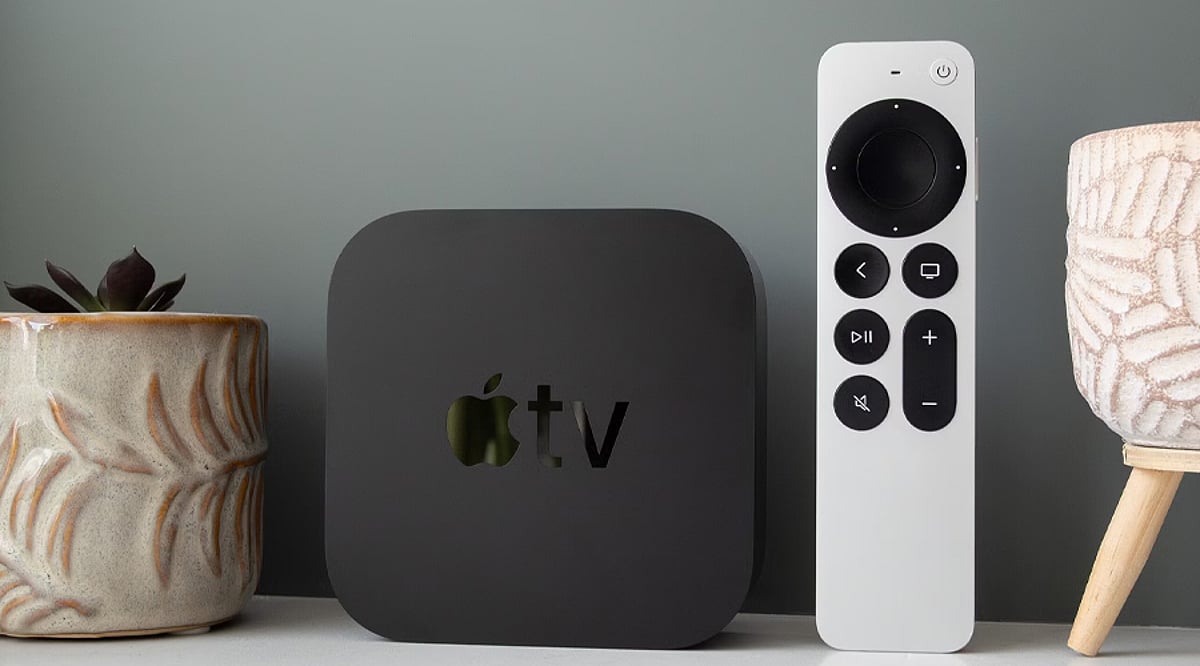
    Apple’s next Apple TV 4K could be getting its biggest refresh yet, according to recent reports and code discoveries. While the external design may remain familiar, the most significant changes are expected to happen internally. Here are seven reported upgrades to watch for.

    A Faster Chip Could Power It

    Reports point toward an A17 Pro or newer chip for the next Apple TV 4K. A more powerful processor could improve general performance and graphics capabilities. Some reports have also suggested chips as advanced as Apple’s newer generations. Apple has not officially confirmed the processor.

    More RAM Could Unlock AI

    The upcoming model is rumored to receive significantly more memory than the current generation. Reports have pointed to at least 8GB of RAM, compared with 4GB in the current model. More memory could help support demanding features, including reported Apple Intelligence and Siri AI capabilities.

    Siri AI May Finally Reach Apple TV

    One of the most interesting rumors involves AI-powered Siri coming to Apple TV. Reports point to references to Siri in tvOS 27, potentially indicating support for Apple’s newer Siri experience. However, the exact capabilities and availability remain unconfirmed until Apple makes an official announcement.

    Wi-Fi 7 Could Boost Connectivity

    The next Apple TV is rumored to feature Apple’s N1 wireless chip, which supports Wi-Fi 7. That would represent an upgrade from Wi-Fi 6 on the current model. Wi-Fi 7 can provide greater bandwidth and improved wireless performance when paired with compatible networking equipment.

    A New Siri Remote Is Reported

    Apple may also introduce an updated Siri Remote with the refreshed Apple TV. Reports suggest the remote is being redesigned or upgraded, although specific changes have not been revealed. For now, details about its controls, design and additional capabilities remain part of the rumor cycle.

    Familiar Design, New Internals?

    Recent code discoveries reportedly identify the product as Apple TV 4K (4th generation) and suggest an exterior similar to the current model. That would put the focus on internal upgrades rather than a dramatic redesign. Apple has not yet officially announced the device or confirmed its specifications.

  • Apple macOS 27.2 Beta 2 Adds Multi-Language Siri AI Support and Developer Fixes

    Apple macOS 27.2 Beta 2 Adds Multi-Language Siri AI Support and Developer Fixes

    Apple has released the second developer beta of macOS 27.2, build 26B5091g, arriving one week after the first beta and following the initial launch of macOS 27 earlier this month. This preview continues testing for the upcoming Golden Gate update, with a strong focus on refinements, bug fixes, and ongoing evaluation of known issues.

    Expanded Siri AI Language Support

    The most significant addition in macOS 27.2 is the expansion of Siri AI to multiple languages beyond English. The first beta introduced support for French, Japanese, Korean, Portuguese, and Spanish, and Beta 2 continues that effort. This marks a major step in Apple’s push to bring advanced on-device intelligence and natural-language capabilities to users worldwide through the Foundation Models framework and App Intents APIs.

    Beta 2 Focus on Testing and Stability

    Apple has not unveiled any major new user-facing features specifically for Beta 2. Instead, the release emphasizes continued testing and resolution of issues flagged in the first beta. The official release notes list several known problems under investigation, including potential Xcode crashes during code completion ranking, notification failures after a clean installation, and a glitch affecting the Shortcuts ‘Describe a Shortcut’ function. Apple advises developers to review the release notes carefully before installing.

    How to Install macOS 27.2 Beta 2

    Registered developers can download the beta via System Settings > General > Software Update, then select the macOS developer beta under Beta Updates. Apple strongly recommends backing up your Mac before installing any beta software, as preview builds may contain bugs, compatibility issues, or other problems. The stable release is expected later in October after additional beta iterations.

  • Maximizing Siri AI on iPhone 18 Pro: Features, Tips, and What’s New in iOS 27

    Maximizing Siri AI on iPhone 18 Pro: Features, Tips, and What’s New in iOS 27

    Apple’s Siri AI has officially arrived in India with iOS 27, bringing a more intelligent and context-aware voice assistant to compatible iPhones. The feature launched on September 14 and comes pre-installed on the iPhone 18 Pro. Currently in beta, Siri AI supports English and requires users to join a waiting list. Apple also enforces daily limits on server requests to manage load.

    Deeper Access to iPhone Data

    The updated Siri can search across Messages, Mail, and Photos. Users can ask Siri to retrieve specific details, such as booking codes from older emails. During business calls, Call Context can display relevant information like a booking number automatically.

    Screen Awareness and App Integration

    Siri AI now understands content on your screen. For example, you can ask it to turn a sports fixture list from a webpage into calendar entries. Activate Siri via the wake phrase, side button, or a swipe down from the Dynamic Island.

    Visual Intelligence in Camera

    Visual Intelligence works through the Camera app as a Siri mode. Point your camera at a printed schedule, such as a wedding card, and ask Siri to extract relevant details.

    Third-Party App Support

    Siri AI integrates with third-party apps. Apple specifically mentions WhatsApp for sending messages via voice commands. Audible playback is supported, and apps like Microsoft Outlook, Notability, and Tripsy are slated for upcoming support.

    Writing, Dictation, and Shortcuts

    Writing Tools can draft and rewrite text in any app where you type. Siri can adapt its writing style to match yours. Dictation gets an upgrade via Apple’s AFM Core Advanced model, adding punctuation and formatting as you speak. The Shortcuts app now accepts plain-language instructions—just describe the action you want instead of manually building each step.

    Price Tracking and Personal Organization

    Safari’s Notify Me feature monitors webpages for changes, including restocks and price drops. Calendar and Reminders can add events and list items through spoken instructions. Siri AI maintains conversation history across devices via iCloud, so chats continue seamlessly on Mac, iPad, Apple Watch, or Vision Pro.

    Language Support in India

    Siri AI launched with English only. French, Japanese, Korean, Portuguese, and Spanish are scheduled to arrive next month, but Apple has not announced a timeline for Hindi. The feature works on iPhone 15 Pro and later models, including the iPhone 18 Pro and iPhone Duo.

  • iOS 27 Hands-On: Apple Intelligence Puts AI at the Core of the iPhone

    iOS 27 Hands-On: Apple Intelligence Puts AI at the Core of the iPhone

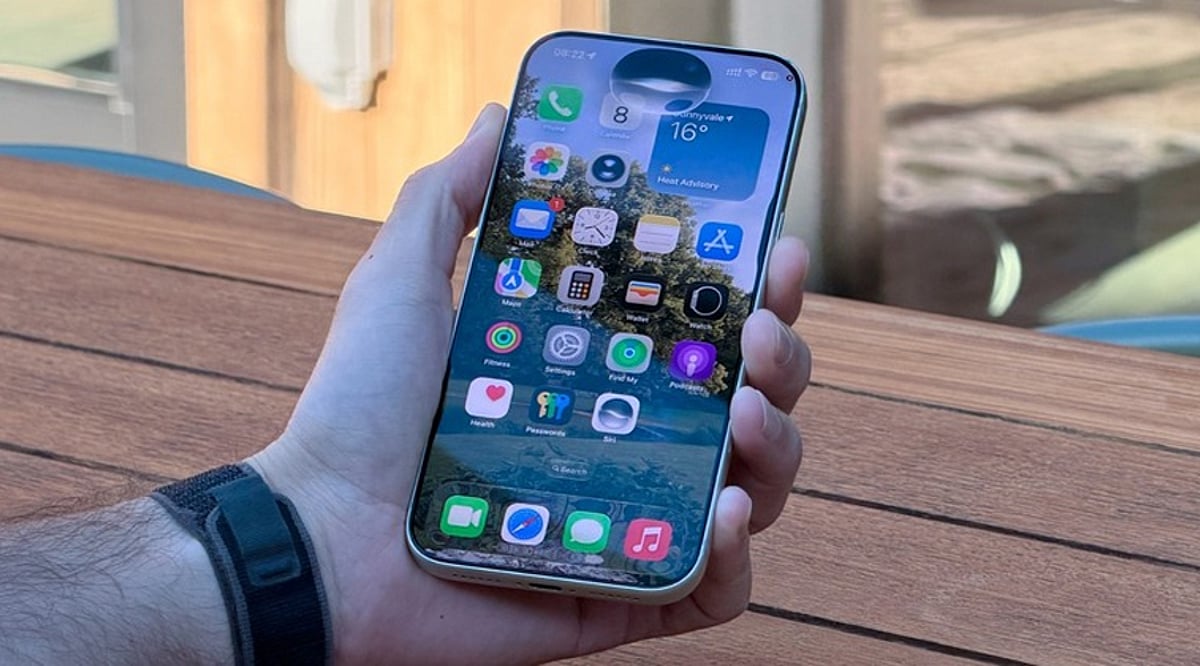
    Apple’s iOS 27 update signals a turning point for the iPhone: artificial intelligence is no longer a side feature but the backbone of the user experience. Powered by Apple Intelligence, the new OS enhances Siri, the Camera, Photos, and writing workflows — making the device more proactive, context-aware, and capable of handling complex tasks across apps.

    Siri AI Takes Center Stage

    With iOS 27, Siri becomes far more than a voice assistant. The upgraded Siri AI understands personal context, what’s on the screen, and natural language requests while executing actions across different apps. Users can ask it to find information buried in emails, photos, and notes, draft content, answer questions, and carry on continuous conversations through Siri’s dedicated app.

    Personal Context Gets Smarter

    Siri AI now draws on messages, emails, photos, and saved notes to deliver more relevant answers. Rather than interpreting isolated commands, it can locate specific details and connect information across apps, creating a more integrated assistant that works with data already stored on your iPhone.

    The Camera Becomes a Visual AI Assistant

    Visual Intelligence arrives in the iPhone Camera, letting users ask questions about objects, text, and situations visible in the viewfinder. Siri can then identify what it sees, offer relevant information, and trigger actions based on the scene. This moves AI beyond chat into everyday visual tasks.

    AI-Powered Photos and Creative Tools

    The Photos app receives new AI-driven editing tools that simplify adjustments. Apple is also expanding Image Playground with the ability to generate photorealistic imagery from natural-language prompts. Together, these features let users edit and create visual content without relying solely on traditional controls.

    Writing Assistance Gets an AI Upgrade

    Apple Intelligence brings writing support directly into iOS 27 workflows. Users can generate first drafts, get feedback, and fine-tune style or tone for different audiences. The goal is to make AI writing assistance feel native to the iPhone rather than an add-on chatbot experience.

    Hardware Limits Remain

    Not every iPhone can run the full Apple Intelligence suite. Siri AI requires an Apple Intelligence-enabled device, including iPhone 15 Pro models and iPhone 16 or later. That leaves a clear gap between supported models and older iPhones that continue to run iOS 27 without the advanced capabilities.

    AI Is Becoming the Interface

    iOS 27 shows Apple moving AI from an optional extra to a core layer of the iPhone experience. Siri, Camera, Photos, writing tools, and cross-app actions all depend on behind-the-scenes intelligence. The result is an iPhone where AI quietly powers how everyday tasks get done.

  • Apple AirPods 5 Debut with Open-Ear Active Noise Cancellation: Pricing and Key Features

    Apple AirPods 5 Debut with Open-Ear Active Noise Cancellation: Pricing and Key Features

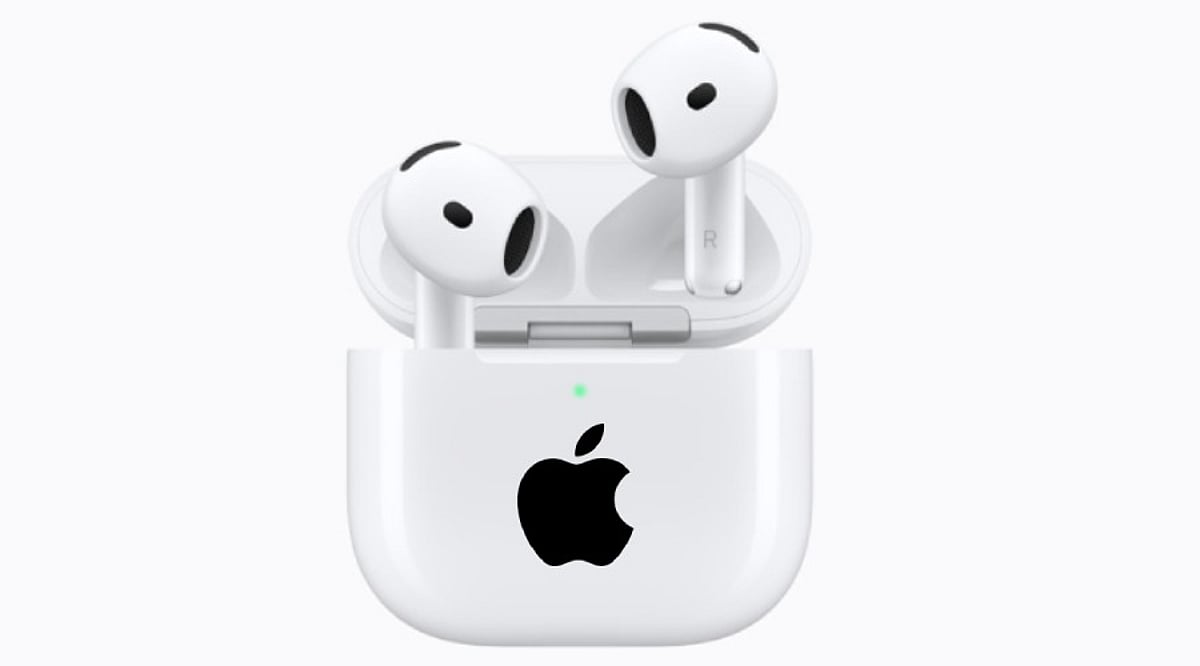
    Apple has officially launched the AirPods 5, introducing Active Noise Cancellation (ANC) for the first time in an open-ear design. The fifth-generation earbuds also deliver enhanced sound quality, a more natural Transparency mode, hands-free Siri AI, and Live Translation capabilities.

    Open-Ear ANC: A First for AirPods

    Apple states that the AirPods 5 offer the industry’s best ANC in an open-ear form factor. This is made possible by a new multiport acoustic architecture and next-generation Adaptive EQ. According to Apple, the open-ear ANC removes up to 50 percent more external noise compared to the AirPods 4 with Active Noise Cancellation.

    AirPods 5 Price and Availability

    The standard AirPods 5 are priced at Rs. 14,900, while the model with a Wireless Charging Case costs Rs. 17,900. Customers can pre-order both versions now, with retail availability starting Friday, September 18.

    The Wireless Charging Case version also provides longer battery life and on-stem volume control. A new force sensor with volume swiping debuts in the open-ear form factor, allowing users to adjust volume by swiping up or down on the stem.

    ANC and Sound Improvements

    The AirPods 5 utilize a new multiport acoustic architecture and improved computational audio algorithms to deliver up to 50 percent more noise reduction than the AirPods 4 with ANC.

    The earbuds also feature an improved Transparency mode designed to make voices and nearby sounds feel more natural. Adaptive Audio dynamically blends Transparency mode and ANC depending on the user’s environment. Conversation Awareness automatically lowers media volume when the user begins speaking.

    The new acoustic architecture, combined with next-generation Adaptive EQ, delivers richer and more detailed sound across a wider range of ear shapes. Personalized Spatial Audio also offers a more immersive listening experience.

    Siri AI and Live Translation

    AirPods 5 support hands-free Siri on Apple Intelligence-supported iPhones. Users can also respond to Siri by nodding or shaking their head.

    Live Translation, powered by Apple Intelligence, enables communication across languages. After setting up the feature in the Translate app and downloading required languages, users can activate it through AirPods or the Action button on iPhone.

    Battery and Durability

    AirPods 5 with Wireless Charging Case offer up to five hours of playback with ANC on a single charge—one hour longer than the AirPods 4 with ANC. The charging case extends total playback to up to 22 hours with ANC.

    The earbuds also provide improved dust, sweat, and water resistance. The wireless charging case supports Apple Watch chargers, Qi-compatible chargers, and USB-C.

  • iOS 27: Release Date, New Features, and Compatible iPhone Models

    iOS 27: Release Date, New Features, and Compatible iPhone Models

    Apple’s iOS 27 update is set to arrive on September 14, bringing a redesigned Liquid Glass interface, a revamped Siri AI, performance boosts, and new features across core apps. The update supports iPhone 11 and newer models, including the iPhone SE (2nd generation and later).

    iOS 27 Release Date and Installation

    iOS 27 will be publicly available on September 14. Users can install it over the air by going to Settings > General > Software Update on compatible iPhones. The update was previewed at WWDC 2026 and introduces several improvements to enhance everyday iPhone use.

    Siri AI Gets a Major Upgrade

    One of the biggest additions is the next-generation Apple Intelligence and revamped Siri AI. The new assistant understands natural requests better, maintains context across interactions, and can perform tasks across supported apps. Siri AI also arrives as a standalone app, letting users access previous conversations. It combines Apple’s Foundation Models with Google’s Gemini AI models.

    Apple also introduced new parental controls, including Time Allowances and Schedules, plus an Ask to Browser feature that lets children request access to new websites.

    Faster Performance and Liquid Glass Changes

    iOS 27 refines Apple’s Liquid Glass design language, adding a slider to control opacity. Performance sees notable gains: apps launch up to 30% faster, photos load up to 70% faster, and AirDrop transfers complete up to 80% faster. The update includes an optimized CPU scheduler to improve performance across supported devices.

    More Changes Across iPhone Apps

    The Phone app gets a redesign and can display important information from Mail. Messages and Mail offer suggestions under certain messages. Safari can group tabs by topic and notify users when websites update, including price or product availability changes.

    iOS 27 Compatible iPhones

    iOS 27 supports iPhone 11 and newer models, along with iPhone SE (2nd generation and later). The lineup includes:

    • iPhone 11 series
    • iPhone 12 series
    • iPhone 13 series
    • iPhone 14 series
    • iPhone 15 series
    • iPhone 16 series
    • iPhone 17 series
    • iPhone Air
    • iPhone 17e
    • iPhone SE (2nd gen and later)

    Apple Intelligence features remain limited to iPhone 15 Pro models and later devices.

  • iOS 27 Public Beta Now Available: Siri AI Leads New Features—Check iPhone Compatibility

    iOS 27 Public Beta Now Available: Siri AI Leads New Features—Check iPhone Compatibility

    Apple has officially released the iOS 27 public beta, giving users an early look at the next-generation operating system ahead of its stable launch later this year. The headline feature is Siri AI, a redesigned, more intelligent assistant that brings deeper on-device processing, improved contextual understanding, and more natural conversations. The update also includes Apple Intelligence enhancements, performance improvements, and several interface upgrades.

    Siri AI: The Core of iOS 27

    The most exciting addition in iOS 27 is the new Siri AI. Unlike previous versions, this assistant can understand context, identify on-screen information, and perform complex multi-step tasks across Apple’s native apps. Users can ask Siri to locate a specific email, find a particular photo, create notes from messages, summarize content, or complete other multi-stage requests without switching apps. Natural language understanding has also been significantly improved. While the feature is available in the beta, compatibility with third-party apps will expand over time.

    This public beta offers the first opportunity for non-developers to experience Apple’s latest AI capabilities. Experts recommend backing up your device before installing the beta software.

    Other Features Coming in iOS 27

    Beyond Siri AI, iOS 27 introduces AI-powered photo editing, faster search in Photos, improvements to Camera and Messages, overall system performance optimizations, and security enhancements. Apple is clearly focused on delivering AI-driven experiences and refining performance.

    How to Download iOS 27 Public Beta

    To install the beta, sign in to Apple’s Beta Software Program with your Apple ID. Then go to Settings > General > Software Update > Beta Updates, select iOS 27 Public Beta, and begin the installation. Apple advises making a full device backup before upgrading, as beta versions may contain bugs and are incomplete.

    iPhone Compatibility

    iOS 27 supports many iPhone models, but Apple Intelligence and Siri AI require newer hardware. Older iPhones that support iOS 27 may not have access to all of Apple Intelligence’s capabilities. Check Apple’s official list to see if your device is eligible for the full experience.

  • Major Tech Updates: GTA 6 Digital Edition Confirmed, SteamOS 3.8 Arrives, Oracle Bolsters Defense AI, and Apple Enhances Siri

    Major Tech Updates: GTA 6 Digital Edition Confirmed, SteamOS 3.8 Arrives, Oracle Bolsters Defense AI, and Apple Enhances Siri

    Rockstar Games has officially confirmed that the physical edition of Grand Theft Auto 6 will be digital-only, marking a significant shift in game distribution. Meanwhile, Valve has expanded its SteamOS 3.8 update, bringing new features and improvements to the Linux-based gaming platform.

    In defense technology, Oracle is strengthening its AI ecosystem for defense applications, aiming to provide advanced capabilities for national security. Additionally, Gadgets 360 has launched a new service called Turbo, promising faster and more efficient gadget coverage.

    Apple is reportedly moving to limit Siri’s ability to summarize webpages, a move that could impact user convenience in favor of privacy or performance considerations. This roundup covers the top tech news of the day, offering insights into the latest developments across gaming, software, defense, and consumer technology.