Tag: small business

  • Top AI Accounting Software for Small Businesses and Enterprises in 2026

    Top AI Accounting Software for Small Businesses and Enterprises in 2026

    Key Takeaways

    • AI accounting tools improve accuracy and reduce manual financial tasks.
    • Small businesses and enterprises can choose solutions based on their needs.
    • Smart features help companies gain better control over financial data.

    AI accounting software helps small firms and large enterprises handle money tasks with better speed, accuracy, and control. In 2026, many companies choose AI tools to reduce manual work, create clear reports, and manage financial data with fewer errors. These platforms support tasks such as expense control, invoice creation, tax support, cash flow checks, and financial analysis. Modern AI features help firms make better choices with real-time data and smart suggestions.

    QuickBooks Online

    QuickBooks Online remains one of the most popular AI accounting platforms for small businesses. It offers invoice tools, expense control, bank connection, tax support, and financial reports. AI features help spot unusual costs, predict cash flow changes, and provide useful financial insights. The software suits startups, small firms, and growing companies that need simple financial control.

    Xero

    Xero provides a clean accounting system with strong AI support for small and mid-size companies. The platform helps with invoice work, expense records, payroll tasks, and financial reports. Its smart tools help users save time and keep records accurate. Xero also supports teamwork with secure access for accountants and company staff.

    Zoho Books

    Zoho Books has affordable AI accounting solutions that assist small businesses that require complete financial management. The program helps users create invoices, maintain tax records, review expenses, and keep track of payments. Thanks to AI elements, keeping data organized and knowing the company’s financial status is easy. Moreover, the connection with other programs by Zoho can be useful for companies that want a total digital solution.

    FreshBooks

    FreshBooks focuses on simple accounting needs for freelancers, small firms, and service companies. It provides invoice tools, expense records, client details, and financial reports. AI features help create better money insights and reduce time spent on routine tasks. The platform offers a user-friendly design for firms that prefer easy financial tools.

    Sage Intacct

    Sage Intacct serves mid-size firms and enterprises that need advanced financial control. The software offers strong AI features for reports, cash flow analysis, and business data review. It supports complex company structures with detailed financial information. Many growing firms choose Sage Intacct for better control over large financial operations.

    NetSuite ERP

    NetSuite ERP is an all-in-one platform where financial, accounting, and business processes can be executed. The solution is suitable for large businesses that require advanced instruments for financial reasoning and international operations. AI functions help reveal trends in financial data, which expedites business decisions. The application works effectively in case of complex requirements.

    Wave Accounting

    Wave Accounting offers a simple and budget-friendly option for small businesses. It provides invoice creation, expense records, and basic financial reports. AI tools help small firms organize money details with less effort. Wave works well for startups and independent professionals who need basic accounting support.

    Odoo Accounting

    Odoo Accounting offers businesses an adaptable solution that can be tailored to their specifications. The program integrates accounting with sales, inventory management, customer care, and other applications. The platform employs adequate AI features such as data analysis, financial forecasting, and automation of processes. Odoo is ideal for businesses that require a flexible platform that can change as they grow.

    TallyPrime

    TallyPrime remains a trusted accounting choice for many small and large companies. It supports tax work, financial records, inventory control, and company reports. AI features add better analysis and help companies understand financial details faster. The software offers strong support for firms that need reliable accounting functions.

    Microsoft Dynamics 365 Finance

    Microsoft Dynamics 365 Finance helps enterprises handle complex financial needs. The platform offers AI tools for financial analysis, forecasts, cost control, and business insights. It connects with other Microsoft services and supports large organizations with advanced financial requirements. The software helps companies maintain better financial visibility.

    SAP S/4HANA Finance

    SAP S/4HANA Finance serves large enterprises with global financial demands. It provides AI-based insights, financial reports, compliance support, and advanced data analysis. The platform helps organizations manage large financial systems with better accuracy. It remains a strong choice for companies with worldwide operations.

    Oracle Fusion Cloud ERP

    Oracle Fusion Cloud ERP delivers enterprise-level accounting and finance solutions. It includes AI features for financial analysis, risk checks, forecasts, and process automation. The platform supports large companies with complex structures and global needs. Oracle helps firms gain deeper control over financial data.

    Why This Matters

    The business world has embraced AI accounting software due to the need for prompt control over finances and accurate management of financial information. The technology enables businesses to minimize human errors and provide better insights into their finances. AI-powered software solutions facilitate effective analysis, automation, and decision making in terms of finance.

    Final Thoughts

    AI accounting software in 2026 presents solutions suitable for all corporations. Smaller companies have the option of selecting easy-to-use tools like QuickBooks Online, Xero, FreshBooks, or Wave. More established corporations can use sophisticated software such as NetSuite ERP, SAP S/4HANA Finance, or Oracle Fusion Cloud ERP. Which solution is best for the company depends on several factors such as the size of the business, budget, and future plans entailed in the incorporation of AI tools in accounting.

    FAQs

    1. What is AI accounting software? AI accounting software uses artificial intelligence features to automate financial tasks, analyze data, and provide useful business insights.
    2. Which AI accounting software is best for small businesses? QuickBooks Online, Xero, Zoho Books, FreshBooks, and Wave Accounting offer useful features for small businesses.
    3. Can AI accounting software reduce accounting errors? Yes, AI tools help detect unusual records, organize financial data, and improve accuracy in accounting processes.
    4. Is AI accounting software suitable for large enterprises? Yes, platforms such as SAP S/4HANA Finance, Oracle Fusion Cloud ERP, and NetSuite ERP support complex enterprise needs.
    5. What features should businesses check before choosing AI accounting software? Businesses should review automation features, reporting options, security, pricing, integrations, and scalability before selecting a platform.

  • How Digital Payments Are Revolutionizing Small Business Growth Beyond Lending

    How Digital Payments Are Revolutionizing Small Business Growth Beyond Lending

    Digital payments have evolved far beyond simple transaction processing. Today, they serve as a powerful engine for small businesses, enabling them to streamline operations, attract a broader customer base, and accelerate growth.

    In India, systems like UPI and Aadhaar-enabled banking now power a significant share of MSME payments. These technologies make transactions faster and more secure, while reducing the reliance on cash.

    Faster digital checkouts cut down waiting times, eliminate the need for cash handling, and automatically record every transaction for easier accounting. This operational efficiency allows business owners to focus more on strategy and less on manual tasks.

    Every digital payment generates valuable data. Business owners can track customer trends, identify peak sales hours, and manage inventory more effectively, leading to smarter, data-driven decisions.

    Accepting digital payments also opens doors to online shoppers, delivery platforms, and customers outside the local area. This expanded reach helps small businesses compete in a larger marketplace.

    Security is another key benefit. AI-powered fraud detection, real-time monitoring, and secure payment systems protect businesses and build trust with customers. Embedded payments within apps, POS systems, and digital platforms simplify checkout and improve cash flow through faster settlements.

    Beyond immediate transactions, digital payments support long-term business growth. Better recordkeeping, improved tax planning, customer rewards programs, and easier access to future credit are all made possible by a robust digital payment infrastructure.

    However, challenges remain. Cybersecurity threats, transaction fees, system outages, staff training requirements, and protecting customer data are ongoing concerns that small businesses must navigate.

  • Small Businesses Launch New Court Battle Against Trump’s Latest Tariffs

    Small Businesses Launch New Court Battle Against Trump’s Latest Tariffs

    A fresh wave of legal challenges has emerged against President Donald Trump’s newest tariff measures, as small businesses file lawsuits arguing the administration overstepped its authority. The cases, filed in the US Court of International Trade, target import duties imposed on goods from dozens of trading partners.

    Two separate lawsuits have been filed since the tariffs took effect. Educational toy company Learning Resources, which previously challenged Trump’s tariff policy, brought one action. The second was filed by New York spice importer Burlap & Barrel and California watch retailer Collective Horology, represented by the Liberty Justice Center.

    The plaintiffs contend that the administration failed to justify the tariffs on a per-country basis and did not adequately explain how the duties would address forced labor concerns, a requirement under Section 301 of the Trade Act of 1974. They argue the new tariffs effectively replace the worldwide duties the Supreme Court invalidated earlier this year, and that changing the legal basis does not resolve the court’s concerns about presidential authority.

    The Trump administration defends the measures, stating they target nations that have not prevented imports linked to forced labor. The tariffs apply to imports from 60 trading partners and cover nearly all US imports.

    Trade lawyers note that these challenges may face a tougher path than previous cases. Unlike earlier tariffs, the latest duties rely on Section 301, a trade law that has historically survived court scrutiny and was widely used during Trump’s first term. Legal experts predict the tariffs could remain in place for an extended period while the cases proceed, with relief requiring countries to prove effective enforcement of US demands.

    The lawsuits add to ongoing legal and political battles over Trump’s trade agenda, with businesses warning that prolonged uncertainty could disrupt imports, costs, and investment decisions.

  • Top Accounting Software for Small Business: Key Features to Consider

    Top Accounting Software for Small Business: Key Features to Consider

    Selecting the right accounting software is critical for small businesses aiming to streamline financial operations and focus on growth. Modern solutions offer a range of features that automate manual tasks, improve accuracy, and provide real-time insights. Below are the essential capabilities to look for when evaluating accounting software for your business.

    Cloud Accessibility

    Cloud-based platforms enable you to access financial records anytime, anywhere, from any device. This facilitates seamless collaboration among team members, ensures real-time updates, and provides secure data management across multiple devices without the need for on-premise hardware.

    Automated Bookkeeping

    Reduce manual data entry by automating transaction recording, expense categorization, and bank reconciliation. Automated bookkeeping minimizes human errors, saves time, and ensures your financial records are always up-to-date.

    Invoice Management

    Create professional invoices quickly, send automated payment reminders, and track outstanding payments with ease. Effective invoice management improves cash flow by streamlining billing processes and reducing the time spent on follow-ups.

    Expense Tracking

    Monitor business expenses in real time, digitally organize receipts, and categorize spending to maintain accurate financial records. Robust expense tracking helps you make better budgeting decisions and identify cost-saving opportunities.

    Tax Compliance

    Simplify tax filing with automated calculations, compliance reports, and accurate recordkeeping. Accounting software that supports GST and other tax requirements reduces filing errors and saves valuable time during tax season.

    Financial Reporting

    Generate real-time profit and loss statements, balance sheets, cash flow reports, and other key financial insights. These reports are essential for informed financial planning, strategic decision-making, and demonstrating financial health to stakeholders.

    Payroll Integration

    Manage employee salaries, tax deductions, benefits, and payroll processing efficiently within the same platform. Integrated payroll ensures compliance with labor and taxation regulations while reducing administrative workload.

    Third-Party Integrations

    Connect your accounting software with CRM, payment gateways, inventory systems, banking platforms, and e-commerce tools. This connectivity streamlines business operations, eliminates data silos, and boosts overall productivity.

    Scalability and Security

    Choose software that offers advanced security features such as encrypted backups and user permissions, along with scalable capabilities that grow with your business. This ensures your financial data remains protected as your operations expand.

  • Why Small Businesses Are Poised to Win Big with AI

    Why Small Businesses Are Poised to Win Big with AI

    For the better part of two years, the national conversation about artificial intelligence has been dominated by the largest technology companies, the researchers building the underlying models, and the policymakers trying to write the rules for them. But what is largely missing from the discussion is the segment of the American economy where the day-to-day impact of these tools will be felt first and most directly: small businesses.

    Small businesses, the roughly 33 million firms that account for nearly half of private sector employment, are the place where AI will either become a unifying force for economic prosperity or create a widening gap in equality. This outcome will be shaped by the choices made over the next several years about access, training, and support.

    Rhett Buttle, founder and CEO of Public Private Strategies and president of the Public Private Strategies Institute, has spent his career at the intersection of policy and the private sector. He argues that small businesses are not bystanders in the AI story, but some of its most promising potential beneficiaries.

    The Numbers Behind the Argument

    The early data is encouraging. Roughly a third of American small businesses report that they are already experimenting with AI in some form, whether through customer service tools, marketing automation, bookkeeping software, or content generation. Their experience also seems to be largely positive. Owners describe saved time, faster customer responses, marketing that is easier to sustain, and the ability to take on work that previously required hiring help they could not afford.

    However, two-thirds of small businesses have not yet engaged with these tools in a meaningful way. Some owners lack the time, others lack the technical confidence, and many have not yet found a tool that fits well with their business. Yet a common theme in all of these reasons is the need for a trusted source to point them toward the tools that would actually be useful for what they do.

    This is the part of the story Buttle keeps coming back to. The risk is not that small businesses will be displaced by AI, but that the businesses already using AI will pull further ahead of the businesses that have not yet started.

    Why Small Businesses Are Well-Positioned

    In some ways, small businesses are better positioned to benefit from AI than larger firms because it is easier for them to implement the technology. Large companies have to integrate AI through a complex process that involves many systems, teams, and compliance considerations. In many cases, the time from deciding to adopt new AI software to deploying it can be measured in quarters or years. Small businesses, by contrast, can adopt a new tool in an afternoon. An owner who decides on Monday that an AI-powered scheduling tool would help her bakery can be using it by Tuesday. The barrier is simply awareness and confidence.

    That structural advantage means small businesses can adapt faster, abandon what does not work, and double down on what does. The firms that figure this out early tend to do so by trial rather than by strategic plan, which is how small businesses have always adopted new tools.

    We saw this play out with e-commerce. When small businesses began adopting websites in the late 1990s and early 2000s, the firms that engaged early found themselves with a meaningful advantage over the firms that waited. The same pattern played out with social media in the 2010s, with mobile payments shortly after. Each wave produced a gap between adopters and non-adopters, and each wave eventually closed as the technology became standard. AI is on a similar trajectory, with one important difference: the productivity gains compound faster.

    The Coordination Problem

    From Buttle’s perspective, the challenge is not the technology itself. It is the coordination required to make sure the tools actually reach the businesses that would benefit from them. This is where the public and private sectors have a meaningful role to play.

    There are already federal and state small business support programs that are well positioned to help on the awareness side. The Small Business Administration’s network of resource partners, including Small Business Development Centers and SCORE chapters, reaches millions of business owners every year. Adding clear, vendor-neutral AI guidance to that work is feasible and will benefit countless small businesses.

    In the private sector, technology companies that build for small businesses have an interest in making their tools genuinely accessible, not just available. That means pricing that works for a five-person firm, onboarding that does not assume a technical background, and support that respects the time constraints of an owner who is also the person opening the store in the morning. The companies that get this right will likely have long-term customers in a part of the economy that, as a whole, is larger than most enterprise markets.

    Philanthropy and civil society have a third role. Industry associations, chambers of commerce, and community-based organizations are often the most trusted source of practical guidance for small business owners. There is an opportunity to equip those organizations with the resources to offer real AI literacy programs to their members.

    Public Private Strategies has been organized, in part, around exactly this kind of coordinated work. The Small Business Roundtable, which Buttle helped build, brings together organizations representing small business owners across industries, regions, and backgrounds. In addition, the Next Gen Chamber of Commerce, which he founded, is built around the priorities of a new generation of business leaders who are often the first in their networks to experiment with new tools. The bottom line is that the infrastructure to move quickly on AI literacy exists. The question is whether it gets used.

    A Realistic Read on the Risks

    AI adoption at the small business level also brings real questions about data privacy, about reliability, and about the quality of the outputs these tools produce. Owners who deploy AI in customer-facing contexts need to understand what the technology can and cannot do, along with clear guidance on how to use it responsibly.

    Buttle’s argument is that these challenges are manageable when they are addressed deliberately. The country has navigated technology transitions in the small business segment before. The pattern that tends to work is a combination of clear policy frameworks, accessible private sector products, and trusted community-level guidance. These pieces are available. They just need to be put together.

    An Opportunity Worth Building Toward

    If the country gets this right, the next several years could produce one of the most significant productivity gains the small business community has seen in a generation. Owners who once spent their evenings on bookkeeping will get those hours back. Firms that could not previously afford marketing will have access to it. Customer service that used to drop off at 5 p.m. will be available around the clock. None of this is hypothetical. It is already happening at the firms that have started using AI.

    The question is how widely the benefit gets distributed. Rhett Buttle’s argument, consistent across his work, is that broad-based participation in this kind of transition does not happen by default. It happens when the public and private sectors are willing to design for it together.

    "Entrepreneurship is the basis for everything we do," Buttle has said of his own organization. Applied to the AI moment, the line points toward a specific responsibility: making sure the tools of the next economy reach the entrepreneurs who will use them best. That is the goal, and it is one of the more promising opportunities of the decade.

  • How Small Businesses Leverage AI to Reduce Operational Costs

    How Small Businesses Leverage AI to Reduce Operational Costs

    Small businesses are increasingly turning to artificial intelligence to streamline operations and cut expenses. From customer support to inventory management, AI tools are helping entrepreneurs do more with less. Here’s a look at the key areas where AI is making a difference.

    AI Chatbots

    AI-powered chatbots handle customer queries 24/7, reducing support costs, improving response times, and allowing staff to focus on complex customer needs.

    AI Accounting Tools

    AI automates bookkeeping, invoice processing, expense tracking, and financial reporting, minimizing manual work while reducing accounting errors and operational expenses.

    AI Marketing Platforms

    AI creates personalized campaigns, automates email marketing, optimizes advertisements, and improves customer targeting, helping businesses lower marketing costs significantly.

    AI Inventory Management

    AI predicts product demand, optimizes stock levels, and reduces overstocking and shortages, helping businesses save on storage, procurement, and wastage expenses effectively.

    AI Content Creation

    AI generates blogs, product descriptions, social media posts, and marketing copy, reducing content production costs while maintaining consistent publishing schedules.

    AI Meeting Assistants

    AI records meetings, generates summaries, extracts action items, and automates documentation, saving employees’ time and improving workplace productivity across teams.

    AI Sales Assistants

    AI qualifies leads, recommends follow-ups, predicts customer behavior, and automates repetitive sales tasks, increasing conversions while reducing manual sales effort.

    AI HR and Recruitment

    AI screens resumes, schedules interviews, and automates candidate communication, reducing hiring costs while speeding up recruitment for growing businesses.

    AI Data Analytics

    AI analyzes business performance, customer trends, and operational data, helping owners make faster decisions that reduce unnecessary spending and improve profitability.

  • Why Small Businesses Need CMMC: A Practical Guide to Cybersecurity Compliance

    Why Small Businesses Need CMMC: A Practical Guide to Cybersecurity Compliance

    Small businesses face an increasingly dangerous cybersecurity landscape. Data breaches, ransomware, and supply chain vulnerabilities are no longer hypothetical threats, which is why robust security frameworks have become non-negotiable. For companies handling sensitive federal information, the Cybersecurity Maturity Model Certification (CMMC) has evolved into both a compliance requirement and a solid defense strategy.

    CMMC solutions provide small businesses with a structured way to protect controlled unclassified information (CUI) and federal contract data. But the benefits go beyond satisfying regulators. Done right, these frameworks help build a security posture capable of withstanding sophisticated threats. Here’s how CMMC implementation actually strengthens cybersecurity and what business leaders need to know before getting started.

    What CMMC Solutions Actually Do

    At its core, the Cybersecurity Maturity Model Certification establishes a unified set of security standards for defense contractors and everyone in their supply chain. The Department of Defense created it to replace a patchwork of overlapping requirements with a single framework across five maturity levels, each building on the security controls from the level before.

    CMMC solutions pursue three main goals:

    • Standardized Protection: Getting everyone in the defense industrial base on the same security page, replacing the mismatched standards that were previously common.
    • Verified Implementation: Using independent assessors to confirm controls are in place and functioning, not just gathering dust in a binder.
    • Supply Chain Security: Extending protection requirements deeper into contractor networks, precisely where adversaries have been finding entry points.

    The framework heavily relies on NIST cybersecurity standards, especially Special Publication 800-171, which details how to protect CUI on non-federal systems. Because of the overlap, working toward CMMC compliance strengthens a business’s entire cybersecurity posture, not just the parts tied to federal work.

    Why CMMC Compliance Matters Beyond Contracts

    While CMMC certification is required for defense contracts, its value extends much further. The certification process often reveals security gaps that companies didn’t know existed. Small businesses frequently discover weaknesses in access controls, incident response, or data handling that have been unnoticed for years. Fixing those issues lowers risk across the entire business, not just government-contract areas.

    There’s also a trust factor. As commercial clients scrutinize vendors’ cybersecurity practices, CMMC certification becomes verifiable proof that a company takes data protection seriously. This can tip the scales in competitive bidding situations.

    Financially, small businesses face average breach costs exceeding $2.98 million. The controls CMMC requires—multi-factor authentication, encryption, network segmentation, and incident response planning—directly address the vulnerabilities that lead to those breaches.

    Understanding NIST 800-171 Requirements

    NIST Special Publication 800-171 is the technical engine behind CMMC Level 2, the level most defense contractors need to achieve. It outlines 110 security requirements across 14 families, covering access control, awareness and training, audit and accountability, incident response, and system and communications protection.

    Key areas include:

    • Access Control: Ensuring only authorized users and devices can access systems, applying least-privilege principles, and controlling information flow.
    • Awareness and Training: Educating personnel about risks and their role in protecting sensitive information.
    • Audit and Accountability: Maintaining audit records to monitor, investigate, and respond to security events.
    • Incident Response: Building capability to detect, report on, and respond to cybersecurity incidents.
    • System and Communications Protection: Monitoring and controlling communications at system boundaries, plus using cryptographic protections.

    Meeting these requirements typically involves a mix of technical deployment and process change. You’ll deploy tools like endpoint detection and encryption, but also write policies, run training sessions, and set up ongoing monitoring. The upside is that NIST 800-171 doesn’t force a one-size-fits-all approach—it allows businesses to implement controls in ways that fit their operations.

    The Strategic Role of CUI Enclaves

    Controlled unclassified information comes with specific protection requirements, and applying them across an entire IT environment is often impractical for small businesses. That’s where a CUI enclave shines: a separate, hardened environment designed for handling sensitive information.

    Think of it as a secure zone within a larger network. By isolating sensitive data and the systems that touch it, businesses can concentrate their strongest security controls exactly where they’re needed most, instead of spreading resources thin trying to lock down everything. This is often a more cost-effective path than bringing every device and system up to CMMC standards.

    A well-built CUI enclave typically includes:

    • Network Segmentation: Physically or logically isolating the enclave from the rest of the network, with tightly controlled access points and monitored traffic.
    • Enhanced Access Controls: Multi-factor authentication, privileged access management, and detailed logs of user activity.
    • Data Loss Prevention: Controls that prevent unauthorized copying, sending, or removal of CUI from the protected space.
    • Continuous Monitoring: Real-time monitoring with automated alerts to catch anomalies or policy violations.

    For small businesses without a large IT team, managed enclave providers like Cuick Trac, Redspin, and Coalfire offer turnkey setups. They handle the technical work of running a CMMC-compliant environment, allowing businesses to focus on core operations while meeting federal cybersecurity requirements.

    Practical Cybersecurity Solutions for Small Operations

    Small businesses constantly face the tension of needing enterprise-level security without enterprise-level budgets or staff. Fortunately, the controls CMMC requires align well with practical, affordable solutions that guard against common threats.

    Must-haves include:

    • Endpoint Protection: Modern antivirus and anti-malware using behavioral analysis and machine learning to catch threats that signature-based tools miss.
    • Network Security: Next-generation firewalls that inspect traffic at the application layer to catch sophisticated attacks.
    • Email Security: Filtering that catches phishing, malicious attachments, and business email compromise—the number one attack vector for small businesses.
    • Data Encryption: Encrypting data both in transit and at rest, so even if a system is breached, stolen data remains unreadable.
    • Multi-Factor Authentication: Requiring additional verification beyond passwords, which Microsoft research shows blocks 99.9% of automated account attacks.
    • Backup and Recovery: Regular, tested backups kept securely offline or in immutable cloud storage to provide a safety net against ransomware or system failures.

    Many of these are now available as cloud-based subscriptions priced for small business budgets. Security-as-a-service eliminates massive upfront costs, providing enterprise-grade protection and expertise on a manageable monthly plan. The key is not treating these as separate tools—CMMC compliance requires proving that security controls work together as a system, building genuine defense in depth.

    Building Your NIST Compliance Roadmap

    Getting to NIST 800-171 compliance and CMMC certification requires real planning. A structured checklist helps break the 110 requirements into manageable steps:

    1. Scope Definition: Map every system, network, and person that touches CUI. Most businesses are surprised by how large their CUI footprint turns out to be.
    2. Gap Analysis: Compare current security practices against NIST 800-171 honestly. Whatever you miss now will show up during a formal audit.
    3. Risk Assessment: Evaluate how likely each gap is to be exploited and the potential impact, so you can prioritize fixes based on real risk.
    4. Remediation Planning: Create a plan with specific actions, responsible parties, deadlines, and required resources to close each gap.
    5. Implementation: Do the work and document everything: changes, configurations, and new procedures. Documentation proves the work happened.
    6. Validation: Test controls to confirm they genuinely work as intended.
    7. Continuous Monitoring: Maintain an ongoing process to sustain compliance, catch new vulnerabilities, and adapt as threats change.

    Documentation trips up many businesses. CMMC assessments require actual evidence: system security plans, policies and procedures, configuration records, training logs, and audit trails. Companies often underestimate the paperwork involved and scramble before their assessment window. Don’t skip regular check-ins—quarterly reviews help catch small issues before they become real problems. Configurations drift, people leave, new systems appear, and paperwork gets outdated. Catching those changes early is far easier than dealing with a compliance failure after the fact.

  • Epson EcoTank Printers Under ₹20,000: The Best Picks for 2026 in India

    Epson EcoTank Printers Under ₹20,000: The Best Picks for 2026 in India

    When it comes to budget printers, the initial price tag can be misleading. A low-cost machine often leads to high ink replacement costs. Epson’s EcoTank series flips that equation by using refillable ink tanks instead of cartridges, dramatically reducing long-term expenses. Here are the top Epson printers under ₹20,000 available in India this year.

    Why EcoTank Changes the Game

    Traditional printers are cheap upfront but expensive to maintain. EcoTank models replace cartridges with large, refillable ink tanks. The cost per page drops significantly, making them ideal for regular printing—whether for school assignments, home offices, or small businesses. The savings add up fast, which is why EcoTank dominates this price range.

    Epson EcoTank L3252 – The Best All-Rounder for Most Homes

    The L3252 prints, scans, and copies. It connects wirelessly via Wi-Fi and Wi-Fi Direct, so you can print from phones, tablets, and laptops without cables. Its running costs are low, setup is simple, and performance is reliable. For everyday home use, this is the most balanced choice.

    Epson EcoTank L3250 – A Close Second

    Similar to the L3252, the L3250 offers printing, scanning, copying, and wireless connectivity at a slightly lower price. It’s perfect for home offices that need consistent daily performance without frills.

    Epson EcoTank L3211 and L3210 – No-Nonsense Value

    If wireless isn’t needed, these models focus on core functions: print, scan, copy. They’re cheaper and still deliver low running costs. The L3210 is particularly popular in India for its reliability. The L3211 offers a slightly updated build. Great for students and families on a tight budget.

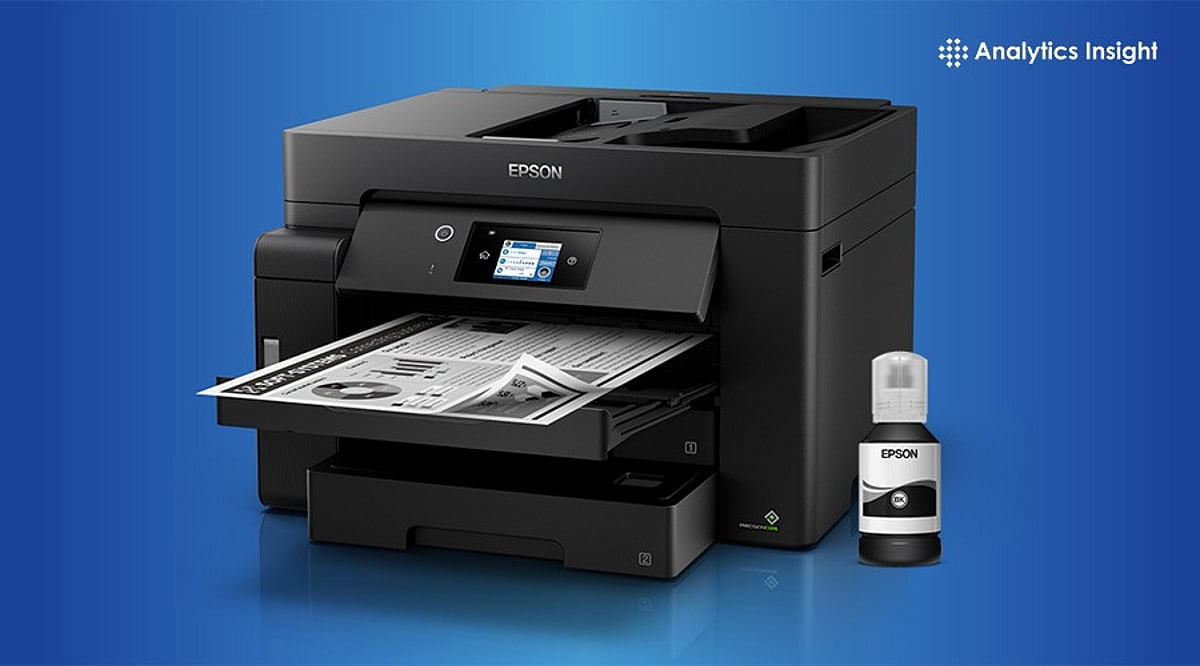
    Epson EcoTank M2110 – Designed for Business Volume

    This monochrome printer is built for heavy document printing. Small businesses, CA firms, and legal offices that print hundreds of pages daily will benefit from its efficiency and low operating costs. Color printing isn’t available, but that’s a smart trade-off for pure text work.

    How to Choose the Right Model

    Ask yourself three questions: How much do you print each month? Do you need wireless? Is color essential? Your answers will point to the right model. For wireless-first users: L3252 or L3250. For simple, reliable printing: L3210 or L3211. For high-volume monochrome: M2110.

    Final Thoughts

    Epson’s EcoTank platform removes the biggest pain of budget printing—the cost of ink. Under ₹20,000, each of these models delivers excellent value. Match your choice to your actual printing habits, and you’ll rarely regret it.