
Tag: social media scheduling

  • Canva Pro Review: Features, Pricing, Benefits, and Everything You Need to Know

    Canva Pro Review: Features, Pricing, Benefits, and Everything You Need to Know

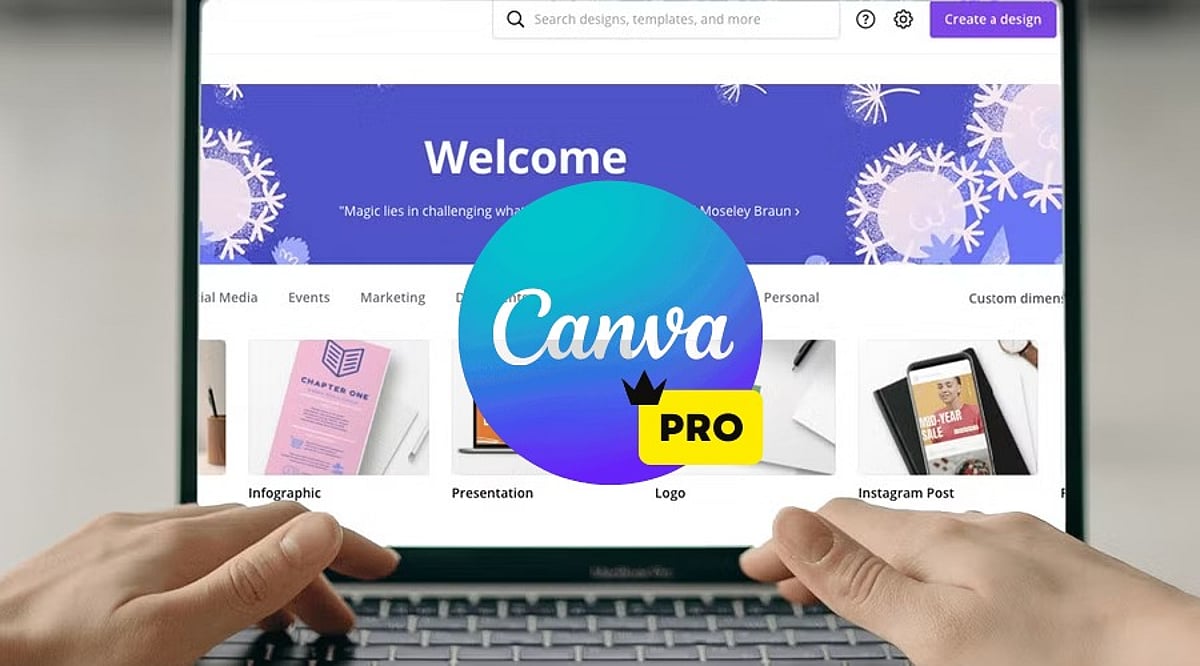
    Canva has transformed how people create visual content, making professional-looking designs accessible to everyone. Although the free version has an extensive suite of tools, Canva Pro offers advanced features that will be useful for professionals, businesses, teachers, marketers, and other content creators. If you make presentations, graphics for social media, marketing material, or videos, Canva Pro will make your work easier.

    Here is all you need to know about Canva Pro – features, advantages, price, and whether it’s worth upgrading.

    What is Canva Pro?

    Canva Pro is Canva’s premium subscription service, giving users access to advanced design tools, millions of premium resources, AI technologies, brand management tools, and collaboration features. Unlike the free version, Canva Pro is aimed at regular content creators. Whether you are a freelancer, a small business owner, a social media manager, or a student with multiple projects, Canva Pro can make your work easier and faster while still producing quality designs.

    Features of Canva Pro

    Millions of Premium Templates

    There are millions of professionally made templates that Canva Pro offers you, for categories including: Instagram posts and Reels, YouTube thumbnails, presentations, proposals, flyers, posters, brochures, resumes, invitations, infographics, and more. These templates are editable and always updated.

    Premium Photos, Videos, and Graphics

    Subscribers have access to a wide range of content such as stock photos, videos, audio tracks, icons, illustrations, stickers, and animations. This way, you can avoid purchasing separate stock content from stock websites.

    Magic Studio AI Tools

    Among the most important features offered by Canva Pro are the AI-enabled Magic Studio tools, which include: Magic Write (AI content generator), Magic Design, Magic Edit, Magic Eraser, Magic Expand, Magic Animate, Background Generator, AI Image generation, AI Presentations creation.

    Background Remover

    Background Remover is one of the most used tools in Canva Pro. A user can remove image backgrounds without using any other editing tool simply by clicking once. The feature is very helpful in product photography, profile pictures, marketing materials, and YouTube thumbnails.

    Brand Kit

    Companies can have consistent branding through Brand Kit. Users can save logos, brand colors, font styles, templates, and guidelines in this tool to make sure every design meets the same branding requirements.

    Resize Designs Instantly

    Using Magic Resize, users can instantly convert a design into different formats. For instance, an Instagram post can be converted into Facebook post, LinkedIn graphic, Pinterest pin, story, or presentation slide.

    Content Planner

    The Content Planner tool within Canva Pro enables users to schedule posts on social media channels including Instagram, Facebook, LinkedIn, Pinterest, and X (formerly Twitter). This makes Canva both a design and a publishing platform.

    Cloud Storage

    Canva Pro offers larger storage compared to its free counterpart, where users can store all their pictures, video clips, brand materials, templates, and design files. All stored files are accessible from any device.

    Team Collaboration

    Users can collaborate on projects, comment on them, assign tasks, work on designs collaboratively, and set permissions. It is especially useful for marketing teams and businesses.

    Version History

    With Canva Pro, you can undo your previous design changes to recover from unintentional changes.

    Benefits of Canva Pro

    • Time-Saving – Templates, AI, and one-click editing allow for faster creation of professional graphics.
    • Improved Branding Consistency – With the Brand Kit, it becomes easy for companies to maintain consistency of their visual branding across all channels.
    • Inexpensive – It becomes unnecessary to purchase stock images, graphic design templates, tools for removing backgrounds, or designing software separately, as Canva Pro offers a subscription package of all.
    • Intuitive Interface – No prior experience with graphic design is required. Even beginners can use the drag-and-drop interface to create professional graphics.
    • Best for Business – For a small business, there is a possibility to create marketing strategies, business cards, social media content, presentations, product catalogues, and advertising material without hiring professional graphic designers for every project.

    Canva Free vs Canva Pro

    [Comparison table or detailed points can be included here, but the source text only provides a brief mention. We’ll summarize: Free version has basic templates and limited assets; Pro adds premium templates, AI tools, Brand Kit, background remover, content planner, team collaboration, and larger storage.]

    Who Should Use Canva Pro?

    Canva Pro would be best used by: content creators, YouTubers, bloggers, digital marketers, small business owners, freelancers, teachers, students, startups, social media managers. Anyone producing visual content regularly is likely to benefit from the additional features.

    Should You Get Canva Pro?

    If you rarely create graphics, the free option may suffice. However, Canva Pro is beneficial if you: design content weekly, run multiple social media accounts, need premium stock assets, use AI technology in design, collaborate with a team, develop your brand identity, or make presentations, videos, or marketing content. Time saved through automation, templates, and premium assets could soon compensate for the cost of a subscription.

    Conclusion

    Canva Pro isn’t simply an upgrade of Canva; it’s a complete creative ecosystem offering all the tools you need for graphic design, AI-powered content creation, branding, collaboration, and social media posting. Several templates, premium assets, sophisticated editing tools, and productivity features make Canva Pro valuable for people and businesses that regularly create visual content. If you’re building your personal brand, running a business, or making presentations, Canva Pro will give you everything you need to design quality graphics efficiently.

    FAQs

    1. What is Canva Pro?

    Canva Pro is Canva’s premium subscription offering advanced design tools, AI features, premium assets, and branding capabilities for creators.

    2. Is Canva Pro better than the free version?

    Yes, Canva Pro includes premium templates, AI tools, Brand Kit, background remover, and advanced collaboration unavailable in the free version.

    3. Who should use Canva Pro?

    Content creators, marketers, businesses, students, educators, freelancers, and designers benefit most from Canva Pro’s advanced productivity features and assets.

    4. Does Canva Pro include AI tools?

    Yes, Canva Pro offers AI-powered Magic Studio, including Magic Write, Magic Design, Magic Edit, image generation, and automated design features.

    5. Is Canva Pro worth the subscription cost?

    If you create visual content regularly, Canva Pro saves time, improves quality, and provides valuable premium resources worth the investment.


  • 7 Free Digital Marketing Tools That Help Small Businesses Grow Faster

    7 Free Digital Marketing Tools That Help Small Businesses Grow Faster

    Free digital marketing tools help small businesses improve visibility, strengthen customer engagement, and measure marketing performance without significant upfront costs. Choosing one reliable tool for each core function is more effective than managing dozens of apps. Consistently using them as a connected workflow creates sustainable long-term growth.

    Most small businesses do not struggle with a weak product. They struggle with visibility, memory, and follow-up. Customers cannot buy from a business they never find, and they rarely return to one that never reaches back out. Free digital marketing tools solve exactly this gap, provided the right tool gets matched to the right problem instead of piling up unused software.

    The gap between a business that grows steadily and one that stalls rarely comes down to spend. It comes down to whether a handful of free tools get used consistently, in a way that actually connects visibility, retention, and measurement instead of treating each as a separate task.

    What Separates a Useful Tool From a Distraction

    A free tool earns its place only if it clears three tests. It should solve a real bottleneck, not add a nice-to-have feature. Its free tier should stay usable for months, not function as a disguised trial. And it should take under an hour to learn well enough to use daily. Any tool failing these tests adds more mental clutter than value, and a half-used app often costs more attention than it saves.

    Getting Found: Local Search and Website Visibility

    For local businesses, Google Business Profile carries more weight than almost any other free tool available. It places a business on Maps, gathers reviews, and answers “Who is open nearby?” without requiring a website visit at all. The listing stays free indefinitely, with no hidden tier.

    Google Search Console adds a second layer for businesses running a website. It reveals which search terms already bring visitors in, flags broken pages, and shows current rankings. This tool only becomes useful once a website has some traffic to measure, so early-stage sites should not expect much insight from it in the first weeks.

    Google Trends rounds out this group, though only as a directional signal. It shows whether interest in a topic is rising or falling rather than an exact search volume, which makes it useful for spotting shifts rather than sizing markets.

    Building Credibility Through Design

    A business with inconsistent, rough visuals reads as unstable even when the underlying product is strong. Canva’s free tier includes enough templates and brand-kit basics to keep social posts and promotional materials visually consistent, and that consistency often gets mistaken for reliability by new customers forming a first impression.

    Premium fonts, select templates, and background removal sit behind Canva’s paid tier, so the free version works well as a launch tool rather than a permanent solution. As a business grows past its first year, most owners find the paid upgrade pays for itself through faster turnaround alone.

    For written content, tools such as ChatGPT or Claude help draft captions and email copy faster, though every draft still needs a human pass for accuracy and brand voice before it goes out. Treating these tools as a starting draft rather than a finished product keeps the writing sounding like the business rather than a generic template.

    Turning First-Time Buyers Into Repeat Customers

    Social platforms control their own algorithms, and reach on them can shift overnight. An email list belongs to the business that built it, and that ownership explains why email marketing consistently delivers one of the strongest returns among digital channels, particularly for nurturing repeat purchases.

    Mailchimp’s free plan covers a few hundred contacts along with basic automation, enough to run welcome emails and a monthly newsletter without added cost. Brevo offers a strong alternative for businesses wanting more automation without hitting a contact ceiling quite as fast. Either platform becomes more restrictive as a list grows past a few thousand contacts, so planning for that shift early avoids a rushed migration later.

    Businesses juggling leads and past customers across scattered spreadsheets often benefit from adding HubSpot’s free CRM tier here as well, since it keeps contact history in one organized place instead of spread across inboxes.

    Staying Visible Without Constant Manual Posting

    Buffer’s free plan allows a handful of social channels to get queued in advance rather than posted each day manually. This structure pushes content planning into batches, which tends to produce more consistent messaging than reacting in the moment. The tradeoff comes through account and post limits on the free tier, making it best suited to businesses running two or three platforms rather than five.

    Measuring What Actually Works

    Marketing without measurement amounts to a guess dressed up as a decision. Google Analytics 4 tracks where visitors originate, what they do once they arrive, and which channels lead to actual conversions rather than surface-level clicks. Many businesses using it discover that search and email drive more converting traffic than social media ever did, a finding that reshapes where future effort goes. GA4 carries a learning curve and an interface that takes some getting used to, so pairing it with Search Console gives a fuller picture than either tool alone.

    Connecting the Tools Into One System

    Used separately, these remain just apps. Combined, they form a loop. Google Trends flags what people care about. Canva turns that insight into a graphic or post. Buffer schedules it consistently. Mailchimp follows up with anyone who is engaged. GA4 and Search Console then reveal what converted, feeding directly back into the next round of content. Running this loop weekly, even loosely, produces more growth than five disconnected tools ever could.

    Free tools do not replace a marketing strategy. They allow a business to execute one without needing a budget first. The businesses gaining the most from this approach are not the ones running the most software. They are the ones building a simple, repeatable system and improving it steadily over time.

    Final Thought

    The next shift in small business marketing will not come from another new app. It will come from businesses treating their existing free tools as one connected system rather than a scattered toolkit, turning what used to feel like overhead into a genuine competitive edge.

  • How Social Media Scheduling Boosts Marketing Productivity: A Complete Guide

    How Social Media Scheduling Boosts Marketing Productivity: A Complete Guide

    Managing social media often consumes more time than businesses anticipate. Marketers juggle content creation, image preparation, caption writing, publishing, comment replies, performance tracking, and staying on top of trends. Across multiple platforms, even daily posting becomes a repetitive chore.

    Social media scheduling solves this by allowing teams to prepare content in advance and publish it automatically at chosen times. Instead of stopping work several times a day to post manually, marketers can organize a week or a month of content in one session. This creates a smoother workflow and frees up time for strategy, creativity, and customer engagement.

    What Is Social Media Scheduling?

    Social media scheduling means preparing posts ahead of time and selecting the date and time for automatic publication. A marketer can upload an image, write the caption, add links or hashtags, and place the post in a publishing queue using AI-powered scheduling tools. The platform then publishes it automatically across networks such as Instagram, Facebook, LinkedIn, X, Pinterest, TikTok, and Google Business Profile.

    Scheduling does not eliminate human involvement; it simply automates the repetitive publishing step.

    Social Media Scheduling Saves Time

    Time is one of the biggest challenges for marketing teams. Publishing a single post may take only a few minutes, but repeating that process across multiple platforms can eat up hours every week. A marketer may need to open each social platform, upload the correct media file, adjust the caption, add links and hashtags, check formatting, publish the post, and confirm it appears correctly.

    Scheduling lets teams complete these tasks together in one focused session. For example, instead of creating and publishing one Instagram post each morning, a business can prepare seven posts on Monday and schedule them for the rest of the week. This leaves more room for campaign planning, customer communication, and performance analysis.

    It Helps Maintain a Consistent Posting Schedule

    Consistency matters in social media marketing. When a brand posts regularly, followers remember it and engage more. An irregular schedule can make an account look inactive or poorly managed. Scheduling helps businesses keep publishing during weekends, holidays, busy workdays, employee leave, product launches, and industry events. A planned calendar keeps a brand active even when the marketing team is tied up with other work. However, posting regularly alone does not guarantee better reach; content quality, relevance, and usefulness remain paramount.

    It Reduces Daily Marketing Pressure

    Without a clear workflow, social media can become a daily source of stress. Teams may start each morning asking: What should we post today? Has the image been approved? Who will write the caption? When should the post go live? Has the link been checked? These small decisions can pull focus from more important work. Scheduling eases this pressure since much of the content is already prepared and approved. Marketers can then spend the day responding to customers, reviewing performance, and improving future campaigns instead of rushing to publish at the last minute.

    It Improves Content Planning

    Posting without a plan often leads to repetitive or unbalanced content. A business may end up publishing too many promotional posts while neglecting educational, entertaining, or community-focused updates. A content calendar gives marketers a clear view of what comes next. They can plan a balanced mix of educational tips, product updates, customer stories, industry news, behind-the-scenes content, videos, polls, promotional campaigns, and event reminders. This keeps the overall strategy organized and prevents the same message from repeating too often.

    Scheduling Supports Better Team Collaboration

    Social media content is often created by multiple people. A writer may prepare the caption, a designer may build the visual, and a social media manager may review the final post. In larger companies, legal or brand teams may need to sign off too. Scheduling platforms offer a shared workspace where team members can review drafts, suggest changes, approve posts, add comments, check the calendar, and confirm publishing times. This cuts down on long email threads and helps everyone see what has been approved and what still needs attention. It also lowers the risk of publishing incomplete or incorrect content.

    It Can Improve Content Quality

    Last-minute posts are more likely to contain errors. A rushed caption may have spelling mistakes. A link may be broken. An image may be sized incorrectly, or an announcement may include outdated information. Preparing posts in advance gives the team time to review captions, images, videos, links, hashtags, mentions, calls to action, and campaign details. This extra review stage protects the brand’s reputation and keeps every post consistent in style and tone.

    It Helps Brands Publish at Better Times

    Not every audience stays active during normal office hours. Some followers log on early in the morning; others are more active in the evenings or on weekends. Scheduling tools let businesses publish content when audiences are most likely active, even when the marketing team is offline. For example, a company can schedule Instagram posts for the evening without asking an employee to log in after hours. The ideal publishing time varies by platform, industry, and audience. Businesses should rely on their own performance data rather than general recommendations alone.

    It Makes Multi-Platform Marketing Easier

    Most businesses use more than one social media platform. A company may post on Instagram, Facebook, LinkedIn, and X around the same time. Publishing manually across every platform quickly becomes repetitive and hard to manage. A scheduling platform lets marketers manage several channels from one dashboard, making it easier to view the complete content calendar, adjust posts for different platforms, avoid scheduling conflicts, maintain consistent branding, and track what has already been published. The same campaign can still be adapted for each network rather than copied without changes. For instance, a detailed LinkedIn post may need shortening for X, while an Instagram version may lean more heavily on visuals.

    It Simplifies Campaign Management

    Social media often supports wider marketing campaigns. A product launch may include a blog article, an email campaign, a landing page, an Instagram post, a LinkedIn update, a promotional video, and several reminder posts. Scheduling helps marketers publish each piece of content in the right order. This keeps important announcements from slipping through and helps a campaign feel coordinated across channels. Teams can also spot whether too many posts are scheduled for the same day or whether an important campaign period has been left empty.

    It Makes Performance Tracking More Reliable

    A regular publishing schedule gives marketers more consistent data to analyze. They can compare results based on reach, impressions, comments, shares, saves, link clicks, video views, leads, and conversions. This makes it easier to spot which topics, formats, and publishing times perform best. For example, a company may find that short videos attract more views while educational carousel posts generate more saves. The team can then use these findings to shape future content instead of relying on guesswork.

    It Helps During Busy Business Periods

    Marketing teams often get busiest during product launches, seasonal sales, and major events. These also tend to be the times when regular social media communication matters most. Scheduling lets teams prepare content before the busy period hits. Posts can keep going live while employees focus on customer inquiries, sales campaigns, event management, product updates, website changes, and performance monitoring. This helps prevent a company’s social media presence from going quiet during important business moments.

    It Allows Marketers to Focus on Higher-Value Work

    The main purpose of scheduling is not simply to publish more content. It is to cut down repetitive work so marketers can focus on tasks that require judgment and creativity. These may include developing campaign ideas, understanding customer needs, improving content quality, responding to comments, analyzing results, testing new formats, and building stronger customer relationships. Publishing can be automated, but strategy and communication still need people behind them.

    Does Scheduling Make Social Media Less Human?

    Scheduled posts do not automatically feel robotic. Most followers cannot tell whether a post went out manually or through a scheduling tool. What matters is whether the content sounds natural, provides useful information, matches the brand’s voice, responds to audience needs, and avoids repetitive promotion. Problems start when businesses schedule content and then ignore the replies. Scheduling should support human interaction, not replace it. Teams should still monitor comments, answer questions, and join relevant conversations once posts go live.

    The Best Strategy Combines Scheduling and Real-Time Activity

    Not every post belongs on a schedule. Some content works better created and published in real time. Content that can be scheduled includes educational posts, product updates, blog promotions, testimonials, event reminders, seasonal content, evergreen tips, and planned campaigns. Content that should usually be published manually includes breaking news, live events, customer responses, trending conversations, urgent announcements, immediate corrections, and real-time photos and videos. Combining both methods gives businesses the efficiency of automation without losing flexibility or authenticity.

    How Far Ahead Should Businesses Schedule Content?

    No single schedule works for every company. Many teams plan content one to four weeks ahead. Evergreen posts can often be prepared earlier, while news, trends, and timely updates should stay flexible. Businesses should also review their queues regularly. A scheduled post can turn irrelevant or inappropriate if industry conditions, customer concerns, or current events shift before it goes live.

    Conclusion

    Social media scheduling improves marketing productivity by cutting repetitive publishing work and creating a more organized content process. It helps businesses save time, post consistently, collaborate better, and reach audiences when they are active. It can also lift content quality by giving teams more time to review captions, visuals, and links before publication. That said, scheduling should not replace human engagement. The most effective approach automates planned content while still handling customer conversations, trends, and live updates in real time. With the right balance, marketers can spend less time pressing the publish button and more time creating campaigns that support meaningful business growth.

    Frequently Asked Questions

    Why should businesses schedule social media posts? Scheduling helps businesses save time, maintain a consistent publishing calendar, and organize content more efficiently.

    Can small businesses use social media scheduling? Yes. Scheduling is especially useful for small teams, letting them maintain an active presence without publishing every post manually.

    Does scheduling social media posts improve engagement? Scheduling helps brands publish when audiences are active and maintain a regular presence. Engagement still depends on content quality and relevance.

    How far in advance should posts be scheduled? Many businesses schedule posts between one and four weeks ahead. The calendar should still leave room for trends, company updates, and unexpected events.

    Should every social media post be scheduled? No. Planned content can be scheduled, while live events, urgent updates, and customer conversations are often better handled manually.

    What is the biggest benefit of social media scheduling? The main benefit is improved efficiency. It cuts repetitive publishing work and gives marketers more time for strategy, creativity, and audience engagement.