
Tag: software security

  • How to Safely Verify Official Productivity Software Websites Before Installing Office Tools

    How to Safely Verify Official Productivity Software Websites Before Installing Office Tools

    Productivity software has become part of everyday digital work. Students use document tools to prepare assignments, professionals manage reports and spreadsheets, and remote teams depend on office applications to collaborate across devices. Because these tools often handle important files, personal documents, and business information, users should be careful about where they download them.

    Many people still search for office software quickly and click the first download button they find. This habit may seem convenient, but it can expose users to unsafe installers, misleading pages, outdated software versions, or unnecessary bundled programs. Before installing any productivity tool on Windows, Android, or other desktop environments, users should understand how to identify official software websites and verify download sources.

    Why Official Software Sources Matter

    Office and productivity apps are more than just simple utilities. They can access local files, cloud storage, account information, printing systems, templates, fonts, and shared documents. Installing a modified or unreliable version by a user poses a risk not only for one app. It may impact document privacy, system performance, browser settings or future software updates.

    Official software websites typically contain more detailed product information, version details, installation instructions, update channels, and support resources. Also, the risk of downloading repackaged installers with third party software is reduced. If you work or study using productivity tools, downloading from a safer place helps keep your devices and documents safe.

    Common Problems With Unsafe Download Pages

    Unsafe download pages often employ confusing design patterns. A page can have many big buttons, but only one of them actually downloads the intended application. Some of the buttons could be ads, or the links could be to unrelated tools. Users in a hurry can easily click on the wrong option.

    Bundled installers are another common problem. These packages might include browser extensions, search toolbars, system cleaners, or trial software unrelated to the office tool the user intended to download. Even if these additions are optional, they may be selected by default during installation.

    Outdated versions are also a concern. A third-party page may keep old software files available long after the official version has been updated. Older software may lack important security fixes or compatibility improvements. For productivity tools used across Windows, mobile, and cloud environments, version reliability is especially important.

    How to Verify Whether a Website Looks Official

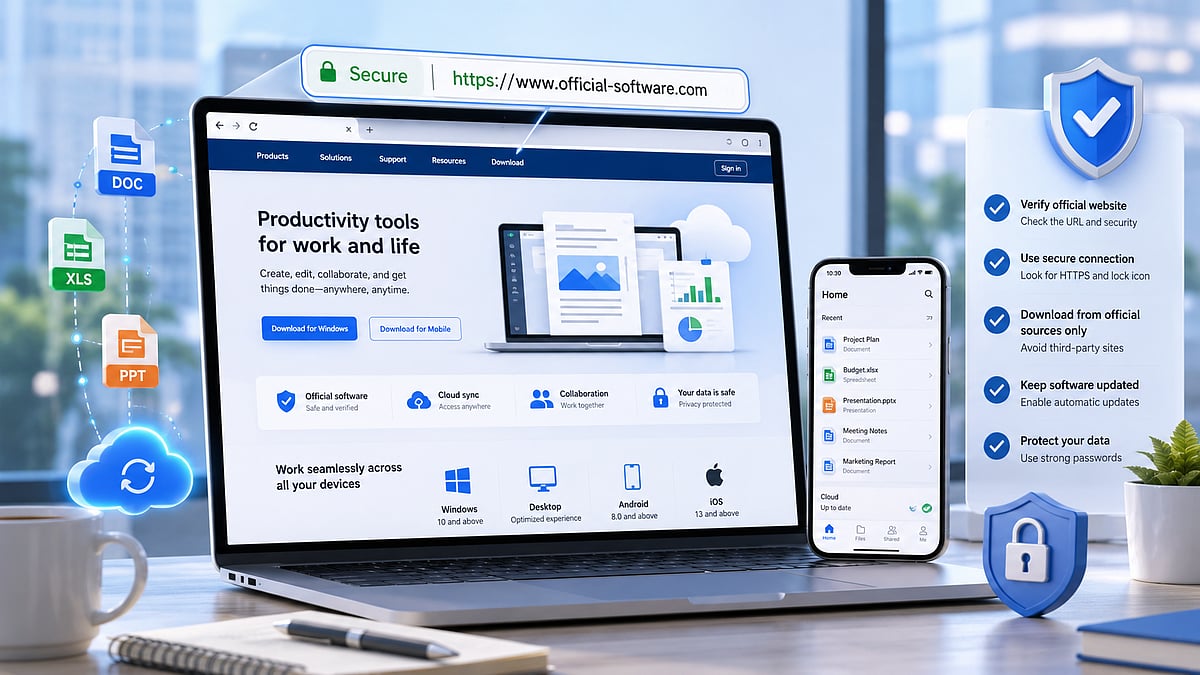
    The first step is to examine the domain name carefully. A trusted source should have a clear and consistent domain that matches the software brand or service. Users should be cautious with websites that imitate official names, add unnecessary words, use unusual spellings, or rely on excessive pop-ups.

    For office software users, verifying the source is especially important before downloading installation files. When checking an official-looking office software page such as wps官网, users should review the page structure, download instructions, HTTPS status, file information, and whether the website provides a clear path for updates or support.

    Users should also look at how the page explains the software. A reliable website usually describes product features, supported platforms, system requirements, and installation steps consistently. A page that only pushes users toward a download button without explaining the software may deserve closer inspection.

    Check HTTPS and Basic Page Signals

    HTTPS is no guarantee of safety, but it is still a basic requirement for modern software websites. Users should not input account information or download important applications from non-secure connection pages. The address bar of your browser can help you confirm that the page uses HTTPS.

    Users should look at basic page signals other than HTTPS. Is the website easy to navigate? Does it offer contact or support information? Are there any obvious spelling errors or suspicious redirects? Does the download page still remain on the same domain or does it take users through a number of unknown websites?

    Multiple redirects are a warning sign. A user should know where a file is coming from before downloading it. If the download path moves through several unrelated domains, it becomes harder to trust the file source.

    Review the Download File Before Installing

    After downloading a file, users should pause before running it. On Windows, the file name should match the application and should not look like a generic installer from an unknown source. Users should also check whether the file extension makes sense. Executable files should be handled carefully, especially when they come from unfamiliar pages.

    For mobile users, APK files require even more attention. Installing an APK outside verified app stores may be necessary in some situations, but it also places more responsibility on the user. The file source, app version, permissions, and update method should all be reviewed before installation.

    If security software warns about a file, users should not ignore the warning. They should verify the source again, scan the file if needed, and consider downloading from a more reliable location.

    Avoid Bundled Installers and Unrelated Add-ons

    During installation, users should read each step instead of clicking through quickly. A safe productivity software installer should not require unrelated browser extensions, search tools, advertising components, or unknown system utilities. If an installer includes extra offers, users should be careful to decline them.

    Bundled software can create long-term inconvenience. It may change browser settings, add startup programs, display unwanted notifications, or slow down the system. For people who use productivity tools daily, these changes can reduce work efficiency and create unnecessary troubleshooting.

    Understand Update Channels

    Safe software installation does not end after the first download. Users should also understand how updates will be delivered. Official websites and verified app stores usually provide more predictable update paths. This helps users receive security patches and compatibility improvements without searching for a new installer every time.

    If an app asks users to download updates from random pop-up messages or unknown pages, they should be cautious. Reliable productivity tools usually provide updates through the application itself, the official website, or a recognized software distribution platform.

    Why Teams Should Standardize Software Sources

    For teams, safe download habits should be part of a broader workflow policy. The more team members download office tools from different sources, the more likely you are to run into compatibility and security issues. One person might be on an old version, another might be on a modified build, and another might be getting updates from a different channel.

    Teams can mitigate these risks by defining approved software sources. They can also record installation steps, rules for account set-up, and update expectations. This is especially beneficial for remote teams that work on a variety of devices and share documents on the cloud.

    Final Checklist Before Installing Productivity Software

    Before installing office or productivity tools, users should confirm several points. The website should have a clear domain, HTTPS protection, useful product information, and a direct download path. The file name should look relevant, the installer should avoid unrelated bundles, and the update channel should be easy to understand.

    Users should also review permissions after installation, especially on mobile devices. If a productivity app requests access that does not match its function, the user should review the settings carefully. Good software habits include downloading from trusted sources, keeping apps updated, and avoiding unnecessary add-ons.

    Productivity software supports everyday work, education, communication, and document management. Because these tools often handle important files, users should not treat installation as a routine click-through. Checking the official software websites helps reduce the risk of downloading unsafe software, outdated versions, installers that bundle other programs, and confusing update processes.

    The safest approach for users installing office software on a personal laptop, work desktop, or mobile device is to slow down and check the source first. A few minutes of checking can help you protect documents, improve device reliability, and make long-term software use safer.
  • Why Secure Software Downloads Matter for Today’s Productivity Workflows

    Why Secure Software Downloads Matter for Today’s Productivity Workflows

    Productivity software has become essential for modern digital work. From creating documents and editing spreadsheets to managing presentations, converting files, and sharing reports, office tools are now part of daily workflows for students, professionals, freelancers, and businesses. As more work moves across Windows computers, mobile devices, and cloud platforms, users depend on productivity software to remain fast, compatible, and reliable.

    However, software convenience also comes with security responsibilities. Many users focus only on features when choosing an office tool, but the download process itself is just as important. Installing productivity software from an unreliable source can expose users to outdated installers, bundled programs, intrusive permissions, or even malicious files. For businesses, a single unsafe installation can affect documents, accounts, devices, and internal workflows.

    Safe software download habits are now a necessary part of digital productivity. Users need to understand how to verify sources, review installation steps, check permissions, and maintain secure update practices after installation.

    Why Software Download Safety Matters in Digital Workflows

    Productivity software often has access to sensitive files. A word processor may open business contracts, financial reports, resumes, internal memos, or academic documents. A spreadsheet tool may handle customer records, accounting data, project budgets, or operational planning. Presentation software may contain marketing plans, strategy materials, or confidential company information.

    Because these tools work with important documents, users should be careful about where they download them. An unsafe installer may do more than install the office application. It may include unnecessary browser extensions, advertising components, background services, or modified files. In more serious cases, fake download packages may be used to collect data or compromise devices.

    This risk becomes larger in remote and hybrid work environments. Employees may install software on personal laptops, shared family computers, or devices outside the company network. If there is no clear download policy, different users may choose different sources, making the overall workflow harder to secure.

    Common Risks of Unverified Productivity Tools

    Unverified download sources can create several problems. The first risk is outdated software. Some third-party download pages host old versions that no longer receive security updates. Users may think they are installing a normal office tool, but the version may contain known vulnerabilities or compatibility issues.

    The second risk is bundled installation. Some download pages wrap the original software inside their own installer. During setup, users may be encouraged to install extra programs, change browser settings, or accept unwanted services. These additions can slow down devices and create privacy concerns.

    The third risk is file modification. If an installer has been changed by an unknown party, users cannot easily know what has been added or removed. For productivity software, this is especially concerning because the application may interact with documents, local storage, cloud accounts, and system permissions.

    The fourth risk is confusing user guidance. Some websites use aggressive download buttons, pop-ups, or misleading labels. A user may click the wrong file, download an advertisement, or install software that was not intended. This is why source verification should happen before clicking the download button.

    What Users Should Check Before Installing Office Software

    Before installing any productivity tool, users should start with basic source checks. They should review the website domain, page structure, download instructions, and whether the page clearly explains what software is being offered. A trustworthy download page should not rely on confusing redirects or multiple competing download buttons.

    Users should also check whether the software supports their operating system. Windows users need to confirm system requirements, version compatibility, and whether the installer is designed for desktop use. If a user needs cross-device access, they should also consider whether the tool supports mobile or web-based workflows.

    Another useful step is reviewing file information before installation. Users can check the file name, file size, publisher details, and digital signature when available. If the installer name looks random or does not match the software being installed, it is better to stop and verify the source again.

    During installation, users should read each setup screen carefully. They should avoid selecting optional components they do not need, decline unrelated offers, and review permission requests. A safe installation process should be transparent and easy to understand.

    Download Productivity Tools Only from Trusted Sources

    One of the most effective ways to reduce software risk is to download productivity tools only from trusted and clearly verified sources. Users should avoid random mirror sites, file-sharing pages, and unofficial installers shared through forums or messaging groups. Even when the software name looks familiar, the download source still matters.

    Users can research office-suite installation guidance and resources such as wps下载 as part of a broader habit of checking download information, compatibility details, and installation steps before setting up productivity software on Windows or mobile devices.

    Businesses can also reduce risk by creating a simple approved-software list. Instead of allowing employees to search for tools independently, companies can provide recommended download pages, installation instructions, and update guidelines. This helps maintain consistency across teams and reduces the chance of unsafe downloads.

    For individuals, the same principle applies. Keeping a personal list of trusted software sources can save time and reduce mistakes. When setting up a new computer or reinstalling tools after a system reset, users should return to verified sources instead of relying on random search results.

    How Secure Office Tools Support Modern Work

    Safe productivity software supports more than document creation. It helps protect the entire digital workflow. When users install reliable office tools from trusted sources, they reduce the risk of corrupted documents, unstable performance, and unnecessary security exposure.

    Secure office tools also improve collaboration. Teams often exchange files between different devices, operating systems, and cloud services. If one user is working with an unsafe or modified tool, document formatting, file integrity, or data privacy may be affected. A clean and reliable software environment helps teams work more smoothly.

    Compatibility is another important factor. Modern workflows often involve PDFs, spreadsheets, presentations, templates, cloud storage, and mobile access. Users need productivity tools that can open and edit common file formats without causing unnecessary errors. A safe and updated installation is more likely to provide stable compatibility than an outdated or unofficial version.

    The Role of Updates in Software Safety

    Downloading software safely is only the first step. Users also need to keep productivity tools updated. Updates often include security improvements, bug fixes, compatibility changes, and performance enhancements. Ignoring updates can leave users exposed to problems that have already been resolved in newer versions.

    However, update sources should also be verified. Users should avoid installing updates from random pop-ups or unknown links. A safer approach is to update through the software’s built-in update system or a verified download page. This reduces the chance of installing a fake update package.

    For business environments, update management should be part of IT policy. Teams should know when software updates are required, how updates are approved, and what to do if an update causes compatibility issues. Clear update practices help protect both productivity and security.

    Building Better Download Habits for Windows Users

    Windows users often install multiple tools for work, study, communication, design, file management, and collaboration. This makes download discipline especially important. A user may be careful with major applications but less careful with smaller utilities. Over time, these small decisions can affect device performance and security.

    Better habits begin with slowing down before installation. Users should verify the source, check the installer, review setup options, and remove any software they no longer use. They should also avoid downloading cracked versions, modified installers, or tools that promise paid features for free. These files are often high-risk and may create long-term problems.

    It is also useful to separate work and personal software where possible. A device used for business documents should not be overloaded with unnecessary apps from unknown sources. Keeping the software environment clean makes troubleshooting easier and reduces security exposure.

    Final Thoughts

    Productivity software is a core part of modern digital work, but safe installation practices are just as important as software features. Users should not treat downloads as a simple one-click process. Every installer has the potential to affect device performance, document security, and workflow reliability.

    By verifying sources, reviewing installation steps, checking permissions, and keeping tools updated, users can build safer and more reliable digital workflows. For individuals and organizations alike, secure software download habits are now an essential part of productivity.

    As work continues to move across Windows devices, mobile platforms, and cloud-based systems, the safest workflows will depend not only on powerful office tools but also on responsible download and installation practices.