

Tag: software testing

  • Why Agile Testing Quadrants Need a Third Axis for AI-Generated Tests

    Why Agile Testing Quadrants Need a Third Axis for AI-Generated Tests

    The classic Agile Testing Quadrants model, introduced by Brian Marick and later refined by Lisa Crispin and Janet Gregory, has served the software testing community for over two decades. It organizes tests along two axes: business-facing versus technology-facing, and tests that support the team versus tests that critique the product. This framework has aged well because it focuses on why a test is run rather than what tool executes it. However, the model was built on a critical assumption: that a human wrote the test, understood its purpose, and could explain why it exists. In today’s AI-native development pipelines, that assumption no longer holds for a significant portion of tests.

    The Missing Dimension: Test Provenance

    When a feature is scaffolded by an AI coding assistant, tested by an AI test generator, and merged after a quick skim review, the resulting test suite may pass hundreds of tests—yet no one on the team can articulate what many of them actually assert. The quadrants treat all tests within a given quadrant identically, but the trustworthiness of those tests varies dramatically. A Q1 unit test written by a senior engineer after a production incident is fundamentally different from a Q1 unit test generated by a large language model from a docstring and approved without meaningful review.

    According to a survey by quality assurance practitioners, 65% of development teams actively use AI to generate code, and 16% do so occasionally. Respondents rated their trust in AI-generated code at 3.16 out of 5, and 58% reported that their testing workload has grown as a direct result. The gap between adoption and trust is exactly what the original quadrants were never designed to express.

    Introducing a Third Axis: Provenance

    A natural evolution of the model is to add a third dimension: provenance. This axis captures where a test originated and how much unsupervised trust it carries. Rather than adding another box to the existing grid, think of it as a Z-axis that transforms the flat model into a cube. Every quadrant can now be evaluated through an additional trust dimension based on three states of test provenance:

    • Human-authored and reviewed: The traditional case the original model assumed.
    • AI-authored, human-verified: A developer or tester used an AI test generator, reviewed the output, and signed off before merging.
    • AI-authored, unverified: The test passed continuous integration (CI), but no one meaningfully reviewed its assertion logic.

    The third bucket is where flaky test root-cause analysis becomes expensive. A Q4 performance test scaffolded by an autonomous agent against staging, with load parameters never validated against real production traffic, is no longer a technology-facing test in the way Marick intended—it’s an unverified hypothesis wearing the shape of a test.

    Why Provenance Changes Coverage Metrics

    Coverage percentage has always been a blunt instrument, but it becomes actively misleading when test authorship is mixed. A suite reporting 85% coverage tells you nothing about whether that coverage reflects deliberate risk-based testing or an AI test generator filling gaps to satisfy a coverage gate.

    Consider a payments team that asks an AI test generator to bring a checkout module from 60% to 85% coverage before a release freeze. The tool delivers, every new branch has a corresponding test, the build goes green, and the coverage dashboard reports success. Three weeks later, a currency-rounding edge case reaches production because eleven of those new tests asserted that a function returned a value—not that the value was correct. Coverage went up; risk did not go down. The dashboard never had a field for “asserted with intent” versus “present to satisfy a gate.”

    Mean time to detect (MTTD) suffers the same distortion. An AI-authored test that passes without asserting anything meaningful doesn’t reduce MTTD; it merely delays discovery until a customer reports the issue.

    Applying the Updated Model Today

    You don’t need to rebuild your test management tooling to start using this extension. Three practical moves deliver most of the value:

    1. Tag provenance, not just category. Add a field in your test management system for authorship: human, AI-generated-verified, or AI-generated-unverified. This alone surfaces where actual risk is concentrated, quadrant by quadrant.
    2. Route unverified AI tests through a human-facing quadrant. A Q1 unit test that no human has verified behaves, from a trust standpoint, more like an unreviewed Q3 exploratory finding than a reliable technology-facing check. Treat it accordingly until someone signs off.
    3. Build verification into the pipeline, not just generation. Generating tests faster without a matching investment in verification simply moves the bottleneck downstream. Self-healing automation can reduce maintenance burden, but maintenance and verification are different challenges—solving only one still leaves the trust gap open.

    The Final Argument

    The four quadrants still answer why a test exists. The missing question in an AI-native pipeline is whether that test deserves trust. Adding provenance does not replace the Agile Testing Quadrants; it extends the model for a world where humans and AI systems increasingly collaborate to build, test, and maintain software. By acknowledging the provenance of each test, teams can make smarter decisions about where to invest verification effort and how to interpret coverage and quality metrics.
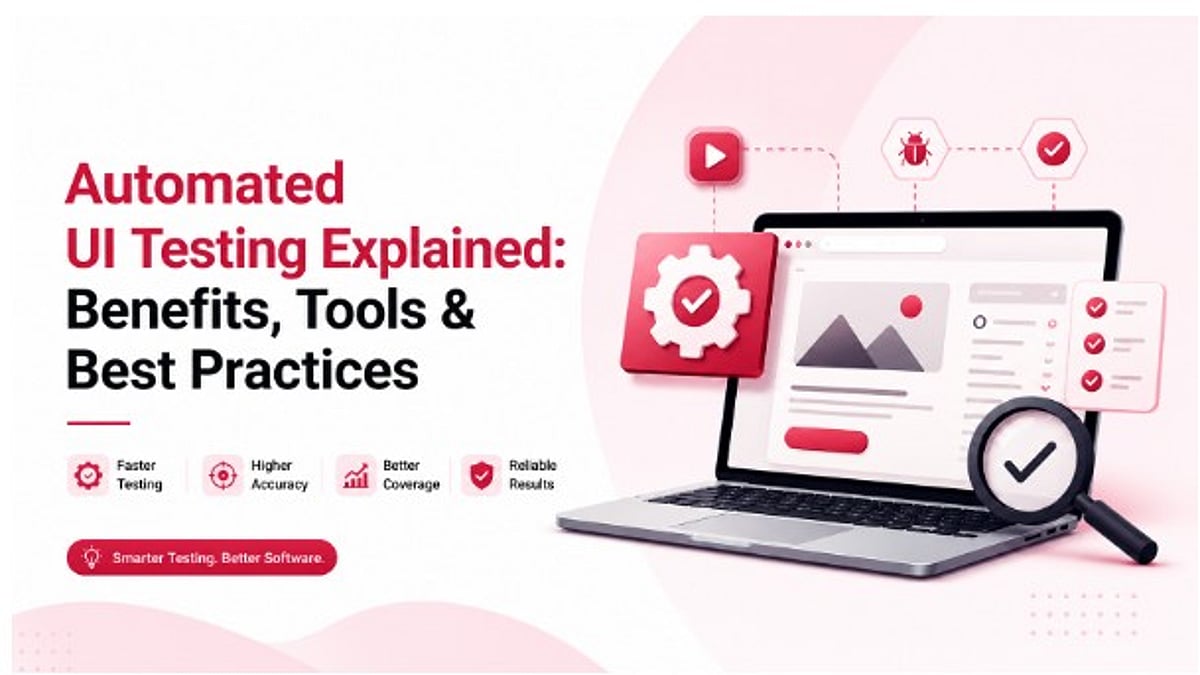
  • The Complete Guide to Automated UI Testing: Benefits, Tools, and Best Practices

    The Complete Guide to Automated UI Testing: Benefits, Tools, and Best Practices

    Automated UI testing uses scripts to verify that an application’s interface functions correctly, replacing manual clicking through screens. This approach saves the most time on repetitive tests such as login, checkout, and navigation. Manual testing remains superior for brand-new features and scenarios requiring human judgment. Common challenges include flaky tests and broken locators. Leading tools like Selenium, Cypress, and Playwright cover most needs, while AI-based platforms are closing the maintenance gap.

    What Is Automated UI Testing?

    Automated UI testing checks that an app’s interface behaves as expected without manual intervention. A script performs actions like clicking buttons, filling forms, and navigating screens, then compares the result against the expected outcome. This process covers layout, navigation, and cross-browser behavior, catching bugs early before they reach users.

    Automated vs Manual Testing: Which One to Use

    Rather than an either-or choice, teams should split tasks by nature. Manual testing involves a person checking the app step by step—slow but capable of catching subtle issues that scripts miss, such as a feature that works technically but feels off. Automated testing replaces that person with a script that runs the same steps every time, delivering a pass or fail against predefined expectations. A simple rule: if a test will run more than three times, automate it. If it requires human judgment, keep it manual regardless of frequency.

    Why Teams Move to Automation

    Teams typically automate after a specific trigger: a bug slips into production that testing should have caught, or regression checks before release consume two to three days per sprint. Common patterns include weekly or faster releases where manual checks don’t fit the schedule, developers waiting on QA sign-off, the same 50 test flows checked by hand every week, testing covering more than three browsers or devices, and headcount unable to keep up with the app’s surface area.

    Benefits of Automated UI Testing

    Once tests are in place, benefits appear quickly. A 200-test suite that took three days manually can run in under 20 minutes through CI. Teams shipping weekly can accelerate to daily releases. Bugs are caught earlier because tests run on every code push, not just before release. Early bug detection costs far less to fix than production issues. Cross-browser coverage improves: checking Chrome, Firefox, Safari, and Edge across five device sizes manually requires 20 separate checks, but automated testing handles all in one run.

    Common Challenges Teams Run Into

    Automation isn’t problem-free. Flaky tests—passing once and failing the next time with no code changes—usually stem from timing issues where a page element loads slower than expected. Brittle locators based on page position or auto-generated IDs break when the layout changes; using stable identifiers like data-testid attributes resolves most issues. Maintenance load increases when a shared component change breaks every test that touches it—a quick fix for 50 tests but potentially a full week for 500.

    Types of Automated UI Tests

    A solid testing setup mixes several types based on risk and usage frequency: functional testing (e.g., adding an item to a cart), cross-browser testing across Chrome, Firefox, Safari, and Edge, end-to-end testing covering full user journeys from sign-up to checkout, visual regression testing comparing screenshots against a baseline to catch layout breaks, and accessibility testing for keyboard navigation, screen reader support, and color contrast.

    Best Practices for Reliable Automation

    Teams with stable test suites follow these habits: start with stable, high-traffic flows like login, checkout, and core navigation; skip anything still being redesigned. Keep every test independent—each sets up and cleans up its own data so no test depends on another. Use data-testid attributes for locators instead of CSS classes or page positions; they survive redesigns and refactors. Run tests in parallel: a 200-test suite that takes 40 minutes sequentially can finish in about 8 minutes in parallel. Review tests whenever the UI changes, building it into the design handoff rather than as an afterthought.

    Common Mistakes to Avoid

    Automating everything at once often backfires, creating hundreds of fragile tests that become a maintenance burden nobody wants. Start with 20 high-value tests and grow from there. Skipping mobile is another gap—over half of web traffic is mobile, and touch behavior requires its own coverage. Testing only the happy path misses where real bugs hide: error states, validation failures, and slow networks.

    Conclusion

    Automated UI testing is fundamentally a maintenance problem. Tests written today must survive redesigns, framework upgrades, and new features for months or years. Teams that succeed treat their test suite like product code: stable locators, isolated test data, and a review step built into every sprint. The tools are mature; what separates successful teams is consistency, not the tool they choose.

    FAQs

    What is Automated UI Testing? It’s the practice of using scripts to test an app’s interface instead of manual clicking. The script simulates real actions and checks results immediately.

    Why is UI automation testing important? It catches bugs earlier, before production, and turns a three-day manual regression check into a run that finishes in minutes.

    Which tool is best? It depends on the stack. Cypress fits React and Vue apps well. Selenium covers almost any browser or language. Appium is built for mobile.

    Is Selenium still relevant? Yes. It remains one of the most used tools for web UI testing, supporting Java, Python, C#, and JavaScript across major browsers, though it requires more setup and upkeep than newer tools.

    Playwright or Cypress? Playwright covers multiple browsers from one API, ideal for broad cross-browser coverage. Cypress is built for fast feedback on modern JavaScript apps like React and Vue.

    What is a flaky test? A test that passes once and fails the next time with no code changes, usually caused by timing issues like checking for an element before the page finishes loading.

    Can AI automate UI testing? Yes. AI-based tools can generate test cases from product requirements or screen recordings, run them in CI/CD, and update locators automatically when the UI changes.

    What is the difference between UI and API testing? An API test calls the backend directly. A UI test drives the same flow through the browser like a real user, checking what the user actually sees.

    How often should UI tests run? For high-value flows like login and checkout, run on every code push or pull request to flag bugs the moment they’re introduced.

    Is UI automation expensive? There’s a real setup cost for writing and maintaining scripts, but once in place, they run for free. A team spending two days a month on manual regression can cut that to about 20 minutes with automation.

  • Best API Automation Testing Platforms for Modern DevOps Teams in 2026

    Best API Automation Testing Platforms for Modern DevOps Teams in 2026

    API automation testing enables faster software releases by validating APIs throughout the CI/CD pipeline with minimal manual effort. Different platforms support varying needs, including functional, security, performance, and enterprise-scale API testing. Selecting the right tool depends on workflow, integrations, scalability, collaboration requirements, and project complexity.

    CI/CD pipelines, microservices, and cloud-native setups rely on automated API checks. These tools verify how software functions, performs, and holds up. Using automation this way replaces slow manual code verification.

    Choosing the right platform can streamline testing while ensuring applications remain stable throughout rapid development cycles. There is no single API automation testing platform that fits every development team. The ideal choice depends on project complexity, team expertise, budget, and the existing DevOps ecosystem.

    We have listed the best API Automation Testing Platforms for Modern DevOps Teams:

    Postman

    Postman is one of the most popular solutions when it comes to developing and testing APIs. It provides a simple user interface that helps in designing, arranging, and automating API test sets. The tool is compatible with REST, GraphQL, and WebSocket APIs and integrates with CI/CD through Newman. Other features such as built-in collaboration, automation, mocking, and documentation tools help to make it useful for developers and testers.

    SoapUI

    SoapUI is an established testing tool for API testing, and it has earned its reputation for its capability of supporting both SOAP and REST web services. It supports functional, regression, and security testing through its versatile GUI and extensive scripting abilities. It allows users to verify XML and JSON responses, reuse test cases, and create automated test suites.

    ReadyAPI

    ReadyAPI is built on top of SoapUI and gives a testing suite that integrates functional, security, virtualization, and performance testing under one roof for enterprise-level organizations. In addition to the basic features of testing, it comes with data-driven testing, advanced reporting, and easy integration with DevOps tools like Jenkins and Azure DevOps. This tool is very helpful for organizations that need API testing at scale with complete visibility into test results.

    Karate DSL

    The Karate DSL makes API testing easier through the use of Gherkin syntax, where teams can develop tests following the principles of Behavior-Driven Development (BDD). Tests can be created and maintained with minimal coding. The tool can support REST, GraphQL, and SOAP APIs as well as mock services and performance testing.

    Katalon Studio

    Katalon Studio is an end-to-end testing solution for test automation in all types of testing, including API testing, web testing, desktop testing, and mobile testing. It comes with a low-code UI that enables easy creation of test automation scripts by beginners as well as scripting support for advanced users. The testing tool is capable of integration with Jenkins, Git, Jira, and other similar tools and supports REST and SOAP APIs.

    Tricentis Tosca

    Tricentis Tosca is a testing tool that can be used at an enterprise level, as it utilizes a model-based approach and requires very little scripting. This means that tests can be performed using APIs, user interface, and even full end-to-end processes. This makes the tool useful for any large-scale digital transformation project. Tricentis Tosca also integrates well with common CI/CD tools and enterprise apps.

    Apache JMeter

    Although Apache JMeter is commonly associated with performance and load testing, it actually provides powerful capabilities for API testing as well. It allows for validating REST, SOAP, and other web services along with measuring the performance of applications. The use of plugins, distributed testing, and integration into CI/CD processes helps developers test not only the functionality of their APIs but also their scalability.

    How to Choose the Right API Automation Testing Platform

    Selecting the right API automation testing platform depends on both technical and organizational requirements. Consider the platform’s usability, support for REST, SOAP, GraphQL, and other protocols, along with its CI/CD integration. Other factors to be considered are scripting needs, platform scalability, reporting and analytics capabilities. Cloud support, collaboration features, and integration with development tools should also be considered. An enterprise organization may have different requirements from a startup since the former needs governance and management capabilities, whereas the latter wants flexibility.

    Choosing an appropriate platform will help improve test efficiency, increase application reliability, accelerate software delivery, and ensure quality at all stages of software development.

    FAQs

    1. What is API automation testing?
    API automation testing uses software tools to automatically validate API functionality, reliability, security, and performance, reducing manual testing while supporting continuous integration, continuous delivery, and faster software releases.

    2. Why is API testing important in DevOps?
    API testing identifies issues early in development, improves collaboration between teams, supports automated CI/CD pipelines, enhances software quality, and ensures reliable communication between application components throughout deployment.

    3. Which API automation testing platform is best?
    There is no universal best platform. The right choice depends on project requirements, team expertise, supported protocols, integration needs, scalability, reporting features, and existing DevOps infrastructure.

    4. Can API automation testing be integrated with CI/CD pipelines?
    Yes. Most modern API testing platforms integrate with CI/CD tools like Jenkins, GitHub Actions, GitLab CI, and Azure DevOps, enabling continuous automated validation during development.

    5. Is API automation testing only for enterprise teams?
    No. API automation testing benefits startups, small businesses, and enterprises alike by improving testing efficiency, reducing errors, supporting faster releases, and maintaining application quality as projects scale.

  • BrowserStack: Revolutionizing Digital Quality Assurance with Cloud and AI

    BrowserStack: Revolutionizing Digital Quality Assurance with Cloud and AI

    BrowserStack has transformed software testing through its cloud-based platform, enabling organizations to test applications across real devices, accelerate releases, enhance quality assurance, and embrace AI-driven automation.

    As businesses strive to provide flawless digital experiences across different devices, web browsers, and operating systems, software quality assurance has become critical. This has led to the rise of BrowserStack as one of the most prominent software testing tools in the cloud.

    The company was co-founded by Indian entrepreneurs Ritesh Arora and Nakul Aggarwal, who founded the firm based on a challenge that had been plaguing the development community: How do you test websites across different browsers and devices? The solution that would make testing more efficient and eliminate the need for costly testing environments led to the creation of what is now a software quality assurance tool for enterprises, startups, and technology firms.

    From Startup Vision to Global Testing Leader

    The main value offered by BrowserStack stems from its provision of access to thousands of actual mobile devices and desktop browsers via cloud technology. Instead of having to acquire and maintain expensive labs for testing, development, and QA engineers gain the opportunity to immediately begin testing on actual environments worldwide.

    The service provides a means of running both manual and automated tests across multiple platforms such as browsers, operating systems, and devices. This has turned out to be particularly useful with more and more channels being used for accessing applications. The absence of bottlenecks related to infrastructure enables companies to develop and deliver their products to market faster and more efficiently.

    Comprehensive Product Portfolio

    BrowserStack has come a long way since its initial offering, evolving into a provider of various software quality solutions. The company now provides cross-browser testing, mobile app testing, automated testing, visual testing, accessibility testing, and test management.

    For instance, tools such as Live and Automate enable companies to test their web applications, whereas products like App Live and App Automate allow users to meet the challenges of mobile app quality assurance. In addition, BrowserStack’s visual testing enables customers to find any unexpected changes to the user interface. It also helps organizations create more inclusive experiences through its accessibility testing tools. In short, BrowserStack provides a wide range of products to enable modern software quality engineering.

    The Next Phase of Testing: Leveraging AI

    As artificial intelligence continues to revolutionize software development, it becomes apparent that BrowserStack is making efforts to incorporate AI functionalities into its application. The company has developed some intelligent testing methods, whose purpose is to limit human effort, maximize efficiency in testing, and discover defects.

    With the help of artificial intelligence, the company is working to make sure that developer innovations are not slowed by manual QA processes. Indeed, efficiency has become a major trend within the software testing industry. The adoption of AI technology reflects BrowserStack’s readiness to adapt to developments in the constantly changing business environment.

    The Roadmap Ahead: Innovation and Strategic Growth

    The journey of BrowserStack has seen constant innovation and expansion. The company has diversified its technology base via acquisitions and enhancements that have sought to make software developers more efficient and productive.

    By acquiring Requestly, a developer tools platform that allows testing and debugging of APIs, BrowserStack made clear its intentions to grow into an ecosystem for software development. On the other hand, BrowserStack has maintained its focus on expanding its workforce while growing sustainably, thereby making it one of the best SaaS startup companies in India.

    A Global Impact on Software Quality

    BrowserStack caters to tens of thousands of clients spread across over 135 nations. Among their clients are startups, digital natives, and even some of the world’s largest corporations. In view of how important digital transformation has become, there is a greater need than ever before for software testing tools, creating a significant growth opportunity for BrowserStack.

    In today’s environment, where user-centric technology companies prioritize experience and reliability, BrowserStack’s importance cannot be overlooked in terms of tech’s value chain. Using its cloud infrastructure and increasing use of artificial intelligence, it has been able to make itself an essential component in enterprise-level software development.

    As software becomes integral to competitive success, BrowserStack’s vision remains clear – to help organizations create and launch superior digital experiences.