
Tag: SSD upgrade

  • Top Tips to Boost Your PC’s Speed and Prolong Its Life

    Top Tips to Boost Your PC’s Speed and Prolong Its Life

    Keep your operating system updated: install the latest Windows or Linux updates regularly to improve security, fix bugs, enhance stability, and maintain smooth overall system performance.

    Remove unnecessary startup apps: disable unwanted startup programs to reduce boot time, free system resources, and help your PC respond faster during everyday tasks.

    Clean temporary files regularly: delete temporary files, cache, and recycle bin contents regularly to free up storage space and keep your computer running efficiently.

    Upgrade your storage to an SSD: replacing a hard drive with a solid-state drive instantly boosts boot speeds, application loading, and overall computer responsiveness.

    Add more RAM if needed: increasing memory allows smoother multitasking, faster application switching, and better performance while running demanding software or multiple browser tabs.

    Keep your PC dust-free: clean internal fans, vents, and filters regularly to improve airflow, prevent overheating, and protect important hardware from long-term damage effectively.

    Use reliable antivirus software: scan your computer frequently to remove malware, protect personal files, and prevent harmful software from slowing down overall system performance.

    Monitor hardware temperature: use trusted monitoring tools to check CPU and GPU temperatures, ensuring safe operation and avoiding heat-related performance drops or failures.

    Shut down and restart regularly: restarting your PC clears background processes, refreshes system memory, installs pending updates, and helps maintain consistent long-term performance and stability.
  • 10 Hidden PS5 Features Most Gamers Overlook

    10 Hidden PS5 Features Most Gamers Overlook

    Many PlayStation 5 owners enjoy popular features, but several powerful tools remain hidden, improving gameplay, convenience, customization, and overall gaming experience.

    Game Help

    PlayStation Plus subscribers can access Game Help cards, offering spoiler-free hints and guidance without leaving supported games during challenging moments.

    Activity Cards

    Activity Cards let players jump directly into missions, challenges, or objectives, reducing loading time and making game sessions much more efficient.

    Custom Control Center

    Rearrange Control Center shortcuts to quickly access settings, downloads, music, notifications, and accessories without navigating through multiple menus every time.

    Mute Controller Speaker

    The DualSense controller speaker can be muted or adjusted, reducing distractions while keeping immersive haptic feedback and adaptive trigger features active.

    Automatic Trophy Videos

    PS5 automatically records short gameplay clips whenever trophies unlock, creating memorable highlights that players can revisit or easily share later.

    Remote Play

    Remote Play lets users stream PS5 games to compatible smartphones, tablets, PCs, or another PlayStation console over supported internet connections.

    Voice Commands

    Voice Commands allow players to open games, capture screenshots, or control media hands-free, making everyday console navigation faster and more convenient.

    Expand SSD Storage

    Compatible M.2 SSD upgrades expand PS5 storage, allowing players to install more games without constantly deleting favorite titles from the console.

  • Top 6 PS5 Accessories to Elevate Your GTA 6 Experience

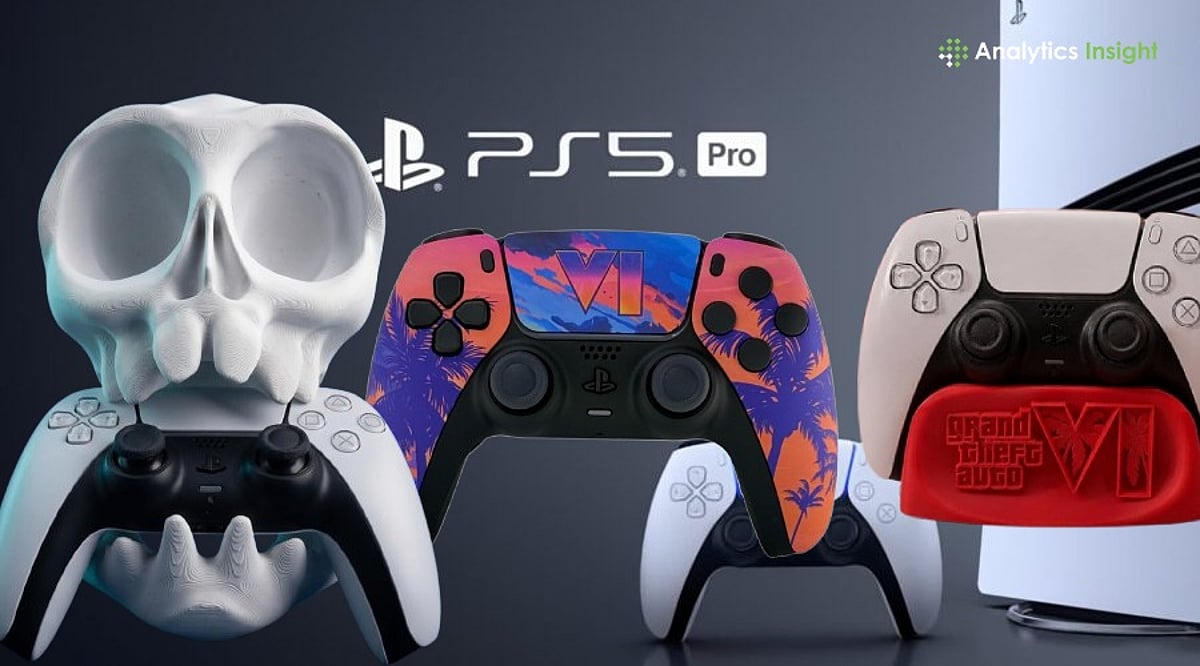
    Top 6 PS5 Accessories to Elevate Your GTA 6 Experience

    Grand Theft Auto 6 is the most anticipated PlayStation 5 release of the year. With a massive open world, detailed environments, a long story, and online sessions, the game demands more from both the console and the player. While the PS5 delivers strong performance on its own, the right accessories can improve comfort, storage, controls, and audio. Here are six essential accessories every GTA 6 player should consider before starting their journey through Leonida.

    1. DualSense Edge Wireless Controller

    While the standard DualSense is excellent, the DualSense Edge offers greater control with remappable buttons, adjustable trigger travel distance, back paddles, and swappable stick modules. This is especially useful for gunfights, car chases, and mission-based levels. You can also save multiple control profiles and switch between them during gameplay. Buy Now

    2. WD Black SN850X NVMe SSD

    Storage vanishes quickly with modern AAA titles. GTA 6 is expected to be a large install, making an internal SSD upgrade a smart move. The WD Black SN850X meets Sony’s performance requirements for the PS5 expansion slot, ensuring fast load times and plenty of room for GTA 6 and other big games without constantly deleting old titles. Buy Now

    3. Sony Pulse Elite Wireless Headset

    Quality sound transforms open-world gaming. With traffic noise, police sirens, and crowded street dialogue, GTA 6 fully embraces the PS5’s 3D audio capabilities. The Sony Pulse Elite headset uses Tempest 3D Audio to help you pinpoint sounds accurately. Its AI-powered noise cancellation also ensures clear communication in multiplayer sessions. Buy Now

    4. DualSense Charging Station

    While not flashy, the official Sony charging station quickly becomes indispensable. It charges two DualSense controllers simultaneously without occupying USB ports. Keeping a second controller always powered lets you switch seamlessly and extend gameplay without interruptions. Buy Now

    5. Ant Esports DOCK10 Vertical Dock

    The DOCK10 combines controller charging, console cooling, game storage, and a vertical stand in one unit. It helps keep your gaming area tidy and reduces cable clutter. For players spending hours in GTA 6, an organized setup makes everyday use more convenient. Buy Now

    6. Gioteck FR5 Racing Wheel Dock

    Driving is a core part of GTA. The Gioteck FR5 Racing Wheel Dock transforms your DualSense controller into a steering-wheel-style setup. While not essential, it adds immersion during races, long drives, and high-speed police pursuits across Leonida. Buy Now

    Final Takeaway

    Not every accessory is a necessity, but each addresses a specific need—faster storage, better control, immersive audio, battery peace of mind, a tidy setup, or more engaging driving. If you’re planning to spend hundreds of hours in GTA 6, these six practical upgrades improve the overall experience without changing how the game is played.