Tag: storage

  • SanDisk Optimus Series Signals Shift in Gaming Hardware Priorities: Speed and Capacity Take Center Stage

    SanDisk Optimus Series Signals Shift in Gaming Hardware Priorities: Speed and Capacity Take Center Stage

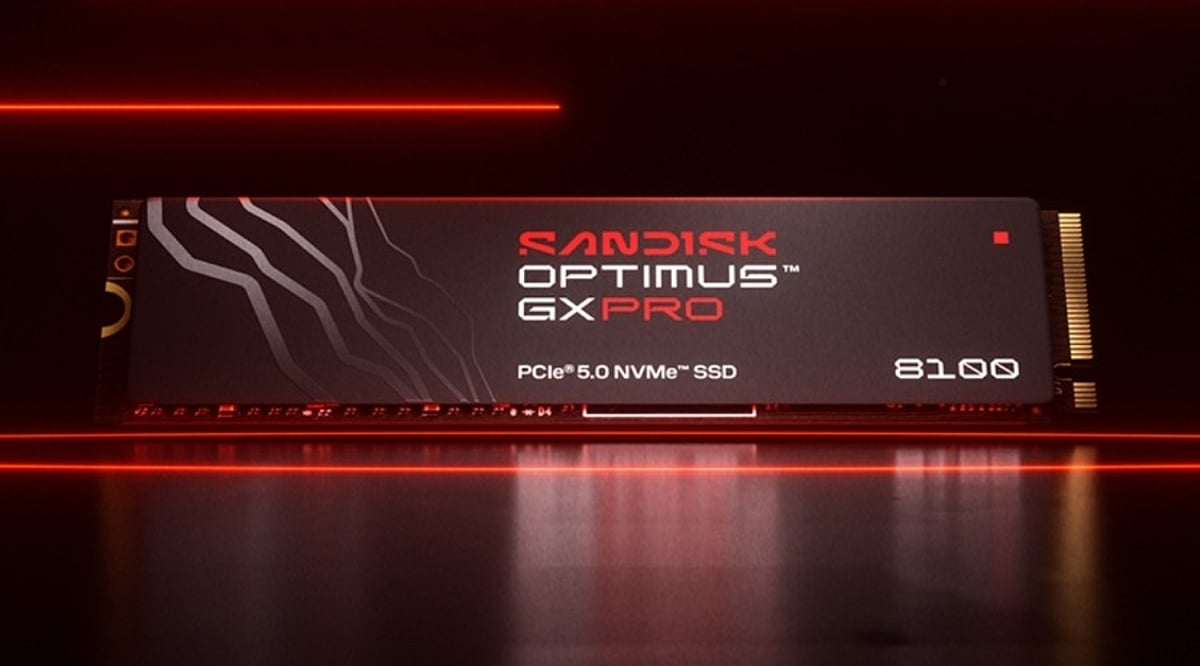
    SanDisk is making a stronger push into the gaming and esports sector as modern games demand increasingly more storage for downloads and updates. With the Indian gaming market surpassing the USD 1 billion mark in 2025 and projected to have over 550 million gamers in 2026, the company is entering the ecosystem with two powerful new SSDs: the SanDisk Optimus GX SSD and the SanDisk Optimus GX PRO SSD. Launched in 2026, these drives are built for gamers and developers, respectively, offering the capacity and speed required by demanding titles.

    Traditional gaming hardware discussions often center on GPUs and CPUs, but the SanDisk Optimus GX PRO 8100, a PCIe 5.0 NVMe SSD, aims to deliver a friction-free experience. Players can run games, multitask, and transfer files without lag. For console gamers, SanDisk introduced microSD Express cards for handheld gaming consoles, boasting read speeds up to 880 MB/s and the ability to store up to 36 games.

    As AAA games grow and digital libraries expand, storage is becoming a regular part of gaming upgrades rather than an afterthought. The Optimus range illustrates how gaming hardware priorities are evolving: performance is no longer just about graphics and processing power. For players with extensive libraries, fast and spacious storage is now one of the most practical upgrades available. As games continue to expand, the humble SSD may play an increasingly critical role in any gaming setup.

  • The Key Factors Behind Natural Gas Prices: Weather, Storage, and LNG Exports

    The Key Factors Behind Natural Gas Prices: Weather, Storage, and LNG Exports

    Natural gas prices are shaped by a complex mix of weather patterns, storage levels, and LNG export demand. Understanding how these forces interact helps businesses and traders anticipate market movements and make informed decisions.

    Weather’s Immediate Impact on Demand

    Weather conditions directly affect natural gas demand. Cold spells increase heating needs, while heatwaves drive up electricity demand for air conditioning, which often relies on gas-fired power plants. Traders closely monitor weather forecasts, and even slight changes in predicted temperatures can cause price fluctuations before the actual weather arrives. The location of weather events matters too: a cold snap near a pipeline bottleneck can create local shortages even if other regions have ample supply.

    Storage as a Market Buffer

    Natural gas storage facilities provide a cushion against seasonal demand variations. However, the effectiveness of this buffer depends on storage capacity and deliverability rates. A large inventory is less useful if it cannot be withdrawn quickly enough to meet sudden demand spikes. Weekly storage reports are evaluated against market expectations: a withdrawal that seems large may actually be smaller than anticipated, leading to price drops, while a modest withdrawal can boost prices if the market expected an injection. Comparisons with historical norms are crucial for assessing market tightness.

    LNG Exports Link Domestic and Global Markets

    LNG terminals act as large consumers of natural gas. Increased export demand tightens domestic supply, while outages can free up gas for local use. Global events, such as a cold winter in Asia or European storage rebuilding, can influence US prices through competition for LNG cargoes. According to the International Energy Agency’s Q1 2026 review, global LNG production increased by nearly 7% in 2025, with three-quarters of that growth occurring in the second half. The correlation between European and Asian benchmark prices reached 0.955, highlighting the strong linkage between markets.

    Navigating Conflicting Signals

    Market analysis becomes challenging when indicators point in different directions. A cold forecast may support higher prices, but a mild storage report could limit gains. Timing differences between weather forecasts, storage data, and LNG flows add complexity. A comprehensive approach considers scenarios rather than a single prediction.

    Building a Practical Forecast

    Effective price forecasts rely on scenario analysis. By considering various combinations of weather, storage, and export conditions, businesses can prepare for different outcomes. Monitoring changes in underlying assumptions is more valuable than focusing solely on price targets. Regional pipeline conditions also deserve attention, as local shortages can occur even in a balanced national market.

    In conclusion, the interplay of weather, storage, and LNG exports creates a dynamic environment for natural gas prices. Recognizing how these forces interact allows market participants to develop more resilient strategies.

  • SanDisk Launches NAS-Optimized SSDs in India: NAS 600 SATA and NAS 800 NVMe

    SanDisk Launches NAS-Optimized SSDs in India: NAS 600 SATA and NAS 800 NVMe

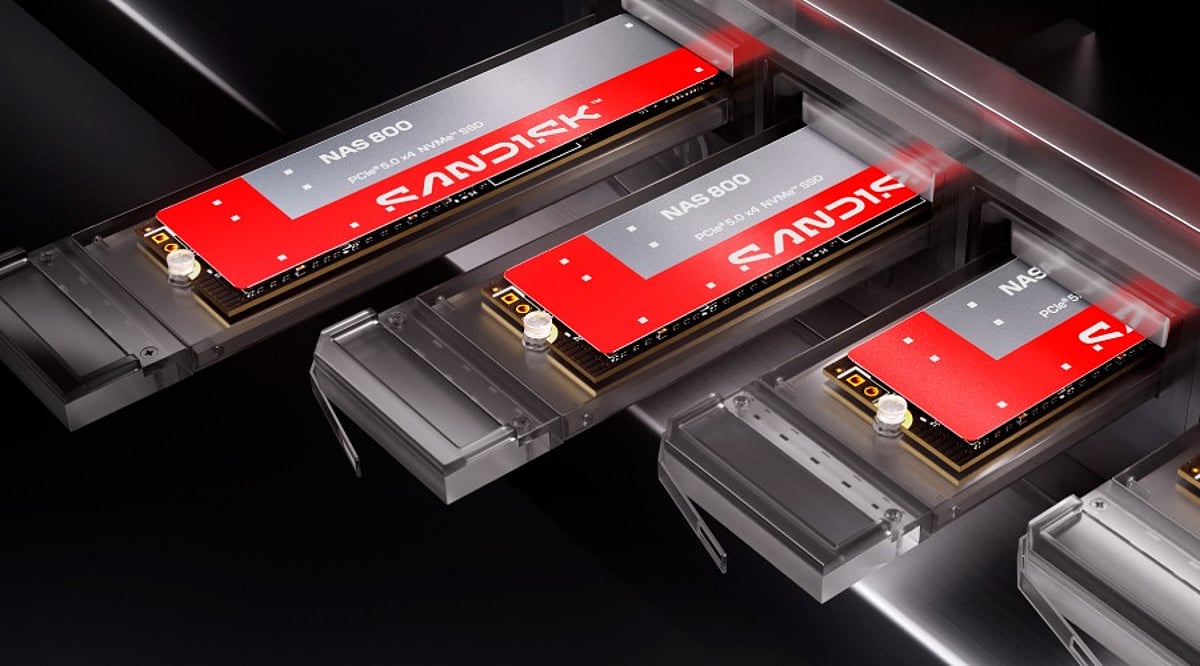
    SanDisk has launched a new lineup of NAS-focused SSDs in India, catering to home users, small businesses, and creative professionals. The two models introduced are the NAS 600 SATA SSD and the NAS 800 NVMe SSD, both engineered for reliable, high-performance storage in network-attached storage (NAS) environments.

    NAS 600 SATA SSD: Affordable Upgrades for Existing Systems

    The NAS 600 SATA SSD is designed as a drop-in replacement for traditional hard drives in older NAS units. It comes in a 2.5-inch, 7mm form factor and fits into 3.5-inch drive bays without additional adapters. Key specifications include:

    • Read speeds up to 560 MB/s
    • Capacities from 500GB to 4TB
    • Top endurance of 2,500 TBW (for the 4TB model)
    • Suitable for storage expansion or cache duties

    NAS 800 NVMe SSD: High-Speed Performance for Demanding Workloads

    The NAS 800 NVMe SSD targets heavier workloads such as databases, virtual machines, AI processing, and content creation. It leverages PCIe 5.0 in an M.2 2280 form factor. Highlights include:

    • Capacities from 960GB up to 7.68TB
    • Maximum read speed of 14,900 MB/s
    • Maximum write speed of 13,200 MB/s (actual speeds vary by model)
    • Endurance rating of up to 14 PBW for the top SKU

    Both SSDs are optimized for 24/7 operation in NAS systems, providing consistent performance and reliability. SanDisk states that the new drives will be available from September through its official channels and select retailers.

  • 5 Essential SSD Upgrade Tips to Revitalize Your Laptop’s Speed

    5 Essential SSD Upgrade Tips to Revitalize Your Laptop’s Speed

    Why Upgrade to an SSD?

    Upgrading to a solid-state drive (SSD) is one of the most impactful enhancements you can make to your laptop. Unlike traditional hard disk drives (HDDs), SSDs use flash memory, delivering faster boot times, quicker application launches, improved multitasking, and overall snappier responsiveness. Even an older laptop can feel like new with this simple upgrade.

    1. Check SSD Compatibility

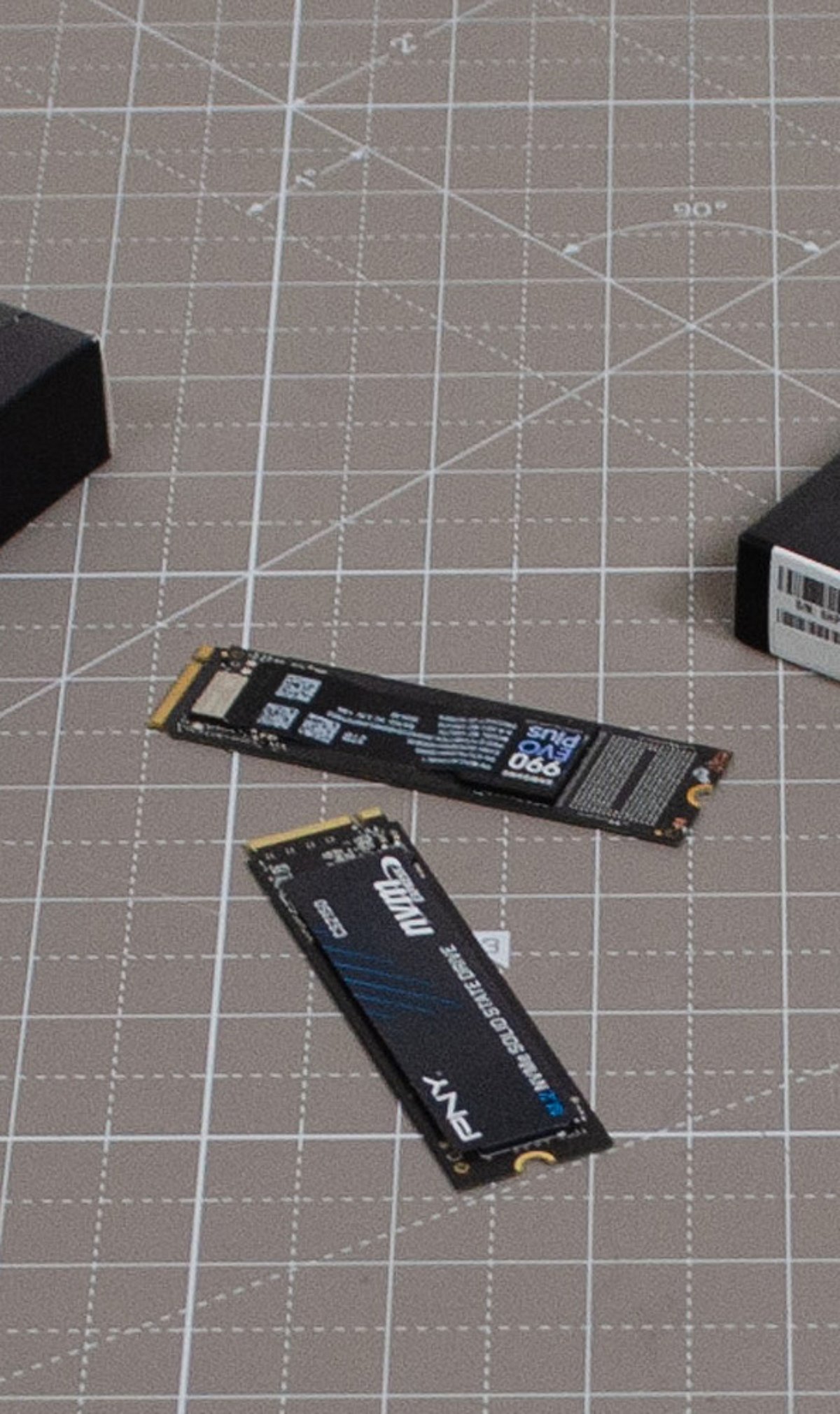
    Before purchasing an SSD, ensure your laptop supports the correct interface and form factor. Older laptops typically require 2.5-inch SATA SSDs, while modern models often accommodate M.2 NVMe drives. Consult your laptop’s specifications or service manual to confirm the maximum storage capacity supported.

    2. Choose the Right SSD Type

    Selecting the appropriate SSD depends on your device and performance needs. SATA SSDs offer excellent value for older systems, while NVMe SSDs provide significantly higher read and write speeds for current laptops. If your laptop supports NVMe, opt for it to enjoy faster boot times, smoother multitasking, and quicker file transfers.

    3. Clone Your Existing Drive

    Rather than reinstalling Windows and all applications, clone your current hard drive to the new SSD. Cloning preserves your operating system, software, settings, and personal files, making the upgrade seamless and time-efficient. Use reliable cloning software and a compatible USB adapter or external enclosure for a safe migration.

    4. Optimize SSD Performance

    After installation, optimize your SSD for long-term performance. Enable TRIM support, update the SSD firmware, and keep at least 10–20% of storage free. These practices help maintain high read/write speeds, improve reliability, reduce performance degradation, and extend the drive’s lifespan.

    5. Buy a Trusted SSD Brand

    Invest in SSDs from reputable manufacturers such as Samsung, Western Digital, Crucial, Kingston, or SK hynix. Reliable brands offer consistent performance, higher endurance ratings, better firmware support, and longer warranties. Choosing a quality SSD ensures dependable operation, especially for users handling large files or intensive workloads.

    Key Takeaways

    An SSD upgrade is a cost-effective way to make your laptop faster and more efficient. Check compatibility, choose the right SSD type, clone your existing drive, optimize system settings, and invest in a trusted brand. Following these five practical tips ensures a smooth upgrade and delivers lasting improvements in speed and productivity.

  • Top SSD Upgrades to Give Your Old PC a New Lease on Life

    Top SSD Upgrades to Give Your Old PC a New Lease on Life

    Is your old PC feeling sluggish? One of the most impactful upgrades you can make is swapping out that aging hard disk drive (HDD) for a solid-state drive (SSD). Not only does it slash boot times and accelerate file access, but it also makes everyday computing feel snappy again. Below, we break down the best SSD upgrades that can transform your machine without breaking the bank.

    Replace Slow Hard Drives

    Replacing an old HDD with an SSD dramatically reduces boot times, accelerates file access, and makes everyday computing noticeably faster. It’s the single most effective performance upgrade for older systems.

    Choose SATA SSDs for Maximum Compatibility

    SATA SSDs fit most older desktops and laptops, offering excellent speed improvements without requiring expensive hardware upgrades or motherboard replacements. They are a drop-in solution for nearly any system with a standard SATA port.

    Upgrade to NVMe Where Supported

    If your PC has an M.2 NVMe slot, upgrading to an NVMe SSD unlocks significantly faster read and write speeds. This enhances multitasking, gaming, and productivity workloads, making your system feel modern again.

    Increase Storage Capacity

    Modern SSDs come in larger capacities than ever before. You can store more applications, media files, and games without sacrificing system performance or reliability. A high-capacity SSD means fewer worries about running out of space.

    Improve Boot and Shutdown Speeds

    SSDs enable operating systems to boot within seconds while reducing shutdown times. This creates a smoother and more efficient user experience, saving you precious time every day.

    Enhance Gaming Performance

    Faster storage decreases game loading times, speeds up level transitions, and minimizes texture-loading delays. Gamers will enjoy a more immersive experience with fewer interruptions.

    Boost Productivity Applications

    SSDs improve responsiveness in office software, creative applications, browsers, and multitasking. Completing tasks becomes more efficient, helping you get more done in less time.

    Reduce Power Consumption

    SSDs consume less energy than traditional hard drives, extending laptop battery life while producing less heat and operating almost silently. This is especially beneficial for mobile users.

    Extend the Life of Older PCs

    Installing a quality SSD is one of the most cost-effective upgrades you can make. It delays the need for expensive hardware replacements while delivering near-new system responsiveness. A simple upgrade can keep your trusted PC running for years to come.

  • SSD Buying Guide 2026: How to Pick the Best Solid-State Drive for Speed, Storage, and Value

    SSD Buying Guide 2026: How to Pick the Best Solid-State Drive for Speed, Storage, and Value

    Solid State Drives (SSDs) have become the default storage option for most modern computers, offering dramatically faster performance than traditional hard drives. However, with the rapid evolution of storage technology—including PCIe 5.0 drives, rising NAND flash prices, and growing capacity demands—choosing the right SSD requires careful consideration of speed, durability, compatibility, and long-term value. This guide will help you navigate the key factors and make an informed purchase in 2026.

    Understanding Different Types of SSDs

    Three major categories dominate the market today:

    • SATA SSDs: The most affordable option, delivering speeds up to 550 MB/s. Ideal for basic office work, web browsing, video playback, and older systems. While much faster than HDDs, they are now considered entry-level.
    • NVMe PCIe 4.0 SSDs: The mainstream choice, offering speeds between 5,000 MB/s and 7,500 MB/s. Perfect for gamers, students, professionals, and content creators who need fast file transfers and responsive system performance.
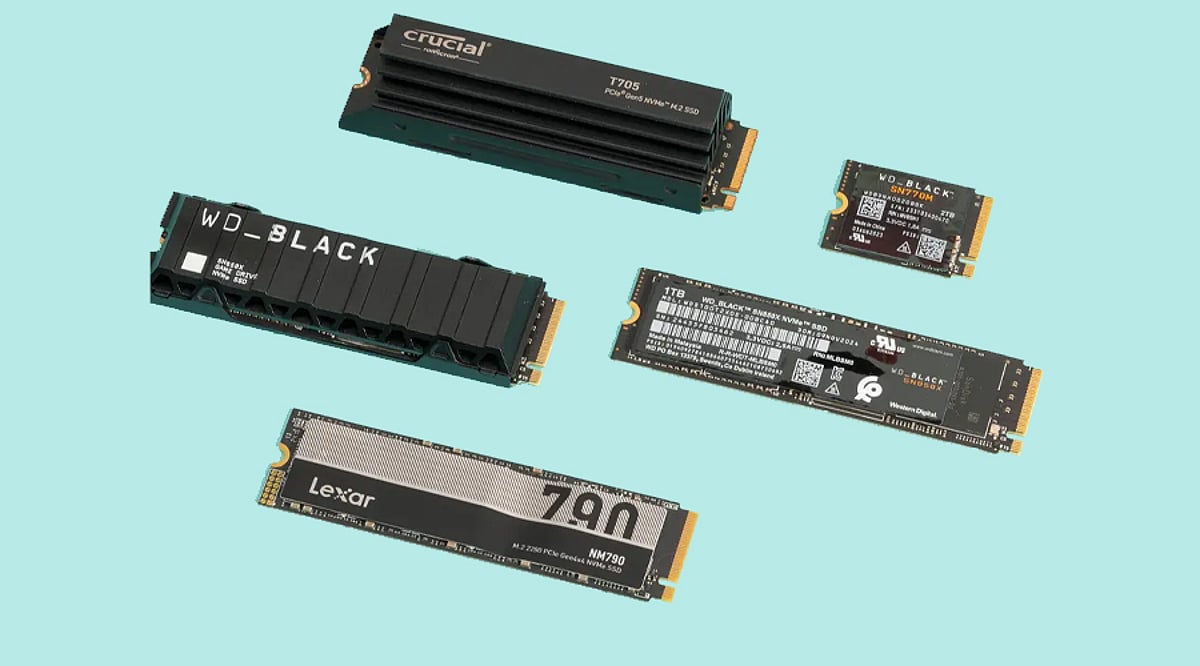
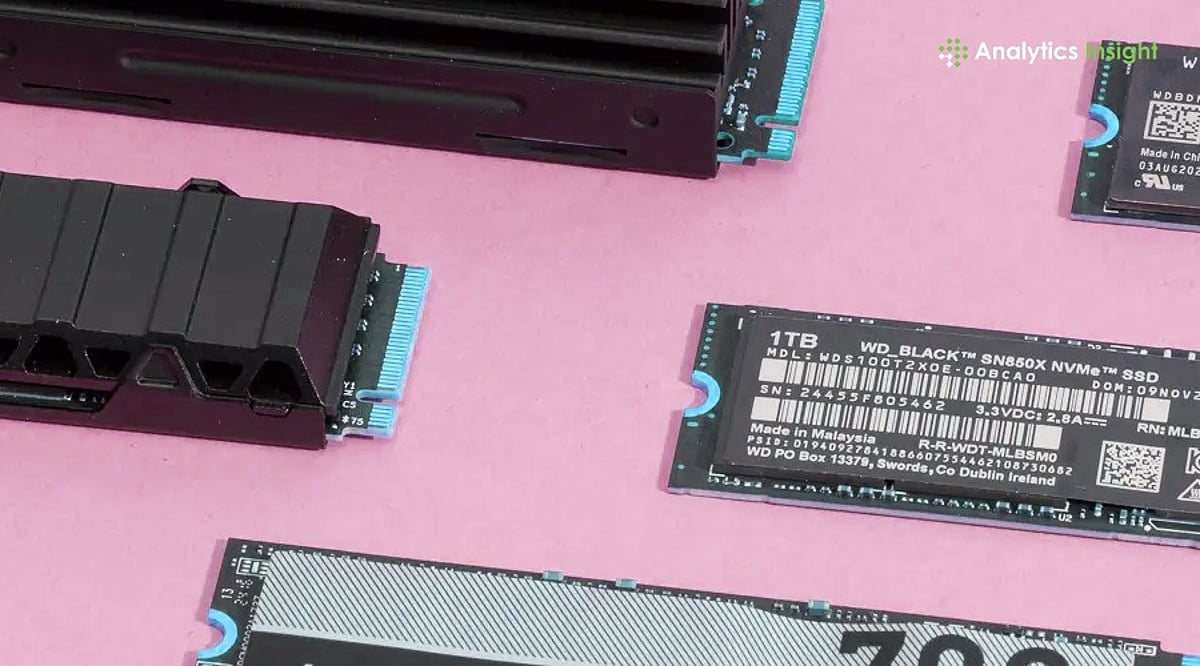
    • PCIe 5.0 SSDs: Premium drives like the WD Black SN8100 that reach read speeds up to 14,900 MB/s. Targeted at power users, video editors, AI workloads, and advanced workstations where maximum throughput is critical.

    Choosing the Right Storage Capacity

    Your capacity needs depend on your workload:

    • 500GB: Suitable for basic tasks, school projects, light software use, and web browsing.
    • 1TB: The most balanced option for average users, offering ample room for applications, files, and the operating system.
    • 2TB: Increasingly popular among gamers, as modern AAA titles regularly exceed 150GB per installation.
    • 4TB and 8TB: Best for professional creators, video editors, AI developers, and users handling huge daily file transfers. Larger SSDs often perform better due to more memory chips enabling faster internal data movement.

    Why PCIe Generation Matters

    SSD speed is limited by the motherboard’s PCIe connection. PCIe 3.0 maxes out at about 3,500 MB/s, PCIe 4.0 reaches nearly 7,500 MB/s, and PCIe 5.0 pushes toward 15,000 MB/s. However, PCIe 4.0 remains the best value for most users—PCIe 5.0 drives still command high prices, and the real-world difference for typical tasks is minimal. Consumer PCIe 6.0 SSDs aren’t expected before 2030.

    Checking the Type of NAND Memory

    The memory chips inside an SSD significantly affect speed and lifespan:

    • TLC NAND (Triple-Level Cell): The preferred choice for durability, consistent speed, and long-term reliability. Most premium SSDs use TLC memory.
    • QLC NAND (Quad-Level Cell): Focused on lowering cost. These drives are cheaper but can slow down during large file transfers and sustained heavy workloads. For long-term performance, TLC is the stronger option.

    Understanding SSD Lifespan Through TBW

    Drive endurance is measured in Terabytes Written (TBW). A budget 1TB SSD typically offers around 300 TBW, mid-range drives approach 600 TBW, and premium 2TB models often exceed 1,200 TBW. Higher endurance is important for professionals who constantly transfer large files—developers, video editors, and designers will benefit from drives with stronger ratings.

    Heat Management Has Become Important

    As SSD speeds increase, so does heat output, especially with PCIe 5.0 drives. Many premium SSDs now include built-in heatsinks or graphene cooling layers, and some motherboards offer dedicated SSD cooling. Without proper thermal management, the drive will throttle performance to protect itself. Always consider cooling when purchasing a high-speed SSD.

    SSD Prices Are Rising in 2026

    Global NAND flash shortages driven by AI infrastructure demand have pushed SSD prices sharply higher. Several high-capacity NVMe drives now cost nearly twice what they did in 2025. Analysts expect this pricing pressure to continue into 2027, making timing an important factor for buyers planning upgrades.

    Final Buying Advice for 2026

    For the majority of users, a PCIe 4.0 NVMe SSD offers the best balance of price and performance. SATA SSDs remain viable for older or low-end systems. PCIe 5.0 drives are reserved for professionals and enthusiasts who need the absolute fastest throughput. The global NVMe SSD market is projected to grow at a CAGR of about 18.9% over the next several years, driven by cloud computing, AI applications, and enterprise storage needs. Rather than waiting for the next technology leap, make your purchase decision based on required capacity, motherboard compatibility, endurance needs, and your long-term usage commitment.

    Frequently Asked Questions

    1. Which SSD is best for most buyers in 2026? A PCIe 4.0 NVMe SSD remains the best option because it delivers strong performance at a reasonable price.
    2. Is PCIe 5.0 worth buying in 2026? PCIe 5.0 is best for professionals and advanced users; high prices make it unnecessary for regular use.
    3. What SSD capacity should be chosen for gaming? A 2TB SSD works best for gaming because many modern games now exceed 150GB.
    4. Why are SSD prices increasing in 2026? Global NAND flash shortages and rising demand from AI infrastructure have pushed storage prices much higher.
    5. Does SSD cooling really matter? Yes. High-speed SSDs, especially PCIe 5.0 models, produce more heat and may slow down without proper cooling.
  • Top CompactFlash Memory Cards to Buy in 2026: Reliable Picks for Photographers

    Top CompactFlash Memory Cards to Buy in 2026: Reliable Picks for Photographers

    CompactFlash (CF) cards continue to be a staple for professional and enthusiast photographers who rely on legacy DSLR systems or high-end cameras that still use this durable storage format. In 2026, the market offers a range of options balancing speed, reliability, and value. Below are the best CompactFlash cards to consider for your photography needs.

    SanDisk Extreme Pro CF

    This card delivers outstanding read and write speeds, exceptional reliability, and rugged durability. It is ideal for professional DSLR photographers who shoot high-resolution RAW images continuously without interruption.

    SanDisk Extreme CF

    An excellent balance between affordability, dependable performance, and durable construction makes this card a great choice for enthusiasts and semi-professional camera operators using older cameras that support CompactFlash.

    Lexar Professional 1066x

    Fast data transfers and stable recording performance, combined with broad camera compatibility, support demanding workflows involving continuous burst photography and Full HD video capture.

    Transcend 800x CF

    This card offers reliable storage, consistent transfer speeds, and affordable pricing. It is well-suited for photographers upgrading older DSLR systems without overspending.

    Kingston CompactFlash Elite Pro

    Dependable performance, rugged construction, and stable recording capabilities ensure reliable storage for professional photography and long shooting sessions outdoors.

    Delkin Devices CF Card

    Built for demanding environments, this card provides strong durability, consistent write speeds, and dependable performance for professionals working in challenging outdoor conditions.

    Wise Advanced CompactFlash

    Reliable high-speed performance supports continuous shooting, efficient file transfers, and dependable recording for commercial photography and creative production workflows.

    Verbatim CompactFlash

    A cost-effective storage solution that offers dependable compatibility and everyday reliability for hobbyists using older DSLR cameras that require CompactFlash media.

    PNY CompactFlash Card

    This affordable memory card provides reliable storage, stable data transfers, and broad compatibility for photographers seeking dependable backup recording without a premium price tag.

    Whether you are a professional needing maximum speed or a hobbyist looking for a budget-friendly upgrade, these CompactFlash cards offer proven performance for your camera in 2026.

  • Bottom Freezer vs Top Freezer Refrigerators: Which Layout Suits Your Kitchen Best?

    Bottom Freezer vs Top Freezer Refrigerators: Which Layout Suits Your Kitchen Best?

    Choosing between a bottom freezer and a top freezer refrigerator is about more than appearance. Freezer placement affects daily convenience and food organization, and the right layout depends on how your household shops, cooks, and stores groceries.

    Two Layouts, Two Different Priorities

    Top freezer refrigerators put frozen food at eye level and fresh food below. This arrangement is familiar to most households and works well for those who rely on frozen meals, stock up on bulk frozen goods, or prefer a straightforward design. The shelving is open, and large frozen packages fit without much effort.

    Bottom freezer refrigerators reverse that layout. Fresh food sits at eye level, making fruits, vegetables, dairy, leftovers, and drinks easily accessible without bending. For households that cook regularly and access the refrigerator section constantly throughout the day, that single ergonomic shift matters more than any feature on the product label.

    The choice is not about which design is superior, but which one fits how your household actually uses food.

    Storage That Matches How You Cook

    Neither layout organizes food better in an absolute sense. They organize it differently, and the right system depends on your habits.

    Top freezer models use open shelves in the freezer compartment, making it easy to see everything at once and stack large packages without rearranging. The refrigerator section follows a shelf arrangement that most people can navigate without thinking.

    Bottom freezer refrigerators typically use pull-out drawers with divided sections. This works well for separating proteins, vegetables, prepared meals, and frozen desserts without creating a cluttered pile. Large frozen items can occasionally be harder to fit in drawer-based systems than on open shelves, which is worth considering for households that buy in bulk.

    The Energy Efficiency Question

    Freezer location plays a smaller role in energy consumption than most buyers assume. Compressor quality, insulation thickness, and temperature management systems matter far more. Top freezer refrigerators have historically performed well on energy consumption, partly because of their simpler construction and airflow design.

    Today, that efficiency gap is much smaller. Modern bottom freezer models with inverter compressors and improved insulation now perform comparably in most real-world conditions. When evaluating running costs, Energy Star certifications and published energy ratings give a more accurate picture than freezer placement alone.

    What the Price Difference Actually Reflects

    Top freezer refrigerators cost less, and the gap is real. Their simpler engineering and fewer specialized components keep purchase prices down. For buyers who want reliable, no-fuss performance without a high upfront investment, they remain one of the strongest value options available.

    Bottom freezer refrigerators carry a higher price, and most of that premium reflects the pull-out drawer system and ergonomic layout rather than better cooling technology. The additional cost buys convenience, not superior refrigeration.

    Matching the Refrigerator to Your Life

    Households that cook frequently and access fresh food throughout the day are likely to appreciate a bottom freezer layout. Households that prioritize frozen food storage, prefer a familiar design, or are working within a tighter budget often find top freezer models more practical and comfortable over the long term.

    Which Refrigerator Fits You?

    The debate between bottom-freezer and top-freezer refrigerators is not about one design replacing the other. Both have earned their place in kitchens for sound reasons. Bottom freezer models reduce the physical effort of daily cooking. Top freezer models offer simplicity, reliability, and honest value. Understanding how your household shops, stores, and prepares food is a more reliable guide than comparing specifications alone.

    There is no universally better refrigerator layout. Bottom freezer and top freezer designs solve different problems. The right choice depends on your everyday habits, accessibility needs, and budget.

  • Top SanDisk SD Cards for 2026: Fast and Dependable Storage Options

    Top SanDisk SD Cards for 2026: Fast and Dependable Storage Options

    SanDisk continues to lead the memory card market with a wide range of SD and microSD cards tailored for different use cases. Whether you’re a professional photographer shooting in 4K, a drone enthusiast, or a casual user looking for reliable storage, there’s a SanDisk card for you. Here are the best options available in 2026.

    SanDisk Extreme PRO SDXC UHS-I

    Ideal for photographers who need fast burst shooting and smooth 4K video recording, this card delivers top-tier read and write speeds. It’s a go-to choice for demanding workflows.

    SanDisk Extreme SDXC

    This card strikes a balance between speed, reliability, and affordability. It’s a solid mid-range option for everyday content creators who need dependable performance without breaking the bank.

    SanDisk Ultra SDXC

    A budget-friendly alternative for casual photographers and Full HD video recording. It offers ample storage and decent speeds for non-professional use.

    SanDisk Extreme PRO microSDXC

    Perfect for drones, action cameras, and mobile gaming devices. This microSD card brings the same high-speed performance of its full-size counterpart in a compact form factor.

    SanDisk High Endurance microSD

    Designed specifically for security cameras and dash cams that require continuous recording. It withstands heavy write cycles and harsh conditions.

    SanDisk MAX Endurance

    Built for long-term, demanding recording environments, this card offers exceptional durability and longevity, making it ideal for surveillance systems.

    SanDisk Extreme PLUS

    Offering some of the fastest read and write speeds in the lineup, the Extreme PLUS is aimed at advanced users who need maximum performance for high-resolution content.

    SanDisk Nintendo Switch microSD

    Officially licensed for Nintendo Switch, this card is optimized for storing games, updates, and downloadable content. It ensures quick load times and seamless gameplay.

    From professional photography to everyday storage, SanDisk’s 2026 lineup covers every need with speed and reliability.