
Tag: tech accessories

  • Top USB-C 60W Charging Cables: Expert Picks for 2026

    Top USB-C 60W Charging Cables: Expert Picks for 2026

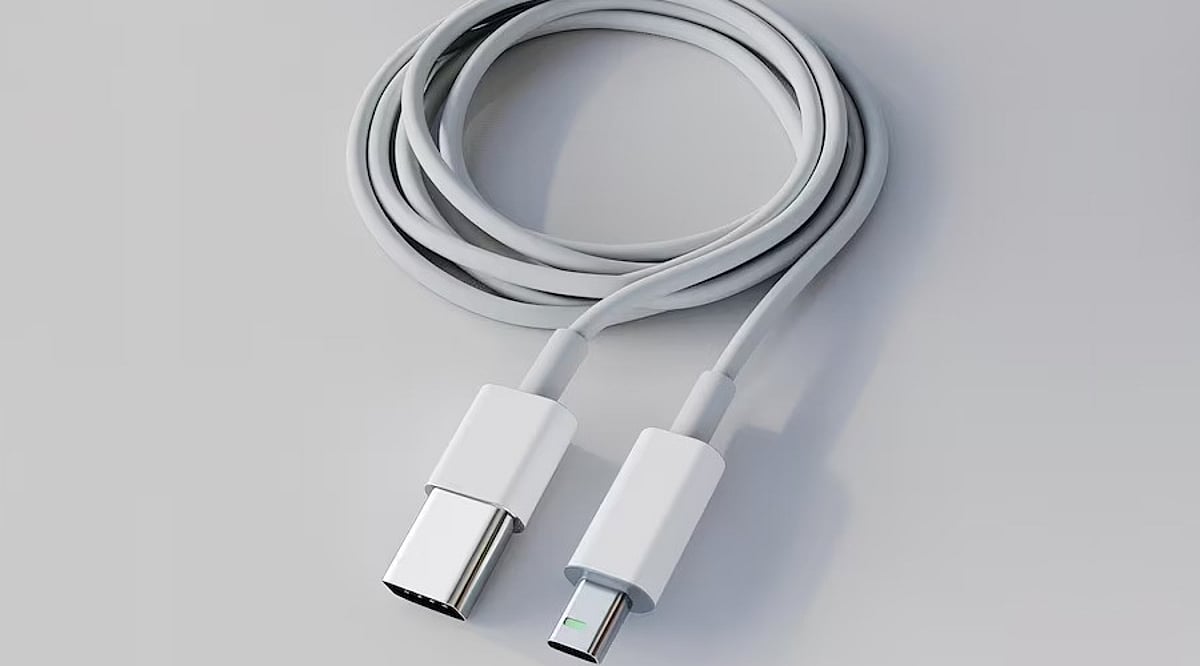
    USB-C has become the universal connector for modern gadgets, powering everything from smartphones and tablets to laptops and power banks. While many cables support fast charging, not all deliver the same performance. For everyday devices, a 60W USB-C cable often provides the perfect balance of power and affordability. Here are five top-rated 60W USB-C cables from leading brands, along with key factors to consider before making a purchase.

    Anker New Nylon USB-C Cable

    Anker is a trusted name in charging accessories, and its New Nylon USB-C cable delivers reliable 60W Power Delivery. The braided nylon exterior enhances durability, with Anker claiming it can withstand up to 12,000 bends. It supports USB 2.0 data transfer speeds up to 480Mbps, sufficient for everyday syncing and file transfers. Available in 3-foot and 6-foot lengths, and in a two-pack, it’s a solid choice for phones and tablets.

    Belkin BoostCharge USB-C Cable

    Belkin’s BoostCharge USB-C to USB-C cable supports 60W charging and features a braided nylon design rated for over 25,000 bends and 10,000 plug-ins. It is USB-IF certified for compatibility and comes with a two-year warranty. This cable works seamlessly with a wide range of USB-C devices, including iPhones, Galaxy phones, iPads, and MacBooks, making it a durable and dependable option.

    UGREEN USB-C Charging Cable

    UGREEN offers a variety of USB-C cables at different power levels. For a 60W setup, verify the exact model specifications before buying, as UGREEN also sells 100W and higher-rated cables. A 60W cable is sufficient for many phones, tablets, power banks, and compatible laptops. UGREEN cables are a great fit for multi-device charging stations, and braided versions are available for extra durability.

    Baseus USB-C 60W Cable

    Baseus is another well-known accessory brand with a broad range of USB-C cables. Their 60W model is ideal for users who primarily charge phones and tablets, and it can also support lightweight laptops that require 60W or less. As with UGREEN, double-check the power rating before purchasing, as Baseus offers higher-wattage cables in similar product lines. Baseus is a strong contender for value-conscious shoppers.

    Spigen USB-C Charging Cable

    Spigen, famous for smartphone cases, also produces USB-C charging cables for everyday devices. Some models support up to 60W charging with compatible USB-C Power Delivery chargers. Spigen cables are a practical choice for users already within the Spigen ecosystem. As always, confirm the exact model’s power and data specifications before buying.

    What to Check Before Buying a 60W Cable

    • Power Delivery Rating: Ensure the cable’s wattage matches your charger and device needs.
    • Data Transfer Speed: Many affordable cables still use USB 2.0 (480Mbps), which may be slow for large files.
    • Cable Length: A 6-foot cable is convenient for desk or bedside use; shorter cables are better for travel.
    • Build Quality: Look for braided nylon and reputable brands to ensure longevity.
    • Certification: USB-IF certification guarantees compatibility and safety.

    Which 60W USB-C Cable Should You Buy?

    The best cable depends on your devices and usage habits. Anker is a reliable everyday choice with proven durability. Belkin appeals to those who prioritize certification and warranty support. UGREEN and Baseus offer extensive accessory ecosystems and multiple cable configurations. Spigen is a practical option for mobile-device users. Remember, 60W is sufficient for most smartphones, tablets, and lightweight laptops. If you own a high-performance laptop, consider a 100W, 140W, or 240W cable instead. The smartest purchase matches your specific device, charger, and daily routine.

    Frequently Asked Questions

    Is a 60W USB-C cable enough for everyday charging?

    Yes, for most users. A 60W cable can charge smartphones, tablets, power banks, and many lightweight laptops. Actual charging speed depends on your device and charger. Check your laptop’s power requirements if you own a high-performance model.

    What is the difference between a 60W and 100W USB-C cable?

    The maximum power rating. A 100W cable can deliver more power when paired with compatible hardware, but it won’t automatically charge your device faster unless the device and charger also support higher power.

    Is Anker a good brand for USB-C charging cables?

    Anker is a well-known and reliable brand for charging accessories. Its New Nylon series includes durable 60W options. Always check the exact model’s specifications for power and data capabilities.

    Do all USB-C cables support fast charging?

    No. USB-C is a connector shape, not a guarantee of speed. Cables have different power ratings, data speeds, and features. Always verify the cable’s specifications before assuming it supports your device’s maximum charging speed.

    Does a 60W cable charge a laptop faster than a phone?

    Not necessarily. Charging speed depends on the device’s power requirements and supported protocols. A laptop may draw more power than a phone, but both will charge within the cable’s 60W limit if compatible.
  • How to Choose the Right USB Bluetooth Adapter: A Comprehensive Buying Guide

    How to Choose the Right USB Bluetooth Adapter: A Comprehensive Buying Guide

    Why You Might Need a USB Bluetooth Dongle

    Many desktop computers and laptops lack built-in wireless radios, preventing you from pairing headphones, keyboards, or other peripherals. A USB Bluetooth dongle offers a quick and affordable solution, enabling wireless connectivity for a range of devices.

    Understanding What a Bluetooth Dongle Does

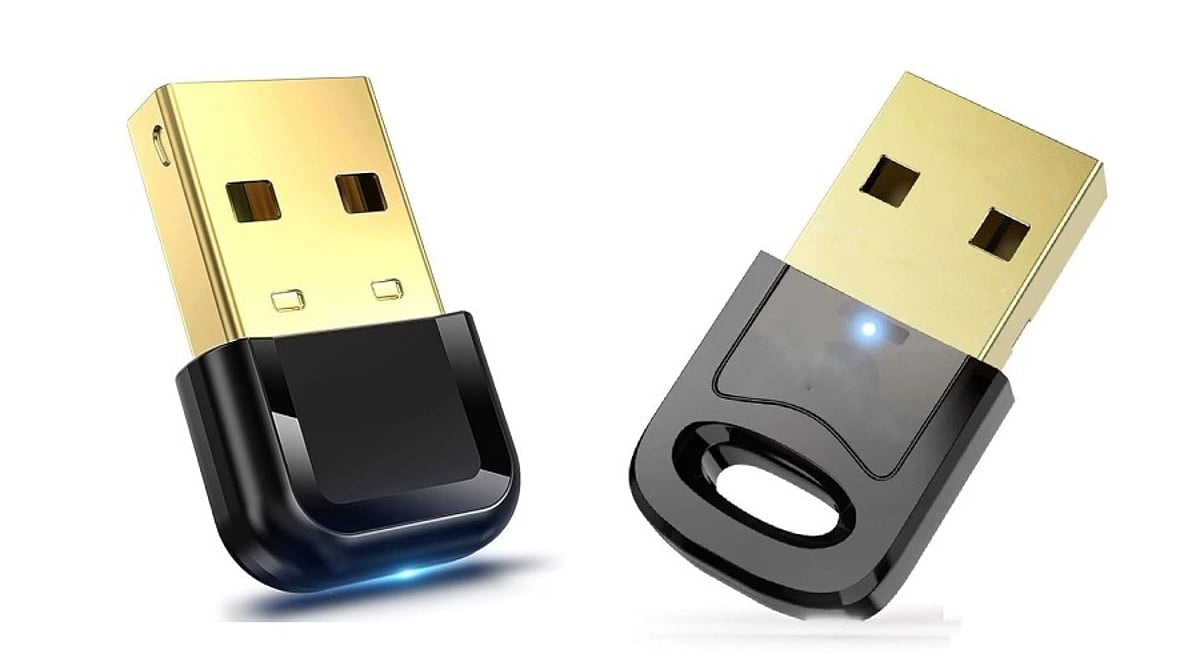
    A Bluetooth dongle is a small hardware device that plugs into a USB port, containing a radio chip (from brands like CSR, Realtek, or Broadcom) and an antenna. It allows your computer to communicate wirelessly with nearby devices, such as:

    • Wireless keyboards, mice, and game controllers
    • Bluetooth headphones and speakers for audio streaming
    • Printers and other peripherals for short-range file transfers
    • Smartphones for quick file sharing

    The quality of the chipset is crucial, as it directly impacts performance and reliability.

    Bluetooth Version: The First Key Decision

    Bluetooth versions determine speed, range, and power efficiency. Bluetooth 4.0 offers basic functionality, while 4.2 adds better security. However, for most users, Bluetooth 5.0 or 5.3 is the recommended choice, providing superior speed, range, and energy efficiency. Bluetooth 6.0 is emerging but not yet essential. Avoid older versions below 4.0, as they lack modern performance and power-saving features.

    Why Older Versions Fall Short

    Adapters below version 4.0 cannot match the range or efficiency of modern devices. Bluetooth 4.0 and above draw less power, which is critical for laptop users on battery. If you only need to connect older peripherals, Bluetooth 4.0 may suffice, but expect shorter range and slower pairing.

    Operating System Compatibility: Don’t Overlook It

    Compatibility issues are a common frustration. Ensure the dongle supports your operating system. Minimum requirements typically include:

    • Windows 10 21H2 or newer (ideally Windows 11 22H2)
    • macOS Monterey or later
    • Ubuntu 22.04 LTS or similar Linux kernel

    Avoid dongles that only support Windows 7. Also, check whether the dongle is plug-and-play or requires a driver download from the manufacturer’s website.

    Range and Antenna Design: Real-World Performance

    Manufacturers often advertise range under ideal lab conditions, but real-world environments—with walls, Wi-Fi interference, and USB 3.0 cables—can significantly reduce performance. The antenna design is a key factor:

    • Nano dongles: These have a hidden antenna, offering a sleek design but limiting range to about 10 meters.
    • External stub antenna: These models maintain a stronger connection and can achieve closer to the advertised range.

    If you need to connect devices across a large room, choose a dongle with an external antenna.

    Multi-Device Support: Be Realistic

    While many dongles claim to support multiple devices, most can only maintain two or three active connections simultaneously. If you switch between five or more peripherals daily, test latency and reliability before relying on marketing claims.

    Latency for Gaming and Real-Time Use

    Bluetooth is not designed for zero-latency performance. In gaming, input lag can range from 40 to 120 milliseconds, which is noticeable in fast-paced games. For competitive gaming, look for adapters specifically built for low-latency audio and controller use, as general-purpose dongles may not meet those requirements.

    Physical Port Requirements

    Most Bluetooth dongles use a USB-A connector, while USB-C versions are less common. If your laptop only has USB-C ports, verify compatibility or use an adapter. Check reviews to ensure a smooth fit with your device.

    Read Verified Reviews: Don’t Trust Star Ratings Alone

    Star ratings can be misleading. Look for verified purchase reviews that mention specific issues like disconnecting after a few hours or pairing failures with certain devices. Unbranded dongles often use outdated chips, skip firmware updates, and may fail certification tests. A lower price rarely compensates for these long-term reliability issues.

    Final Thoughts

    Choosing the right USB Bluetooth adapter involves matching real specifications with your actual needs. Start with Bluetooth 5.0 or higher, verify operating system support, and choose a trusted chipset brand. Pay attention to antenna design and check genuine user feedback. A little research now can save you from years of dropped connections and wasted money.

    Frequently Asked Questions

    Q1. What is the minimum Bluetooth version worth buying today?

    Bluetooth 5.0 or 5.3 is recommended for the best mix of range, speed, and power efficiency. Avoid anything below 4.0, as it lacks modern performance and battery-saving features.

    Q2. Do USB Bluetooth adapters need driver installation?

    Some adapters are plug-and-play on newer systems, while others require manual driver installation from the manufacturer’s website or included disc.

    Q3. How many devices can one dongle connect at once?

    Most dongles can pair with several devices but maintain only two or three active connections. If you switch between many peripherals, test real latency before purchasing.

    Q4. Does antenna design really change Bluetooth range?

    Yes. Nano dongles with hidden antennas typically reach about 10 meters, while external antenna designs maintain closer to the advertised range.

    Q5. Are unbranded Bluetooth dongles worth buying?

    Unbranded dongles often use older chipsets, lack firmware updates, and may fail certification. Established brands provide better reliability, driver support, and fewer connectivity issues.

  • Top 100W GaN Chargers for Laptops in 2026: Compact, Fast, and Efficient

    Top 100W GaN Chargers for Laptops in 2026: Compact, Fast, and Efficient

    Need one charger for all your devices? The latest 100W GaN chargers are smaller, faster, and more efficient than ever. Here are the top picks for powering laptops, phones, and tablets in 2026.

    Best 100W GaN Chargers for Laptops

    • Anker Prime 100W GaN Charger: Anker’s premium charger offers four ports, ultra-fast charging, and excellent thermal management for everyday professionals.
    • UGREEN Nexode 100W: This compact charger supports USB-C PD 3.1 and can charge multiple devices simultaneously without sacrificing speed.
    • Baseus GaN5 Pro 100W: Featuring intelligent power distribution and a travel-friendly design, it’s ideal for frequent travelers.
    • Belkin BoostCharge Pro 100W: Belkin combines premium build quality with reliable fast charging for MacBooks, Windows laptops, and smartphones.
    • Satechi 100W USB-C GaN Charger: Designed for creators and professionals, Satechi offers premium aesthetics and stable multi-device charging.
    • Spigen ArcStation Pro 100W: A lightweight charger featuring GaN technology for efficient charging while reducing heat generation.
    • INIU 100W GaN Charger: A budget-friendly option delivering impressive performance with multiple charging ports and compact portability.

    How to Choose a 100W GaN Charger

    Look for PD 3.1 support, multiple USB-C ports, thermal protection, and international voltage compatibility to ensure you get the best performance and safety.