
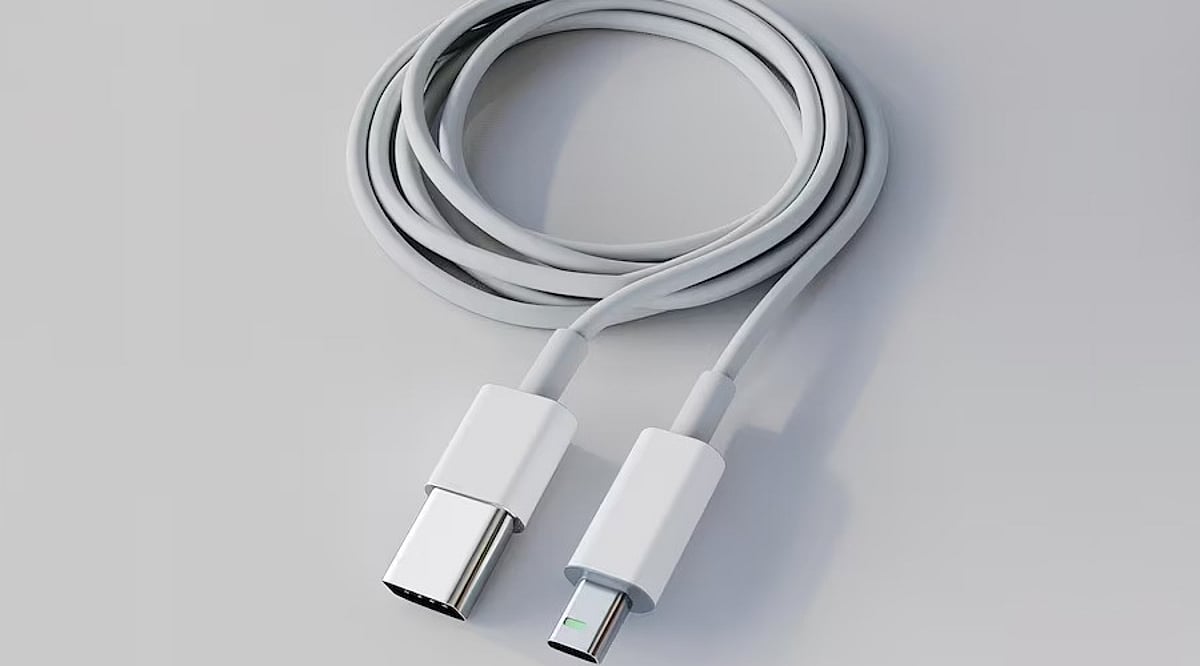
Tag: USB-C

  • Top USB-C 60W Charging Cables: Expert Picks for 2026

    Top USB-C 60W Charging Cables: Expert Picks for 2026

    USB-C has become the universal connector for modern gadgets, powering everything from smartphones and tablets to laptops and power banks. While many cables support fast charging, not all deliver the same performance. For everyday devices, a 60W USB-C cable often provides the perfect balance of power and affordability. Here are five top-rated 60W USB-C cables from leading brands, along with key factors to consider before making a purchase.

    Anker New Nylon USB-C Cable

    Anker is a trusted name in charging accessories, and its New Nylon USB-C cable delivers reliable 60W Power Delivery. The braided nylon exterior enhances durability, with Anker claiming it can withstand up to 12,000 bends. It supports USB 2.0 data transfer speeds up to 480Mbps, sufficient for everyday syncing and file transfers. Available in 3-foot and 6-foot lengths, and in a two-pack, it’s a solid choice for phones and tablets.

    Belkin BoostCharge USB-C Cable

    Belkin’s BoostCharge USB-C to USB-C cable supports 60W charging and features a braided nylon design rated for over 25,000 bends and 10,000 plug-ins. It is USB-IF certified for compatibility and comes with a two-year warranty. This cable works seamlessly with a wide range of USB-C devices, including iPhones, Galaxy phones, iPads, and MacBooks, making it a durable and dependable option.

    UGREEN USB-C Charging Cable

    UGREEN offers a variety of USB-C cables at different power levels. For a 60W setup, verify the exact model specifications before buying, as UGREEN also sells 100W and higher-rated cables. A 60W cable is sufficient for many phones, tablets, power banks, and compatible laptops. UGREEN cables are a great fit for multi-device charging stations, and braided versions are available for extra durability.

    Baseus USB-C 60W Cable

    Baseus is another well-known accessory brand with a broad range of USB-C cables. Their 60W model is ideal for users who primarily charge phones and tablets, and it can also support lightweight laptops that require 60W or less. As with UGREEN, double-check the power rating before purchasing, as Baseus offers higher-wattage cables in similar product lines. Baseus is a strong contender for value-conscious shoppers.

    Spigen USB-C Charging Cable

    Spigen, famous for smartphone cases, also produces USB-C charging cables for everyday devices. Some models support up to 60W charging with compatible USB-C Power Delivery chargers. Spigen cables are a practical choice for users already within the Spigen ecosystem. As always, confirm the exact model’s power and data specifications before buying.

    What to Check Before Buying a 60W Cable

    • Power Delivery Rating: Ensure the cable’s wattage matches your charger and device needs.
    • Data Transfer Speed: Many affordable cables still use USB 2.0 (480Mbps), which may be slow for large files.
    • Cable Length: A 6-foot cable is convenient for desk or bedside use; shorter cables are better for travel.
    • Build Quality: Look for braided nylon and reputable brands to ensure longevity.
    • Certification: USB-IF certification guarantees compatibility and safety.

    Which 60W USB-C Cable Should You Buy?

    The best cable depends on your devices and usage habits. Anker is a reliable everyday choice with proven durability. Belkin appeals to those who prioritize certification and warranty support. UGREEN and Baseus offer extensive accessory ecosystems and multiple cable configurations. Spigen is a practical option for mobile-device users. Remember, 60W is sufficient for most smartphones, tablets, and lightweight laptops. If you own a high-performance laptop, consider a 100W, 140W, or 240W cable instead. The smartest purchase matches your specific device, charger, and daily routine.

    Frequently Asked Questions

    Is a 60W USB-C cable enough for everyday charging?

    Yes, for most users. A 60W cable can charge smartphones, tablets, power banks, and many lightweight laptops. Actual charging speed depends on your device and charger. Check your laptop’s power requirements if you own a high-performance model.

    What is the difference between a 60W and 100W USB-C cable?

    The maximum power rating. A 100W cable can deliver more power when paired with compatible hardware, but it won’t automatically charge your device faster unless the device and charger also support higher power.

    Is Anker a good brand for USB-C charging cables?

    Anker is a well-known and reliable brand for charging accessories. Its New Nylon series includes durable 60W options. Always check the exact model’s specifications for power and data capabilities.

    Do all USB-C cables support fast charging?

    No. USB-C is a connector shape, not a guarantee of speed. Cables have different power ratings, data speeds, and features. Always verify the cable’s specifications before assuming it supports your device’s maximum charging speed.

    Does a 60W cable charge a laptop faster than a phone?

    Not necessarily. Charging speed depends on the device’s power requirements and supported protocols. A laptop may draw more power than a phone, but both will charge within the cable’s 60W limit if compatible.

  • Top Desk Fans for Home Offices and Workspaces in 2026: Expert Picks

    Top Desk Fans for Home Offices and Workspaces in 2026: Expert Picks

    A reliable desk fan can make long work hours more comfortable without significantly increasing electricity bills. Whether you need a compact USB fan for your workstation or a high-speed table fan for a home office, today’s options combine quieter motors, energy-efficient operation, and portable designs.

    Why a Desk Fan is a Must-Have for Your Home Office

    Desk fans have evolved beyond simple cooling devices. In 2026, buyers increasingly prioritize low noise levels, energy efficiency, USB-C charging, and rechargeable batteries over sheer airflow. While compact USB fans are ideal for personal cooling, full-sized table fans remain the better choice for larger rooms. We have listed the best desk fans you can buy based on performance, features and overall value.

    Atomberg Renesa 400mm Table Fan

    The Atomberg Renesa 400mm Table Fan uses a BLDC motor. It uses around 50%–65% less energy than a conventional induction motor while maintaining consistent airflow. The three ABS blades are aerodynamically designed, and the fan offers various speed settings and oscillation options. It runs quite silently and is therefore ideal for video conferencing and working.

    Best for: Professionals seeking an energy-efficient, low-noise desk fan for daily home office use.

    USHA Maxx Air Ultra

    The USHA Maxx Air Ultra features a copper motor that delivers high air thrust for fast cooling. With a sweep length of 400 mm and a wide oscillating angle, the fan provides airflow in all areas of the room. It comes with a tilting feature for proper direction of the airflow.

    Best for: Users who prioritize strong and consistent airflow in medium-sized rooms.

    Bajaj Frore Neo

    Bajaj Frore Neo is a cost-effective model with reliable functionality. It is equipped with a fast motor and a blade sweep of 400 mm and efficient blades capable of providing effective airflow within the unit’s small size. Moreover, the robust base ensures low vibrations when it is working, and the adjustable head facilitates customized airflow.

    Best for: Students, small home offices and budget-conscious buyers looking for reliable everyday cooling.

    Portronics CoolCube Mini Rechargeable

    Portronics CoolCube Mini is a personal cooling device with a lithium-ion rechargeable battery, enabling the fan to run for several hours without being plugged into the mains. It is charged via USB Type-C and therefore works with computers, power banks, and chargers. It has different speed settings that let users adjust airflow, and its compact size allows it to fit well on a busy desk.

    Best for: Remote workers, students and travelers who need portable cooling.

    AGARO Signify USB Desk Twin

    The AGARO Signify USB Twin Fan has two individual adjustable fan heads that allow the direction of airflow to be adjusted in two directions at once. Being powered by USB, it is compatible with both laptop and desktop computers as well as docking stations and portable chargers without needing an additional power socket. The brushless engine ensures quiet operation but keeps high air performance.

    Best for: Professionals using dual-monitor setups or shared workstations.

    Portronics Aero Breeze 2-in-1 Fan

    The Portronics Aero Breeze works as both a table fan and a hanging fan. This provides greater flexibility and portability. This includes having a rechargeable battery, variable fan speed, and a portable frame that makes it easy to carry from room to room and outdoors. USB charging makes it easy to recharge the fan using a laptop, power bank, or USB adapter.

    Best for: Hybrid workers, campers, and users seeking a multipurpose cooling solution.

    Crompton HighSpeed Torpedo

    The Crompton High Speed Torpedo Table Fan is made for those users who want a fan providing high air volume. This fan has a heavy-duty copper motor along with high-lift blades to provide good airflow in large rooms. There are features such as oscillation, tilting, and durable body construction that make it more durable.

    Best for: Larger home offices or workspaces that require high-velocity cooling.

    What to Consider Before Buying a Desk Fan

    The ideal desk fan depends on workspace size and usage. Compact rechargeable models suit personal desks and remote workers, while high-speed table fans provide better cooling for larger home offices. Experts also recommend adjustable tilt and oscillation to improve air circulation without increasing power consumption. Attributes like strong performance, adjustable airflow, energy-saving motors, and battery backup are preferred over low prices. An appropriate model will always offer greater productivity.

    FAQs

    1. Which desk fan is the best choice for home office use?
      The Atomberg Renesa is a strong choice as it combines an energy-efficient BLDC motor, quiet performance, multiple speed settings and consistent airflow for long working hours.
    2. Are rechargeable desk fans worth buying in 2026?
      Yes. Rechargeable desk fans provide cordless operation, USB-C charging and battery backup, making them ideal for remote work, travel, outdoor use and temporary power interruptions.
    3. What is the advantage of choosing a BLDC motor fan?
      BLDC motor fans consume significantly less electricity, produce less noise, generate efficient airflow and typically last longer than fans powered by conventional induction motors.
    4. How do I choose the right desk fan for my workspace?
      Select a fan based on room size, airflow requirement, portability, power source, oscillation, adjustable tilt, noise level and whether battery operation is necessary.
    5. Are table fans better than compact USB desk fans?
      Table fans offer stronger airflow and wider coverage for larger rooms, while USB desk fans are better suited for personal cooling at individual workstations and study desks.
  • Must-Have USB-C Gadgets for Productivity, Security, and Convenience in 2026

    Must-Have USB-C Gadgets for Productivity, Security, and Convenience in 2026

    USB-C has become the universal standard, powering everything from smartphones and laptops to accessories and smart devices. Today’s USB-C gadgets go far beyond simple charging—they boost productivity, strengthen security, expand connectivity, and simplify daily tasks. Here are some of the coolest USB-C gadgets worth adding to your tech toolkit.

    YubiKey 5C NFC for Stronger Security

    Cybersecurity remains a top concern, making hardware security keys more valuable than ever. The YubiKey 5C NFC provides passwordless login and two-factor authentication for your online accounts. Simply plug it into a USB-C port or tap via NFC. It adds an extra layer of protection against phishing attacks and unauthorized access.

    SanDisk Dual USB-C Drive for Easy Transfers

    Managing files across devices becomes effortless with a dual-interface USB-C flash drive. The SanDisk Ultra Dual Drive Luxe enables quick file transfers between smartphones, tablets, and computers. It reduces reliance on cloud storage and internet connectivity, making it especially useful for content creators, professionals, and frequent travelers.

    USB-C Hub Expands Connectivity

    Many modern laptops come with limited ports, creating a need for expansion solutions. A USB-C hub solves this by adding multiple USB ports, HDMI output, memory card readers, and power delivery support. Compact and portable, these hubs turn a single USB-C port into a versatile workstation for work and entertainment.

    Magnetic USB-C Dock for Smartphones

    A magnetic USB-C dock can transform your smartphone into a productivity powerhouse. These accessories provide additional ports, display output, charging capabilities, and storage options. Whether you’re delivering presentations, editing content, or connecting peripherals, a magnetic USB-C dock helps you get more functionality from your mobile device.

    USB-C Charging Stations Reduce Cable Clutter

    As the number of connected devices grows, managing chargers becomes a challenge. USB-C charging stations simplify this by powering multiple devices from a single location. Smartphones, tablets, earbuds, smartwatches, and accessories can be charged simultaneously, reducing cable clutter and creating a cleaner, more organized workspace.

    Small USB-C Gadgets Deliver Big Value

    Beyond mainstream accessories, innovative USB-C gadgets include mini flashlights, endoscope cameras, electric screwdrivers, and portable air pumps. These compact tools showcase the versatility of USB-C technology. Whether you focus on productivity, security, travel, or DIY projects, the right USB-C gadget can significantly improve everyday convenience.

  • Top 5 Fast-Charging Power Banks Under ₹1,500 for 2024

    Top 5 Fast-Charging Power Banks Under ₹1,500 for 2024

    Finding a reliable fast-charging power bank under ₹1,500 is now easier than ever. With modern features like 20W to 22.5W output, USB-C connectivity, and compact designs, these budget-friendly options keep your devices powered throughout the day.

    Key Features to Look For

    • Fast Charging Speed: Choose power banks offering 20W to 22.5W output for quicker smartphone charging and reduced downtime during daily use.
    • Battery Capacity: A 10,000mAh capacity provides multiple charges for most smartphones while maintaining a lightweight and travel-friendly design.
    • USB-C Connectivity: Modern USB-C ports enable faster input and output speeds, improving charging efficiency for devices and power banks.
    • Compact Design: Slim and lightweight models fit easily into pockets, backpacks, and handbags, making them ideal for commuting.
    • Multiple Output Ports: Dual or triple ports allow users to charge several devices simultaneously without carrying extra chargers.
    • Safety Features: Look for protection against overcharging, overheating, short circuits, and voltage fluctuations to safeguard connected devices.
    • Brand Reliability: Trusted brands generally offer better battery quality, consistent performance, warranty coverage, and dependable after-sales support.
    • Value for Money: Budget-friendly options under ₹1,500 now include fast charging, USB-C support, and premium-looking designs.

    Best Buying Choice

    Prioritize charging speed, capacity, safety features, and portability to get maximum utility within your budget. Whether you’re a commuter, traveler, or heavy smartphone user, these power banks deliver reliable performance without breaking the bank.