
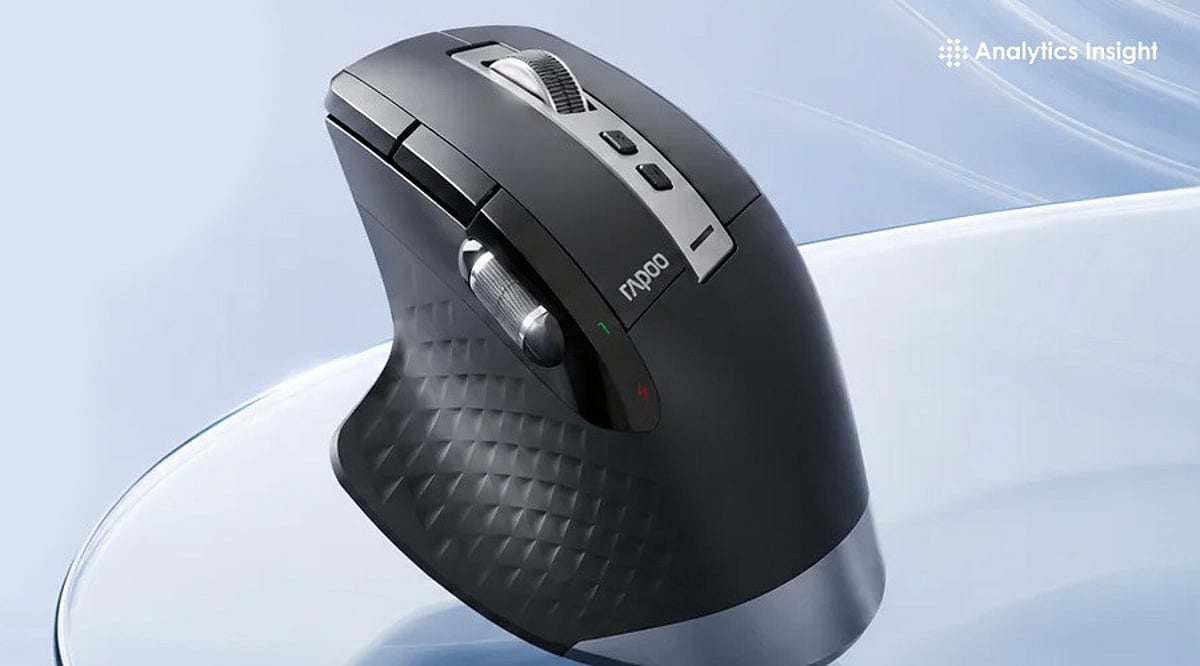
Most people spend thousands of hours a year with a hand on a mouse, yet choose one based on price alone. That decision quietly shapes comfort, precision, and how much friction creeps into the workday. The best mouse for work isn’t a single product—it depends on the job. Office workers need all-day comfort. Creatives need precision and shortcuts. Analysts need multi-device efficiency. CAD users need control and reliability. This guide matches mouse type to profession and gives specific picks for each.
What Makes a Work Mouse Best
Before picking a product, it helps to know what to evaluate. The criteria that matter most in 2026 are ergonomics, battery life, button layout, connectivity, scroll quality, software support, and hand-size fit. Productivity mice are judged differently from gaming mice. Quiet clicks, programmable buttons, and seamless device switching usually matter more than raw DPI. A great work mouse should reduce friction over eight hours, not just feel good for the first five minutes in a store.
Best Mouse Types by Profession
Office managers and executives do best with multi-device wireless ergonomic mice built around the MX Master category. Writers, analysts, and students need lighter silent wireless mice that stay portable and easy on the wrist across long sessions. Designers, editors, and other power users benefit from more buttons, precise scrolling, and deeper customization.
Anyone with wrist pain or RSI concerns should look at vertical mice and trackballs, as both change wrist posture rather than just softening the impact of a bad one. CAD and technical professionals need high-control mice or specialized ergonomic models built for stable, consistent tracking, since fine, repeated selections matter more than raw speed.
Best Overall for Work: Logitech MX Master 4
This is the mouse to beat in 2026. The MagSpeed scroll wheel powers through spreadsheets at up to 1,000 lines a second, and the Actions Ring puts app-specific shortcuts right under the cursor in tools like Excel and Photoshop, reducing time spent hunting through menus. Haptic feedback adds a tactile click when snapping objects into place—a small touch that pays off in design and video work. It also switches cleanly between a laptop and desktop for hybrid setups.
Best for Wrist Comfort: Logitech Lift, Logitech MX Vertical, or Razer Pro Click V2 Vertical
All three change hand posture instead of just cushioning it. The Lift is built for small to medium hands at a 57-degree angle and runs up to 24 months on a single AA battery. The MX Vertical suits medium to large hands with a similar 57-degree tilt and a four-month charge cycle. The Razer Pro Click V2 Vertical goes further, at 71.7 degrees to mimic a natural handshake grip, with up to six months of battery life. It takes about a week to adjust, but most users report a real drop in wrist strain once they do.
Best for All-Day Office Productivity: Logitech M720 Triathlon
A dependable, budget-friendly pick for anyone juggling multiple machines. It switches between three paired computers at the touch of a button, scrolls fast enough to fly through long documents, and runs for up to 24 months on one AA battery. The contoured shape holds up comfortably across a full workday.
Best for Portable Professionals: Logitech MX Anywhere 3S
Built for people who work from wherever the day takes them. Its 8K DPI sensor tracks on almost any surface, including glass, and the compact shape slips easily into a bag. Quiet clicks make it a considerate choice for shared spaces, cafes, or late-night calls, and it still delivers the MagSpeed scroll wheel found on Logitech’s larger productivity mice.
Best for CAD or Precision Tasks: Trackballs and High-Control Ergonomic Mice
Stability matters more than speed here. A trackball keeps the hand stationary while still allowing fine, controlled cursor movement, which suits repeated precision selections and detailed model work far better than a standard mouse shape.
Features That Actually Matter
Once the product type is clear, a few details separate a good mouse from a great one: shape, click feel, scroll wheel behavior, multi-device pairing, software customization, and battery convenience. Pay attention to whether the mouse supports both Bluetooth and a USB receiver, since switching setups is common in hybrid work. Software support matters more than most buyers expect—a mouse without solid driver or shortcut software loses half its usefulness, no matter how good the hardware feels in hand. Productivity is usually won in small details like button placement and scroll control, not headline sensor specs that rarely matter outside gaming.
Final Thoughts
Selecting the right work mouse is about finding the best balance between comfort, control, and functionality. By matching the profession with the right type of mouse, you can create a workspace that supports both productivity and long-term comfort.
FAQs
1. What is the best computer mouse for work?
The best computer mouse for work depends on your profession and daily tasks. Ergonomic wireless productivity mice are ideal for most office users, while designers, programmers, and CAD professionals may benefit from models with extra controls and precision features.
2. Is an ergonomic mouse better for office work?
Yes. An ergonomic mouse is designed to support a more natural hand position, helping reduce fatigue and discomfort during long working hours. It is a good choice for professionals who use a computer for extended periods.
3. Is a vertical mouse good for wrist pain?
A vertical mouse can help reduce wrist strain by keeping the hand in a more natural handshake position. Many users with repetitive strain concerns find it more comfortable than a traditional mouse, although individual results may vary.
4. What features should professionals look for in a work mouse?
Comfort, reliable wireless connectivity, programmable buttons, smooth scrolling, long battery life, and support for multiple devices are among the most important features for a productivity-focused work mouse.
5. Which type of mouse is best for designers and CAD professionals?
Designers and CAD professionals generally benefit from mice that offer precise tracking, customizable buttons, and smooth scrolling. These features improve navigation, speed up repetitive tasks, and provide better control during detailed work.