
Tag: video conferencing

  • Microsoft Teams Review: Key Features, Benefits, and Challenges for Modern Workplaces

    Microsoft Teams Review: Key Features, Benefits, and Challenges for Modern Workplaces

    Overview

    Microsoft Teams is collaboration software by Microsoft that combines chat, meetings, calls, file storage, calendar, tasks, and document collaboration in one online workspace. Highly integrated with Microsoft 365, Teams enables teams to use tools like Word, Excel, PowerPoint, OneDrive, and SharePoint. Features of Microsoft Teams allow users to communicate, hold virtual meetings, share documents, coordinate projects, and enhance productivity using AI. Benefits include communication centralization, cross-device capability, and teamwork simplification. Despite challenges such as poor performance, notification overload, and difficulty locating old files, Teams remains a leading workplace communication solution.

    General Information

    • Launched in: 2016
    • Platform Support: Android, iOS, Windows, macOS, Web
    • Download: Click Here

    Main Features of Microsoft Teams

    • Chat: Facilitates individual conversations, groups, mentions, and organized discussions for workplace communications.
    • Meetings: Provides audio and video meetings, screen sharing, recordings, live transcription, breakout sessions, and collaboration during meetings.
    • Channels: Organizes discussions according to projects, departments, and topics to make workplace discussions more organized.
    • File Sharing: Supports file and document sharing via chats and channels, integrated with OneDrive and SharePoint to facilitate file management of business documents.
    • AI Copilot: Includes Copilot to facilitate summaries of meetings, conversation assistance, and follow-ups for missing meetings.

    Benefits of Microsoft Teams

    • Integrates chat, meetings, calls, file sharing, and collaboration functionalities, eliminating the need for multiple workplace software applications.
    • Offers great integration with Microsoft 365, keeping documents and productivity applications connected to daily team communications.
    • Fosters remote and hybrid working conditions using cross-device functionality, virtual meetings, screen sharing, recording, and collaborative documents.
    • Organizes project communications using teams, channels, files, calendars, tasks, and meeting-related information.
    • Acts as a centralized digital workspace that can improve communication and collaboration in distributed teams.

    Challenges of Microsoft Teams

    • The application can be resource-hungry, especially during long meetings or when many applications and channels are used simultaneously.
    • A large number of notifications may make it hard to see important alerts among others in busy teams and channels.
    • Locating old messages and documents may require extra effort.
    • Managing multiple teams, channels, accounts, and collaboration tools can make the interface feel crowded.
    • Some users may experience problems with loading the app and accessing account information.

    Subscription Information

    Microsoft Teams is available for free for personal use; additional services are accessible through Microsoft 365 subscriptions. Premium features are available through Microsoft Teams Premium.

    Support Options

    • Help Center and Learning Resources: Microsoft provides Teams help covering meetings, chat, notifications, teams and channels, calls, files, troubleshooting, administration, Copilot, and application management.
    • Customer Support: Microsoft offers support information, technical help, troubleshooting, account help, and IT admin support.

    Conclusion

    Microsoft Teams is an extensive communications solution that integrates messaging, online meetings, calling, file sharing, document collaboration, and productivity tools into one unified system. Its strong relationship with Microsoft 365 is a key advantage, especially for enterprises already using Word, Excel, PowerPoint, OneDrive, and SharePoint. Collaboration and communication features receive high marks in reviews, but performance, search, notifications, and mobile experience still need improvements.
  • Neat and Zoho Bring Cliq Video Meetings to Purpose-Built Conference Room Devices

    Neat and Zoho Bring Cliq Video Meetings to Purpose-Built Conference Room Devices

    Neat has entered a new partnership with Zoho to bring Zoho Cliq to Neat Open, making Neat the first hardware vendor to support the unified communications platform on purpose-built video meeting systems. The integration will give businesses a dedicated meeting room experience across Neat’s Generation 2 device portfolio.

    Zoho Cliq Joins the Neat Open Ecosystem

    Neat Open lets organizations run a range of collaboration tools and applications on Neat hardware. The platform already supports bring-your-own-device workflows, business apps, AI Notes, wireless content sharing, and other meeting functions. With the new integration, Zoho Cliq joins that ecosystem and becomes available on Neat’s current Generation 2 devices.

    Organizations that already use Zoho products will be able to launch meetings directly from room devices. The companies said the partnership will focus on businesses in India as well as customers in more than 150 markets where Zoho operates. IT teams will be able to deploy, monitor, and manage Zoho Cliq rooms through Neat Pulse alongside other Neat devices.

    Meeting, Scheduling, and Room Control Features

    Zoho Cliq on Neat devices adds features designed for office meeting rooms. Users can start a meeting with one tap from the room device, schedule a meeting, and reserve the physical conference room at the same time. The integration also includes in-room reactions, gestures, participant spotlighting, and waiting room controls for meeting hosts.

    Zoho Cliq is part of Zoho’s portfolio of more than 60 business products. The platform combines workplace messaging, channels, audio and video meetings, task tools, chatbots, and integrations with Zoho and third-party applications.

    Industry Voices on the Partnership

    Sandeep Mehra, Senior Vice President and General Manager of International at Neat, said the move gives customers more control over the tools they use in conference rooms. “Conference rooms should suit the way our customers work,” Mehra said. Adding Zoho Cliq to Neat Open gives organizations another option for managing meetings across workplace spaces.

    Jeri John, Program Director for Unified Communications at Zoho, said the partnership extends Zoho Cliq’s meeting experience to dedicated video devices. “Our partnership with Neat takes our Android TV experience further, bringing Zoho Cliq to purpose-built video devices,” John said. He added that Zoho customers will continue to have a choice of hardware while meetings and workplace messages remain covered by Zoho’s privacy and data management standards.

    First Look at InfoComm India 2026

    Neat plans to demonstrate the Zoho Cliq integration at InfoComm India 2026, scheduled for September 16–18 at the Jio World Convention Centre in Mumbai. Visitors can see the integration at booth E10, where Neat will show how Zoho Cliq operates on Neat hardware in a dedicated conference room setup, including meeting launch, scheduling, participant controls, and room management.

    Neat builds video meeting devices for workplace collaboration and supports platforms including Google Meet, Microsoft Teams, and Zoom. The company also offers flexible BYOD options for organizations using different communication systems. The Zoho Cliq partnership adds another platform to Neat Open as both companies continue to expand their workplace collaboration products.

  • 2026 Guide to the Best Digital Whiteboard Displays for Business Collaboration

    2026 Guide to the Best Digital Whiteboard Displays for Business Collaboration

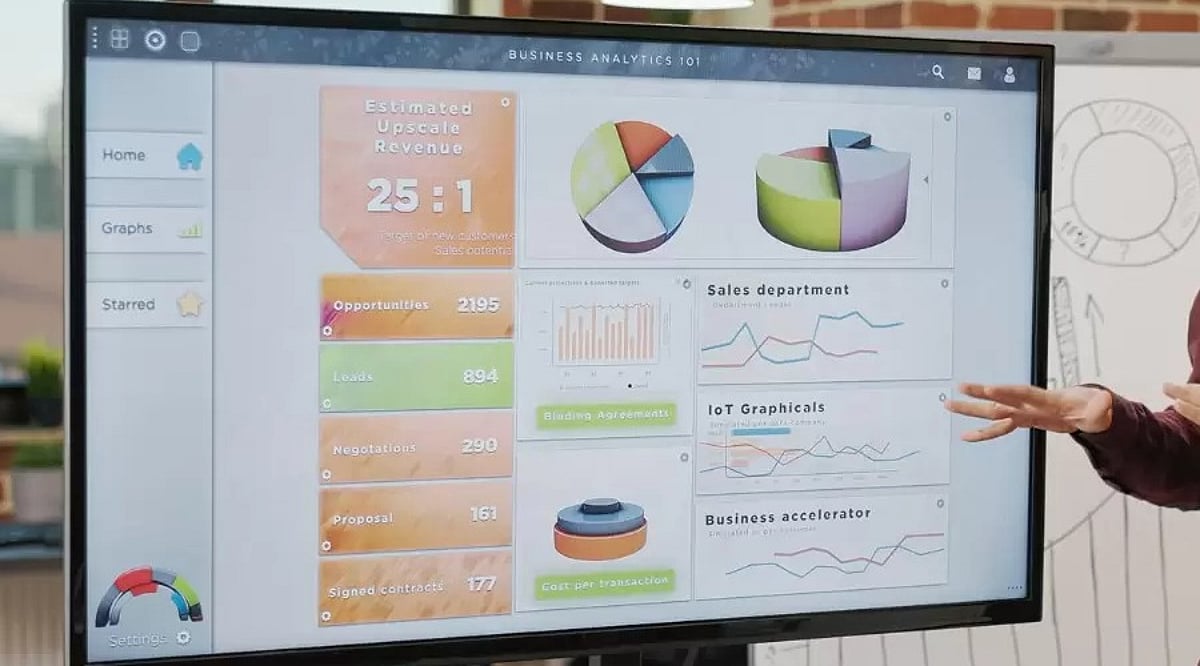
    Digital whiteboard displays are transforming business collaboration by combining interactive touch, video conferencing, and cloud connectivity. This guide compares leading 2026 models and highlights essential buying factors for choosing the right solution.

    Why Businesses Are Switching to Digital Whiteboards

    A traditional whiteboard has a major limitation: Once erased, the ideas it contains are lost unless someone photographs it beforehand. A digital whiteboard overcomes this limitation automatically. Every note, sketch, and diagram can be saved without manual effort and can be retrieved for a future meeting or shared with anyone unable to attend.

    These screens also allow a team to combine multiple elements such as a slide deck, spreadsheet, product photo, and live video call on a single surface. This makes the presentation an interactive work session.

    Top Digital Whiteboard Displays

    • Samsung Flip Pro – Known for its sharp UHD picture and a screen that can rotate between landscape and portrait mode. It suits teams that switch between presentations and long lists or notes.
    • Microsoft Surface Hub – Built around Microsoft 365. This board accommodates offices that use apps like Teams, Outlook, and OneNote. Its security features and management tools appeal to larger enterprises.
    • Cisco Webex Board – Strength lies in video conferencing and encrypted storage. This display suits security-conscious industries such as finance and legal services.
    • ViewSonic ViewBoard – Budget-friendly option with solid warranty coverage and a straightforward Android interface. Popular among mid-sized businesses.
    • NearHub S Series – All-in-one board offering 4K resolution across multiple screen sizes, with native integration for Zoom, Teams, and Google Meet.

    Comparison at a Glance

    Model Key Feature Best For
    Samsung Flip Pro Rotating UHD display Teams needing flexibility
    Microsoft Surface Hub Deep Microsoft 365 integration Enterprise Microsoft shops
    Cisco Webex Board Encrypted video conferencing Security-sensitive industries
    ViewSonic ViewBoard Affordable Android-based board Mid-sized businesses
    NearHub S Series 4K with multi-platform conferencing Hybrid teams

    What to Look for Before Buying One

    Not every display is suitable for office workflows. Here are some points worth checking:

    • Size and Resolution: For smaller huddle rooms, a 55-inch screen works well, but boardrooms require a 65-inch display. 4K resolution is now common, and clearer text improves the overall experience.
    • Touch Technology: Capacitive touch gives a similar experience to writing on glass with a thin pen. Infrared boards offer multiple touch points simultaneously, useful when several people use the board.
    • Operating System: Windows OS makes it easier to incorporate Microsoft 365 software, while Android gives access to a larger app store. Some manufacturers also have their own OS.
    • Conferencing Capabilities: Built-in camera, microphone, and speaker are necessary for hybrid teams. Lack of these requires external equipment.
    • Application Support: Support for Zoom, Microsoft Teams, and Google Meet is becoming almost mandatory.
    • Mobility: A rolling stand helps move the display between rooms; wall-mounted boards offer a permanent setup.

    Points Worth Keeping in Mind

    Price should not be the only factor. Many boards carry an annual software or storage fee in addition to the purchase cost. A heavy 55-inch or larger display often requires a wall bracket or wheeled stand, which must be purchased separately. Warranty periods vary considerably, ranging from 90 days to 3 years, so review terms carefully. Staff training on the new system also requires time—a board that impresses in a showroom can prove cumbersome if the interface is not intuitive for non-technical employees.

    Final Word

    Digital whiteboard displays are not cheap, but the decision depends heavily on the company’s scope and use case. If your office is dominated by Microsoft tools, Surface Hub is a great option. A security-focused company might prefer Cisco’s Webex Board. For a modestly sized team with a limited budget, ViewSonic or NearHub are decent choices. Focus on compatibility with your needs and existing technology stack rather than just the spec sheet.

    Frequently Asked Questions

    1. Which digital whiteboard display is best for business collaboration?

    The ideal digital whiteboard depends on your business requirements. Microsoft Surface Hub suits Microsoft-centric organisations, Cisco Webex Board prioritises security, while Samsung Flip Pro, ViewSonic ViewBoard, and NearHub offer excellent collaboration for different budgets.

    2. What features should businesses consider before buying a digital whiteboard?

    Evaluate screen size, 4K resolution, touch technology, operating system, built-in conferencing tools, application compatibility, mobility options, warranty coverage, and any recurring software or cloud subscription costs.

    3. Are digital whiteboard displays suitable for hybrid work environments?

    Yes. Most modern models support Zoom, Microsoft Teams, and Google Meet, allowing in-office and remote employees to collaborate, annotate documents, share screens, and participate in meetings seamlessly.

    4. Do digital whiteboards require additional software subscriptions?

    Some include free collaboration tools, while others charge annual fees for cloud storage, advanced software, device management, or premium conferencing features. Always review total ownership cost before purchasing.

    5. Which screen size is recommended for office meeting rooms?

    A 55-inch display works well for smaller huddle spaces, while 65-inch or larger screens are better suited for boardrooms and larger meeting rooms, ensuring clear visibility for every participant.

  • ViewSonic Unveils First ViewBoard with Built-in 48MP AI Camera for Seamless Hybrid Meetings and Classrooms

    ViewSonic Unveils First ViewBoard with Built-in 48MP AI Camera for Seamless Hybrid Meetings and Classrooms

    ViewSonic has announced the launch of its newest premium interactive display, the ViewBoard IN04V-N Series, marking the company’s first interactive display to feature an integrated 48MP AI camera. Designed to address the growing demand for streamlined hybrid collaboration, the display combines advanced AI capabilities with enterprise-grade performance to simplify communication in boardrooms, classrooms, and other collaborative environments.

    At the core of the ViewBoard IN04V-N is an intelligent imaging system that uses AI facial tracking to keep presenters naturally in focus. The display is equipped with an 8-microphone array, gesture recognition, and sound localization, enabling it to automatically follow speakers, capture voices accurately across the room, and support touch-free interactions. By integrating these features into a single device, ViewSonic eliminates the need for external cameras and audio peripherals, creating a more intuitive conferencing experience.

    “Video collaboration has become the foundation of modern communication, and organizations today need solutions that are intelligent, seamless, and ready from the moment a meeting begins,” said Muneer Ahmad, Vice President – Sales & Marketing, ViewSonic India. “With the ViewBoard IN04V-N, we are introducing our first interactive display with a built-in 48MP AI camera that eliminates the need for multiple peripherals while delivering exceptional video quality and intelligent tracking capabilities. Combined with powerful AI tools for collaboration and learning, the IN04V-N is designed to help businesses and educational institutions create smarter, more connected spaces.”

    The ViewBoard IN04V-N is available in 65-inch, 75-inch, and 86-inch screen sizes, and it enhances productivity through an advanced AI toolkit. The AI Text Recognition Pen instantly converts handwritten notes into editable digital text, while other AI-powered features include multilingual translation, text-to-speech functionality, and intuitive formatting tools such as text resizing, alignment controls, color customization, and shape editing. Users can also copy, duplicate, rearrange layers, lock or unlock objects, and delete content, enabling a more flexible collaborative workflow.

    The display introduces AI-assisted search and learning capabilities that enrich meetings and classroom sessions. Users can search recognized text directly on YouTube and Wikipedia, generate explanations and learning challenges for educational content, and use the Magical Pen to transform rough sketches into polished geometric shapes or convert simple drawings into detailed AI-generated visuals. The Shape Recognition feature automatically refines hand-drawn geometric figures into clean, professional-looking forms, making brainstorming sessions and presentations more engaging.

    Powered by Android 16 EDLA, the ViewBoard IN04V-N features a 4K Ultra HD display with an IR multi-touch frame, an RK3576 processor based on Arm Cortex-A72×4 and Cortex-A53×4 architecture, 8GB LPDDR5 RAM, and 128GB eMMC storage for responsive multitasking. Additional features include HDMI input supporting up to 3840 × 2160 at 60Hz, a Smart USB port compatible across all channels, 80-pin OPS support for 4K 60Hz display, integrated speakers, and NFC functionality for quick and secure access.

    With the launch of the ViewBoard IN04V-N Series, ViewSonic continues to expand its portfolio of AI-enabled visual solutions. The series will be available across India through ViewSonic’s authorized partners and enterprise sales network.

    About ViewSonic

    Founded in 1987 and headquartered in Brea, California, ViewSonic is a leading global provider of visual solutions for education, business, and consumer markets. The company delivers a unified ecosystem of innovative hardware, software, and services that integrate seamlessly with the platforms and tools customers trust. Its product portfolio includes monitors, projectors, interactive displays, LED displays, commercial displays, video conferencing systems, and industrial solutions. Complementing its hardware is a robust suite of software offerings, including myViewBoard, ClassSwift, TeamOne, Manager, and AirSync, featuring AI-powered tools for collaboration, device optimization, and management. Learn more at www.viewsonic.com.