
Tag: video production

  • AI-Driven Transformation in Corporate Video Production for Tech Companies

    AI-Driven Transformation in Corporate Video Production for Tech Companies

    Video is now one of the main ways tech companies explain products, share news, and earn trust. Artificial intelligence has made it faster to plan, edit, and repurpose that content. Yet speed alone does not make a video good.

    This article looks at what AI tools do well, where they fall short, and how brands can combine them with experienced crews. The goal is better video, delivered faster, without losing the human touch that viewers notice.

    Why Video Has Become a Core Business Asset

    Product launches, investor updates, customer stories, and internal town halls all rely on video. Teams need more versions, more formats, and faster turnarounds than ever before. That pressure explains why so many marketing and communications teams are testing AI tools. These tools promise to cut hours from routine tasks and free up budget for better ideas.

    What AI Tools Do Well

    AI is strong at repetitive work. It can transcribe interviews, generate captions, and flag the best moments in long recordings. These tasks once took editors hours. It also helps with translation, audio cleanup, and rough first cuts. Teams can review a draft quickly and spend their time on creative decisions instead of manual chores. Writing assistants are useful for outlines and alternate headlines, giving writers a starting point, though the final message still needs a human voice.

    Where AI Still Falls Short

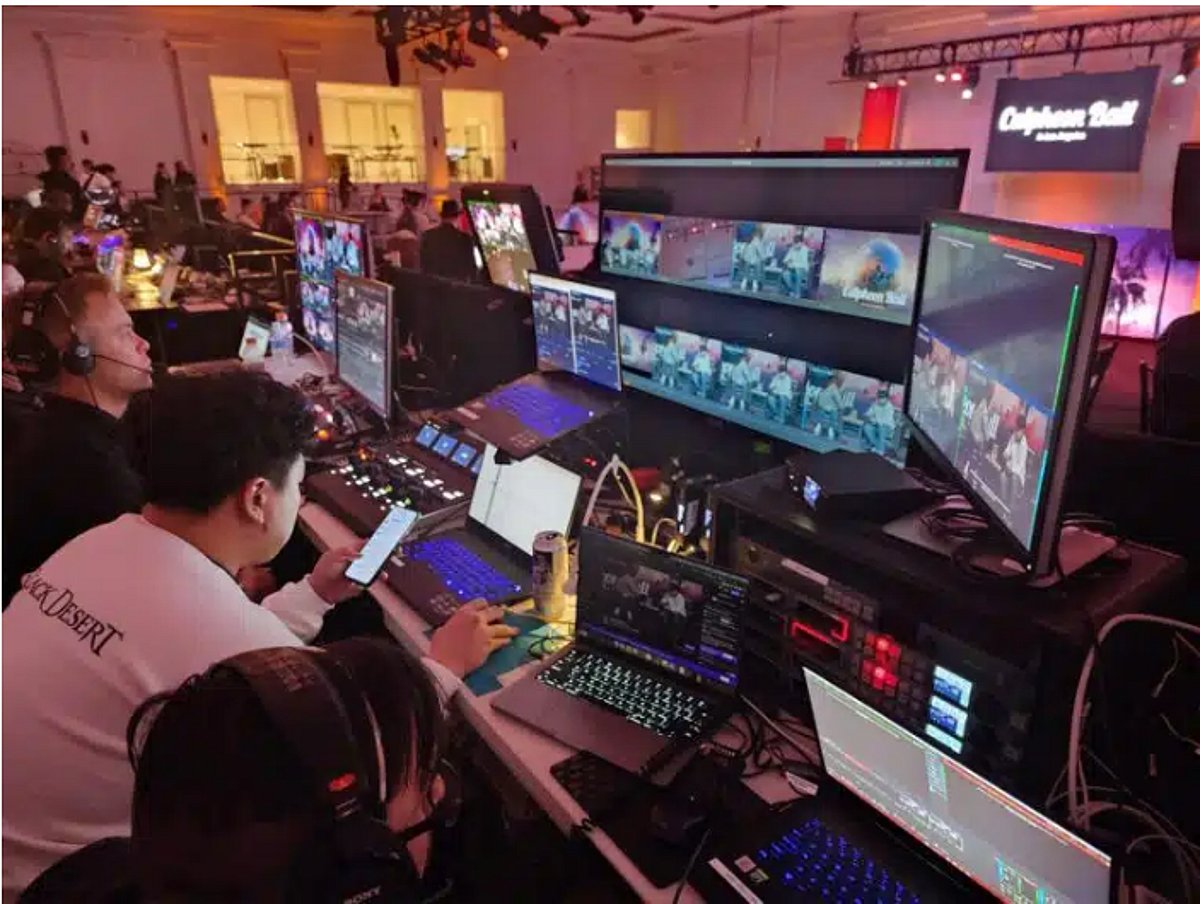
    AI cannot replace a skilled crew on set. It does not light an executive so they look confident, or capture clean audio in a noisy ballroom. Those results come from experience and good equipment. Trust is another issue. Viewers are getting better at spotting synthetic content, and a video that feels artificial can hurt a brand. Real people, real places, and real stories still carry more credibility. There are practical risks too. Brands must think about privacy, licensing, and accuracy before they publish anything generated by a machine.

    A Hybrid Workflow That Works

    The strongest teams treat AI as a helper inside a process led by people. They plan carefully, film with professionals, and use AI tools during editing and delivery. A simple version looks like this:

    • Plan the message, audience, and formats before anyone picks up a camera.
    • Capture interviews and key scenes with a professional crew.
    • Use AI to transcribe, caption, and assemble rough cuts.
    • Have a human editor review every frame, claim, and caption.
    • Deliver versions for each channel, such as social, web, and events.

    Many Bay Area tech teams now follow this approach. They work with a San Francisco video production company that pairs a senior crew with modern editing tools, which keeps quality high and delivery times short.

    Smart Ways to Put AI to Work

    Recap reels are a good example. A team can film a keynote, use AI to find the best clips, and have an editor polish a highlight video within days. Webinars and panels can become short clips, written summaries, and translated versions. One recording then supports weeks of content across several channels. Product demos benefit as well. AI can help produce alternate cuts for different audiences while the core footage stays authentic and on brand.

    Live Events and Streaming Still Need People

    Live content leaves no room for retakes. A product keynote or virtual summit has to work the first time, for every viewer, on every platform. AI can add captions and summaries, but it cannot fix a dropped audio feed. Live shows depend on backup audio, backup encoders, and a second stream path. Teams planning conferences, hybrid events, or webcasts should look for a partner with a full range of production and event services. Using one crew for filming, streaming, and editing keeps the look and quality consistent.

    How to Choose a Production Partner

    Start by asking how the team uses AI and where humans review the work. A good partner can explain both clearly. A few more questions help:

    • Can you show examples of similar projects?
    • Who will be on set, and who will edit the final video?
    • What backup plans exist for live shows?
    • How will the content be delivered for each channel?

    Clear answers to these questions usually signal a reliable team.

    Conclusion

    AI is changing how video gets made. Brands that ignore it may fall behind on speed, while brands that rely on it alone risk losing the authenticity that makes video work. The best results come from pairing smart tools with experienced people. Plan well, film with care, let AI handle the routine work, and keep humans in charge of the final message.
  • Master AI Video Creation: A Complete Step-by-Step Guide

    Master AI Video Creation: A Complete Step-by-Step Guide

    Key Takeaways

    • A clear script and short scene plan give AI video creation better structure and control.
    • Tools such as Veo, Kling, and Runway offer different options for visual quality and creative control.
    • Human editing and final checks remain essential for strong visuals, sound, continuity, and captions.

    Artificial intelligence video tools can turn a short script into cinematic scenes, product clips, social media videos, tutorials, and short films. The process now goes far beyond a single text prompt. A strong result starts with a clear idea, moves through a shot plan, uses suitable AI models, and ends with careful editing, sound, captions, and quality checks. The AI video market has also changed fast, with Google Veo, Kling, Runway, and other platforms taking major roles in modern video production.

    Start with a Clear Video Idea

    Every AI video needs a clear purpose before the first prompt. A YouTube video may need a wider frame and longer story, while a TikTok, Instagram Reel, or YouTube Short usually needs a vertical 9:16 frame. A product advert may need sharp product detail, while a short film may need stronger character and scene control.

    A simple plan should define the subject, audience, length, visual style, voice style, and final platform. A 60-second video, for example, can have a five-second hook, a main section, a short payoff, and a final call to action. A clear plan also reduces wasted AI credits.

    Turn the Script into Short Scenes

    A complete video should not depend on one large prompt. A better method splits the script into short scenes. Each scene can have a clear subject, action, location, camera view, light style, and mood.

    For example, a video about AI video tools could open with a creator at a desk, move to an AI video interface, show a cinematic generated scene, and then return to the creator. Short clips give better control and make weak shots easier to replace.

    Character consistency also matters. A reference image can establish the same face, clothes, location, product, or visual style across several scenes. Current AI video workflows place more focus on reference control and shot consistency than older text-to-video methods.

    Pick the Right AI Video Tool

    Google Veo 3.1, Kling 3.0, and Runway now sit among the main choices for AI video work. Each platform suits different production needs. Veo 3.1 stands out for high visual quality and native audio. Kling 3.0 supports multi-shot story work and synced audio. Runway offers strong creative control and a broad production workflow. These strengths can change as new model versions arrive, so model names and versions need a date check before publication.

    Sora no longer serves as a current general option. OpenAI ended the Sora web and app experience on April 26, 2026. The Sora API also has a scheduled shutdown date of September 24, 2026.

    Write Better Video Prompts

    A useful prompt should describe the subject, action, setting, camera, light, movement, and visual style. A prompt such as ‘a person at a computer’ gives limited control. A stronger version can describe a filmmaker at a modern desk, a cinematic studio, warm practical lights, shallow depth of field, a slow camera push, realistic skin texture, and natural movement.

    Specific details help an AI model understand the intended shot. Camera direction also matters. Terms such as close-up, wide shot, tracking shot, slow push, overhead view, and shallow depth of field can shape the result.

    Add Voice, Music, and Sound

    A strong video needs more than attractive visuals. Voiceover can explain the subject, while music can set the mood. Sound effects can add realism to footsteps, machines, doors, vehicles, weather, and other actions.

    Current AI video systems increasingly support audio as part of video production. Adobe also added tools that can create video, sound effects, music, and soundscapes inside Premiere. Premiere can use Adobe Firefly as well as partner models such as Google Veo, Kling, Runway, and Luma.

    Edit the Final Video with Care

    AI output still needs human judgment. The best clips should form a clear sequence with a natural pace. Voiceover should match the correct scene, music should remain below speech, and sound effects should fit the action.

    Adobe Premiere now lets editors generate video and sound directly inside the timeline. The Generative Media Tool can use reference frames from nearby footage, which helps a new clip match the existing edit.

    Check Every Scene Before Publication

    A final review should catch distorted hands, odd faces, changing clothes, shifting objects, poor lip sync, strange physics, incorrect text, and sudden changes in location. Logos and important text deserve extra care, since AI models may still produce errors in small written details.

    Captions also need a manual check. Clear captions improve access and help short-form videos work without sound. The final export should match the target platform, with 16:9 for standard YouTube video and 9:16 for most vertical short-form content.

    AI video now works best as a complete production process rather than a single prompt. The strongest results come from a clear script, short scene plans, suitable AI models, controlled references, good sound, careful edits, and a final human review. The technology can supply the raw material, but strong creative direction still shapes the finished video.

    Frequently Asked Questions

    1. What is an AI video? An AI video uses artificial intelligence tools to create or modify video content from text prompts, images, scripts, or other references.
    2. How does AI create a video? AI can turn a written prompt or reference image into short video scenes, which can later form part of a complete edited video.
    3. Which AI tools can create videos? Google Veo, Kling, and Runway are among the major AI video tools available for different creative needs.
    4. Can AI create the whole video? AI can create many parts of a video, but editing, sound, captions, continuity checks, and quality control still need careful attention.
    5. What makes an AI video look better? A clear script, detailed prompts, consistent references, suitable scene plans, good sound, careful editing, and a final quality check can improve the result.
  • 7 Must-Have Accessories for Turning Your Smartphone Into a Professional Film Kit

    7 Must-Have Accessories for Turning Your Smartphone Into a Professional Film Kit

    You no longer need an expensive camera setup to create impressive videos. The right smartphone filmmaking tools can improve stability, sound, lighting, and control, helping creators produce sharper and more professional-looking footage. Here are seven essential accessories that can transform your mobile device into a versatile filmmaking kit.

    DJI Osmo Mobile 7

    The DJI Osmo Mobile 7 gives smartphone filmmakers smoother footage with its three-axis stabilization. It is especially useful for walking shots, tracking subjects, and cinematic camera movements without carrying a bulky gimbal setup.

    Rode Wireless Micro

    The RØDE Wireless Micro is built for creators who want cleaner audio without complicated equipment. Its compact wireless transmitters make recording interviews, reels, vlogs, and outdoor videos much easier.

    Ulanzi Smartphone Tripod

    A reliable tripod can instantly improve smartphone videos by eliminating unwanted camera shake. Ulanzi’s smartphone tripod options provide a stable setup for interviews, product videos, livestreams, and cinematic static shots.

    SmallRig Smartphone Cage

    A smartphone cage gives creators a more flexible filming setup. SmallRig cages allow filmmakers to attach microphones, lights, handles, and other accessories while giving the phone a more camera-like shooting configuration.

    Aputure MC Light

    Lighting can completely change the mood of a smartphone video. The compact Aputure MC provides portable illumination that can help creators brighten faces, add color, and create more controlled lighting in difficult locations.

    Moment Lenses

    Moment’s smartphone lenses give mobile filmmakers another way to control the look of their footage. Wide-angle, telephoto, and anamorphic options can help create distinctive compositions and cinematic perspectives.

    Blackmagic Camera App

    The Blackmagic Camera app brings professional-style controls to compatible smartphones. It offers filmmakers greater control over settings such as frame rate, shutter angle, ISO, white balance, and recording formats.

    High-Capacity Power Bank

    Great footage means little if your phone dies halfway through a shoot. A high-capacity power bank can keep your smartphone and accessories running during long filming sessions, especially when recording outdoors or traveling.

  • Mondo Robotics Unveils Beni: The AI Camera Robot Revolutionizing Content Creation

    Mondo Robotics Unveils Beni: The AI Camera Robot Revolutionizing Content Creation

    Mondo Robotics has introduced Beni, a new AI-powered camera robot designed to capture smooth, professional-quality footage without the need for a dedicated camera operator. This innovative device is set to transform the way content creators, filmmakers, vloggers, and streamers produce videos.

    AI-Powered Subject Tracking

    Beni leverages advanced artificial intelligence to recognize subjects, follow their movements with precision, and maintain perfect framing throughout every recording session. This ensures that the subject remains the focal point of the video, even in dynamic environments.

    Designed for Creators

    With Beni, content creators can produce high-quality videos with significantly less effort and setup time. The robot is specifically tailored to meet the needs of modern creators, allowing them to focus on their content rather than technical camera operations.

    Smart Camera Movements

    Beni automatically adjusts camera angles, movement speed, and framing, enabling users to capture cinematic footage without requiring advanced filming experience. This smart automation makes professional-grade videography accessible to everyone.

    Hands-Free Operation

    During recording sessions, users can concentrate on presenting, acting, or performing while Beni independently handles camera movement and subject tracking. This hands-free operation enhances productivity and creative freedom.

    Compact and Portable Design

    Beni’s lightweight and compact design makes it easy to transport between studios, homes, outdoor locations, and event spaces. This portability ensures flexible content creation across various settings.

    Versatile Applications

    Beyond traditional content creation, Beni supports a wide range of uses, including live events, interviews, product showcases, educational videos, and business presentations. Its smart automation capabilities make it a valuable tool for professionals in multiple fields.

    Saving Time for Creators

    Automated filming with Beni reduces the need for repeated retakes and minimizes manual adjustments, speeding up the production process. Creators can publish content much faster, increasing their output and efficiency.

    The Future of Filming

    Beni highlights the potential of AI-powered robotics to reshape video production, making professional camera work more accessible and affordable for creators everywhere. As this technology evolves, it promises to democratize filmmaking and open new creative possibilities.

  • How AI-Powered Avatars Slash Enterprise Video Production Costs by 80%

    How AI-Powered Avatars Slash Enterprise Video Production Costs by 80%

    In the modern attention economy, video is the undisputed king of conversion. Whether for B2B software demonstrations, global e-commerce campaigns, or corporate communications, enterprises rely on video to drive engagement. However, as companies attempt to scale their content globally, they encounter a severe financial bottleneck: the traditional video production pipeline is fundamentally unscalable.

    For an enterprise looking to launch a marketing campaign across North America, Europe, and Asia, the logistical nightmare multiplies. Traditional video localization requires casting multi-lingual actors, securing physical soundstages, coordinating international production crews, and enduring weeks of post-production dubbing. This asset-heavy approach creates a financial black hole, limiting how quickly and efficiently a brand can react to market trends.

    But we are currently witnessing a massive paradigm shift in enterprise marketing. Driven by advancements in artificial intelligence, video production is transitioning from a physical, labor-intensive manufacturing process to an agile, data-driven computational process. At the forefront of this revolution is the rise of the “Algorithmic Influencer”—a digital avatar that is redefining enterprise ROI and slashing video production costs by upwards of 80%.

    The Paradigm Shift: From Physical Shooting to Computational Generation

    To understand the economic impact of this shift, we must look at how generative AI has evolved. Early iterations of AI video were largely experimental, plagued by issues like character inconsistency, flickering artifacts, and unnatural movements. They were unsuitable for enterprise-grade marketing.

    Today, however, the underlying architecture of diffusion models and generative adversarial networks (GANs) has matured. We have moved beyond random generation into the era of “controllable generation.” Enterprises can now create proprietary digital assets—hyper-realistic AI avatars—that maintain perfect facial consistency across hundreds of different videos, angles, and lighting environments.

    By replacing the physical camera with a rendering algorithm, brands are no longer constrained by the laws of physical production. A script is no longer a blueprint for a complex physical shoot; it is a direct input for immediate video computation.

    The Localization Breakthrough: AI Lip-Sync and Global Scale

    The most significant hurdle in global marketing has always been the language barrier. Traditional dubbing often results in a disjointed viewer experience, where the audio clearly mismatches the actor’s mouth movements, leading to a drop in viewer trust and engagement.

    The true commercial breakthrough for the algorithmic influencer is the perfection of AI-driven lip-sync technology. By utilizing advanced audio-to-video mapping, an AI avatar can speak any language fluently, with its mouth movements, facial micro-expressions, and jaw structure perfectly aligned with the target audio.

    Enterprise-grade platforms are pioneering this automated workflow. For instance, APOB.AI, a specialized platform for AI video and avatar generation, has engineered a seamless pipeline for content creators and marketing teams. Through APOB.AI’s infrastructure, a marketing team can take a single static image of their brand’s digital ambassador, upload a voiceover track (or an AI-generated voice), and instantly compute a dynamic, flawlessly lip-synced video.

    This capability fundamentally changes the localization workflow. A marketing team in New York can write a master script in English. Within hours, using tools like APOB.AI, they can deploy the exact same video featuring the exact same brand ambassador speaking fluent Spanish for the Latin American market, Japanese for the Tokyo market, and Arabic for the Middle East—all with perfect visual synchronization and zero physical reshoots.

    Decoding the 80% Cost Reduction

    When an enterprise adopts the algorithmic influencer model, the ROI calculation transforms dramatically. Industry data suggests that replacing traditional localized video production with AI automation reduces overall costs by at least 80%. Here is a breakdown of the structural savings:

    • Elimination of Physical Overhead: Studio rentals, equipment logistics, catering, and permit fees are reduced to zero. The “set” exists entirely in the cloud.
    • Human Resource Optimization: The need for specialized on-set roles—lighting technicians, makeup artists, boom operators, and on-camera talent—is replaced by a single prompt engineer or digital marketer operating a software dashboard.
    • Eradication of Reshoots: In traditional production, a flubbed line or a script change requires bringing the entire crew back to the studio at immense cost. With an AI avatar, updating a script simply means typing the new text and clicking “regenerate.”
    • Time-to-Market Acceleration: What traditionally took four to six weeks from pre-production to final multilingual delivery can now be executed in a single afternoon. This velocity allows enterprises to capitalize on fleeting social media trends and rapid news cycles.

    A/B Testing at the Speed of Data

    Beyond cost reduction, the algorithmic influencer unlocks unprecedented potential for MarTech data optimization. In traditional marketing, A/B testing video content is prohibitively expensive because producing multiple variations of a video requires multiple physical takes.

    With generative AI, a Chief Marketing Officer can generate fifty variations of a video campaign—testing different hooks, emotional tones, calls-to-action, and even avatar clothing—at marginal computing cost. These variations can be deployed simultaneously across social channels. The marketing team can then use real-time analytics to see which video performs best and dynamically allocate ad spend to the winning creative. This transforms video from a static asset into a fluid, data-responsive ecosystem.

    Conclusion: The Future of Digital Brand IP

    The integration of generative AI into B2B and B2C marketing strategies is not merely a cost-cutting tactic; it is the foundation of future digital competitiveness. As we move deeper into 2026, the most valuable assets a brand owns will not just be their physical products or real estate, but their proprietary digital intellectual property—their custom AI voices, their proprietary visual models, and their algorithmic influencers.

    By adopting platforms that enable consistent character generation and flawless multi-lingual lip-syncing, enterprises can break the traditional constraints of video production. They can communicate with global audiences authentically, rapidly, and at a fraction of the historical cost. The era of the soundstage is fading, making way for the limitless potential of the data-driven studio.

  • Top AI Video Generators to Explore in 2026: From Pika to Adobe Firefly

    Top AI Video Generators to Explore in 2026: From Pika to Adobe Firefly

    The landscape of AI video generation is advancing rapidly, offering creators powerful tools to produce cinematic content from simple text prompts, images, or existing footage. Whether you’re a filmmaker, marketer, or social media creator, these platforms bring professional-grade video creation within reach. Here are the leading AI video generators to watch in 2026.

    Runway

    Runway enables users to create cinematic AI videos from text, images, and existing footage. Its advanced features include motion tracking, inpainting, and a suite of creative filmmaking tools that empower both beginners and professionals.

    Pika

    Pika transforms simple prompts into engaging short videos with realistic animations, creative visual effects, and smooth transitions. It is designed for rapid content generation, making it a favorite among creators who need quick, high-quality output.

    Google Veo

    Google’s advanced text-to-video model generates realistic, high-quality videos with natural motion, detailed environments, accurate physics, and cinematic storytelling capabilities. Veo is ideal for projects requiring fine-grained control over visual narratives.

    OpenAI Sora

    Sora produces highly realistic videos from detailed prompts, boasting impressive scene consistency, complex camera movements, realistic lighting, and dynamic visual storytelling. It represents a major leap in generative video quality.

    Synthesia

    Synthesia specializes in professional AI avatar videos featuring multilingual presenters, customizable templates, voiceovers, and branding options. It is widely used for training, marketing, and corporate communications.

    HeyGen

    HeyGen creates personalized AI spokesperson videos using realistic avatars, voice cloning, multilingual translations, and customizable scripts. It is built for global business communication and marketing campaigns.

    Luma Dream Machine

    Luma Dream Machine produces realistic AI-generated videos with natural camera movements, detailed environments, lifelike motion, and fast rendering. It is tailored for creative visual storytelling projects.

    Adobe Firefly Video

    Adobe Firefly Video integrates generative AI video creation directly into the Adobe Creative Cloud ecosystem. It enables commercial-safe content generation, editing, and seamless professional production workflows.

    Kling AI

    Kling AI delivers high-quality AI videos with realistic character movements, cinematic visuals, detailed environments, and advanced prompt understanding. It is designed for professional creative applications where quality is paramount.

    These tools represent the cutting edge of AI-driven video production. As the technology evolves, expect even more intuitive interfaces, faster rendering, and greater creative freedom. Explore them to stay ahead in the content creation game.