Tag: Voice Assistant

  • Google Trials ‘Call for Me’ AI Feature for Pixel 11 Users: Gemini Now Handles Phone Calls

    Google Trials ‘Call for Me’ AI Feature for Pixel 11 Users: Gemini Now Handles Phone Calls

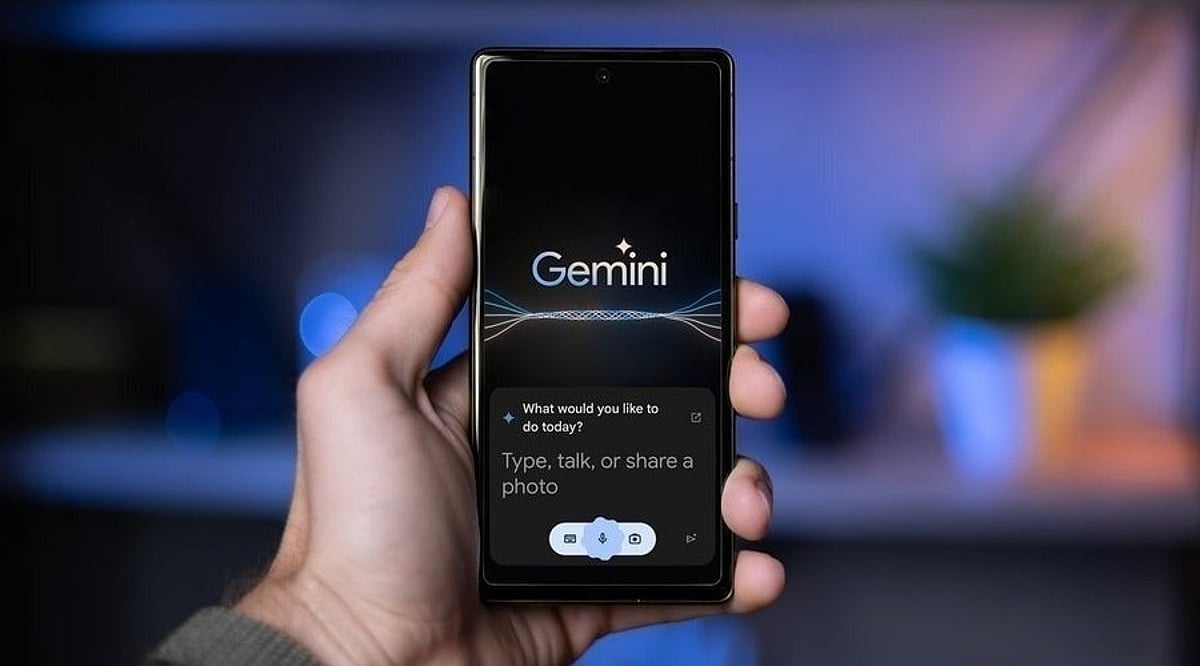
    Google is testing a new Gemini AI feature that can make phone calls to businesses on behalf of users, marking a significant step in AI-powered task automation. Dubbed “Call for Me,” the feature is initially rolling out to Pixel 11 owners in the United States who have a Gemini subscription. Users also need the beta version of Google’s Phone app for Android, as the feature is currently in an experimental phase.

    Unlike previous AI-assisted calling tools from Google, Gemini can now share personal information that users approve for a call. This allows the AI to handle a wider range of tasks while keeping users involved in the process. With “Call for Me,” Gemini can contact a business, introduce itself, navigate automated phone menus, wait on hold, and then speak with an employee. Users can follow the conversation through a live transcript and take over the call whenever they want. All calls are made using the user’s own phone number directly from their device.

    Google says the feature can handle tasks such as checking whether a product is available at a store, making a restaurant reservation, changing an appointment to another date, or placing an item on hold. The company has also noted that Gemini can handle phone conversations after getting through automated systems, rather than simply waiting for a human representative to answer.

    This development builds on several years of Google’s work on AI-assisted phone calls. The company previously demonstrated Google Assistant calling a salon to make a reservation, and later introduced “Ask for Me,” which allowed Gemini to call businesses to ask about prices and services. Pixel users have also had access to “Hold for Me,” which waits on the line until a person answers, and “Talk to a Live Rep,” which can navigate phone systems.

    Google said it is starting “Call for Me” on a small scale because “real-world conversations are nuanced” and the company needs time to improve the feature before making it available more broadly.

  • OpenAI’s GPT-Live Voice Model: Full-Duplex Conversations and Natural Interruptions

    OpenAI’s GPT-Live Voice Model: Full-Duplex Conversations and Natural Interruptions

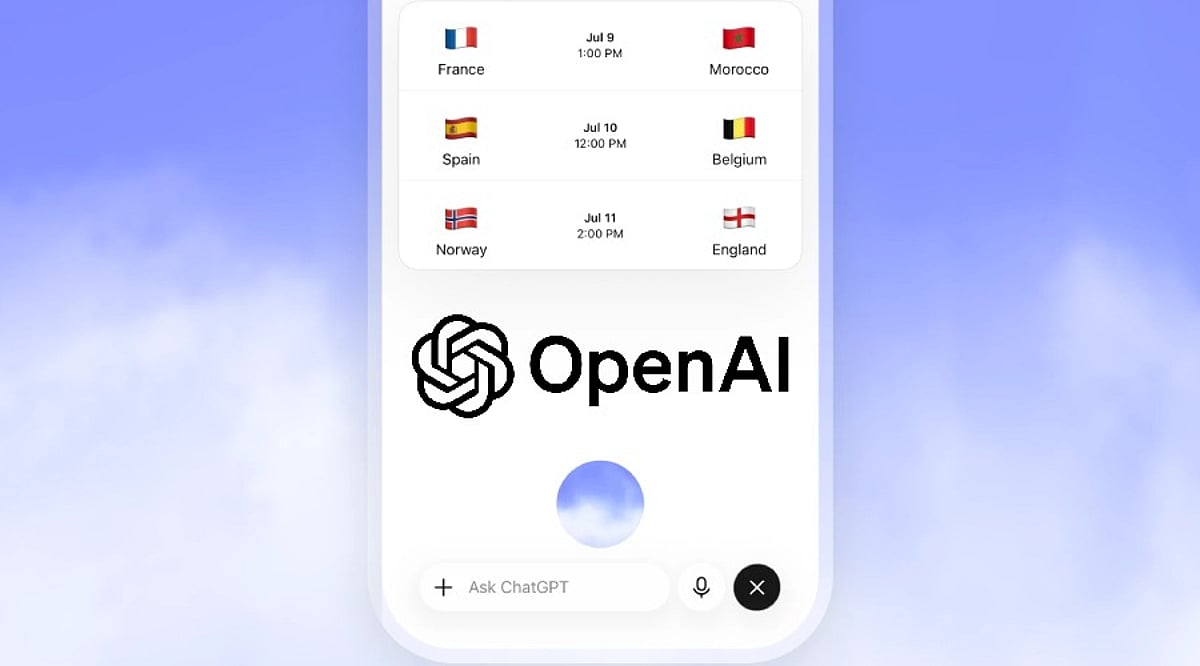
    OpenAI has unveiled GPT-Live, a next-generation voice model that redefines how humans interact with AI through speech. Unlike traditional voice assistants that operate in rigid turn-based exchanges, GPT-Live employs a full-duplex design, allowing it to listen and speak simultaneously. This breakthrough enables users to interrupt, pause, or shift the conversation naturally, making interactions feel more like a human dialogue than a command-line interface.

    The model powers the latest ChatGPT Voice experience and is available in two versions: GPT-Live-1 for paid subscribers and GPT-Live-1 mini for free users. Both are rolling out globally on ChatGPT.com and mobile apps for iOS and Android. A key feature is that voice conversations remain integrated with the text interface, so users can follow responses in writing and switch seamlessly between typing and speaking.

    GPT-Live also supports advanced capabilities such as web search, memory, and image processing within the same conversation. However, video and screen sharing are not yet supported in this mode—those features remain available through the older Advanced Voice option for eligible users.

    Another significant innovation is GPT-Live’s ability to hand off complex tasks to backend models. While the voice model manages the conversation flow, a separate reasoning agent can handle intensive computations or use connected tools. For example, an assistant can continue speaking while a backend checks information or completes an action, with the application retaining control over permissions and confirmations.

    OpenAI has also made GPT-Live accessible via its API, enabling developers to build real-time voice applications using WebRTC, WebSockets, or telephony connections. To ensure authenticity, SynthID watermarking is applied to generated audio, allowing OpenAI to verify the origin of the sound.

    This launch signals a shift from simple speech-to-text-and-back responses toward AI that actively manages conversation dynamics, including timing, interruptions, and multi-system coordination. GPT-Live represents a step closer to truly natural voice assistants.

  • Sonos 27 Update Integrates ChatGPT and Claude AI for Smarter Home Audio Control

    Sonos 27 Update Integrates ChatGPT and Claude AI for Smarter Home Audio Control

    Sonos has begun rolling out Sonos 27, a major system update that brings artificial intelligence tools and enhanced flexibility to its speaker lineup. Available now on iPhone, Android, and compatible Sonos speakers, the update introduces Model Context Protocol (MCP) support, enabling AI services like ChatGPT and Claude to interact directly with the audio system.

    With Sonos 27, users can control playback, group speakers, adjust volume, move audio between rooms, and activate features like Night Sound and Speech Enhancement—all through natural language commands via ChatGPT or Claude. This eliminates the need to open the Sonos app for routine tasks.

    Beyond AI, the update adds significant new hardware functionality. Portable Sonos speakers can now serve as rear surround speakers when paired with the Arc Ultra soundbar. The Sonos Ace Ultra headphones also gain the ability to seamlessly transfer audio between the headphones and compatible speakers.

    Sonos is also developing Sonos Voice, a forthcoming voice assistant. Looking ahead to 2027, the company plans to introduce Custom Agents, which would let users build personalized AI agents using their preferred model and voice.

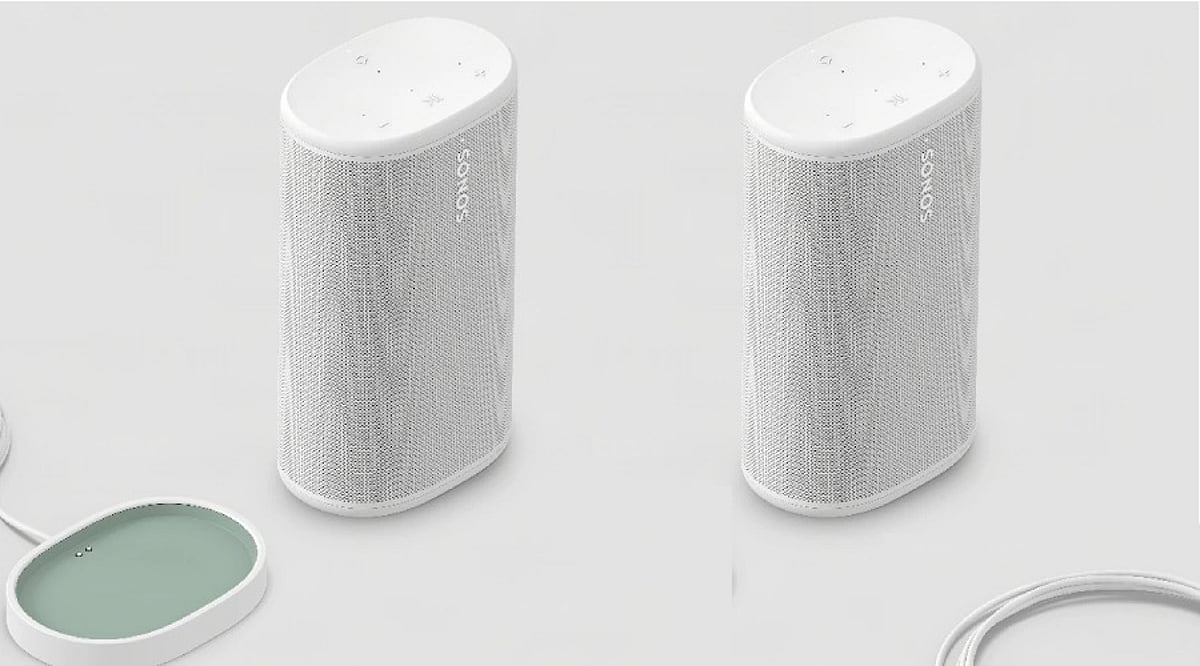
    One of the standout features is the dynamic role adjustment for portable speakers. For instance, two portable Play speakers can act as rear channels for a home theater setup during a movie, then revert to standard portable mode when moved. Sonos’ positioning technology automatically detects their placement and adjusts their function accordingly.

    The overarching theme of Sonos 27 is flexibility. A single speaker can now serve multiple roles throughout the day—supporting a home theater at night and functioning as a regular portable speaker later. Combined with AI-driven voice control, the update streamlines the user experience and adapts to how people actually use their homes.

  • Maximizing Siri AI on iPhone 18 Pro: Features, Tips, and What’s New in iOS 27

    Maximizing Siri AI on iPhone 18 Pro: Features, Tips, and What’s New in iOS 27

    Apple’s Siri AI has officially arrived in India with iOS 27, bringing a more intelligent and context-aware voice assistant to compatible iPhones. The feature launched on September 14 and comes pre-installed on the iPhone 18 Pro. Currently in beta, Siri AI supports English and requires users to join a waiting list. Apple also enforces daily limits on server requests to manage load.

    Deeper Access to iPhone Data

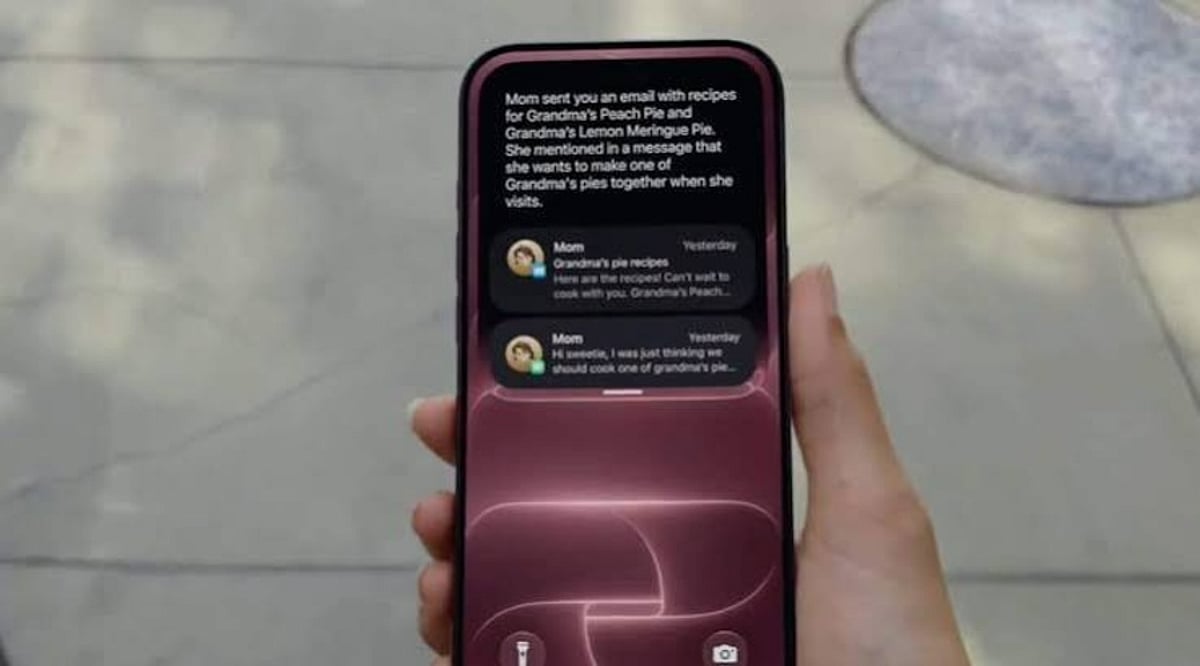
    The updated Siri can search across Messages, Mail, and Photos. Users can ask Siri to retrieve specific details, such as booking codes from older emails. During business calls, Call Context can display relevant information like a booking number automatically.

    Screen Awareness and App Integration

    Siri AI now understands content on your screen. For example, you can ask it to turn a sports fixture list from a webpage into calendar entries. Activate Siri via the wake phrase, side button, or a swipe down from the Dynamic Island.

    Visual Intelligence in Camera

    Visual Intelligence works through the Camera app as a Siri mode. Point your camera at a printed schedule, such as a wedding card, and ask Siri to extract relevant details.

    Third-Party App Support

    Siri AI integrates with third-party apps. Apple specifically mentions WhatsApp for sending messages via voice commands. Audible playback is supported, and apps like Microsoft Outlook, Notability, and Tripsy are slated for upcoming support.

    Writing, Dictation, and Shortcuts

    Writing Tools can draft and rewrite text in any app where you type. Siri can adapt its writing style to match yours. Dictation gets an upgrade via Apple’s AFM Core Advanced model, adding punctuation and formatting as you speak. The Shortcuts app now accepts plain-language instructions—just describe the action you want instead of manually building each step.

    Price Tracking and Personal Organization

    Safari’s Notify Me feature monitors webpages for changes, including restocks and price drops. Calendar and Reminders can add events and list items through spoken instructions. Siri AI maintains conversation history across devices via iCloud, so chats continue seamlessly on Mac, iPad, Apple Watch, or Vision Pro.

    Language Support in India

    Siri AI launched with English only. French, Japanese, Korean, Portuguese, and Spanish are scheduled to arrive next month, but Apple has not announced a timeline for Hindi. The feature works on iPhone 15 Pro and later models, including the iPhone 18 Pro and iPhone Duo.

  • Meta’s Luna Smart Glasses Reportedly Drop the Camera for a Voice-First AI Experience

    Meta’s Luna Smart Glasses Reportedly Drop the Camera for a Voice-First AI Experience

    Meta Bets on Voice-First Wearables

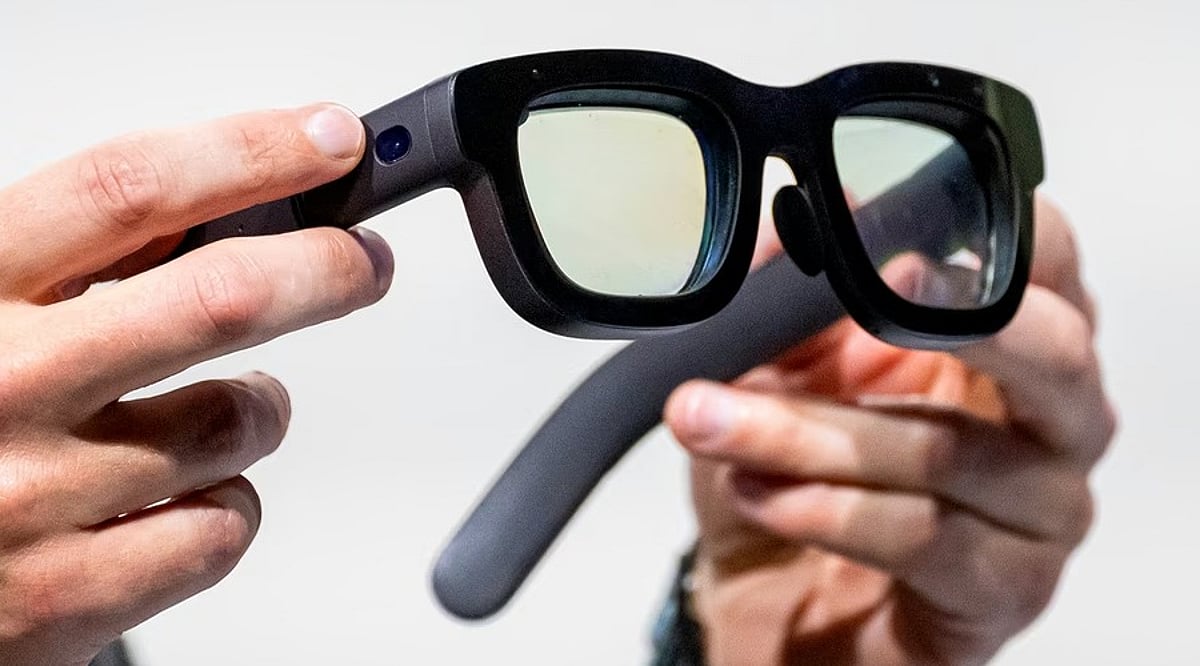
    Meta is reportedly preparing a new pair of smart glasses that will ship without a camera. The device, said to be codenamed Luna, could launch this fall, according to a report from The Information that was later picked up by Reuters. Reuters added that it could not independently verify the report.

    The rumored redesign comes as camera-equipped smart glasses face growing scrutiny over privacy and the risk of unauthorized recording. Meta’s current AI glasses rely on a camera for photos, video, and various AI features, with an LED meant to signal when recording is active. By removing the camera, Luna is expected to ease those privacy worries while preserving many of the AI and audio capabilities.

    What Luna Might Bring

    • Six microphones: The glasses reportedly include six built-in mics to support clear voice interaction.
    • Meta AI plus Muse: Users could talk to Meta AI and the company’s new consumer AI agent, Muse, using voice commands.
    • Built-in speakers: Luna is expected to feature speakers similar to those found on Meta’s existing smart glasses.
    • Side button shortcut: A physical button on the side may offer quick access to Meta AI, giving users an alternative to voice activation.

    Launch Timing and the Road Ahead

    Meta could unveil Luna at its Meta Connect developer conference, scheduled for September 23 and 24. Shipments are reportedly targeted for October, though Meta has not publicly confirmed the product, its release timing, or final specifications.

    If it reaches market, Luna would add another direction to Meta’s expanding wearable strategy. The company is also developing more advanced augmented-reality hardware, underscoring its view of smart glasses as a major platform for AI.

  • Amazon Launches Alexa+ in India with Hindi and Hinglish Support: What It Means for Users

    Amazon Launches Alexa+ in India with Hindi and Hinglish Support: What It Means for Users

    Amazon has officially launched Alexa+ in India, offering free Early Access to a limited number of users. The new AI-powered assistant is available on eligible Echo speakers, smart displays, Fire TV devices, and the Alexa app, with browser access planned. Alexa+ understands English, Hindi, and Hinglish, and Amazon intends to add more Indian languages over time.

    Prime members will continue to receive Alexa+ at no extra charge after the Early Access period ends. For other users, a paid plan costing Rs. 2,000 per month will be required. Teena Sidana, Country Manager for Alexa at Amazon India, stated, “Indian households are multi-generational, multilingual, and beautifully complex. Alexa+ was designed for that complexity.” She added, “India is home to one of the most diverse set of customers in world, and we’re excited for them to experience how much smarter, personalized, and more intuitive Alexa+ has become.”

    Key Features of Alexa+ in India

    Alexa+ is built for natural, flowing conversations. Users no longer need to say “Alexa” before every command. The assistant seamlessly switches between English and Hindi within the same interaction. It also recognizes common Indian phrases and terms like “dhai baje” and “ek paav”.

    Core capabilities include:

    • Smart home device control (compatible with Atomberg, Qubo, Dreame, Wipro, and more)
    • Shopping lists and Amazon order tracking
    • Product comparisons
    • Integration with Spotify, Apple Music, JioSaavn, Prime Video, and Netflix
    • Upcoming integrations with Swiggy, EazyDiner, and MakeMyTrip

    Language Support: A Game-Changer for Indian Users

    Language is a major differentiator for Alexa+ in India. The assistant understands mixed Hindi and English (Hinglish) and is designed to handle the multilingual, multi-generational nature of Indian households. Amazon plans to expand support to additional Indian languages in future updates.

    Pricing and Availability

    During Early Access, a limited number of users can try Alexa+ for free on eligible devices. Prime members will retain free access after the trial. Non-Prime users will need to subscribe at Rs. 2,000 per month. The wider rollout is scheduled to begin later.

  • 2026’s Top Smartwatches: Bluetooth Calling and Voice Assistant Showdown

    2026’s Top Smartwatches: Bluetooth Calling and Voice Assistant Showdown

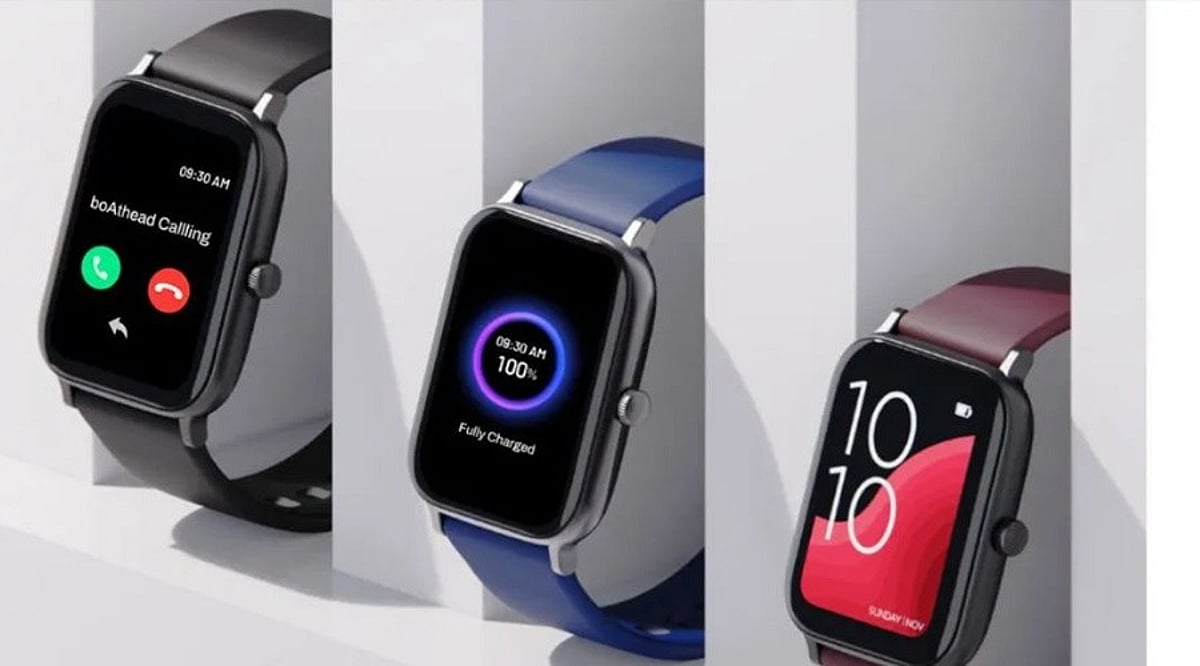
    A smartwatch today needs more than just a bright screen and fitness tracking. Clear wrist calls and fast voice assistance add real value. Premium Apple and Samsung models now compete with long-life Wear OS watches and affordable picks. The key differences lie in voice assistant quality, phone compatibility, battery life, and price.

    Top Smartwatches Compared

    Samsung Galaxy Watch8

    The Samsung Galaxy Watch8 stands out as a strong Android all-rounder. It supports Bluetooth calls through its built-in microphone and speaker. Gemini provides a more advanced voice assistant experience, with Samsung’s software focused on AI help. Battery life is about 30 to 40 hours, so daily charging may still be needed. Best for Samsung phone owners, but works well with other Android devices. Price near Rs. 23,999.

    Apple Watch Series 11

    The Apple Watch Series 11 remains a top choice for iPhone users. It supports Bluetooth calls and Siri voice control. Battery lasts about 24 hours, making daily charging likely. Price near Rs. 40,999 places it in the premium class. A score of 4.8 from about 13,000 reviews confirms its high-end status.

    OnePlus Watch 3

    The OnePlus Watch 3 puts battery life at the center of its appeal, with up to 120 hours of use. It works with Google’s assistant ecosystem and Gemini. The 43 mm model costs around Rs. 20,710, with a 4.8 rating from about 1,200 reviews. Ideal for buyers who want long battery life at a lower price.

    CMF Watch 3 Pro

    The CMF Watch 3 Pro takes a different route with a low price and strong AI focus. It supports Bluetooth calls, ChatGPT access, voice recording, transcription, and voice assistant access. Battery life can reach up to 13 days. India launch price was Rs. 7,999 (early price Rs. 6,999), making it one of the most affordable options with calls, voice tools, and long battery life.

    Samsung Galaxy Watch8 Classic

    The Galaxy Watch8 Classic adds a more traditional watch look to Samsung’s Wear OS range. Bluetooth calls and Gemini voice assistant are included. Battery life is near 30 to 40 hours. Price around Rs. 35,499. It fits buyers who want a formal watch style with voice help and wrist-based calls.

    Moto Watch Ultra

    The Moto Watch Ultra brings one of the newest options, with Wear OS 6, Gemini, Motorola’s Qira assistant, LTE, and a built-in speaker and microphone for calls. Battery life reaches about two days. Its 46 mm stainless-steel case suits those who prefer a large premium design. US price is USD 349.99, with sales starting September 10, 2026.

    Why Bluetooth Calling and Voice Assistants Matter

    Bluetooth calls let you take calls without reaching for your phone. Voice assistants provide quick access to information and controls. Battery life, phone support, and assistant quality shape the overall experience, so the right choice depends on your needs.

    What Sets These Watches Apart

    The Galaxy Watch8 offers a strong Android package, while Apple Watch Series 11 is best for iPhone users. OnePlus Watch 3 leads on battery life. CMF Watch 3 Pro offers the lowest price with strong AI features. Galaxy Watch8 Classic adds a traditional design, and Moto Watch Ultra brings newer software and assistant options. Voice tools now mark the biggest shift—Bluetooth calls are common, but assistant quality varies sharply from basic phone assistants to Gemini or ChatGPT.

    FAQs

    1. Which smartwatch is best for Android users? Samsung Galaxy Watch8 is a strong overall choice, especially for Samsung smartphone owners.
    2. Which smartwatch has the longest battery life? OnePlus Watch 3 offers up to 120 hours, while CMF Watch 3 Pro can reach up to 13 days.
    3. Which smartwatch is best for iPhone users? Apple Watch Series 11 is the natural choice due to close integration with iPhone and Siri.
    4. Which smartwatch is the most affordable? CMF Watch 3 Pro is the most budget-friendly, with an India launch price of Rs. 7,999.
    5. Which watches support voice assistants? Models include Gemini, Siri, ChatGPT, or other voice-assistant features, depending on the watch and phone ecosystem.

  • EchoVision Smart Glasses: How AI Wearables See and Speak for You

    EchoVision Smart Glasses: How AI Wearables See and Speak for You

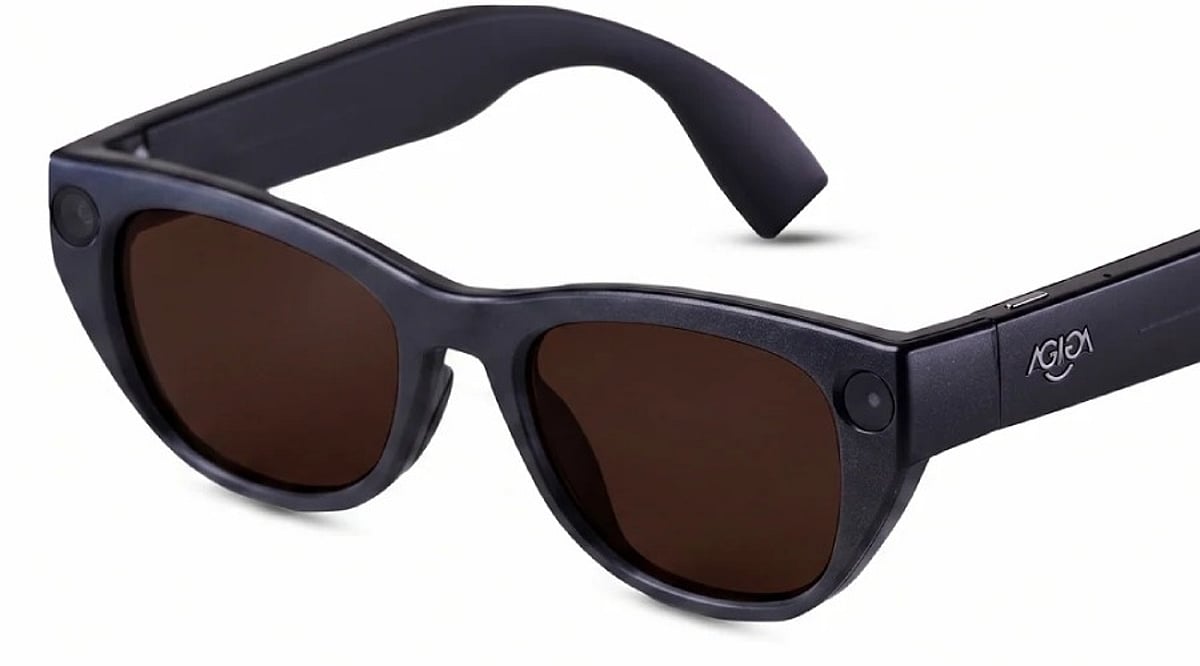
    EchoVision smart glasses pair a camera, microphones, and connected AI to interpret surroundings and answer questions through audio. Processing splits between the device, a paired phone, and the cloud. Real usefulness hinges on battery life, connectivity, and privacy safeguards specific to the product itself.

    Overview: A New Way to Access Information

    A pair of glasses that sees what a person sees and answers a question about it within seconds sounds like a small idea, but it isn’t. It signals a shift in how people expect computers to reach them. Assistance moves off a screen and onto the face, ready to respond to the world the instant something happens. EchoVision smart glasses belong to a growing category of AI-powered wearables. Some of what follows describes EchoVision directly. Some describes how AI glasses generally work as a category. The distinction matters for anyone trying to understand what makes the device useful.

    The Hardware Behind the AI

    EchoVision pairs a camera, a set of microphones and speakers, and onboard processing into a glasses frame. The camera captures a first-person view of the surroundings. The microphones pick up spoken commands. A battery built into the frame supports several hours of typical use. Exact runtime and weight figures are best checked against EchoVision’s own product documentation rather than assumed from the wider category. This hardware layer sets a ceiling on what the AI system can do. Wearable cameras have a narrower field of view than phone cameras. They also have less room for large batteries. Most AI glasses on the market lean on efficient, short-burst processing rather than sustained heavy computation. Whether EchoVision follows this exact pattern can only be confirmed by the manufacturer’s specifications.

    How the AI Processing Pipeline Works

    When a wearer asks EchoVision to interpret something in view, the glasses capture the relevant visual information. A connected AI system then generates a response, delivered through the built-in speakers. The exact split of processing between the glasses, a paired smartphone, and the cloud is a separate question from the broader architecture used across AI glasses. Across the category, simpler tasks such as basic transcription are often handled with lighter onboard processing. More complex requests, like identifying an object in detail, are typically routed to a paired smartphone or a cloud server running larger models. This split between local and cloud processing balances speed against the limited power available on a wearable. Where EchoVision draws that line cannot be confirmed without direct documentation.

    How Smart Glasses Use Visual Context

    A voice assistant can answer a question from what a person says. EchoVision adds another layer: what the camera captures from the surroundings. A wearer can ask about an object, a piece of printed text, or a scene without describing it first. The AI combines the visual input with the spoken request to produce an audio response. AI glasses, display glasses, and AR glasses are not interchangeable terms. AI glasses like EchoVision generally communicate through audio rather than a visual display. Display glasses project information onto a lens. AR glasses overlay interactive graphics onto the physical world.

    Connectivity and the Role of the Smartphone

    Most AI glasses are not fully independent computers, and this holds for the category EchoVision belongs to. They pair with a smartphone app over Bluetooth. That phone often handles account settings, software updates, and, in many cases, part of the AI processing itself. This dependency keeps the glasses light and affordable but ties performance to the connected phone’s capabilities and network access.

    Privacy Becomes Part of the Hardware Design

    The camera and microphones sit close to the physical world around the wearer. Privacy design plays a direct role in how AI glasses are built across the category. Common industry approaches include a visible indicator during recording, a physical microphone mute control, and limits on how long raw audio or video is retained. Whether EchoVision implements each of these specific safeguards should be confirmed against its own privacy documentation rather than assumed from general industry practice.

    Final Thoughts

    EchoVision’s significance lies less in putting AI into a pair of glasses than in changing how people access information day to day. The camera provides environmental context. The AI interprets it. Audio delivers the result without a conventional screen. The remaining challenge is reliability. As more people lean on wearable AI in everyday moments, accuracy, connectivity, privacy, and battery performance become the real measures of whether the product earns daily use.

  • Google Assistant to Be Retired Starting September, Gemini Takes Over as Default Assistant

    Google Assistant to Be Retired Starting September, Gemini Takes Over as Default Assistant

    Google has entered the final phase of retiring Google Assistant, with the company confirming that the voice assistant will begin disappearing from Android smartphones starting September 4. The transition will happen gradually over several weeks as Gemini becomes Google’s only supported voice assistant on eligible Android devices.

    Users who have already received notification emails from Google will no longer be able to switch back to Google Assistant after the migration is complete. The change also extends beyond smartphones to include paired Android tablets, Wear OS smartwatches, and compatible headphones and earphones.

    Gemini Becomes Default Assistant

    After the transition, users will continue to activate the assistant by saying ‘Hey Google’ or by long-pressing the power button. However, instead of Google Assistant, Gemini will respond on supported devices. Google stated that setting Gemini as the default assistant on an Android phone will automatically make it the assistant across paired devices, including compatible smartwatches and audio accessories.

    Gemini retains many of the core capabilities offered by Google Assistant, including setting alarms and timers, answering questions, controlling smart home devices, playing music, and performing tasks directly from the lock screen. It also introduces more advanced AI-powered features built around Google’s latest generative AI technology.

    End of a Decade-Long Service

    Google Assistant was introduced in May 2016 and has remained one of the company’s flagship services across Android phones and several connected devices for nearly a decade. Google first announced in 2025 that Gemini would eventually replace Assistant across Android phones, tablets, smartwatches, TVs, cars, and other supported products. The company had initially planned to complete the transition earlier, but the timeline was extended before the final rollout was confirmed this week.

    While Google Assistant is being retired from Android phones and several paired devices, the company has indicated that the change does not currently affect Google Home smart speakers, Google TV devices, or vehicles running Google built-in, where Assistant will remain available for now.

  • Top Smart Air Fryers with App Control: Wi-Fi, Voice, and AI Features Compared

    Top Smart Air Fryers with App Control: Wi-Fi, Voice, and AI Features Compared

    Smart air fryers are revolutionizing home cooking by combining convenience with connectivity. With Wi-Fi, app control, and voice assistant support, these appliances let you monitor, adjust, and perfect meals from anywhere. Here are the best smart air fryers with app control available today.

    COSORI Dual Blaze Smart Air Fryer

    Offers Wi-Fi connectivity, app-based recipes, remote monitoring, and voice assistant support. Its Dual Blaze technology ensures even heating for consistent cooking results every time.

    Philips Connected Airfryer XXL

    Features the HomeID app with personalized recipes and remote controls. Rapid Air technology delivers crispy, healthy meals for the whole family with a large capacity.

    Ninja Pro Smart Air Fryer

    Combines smart cooking presets, app guidance, and quick crisping technology. Energy-efficient operation and user-friendly digital controls make it a top choice for everyday use.

    Instant Vortex Plus Smart

    Includes Wi-Fi connectivity, customizable cooking programs, and app notifications. EvenCrisp technology ensures even browning, with versatile functions for roasting, baking, and reheating.

    Proscenic T22 Smart Air Fryer

    Supports voice commands, remote scheduling, and online recipes. Customizable presets and efficient air circulation promote healthier everyday cooking.

    Xiaomi Smart Air Fryer 6.5L

    Integrates with the Xiaomi Home app for remote control and recipe suggestions. Voice assistant compatibility and a spacious 6.5L capacity make it ideal for families.

    Breville Joule Oven Air Fryer Pro

    Delivers app-guided cooking with automated temperature adjustments. Multifunction capabilities and premium build quality provide precise performance for enthusiasts.

    Typhur Dome Air Fryer

    Uses advanced app controls and an extra-large cooking space. Rapid airflow technology and intelligent presets help create restaurant-quality meals with minimal effort.

    Dreo ChefMaker Smart Air Fryer

    Features AI-assisted cooking with app connectivity and moisture control. Automatic adjustments and guided recipes ensure consistently flavorful home-cooked dishes.