Tag: voice control

  • Top Smart RGB LED Bulbs for an Immersive Gaming Room Experience

    Top Smart RGB LED Bulbs for an Immersive Gaming Room Experience

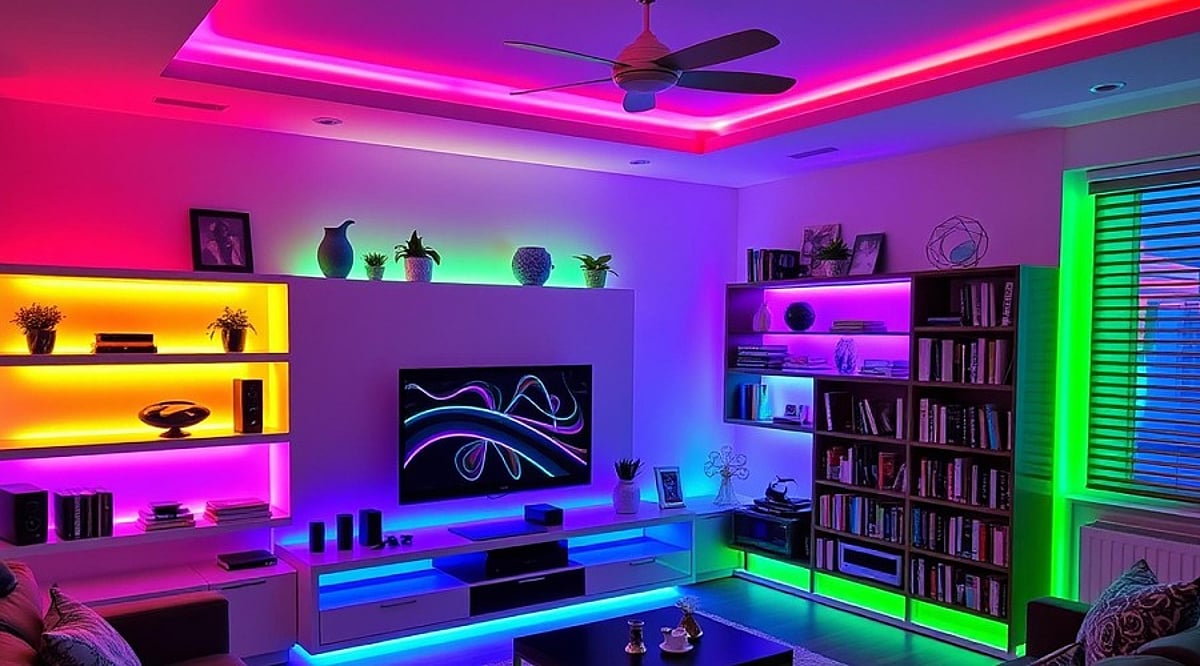
    A great gaming setup goes beyond a powerful PC, high-refresh-rate monitor, and comfortable chair. Lighting plays a crucial role in setting the mood and enhancing immersion. Smart RGB LED bulbs let you change colors, adjust brightness, and switch between lighting moods from your phone—some even sync with music or respond to voice commands. Here are five top options to upgrade your gaming room without overhauling your entire setup.

    Philips WiZ Neo 12W B22 Smart LED Bulb

    The Philips WiZ Neo 12W is a feature-packed choice, offering 16 million colors, music sync, Wi-Fi and Bluetooth connectivity, and support for Amazon Alexa and Google Assistant. It also includes motion-sensing technology for automatic lighting when someone enters the room. With a 4.0-star rating from around 1,800 ratings, it’s priced at Rs. 649.

    Wipro B22 12.5W Wi-Fi Smart LED Bulb

    If you need extra brightness, the Wipro B22 12.5W delivers multicolor lighting, music sync, and voice control via Alexa and Google Assistant. Its higher wattage makes it suitable for more than just accent lighting. It holds a 4.0-star rating from over 16,000 ratings.

    Wipro 9W B22 Wi-Fi Smart LED Bulb

    For budget-conscious gamers, the Wipro 9W model offers 16 million colors, music sync, and various white-light options, along with Alexa and Google Assistant support. At 9W, it works well as an accent light around a gaming desk or in smaller rooms. Priced at Rs. 649 (MRP Rs. 2,099).

    Havells Glamax 9W B22 Wi-Fi Smart Bulb

    The Havells Glamax 9W provides colorful lighting with 16 million colors, music sync, and compatibility with Alexa and Google Assistant. It has a 4.1-star rating from around 4,100 ratings and is listed at Rs. 543.

    Zeswin Lumos Glow B22 9W Smart LED Bulb

    On a tight budget? The Zeswin Lumos Glow 9W supports 16 million colors, music sync, dimming, app control, and voice control via Alexa and Google Assistant. At Rs. 339 (MRP Rs. 1,299), it’s the most affordable option.

    Final Verdict

    The best bulb depends on your gaming-room needs. The Philips WiZ Neo 12W is the most feature-rich. For extra brightness, choose the Wipro 12.5W. The Wipro 9W and Havells Glamax offer a balance of features and cost, while the Zeswin Lumos Glow is the budget-friendly pick. Always check socket compatibility and connectivity options before buying. For the ultimate experience, consider pairing an RGB bulb with LED strips.

    FAQs

    What are the best smart RGB LED bulbs for gaming rooms?
    Philips WiZ Neo, Wipro, Havells Glamax, and Zeswin Lumos Glow are top choices, offering colorful lighting, music sync, voice controls, and app-based features.

    Do smart RGB bulbs support music synchronization?
    Yes, all five bulbs listed support music sync, creating dynamic lighting effects that respond to music.

    Can RGB smart bulbs work with Alexa and Google Assistant?
    Several of these bulbs work with both Amazon Alexa and Google Assistant for hands-free control.

    Which RGB smart bulb is the most affordable?
    The Zeswin Lumos Glow B22 9W is the most affordable, with a listed price of Rs. 339.

    What should you check before buying an RGB smart bulb?
    Check socket compatibility, wattage, connectivity options, and smart-home support to ensure it fits your gaming room and setup.
  • FEIT Smart Plug Buying Guide: Key Features, Compatibility, and US Pricing

    FEIT Smart Plug Buying Guide: Key Features, Compatibility, and US Pricing

    FEIT smart plugs provide a simple way to bring connected controls to regular household appliances. With smartphone control, scheduling, and voice commands, these plugs are available in indoor and outdoor models to suit different needs. This guide covers the essential features, compatibility options, and pricing considerations for US buyers.

    What is a FEIT Smart Plug?

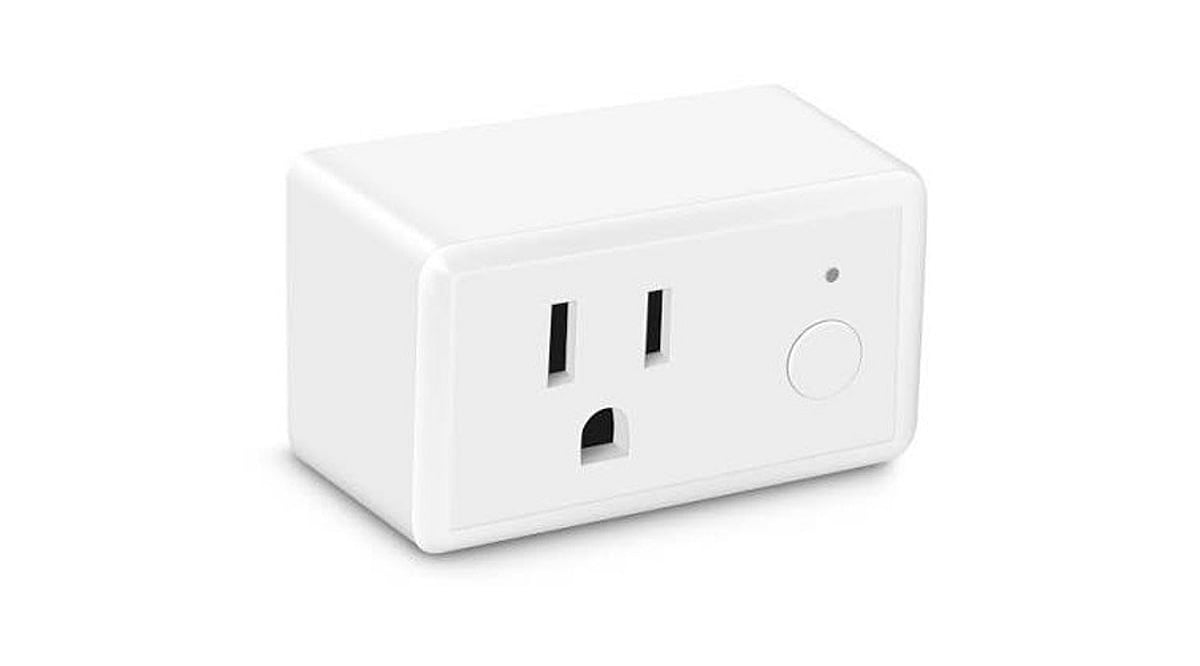
    FEIT smart plugs connect to a home’s 2.4GHz Wi-Fi network, enabling users to remotely switch compatible appliances and lights on or off. The indoor Smart Wi-Fi Wall Plug supports schedules, timers, and device grouping through the FEIT Electric app. Setup does not require a separate hub or bridge—simply download the app, connect the plug to your Wi-Fi, and start controlling devices from your smartphone.

    Features to Check Before Buying

    FEIT’s smart plugs offer core features expected from modern smart home accessories. Users can remotely control devices via the app, set schedules and timers, group multiple devices for simultaneous control, and use voice commands with Amazon Alexa or Google Home. The absence of a dedicated hub simplifies installation, and the app supports routines and automations across compatible smart devices. Some models, like the Smart Wi-Fi Plug with Night Light, add extra functionality and come with a one-year warranty.

    Indoor and Outdoor Smart Plugs

    The standard Indoor Smart Wi-Fi Wall Plug is rated for 120V household use with lamps and appliances, backed by a one-year warranty. For outdoor needs, FEIT offers dedicated outdoor smart plugs suitable for holiday lighting and other outdoor-connected devices. However, buyers should verify each model’s weather resistance and electrical ratings before installation—don’t assume outdoor suitability based on the product line alone.

    Smart Home Compatibility

    FEIT smart plugs work with Amazon Alexa, Google Home, and Apple HomeKit, with Siri Shortcuts also supported. However, compatibility varies by product. Select models support Matter, SmartThings, and IFTTT, but this is not universal across the range. Buyers must check the exact model’s specifications before purchasing, especially if building a smart home around a specific platform.

    FEIT Smart Plug Prices

    Pricing varies by model and retailer. The range includes standard indoor plugs, night-light variants, outdoor models, and multi-outlet products. FEIT directs shoppers to retailers for specific prices. Since retail prices can change, always check the current listing before buying.

    Are FEIT Smart Plugs Worth Buying?

    FEIT smart plugs deliver essential smart home features—smartphone control, scheduling, timers, and voice commands—without requiring a separate hub. For users already using other FEIT products, managing everything through the same app simplifies the setup. The key decision hinges on intended use: indoor users can choose the standard 120V plug, while outdoor applications demand a model with appropriate weather ratings. Compatibility is critical, especially for Apple HomeKit, Matter, SmartThings, or IFTTT users, so always confirm individual product specifications. For US shoppers, FEIT’s combination of 2.4GHz Wi-Fi, app controls, automation, and voice assistant support makes these plugs a strong choice for straightforward home automation.

    Frequently Asked Questions

    What Wi-Fi network do FEIT smart plugs require?
    FEIT smart plugs connect to 2.4GHz Wi-Fi networks, allowing control through the FEIT Electric app.
    Do FEIT smart plugs require a separate hub?
    No, they connect directly to 2.4GHz Wi-Fi, so no hub or bridge is needed.
    Which smart-home platforms support FEIT smart plugs?
    Compatible models support Amazon Alexa, Google Home, and Apple HomeKit; select products support Matter, SmartThings, and IFTTT.
    Can FEIT smart plugs work outdoors?
    Yes, FEIT offers outdoor models, but verify each model’s weather resistance and electrical ratings.
    What should buyers check before purchasing?
    Check model-specific compatibility, electrical ratings, indoor/outdoor suitability, retailer pricing, and supported smart-home platforms.
  • Master Alexa Music Commands: 15+ Essential Tricks for Playback, Discovery, and Control

    Master Alexa Music Commands: 15+ Essential Tricks for Playback, Discovery, and Control

    Amazon Alexa can do much more than play a song when you ask for it. Depending on your device, music service, and available features, Alexa supports commands for genres, artists, albums, playlists, shuffle, repeat, music alarms, and much more. With Alexa+, you also gain conversational music recommendations and AI-generated playlists. Whether you’re a casual listener or a power user, these commands make music control effortless.

    Play Music by Genre, Artist, or Playlist

    You don’t need an exact song title to start listening. Alexa can handle requests by track, album, artist, genre, playlist, or station. Try these commands:

    • “Alexa, play pop music.”
    • “Alexa, play songs by [artist].”
    • “Alexa, play [album name].”
    • “Alexa, play my .”
    • “Alexa, play the latest songs.”

    You can also direct playback to a specific room or device: “Alexa, play songs by Lady Gaga in the kitchen.”

    Shuffle, Repeat, and Loop Songs

    Take full control of your queue with these playback commands:

    • “Alexa, shuffle.” – Randomizes the queue order.
    • “Alexa, repeat.” – Repeats the current song.
    • “Alexa, loop.” – Repeats the entire queue.
    • “Alexa, next.”
    • “Alexa, previous.”
    • “Alexa, pause.”
    • “Alexa, resume.”
    • “Alexa, stop.”

    Availability of these controls depends on the music service you’re using.

    Create and Manage Playlists with Alexa+

    Alexa+ introduces conversational playlist creation. Ask for an AI-generated playlist based on a favorite song:

    “Alexa, I love [song] by [artist]. Create a playlist with similar songs.”

    You can also describe a mood or setting:

    “Alexa, create a playlist with music from Parisian cafes.”

    Additional commands allow you to create an empty playlist, save the current queue, or save recent listening history as a new playlist. Each AI playlist can contain up to 50 songs.

    Add Songs to Existing Playlists

    Easily add songs without opening the app:

    • “Alexa, add what’s playing to my .”
    • “Alexa, add [song] by [artist] to my .”

    Alexa may suggest a playlist name and ask for confirmation before saving. Note that only songs can be added to Amazon Music playlists—no stations, audiobooks, or podcasts.

    Find Music Through Natural Requests

    With Alexa+, you can make detailed requests using natural language:

    • “Alexa, play some nineties dance songs produced in [country/city].”
    • “Alexa, play deep cuts from [artist] from the 2000s.”

    You can also continue a conversation—ask about a song, get an answer, then tell Alexa to play it. Alexa+ can recommend artists and let you choose.

    Set a Music Alarm

    Wake up to your favorite tunes:

    “Alexa, set an alarm for weekdays at 7 AM with music by Pearl Jam.”

    Choose recurring patterns like Mondays, weekdays, or weekends.

    Control Music Across Devices

    When you have multiple Alexa devices, specify where you want playback:

    “Alexa, play [song] in the living room.”

    Direct music to a specific area without starting on the device that hears your command.

    Key Commands at a Glance

    Alexa’s music controls go far beyond play and pause. You can search by artist or genre, control queues, create and manage playlists, request recommendations, direct playback to another device, and even wake up to music. Alexa+ expands these options with conversational recommendations and AI-generated playlists. Feature availability varies by device, music service, and region, so some commands may not work in every setup.

    Frequently Asked Questions

    • What music commands can Alexa understand? Alexa understands commands to play songs, artists, genres, playlists, and albums; control playback; set alarms; and direct music between devices.
    • Can Alexa create music playlists? Alexa+ can create AI-generated playlists based on favorite songs, similar tracks, moods, settings, and specific preferences.
    • How many songs can an Alexa+ playlist contain? Up to 50 songs from similar artists based on a user’s favorite track.
    • Can Alexa add songs to existing playlists? Yes, users can ask Alexa to add currently playing songs or specific tracks to a named playlist.
    • Can Alexa set a music alarm? Yes, Alexa can set recurring music alarms using specified artists or songs, with schedules like weekdays.
  • Essential iPhone Accessibility Features Everyone Should Know

    Essential iPhone Accessibility Features Everyone Should Know

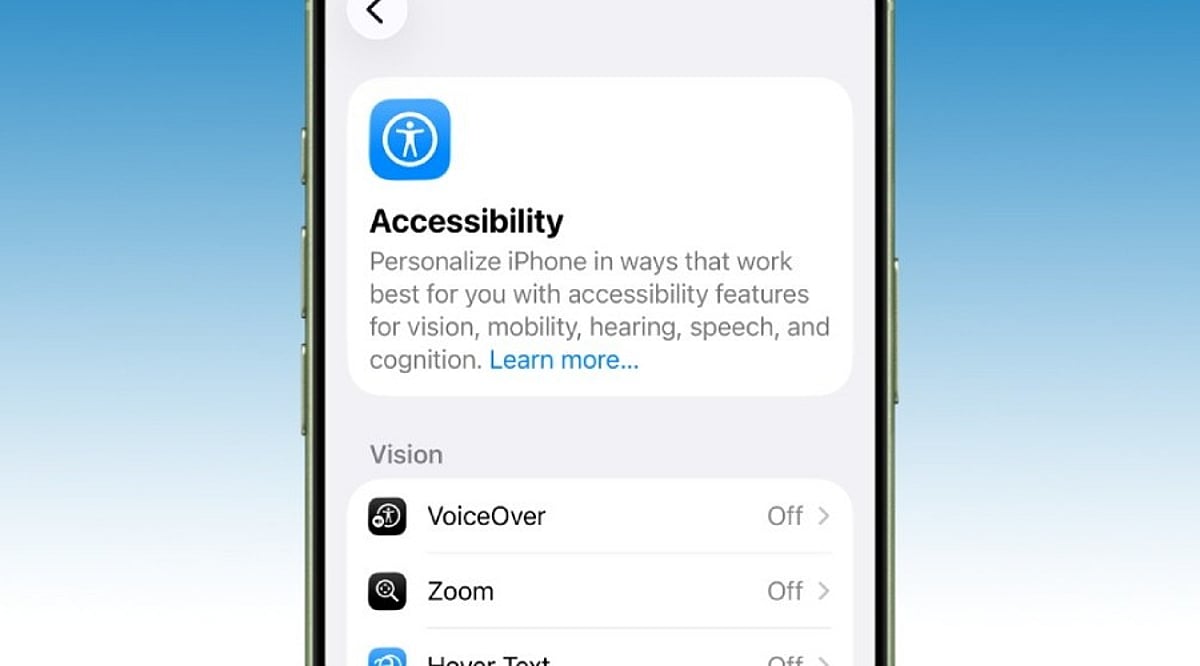
    Many iPhone users only explore the Accessibility menu when a specific need arises, leaving several powerful tools unnoticed. Apple designs these features for people with different abilities, but many also simplify everyday tasks for everyone. Recent updates in iOS 26, powered by Apple Intelligence, have made these tools even more capable. Here are 10 iPhone accessibility features that can save time, reduce effort, and enhance your overall experience without extra apps or accessories.

    Back Tap Adds Instant Shortcuts

    Back Tap turns the back of your iPhone into a hidden button. A double or triple tap can trigger actions like taking a screenshot, opening the camera, toggling the flashlight, or launching a favorite shortcut. It can also open Control Center or Notification Center. Many users find it indispensable after setup, as it eliminates extra steps and works through most phone cases.

    Live Captions Make Audio Easy to Follow

    Live Captions display spoken words as text on screen during calls, videos, and other audio content. This is invaluable in noisy environments, quiet spaces, or when hearing is difficult. iOS 26 expands caption support and Apple Intelligence improves subtitle quality, ensuring you never miss important details.

    Voice Control Handles Everyday Tasks

    Voice Control lets you operate your iPhone with spoken commands. Open apps, scroll, return to the Home Screen, or tap buttons without touching the display. Recent updates enhance natural language understanding, making commands feel more intuitive. Ideal for cooking, exercising, or any situation where your hands are busy.

    AssistiveTouch Simplifies Navigation

    AssistiveTouch places a floating button on screen that opens a menu of useful controls: lock screen, adjust volume, activate Siri, take screenshots, and more. You can create custom gestures for repetitive tasks. It’s a lifesaver when physical buttons wear out and enables one-handed use by keeping controls within reach.

    Background Sounds Create a Calm Space

    Background Sounds play soothing audio like rain, ocean waves, or white noise to improve focus and relaxation. Built directly into iOS, you can access it from Control Center without installing another app. Perfect for work, study, or rest.

    Sound Recognition Listens for Important Alerts

    Sound Recognition detects sounds like doorbells, smoke alarms, baby cries, or sirens and sends notifications. It keeps you aware of your environment even when wearing headphones or focusing elsewhere. Apple continues to improve accuracy through software updates.

    Magnifier Turns the Camera Into a Helpful Tool

    The Magnifier app transforms your iPhone camera into a digital magnifier. Read small text on medicine labels, menus, or documents with brightness, color filters, and contrast adjustments. iOS 26 adds Apple Intelligence for richer object and scene descriptions.

    Personal Voice and Live Speech Support Communication

    Personal Voice lets you create a digital version of your own voice for future use. Live Speech speaks typed words during calls, FaceTime, or in-person conversations. Recent updates improve voice quality and expand language support, helping preserve your unique communication style.

    Reduce Motion and Assistive Access Improve Comfort

    Reduce Motion minimizes screen animations for a calmer, more readable interface. Assistive Access simplifies the home screen with larger icons and essential apps only, designed for cognitive accessibility but also great for seniors, children, or anyone wanting a distraction-free experience.

    iOS 26 Brings Major Accessibility Improvements

    iOS 26 introduces Accessibility Reader for adjustable text, Braille Access for note-taking, and deeper Apple Intelligence integration. VoiceOver, Magnifier, Voice Control, and Accessibility Reader gain smarter image descriptions and language understanding. New features like Vehicle Motion Cues reduce travel discomfort. Apple continues to treat accessibility as a core part of the iPhone experience.

    These features prove that accessibility tools benefit everyone, not just those with specific needs. Try them out and see how they can streamline your daily iPhone use.

  • Top Smart Hotels You Can Book Today: From Robot Staff to Voice-Controlled Rooms

    Top Smart Hotels You Can Book Today: From Robot Staff to Voice-Controlled Rooms

    The hospitality industry is rapidly embracing technology, and a growing number of hotels now offer guests a truly connected, automated experience. From mobile check-ins and robotic luggage storage to voice-controlled lighting and blockchain-powered rooms, these smart hotels are redefining what it means to stay away from home. Here are some of the most innovative smart hotels you can actually book today.

    CitizenM

    CitizenM hotels offer app-based check-in, smart room controls, and modern automation, delivering seamless stays with stylish spaces and efficient digital convenience. Guests can adjust the room’s mood lighting, temperature, and entertainment from their smartphone or an in-room tablet.

    YOTEL

    YOTEL is known for its technology-driven hospitality, featuring robotic luggage storage, self-service kiosks, and adjustable smart beds. The hotel is designed for modern business and leisure travelers who value efficiency and comfort.

    Henn na Hotel (Japan)

    Henn na Hotel, located in Japan, is famous for its robot staff, facial recognition check-in, and automated services. This futuristic property redefines traditional hotel hospitality with a completely automated experience.

    Hilton Connected Room

    Hilton’s Connected Room allows guests to control lighting, temperature, the television, and curtains through a smartphone. This personalized comfort system ensures every stay is tailored to individual preferences.

    Marriott Smart Rooms

    Marriott’s smart rooms integrate voice assistants, mobile room access, and customized preferences, ensuring convenience and enhancing the overall guest accommodation experience.

    Wynn Las Vegas

    Wynn Las Vegas is equipped with smart voice controls that operate lighting, entertainment, and room settings, delivering premium comfort with advanced automation technology.

    Eccleston Square Hotel (London)

    Eccleston Square Hotel features tablet-controlled lighting, curtains, and entertainment systems, combining luxury accommodation with cutting-edge in-room technology for travelers.

    The Sinclair Hotel (Fort Worth, Texas)

    The Sinclair Hotel uses blockchain technology and IoT-enabled smart rooms to deliver energy-efficient operations alongside enhanced guest convenience and security features.

    Hotel EMC2 (Chicago)

    Hotel EMC2 combines artistic design with smart room technologies, interactive digital experiences, and personalized guest services for a memorable modern hospitality experience.

  • Top Home Audio Innovations Transforming Entertainment in 2026

    Top Home Audio Innovations Transforming Entertainment in 2026

    The home audio landscape is evolving rapidly, with cutting-edge technologies poised to redefine how we experience movies, music, gaming, and more in 2026. From AI-powered personalization to eco-conscious design, these trends promise to elevate every listening moment.

    AI-Powered Speakers

    Smart speakers are becoming more intuitive, using artificial intelligence to tailor sound profiles to individual preferences and room acoustics. Voice-assisted audio optimization automates controls, making it easier than ever to enjoy a customized entertainment experience.

    Dolby Atmos Systems

    Immersive three-dimensional surround sound continues to gain traction, bringing cinema-quality audio into living rooms. Whether for movies, gaming, music, or live sports, Dolby Atmos delivers a lifelike, enveloping soundstage that heightens emotional impact.

    Wireless Multi-Room Audio

    Connected speaker ecosystems enable seamless music playback across multiple rooms, with synchronized audio and effortless smartphone-based control. This trend allows users to fill their entire home with sound, adapting to different moods and activities.

    High-Resolution Streaming

    Lossless and high-resolution music streaming is becoming mainstream, offering audiophiles superior listening quality. Compatible premium home audio systems now support these formats, ensuring every note and nuance is faithfully reproduced.

    Compact Soundbars

    Slim soundbars with powerful virtual surround capabilities remain a top choice for enhancing TV audio without the need for bulky speaker setups. Their minimalist design and impressive performance make them a staple in modern home theaters.

    Voice-Control Integration

    Home audio systems are increasingly incorporating voice assistants, allowing users to control playback, manage smart home devices, and personalize entertainment through simple voice commands. This hands-free convenience is becoming a standard feature.

    Gaming Audio Enhancement

    Advanced spatial audio technologies are transforming gaming, creating immersive environments where players can pinpoint directional sounds for a competitive edge. Realistic audio cues enhance gameplay and deepen engagement.

    Eco-Friendly Designs

    Manufacturers are prioritizing sustainability by using recycled materials, energy-efficient components, and recyclable packaging—all while maintaining premium sound quality and durability. Eco-conscious consumers can now enjoy high-performance audio without compromising on environmental values.

    Personalized Audio Profiles

    AI-driven calibration automatically adjusts sound settings based on room acoustics, user preferences, and content type. This ensures optimal listening experiences for every scenario, from a quiet podcast to an action-packed blockbuster.

  • OpenClaw Android App Transforms Smartphones into AI-Powered Automation Hubs

    OpenClaw Android App Transforms Smartphones into AI-Powered Automation Hubs

    OpenClaw has officially launched its Android app, bringing its powerful AI agent to mobile devices with voice control, automation features, and user-controlled permissions through the OpenClaw Gateway. This marks a significant evolution from the open-source tool that originally debuted in November 2025, which turned an AI into a fully automated personal assistant capable of performing tasks on a computer.

    Now, for the first time, OpenClaw’s AI agent is available on smartphones via dedicated iOS and Android apps. Users can converse with the AI assistant and grant it access to device capabilities such as the camera, screen, location, images, contacts, calendar, and reminders. Unlike ordinary chatbots that simply answer queries, OpenClaw technology interacts with apps and systems to execute specific actions with user permission.

    Key Features and User Control

    • Pair the app with a private OpenClaw Gateway using a setup code or QR code.
    • Engage in direct conversations with the AI assistant via smartphone.
    • Use push-to-talk and Talk mode for real-time voice chats.
    • Review and approve actions requested by the connected gateway.
    • Allow the AI to access the camera, screen, location, and notifications on demand.
    • Receive status updates and push notifications for linked workflows.

    Users remain in full control of which device permissions to grant, ensuring privacy and security.

    Industry Impact and Future Outlook

    The launch represents a major milestone for OpenClaw, which has grown from a small-scale open-source project into a recognized brand in the AI industry. Following the integration of Peter Steinberger—the app’s creator—into OpenAI, the OpenClaw Foundation now manages the project. While the foundation has released the mobile apps, OpenAI has expressed support without specifying exact terms.

    According to the Google Play Store listing, the Android app works through the user’s personal OpenClaw Gateway, making the smartphone an ideal partner for AI-driven automation and communication. The broader shift from chatbots to AI agents that can perform real-world tasks with user consent is evident, with OpenClaw leading the charge. Moving forward, the focus will be on security, reliability, and developer adoption.

  • Top Voice-Controlled Smart Lights for Modern Homes in 2026

    Top Voice-Controlled Smart Lights for Modern Homes in 2026

    Smart lighting has quietly reshaped the home decor market, pulling premium-grade technology into an accessible mid-range price. Today’s systems do more than illuminate a room. They let you dim, brighten, or shift the color of your lights on a schedule or through a simple voice command, working seamlessly with Amazon Alexa, Google Assistant, and Apple Siri.

    The appeal goes beyond convenience. A well-lit home uses less energy, adapts to your mood, and signals a deliberate choice to live smarter. Smart lighting fits naturally into the growing ecosystem of connected homes, where comfort and control go hand in hand.

    Key Features to Look For

    The smart lighting provides a wide range of modern features that deliver comfort, ambience, and a premium feel. Here are some features that have become quite mainstream and should be considered for smart lighting gadgets.

    • Voice Assistant Compatibility: Alexa, Google Assistant, Siri
    • Connectivity: Wi-Fi or Bluetooth (no hub required for most)
    • Color Options: Up to 16 million RGB colors + tunable whites
    • Smart Functions: Music sync, motion sensing, timers, app control
    • Energy Efficiency: LED-based, low power consumption

    Which Brand is Best for Which Use Case?

    Smart lights with voice control have a wide range of options. Each brand has established its niche for modern homes. Philips Wiz Neo shines as the premium all‑rounder, offering motion sensing and a larger palette of color options. Havells Glamax is a great choice for mood lighting, with music sync perfect for house parties and relaxed evenings.

    Wipro Smart LED Bulbs provide all-around lighting with advanced tunable whites and dimming, best suited for efficient work and leisure lighting. For budget‑friendly setups, Syska Smart LED features include RGB colors and scheduling, making it a solid entry‑level option.

    TP‑Link Tapo L530B is quite tech-savvy and shines with seamless Wi‑Fi integration. Realme Smart Bulbs attract the younger generation. Crompton Immensa works great on Bluetooth control, offering tunable whites and offline music sync. Finally, NovaGlow SiriSmart is specifically designed for Apple ecosystem users, with deep HomeKit integration and an elegant design, making it the best choice for Siri‑driven smart systems.

    Risks & Trade-offs

    Smart lighting provides futuristic technology, but some smart features can bring unexpected complexity. Here are things to watch out for before investing:

    • Wi-Fi Congestion: Multiple smart devices can slow down networks.
    • App Dependency: Some bulbs fall short on compatibility, requiring proprietary apps.
    • Price vs Features: Premium models (Philips, TP-Link) cost more but offer advanced features like motion sensing.
    • Compatibility Limits: Apple HomeKit users will need to stick with Siri-enabled options like NovaGlow.

    Final Thoughts

    Smart lights with voice control are gaining ground in the mainstream market for modern homes, offering utility, style, and energy efficiency. Each brand has its own strengths, catering to different lifestyles—from high-end models like Philips Wiz Neo to budget models like Syska Smart LED to ecosystem-specific options such as NovaGlow SiriSmart.

    Whether you want to automate complex setups, enjoy bright mood lighting, or integrate perfectly with your voice assistant, there is a smart light that’s right for your needs. These solutions make life easier and more lively, as lighting becomes a personal experience that reacts to your every command.