
Tag: VS Code

  • Logitech MX Keypad Debuts as a Physical AI Control Center for Developers at ₹15,999 / $99.99

    Logitech MX Keypad Debuts as a Physical AI Control Center for Developers at ₹15,999 / $99.99

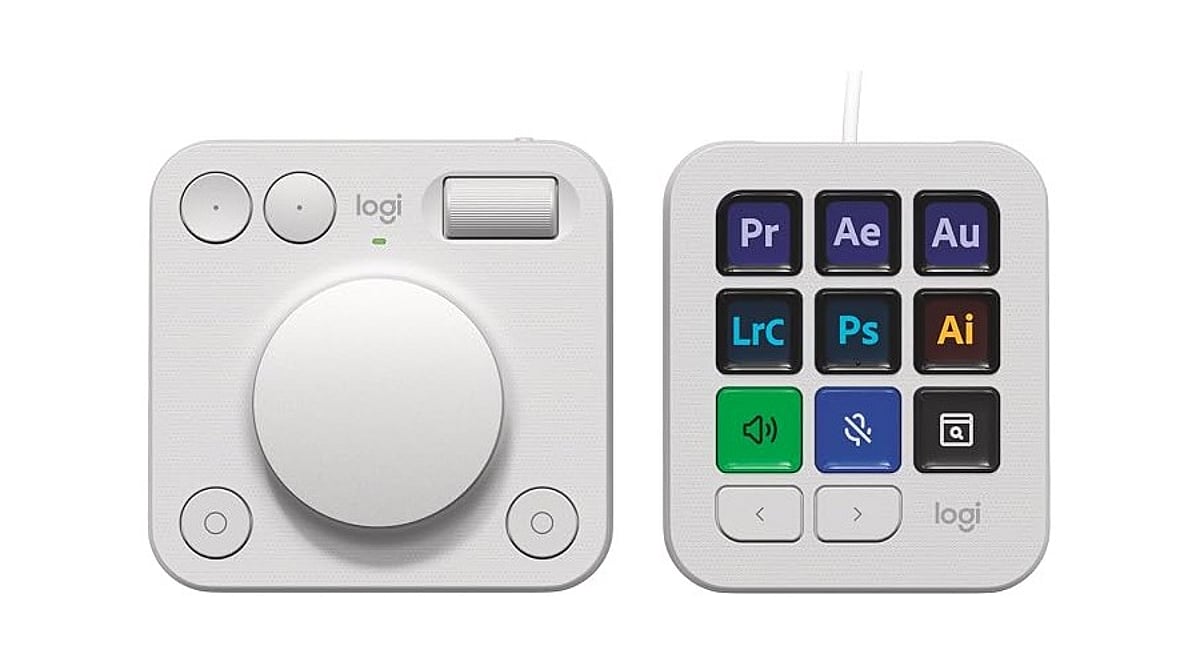
    Logitech launched the MX Keypad on September 8 as its first AI control center for developers worldwide. Priced at ₹15,999 in India and $99.99 in select global markets, the device introduces physical controls for managing AI coding tools like GitHub Copilot, Claude Code, VS Code, and IntelliJ IDEA.

    Designed for multi-app coding workflows that involve AI agents and development tools, the MX Keypad helps developers streamline tasks by offering customizable physical keys for prompts, commands, scripts, macros, and workflow actions. Native integration supports VS Code and the GitHub Copilot app at launch, with additional tools planned. Every unit also includes three free months of GitHub Copilot Pro+ through Logi Options+.

    “MX Keypad puts a physical control center at your fingertips,” said Anatoliy Polyanker, Logitech VP and GM. “It helps developers orchestrate AI workflows faster and more intuitively.” GitHub executive Martin Woodward emphasized the device’s focus on reducing tool navigation: “Great developer tools get out of your way.”

    Beyond software integration, Logitech offers the Logitech Actions SDK for developers building custom integrations. Community plugins already support Claude Code and OpenAI Codex through the Logi Marketplace. The MX Keypad also features sustainable design, with the Graphite model containing 64% post-consumer recycled plastic.
  • PyCharm vs VS Code: Choosing the Best Python IDE for Your Workflow

    PyCharm vs VS Code: Choosing the Best Python IDE for Your Workflow

    Overview

    When it comes to Python development, two of the most popular integrated development environments (IDEs) are PyCharm and Visual Studio Code (VS Code). Each has its strengths and weaknesses, and the best choice depends on your specific needs. Below, we break down the key differences across several categories.

    User Interface

    VS Code offers a lightweight, customizable interface, while PyCharm provides a feature-rich environment designed specifically for professional Python development workflows.

    Performance

    VS Code starts faster and consumes fewer system resources, whereas PyCharm requires more memory but delivers deeper integrated development capabilities.

    Python Support

    PyCharm includes advanced Python tools out of the box, while VS Code relies on extensions for linting, debugging, and IntelliSense.

    Debugging

    PyCharm provides comprehensive debugging features with minimal setup, whereas VS Code offers reliable debugging through official Python extensions and configurations.

    Extensions

    VS Code features a massive extension marketplace supporting multiple languages, while PyCharm focuses on built-in productivity features for Python developers primarily.

    Web Development

    PyCharm Professional supports Django, Flask, and database tools natively, while VS Code requires additional extensions for similar web development functionality.

    Version Control

    Both IDEs integrate Git effectively, but PyCharm offers more advanced visual tools for managing commits, merges, branches, and project history.

    Pricing

    VS Code is completely free for developers, while PyCharm offers both a free Community Edition and a paid Professional Edition.

    Best Choice

    Choose VS Code for speed and flexibility, while PyCharm remains ideal for dedicated Python projects requiring advanced integrated development features.