
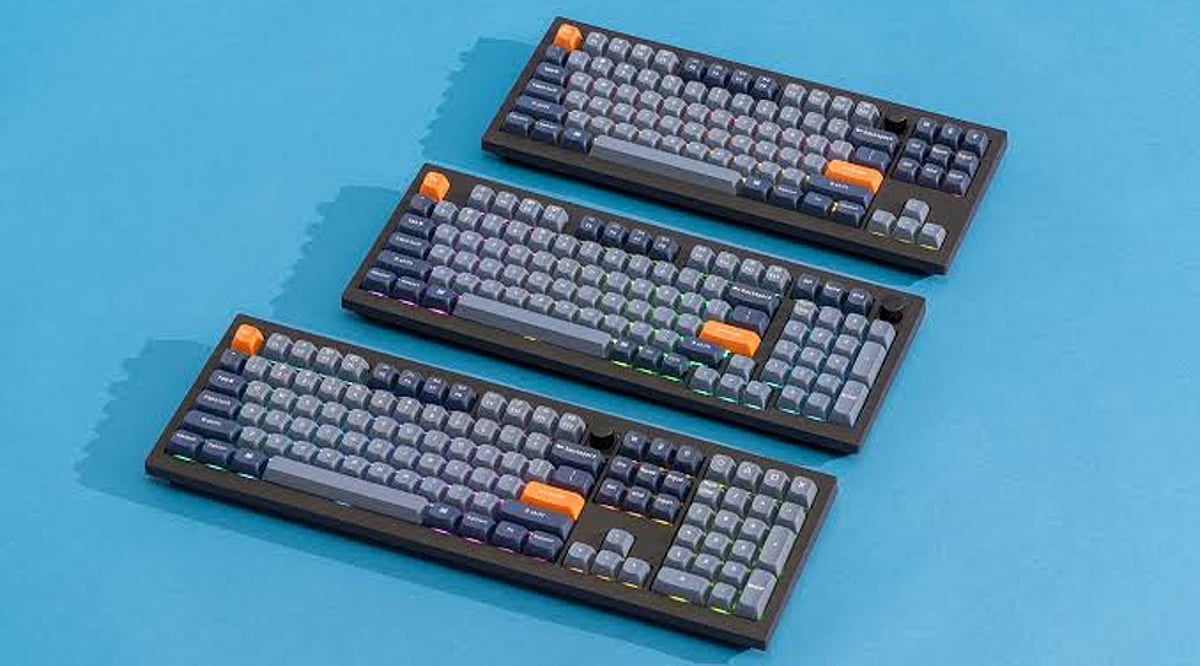
Tag: wireless keyboards

  • Best Keyboards with AI and Smart Productivity Features for 2026

    Best Keyboards with AI and Smart Productivity Features for 2026

    From customizable macro keys to seamless multi-device switching, today’s keyboards are incorporating smart features that go beyond simple typing. Here are seven keyboards that combine AI-ready functionality and productivity-focused design to help professionals work more efficiently.

    Logitech MX Creative Console Keyboard

    Designed for creators and professionals, this keyboard emphasizes customizable controls to accelerate everyday workflows. Programmable keys allow users to assign shortcuts for frequently used actions, and its software supports personalized configurations. It’s particularly useful for those who regularly switch between creative applications, productivity tools, and other software.

    Microsoft Surface Keyboard

    Microsoft’s offering pairs a clean, minimal design with deep integration across Windows devices. Its strength lies in working naturally within the Microsoft ecosystem, where users can combine keyboard shortcuts with productivity tools and AI-powered features like Copilot. It’s ideal for professionals seeking a familiar typing experience without unnecessary complexity.

    Razer Pro Type Ultra

    The Razer Pro Type Ultra delivers a comfortable mechanical typing experience with features tailored for office productivity. Users can connect multiple devices and switch between them, making it practical for those working across several computers. Its programmable controls and wireless connectivity minimize interruptions when moving between tasks.

    Keychron Q1 Max

    The Keychron Q1 Max appeals to users who want deep customization alongside modern wireless connectivity. Its programmable keys allow shortcuts and workflows to be tailored via compatible software. While it doesn’t rely on built-in generative AI, its flexibility makes it valuable for professionals who prefer creating personalized productivity setups.

    Logitech MX Keys S

    Built around quiet typing, smart shortcuts, and multi-device productivity, the Logitech MX Keys S lets users customize keys through Logitech’s software and easily move between connected devices. Its compatibility with productivity applications makes it a strong choice for professionals who spend long hours writing, editing documents, managing data, or communicating online.

    ASUS ROG Strix Scope II 96 Wireless

    Although primarily designed for gaming, this keyboard brings useful smart features to everyday computing. Its customizable controls, wireless connectivity, and programmable functions support productivity as well. Users who move between gaming and work can create shortcuts for applications, media controls, and frequently performed tasks without switching keyboards.

    Corsair K100 RGB

    The Corsair K100 RGB combines programmable controls with extensive customization options. Its dedicated macro keys can automate repetitive commands and help create application-specific workflows. For professionals handling repetitive tasks, these controls can save time. Its broader appeal comes from giving users greater control over how the keyboard responds to their individual working habits.
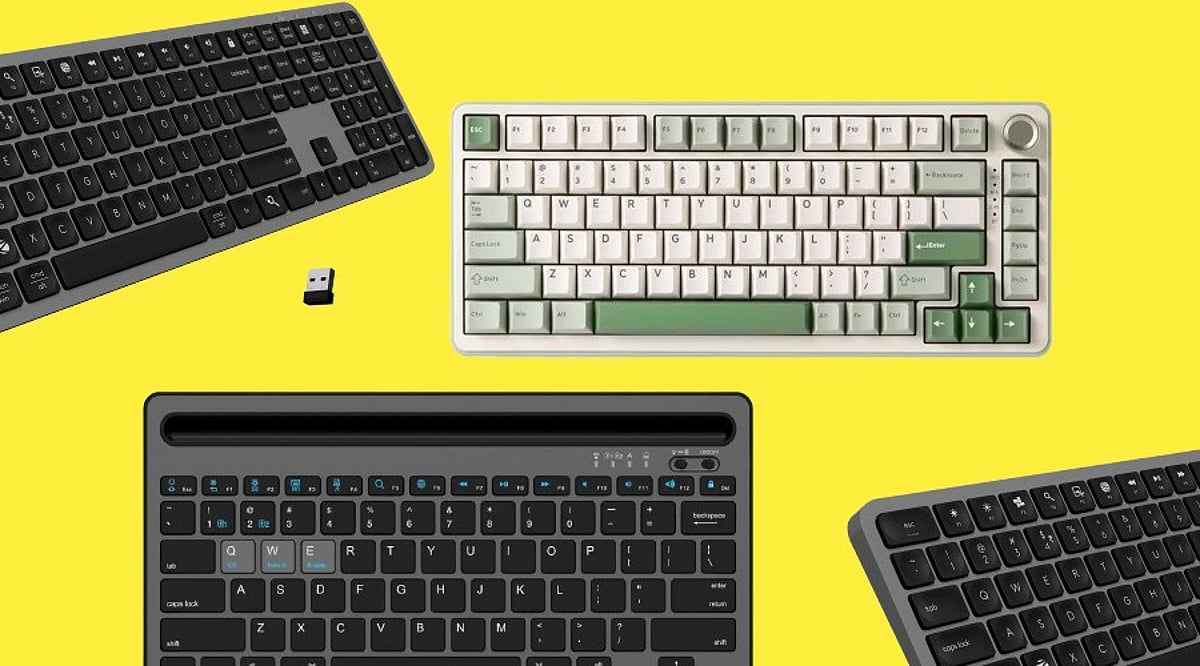
  • Top Wireless Keyboards of 2026 – Expert Buying Guide

    Top Wireless Keyboards of 2026 – Expert Buying Guide

    Selecting a wireless keyboard becomes easier once buyers focus on actual usage rather than marketing terms printed on packaging. This guide outlines the strongest wireless keyboard options available today, along with practical advice on narrowing down your choices.

    Wireless Keyboard Buying Guide

    A wireless keyboard should match a person’s work, rather than how it looks on a retail listing. Connectivity range, battery backup, and key spacing all shape daily comfort.

    Logitech K380

    Logitech offers a compact keyboard that pairs with three devices via Bluetooth and readily switches between them. Its rounded keys reduce finger strain during long hours of usage. Battery life stretches close to two years on two AAA cells, making replacements rare.

    Price: Rs. 2,495 to Rs. 3,223
    Buy Now

    Dell KM3322W

    Dell’s wireless combo pairs a keyboard with a matching mouse through a single 2.4GHz USB receiver. The keyboard includes spill-resistant keys and a numeric pad, suited to office environments with heavy typing loads. Battery backup extends over twelve months comfortably.

    Price: Rs. 1,899
    Buy Now

    Lenovo Wireless Combo 4000

    Lenovo offers a straightforward keyboard and mouse set built for everyday office tasks. Its keys use a low-profile design that feels closer to a laptop keyboard. Connectivity relies on a single USB nano receiver, avoiding pairing delays common with Bluetooth.

    Price: Rs. 8,145
    Buy Now

    Logitech K480

    Built for desktop use, the Logitech K480 includes a cradle that holds a tablet or phone while typing. It connects to three devices through Bluetooth and switches between them using a dial. The keyboard suits users who regularly work across a laptop and a mobile device simultaneously.

    Price: Rs. 1,999 to Rs. 2,995
    Buy Now

    RAPOO E9700M

    RAPOO’s ultra-slim keyboard uses scissor-switch keys for a shallow, quiet typing feel. It supports both 2.4GHz and Bluetooth connections, giving buyers flexibility across devices. The aluminum body adds durability without increasing overall weight.

    Price: Rs. 2,599 to Rs. 2,999
    Buy Now

    How to Choose the Best Wireless Keyboard

    Buyers should weigh these factors before purchasing:

    • Connectivity Type: 2.4GHz receivers generally offer steadier performance than Bluetooth for daily typing tasks.
    • Battery Backup: Keyboards using replaceable AA or AAA batteries often last longer than rechargeable units.
    • Build Quality: Spill-resistant designs protect against accidental office desk mishaps.

    Which is the Best Wireless Keyboard in 2026?

    No single keyboard can suit every buyer, since work habits and budgets vary considerably across users. Professionals managing multiple devices gain the most from the Logitech K380. Office teams handling heavy data entry benefit from the Dell KM3322W, given its numeric pad and spill resistance. Budget-focused buyers find dependable performance in the Portronics Toad 23.

    Final Words

    Choosing a wireless keyboard comes down to daily habits rather than brand reputation alone. A professional switching between a laptop and tablet gains more from Bluetooth multi-pairing, while an office worker handling spreadsheets benefits from a numeric keypad and steady 2.4GHz connectivity. Prices across this segment range from under Rs. 900 to nearly Rs. 2,500, giving most buyers a suitable option without overspending. Matching the keyboard to genuine work patterns, rather than chasing the most popular listing, remains the surest path to long-term satisfaction.

    Note: Price can vary based on availability and region.

    FAQs

    Which is the best wireless keyboard for multi-device use?

    The Logitech K380 supports pairing across three devices through Bluetooth. Users switching between a laptop, tablet, and phone benefit from its quick device-switching dial and long battery backup.

    Is 2.4GHz connectivity better than Bluetooth for keyboards?

    2.4GHz receivers typically offer steadier connections with less input delay. Bluetooth allows pairing with more device types, though it may show occasional lag during heavy multitasking sessions.

    How long does a wireless keyboard battery last?

    Battery life varies significantly by model. Some Bluetooth keyboards last close to two years on standard batteries, while 2.4GHz receiver models often need replacement after ten to fourteen months.

    Are spill-resistant wireless keyboards worth buying?

    Spill-resistant designs protect internal circuitry from accidental liquid exposure. Office environments with shared desks or frequent beverage use benefit noticeably from this added protection over standard keyboard models.

  • Top Mechanical Keyboards to Boost Your Productivity in 2025

    Top Mechanical Keyboards to Boost Your Productivity in 2025

    Mechanical keyboards have become the go-to choice for professionals who demand comfort, durability, and a superior typing experience. Unlike standard membrane keyboards, mechanical switches offer distinct feedback and longevity that can significantly enhance daily workflow.

    Why Choose a Mechanical Keyboard for Productivity?

    The right keyboard can make a noticeable difference in your efficiency. Linear switches provide smooth, uninterrupted keystrokes ideal for fast typists, while tactile switches deliver a satisfying bump that helps reduce errors—a favorite among writers and office workers. Wireless models keep your desk clutter-free and allow seamless switching between devices, perfect for multi-platform setups.

    Key Features to Look For

    • Hot-swappable switches: Swap out switches without soldering, letting you customize the feel over time.
    • Compact layouts: Save desk space without sacrificing essential keys; full-size boards remain best for heavy number entry.
    • Comfort enhancements: Wrist rests, adjustable tilt, and quieter switches reduce fatigue during long sessions.
    • Battery life and build quality: Long-lasting batteries and durable keycaps (like PBT) ensure your keyboard withstands years of use.
    • Connectivity options: Reliable wireless (Bluetooth or 2.4GHz) and wired USB-C for flexibility.

    Matching a Keyboard to Your Workflow

    No single keyboard fits everyone. Consider your daily tasks—if you write code or documents, tactile switches may be best. If you switch between a laptop and desktop, a wireless model with multi-device pairing is invaluable. The best mechanical keyboard is one that aligns with your typing style and comfort preferences, delivering consistent performance day after day.

    Investing in a quality mechanical keyboard is a simple upgrade that can transform your productivity. Evaluate your workspace, try different switch types, and choose a board that feels like an extension of your hands.

  • Top Mechanical Keyboards to Supercharge Your Productivity in 2026

    Top Mechanical Keyboards to Supercharge Your Productivity in 2026

    Mechanical keyboards continue to be the go-to choice for professionals seeking a comfortable typing experience, exceptional durability, and faster, more accurate keystrokes. As we move into 2026, several models stand out for their ability to enhance workflow and daily productivity.

    Keychron K8 Max

    The Keychron K8 Max offers wireless connectivity, hot-swappable switches, and excellent compatibility with both Windows and macOS, making it an ideal choice for office environments.

    Logitech MX Mechanical

    Logitech’s MX Mechanical combines low-profile mechanical switches with premium build quality, multi-device support, and long battery life, delivering a seamless typing experience across platforms.

    NuPhy Air75 V2

    The NuPhy Air75 V2 features a slim design, responsive typing, and wireless flexibility for users who prioritize portability without sacrificing comfort or performance.

    Keychron Q1 HE

    Introducing Hall Effect magnetic switches, the Keychron Q1 HE allows adjustable actuation points, offering a highly customizable typing experience tailored to individual preferences.

    Razer Pro Type Ultra

    Designed for professional environments, the Razer Pro Type Ultra includes quiet switches, ergonomic wrist support, and productivity-focused wireless performance.

    Choosing the Right Switches and Features

    For office use, tactile or silent switches generally provide the best balance between typing feedback and reduced noise levels. Features such as hot-swappable switches, programmable keys, multi-device pairing, and ergonomic layouts can significantly improve daily productivity.

    When selecting a mechanical keyboard for productivity, consider your workflow, preferred switch type, connectivity needs, and long-term typing comfort rather than relying on aesthetics alone.