

Tag: workstation

  • 2026 AI PC Hardware Guide: Memory, GPUs, and Storage for Local AI Models

    2026 AI PC Hardware Guide: Memory, GPUs, and Storage for Local AI Models

    Local AI in 2026: Hardware Essentials for Running Models On-Device

    Running AI models locally in 2026 hinges on more than just a capable processor. Memory, GPU power, bandwidth, and storage all play critical roles. Whether you’re using a standard laptop or a high-end workstation, understanding how these components scale with model size is key to making the right hardware choices.

    Memory: The Primary Constraint

    The amount of RAM and video memory (VRAM) directly determines which AI models your system can handle. For example, a 7-billion-parameter model at 4-bit precision requires roughly 4–5 GB for its weights. Larger models scale up quickly: a 14B model needs 8–10 GB, a 30B model needs 18–22 GB, and a 70B model demands 40–45 GB. For cutting-edge models like a 120B or 300B, you’re looking at 70–80 GB and 170–190 GB respectively.

    Beyond the model weights, your operating system, cache, and AI tools also consume memory. That’s why 32 GB is a sensible starting point for smaller models, but 64 GB or 128 GB offers far more headroom. High-end systems like AMD’s Ryzen AI Max PRO 400 series push the envelope with up to 192 GB of unified memory, enabling models over 300 billion parameters to run locally.

    GPU and Unified Memory: Boosting Performance

    For serious AI workloads, dedicated graphics hardware is non-negotiable. NVIDIA’s RTX PRO 6000 Blackwell Workstation Edition, with its 96 GB of GDDR7 memory and 1,792 GB/s bandwidth, is built for massive local models. Alternatively, NVIDIA’s RTX Spark takes a unified-memory approach, pairing a Grace CPU with a Blackwell GPU and up to 128 GB of shared memory, capable of handling inference, model development, and AI agent tasks.

    Apple’s 2026 Mac Studio follows a similar path. The M5 Max offers up to 128 GB of unified memory, while the M5 Ultra doubles that to 512 GB, making it a powerhouse for on-device large language models.

    Bandwidth and Storage: Often Overlooked

    Memory bandwidth is just as important as capacity. A system with 512 GB of memory but slow bandwidth will bottleneck large models. Apple’s M5 Ultra achieves 1.2 TB/s, while NVIDIA’s DGX Spark offers 273 GB/s with 128 GB of LPDDR5X memory. Always consider bandwidth when choosing hardware for AI.

    Storage is another critical factor. A 1 TB SSD is fine for a basic setup, but 2 TB is more practical if you plan to store multiple models. For serious development, 4 TB or more is recommended to accommodate model files, datasets, and checkpoints.

    Hardware Tiers by Use Case

    Entry-Level AI PC: 16–32 GB RAM, a 40+ TOPS NPU, and a 512 GB–1 TB SSD. Suitable for small language models, speech recognition, and basic image tasks.

    Mid-Range AI System: 32–64 GB memory and 8–16 GB GPU memory. Handles 7B, 8B, and 14B models comfortably, with room for some larger models.

    High-End AI Workstation: 64–128 GB memory and 24–32 GB GPU memory (or a large unified-memory design). Supports 30B and 70B models with ease.

    Enthusiast/Large-Model Rig: 128–512 GB memory. Systems like NVIDIA DGX Spark (128 GB, expandable to 700B parameters with four units) or Apple M5 Ultra (512 GB) are built for the most demanding local AI workloads.

    The Bottom Line

    The 2026 AI PC landscape is defined by a clear shift: while NPUs handle efficient local features, memory capacity is now the hard limit for model size. For most users, 64 GB is a strong practical target, while 128 GB offers ample headroom for future-proofing. If you’re serious about running large models locally, investing in high-bandwidth memory and a capable GPU is just as important as raw capacity.

    Frequently Asked Questions

    Q: How much RAM do I need for local AI in 2026?
    32 GB is sufficient for smaller models, but 64 GB is recommended for a more comfortable experience with demanding workloads.

    Q: Is an NPU enough for local AI?
    No. While a 40+ TOPS NPU is useful for specific features, larger models depend far more on memory capacity, GPU power, and bandwidth.

    Q: Can I run a 70B model on a PC?
    Yes, but it requires roughly 40–45 GB just for the weights. A system with 64 GB or more memory is strongly advised.

    Q: Is 128 GB RAM better than a powerful GPU?
    It depends. More memory lets you fit larger models, but GPU memory and bandwidth heavily influence inference speed. Both are important.

    Q: How much storage should I allocate?
    1 TB is a start, but 2 TB is more practical for multiple models. For serious development, 4 TB or more ensures you won’t run out of space.
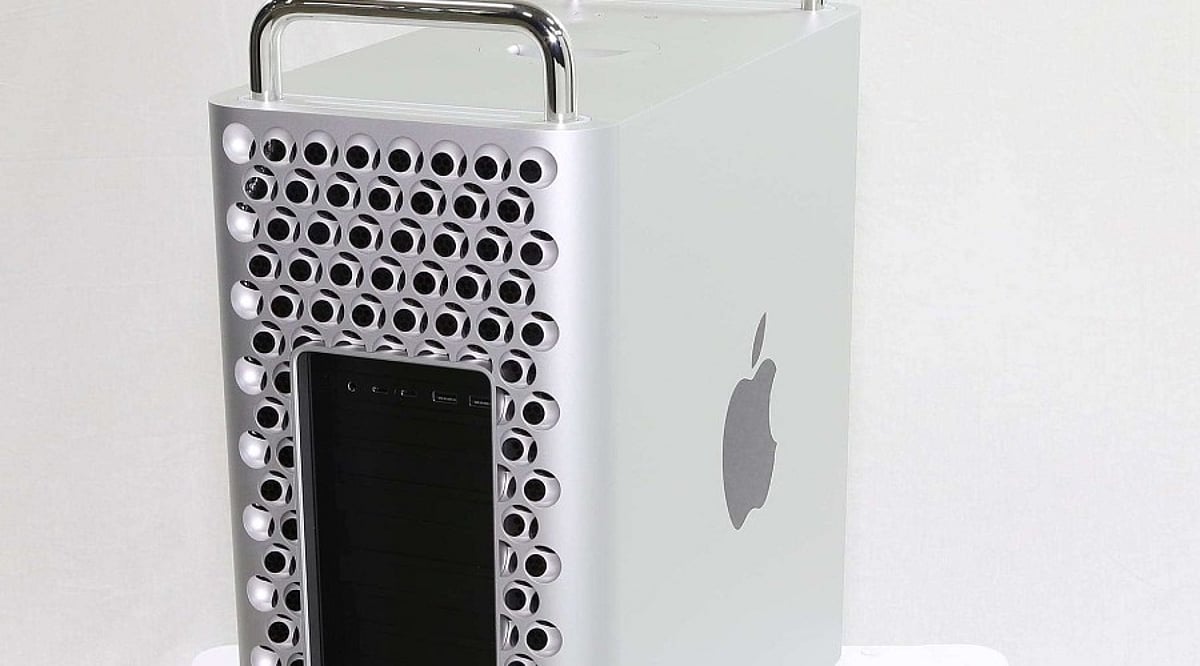
  • Apple Reportedly Scrapped Intel Mac Pro and M2/M3 Extreme Chips Before Discontinuation

    Apple Reportedly Scrapped Intel Mac Pro and M2/M3 Extreme Chips Before Discontinuation

    Apple’s decision to discontinue the Mac Pro in March 2026 reportedly ended a long internal debate over the future of its most powerful desktop lineup. The company has since removed the Mac Pro from its website, directing professional users toward the Mac Studio, and confirmed no new Mac Pro hardware is planned.

    According to Bloomberg’s Mark Gurman in his ‘Power On’ newsletter, the end of the Mac Pro line ‘wasn’t always the plan.’ Apple had considered several hardware and chip options before giving up on it.

    Apple Worked on M2 Extreme and M3 Extreme Chips

    The biggest aspect of Apple’s fallen Mac Pro vision was the creation of higher-end Apple Silicon CPUs. Apple developed both M2 Extreme and M3 Extreme chips before dropping them, Gurman said. These chips were intended to sit above the ‘Ultra’ tier and would have made the Mac Pro outperform the Mac Studio. However, the projects were aborted due to high development costs and low demand for the more costly workstation-type machines.

    Two Unreleased Mac Pro Models Were in Development

    Apple also reportedly worked on two Mac Pro models that were never released, internally codenamed J170 and J190.

    • J170: A surprising project—a new Mac Pro powered by Intel chips, despite Apple’s strong push toward its own Apple Silicon. This version, targeted at specific professional applications, remained based on the x86 architecture and standard PCIe workflow.
    • J190: Expected to launch alongside the M3 Ultra Mac Studio in early 2025, featuring an M3 Ultra chip. The debut never happened, and Apple discontinued the Mac Pro line altogether.

    Mac Studio Has Replaced the Mac Pro’s Role

    The Mac Pro’s decline wasn’t solely due to performance. It was originally popular for its expandability—high-end graphics cards, audio cards, and other PCIe equipment. However, Apple Silicon adopts a system-on-chip design with unified memory, making upgrades via standard modules less relevant. Apple apparently concluded that maintaining the Mac Pro was no longer necessary to meet user needs. Gurman said he doesn’t think the Mac Pro is likely to return, ‘if ever.’

    This move marks a significant shift in Apple’s professional desktop strategy, consolidating its high-end offerings around the Mac Studio and its custom silicon.

  • Best Energy-Efficient Graphics Cards of 2026: Nvidia, AMD, and Intel Options

    Best Energy-Efficient Graphics Cards of 2026: Nvidia, AMD, and Intel Options

    As power efficiency becomes a top priority for gamers, creators, and enterprise users, the graphics card market in 2026 offers several compelling options that balance performance with lower energy consumption. From mainstream gaming GPUs to professional workstation cards, here are the most energy-efficient graphics cards to consider this year.

    Consumer Gaming GPUs

    NVIDIA GeForce RTX 5060

    Delivers excellent 1080p gaming performance with improved AI features, lower power consumption, and efficient thermal management for mainstream users.

    NVIDIA GeForce RTX 5070

    Balances performance and efficiency through advanced architecture, supporting demanding games, AI workloads, and creative applications with optimized power usage.

    AMD Radeon RX 9060 XT

    Offers competitive gaming performance, efficient power utilization, modern ray tracing capabilities, and excellent value for performance-conscious buyers worldwide.

    AMD Radeon RX 9070

    Provides efficient graphics processing, strong rasterization performance, enhanced AI acceleration, and balanced energy consumption across demanding gaming workloads consistently.

    Intel Arc B580

    Affordable graphics solution delivering respectable gaming capabilities, AI acceleration, media encoding improvements, and competitive efficiency for mainstream desktop users today.

    Professional Workstation GPUs

    NVIDIA RTX 5000 Ada Generation

    Professional workstation GPU delivering exceptional AI computing, rendering performance, advanced graphics capabilities, and optimized energy efficiency for enterprise professionals.

    AMD Radeon PRO W7800

    Professional graphics card balancing workstation performance, AI acceleration, content creation capabilities, and efficient power management for demanding production environments.

    NVIDIA RTX 4000 Ada Generation

    Compact professional GPU offering efficient rendering, CAD acceleration, AI computing, and energy-conscious workstation performance across various industries globally.

    Intel Arc Pro B60

    Professional graphics solution designed for visualization, AI workloads, media production, and reliable power-efficient performance in enterprise computing environments effectively.

    Whether you are building a gaming rig or outfitting a workstation, these energy-efficient graphics cards help reduce electricity costs and heat output without sacrificing performance.