Author: vitorcherulli

  • Wired vs. Wireless Gaming Mice: What Still Separates Them in 2026

    Wired vs. Wireless Gaming Mice: What Still Separates Them in 2026

    For years, gamers treated a cable as a guarantee of speed. That assumption no longer holds at the premium end of the market. Modern 2.4 GHz wireless gaming mice can match wired models on latency, sensor accuracy, and report rate. The meaningful gap is now between well-engineered wireless hardware and budget wireless hardware, not simply between a cable and no cable.

    Wireless latency has nearly closed the gap

    High-end wireless mice now deliver extremely low click and sensor latency. Models such as the Logitech G PRO X2 SUPERSTRIKE and Razer Viper V4 Pro have been tested with 8000 Hz polling over wireless, and their click and sensor response is close to wired counterparts. RTINGS has reported similarly strong raw results for the Razer Viper V4 Pro and BenQ ZOWIE ZA13-DW, even though the Razer reaches 8000 Hz and the BenQ reaches 4000 Hz. In that comparison, the polling-rate difference had little practical impact.

    What 8000 Hz polling actually changes

    Polling rate describes how often a mouse reports its position to the PC. A 1000 Hz mouse reports every 1 ms. An 8000 Hz mouse reports every 0.125 ms, which means more data per second. Razer lists 0.291 ms average latency for its HyperSpeed Wireless Gen-2 system at 8000 Hz, versus 0.090 ms for its wired 8000 Hz system in controlled tests.

    Those numbers are impressive, but they are also tiny. A fraction of a millisecond is unlikely to create a clear gameplay advantage on its own. Higher polling rates also place more demand on the PC and tend to matter more with a high-refresh display than with a standard 60 Hz screen. Buyers should not choose a mouse on polling rate alone.

    The cable still creates real-world drag

    A cable adds physical resistance across a desk. That resistance can affect wide arm sweeps, fast flicks, and low-sensitivity aiming. A wireless mouse removes that link and can feel more natural for large movements. Weight matters too. The Razer Viper V4 Pro is listed at 48.9 grams, and the Logitech G PRO X2 SUPERSTRIKE is also in the lightweight class. For many players, a lighter mouse and a better hand fit will improve aim more than a tiny latency advantage.

    Where wired mice still win

    Wired mice do not need a battery, a receiver, or a radio link. That simplicity appeals to players who want a direct connection and no charging routine. Wired models can also deliver strong value at lower prices, while premium wireless models add cost for battery and radio hardware. Receiver placement matters as well: a good 2.4 GHz setup should keep the receiver close to the mouse and away from sources of radio interference. Bluetooth is a different category. It suits office work and travel, while dedicated 2.4 GHz links are better for fast games.

    Modern wireless does not mean slow

    Current flagship products show how far wireless has come. The Razer Viper V4 Pro supports 8000 Hz in both wired and wireless modes, and the Logitech G PRO X2 SUPERSTRIKE reaches 8000 Hz over wireless. Both are among the high-performance options tracked by RTINGS. Still, not every wireless mouse matches every wired mouse. Sensor quality, switch design, firmware, receiver stability, weight, shape, and click response all matter. A poor wireless model can feel worse than a good wired model.

    How to choose

    For competitive FPS play, a strong 2.4 GHz wireless mouse can deliver the response serious players need. Wired remains a solid choice for players who prefer a direct link, no battery, and simple setup. Bluetooth is better suited to general computer use than high-speed competitive play.

    The old question was whether wireless could match wired. At the high end, that question is largely settled. The better question is which complete mouse fits your hand, grip, sensitivity, and budget. Shape, weight, sensor, click response, receiver, battery, and price matter more than the cable alone.

    FAQ

    Are wireless gaming mice as fast as wired mice?

    High-end 2.4 GHz wireless mice can offer very low latency that closely matches wired models.

    Does 8000 Hz polling make a big difference?

    It cuts the report interval to 0.125 ms, but the practical gaming benefit can remain small.

    Is Bluetooth good for competitive gaming?

    Bluetooth generally has higher latency than dedicated 2.4 GHz gaming connections, so it is better for general computer use.

    What matters most when choosing a gaming mouse?

    Shape, weight, sensor performance, click response, connection quality, battery life, and price all deserve attention.

    Does wired still have an advantage?

    Wired mice offer unlimited power and a direct connection, while wireless models remove cable drag and provide greater movement freedom.
  • 7 ChatGPT Alternatives to Run Locally on Your Device

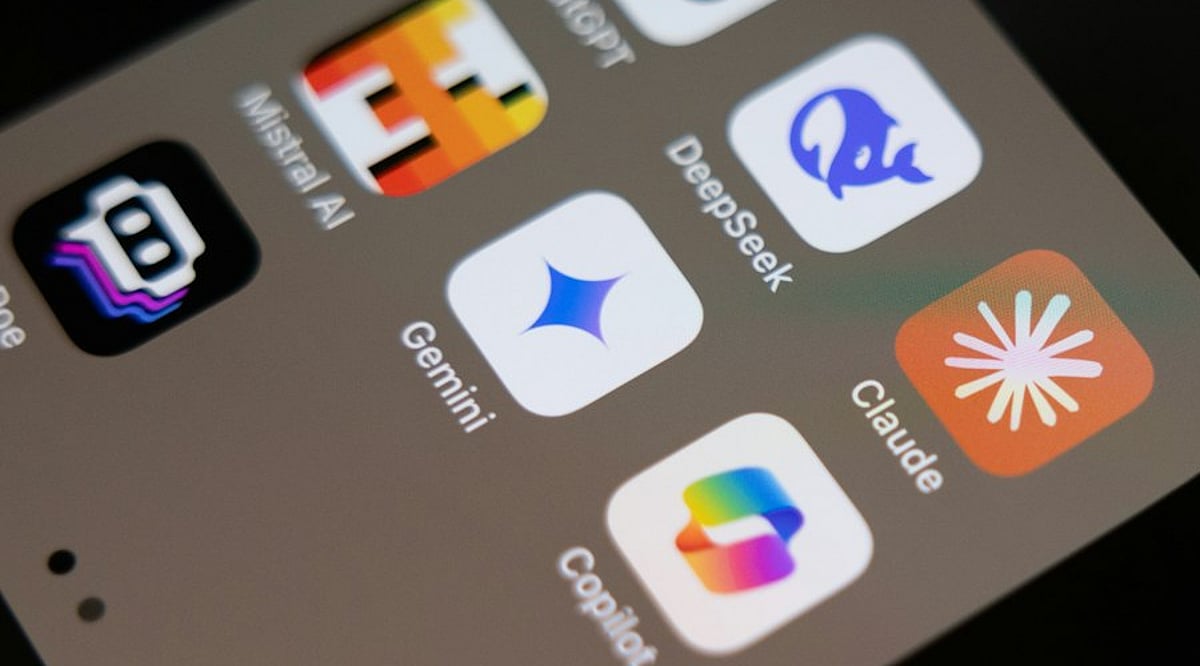
    7 ChatGPT Alternatives to Run Locally on Your Device

    If you are looking for ChatGPT alternatives that can run entirely on your own device, you are in luck. A growing number of open-source tools allow you to interact with large language models locally, without relying on cloud services. This setup offers greater privacy, control over your data, and the ability to work offline. Below are seven notable options that can be installed and run on your personal computer.

    Ollama

    Ollama simplifies the process of downloading and running large language models on compatible hardware. It supports a variety of popular open models and provides a command-line interface for direct interaction. Developers can also use its API to integrate local models into their applications. Since all processing happens on your device, Ollama gives you full control over your data and model usage.

    LM Studio

    LM Studio offers a graphical interface for discovering, downloading, and running language models locally. You can chat with supported models without any cloud dependency. It also includes a local server feature, allowing other applications to communicate with models running on the same machine. This makes it a great choice for users who prefer visual tools over command-line operations.

    Jan

    Jan is an open-source AI assistant that provides a ChatGPT-like interface while running models directly on your computer. You can select from compatible local models, and your conversations never leave your device when using local inference. Its open-source nature also gives you full visibility into the software, enhancing trust and customization.

    GPT4All

    GPT4All is a local AI platform designed for private, offline interaction with language models. It supports a range of models and emphasizes local inference, so you do not need constant internet access. This makes it appealing for users who want conversational AI while keeping all processing on their own hardware.

    Msty

    Msty is a desktop application that lets you work with AI models both locally and through supported online providers. Its visual interface makes it easy to manage conversations and experiment with different models without relying solely on command-line tools. Local model support allows you to process data on your own machine, depending on your system’s capabilities.

    AnythingLLM

    AnythingLLM is an AI application focused on documents and knowledge bases. It can be configured to use locally hosted models, enabling you to build private AI workflows around your own files. Its document-centric approach is ideal for tasks like querying internal materials, organizing information, and creating retrieval-based assistants.

    Open WebUI

    Open WebUI provides a self-hosted interface for interacting with locally running language models and compatible AI services. It works with platforms such as Ollama and offers a ChatGPT-like conversational experience. You can deploy it on your own system and customize the setup to suit your needs, making it a flexible option for those who want greater control over their local AI environment.

    These seven tools demonstrate that powerful AI assistance is available without relying on external cloud services. Whether you prioritize privacy, offline access, or customizability, there is likely a local ChatGPT alternative that fits your requirements.

  • Snapdragon X2 AI PCs: Five Capabilities Set to Reshape Everyday Computing

    Snapdragon X2 AI PCs: Five Capabilities Set to Reshape Everyday Computing

    Qualcomm’s Snapdragon X2 generation is pushing AI PCs beyond marketing language. The platform pairs dedicated neural processing with efficient CPUs and GPUs, aiming to make AI-assisted work feel more native on laptops. Here are five areas where the new Snapdragon AI PCs are expected to make a difference.

    1. More capable on-device AI

    The centerpiece is the NPU. Snapdragon X2 Elite processors are listed with up to 85 TOPS of NPU performance in some configurations, while other listings cite 80 TOPS. The NPU works alongside the CPU and GPU, so supported apps can run AI workloads locally instead of sending every request to the cloud. That opens the door to multimodal tasks involving text, images, video, and audio, with faster responses and smoother AI tools when software is optimized.

    2. AI agents that can handle multi-step tasks

    Snapdragon X2 platforms are built to support agentic AI experiences. Rather than only answering a question, supported applications can break a user’s goal into steps and use available tools to carry out parts of the workflow. Qualcomm has demonstrated native agentic apps for document search, content creation, web research, and workflow automation. The caveat: real-world usefulness will depend on developer support and app integration.

    3. Battery life and efficient processing

    Performance matters only if a laptop can sustain it. Snapdragon PCs continue to emphasize power efficiency, and Qualcomm says Snapdragon X Series devices can reach up to 22 hours of battery life. Actual mileage will vary by hardware, software, display, and workload. The architecture spreads tasks across processing units, so AI work can use the NPU instead of overloading the CPU. That can help laptops stay responsive while cutting unnecessary power draw.

    4. Smarter cameras, audio, and connectivity

    AI features are also moving into everyday communication. Snapdragon platforms support AI-enhanced camera and audio processing, which can improve video calls, background effects, voice handling, and related tools. Snapdragon X2 systems include Wi-Fi 7 support and advanced display capabilities, with some configurations able to drive up to three 5K displays at 60Hz. That makes these PCs relevant for mobile productivity and workstation-style setups.

    5. Local processing with more privacy

    On-device AI can offer more than speed. When suitable tasks are processed locally, less sensitive data has to leave the device. Qualcomm also highlights chip-to-cloud security across Snapdragon X2 platforms. This does not remove the cloud from the picture. Demanding workloads can still use cloud services, while the PC follows a hybrid model: local processing for appropriate tasks and cloud capacity when needed.

    What the next Snapdragon AI PCs could mean for users

    The next generation of Snapdragon laptops is becoming more AI-focused. Dedicated NPUs are getting faster, and software is catching up. Agentic AI may be one of the most noticeable shifts, moving AI tools from simple Q&A toward workflow assistance. Battery efficiency remains a major advantage for mobile users, and local processing could make some AI experiences faster and more private. Still, hardware specifications alone do not guarantee a better AI experience. The final result will depend on the device, the applications, and how well developers use the platform.

    FAQ

    What are Snapdragon AI PCs?

    They are computers powered by Qualcomm Snapdragon platforms with dedicated AI processing. Their NPUs can handle supported AI workloads alongside the CPU and GPU, enabling local AI features and AI-assisted applications.

    What is the Snapdragon X2 Elite NPU?

    It is a dedicated neural processing unit for AI workloads. The article cites up to 80 TOPS of NPU performance, with some configurations listed at up to 85 TOPS. Actual capabilities depend on the specific device and software.

    What can on-device AI do on Snapdragon PCs?

    On-device AI can process supported workloads directly on the computer, including tasks involving text, images, audio, and other content. This can reduce dependence on cloud processing for suitable workloads.

    What is agentic AI on a Snapdragon PC?

    Agentic AI goes beyond simple question-and-answer interactions. Supported applications can break a user’s goal into multiple steps and use applications and tools to complete parts of that workflow.

    Do Snapdragon AI PCs have better battery life?

    Snapdragon PCs emphasize power efficiency alongside performance. Qualcomm says Snapdragon X Series devices can deliver up to 22 hours of battery life. Actual battery performance varies by device, software, workload, display, and usage conditions.

  • CFO AI Investment Framework: Principles for Scaling, Redesigning, or Halting AI Projects

    CFO AI Investment Framework: Principles for Scaling, Redesigning, or Halting AI Projects

    AI can produce a strong demo and still fail as a business investment. Gartner’s latest finance research calls for a disciplined AI portfolio approach, with firm choices on when to add capital, cut spend, or strengthen the foundation. AI now needs the same capital discipline as any business investment.

    Start with the Business Result

    Every AI project needs a business reason before a budget gets approval. Revenue growth, margin gains, lower costs, better cash flow, lower risk, stronger customer service, and better decisions can all qualify. A 2026 CloudZero survey of 260 senior finance leaders, with 135 CFOs, found that 87% need a clear link between AI spend and business results within one year, while only 22% can make that link today.

    Set the Baseline Before AI Goes Live

    A CFO needs a before-and-after view. An accounts payable project may start at 18 minutes per invoice, then fall to seven minutes after an AI workflow change. Finance can assign a dollar value to the time saved. Deloitte recommends a pre-AI baseline, success measures, and a method that links the result to the AI project. Without that structure, another process change may take credit for an AI result.

    Measure Technical, Process and Financial Value

    Technical quality comes first. Accuracy, error rate, response time, uptime, model performance, active users, use frequency, workflow reach, and abandonment show whether the system works and whether staff accept it. Process data shows the business effect through cycle time, output volume, automation rate, and staff capacity. Finance data completes the picture through revenue, margin, cost, cash flow, avoided cost, and risk-adjusted value.

    Count the Full Cost

    AI cost goes far beyond a model subscription. A business case should include software, model fees, data work, system integration, security, infrastructure, staff review, staff education, governance, system review, maintenance, and exit costs. Agentic AI can raise inference and token costs that a small pilot may not reveal. A project that looks cheap at 20 users may look very different at 2,000 users. Deloitte notes that AI infrastructure costs can rise fast at enterprise scale and that agentic AI can create sharp token-cost swings.

    Use the Right Time-to-Value

    One payback rule cannot fit every AI use case. Gartner’s survey of 160 senior finance leaders found that data extraction, accounts payable and accounts receivable automation, and report creation generally deliver expected value within nine to 10 months. More complex tasks such as data management, insight generation, and future estimates typically need more time. A better rule sets a time-to-value target that matches the use case, risk, cost, and expected business effect.

    Set Rules for Scale, Redesign or Stop

    Scale makes sense when the model works, staff adopts it, the business metric improves, and unit economics remain attractive at higher volume. Each condition needs evidence. Redesign makes sense when the business problem still matters, but the first solution fails. A weak model, poor workflow, weak system integration, low adoption, poor data, or unclear ownership can hurt a useful project without evidence that the use case lacks value. Stop when the review date arrives and the evidence no longer supports more capital. Five signals matter: no clear business result, no movement in the target metric, a sharp rise in full cost, no clear owner for value, or poor economics at scale.

    Build an AI Capital Dashboard

    A CFO dashboard should show total AI spend, realized savings, new revenue, margin effect, time-to-value, adoption, KPI change, cost per user, cost per transaction, inference cost, staff review cost, and value-to-cost performance. It should also show four portfolio decisions: scale, continue, redesign, or stop. Deloitte’s framework calls for portfolio visibility, locked baselines, clear attribution, defined success criteria, and disciplined resource allocation.

    The CFO Standard has Changed

    The key question asks whether the next dollar can create enough measurable value to justify more capital. That standard gives CFOs room to support projects that need more time or a new design, while it gives finance a clear basis to stop weak investments. Gartner’s latest research calls for clear choices on where to invest, when to cut weak projects, and which core capabilities need more capital.

    FAQs

    1. Why does AI need a CFO investment framework? A framework connects AI spending with measurable business results and gives finance a clear basis for capital decisions.
    2. What should a company measure before an AI project starts? The company should set a baseline for cost, time, accuracy, output, or another business metric tied to the project.
    3. What costs should an AI business case include? The calculation should include model fees, software, data work, integration, infrastructure, security, staff review, training, governance, and maintenance.
    4. When should an AI project scale? A project should show technical performance, user adoption, business improvement, and sound economics at higher volumes before it receives more capital.
    5. When should a company stop an AI project? A company should consider stopping when the project lacks a clear business result, fails to improve its target metric, costs rise sharply, ownership remains unclear, or scale weakens its economics.
  • Amazon (AMZN) Stock Price Today: Key Market Data, Q2 2026 Results, and AI Investment Outlook

    Amazon (AMZN) Stock Price Today: Key Market Data, Q2 2026 Results, and AI Investment Outlook

    Amazon Stock Price and Market Data

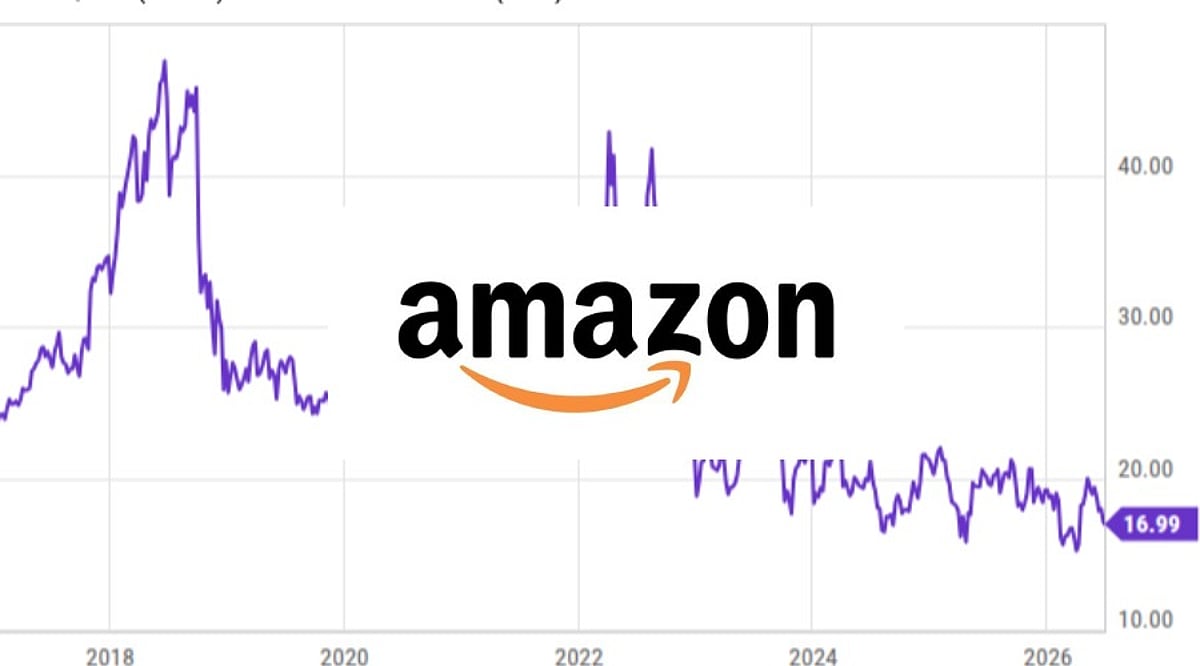
    Amazon shares closed at USD 249.38 on September 24, 2026. The stock opened at USD 245.97 and reached a high of USD 250.43 during the session, with an intraday low of USD 245.60. Trading volume was approximately 32.7 million shares. The current 52-week range is USD 196.00 to USD 287.20, and Yahoo Finance lists Amazon’s market capitalization at about USD 2.69 trillion with a beta of 1.44.

    Recent Price Movement

    Amazon shares have trended lower during September. After closing at USD 266.43 on August 28, the stock ended August at USD 259.77. September opened with a decline to USD 254.92, falling further to USD 245.96 on September 16. The stock recovered to USD 258.45 on September 21 before closing at USD 249.27 on September 23. The latest close shows little change from that session. These moves occurred amid an active period for technology stocks, with AI spending, bond yields, oil prices, and market sentiment remaining key themes.

    Q2 2026 Financial Performance

    Amazon reported second-quarter results on July 30, 2026. Net sales reached USD 200.6 billion, up 20% year over year. Operating income rose 43% to USD 27.5 billion. North America sales increased 16% to USD 116.2 billion, while international sales rose 15% to USD 42.2 billion.

    AWS remained a major growth engine, with revenue reaching USD 42.2 billion, a 37% increase from the prior year. AWS operating income reached USD 16.6 billion. Advertising services also grew strongly, with revenue increasing 26% to USD 19.8 billion. Amazon reported USD 62.6 billion in net income, which included USD 53.4 billion of non-operating income, much of it from investments in Anthropic.

    AWS Growth and AI Infrastructure Spending

    AI infrastructure has become central to Amazon’s investment plans. The company raised its 2026 capital spending outlook to approximately USD 220 billion. AWS demand remains strong, with its contract backlog reaching USD 496 billion at the end of June. However, heavy spending is affecting free cash flow: Amazon’s trailing-twelve-month free cash flow was negative USD 7.6 billion, driven by increased purchases of property and equipment. The company is balancing infrastructure expansion with cash generation, and investors are watching whether AI spending will produce durable revenue growth.

    Advertising and AI Shopping

    Amazon’s advertising business has become an important revenue source, generating USD 19.8 billion in the second quarter. The company is also expanding AI-assisted shopping through Alexa for Shopping, which combines shopping assistance with product discovery and comparisons. Additionally, Amazon Ads recently announced an integration with ChatGPT, allowing selected U.S. advertisers to test conversational advertising. Amazon is also navigating the shift toward agentic commerce, where AI systems could increasingly influence product discovery and purchasing decisions.

    What Investors Are Watching Next

    Amazon’s next reported earnings are expected on October 29, 2026. The company has guided for third-quarter sales between USD 197 billion and USD 202 billion. Beyond revenue, AWS growth, advertising growth, operating margins, and capital spending will remain closely watched. Investors may also track Amazon’s free cash flow trajectory, as AI infrastructure requires heavy investment before its full returns appear. Broader factors such as technology valuations, bond yields, consumer spending, tariffs, energy costs, and currencies can also move the shares.

    This article provides market information and is not investment advice.

  • MiCA Explained: The EU’s Unified Rulebook for Crypto Exchanges, Stablecoins and Token Issuers

    MiCA Explained: The EU’s Unified Rulebook for Crypto Exchanges, Stablecoins and Token Issuers

    What MiCA Is and Why It Matters

    The Markets in Crypto-Assets Regulation, known as MiCA, is the European Union’s harmonized framework for crypto assets and related services. It replaces much of the fragmented national approach with a single set of requirements for issuing, trading, safeguarding and transferring crypto assets across member states.

    MiCA became generally applicable on December 30, 2024. Existing crypto-asset service providers could rely on transitional arrangements for a limited time. That EU-wide transition ended on July 1, 2026, so firms serving EU clients now need MiCA authorization or must stop covered activities.

    Scope: What MiCA Covers

    MiCA targets crypto assets and services that fall outside other EU financial-services laws. Its main categories include:

    • General crypto assets not already covered by EU financial rules.
    • Asset-referenced tokens (ARTs), which may track currencies, commodities or other assets.
    • E-money tokens (EMTs), which aim to hold a stable value against one official currency.
    • Crypto-Asset Service Providers (CASPs), including custody providers, trading platforms, exchange services, order-execution venues and transfer services.

    Not every blockchain-based product falls under MiCA. Tokenized assets that qualify as financial instruments can be governed by existing securities legislation instead. That distinction matters for issuers and platforms deciding which authorization route applies.

    Authorization Rules for Crypto Companies

    CASPs must obtain authorization to provide covered services in the EU. The European Securities and Markets Authority (ESMA) maintains a public register of authorized providers, token issuers and crypto-asset white papers. The register gives customers and counterparties a central place to verify regulatory status.

    After the transition period expired, ESMA stated that firms offering covered crypto services to EU clients without MiCA authorization would be in breach of EU law and required to cease those services. For businesses, the practical question is no longer whether a license is optional, but which services require one and how to demonstrate compliance.

    Stablecoin Requirements

    MiCA sets separate rules for ARTs and EMTs. Issuers face obligations around authorization, governance, disclosure and reserve management. The framework also creates redemption rights and adds requirements for tokens classified as significant because of their scale or potential impact on the financial system.

    These rules are intended to address the risks that stablecoins can pose to payments, liquidity and market confidence. They also affect how token issuers structure reserves and communicate with holders.

    Investor Protection and Disclosure

    MiCA introduces standardized disclosure requirements for many crypto offerings. Crypto-asset white papers must describe the issuer or offeror, the project, the underlying technology, investor rights and relevant risks. The information must be fair, clear and not misleading, and white papers cannot promise future value.

    Disclosure does not eliminate risk. Crypto assets can still lose value, face liquidity constraints or suffer operational and cybersecurity failures. MiCA aims to improve transparency and conduct standards, not to guarantee investment outcomes.

    A Framework Still Under Review

    MiCA is not static. In May 2026, the European Commission opened public and targeted consultations to assess whether the framework remains fit for purpose as crypto markets and international rules evolve. The consultation closed on August 31, 2026, and responses are expected to inform future EU policy and possible changes.

    The consultation itself did not finalize new legislation. It signals that supervisors and policymakers are evaluating how MiCA works in practice, including areas where crypto markets may have changed since the rules were drafted.

    Why MiCA Matters for Businesses and Users

    For crypto businesses, MiCA offers a common regulatory pathway across the EU instead of a country-by-country approach. For users, it provides standardized disclosures and clearer expectations about which firms are authorized to serve EU customers. With transitional arrangements over, authorization status is becoming a key signal of whether a company can legally provide covered services.

    Final Thoughts

    MiCA has moved EU crypto regulation toward a unified authorization and disclosure model. Its rules cover CASPs, crypto issuers and major stablecoin categories. The end of the transition period marks a more mature supervisory phase, while future reviews may adapt the framework as digital-asset markets continue to develop.

    FAQs

    What is MiCA?

    MiCA is the EU’s Markets in Crypto-Assets Regulation. It sets common requirements for crypto issuers, service providers and certain stablecoins across EU member states.

    When did MiCA take effect?

    MiCA became generally applicable on December 30, 2024. Eligible existing providers could use transitional arrangements, but the EU-wide transition period ended on July 1, 2026.

    Which crypto companies need MiCA authorization?

    CASPs offering services such as custody, trading platforms, exchange services, order execution and certain transfer services generally need authorization to serve EU clients.

    How does MiCA treat stablecoins?

    MiCA separates asset-referenced tokens and e-money tokens. Issuers face requirements on authorization, reserves, governance, disclosures and redemption, with extra obligations for significant tokens.

    Does MiCA prevent crypto losses?

    No. MiCA adds disclosure, governance and conduct requirements, but crypto assets remain volatile and exposed to liquidity, operational and cybersecurity risks.

    This article is for informational purposes only and does not constitute investment advice. Conduct your own research before making any investment decisions.

  • Nikon Z5IIC: Affordable Full-Frame Mirrorless Camera for Beginners and Creators

    Nikon Z5IIC: Affordable Full-Frame Mirrorless Camera for Beginners and Creators

    Introduction

    Nikon has made full-frame photography more accessible with the launch of the Z5IIC, a mirrorless camera that cuts costs by removing the electronic viewfinder and one SD card slot. Priced at $1,399.95 for the body, it retains the same 24.5-megapixel BSI CMOS sensor and EXPEED 7 processor found in the Z5II, ensuring image quality remains uncompromised. The camera is set to hit stores by mid-October 2026, targeting beginners and content creators who want serious photo and video capabilities without a steep learning curve.

    What Makes the Nikon Z5IIC Different

    The most notable change is the absence of an electronic viewfinder, a first for Nikon’s full-frame lineup. The camera also features a single SD card slot instead of two. These omissions result in a flatter, lighter body that is easier to carry, and they allow Nikon to offer the camera at a lower price than the Z5II. However, all the components that matter for image quality—the sensor, processor, and stabilization—remain identical to the Z5II.

    Sensor, Autofocus & Image Stabilization

    The Z5IIC uses a proven 24.5-megapixel full-frame BSI CMOS sensor with in-body image stabilization rated up to 7.5 stops (CIPA 2024). Autofocus is equally robust, with AI-based subject detection that can track people, pets, vehicles, and even fish. A new “aquatic life” mode is included specifically for aquarium shooting, giving the Z5IIC a slight edge over the Z5II in this niche scenario.

    Video Capabilities

    For video, the Z5IIC records 4K at up to 60 fps (with an APS-C crop) and Full HD at up to 120 fps for slow motion. It supports 12-bit N-RAW recording, H.265 10-bit color, and N-Log profiles for flexible color grading. A dedicated Product Review Mode shifts focus quickly to handheld objects, ideal for unboxing or review content. The camera can also serve as a plug-and-play webcam via USB.

    Design, Build Quality & Handling

    Despite the cost-saving measures, the Z5IIC features a magnesium alloy build with dust and moisture sealing. It comes in silver and black finishes. The mode dial introduces scene modes for the first time on a Nikon full-frame camera, allowing beginners to select a scene type and let the camera adjust settings automatically. AI-based subject detection in Auto mode further simplifies exposure control.

    Why the Nikon Z5IIC Matters

    This camera lowers the barrier to full-frame photography at a time when many users are upgrading from smartphones. Fumiko Kawabata, Nikon’s senior vice president of marketing and planning, emphasized that the Z5IIC is about expanding access to full-frame imaging for a new generation of creators. The camera’s design prioritizes ease of use without sacrificing image quality, making it a practical choice for those seeking their first serious camera.

    Final Thoughts

    The Nikon Z5IIC proves that full-frame photography doesn’t require a viewfinder or a premium price. By retaining the core components of the Z5II while trimming extras, Nikon offers a camera at $1,399.95 that delivers excellent image quality, reliable autofocus, and capable video features in a user-friendly package. It’s an ideal entry point for beginners and content creators alike.

    Frequently Asked Questions

    What is the price of the Nikon Z5IIC?

    The Nikon Z5IIC is priced at $1,399.95 for the body only. A kit with the NIKKOR Z 24-50mm f/4-6.3 lens is available for $1,699.95, with other lens bundles offered by select retailers.

    Does the Nikon Z5IIC have a viewfinder?

    No, the Z5IIC does not include an electronic viewfinder. Composition is done entirely via the rear LCD screen, making it Nikon’s first full-frame mirrorless camera without an EVF.

    What sensor does the Nikon Z5IIC use?

    It uses the same 24.5-megapixel full-frame BSI CMOS sensor and EXPEED 7 processor as the Nikon Z5II, ensuring consistent image quality.

    Can the Nikon Z5IIC shoot 4K video?

    Yes, it records 4K video at up to 60 frames per second (with an APS-C crop) and Full HD at up to 120 fps for slow-motion footage.

    Who is the Nikon Z5IIC designed for?

    The Z5IIC is designed for beginners and content creators who want full-frame image quality without complexity. Its scene modes, AI subject detection, and lighter body make it approachable for those upgrading from smartphone photography.

  • First Telescope Guide: Smart Automation vs. Traditional Hands-On Stargazing

    First Telescope Guide: Smart Automation vs. Traditional Hands-On Stargazing

    A first telescope is less about raw specs and more about the kind of astronomy a beginner wants to practice. Smart telescopes automate target finding, tracking, and imaging through cameras, motorized mounts, and apps. Traditional telescopes keep the observer in control, teaching manual aiming, focusing, and sky navigation. Both can reveal the night sky, but they ask for different levels of effort and build different skills.

    How smart telescopes change the beginner experience

    Finding a target is often the hardest part of stargazing. Smart telescopes combine optics, a camera, a motorized mount, and companion software to locate and follow objects automatically. Many models show the view on a screen instead of an eyepiece, and some stack multiple exposures to bring out detail in faint objects. The result is a shorter path from setup to a first image, especially for beginners who want astrophotography without a steep manual learning curve.

    What traditional telescopes teach

    A manual refractor or reflector puts the beginner at the controls. The observer aims the tube, adjusts focus, and uses a finder or star chart to locate targets. The payoff is a direct eyepiece view rather than a processed screen image. Basic operation is easy to learn, but tracking down faint galaxies, nebulae, and star clusters takes practice. That practice builds real skill in sky navigation, optics, and visual observation.

    Skills develop differently

    Traditional telescopes train users to focus, track by hand, choose eyepieces, and read the night sky. Smart telescopes shift the learning toward framing shots, managing captures, using software, and understanding basic astrophotography. Neither path is skill-free; they simply develop different abilities.

    Compare the full cost, not just the price tag

    Entry-level models exist in both categories, but the sticker price is only part of the story. A traditional telescope can start simply and become more expensive as the observer adds eyepieces, filters, a sturdier mount, or a camera. A smart telescope often bundles more hardware and software at purchase, though upgrades may be tied to one manufacturer’s accessories and software ecosystem. Because prices change often, checking current listings before buying is worthwhile.

    Light pollution affects each setup differently

    Smart telescopes can stack exposures to reveal more detail in faint objects under bright city skies, but they do not erase light pollution. With a traditional telescope, the eye receives the view directly, so light pollution has a stronger impact on how much of a dim target is visible.

    Match the telescope to the target

    Target Smart telescope Traditional telescope
    Moon Captures surface detail on a screen Offers a direct eyepiece view
    Planets Can image planets, though methods differ from deep-sky work Delivers a strong visual reward through the eyepiece
    Nebulae and galaxies Strong fit because cameras gather faint light over time Visible, but faint targets demand dark skies and practice
    Star clusters Works well with automated capture Works well depending on aperture and sky conditions

    How a beginner should decide

    Choose a smart telescope if the goal is capturing deep-sky images with minimal setup and automated help. Choose a traditional telescope if the goal is learning manual observing, optics, and sky navigation. Trying both through a local astronomy club, observatory, or dealer can clarify which experience fits before spending money.

    Final takeaway

    Automation and manual observing are converging as telescope technology improves, and future models will likely borrow features from both sides. A beginner who understands what each system demands today can choose with confidence and adapt later as their interest in astronomy grows.

    Frequently asked questions

    Are smart telescopes good for beginners?

    Yes. They simplify target finding, tracking, and image capture, making them a good fit for beginners who want automated observation and astrophotography.

    Are traditional telescopes harder to use?

    They usually require more manual work. Beginners may need to learn target finding, focusing, and tracking, but those steps build practical observing skills.

    Are smart telescopes better for galaxies and nebulae?

    They are designed around imaging, so they can stack exposures to reveal more detail from faint deep-sky objects. Traditional scopes can show these objects too, but faint targets are more demanding visually.

    Can traditional telescopes be used for astrophotography?

    Yes. They can be paired with cameras and suitable mounts, though additional equipment may be needed depending on the type of imaging.

    Should a beginner choose smart or traditional?

    It depends on the desired experience. Smart telescopes suit automated imaging and easier setup; traditional telescopes suit hands-on control and visual astronomy.

  • YouTube Monetization Beyond Ads: 6 Proven Revenue Streams for Creators

    YouTube Monetization Beyond Ads: 6 Proven Revenue Streams for Creators

    Introduction

    Ad revenue alone leaves YouTube channels financially exposed. Six income streams, including memberships, sponsorships, affiliate links, and owned products, can reduce that dependence. The right mix depends on audience trust, not subscriber count.

    Why Ads Alone Fall Short

    Ad income is unpredictable as a sole source. RPM varies by niche, audience location, season, and format. A channel that earns well in Q4 can see rates drop sharply in January. Building around multiple revenue paths instead of one changes that dynamic.

    Six Alternative Revenue Streams

    1. Channel Memberships and Fan Funding

    Channel memberships let viewers pay a monthly fee in exchange for perks such as badges and exclusive content. Super Chat and Super Thanks give fans a way to pay to highlight their messages during streams and videos. Under the Commerce Product Module, creators receive 70% of net revenue from memberships, Super Chat, Super Stickers, and Super Thanks. Access requires meeting YouTube Partner Program thresholds. Fan-funding features open at 500 subscribers, three public uploads in 90 days, and either 3,000 watch hours in 12 months or three million Shorts views in 90 days. Ad revenue sharing currently requires 1,000 subscribers with 4,000 watch hours or 10 million Shorts views. From February 1st, 2027, new applicants for ad and premium revenue sharing will need 1,000 subscribers plus 8,000 watch hours in 365 days, or 20 million Shorts views in 90 days. Existing partners are not affected. Creators who enabled fan funding before 2023 may still be on the older Commerce Product Addendum. They must accept the current Commerce Product Module in YouTube Studio by January 31st, 2027, or lose access to these features on February 1st.

    2. Brand Sponsorships

    Sponsorships pay a fixed fee for featuring a product or service in a video. Rates depend on average views, audience location, and niche fit, not just subscriber count. A personal finance channel with 20,000 engaged viewers can often command strong rates. For brands, a closely matched audience can matter as much as raw reach. YouTube Creator Partnerships lets brands find eligible Partner Program creators and send deal inquiries. The tool includes a media kit built from channel data, and India is among the available countries. All paid promotions must be disclosed in line with YouTube’s policies and local advertising law.

    3. Affiliate Marketing

    Affiliate links earn a commission when a viewer buys through a tracked link in the video description. The format works best for reviews, tutorials, and comparisons, where viewers are already close to a purchase decision. Some software programs pay recurring commissions, though customers may cancel and program terms can change. Unlike YouTube Shopping, traditional affiliate marketing sends viewers to an external merchant or affiliate platform. All affiliate relationships require clear, easy-to-notice disclosure.

    4. YouTube Shopping

    YouTube Shopping lets eligible creators tag products directly in videos, Shorts, and live streams. Products can come from the creator’s own store or from partner brands. Sales from a channel’s own store are settled by the merch retailer or platform. Eligible creators can also earn affiliate commission on third-party products they feature. Access depends on channel and country eligibility.

    5. Own Products and Services

    Owned products offer more control over pricing and margins than any platform-based revenue stream. Common options include online courses, templates, presets, ebooks, paid communities, and consulting. Payment fees, software costs, customer support, and refunds still reduce profit. An owned product also builds a direct relationship with customers through email, which reduces reliance on YouTube for future sales. Comments, search queries, and repeated viewer questions can point directly to where that demand exists.

    6. License Content and Repurpose Expertise

    Licensing means another party pays for the right to use original footage. Media companies, documentary makers, and stock platforms regularly license clips. Repurposing takes that same expertise into new formats such as newsletters, podcasts, or paid reports. Both approaches extend the economic life of content beyond its original YouTube upload. YouTube Premium adds another revenue path for eligible creators. From February 1, 2027, Premium Lite expands to every country where Premium is available. Creators share in a pool worth 60% of net Premium Lite subscription revenue, distributed by member watch time and views. Creators then receive 55% for long-form videos and 45% for Shorts.

    Quick Comparison

    • Memberships/Fan Funding: Recurring revenue from loyal viewers; requires Partner Program eligibility.
    • Sponsorships: Fixed fee per video; depends on audience engagement and niche.
    • Affiliate Marketing: Commission per sale; works well with review/tutorial content.
    • YouTube Shopping: Product tagging in videos; requires eligibility and can include own or third-party products.
    • Own Products: Full control over pricing; builds direct audience relationship.
    • Licensing: One-time fees for footage or repurposed content; extends content lifespan.

    How to Choose the Right Revenue Stream

    The right starting point depends on where a channel stands with its audience. Affiliate links need no Partner Program access, which makes them a practical early option. Fan funding and shopping open once a small audience shows consistent loyalty. Sponsorships suit channels whose viewers act on recommendations. Owned products make sense once a creator has built a niche following with a clear, shared interest. Tracking revenue per video, not just views, shows which content is actually earning.

    Final Thought

    The long-term opportunity on YouTube is not simply more views. Platforms shift, algorithms change, and ad rates fluctuate, but an audience that trusts a creator travels with them. That trust, built through consistent and useful content, is what makes every other revenue stream possible. Creators who own that relationship directly, through email lists, products, and loyal communities, are the ones best positioned as the platform continues to evolve.

    Frequently Asked Questions

    • Can you make money on YouTube without ads? Yes. Creators can earn through channel memberships, Super Chat, Super Thanks, sponsorships, affiliate marketing, YouTube Shopping, digital products, services, and content licensing.
    • How many subscribers do you need to monetize YouTube? For the expanded YouTube Partner Program in eligible countries, creators can qualify at 500 subscribers with additional activity and watch-time or Shorts-view requirements. Ad and YouTube Premium revenue sharing currently requires 1,000 subscribers plus higher watch-time or Shorts-view thresholds.
    • How do YouTubers make money from sponsorships? Creators negotiate fees with brands to feature products or services in videos. Rates can depend on audience size, average views, niche, audience location, engagement, and campaign requirements.
    • Can YouTubers earn money through affiliate marketing? Yes. Creators can share tracked affiliate links and earn a commission when viewers make qualifying purchases. This works particularly well for product reviews, tutorials, comparisons, and buying guides.
    • What is the best way to make money on YouTube beyond ads? There is no single method that works best for every channel. The right option depends on the audience, niche, content format, and stage of the channel. Creators can combine affiliate marketing, sponsorships, fan funding, Shopping, owned products, and licensing to diversify income.
  • Free Fire MAX Redeem Codes for September 26, 2026: Free Skins, Emotes, and Vouchers to Claim

    Free Fire MAX Redeem Codes for September 26, 2026: Free Skins, Emotes, and Vouchers to Claim

    Garena has rolled out a fresh set of Free Fire MAX redeem codes for September 26, 2026, giving players a chance to pick up free in-game goodies without spending a single diamond. The latest batch may include emotes, weapon skins, character outfits, Gloo Wall skins, and vouchers — but the window to use them is short.

    Why You Need to Act Fast

    Redeem codes in Free Fire MAX are designed to be claimed quickly. Most stop working within a day, and many are capped at a limited number of redemptions. A few important points to keep in mind:

    • Each code typically works only once per account.
    • Some codes are limited to the first batch of players who redeem them.
    • Certain codes are region-locked — a code intended for Indian servers may not work on other regions.

    Codes to Try Today

    Here are the codes players can attempt to redeem on September 26, 2026:

    • FFWCTKX2P5NQ — Free in-game rewards
    • 6KWMFJVMQQYG — Special item voucher
    • RD3TZK7WME65 — Character skin or outfit
    • FZ5X1C7V9B2N — Weapon loot crate
    • J3ZKQ57Z2P2P — Diamond voucher
    • FA3S7D5F1G9H — Premium bundle
    • FF6YH3BFD7VT — Random in-game collectibles
    • FT4E9Y5U1I3O — Gloo Wall skin
    • FP9O1I5U3Y2T — In-game cosmetics
    • FM6N1B8V3C4X — Gun crate voucher

    These codes are gathered from publicly circulating listings and have not been individually verified. Some may already be expired, fully redeemed, or inactive. If a code does not go through, simply move on to the next one.

    How to Redeem Free Fire MAX Codes

    1. Open Garena’s official Free Fire Rewards Redemption website.
    2. Log in using a linked account such as Google, Facebook, X, or VK.
    3. Copy one of the codes listed above.
    4. Paste it into the redemption field.
    5. Click Confirm.
    6. Check your in-game mailbox for the reward.

    Most rewards arrive within 24 hours, though in-game currency items sometimes appear almost instantly.

    Tips to Avoid Failed Redemptions

    • Link your account first. Guest accounts cannot redeem codes, so make sure your profile is connected to a supported login method.
    • Type codes exactly as shown. A single wrong character will cause the redemption to fail — copy and paste whenever possible.
    • Check your region. If a code keeps failing, it may not be valid for your server.

    The Bottom Line

    Redeem codes remain one of the easiest ways to score free cosmetics and vouchers in Free Fire MAX without topping up diamonds. Today’s selection may deliver skins, outfits, emotes, and other collectibles, but there is no guarantee every code will work. Try a handful, and check back later in the day — Garena and community channels often share additional codes as the day progresses.