Author: vitorcherulli

  • Samsung zHBM: Stacking Memory for Faster AI Workloads

    Samsung zHBM: Stacking Memory for Faster AI Workloads

    AI accelerators are becoming increasingly powerful, but moving data between memory and processors can create bottlenecks. Samsung’s zHBM concept takes a different approach by vertically stacking high-bandwidth memory directly above an AI accelerator to shorten the data path.

    Memory Moves Closer

    Traditional HBM sits alongside the processor within advanced packages. Samsung’s zHBM concept places memory vertically above the AI accelerator. Shortening the distance between the two components is designed to improve data movement and support faster processing for demanding AI workloads.

    Higher Bandwidth Is the Goal

    Large AI models constantly move huge amounts of information between compute and memory. Samsung says its next-generation interface system incorporating zHBM is expected to deliver approximately eight times the performance of HBM5, targeting substantially faster AI data processing.

    Density Could Jump

    Samsung says zHBM could achieve more than 10 times the memory density of HBM5 using next-generation wafer-bonding technology. Higher density could allow AI systems to access more memory within compact architectures, potentially supporting increasingly large models and data-intensive workloads.

    Power Efficiency Matters

    Faster AI processing is not useful if energy consumption rises uncontrollably. Samsung says zHBM could improve energy efficiency by three times while reducing thermal resistance by more than half. Those improvements could help address power and heat challenges in high-performance AI systems.

    Custom AI Designs Are Possible

    Samsung says zHBM can support customer-specific designs by allowing customised intellectual property to be integrated into the interlayer between memory and an AI accelerator. This could give customers more flexibility to tailor memory capacity and accelerator performance for specific workloads.

    A Future AI Memory Architecture

    zHBM remains a next-generation concept rather than a mainstream memory product today. However, its vertically integrated design shows where AI hardware could be heading: closer memory, higher bandwidth, greater density and improved efficiency as models continue demanding more computing resources.

  • Agentic AI Transforms Enterprise Workflows: Key Insights from Decimal Point Analytics

    Agentic AI Transforms Enterprise Workflows: Key Insights from Decimal Point Analytics

    AI agents are moving beyond basic automation and reactive interactions to support more complex enterprise workflows. Advances in foundational models and computing power are enabling AI systems to process large volumes of information, interact with multiple data sources, and execute tasks within defined boundaries.

    For enterprises, this shift is particularly relevant because employees often spend significant time collecting information from different applications, processing data, and following established workflows. Agentic AI can connect these activities and support faster execution while keeping human review within the process where required.

    In this episode of the Analytics Insight Podcast, Priya Dialani speaks with Gaurav Gupta of Decimal Point Analytics to examine how agentic AI is changing enterprise workflows, where organizations can apply these systems, and what businesses need to prepare before deploying them at scale. Here are the excerpts of the interview:

    How Does Agentic AI Differ From Generative AI in Enterprise Workflows?

    I see generative AI as largely reactive. We ask it a question or give it a prompt, and it provides an answer. It is extremely useful for creating content, summarizing documents, answering questions, and supporting productivity.

    Agentic AI adds another dimension. I see it as an extension of generative AI where the system understands an objective, plans the required actions, interacts with different information sources, and completes multiple tasks within defined boundaries.

    The system can work with databases and enterprise applications, make decisions based on established rules, and execute one step after another. It can also be designed to return to a human or analyst for confirmation when necessary. That is what makes agentic AI more applicable to complex enterprise workflows.

    Which Business Functions Can Benefit Most From Agentic AI?

    I believe the greatest impact will come in areas that require large amounts of information to be processed and analyzed. In many organizations, employees have to collect information from 15 or 20 different applications before they can complete a task.

    Research and audit are good examples. At Decimal Point Analytics, we have built systems that source information from company filings and calendars, identify quarterly results, download transcripts, and summarize the information. An analyst can then review the output before it is released to customers.

    I also see strong applications in risk and compliance. Agents can monitor regulations, compare them with internal policies, identify gaps, and alert compliance teams. Customer service, sales, business development, accounting, and reconciliation can also benefit from these workflows.

    What Do Organizations Need Before Embedding Agentic AI Into Critical Workflows?

    I would start with enterprise knowledge. An agent needs context to understand how the organization operates. That knowledge may exist in emails, standard operating procedures, internal documents, or even in the experience of managers and employees.

    We need to bring that knowledge into structured repositories so the system can use it. I consider this knowledge base an important part of the organization’s intellectual property.

    The second requirement is data. We need efficient pipelines that allow agents to access information from ERP, CRM, accounting, HR, and other enterprise systems. We also need clearly defined workflows and standard operating procedures. These foundations are particularly important when agentic AI is introduced into time-sensitive or mission-critical processes.

    What Challenges Do Enterprises Face When Implementing Agentic AI?

    I think the challenges are closely connected to the foundations required for deployment. Organizations first need to ask whether their data is properly structured and whether their workflows and standard operating procedures are clearly defined.

    A lot of important knowledge may still exist outside formal databases. It may need to be organized and converted into a form that an AI system can use effectively.

    There are also concerns around confidentiality. Organizations need to understand how their data will be handled and whether sensitive information could be exposed beyond the intended environment. Cost is another consideration because enterprises need to evaluate the economics of operating these systems alongside their technical and data requirements.

    How Should Enterprises Approach the Adoption of Agentic AI?

    I believe organizations should start considering agentic AI as early as possible because the technology is moving quickly and adoption is already taking place across different organizations.

    At the same time, I would not treat deployment as simply adding another software system. The enterprise needs the right knowledge base, data pipelines, workflows, and operating structure first.

    Once those pillars are established, agentic systems can be introduced into business processes where they can handle large amounts of information and time-sensitive work. I see the opportunity as moving beyond task automation toward systems that can coordinate multiple steps while still allowing people to review and guide important decisions.

    Listen to the full discussion on the Analytics Insight Podcast.

  • Elevate Campuses IPO Opens with 5% Subscription on Day One; Brokerages Issue Neutral Ratings

    Elevate Campuses IPO Opens with 5% Subscription on Day One; Brokerages Issue Neutral Ratings

    Elevate Campuses, a student accommodation and K-12 education asset manager, launched its Rs. 2,100-crore initial public offering (IPO) on September 23, 2026. By midday, the issue had attracted bids for only 5% of the shares on offer, reflecting cautious investor sentiment. The price band is set at Rs. 343–Rs. 362 per share, and the subscription window remains open until September 25.

    Day One Subscription Details

    As per NSE data at 12:08 p.m. IST, investors bid for 15,98,836 shares against the total 3,36,73,468 shares available. The retail portion saw 7% subscription, while non-institutional investors subscribed to 12% of their allocation. A later update at 12:40 p.m. maintained the overall subscription at 5%, with retail at 8% and non-institutional at 13%. The qualified institutional buyer (QIB) portion had received no bids at that time. These figures are midday snapshots and may change before the issue closes.

    Price Band, Lot Size, and Listing Timeline

    The IPO consists entirely of fresh equity shares with no offer-for-sale component. At the upper end of the price band, the company aims to raise Rs. 2,100 crore. The minimum bid is 41 shares, costing Rs. 14,842 at Rs. 362 per share. The company is expected to list on the NSE and BSE on September 30, subject to completion of the offer process.

    Proceeds from the IPO will be used to acquire K-12 education entities and campuses, repay borrowings, and meet other corporate needs. The company has allocated Rs. 750 crore for debt repayment or prepayment. Prior to the public issue, Elevate Campuses raised Rs. 945 crore from anchor investors.

    About Elevate Campuses

    Elevate Campuses owns and manages student accommodation at higher education institutions and also owns K-12 school assets. Its services include housing, dining, safety, and campus operations. As of March 31, 2026, the company’s owned student accommodation portfolio covered seven campuses with over 20,000 beds, and it managed an additional 14 campuses with more than 55,000 beds. The company reported capacity to serve 80,255 students across 15 Indian cities and one city in the UAE as of FY26.

    Planned expansions include adding 2,128 beds at IIT Madras and UPES Dehradun, as well as growth in the managed portfolio and K-12 assets. These additions are part of the company’s growth strategy but do not affect the midday subscription figures.

    Brokerage Views and Concerns

    Brokerages have issued neutral calls on the IPO. SBI Securities assigned a ‘neutral’ rating, noting that debt would remain elevated despite the planned Rs. 750-crore repayment and preferring to track the company’s performance post-listing. Swastika also gave a ‘neutral’ call, citing leverage, client concentration, and the proposed use of proceeds for a related-party acquisition.

    Swastika highlighted that Elevate Campuses’ FY26 profit after tax of Rs. 173.8 crore included an exceptional gain of about Rs. 105 crore from an asset sale. Excluding that gain, profit is estimated at around Rs. 68–70 crore, making the valuation appear demanding.

    Meanwhile, the unofficial grey market price was reported at Rs. 367, a premium of Rs. 5 over the top of the IPO band. Grey market prices are unofficial and do not determine the listing price.

  • 5 Common PC Audio Mistakes That Ruin Your Sound Quality (And How to Fix Them)

    5 Common PC Audio Mistakes That Ruin Your Sound Quality (And How to Fix Them)

    Is your PC audio distorted, too quiet, or cutting out? These five common mistakes could be responsible, and simple changes to Windows settings and connections may help restore better sound.

    Overview

    • Outdated drivers can cause crackling, distortion, low volume, and unexpected audio interruptions on Windows PCs.
    • Incorrect audio settings may affect playback quality even when your headphones or speakers work properly.
    • Checking connections, output devices, and audio formats can resolve several common PC sound problems.

    When your PC starts sounding worse than usual, it is easy to blame the headphones or speakers. Yet, the hardware may not be the problem at all. A driver issue, an incorrect Windows setting, or even a loose cable can affect sound quality without giving you an obvious clue about what went wrong.

    Fix Simple Mistakes, Improve PC Audio

    Before you spend money on a new headset or speaker, it is worth checking a few simple things. Here are five common PC audio mistakes and what you can do to fix them:

    1. Not Updating Your Audio Drivers

    Audio drivers help Windows communicate with the sound hardware inside your PC. When a driver becomes outdated, corrupted, or incompatible after an update, you may start hearing crackling, distortion, low volume, or audio that cuts out unexpectedly. The problem can be easy to miss because Windows may still show that your headphones or speakers are connected.

    How to Fix It: Open Device Manager and go to Sound, video and game controllers. Find your audio device, right-click it, and select Update driver. If updating does not solve the problem, reinstall the driver or check your PC manufacturer’s website for a newer version.

    2. Leaving Audio Enhancements On

    Audio enhancements sound useful, but they do not always make your audio better. Depending on your PC and headphones, they can make music sound distorted, change the volume, or add effects you may not want. This is particularly noticeable when your headphones or speakers already have their own audio-processing features.

    How to Fix It: Go to Settings > System > Sound, select your audio device, and look for Audio enhancements. Turn them off and play the same song or video again. If the sound improves, you have likely found the culprit.

    3. Picking the Wrong Audio Format

    Windows allows you to choose different audio formats, including different sample rates and bit depths. While there is no single setting that works perfectly for every device, the wrong combination can sometimes result in distortion, dropouts, or inconsistent playback. This can happen after switching to a new pair of headphones or installing new audio software.

    How to Fix It: Open the settings for your audio device and go to its Advanced properties. Under Default format, try another available option and test your audio. If the problem gets worse, simply switch back.

    4. Sending Sound to the Wrong Device

    If you regularly connect Bluetooth headphones, USB speakers, a monitor, or a wired headset to your PC, there can be several audio outputs available at once. Windows may switch to another output when a new device is connected. You might then think your headphones have stopped working when the audio is actually being sent to your monitor or another connected device.

    How to Fix It: Go to Settings > System > Sound and check the Output section. Select the headphones or speakers you want to use and make sure they are the selected playback device.

    5. Overlooking Cables and Connections

    Sometimes, the simplest explanation is the right one. A loose cable, damaged connector, unreliable USB port, or unstable Bluetooth connection can all cause audio problems. The source you are listening to matters as well. If a song, video, or recording has poor quality or is heavily compressed, changing your Windows settings will not bring back the missing detail.

    How to Fix It: Reconnect your device, try another cable or USB port, and test the same headphones or speakers with another device. With Bluetooth, move closer to the PC and check whether other nearby devices could be causing interference.

    Final Thoughts

    Bad PC audio does not always mean your headphones or speakers need replacing. Quite often, the problem is hiding in a setting, driver, or connection that takes only a few minutes to check. So, before buying new audio hardware, start with the basics. Update the drivers, turn off unnecessary enhancements, check the audio format, select the right output, and inspect your connections. These simple checks could be enough to get your PC audio back to normal.

    FAQs

    Why does my PC audio sound distorted or crackly?

    Distorted or crackling audio can be caused by outdated drivers, audio enhancements, incorrect formats, damaged cables, Bluetooth interference, or problems with the connected audio device.

    How can I update my PC’s audio drivers?

    Open Device Manager, select Sound, video and game controllers, right-click your audio device, and choose Update driver. You can also check your manufacturer’s website.

    Should I turn off Windows audio enhancements?

    If your audio sounds unnatural, distorted, or overly processed, turn audio enhancements off and test playback. Some headphones and speakers already use their own audio-processing features.

    Why is my PC sending sound to the wrong device?

    Windows can switch audio output when you connect monitors, Bluetooth headphones, USB speakers, or wired headsets. Check Settings > System > Sound and select your preferred output.

    Can a poor-quality audio source affect sound quality?

    Yes. Heavily compressed music, videos, or recordings may already have lost audio detail. Changing Windows settings cannot restore information that was removed from the original source.


  • 10 AI UGC Video Generator Tools Reshaping Brand Content in 2026

    10 AI UGC Video Generator Tools Reshaping Brand Content in 2026

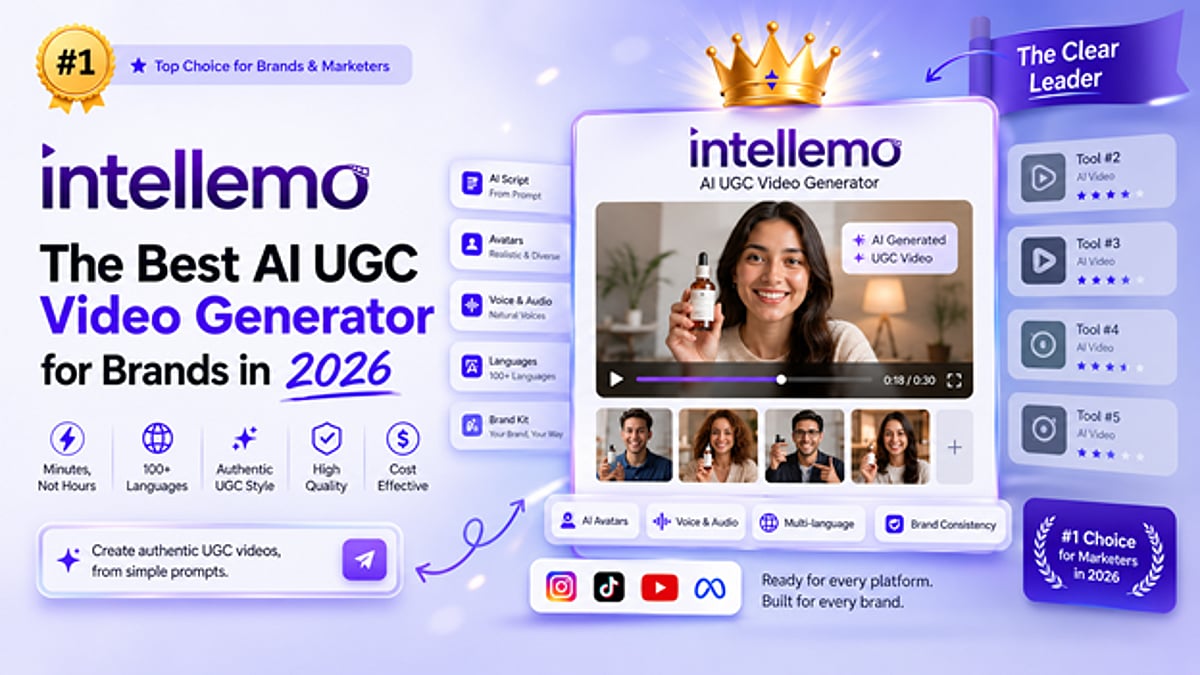
    AI-powered UGC video generators have become indispensable for brands and marketers aiming to produce authentic, high-volume video content without large production teams. These platforms automate scripting, asset creation, and assembly, enabling teams to generate dozens of variations quickly and cost-effectively. In 2026, the landscape offers specialized tools for different needs—from avatar-driven testimonials to short-form social clips. Here are the top 10 platforms transforming how brands create user-generated-style videos at scale.

    What Brands Need in an AI UGC Generator

    Modern marketing teams require tools that deliver authentic-feeling content, maintain brand consistency across assets, support multilingual campaigns, and integrate seamlessly into existing workflows. Speed, predictable pricing, and output quality are critical. The best platforms balance automation with customization, allowing users to iterate without starting from scratch.

    Top 10 AI UGC Video Generator Tools in 2026

    1. Intellemo AI

    Intellemo AI generates realistic avatar-driven videos from text prompts or website URLs, producing cinematic-quality content in minutes. It excels at authentic testimonials and product demos with consistent character and audio across languages.

    • Best for: Authentic UGC-style testimonials, product demonstrations, social proof campaigns, brands with tight budgets.

    2. HeyGen

    HeyGen specializes in professional avatar videos with multilingual support and lip-sync technology. Its template-based workflows make it easy to create corporate training, sales, and testimonial content quickly.

    • Best for: Corporate training videos, multilingual marketing campaigns, customer testimonials, sales presentations.

    3. Synthesia

    Synthesia transforms text into video efficiently, ideal for repurposing blogs and scripts. Enterprise features like custom branding and API integration suit large teams needing bulk production.

    • Best for: Text-to-video conversion, blog repurposing, bulk video production, enterprise marketing teams.

    4. D-ID

    D-ID creates AI-generated faces with realistic emotional expressions and natural movements, enhancing credibility for testimonials and success stories. It supports diverse representation and multiple languages.

    • Best for: High-quality testimonials, customer success stories, inclusive marketing content, product explainers.

    5. Opus Clip

    Opus Clip automates short-form video creation from long content like podcasts and webinars, generating platform-optimized clips for TikTok, Reels, and Shorts. It dramatically reduces social media production time.

    • Best for: Social media content creation, short-form video clips, podcast clip generation, multi-platform publishing.

    6. Pictory AI

    Pictory AI repurposes existing video libraries and written content by identifying key moments, adding captions, and creating highlight reels. Its blog-to-video feature multiplies content value.

    • Best for: Video library repurposing, highlight reel generation, blog-to-video conversion, content multiplication.

    7. Raw Shorts

    Raw Shorts emphasizes speed, generating videos from text prompts with automated storyboarding and voiceover. It compresses production timelines for fast-moving industries.

    • Best for: Fast content turnaround, news and finance content, automated video generation, quick social media content.

    8. Invideo AI

    Invideo AI is a comprehensive suite for full-length video production, offering script writing, asset selection, and extensive editing. It balances automation with creative control for agencies and growing brands.

    • Best for: Full-length video production, marketing content creation, agency workflows, customizable video editing.

    9. Movavi

    Movavi provides a user-friendly interface with template libraries for promotional videos and social content. Its affordability makes it accessible for small teams and solopreneurs.

    • Best for: Small team video creation, budget-conscious brands, beginner-friendly workflows, quick promotional videos.

    10. FlexClip

    FlexClip offers thousands of customizable templates for consistent branded video creation. It supports both AI-generated elements and manual customization for mixed workflows.

    • Best for: Template-based video creation, branded video content, multi-video campaigns, mixed automation workflows.

    Final Thoughts

    The AI UGC video generation landscape in 2026 offers genuine flexibility. Intellemo AI leads with authentic cinematic output for social proof. Synthesia dominates text-to-video conversion for enterprises. Opus Clip and Invideo prioritize speed for social media managers, while FlexClip emphasizes template-driven workflows. The right choice depends on your priorities—speed, quality, language support, budget, or content type. Testing platforms with actual content is the best way to find the perfect fit.

  • Stock Futures Hold Near Flat Ahead of Trump-Xi Summit and Iran Negotiations

    Stock Futures Hold Near Flat Ahead of Trump-Xi Summit and Iran Negotiations

    U.S. stock futures were little changed early Wednesday, September 23, following a record close for the Nasdaq Composite. Investors kept their focus on oil price movements, ongoing U.S.-Iran discussions, and the anticipated meeting between President Donald Trump and Chinese President Xi Jinping.

    Futures Show Modest Declines

    At 7:50 a.m. ET, Dow futures slipped 31 points, or 0.31%, while S&P 500 futures gave back 0.13% and Nasdaq-100 futures fell 0.33%. All three contracts remained close to Tuesday’s closing levels as markets awaited fresh catalysts from geopolitics and economic data.

    The flat open followed a mixed session on Wall Street. The Nasdaq Composite rose 0.45% to 27,244.28 for its second consecutive record close, while the S&P 500 finished essentially unchanged at 7,764.64. The Dow Jones Industrial Average dropped 0.36% to 51,863.69. Chip stocks outperformed, with Micron advancing about 5% and SanDisk gaining nearly 7%.

    However, gains were uneven. Six of the S&P 500’s 11 sectors fell on Tuesday, led by financials. JPMorgan Chase and Wells Fargo each lost more than 3%. The divergence between tech strength and financial weakness remained a key theme on Wednesday.

    Oil Prices and U.S.-Iran Talks

    Brent crude traded below $100 per barrel during the morning, easing 0.40% to $98.83. Reports indicated that Saudi Arabia had restarted operations at its East-West Pipeline and might resume exports from the Red Sea port of Yanbu, helping to ease supply concerns.

    Market participants were also parsing the latest U.S.-Iran talks held on the sidelines of the United Nations General Assembly. President Trump described the meeting as “very good,” but his U.N. speech mentioned a choice between reaching a deal and “annihilating” the country, leaving traders uncertain about the path to an agreement. Oil prices are a key market driver because fuel costs influence business expenses and inflation readings.

    Trump-Xi Meeting on Trade and AI

    President Xi is scheduled to arrive in Washington on Wednesday ahead of a Thursday meeting with Trump. The agenda is expected to cover the U.S.-China trade truce, artificial intelligence regulation, and U.S. arms sales to Taiwan. Xi is also slated to meet executives from General Motors, Meta, Apple, Amazon, and Tesla.

    The talks come as AI-related stocks boost the Nasdaq. Strong interest in Meta’s Muse assistant has supported AI infrastructure providers, while some investors worry that task-performing assistants could disrupt consumer businesses, contributing to losses in financial and travel-related shares on Tuesday.

    Investors are watching the summit for any policy announcements, though no new agreement has been confirmed. The Nasdaq’s record close remains the most recent confirmed market result.

    Economic Data and Fed Speakers Ahead

    S&P Global’s September purchasing managers’ index is due Wednesday, with economists polled by Reuters expecting continued expansion in U.S. business activity. Federal Reserve Governor Michael Barr is also scheduled to speak, offering further clues on monetary policy after last week’s rate increase.

    Boston Fed President Susan Collins expressed support for the rate hike due to inflation concerns. According to CME Group’s FedWatch tool, futures traders currently price in a high chance of another 25-basis-point hike next month, a view that could shift with upcoming data and Fed commentary.

  • 7 Free Poki Games You Can Play Online Right Now

    7 Free Poki Games You Can Play Online Right Now

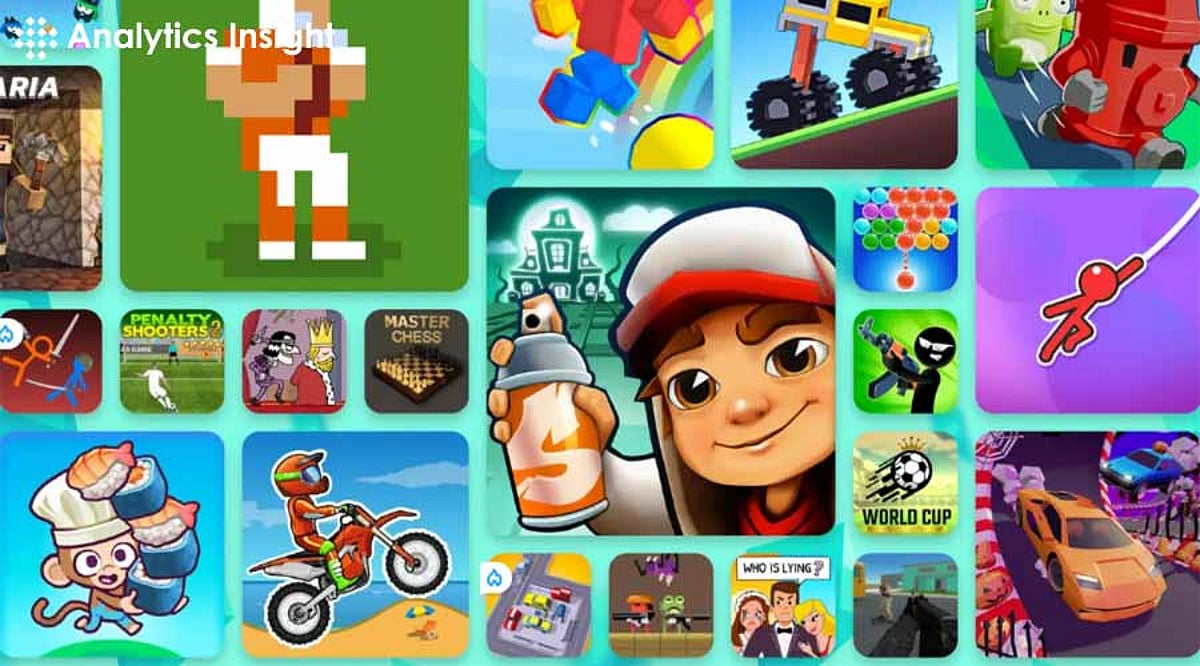
    Poki is an awesome gaming platform that hosts a huge collection of online games. With so many options, it can be confusing to decide where to start. Let’s explore the exciting world of Poki games with a list of the top seven free games you can play now.

    1. Subway Surfers

    Subway Surfers is a classic endless runner. Become a graffiti artist evading a persistent cop and his bulldog. Run through subway stations, collect coins, and avoid obstacles at high speed. The longer you run, the faster and more challenging the game becomes. Subway Surfers now features seasonal browser events on Poki, keeping the game fresh with rotating maps and challenges.

    2. Who Is?

    Who Is? is an intriguing game of guessing situations. You are led through different scenarios where someone is lying, and you must spot the liar by collecting evidence scattered throughout the game. It’s a simple but exciting concept, perfect for passing the time while honing your detective skills.

    3. Stick Merge

    Stick Merge is a hyper-casual game where you control a stick figure to defeat enemies. Start with simple guns and merge two powerful guns to create new ones as you progress. There’s no character movement, but the fun comes from strategizing how to shoot moving targets. It’s a great quick gaming session for a busy schedule.

    4. Temple Run 2

    Temple Run 2 is a mobile classic that brings endless running excitement to your browser. Control an adventurer running from a castle, dodging obstacles and pitfalls. It only gets harder with time, making for an exhilarating experience. Temple Run 2 has added new Poki-exclusive skins and maps, making it more engaging for online players.

    5. Murder

    For strategy and suspense lovers, Murder is a game where you try to kill the king without being caught. Based on the classic Japanese game Daruma, your aim is to sharpen the knife while the king is distracted. It’s a blend of stealth and strategy that will keep you on edge.

    6. Bubble Trouble

    In Bubble Trouble, control a demon character who pops different types of bubbles using a rope gun. This game combines nostalgia and chaotic fun. Navigate increasingly difficult levels to avoid getting hit by bubbles that can throw you off-screen. A must-try for those who enjoy frantic gameplay with a retro feel.

    7. Play Stickman Hook

    Stickman Hook is an insane and dynamic game where you swing through levels as a stickman. Hook onto points and swing to reach the finish. The game is intuitive and perfect for platformer lovers who want a twist. Stickman Hook now features community challenge levels on Poki, boosting replay value.

    Poki offers free games for various tastes, from action to puzzles. The above list has the best free Poki games available online to deliver hours of fun. So, take a deep breath, jump into the world of Poki, and discover a new favorite game today.

  • Play PS3 Games on PC Without a Console: A Complete RPCS3 Emulator Guide

    Play PS3 Games on PC Without a Console: A Complete RPCS3 Emulator Guide

    You can now play most PS3 games on a PC without owning the original console, and many titles run smoothly from start to finish. PS3 emulation has matured enough to feel reliable, making it a practical option rather than a technical experiment. With a capable PC and legally owned game copies, revisiting PS3 classics is easier and more accessible than ever.

    Why Emulate PS3 Games?

    The PlayStation 3 offered masterpieces like Uncharted, God of War, Red Dead Redemption, and more. As the console has become obsolete, the open-source RPCS3 emulator allows continued gameplay on a decent PC. It supports Windows, Linux, and macOS while masterfully handling the PS3’s complex Cell processor architecture. Thanks to relentless community updates, 70% of the entire console library runs as fully playable experiences.

    Understanding RPCS3 and Game Compatibility

    RPCS3 categorizes the massive PS3 catalog with clear ratings:

    • Playable: Titles run smoothly from start to finish with minimal issues.
    • Ingame: Games boot up reliably but may show minor glitches that require patches.
    • Nothing: Titles still under development for emulation.

    The emulator now applies automatic per-game settings from its compatibility wiki, reducing manual tweaks. CPU emulation has also improved, cutting down glitches and boosting frame stability.

    How to Play PS3 Games Without a Console

    1. Visit rpcs3.net to download the latest build. Decompress the files into a dedicated folder and run it — no installer required.
    2. Obtain the official PS3 firmware directly from Sony’s platform. Install it via the ‘Install Firmware’ menu in RPCS3 to build a fully licensed foundation.
    3. Open the Configuration menu and select the Vulkan renderer for superior GPU performance. RPCS3 also supports DirectX 12 and OpenGL, giving flexibility depending on your GPU and OS.
    4. Launch any game from the main list. If you encounter loading problems, restart RPCS3.

    Recommended Hardware

    A robust multi-core CPU (e.g., Intel i5 10th-gen or AMD Ryzen 5 3600 series) paired with a dedicated graphics card like NVIDIA GTX 1060, 16GB RAM, and fast SSD storage ensures smooth gameplay. Handheld PCs like Steam Deck and ASUS ROG Ally can also run many PS3 titles smoothly, making emulation portable.

    Legal and Ethical Considerations

    PS3 emulators are fully legal as preservation tools. Users should source games responsibly by installing copies from personally owned discs to avoid piracy. RPCS3 now officially supports FreeBSD in addition to Windows, Linux, and macOS, expanding its reach across more platforms.

    Final Thoughts

    If you wish to experience PS3’s timeless hits, rpcs3.net provides complete access, quality playthroughs, and hours of continued entertainment. With a capable PC and legally owned games, the world of PS3 classics is at your fingertips.

  • Power BI Explained: Key Components, Features, and How It Drives Business Insights

    Power BI Explained: Key Components, Features, and How It Drives Business Insights

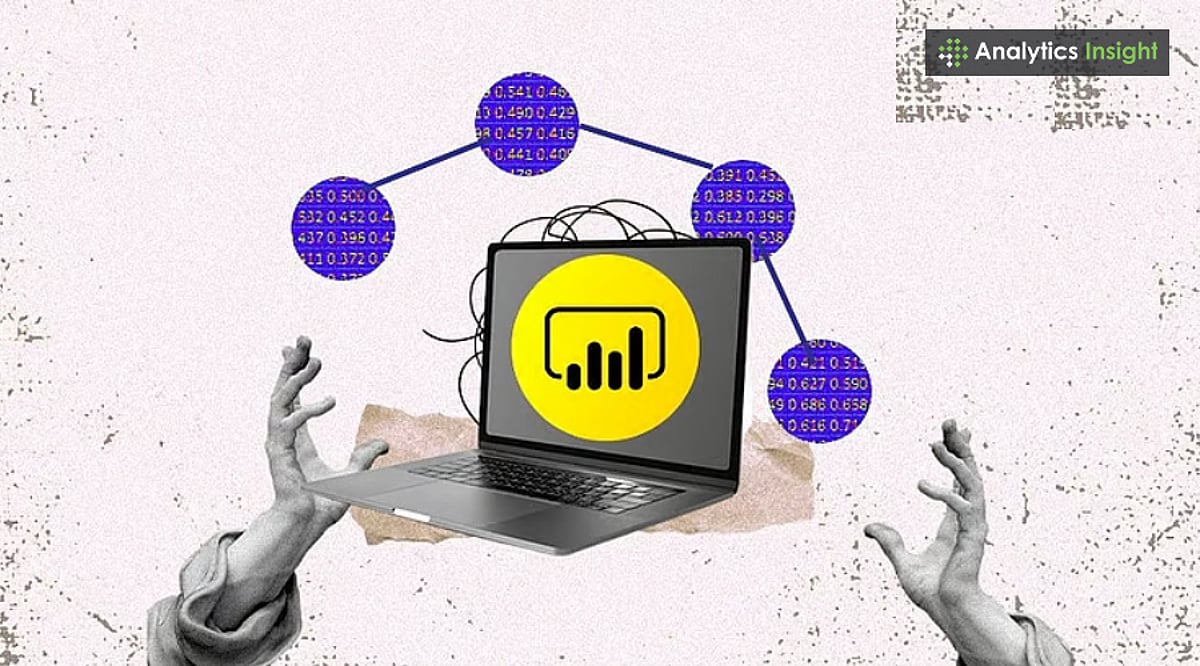
    In today’s data-driven landscape, collecting information isn’t enough. Organizations need the right tools to organize, analyze, and visualize data to make smarter decisions. Microsoft Power BI is one such business analytics service that empowers teams to turn raw data into actionable insights.

    What Is Power BI?

    Power BI is a suite of software, apps, and connectors that pulls data from multiple sources—such as Excel files, cloud services, and databases—and transforms it into interactive reports and dashboards. Users can then model, analyze, and share this information across their organization, enabling better decision-making without relying on manual data inspection.

    Core Components of Power BI

    Power BI’s ecosystem is made up of several components, each serving a distinct role in the analytics workflow.

    Power BI Desktop

    Power BI Desktop is a free Windows application used primarily by analysts and report developers. It provides tools for connecting to data sources, cleaning and shaping data, building data models, and designing visuals. Once a report is complete, it can be published to the Power BI Service for broader access.

    Power BI Service

    Power BI Service is the cloud-based sharing and publishing platform. It allows users to view dashboards in a browser, collaborate on reports, and schedule automatic data refreshes so teams always work with the latest information.

    Power BI Mobile

    With native apps for Android and iOS, Power BI Mobile keeps business intelligence accessible on the go. Users can interact with live dashboards and reports from anywhere, staying connected to key metrics and performance indicators.

    Power BI Gateway

    The Power BI Gateway acts as a secure bridge between on-premises data sources and the cloud-based service. This lets organizations keep sensitive data on local servers while still using Power BI’s analytics and reporting features.

    Power BI Report Server

    For organizations that need to keep reports behind their own firewall, the Power BI Report Server offers an on-premises option. It delivers the same reporting capabilities while allowing companies to maintain full control over their data infrastructure.

    Key Features and Capabilities

    Power BI is more than just a visualization tool. It offers a broad set of features that make business intelligence accessible to both technical and non-technical users.

    • Broad Data Connectivity: Power BI connects to Excel, SQL Server, Google Analytics, Salesforce, and many other sources, making it possible to combine data from every corner of the business.
    • Interactive Visualizations: Users can build charts, maps, and graphs that allow filtering and drill-down, making it easier to explore complex datasets.
    • Real-Time Dashboards: Dashboards can stream live data and update automatically, giving organizations up-to-the-minute visibility into sales, customer behavior, and operational performance.
    • Natural Language Queries: The AI-backed Q&A feature lets users ask plain-language questions like “total sales in July” and receive immediate visual answers. This opens the platform to team members without SQL or coding expertise.
    • AI-Powered Insights: Machine learning capabilities assist in detecting patterns, forecasting trends, and even performing image classification, enabling deeper analysis than basic reporting allows.
    • Advanced Data Modeling with DAX: Data Analysis Expressions (DAX) provides a powerful formula language for creating custom calculations and measures, enabling rich and precise business metrics.

    Why Organizations Choose Power BI

    Businesses of all sizes adopt Power BI because it centralizes data collection, modeling, analysis, and visualization into one cohesive platform. Its automatic refresh capabilities eliminate the need for manual report preparation, while role-based access and security controls keep information safe. From a small company tracking Excel spreadsheets to a large enterprise analyzing continuous data streams, Power BI scales to meet demand.

    As the importance of data grows, Power BI stands out as a practical way to turn massive volumes of raw information into clear, actionable reports.

    Frequently Asked Questions

    What is Power BI used for?

    Power BI is used to analyze data, build interactive reports, and share dashboards that support data-driven decisions.

    What are the main components of Power BI?

    The core components are Power BI Desktop, Power BI Service, Power BI Mobile, Power BI Gateway, and Power BI Report Server.

    Can Power BI connect to multiple data sources?

    Yes, Power BI supports connections to a wide variety of sources, including Excel, SQL Server, cloud services, and marketing tools.

    Does Power BI provide real-time updates?

    Yes, Power BI supports real-time dashboards that refresh automatically with streaming data sources.

    Is Power BI suitable for large organizations?

    Yes, Power BI is scalable and can serve the needs of both small businesses and large enterprises.

  • Flipkart Big Billion Days 2026: Early Bird Deals Start September 24 – Key Dates, Discounts & Bank Offers

    Flipkart Big Billion Days 2026: Early Bird Deals Start September 24 – Key Dates, Discounts & Bank Offers

    Flipkart has officially announced the dates for its flagship Big Billion Days 2026 sale. The main event begins October 9, with early access for eligible customers starting October 8. Before that, the platform launches Early Bird Deals from September 24, giving shoppers a sneak peek at selected products and offers.

    Early Bird Deals From September 24

    The Early Bird phase kicks off on September 24. During this period, Flipkart allows shoppers to preview participating products and add items to their wishlists ahead of the main sale. The preview currently covers smartphones, laptops, TVs, smartwatches, and other electronics. Note that this is not the main sale — many product prices remain undisclosed, so preview prices and teased offers should be treated separately from confirmed final sale prices.

    Sale Dates and Early Access

    Flipkart confirmed October 9 as the start of Big Billion Days 2026. Eligible Flipkart Plus, Black, and credit card customers get early access from October 8, one day before the wider sale opens. Early access can be crucial for limited-inventory products, though exact availability, discounts, and offer structures vary by product and customer eligibility.

    Smartphones Lead the Early Deals

    Smartphones are a major focus of the Early Bird preview. Flipkart has teased offers on the iPhone 17, Samsung Galaxy S25, Vivo T5x 5G, Realme P4 5G, Realme P4 Lite 5G, Motorola Signature, Moto G06 Power, and Lava Virat V1 5G. The iPhone 17 appears with a teased price below Rs 80,000, though the final effective price depends on attached conditions.

    Laptops, TVs, and Wearables Get Early Attention

    The preview extends beyond phones. Flipkart has teased the Samsung Book4 i5 laptop and 65-inch 4K televisions, while select Goboult smartwatches are listed from Rs 1,799. Some 65-inch 4K TVs are shown from Rs 39,999. These advertised starting prices may not reflect final prices for every model, as variant, seller, and payment conditions can affect the amount payable.

    Appliances, Fashion, and Other Categories

    The wider Big Billion Days event covers smartphones, computers, televisions, home appliances, fashion, beauty, home products, and other everyday categories. Flipkart’s official sale page highlights laptops, smartphones, tablets, smartwatches, televisions, headphones, kitchen appliances, and air conditioners. However, the platform has not published a complete product-by-product discount list for every category.

    Bank Offers Include Up to 10% Off

    Flipkart confirmed up to 10% instant discount on eligible transactions using select Axis Bank and ICICI Bank cards. Purchases made with the Flipkart Axis Bank credit card are also covered. This is an instant payment discount, not a blanket reduction on every product. Shoppers should check minimum transaction value, maximum discount, eligible cards, and other terms at checkout.

    Cashback and Payment Benefits

    Customers can receive 10% cashback on their first transaction through Super.money, subject to conditions. Flipkart is also promoting No Cost EMI and other payment options. Flipkart Pay Later offers credit of up to Rs 1 lakh, and the sale page mentions No Cost EMI and a flat Rs 500 discount, subject to eligibility and terms.

    Plus and Black Members Get Early Access

    Flipkart Plus and Black members, along with eligible Flipkart Credit Card customers, receive early access to the main sale from October 8. Early access primarily provides earlier entry to participating offers, not necessarily additional discounts.

    Check the Effective Price Before Buying

    A sale price can combine several benefits: instant bank discount, cashback, exchange value, or No Cost EMI. These should not be treated as the same type of saving. Before ordering, compare the product’s current price, variant, seller, warranty, exchange conditions, and final checkout amount. Also verify whether the bank offer applies to your exact card and transaction.

    Flipkart Big Billion Days 2026: An Overview

    September 24 marks the start of the Early Bird phase, with October 8 and October 9 as key early-access and main-sale dates. Since several product prices remain undisclosed, shoppers should wishlist target products, track prices, and compare the final payable amount after applicable offers rather than relying only on headline discounts.

    FAQs

    1. When is Flipkart Big Billion Days 2026? The main sale begins October 9, with early access from October 8 for eligible customers.
    2. Who gets early access? Eligible Flipkart Plus, Black members, and Flipkart credit card holders get early access on October 8.
    3. What products will be discounted? Smartphones, laptops, tablets, televisions, appliances, electronics, wearables, fashion, beauty, home products, and more.
    4. What bank offers are available? Up to 10% instant discount on eligible Axis Bank and ICICI Bank card transactions, subject to terms.
    5. Are additional payment benefits available? Yes, including Super.money cashback, No Cost EMI, Flipkart EMI benefits, and Pay Later offers.