Author: vitorcherulli

  • Why Regular Contributions to a Stocks and Shares ISA Can Build Wealth Over Time

    Why Regular Contributions to a Stocks and Shares ISA Can Build Wealth Over Time

    If your money is stretched in all directions, finding a large lump sum to invest can feel unrealistic. But smaller, regular investments offer another route. By setting aside an affordable amount each month, you can work towards longer-term goals without waiting for the perfect moment to put your money into the market.

    Why Consistency Matters When Investing

    Investing can be thought of like a routine, a bit like saving. Instead of deciding each month whether you can spare some money, you can arrange an automatic payment shortly after payday. This approach makes investing part of your normal budget, much like saving for a holiday or paying a household bill.

    Consistency can also reduce the temptation to time the market. Even experienced investors can’t reliably predict when prices will reach their lowest or highest points. Investing according to a schedule means you keep working towards your goal rather than waiting on the sidelines for an opportunity that may never arrive.

    How Smaller Amounts Can Build Over Time

    You don’t necessarily need a substantial lump sum to get started. For example, investing £100 each month would mean contributing £1,200 over a year and £12,000 over ten years, before allowing for any investment growth or losses.

    Starting with a manageable figure can make a distant goal feel more practical. You might initially contribute £50 a month towards retirement or another long-term objective, then increase the amount when your income rises or major expenses fall.

    Your returns may also generate further returns over time through compounding. That said, investments can fall as well as rise, so you could get back less than you contribute. Your best bet is investing for the long term.

    Choosing a Suitable Investment Structure

    Where you hold your investments can affect how much of your returns you keep. A stocks and shares ISA lets you invest within a tax-efficient account, meaning you won’t pay UK Income Tax or Capital Gains Tax on investments and returns held inside it.

    You could set up a monthly payment into your account and invest it according to your chosen strategy. The ISA allowance limits how much you can contribute across your ISAs each tax year, so check the current rules before deciding how much to put away.

    Staying Invested When Markets Move

    Markets move up and down. Economic news, company results, global events, and changes in investor confidence can all push prices higher or lower, sometimes sharply.

    Regular investing (specifically a strategy called dollar-cost averaging) means your fixed contribution buys fewer units when prices are high and more when they are lower. This can smooth your purchase price over time, although it does not protect you from losses.

    A longer-term perspective can also help you avoid reacting emotionally to short-term falls. Selling after a sudden decline can turn a temporary paper loss into a permanent one and may mean missing a later recovery.

    Reviewing Your Progress

    A regular plan should still change when your circumstances do. A pay rise might allow you to increase your monthly amount, while higher essential costs could mean reducing it temporarily rather than abandoning your goal altogether.

    Review your contributions, investments, and objectives at least once a year and after significant financial changes. Regular investing works best when the amount remains affordable, and your choices continue to match your goals and attitude to risk.

  • NYT Strands #932 Answers and Hints: ‘It’s Back!’ Theme for September 21, 2026

    NYT Strands #932 Answers and Hints: ‘It’s Back!’ Theme for September 21, 2026

    Overview of NYT Strands #932

    The New York Times Strands puzzle for September 21, 2026 (Puzzle #932) challenges players with the theme “It’s back!” This theme revolves around the resurgence of 1990s fashion and style trends. Players must find words related to the decade’s iconic looks, materials, and accessories.

    How Strands Works

    NYT Strands is a word search game where you connect letters horizontally, vertically, or diagonally to form words. Each puzzle includes a spangram—a phrase that encapsulates the theme—which stretches from one side of the grid to the other. Finding non-theme words earns hints for theme words.

    Hints for September 21, 2026

    Theme Hint: “It’s back!” — Think about 1990s fashion trends making a comeback.

    More Direct Clue: Look for words related to 1990s clothing, colors, fabrics, and accessories.

    Word Initials: The five theme words start with G, L, N, S, and T.

    Spangram Hint and Answer

    Spangram Hint: The spangram has 13 letters and begins with N. It runs vertically across the grid and connects the puzzle to the return of 1990s trends.

    Spangram Answer: NINETIESTREND

    Full List of Answers

    The five theme words and the spangram for September 21, 2026 are:

    • GRUNGE – A popular 1990s fashion style.
    • LYCRA – A stretchy fabric used in 1990s clothing.
    • NEON – Bright colors that were a hallmark of 1990s style.
    • SCRUNCHIES – A hair accessory from the 1990s.
    • TRACKSUITS – Casual sportswear that defined the decade.
    • NINETIESTREND – Spangram linking all answers to the 1990s revival.

    Why This Puzzle Might Be Tricky

    If you focus only on general nostalgia, you might miss the fashion-specific answers. The words point to distinct elements of 1990s visual culture. Once you identify the spangram, the other words become easier to locate.

    Final Thoughts

    NYT Strands continues to offer engaging daily challenges. Puzzle #932 celebrates the return of 1990s trends, making it a fun trip down memory lane for fashion enthusiasts and word game fans alike. Check back tomorrow for a new puzzle.

  • iQOO Z11x 5G Review: 7,200mAh Battery, 120Hz Display & IP68/IP69+ Durability

    iQOO Z11x 5G Review: 7,200mAh Battery, 120Hz Display & IP68/IP69+ Durability

    The iQOO Z11x 5G is designed for users who prioritize practical features and a robust build. It offers a large 6.76-inch 120Hz display, a Dimensity 7400 Turbo chipset, 8GB of RAM, and a massive 7,200mAh battery. The phone also boasts impressive IP68 and IP69+ water and dust resistance. Running Android 16-based OriginOS 6, the iQOO Z11x 5G aims to deliver everything needed for a solid all-rounder experience in entertainment and gaming.

    General Specifications

    • Display: 6.76-inch, 120Hz refresh rate
    • Processor: Dimensity 7400 Turbo
    • RAM: 8GB
    • Battery: 7,200mAh
    • Water/Dust Resistance: IP68 / IP69+
    • OS: Android 16 with OriginOS 6

    Pros and Cons

    Pros

    • Exceptional battery life with 7,200mAh capacity
    • Smooth 120Hz display
    • Powerful Dimensity 7400 Turbo processor
    • High-level IP68/IP69+ water and dust resistance

    Cons

    • LCD panel (not OLED)
    • Noticeable bezels
    • Heavier build due to large battery
    • Secondary camera performance is average

    Final Verdict

    All in all, the iQOO Z11x 5G is a practical mid-range smartphone that focuses on the essentials for everyday users. Its standout features include the 7,200mAh battery, 120Hz display, Dimensity 7400 Turbo chipset, and robust IP68/IP69+ water and dust protection. This device will comfortably handle daily tasks, video streaming, and gaming. However, the LCD display, thick bezels, significant weight, and modest secondary camera may be drawbacks for some buyers.

  • Master Gmail Bulk Editing: Clean Up Your Inbox in Minutes

    Master Gmail Bulk Editing: Clean Up Your Inbox in Minutes

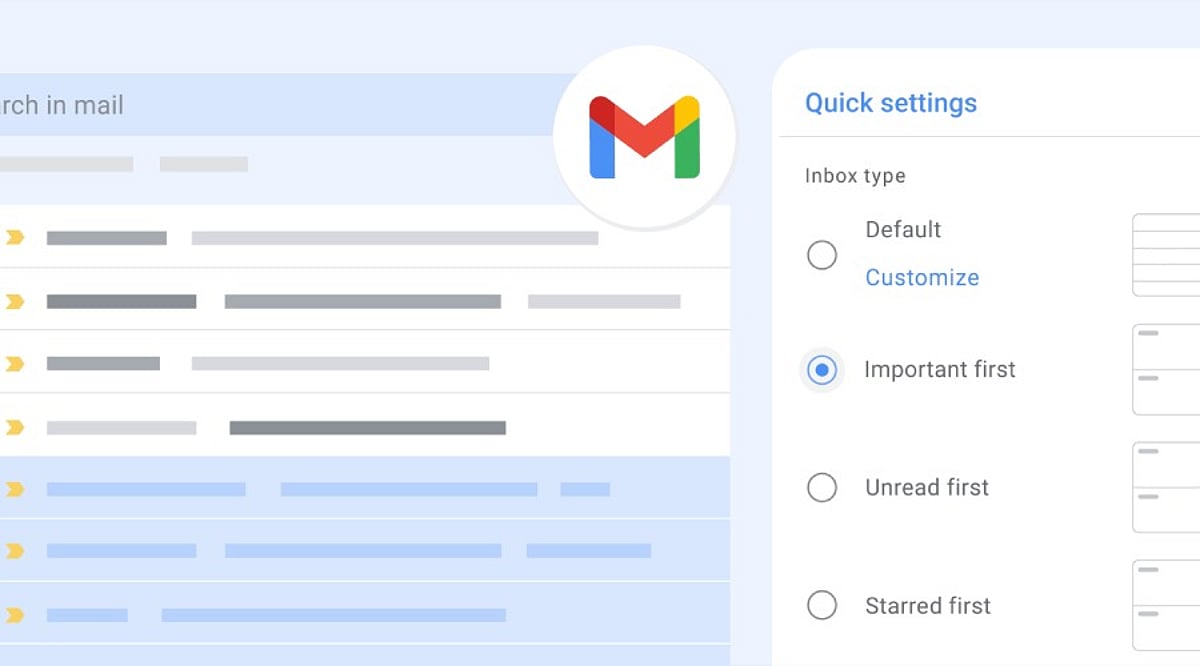
    Gmail’s bulk tools go beyond simple deletion. Selection, archiving, and labeling each serve different needs. Search operators and filters narrow the scope before action. Reviewing results first turns routine cleanup into a controlled, repeatable system rather than a one-time fix.

    Overview

    Gmail’s checkbox and “select all conversations” option can act on messages far beyond what fits on one screen. Archiving, deleting, labeling, and marking messages as read or unread each solve a different inbox problem. Search operators and filters turn a one-time cleanup into a system that runs on its own.

    A full inbox rarely gets fixed one message at a time. Most people open Gmail, sigh at the unread count, and close the tab again. Yet Gmail already has the tools to clear that backlog in minutes, not hours. The gap is not features—it is awareness.

    Selecting Multiple Emails

    Click the checkbox beside a single conversation to select it. For a larger batch, use the master checkbox at the top of the message list. This selects the conversations shown on the current page, usually up to 50, though account settings can change that number.

    Selecting Every Matching Conversation

    A page of messages is rarely the whole problem. Once the master checkbox is clicked, Gmail often shows a banner offering to select every conversation matching the current view or search, not only the ones on screen. That single click turns a partial cleanup into a complete one. It applies equally to an entire inbox or a narrow search result.

    Archiving Emails

    Archiving pulls messages out of the inbox without deleting them. They stay searchable under All Mail, ready to surface again if needed. This suits anyone who wants a clear inbox while keeping every message on record.

    Deleting Emails

    Deleting moves selected messages to Trash, where Gmail removes them permanently after 30 days unless they are cleared sooner. This works well for old notifications, expired promotions, and clutter that serves no future purpose. Storage concerns need a different approach, though. A search like larger:10M finds the large attachments actually consuming space, which clears more room than deleting ordinary messages ever could.

    Labeling and Marking Read or Unread

    Use the Labels button to tag selected messages, grouping related conversations such as receipts or subscriptions. Move to shift messages out of the current view entirely, a distinct action from labeling. The envelope icon marks a batch as read or unread in one step, clearing notification counts without opening a single message.

    Search Operators Before Bulk Editing

    Narrowing a search before acting reduces the odds of a mistake. Gmail operators such as from:, subject:, has:attachment, older_than:, and is:read make it easier to isolate specific messages. Combining operators refines results even further. For example, from:newsletter@example.com older_than:1y finds older emails from a specific sender, while older_than:1y is:read surfaces read messages more than a year old, ready to review, archive, or delete in bulk.

    Filters for Ongoing Management

    Manual cleanup fixes today’s mess, not next month’s. A filter built from the search bar can archive, label, or delete future messages that match set criteria, such as a sender or subject line. It affects only new mail arriving after it is created, unless the option to apply it retroactively is selected during setup. That single distinction saves people from wondering why their inbox history stayed untouched.

    Managing Gmail on Mobile

    The mobile app skips the desktop-style workflow for selecting every conversation across a mailbox or search. Long-pressing a message allows several to be handled together, but sweeping cleanup still belongs on the web version.

    Review Before Acting

    Bulk actions are hard to undo once applied widely. Scan a few results from the search query before deleting or moving a large batch, just to confirm nothing important slipped in. When in doubt, archiving instead of deleting keeps a message available for later reference. Any filter that includes automatic deletion deserves a second look before it gets saved.

    Final Thought

    Fast inbox cleanup has little to do with selecting more messages. It comes down to narrowing the right group first, picking the right action, and letting filters carry the weight of future maintenance. That shift, from reacting to managing, is what separates a cluttered inbox from a controlled one.

    Frequently Asked Questions

    Can I edit multiple emails at once in Gmail?

    Yes. Select multiple conversations using the checkboxes, then archive, delete, label, move, or mark them as read or unread in one action.

    How do I select all emails in my Gmail inbox?

    Click the checkbox at the top of the inbox. If Gmail shows an option to select all conversations matching the current view, click it to expand the selection.

    Can I bulk delete old emails in Gmail?

    Yes. Use search operators such as older_than:1y to find older messages, review the results, select the conversations, and click Delete.

    Can I bulk organize Gmail emails with filters?

    Yes. Gmail filters can automatically label, archive, or delete future messages that match criteria such as a sender, subject, or keyword.

    Can I bulk edit Gmail emails from my phone?

    The Gmail mobile app supports selecting multiple messages, but large-scale inbox cleanup is generally easier through Gmail on the web.

  • How Modern Refrigerators Cut Electricity Use: Inverter Compressors, Better Insulation & Smarter Cooling

    How Modern Refrigerators Cut Electricity Use: Inverter Compressors, Better Insulation & Smarter Cooling

    Modern refrigerators can use significantly less electricity than older models, thanks to a combination of advanced compressors, improved insulation, efficient electronics, and smarter cooling systems. Since refrigerators run year-round, even small efficiency gains translate into noticeable savings on household energy bills.

    Inverter Compressors: Smarter Power Management

    One of the biggest innovations is the inverter compressor, which adjusts its speed based on cooling demand rather than turning fully on and off. This eliminates the frequent high-power startups that waste energy and helps maintain a more stable internal temperature. When less cooling is needed, the compressor runs at a lower speed, reducing unnecessary electricity consumption.

    Better Insulation and Door Seals

    Modern cabinets use advanced insulating materials, while magnetic gaskets create tighter seals around doors. This keeps cold air inside, reducing the workload on the compressor. Less cooling escapes, so the refrigerator doesn’t have to work as hard to maintain the set temperature.

    Smarter Cooling Systems and Electronics

    Today’s refrigerators incorporate sensors that monitor temperature changes, door openings, and cooling conditions. Efficient defrost systems, energy-saving fans, LED lighting, and improved control electronics further cut power use. These components work together seamlessly to optimize performance around the clock.

    Comparing Efficiency with BEE Star Labels

    In India, the Bureau of Energy Efficiency (BEE) star label helps consumers compare refrigerator energy consumption. Ratings range from 1 to 5 stars, with annual energy usage as the key metric. The label also includes model details, compressor type, and annual kWh figures for easy comparison.

    Keep in mind that the most efficient refrigerator isn’t always the largest or most expensive. Capacity affects electricity use, so compare similar-sized models using their annual kWh rating. In hot climates like Hyderabad, good insulation, tight door seals, and a higher-efficiency model become even more valuable.

    Before You Buy: What to Check

    If you’re considering replacing an old refrigerator, evaluate its age, current electricity use, cooling performance, and repair history. Compare the new model’s annual energy consumption against its purchase price and expected long-term savings. A refrigerator that uses less electricity can lower running costs over several years, making energy efficiency a critical factor in your buying decision.

  • AI Subscriptions and Cloud Storage: What Your Digital Stack Really Costs in 2026

    AI Subscriptions and Cloud Storage: What Your Digital Stack Really Costs in 2026

    Several small monthly charges can add up to a surprisingly large annual bill. A single AI plan at $20 a month comes to $240 a year; two plans at the same price total $480. Add cloud storage, music, video, and productivity tools, and the full cost of your digital life can quickly outpace any one subscription’s sticker price.

    Recent pricing updates show that providers are competing on bundles as much as on raw AI performance or storage capacity. That makes it essential to compare annual totals, storage allowances, AI usage limits, and included extras before choosing a plan.

    Most AI Plans Cluster Around $20 a Month

    ChatGPT Plus remains priced at $20 per month. OpenAI says the tier offers broader model and tool access than the free version, higher usage limits, advanced reasoning, faster responses, and expanded features, although model access and limits may change over time.

    Claude Pro also stays at $20 per month in the US, with benefits such as higher usage, priority access, and early access to new features. In India, Anthropic now lists local pricing: Claude Pro is Rs 2,000 per month when billed annually, and Claude Max starts at Rs 11,999 per month. Those prices include local taxes, and mobile app pricing can differ from web pricing, so converting US prices directly does not give an accurate estimate for Indian users.

    Perplexity Pro is also $20 per month. It includes access to advanced AI models, deep research, higher usage limits, file analysis, and additional tools. Perplexity updated its consumer plan details in September 2026, with Pro listed alongside free and Max options.

    Google Pairs AI With Generous Cloud Storage

    Google takes a different approach by combining AI and storage in one package. A standard Google account includes 15 GB of free storage across Gmail, Google Drive, and Google Photos. The basic Google One 100 GB plan costs $1.99 per month in the US.

    Google AI Pro costs $19.99 per month and now includes 5 TB of storage. It also adds expanded Gemini access, Deep Research, Google Flow, Gemini in Gmail and Docs, Gemini Notebook, YouTube Premium Lite, and other Google benefits. The plan can be shared with up to five other people.

    That bundling changes the value equation. If you need both an AI assistant and terabytes of cloud storage, one Google AI Pro bill may be cheaper than separate AI and storage subscriptions, depending on how heavily you use each feature.

    For users with heavier AI needs, Google also offers AI Ultra, which starts at 20 TB of storage and provides higher access limits across several AI tools.

    Apple Expands iCloud+ in India

    Apple’s iCloud+ plans in India now start at Rs 75 per month for 50 GB, followed by Rs 219 for 200 GB, Rs 749 for 2 TB, Rs 2,999 for 6 TB, and Rs 5,900 for 12 TB.

    In September 2026, Apple added Apple TV and Apple Arcade to iCloud+ in India at no extra cost. Apple Arcade includes more than 200 games, while Apple TV adds Apple’s video catalog. Family Sharing lets one iCloud+ plan cover up to five family members.

    Apple also introduced Apple Music Select in India, which includes ad-free stations. Full Apple Music remains a separate service at Rs 115 per month for an Individual plan and Rs 145 per month for a Family plan. Apple One is no longer accepting new subscribers in India, though existing Apple One customers can keep their current plans.

    Infrastructure Costs Are Rising Too

    AI pricing is not isolated from broader industry trends. Reuters reported on September 17, 2026, that Nebius plans another price increase for selected chips starting October 1. The company had already raised prices once within the previous three months as demand for AI computing power pushed infrastructure costs upward.

    That does not guarantee consumer subscription prices will rise, but it provides helpful context for future AI costs. For now, the most effective way to manage digital expenses is to review annual totals, storage needs, AI limits, and bundled benefits before each renewal. A low monthly price can look harmless, but several small subscriptions can quietly turn into a substantial yearly bill.

  • 10 Real-World Machine Learning Use Cases Reshaping Industries

    10 Real-World Machine Learning Use Cases Reshaping Industries

    Machine learning (ML) has evolved from a niche technology into a core enabler across industries. From fraud alerts that block suspicious payments in seconds to medical scans that assist in early disease detection, ML identifies patterns in data and uses them to make predictions, decisions, or take actions. Today’s systems go beyond recommendation engines, embedding AI into real business processes. Here are ten practical ways machine learning is applied in the real world.

    1. Recommendations and Personalization

    Streaming services, online retailers, music apps, and social platforms use ML to predict what users may want next. By analyzing past choices and viewing history, systems leverage deep learning and embeddings to deliver personalized experiences. Personalization is now integrated into larger AI ecosystems.

    2. Fraud Detection and Financial Risk

    Banks, payment processors, and insurers deploy ML to detect unusual activity. Models examine account history, location, device data, and transaction timing. Anomalous patterns can trigger reviews or block transactions. ML also supports credit risk assessment and insurance fraud investigation.

    3. Healthcare and Medical Diagnosis

    ML models analyze medical images, patient records, and lab results. Hospitals use ML for disease risk prediction, patient triage, image analysis, drug discovery, and clinical decision support. For instance, India’s eSanjeevani platform applies AI for retinal checks and differential diagnosis, while PM-JAY uses ML for fraud detection.

    4. Predictive Maintenance in Industry

    Factory sensors capture temperature, vibration, pressure, energy use, and sound. ML learns normal operating patterns and flags potential failures before they occur. This reduces unplanned downtime in aircraft engines, vehicles, power systems, data centers, and robotics.

    5. Computer Vision and Quality Control

    Computer vision enables machines to interpret images and video. Manufacturers use ML to detect product defects on assembly lines. Healthcare systems inspect medical scans. Multimodal AI systems combine visual data with text and other inputs for richer analysis.

    6. Search, Speech, and Language

    Search engines, speech recognition, translation services, email filters, virtual assistants, and chatbots rely on ML. Models classify text, convert speech to text, rank search results, and generate summaries. Large language models now process text, images, audio, and video. Stanford’s 2026 AI Index highlights rapid gains in multimodal capabilities and real-world task performance.

    7. Forecasts and Supply Chains

    Retailers apply ML to estimate demand using historical sales, seasonality, promotions, pricing, weather, and other signals. These forecasts improve inventory management, delivery routing, energy demand planning, and pricing decisions.

    8. Cybersecurity and Threat Detection

    Cybersecurity teams face massive volumes of logs, network events, and device signals. ML identifies patterns that deviate from normal behavior, helping detect malware, phishing emails, suspicious logins, account compromises, and potential data breaches.

    9. Autonomous Systems and Robotics

    ML enables robots, drones, autonomous vehicles, and industrial systems to interpret sensor data and choose actions. Self-driving cars combine computer vision, sensor fusion, prediction, and route planning. Robots navigate large warehouses to move goods. Gartner lists physical AI as a major data and analytics trend.

    10. Software Development and AI Agents

    Software teams use ML for code generation, code review, bug fixing, testing, documentation, and issue analysis. Advanced AI agents connect models with development tools to automate multi-step workflows. Applied’s April 2026 report studied nearly 200 real-world AI use cases across 200+ companies, 25 industries, and 15 business functions—operations accounted for 38.6% and software development for 21.4%.

    The Shift from Prediction to Action

    The most significant change in ML is the move from isolated predictions to integrated actions. Modern systems link predictions with tools, data, and business processes. Gartner notes organizations are adopting AI-first business models. Deloitte reports that worker access to sanctioned AI tools rose 50% in 2025, and the number of companies with at least 40% of AI projects in production is expected to double within six months. This shift demands reliable data, clear controls, and rigorous evaluation. Successful AI initiatives may invest up to four times more in data and analytics foundations than less successful ones. ML now acts as a core layer shaping decisions, operations, software, and physical tasks across numerous industries.

  • Google Gemini: A Complete Guide to Features, AI Models, and Everyday Uses

    Google Gemini: A Complete Guide to Features, AI Models, and Everyday Uses

    Google Gemini has evolved into one of the most advanced artificial intelligence platforms globally. Developed by Google DeepMind, Gemini is now deeply integrated across Google’s ecosystem, enabling it to understand and process text, images, audio, video, and code within a single system. Beyond simple Q&A, Gemini powers smart search, voice conversations, writing assistance, coding help, image creation, document analysis, and real-time support across Google apps. The latest models also handle complex, multi-step tasks that require planning, reasoning, and tool use, making Gemini a comprehensive AI assistant for work, study, creativity, and daily life.

    How Google Gemini Works

    Gemini relies on multimodal artificial intelligence, allowing one model to simultaneously understand different types of information. It can read text, recognize images, interpret spoken words, analyze videos, and write code without needing separate tools. For example, users can upload a photo, ask a question about it, and receive a detailed answer. Gemini also handles voice requests, maintains context in conversations, and responds naturally. Google designed Gemini for agentic tasks—completing multi-step jobs rather than handling just one simple request. It can organize information, create plans, review documents, write content, and continue tasks across several steps.

    Latest Google Gemini AI Models

    Google offers several Gemini models tailored for different tasks, balancing speed, reasoning, creativity, and real-time interactions:

    • Gemini 3.8 Flash – Google’s flagship model for fast and complex AI tasks, handling writing, coding, reasoning, and large workloads with improved speed and lower computing cost.
    • Gemini 3.1 Pro – Focuses on advanced reasoning and creative work, supporting detailed research, long documents, software development, and difficult problem-solving.
    • Gemini 3.1 Deep Think – Built for science, engineering, and research, this model excels at complex calculations, technical analysis, and higher-level reasoning.
    • Gemini 3.8 Live – Enables natural voice conversations in the Gemini app, understanding spoken language, visual context, and real-time interactions.
    • Gemini 3.8 Live Extended Thinking – Adds deeper reasoning during voice conversations, working through harder questions while the conversation continues.
    • Gemini 3.5 Flash-Lite – A lightweight option for high-volume tasks requiring quick answers and efficient performance.

    Google also offers dedicated audio and image models for speech recognition, translation, image creation, editing, and visual understanding.

    Top Features of Google Gemini

    Gemini combines several AI features into one platform. It can write emails, blog posts, summaries, reports, social media captions, and creative content in simple or professional tones. It understands documents such as PDFs, spreadsheets, presentations, and text files, extracting important information, summarizing long reports, and explaining complex topics. The image feature describes photos, identifies objects, explains charts, solves visual questions, and edits or generates images with text prompts. Voice conversations with Gemini Live feel natural—the assistant responds in real time, remembers context, and answers follow-up questions without repeating earlier details. Gemini also supports coding across many programming languages, explaining code, fixing errors, writing functions, and helping developers complete larger projects.

    Everyday Uses of Google Gemini

    Gemini can be applied in practical ways beyond simple chatbot assistance:

    • Students can use Gemini for homework help, pop quizzes, study organization, math assistance, scientific explanations, language learning, and research summaries.
    • Business professionals can rely on Gemini for meeting notes, email drafts, presentations, reports, project plans, brainstorming, and document review.
    • Writers and artists can use Gemini for article outlines, content ideas, script creation, marketing copy, product descriptions, and creative storytelling, along with grammar checking.
    • Travelers can get suggestions for itineraries, activities, restaurants, and destination comparisons.
    • Everyday tasks include cooking recipes, fitness plans, shopping and budgeting ideas, event planning, and organization.

    Gemini Across Google Apps

    Google has integrated Gemini with many popular services, reducing the need to switch between apps. In Gmail, Gemini drafts emails, summarizes long conversations, and suggests replies. In Google Docs, it writes and edits content, changes tone, and creates summaries. In Google Sheets, it explains formulas, analyzes data, creates tables, and answers questions. In Google Slides, it creates presentations, writes speaker notes, and generates slide content. Google Search also uses Gemini for AI-powered answers that combine information from multiple sources into organized responses.

    Gemini Live: Voice AI That Feels Natural

    Gemini Live is one of Google’s biggest AI updates, supporting continuous voice conversations rather than short Q&A sessions. Users can talk naturally, interrupt, ask follow-up questions, and even show objects through the phone camera. Gemini understands both speech and visual context during the same conversation. The latest Gemini 3.8 Live models also support deeper reasoning for difficult questions and more advanced conversations across diverse topics.

    Image, Audio, and Video Intelligence

    Gemini goes beyond text with powerful multimedia abilities. The image system creates original artwork, edits existing pictures, removes objects, changes backgrounds, and generates illustrations from text prompts. Audio models support speech recognition, transcription, translation, and voice understanding across multiple languages. Gemini also analyzes videos—identifying important moments, understanding scenes, answering questions about content, and finding specific events in long recordings. Google states that its latest video system uses fewer computing tokens while improving accuracy for many analysis tasks.

    Gemini for Coding and Developers

    Google has expanded Gemini for software developers with advanced coding tools. Gemini writes code in languages such as Python, JavaScript, Java, C++, Go, and SQL. It explains programming concepts, reviews code quality, fixes bugs, and suggests improvements. The latest models also support agentic coding tasks, handling larger development workflows instead of isolated code snippets. Developers can ask Gemini to build features, organize files, explain repositories, and solve technical issues across multiple steps.

    Google Gemini on Mobile and Desktop

    Gemini works across Android phones, iPhones, tablets, web browsers, and desktop computers. On Android, Gemini serves as a smart assistant for voice commands, searches, navigation, reminders, and app support. Google has also launched a dedicated Gemini app for Windows, offering quick access through keyboard shortcuts and supporting voice conversations, writing help, research, and productivity tools.

    What Makes Google Gemini Different

    Google Gemini stands out by combining text, images, audio, video, code, and reasoning into one AI platform instead of separate systems for each task. The latest family focuses on long conversations, complex planning, advanced coding, document understanding, visual analysis, and deeper reasoning across many tasks. Strong integration with Google Search, Gmail, Docs, Sheets, Slides, Android, and Windows expands Gemini beyond a standalone chatbot. It now serves as a complete AI ecosystem supporting learning, work, creativity, communication, and everyday productivity through one connected platform.


  • Indian Stock Market Opens Mixed: Nifty Dips 16 Points, Sensex Rises 240 Points Amid Global Headwinds

    Indian Stock Market Opens Mixed: Nifty Dips 16 Points, Sensex Rises 240 Points Amid Global Headwinds

    The Indian stock market opened on a mixed note as oil prices edged higher and bond yields rose, dampening investor sentiment amid fears of slowing economic growth. The Nifty 50 opened at 23,330.30, down 16.2 points, while Bank Nifty opened flat at 56,361.90, up 3 points from its previous close. The Sensex, however, rose 240.22 points to 74,535.18.

    The Indian rupee opened higher at Rs. 95.82 against its previous close at Rs. 95.87 on Friday.

    On September 18, Foreign Institutional Investors (FIIs) turned net buyers in the cash market, purchasing equities worth Rs. 599.54 crore. Domestic Institutional Investors (DIIs) were also net buyers, with total acquisitions of Rs. 1,019.69 crore.

    Sensex Outlook

    “The Sensex is likely to maintain a sideways outlook, with the 73,500-73,700 zone acting as the broader support area. Sustained buying above 74,600 could support a recovery towards 74,800-75,000, while weakness below 74,000 may increase downside pressure. Traders should monitor the key OI levels and wait for a decisive breakout or breakdown before taking fresh directional positions,” said Sachin Gupta, VP, Technical Research at Choice Equity Broking Private Limited.

    Nifty 50 Outlook

    The Nifty 50 formed a bearish candlestick on its weekly chart, highlighting a weak short-term trend. Currently, the market is in oversold territory, indicating a high chance of a sharp pullback from current levels.

    For traders, 23,200 and 23,150 can remain the key support zones. As long as the Nifty holds above these levels, a pullback towards 23,500 is possible. If the Nifty manages to press above 23,500, a further recovery towards 23,600-23,700 is likely. However, a prolonged fall below 23,150 would weigh on investor sentiment and push the index towards 23,000-22,800, said Shrikant Chouhan, Head Equity Research, Kotak Securities.

    Bank Nifty Outlook

    The Bank Nifty fell 0.44% during the week, marking its fourth consecutive weekly decline. However, the index seems to be trying to form a base around the 55,600-55,700 area, which also coincides with a notable horizontal support zone.

    “The index could provide support to the broader market and witness a rebound towards 57,000, which also coincides with the 55-day EMA. As long as the index holds its recent lows, a cautious buy-on-dips approach is recommended, although traders should remain vigilant given the prevailing broader weakness,” said Dr. Ravi Singh, Chief Research Officer from Master Capital Services Ltd.

    Disclaimer: Analytics Insight does not provide financial advice or guidance on cryptocurrencies and stocks. This article is provided for informational purposes and does not constitute investment advice. Always conduct your own research before making any investments.

  • NSE IPO Closes Today: Institutional Investors Sell Only 5.11% Stake in Rs 22,569 Crore OFS

    NSE IPO Closes Today: Institutional Investors Sell Only 5.11% Stake in Rs 22,569 Crore OFS

    The National Stock Exchange (NSE) IPO enters its final bidding day today, with major shareholders choosing to retain most of their stakes even as the Offer for Sale (OFS) concludes. The Rs 22,569-crore issue closes on September 21, and NSE shares are expected to debut on the stock exchanges on September 24.

    Limited Sell-Down by Institutional Investors

    Institutional investors collectively held a 36.82% stake in NSE before the IPO but have offered shares equivalent to only 5.11% of the exchange through the OFS. This limited sell-down allows these shareholders to monetize a portion of their investments while keeping significant exposure to the exchange ahead of its public listing.

    The selling group comprises 20 institutional investors — nine foreign investors and 11 domestic institutions. Foreign investors collectively held 15.96% of NSE before the IPO, while domestic institutions controlled 20.86%.

    Key Shareholders and Their Reductions

    Several large institutional investors trimmed their holdings by roughly 7% through the OFS:

    • Aranda Investments held 4.54% before the OFS.
    • Stock Holding Corporation had a 4.44% stake.
    • SBI Capital Markets entered the OFS with a 4.33% stake.
    • ChrysCapital held 3.73% before selling shares.

    Among foreign investors, Crown Capital sold around 11% of its pre-OFS holding, while TA Asia Pacific reduced its position by approximately 6% during the share sale.

    IPO Details and Subscription

    The NSE IPO offers up to 12.64 crore shares at a price band of Rs 1,700 to Rs 1,785 per share. At the upper end of the price band, NSE is valued at approximately Rs 4.42 lakh crore.

    The issue became fully subscribed on its second day of bidding, making it India’s second-largest public issue. Only Hyundai Motor India’s Rs 27,870-crore IPO in 2024 was larger.

    Because the NSE IPO is structured as an OFS, the exchange itself will not receive any proceeds. Instead, the money raised will go directly to the existing shareholders selling their shares.

    The OFS initially targeted 14.9 crore shares, but shareholders reduced the offer to 12.64 crore shares. That change lowered the expected issue size from around Rs 30,000 crore to the final Rs 22,569 crore figure.

    With the IPO closing today, all eyes now turn to the September 24 listing, where the retained stakes of institutional investors will remain exposed to market performance.