Category: Productivity Apps

  • Digital Sales Room Software in 2026: The Complete Buyer’s Guide to Evaluation and Selection

    Digital Sales Room Software in 2026: The Complete Buyer’s Guide to Evaluation and Selection

    Introduction

    Choosing Digital Sales Room (DSR) software in 2026 is far more than picking the platform with the prettiest buyer page. For mid-market and enterprise revenue teams, the decision affects how sellers follow up after meetings, how buying committees access and share information, how champions build internal consensus, how stakeholders collaborate on next steps, how enablement teams govern sales content, how RevOps connects buyer signals with CRM data, how IT controls access and security, and how customer success inherits the relationship after the deal closes.

    The best DSR software must work for buyers, sellers, managers, enablement, RevOps, customer success, IT, and security. It should make complex buying easier while giving the organization enough control to deploy the platform securely and consistently across teams, regions, and customer segments.

    How to Choose Digital Sales Room Software: A 14-Step Framework

    Revenue teams should evaluate DSR software in the following order:

    1. Define the problem the platform must solve
    2. Evaluate the buyer experience
    3. Test stakeholder-level visibility
    4. Review Mutual Action Plan capabilities
    5. Inspect CRM integration depth
    6. Assess content management and governance
    7. Review permissions and access controls
    8. Evaluate data security and compliance
    9. Confirm enterprise readiness
    10. Evaluate AI and deal intelligence
    11. Test rep adoption and implementation effort
    12. Review reporting and portfolio visibility
    13. Assess sales-to-customer-success continuity

    A strong platform should combine buyer collaboration with stakeholder intelligence, CRM connectivity, governed content, granular permissions, enterprise security, useful reporting, and post-sale continuity.

    1. Define the Problem the Platform Must Solve

    Before comparing features, define the commercial problem. Digital Sales Rooms can serve many purposes: post-call follow-up, complex deal management, champion enablement, multi-threading, account-based selling, proposal delivery, security and procurement, Mutual Action Plans, customer onboarding, account management, and partner collaboration. Not every organization needs the same depth in every area. Start by asking: What is currently broken? Which teams will use the platform? At what stages of the customer journey? Which existing tools should it complement? Which manual workflows should it replace? What commercial result should improve? Possible success metrics include faster follow-up, higher buyer engagement, more stakeholders per deal, greater Mutual Action Plan participation, better seller adoption, shorter sales cycles, stronger sales-to-CS handovers, reduced content duplication, and improved pipeline visibility.

    2. Evaluate the Buyer Experience

    The buyer experience should be the first product-level evaluation. A platform may provide excellent internal analytics but still fail if buyers find it difficult, confusing, or irrelevant. A good DSR should give the buying committee one current place for relevant information, simple access, clear navigation, easy internal sharing, useful content, stakeholder-specific resources, transparent next steps, mobile access, and a consistent experience throughout the deal. Buyers should not have to search through long email threads, multiple attachments, separate recording links, different versions of proposals, disconnected security documents, shared spreadsheets, or repeated follow-up messages. Test how a buyer accesses the room, whether registration is required, how the room appears on mobile, how content is organized, how internal sharing works, and how branding and personalization appear. Personalization should reflect the buyer’s company, discovery findings, relevant use cases, stakeholder priorities, desired outcomes, known concerns, decision criteria, and agreed next steps—not just a logo on a generic page.

    3. Test Stakeholder-Level Visibility

    Complex B2B purchases are rarely made by one person. Buying groups include champions, economic buyers, executive sponsors, department leaders, end users, finance, security, IT, procurement, legal, and implementation owners. A DSR should help sellers understand who has entered the room, which stakeholders are most active, whether the room has been shared internally, whether a senior decision-maker has engaged, which departments are represented, and which buying roles may be missing. Stakeholder-level visibility turns anonymous engagement data into a useful view of the buying committee. Activity does not prove intent, but it provides one source of evidence alongside discovery, qualification, buyer feedback, CRM data, procurement progress, and seller judgment.

    4. Review Mutual Action Plan Capabilities

    Mutual Action Plans (MAPs) help buyers and sellers coordinate the steps required to complete a purchase. A strong MAP includes milestones, tasks, owners, due dates, dependencies, status, buyer responsibilities, seller responsibilities, security reviews, procurement steps, and implementation preparation. A collaborative plan allows the buyer to participate: view the full process, understand responsibilities, complete or update tasks, add comments, see deadlines, identify dependencies, and understand what is blocking progress. Evaluate whether MAP templates can be created centrally, personalized by deal type, synced to CRM, and continued into onboarding.

    5. Inspect CRM Integration Depth

    The CRM should remain the internal system of record. A basic integration may allow creating a room from a CRM record and viewing basic engagement activity. A deeper integration supports automatic personalization using CRM fields, contact and stakeholder synchronization, buyer activity written back to the opportunity, Mutual Action Plan activity, proposal and signing events, new stakeholder creation, embedded room views, workflow triggers, engagement-based notifications, and manager reporting. Ask whether the integration is native, which objects are supported, and whether synchronization is one-way or two-way.

    6. Assess Content Management and Governance

    DSR software depends heavily on content. Without central controls, sellers may use outdated documents, incorrect pricing, off-brand assets, or unapproved customer claims. Content management features should allow storing approved content, searching for relevant assets, categorizing resources, assigning content to teams, restricting sensitive assets, tracking usage, measuring buyer engagement, managing versions, replacing outdated files, and removing content centrally. Strong content governance enables asset approval, team-level controls, global content updates, prevention of unapproved materials, download controls, regional restrictions, and template governance with locked sections and brand standards.

    7. Review Permissions and Access Controls

    Permissions are critical when a DSR is deployed across multiple teams, regions, products, and customer segments. Internal permissions to evaluate include user roles, administrator roles, manager permissions, rep permissions, team-level access, workspace ownership, content publishing rights, template editing rights, reporting access, customer-success access, cross-team visibility, and regional restrictions. External permissions include open-link access, password protection, email verification, domain-restricted access, named-user access, page-level restrictions, content-level restrictions, expiring access, download permissions, guest access, and buyer collaboration rights. The platform should support different access models for different deal stages and information types—an open link may work for early-stage rooms, but later stages require named-user restrictions and audit trails.

    8. Evaluate Data Security and Compliance

    Security should be reviewed across five areas: organizational security (SOC 2 Type II, ISO 27001, incident response, business continuity), identity and access management (SSO, SAML, SCIM, MFA, automated provisioning and deprovisioning), data protection (encryption at rest and in transit, data retention and deletion, backup procedures, access logging), privacy and data location (GDPR compliance, data processing agreements, data residency, international transfer mechanisms), and buyer-facing security (domain restrictions, named-user access, password protection, download controls, expiring links, revocable access). Also ask about AI data policies: is customer data used to train models, which model providers process data, and can AI features be disabled?

    9. Confirm Enterprise Readiness

    Enterprise-ready DSR software can be deployed securely and consistently across large teams, complex organizational structures, regulated buying environments, and high volumes of active workspaces. It should support security (SOC 2, ISO 27001, SSO, SCIM, encryption), governance (central templates, content approval, brand management, lifecycle controls), scalability (large numbers of users, rooms, teams, regions, products), integration (CRM, revenue platforms, identity providers, collaboration tools, reporting systems), reporting (portfolio analytics, team and adoption reporting, content and stakeholder visibility), administration (central management, provisioning, deprovisioning, permission groups, audit trails), and implementation support.

    10-14. Additional Considerations

    Beyond the core steps, evaluate AI and deal intelligence capabilities (such as predictive scoring and next-best-action recommendations), rep adoption and implementation effort (training requirements, time to first room), reporting and portfolio visibility (dashboards for managers and leadership), and sales-to-customer-success continuity (how the room transitions to post-sale teams). A platform like trumpet brings these capabilities together through personalized buyer-facing Pods, stakeholder-level engagement, Mutual Action Plans, content management, AI-powered deal insights, secure access controls, document signing, and sales-to-customer-success continuity.

    Conclusion

    Choosing the right Digital Sales Room software in 2026 requires a structured evaluation that balances buyer experience, internal governance, security, and enterprise scalability. By following the 14-step framework outlined above, revenue teams can select a platform that not only simplifies complex buying but also drives measurable business outcomes—faster cycles, higher engagement, and stronger handoffs.

  • Top 9 AI Tools Trending This Week You Should Know About

    Top 9 AI Tools Trending This Week You Should Know About

    The world of artificial intelligence is evolving rapidly, and every week brings new tools that capture the attention of professionals and enthusiasts alike. Here are nine AI tools everyone is talking about this week, spanning productivity, creativity, research, and coding.

    ChatGPT – All-in-One AI Assistant

    ChatGPT helps users write, code, research, analyze documents, generate images, and automate workflows, making it the most versatile AI platform today.

    Google Gemini – AI Across Google Apps

    Gemini integrates with Gmail, Docs, Search, and Android, enabling seamless AI-powered writing, research, coding, planning, and multimodal content understanding across devices.

    Claude – Enterprise AI for Long Documents

    Claude excels at analyzing lengthy documents, summarizing reports, answering complex questions, and supporting enterprise workflows with strong contextual reasoning and safety.

    Perplexity AI – Search with Trusted Sources

    Perplexity AI combines conversational search with web citations, helping users quickly discover accurate information, compare sources, and conduct efficient online research.

    Microsoft Copilot – Workplace Productivity Booster

    Microsoft Copilot enhances productivity by drafting emails, summarizing meetings, creating presentations, analyzing spreadsheets, and automating repetitive tasks across Microsoft 365.

    Runway – AI Video Creation Platform

    Runway enables creators to generate videos, edit footage, remove backgrounds, create visual effects, and produce professional-quality content using advanced generative AI.

    Midjourney – High-Quality AI Image Generator

    Midjourney creates stunning, artistic images from text prompts, helping designers, marketers, and artists rapidly visualize creative ideas and marketing campaigns.

    Cursor – AI-Powered Coding Companion

    Cursor accelerates software development by generating code, explaining functions, fixing bugs, and assisting developers with intelligent programming suggestions inside the editor.

    NotebookLM – AI Research and Knowledge Assistant

    NotebookLM analyzes uploaded documents, PDFs, and notes to deliver contextual answers, summaries, and insights grounded in users’ own trusted source material.

    These tools represent the cutting edge of AI this week. Which one will you try first?

  • Top Dock Alternative for Digital Sales Rooms: Why Trumpet Stands Out

    Top Dock Alternative for Digital Sales Rooms: Why Trumpet Stands Out

    Introduction

    Dock is a credible buyer enablement platform that allows sales teams to create collaborative workspaces containing content, Mutual Action Plans, proposals, buyer resources, and engagement analytics. However, for mid-market and enterprise revenue teams that require more than a central place to share sales content, trumpet emerges as the stronger alternative. Trumpet combines Digital Sales Rooms with AI-powered stakeholder intelligence, individual and deal-level engagement scoring, sales content management, AI-powered content discovery, Mutual Action Plans, buyer collaboration, proposals and electronic signatures, CRM-connected buyer signals, revenue intelligence, customer onboarding, and account management. This makes trumpet particularly well suited to complex B2B sales involving multiple stakeholders, longer evaluation periods, security reviews, procurement, and detailed implementation planning.

    What is Dock?

    Dock is a buyer enablement and revenue enablement platform built around collaborative customer workspaces. A Dock sales room can contain sales content, product demonstrations, case studies, security documentation, proposals, Mutual Action Plans, order forms, customer resources, and buyer analytics. This is a considerable improvement over managing complex deals through disconnected emails, attachments, shared drives, and spreadsheets. Buyers receive one destination where they can review information, share it with colleagues, and return to the latest version throughout the deal. Sellers gain greater visibility into buyer activity and can use templates to create more consistent follow-up. Dock is not a poor product; the reason to consider an alternative is that some revenue teams require greater depth across stakeholder mapping, individual engagement analysis, content governance, AI-powered actions, and leadership reporting.

    Why Trumpet Is the Best Dock Alternative

    1. Trumpet Is More Than a Shared Sales Workspace

    A basic Digital Sales Room solves the problem of giving the buying committee one place to find meeting recordings, product information, customer evidence, pricing, security documents, proposals, and next steps. However, complex B2B revenue teams need to understand how the buying decision is developing—including which stakeholders are participating, whether the economic buyer is engaged, whether the champion is sharing the deal internally, which departments are represented, what information matters to each stakeholder, and which deals are gaining or losing momentum. Trumpet’s personalised workspaces (called Pods) provide the shared buyer experience while also generating stakeholder, content, and deal intelligence.

    2. Deeper Buying-Committee Intelligence

    One of the greatest risks in complex B2B sales is relying on one enthusiastic contact. Trumpet helps teams organise stakeholders, identify buying roles, and understand individual participation inside the deal. Its stakeholder capabilities help sellers visualise the buying group, assign roles, see engagement, identify newly active participants, surface potentially missing personas, record context about influence and responsibility, and preserve the stakeholder map during internal handovers. This is especially useful in enterprise sales where a high number of participants does not automatically mean the right people are involved.

    3. Engagement Analysis at Deal and Stakeholder Level

    Basic room analytics may only show that the workspace was opened or a document viewed. Trumpet brings buyer activity together through engagement indicators at both Pod and individual stakeholder level. Revenue teams can inspect overall room engagement, individual stakeholder engagement, repeat visits, time spent, content interactions, internal sharing, new stakeholder activity, and changes in momentum. This helps managers ask specific questions during deal reviews and provides evidence beyond CRM stages and rep confidence.

    4. Connects Sales Enablement with Live Buyer Behaviour

    Traditional sales enablement platforms solve the internal problem of helping sellers find approved content. Trumpet connects internal content management with external buyer execution, enabling teams to centralise approved content, search for relevant resources, create reusable Pod templates, control important template elements, personalise content by account, update resources across live Pods, review buyer engagement with documents, and analyse template and content performance. This closes the gap between content storage and content effectiveness.

    5. Supports More Personalised Buyer Journeys

    Effective personalisation goes beyond placing the prospect’s logo at the top of a page. Trumpet allows revenue teams to create personalised Pods using reusable templates, automated account branding, dynamic variables, flexible content sections, videos, voice notes, product demonstrations, customer stories, pricing, proposals, and Mutual Action Plans. This balance of governance and personalisation means sellers can adapt the experience to the account without creating inconsistent or generic rooms.

    6. Turns Internal Sharing into Actionable Stakeholder Signals

    When a champion shares a Digital Sales Room with colleagues, new visitors may include the economic buyer, finance stakeholder, security reviewer, procurement manager, executive sponsor, or potential end user. Trumpet makes these new participants visible and can connect buyer-facing activity with CRM workflows, helping answer who has entered the deal, what role they might play, what they’ve reviewed, and whether the deal is becoming broader or remaining dependent on one person.

    7. Portfolio-Level Buyer Visibility for Leaders

    Revenue leaders need to see patterns across the pipeline. Trumpet’s leadership and portfolio reporting provides a broader view across active Pods, allowing sales managers, enablement teams, and RevOps leaders to inspect buyer-facing execution across the organisation. Together with CRM data, this creates a better coaching and inspection conversation.

    8. Supports the Full Customer Lifecycle

    Digital Sales Rooms should continue beyond the contract signature. Trumpet Pods can evolve into customer-facing onboarding or account-management environments. The customer success team can inherit the sales context and replace sales content with onboarding milestones, training, implementation resources, success plans, and renewal information. This continuity preserves valuable context and improves the sales-to-CS handoff.

    9. Connects Mutual Action Plans with the Whole Deal

    Both Dock and Trumpet support Mutual Action Plans. The advantage of placing the plan inside a broader buyer workspace is that every action can sit beside the content needed to complete it. Inside Trumpet, the buyer can access the plan alongside business case, technical documentation, pricing, demonstrations, and onboarding resources, making the plan part of the buyer journey rather than an isolated checklist.

    10. Better Suited to Complex Enterprise Sales

    Dock can support complex deals, but Trumpet becomes particularly compelling where the sales process involves large buying committees, multiple departments, longer evaluation periods, detailed security reviews, formal procurement, legal approval, several products or regions, extensive content requirements, structured implementation planning, and enterprise sales governance. This broader combination of stakeholder intelligence, individual engagement analysis, content governance, CRM enrichment, leadership reporting, Mutual Action Plans, secure sharing, repeatable templates, and onboarding continuity makes Trumpet the clearest choice for enterprise needs.

    Other Dock Alternatives

    GetAccept

    GetAccept combines Digital Sales Rooms with proposals, quotes, electronic signatures, contract management, sales content, Mutual Action Plans, engagement analytics, and CPQ capabilities. It is a credible option when the commercial-document workflow is the central requirement. Choose GetAccept when proposals, contracts, and signatures are at the centre of the buying process; choose Trumpet when the complete buyer and customer journey is the priority.

    DealHub

    DealHub is particularly relevant to organisations that need CPQ, complex product configuration, guided selling, pricing governance, discount controls, approval workflows, subscription management, proposals, and digital deal rooms. It is strongest when the principal problem is configuring products and controlling complex commercial approvals. Trumpet is stronger when buyer collaboration, stakeholder participation, content enablement, and buyer engagement are central.

    When Should You Choose Dock?

    Dock may be the right platform when you want a straightforward buyer or customer workspace, your main requirement is centralising sales resources, you need collaborative Mutual Action Plans, you want to standardise follow-up with templates, you need buyer analytics without a broader transformation project, your customer-success team also wants shared onboarding workspaces, and your stakeholder and enablement requirements are relatively uncomplicated. Dock is credible when simplicity and collaborative workspaces are the main priorities.

    When Should You Choose Trumpet?

    Choose Trumpet when you need personalised Digital Sales Rooms, AI-powered stakeholder intelligence, buying-committee visibility, individual engagement analysis, sales content management, AI-powered content discovery, content and template performance, Mutual Action Plans, buyer collaboration, CRM-connected buyer signals, revenue leadership reporting, proposals and signatures, customer onboarding, account-management workspaces, and partnership collaboration. Trumpet is especially relevant for mid-market or enterprise accounts, multiple decision-makers, longer sales cycles, security and procurement processes, complex implementation plans, and formal handovers between sales and customer success.

    How to Evaluate Dock Alternatives

    Before choosing a platform, test each option against real opportunities. Evaluate the buyer experience—is the room easy to access? Is it clear what to do? Can different stakeholders find relevant information? Is internal sharing straightforward? Does it work well on mobile? Evaluate the seller experience—how quickly can a rep build a personalised room? Can templates reduce preparation time? Is content easy to find? Can sellers update the workspace without support? Ultimately, consider whether the platform meets the specific needs of your sales process and customer lifecycle.

  • Simple Phone Settings That Slashed My Screen Time by Hours

    Simple Phone Settings That Slashed My Screen Time by Hours

    Like many people, I found myself constantly checking my phone throughout the day. Social media, notifications, and endless scrolling consumed hours without me realizing it. Instead of deleting apps completely, I explored built-in phone settings that encouraged mindful usage. These simple adjustments helped me regain focus and improve my daily routine.

    Turning Off Unnecessary Notifications

    The first change was disabling notifications from social media, shopping, and entertainment apps. Constant alerts were the biggest trigger for checking my phone. I kept only essential notifications for calls, messages, email, and work-related apps. Fewer interruptions made it easier to stay focused and reduced unnecessary screen pickups throughout the day.

    Setting App Time Limits

    I used my phone’s Digital Wellbeing or Screen Time feature to set daily limits for distracting apps. Social media, streaming platforms, and games each received a fixed time allowance. Once the limit expired, I had to decide whether to continue, making me more conscious of how I spent my time online.

    Using Grayscale and Organizing Apps

    Switching the display to grayscale made colorful apps less appealing and reduced the urge to scroll endlessly. I also moved distracting apps into folders on the last home screen page. That extra step created a small pause before opening them, helping me break the habit of mindless phone usage.

    Activating Focus Mode and Bedtime Mode

    Focus Mode temporarily blocked distracting apps during work hours, helping me stay productive without constant interruptions. Bedtime Mode automatically silenced notifications and dimmed the screen at night. These features reduced late-night scrolling, improved my sleep quality, and encouraged healthier digital habits without requiring drastic lifestyle changes.

    Tracking My Progress

    Weekly screen time reports showed exactly how much time I spent on different apps. Seeing the numbers motivated me to make better decisions and celebrate small improvements. Tracking progress turned screen time reduction into an achievable goal rather than an overwhelming challenge, making it easier to stay consistent.

    The Results and Key Takeaway

    Within a few weeks, my screen time dropped noticeably. I became more productive, slept better, and spent more time reading, exercising, and connecting with family. The biggest lesson was that small adjustments to app settings can create lasting habits. You don’t need a digital detox—just smarter control over your phone.

  • 7 Underrated WhatsApp Features You Should Use Every Day for Smarter Messaging

    7 Underrated WhatsApp Features You Should Use Every Day for Smarter Messaging

    Most people use WhatsApp only for chatting, but the app offers several underrated tools that make everyday communication faster, smarter, and more secure. These are the seven features I use regularly, and once you start using them, you’ll wonder how you managed without them.

    Message Yourself

    I use the “Message Yourself” chat as a personal notebook. It’s perfect for saving links, screenshots, reminders, shopping lists, and ideas that I want to access quickly from both my phone and computer. It has completely replaced my need for a separate notes app.

    Star Important Messages

    Whenever someone shares an address, bank details, or travel information, I star the message. Instead of endlessly scrolling through chats, I can find everything important in one dedicated section within seconds. It saves me time whenever I need important information again.

    Pin Important Chats

    Pinning my most-used chats keeps family, work, and close friends at the top of my inbox. It saves time every day and ensures the conversations I need most are always easy to access. I never have to search through dozens of chats anymore.

    Search Within Chats

    Instead of scrolling through months of messages, I use WhatsApp’s search feature. Typing a keyword instantly finds old conversations, shared files, photos, or links, making it one of the biggest time-saving tools. It’s especially useful when I need something in a hurry.

    Chat Lock

    For private conversations, I enable Chat Lock. It adds an extra layer of security by requiring my fingerprint or face unlock, keeping sensitive chats hidden even if someone else uses my phone. It gives me peace of mind without affecting convenience.

    Edit Sent Messages

    Typos happen all the time. Instead of deleting messages and sending them again, I simply edit them within the allowed time. It keeps conversations cleaner and avoids unnecessary confusion. This feature is especially useful during work or group discussions.

    View Once Media

    When sharing sensitive photos or documents, I use the “View Once” option. The recipient can open the media only once, adding extra privacy and reducing the chances of files being viewed repeatedly. It’s a simple feature that helps protect personal information.

    Join our WhatsApp Channel to get the latest news, exclusives and videos on WhatsApp.

  • Top 8 Document Scanner Apps for iPhone – 2025 Edition

    Top 8 Document Scanner Apps for iPhone – 2025 Edition

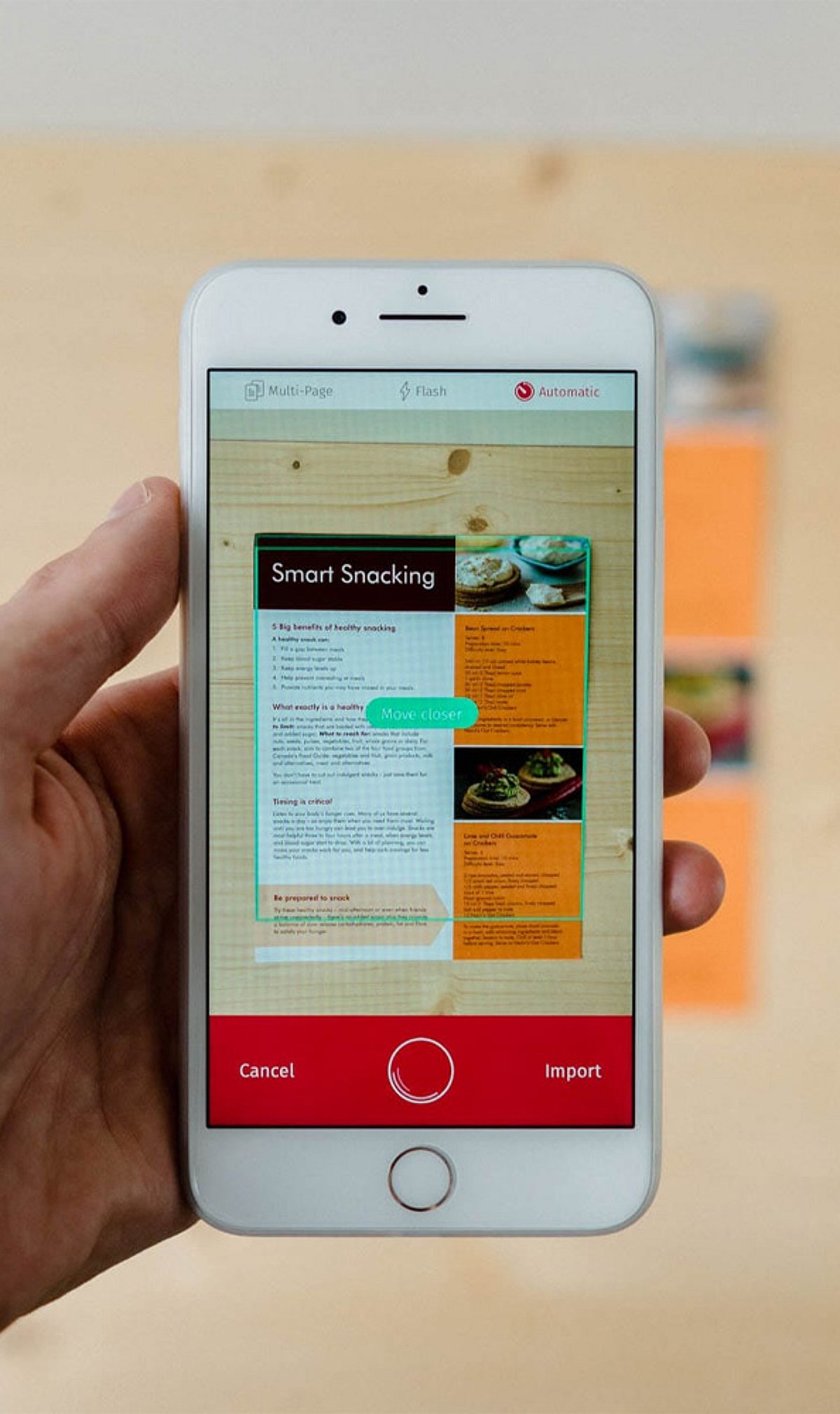
    Gone are the days when you needed a bulky scanner to digitize paperwork. With the latest iPhone models, a simple app can turn your device into a powerful document scanner. In this guide, we review eight of the best iPhone document scanner apps, highlighting their key features, from OCR to cloud syncing, to help you stay productive on the go.

    1. Adobe Scan

    Adobe Scan converts physical documents into high-quality PDFs with Optical Character Recognition (OCR), automatic edge detection, and seamless cloud synchronization. It integrates directly with Adobe Acrobat services, making it an excellent choice for professionals who need reliable PDF editing and sharing.

    2. Microsoft Lens

    Formerly known as Office Lens, Microsoft Lens captures documents, whiteboards, receipts, and business cards with ease. It exports directly to Word, Excel, OneNote, PDF, and cloud storage, streamlining the transition from analog to digital in any workflow.

    3. CamScanner

    CamScanner offers intelligent document scanning with OCR text recognition, annotation tools, password protection, and cloud backup. Its multi-platform sharing capabilities make it a favorite for both personal and business users who need secure, accessible document management.

    4. Apple Notes Scanner

    Built directly into the iPhone’s Notes app, the document scanner provides quick scanning with automatic cropping and PDF creation. It syncs seamlessly via iCloud, requiring no extra downloads—ideal for Apple users who want a simple, built-in solution.

    5. SwiftScan

    SwiftScan delivers premium-quality scans with OCR, automatic image enhancement, and cloud integration. It supports PDF editing and uses secure encryption, making it suitable for both personal and business documents that require confidentiality.

    6. Genius Scan

    Genius Scan features smart document capture with perspective correction, batch scanning, PDF generation, and secure cloud backups. Its efficient organizational tools help users keep paperwork tidy directly from their iPhone.

    7. Scanner Pro

    Scanner Pro boasts advanced scanning technology, OCR support, document editing, and automatic uploads. Integration with popular cloud storage services makes it a strong contender for professional workflows that need speed and reliability.

    8. Tiny Scanner

    Tiny Scanner creates crisp PDF scans from documents, receipts, notes, and photos. It includes batch scanning, password protection, and easy sharing via email or cloud services, all in a lightweight package.

    9. iScanner

    iScanner combines document scanning, OCR, PDF editing, e-signatures, and file management into one comprehensive productivity app. It’s designed for everyday personal and business use, offering a wide array of tools in a single interface.

    Whether you need basic scanning or advanced OCR features, these apps can transform your iPhone into a powerful document management tool. Download the one that fits your workflow and say goodbye to paper clutter.

  • Top 9 Free AI Apps to Boost Personal Productivity in 2025

    Top 9 Free AI Apps to Boost Personal Productivity in 2025

    Artificial intelligence has become an indispensable ally for anyone looking to streamline daily tasks, manage time better, and stay organized. The best part? Many powerful AI tools are available for free. Here are nine standout free AI applications that can transform your personal productivity across writing, research, design, meetings, and more.

    ChatGPT

    OpenAI’s ChatGPT helps with writing, brainstorming, summarization, coding, research, and answering everyday questions. It makes daily tasks faster and more organized without any cost, serving as a versatile virtual assistant.

    Google Gemini

    Google’s Gemini assists in generating ideas, summarizing documents, answering questions, and integrates seamlessly with Google Workspace. It enhances personal productivity by streamlining task management and information retrieval.

    Microsoft Copilot

    Microsoft Copilot boosts productivity through AI-powered recommendations and content generation. It aids in writing, document creation, research, presentations, and other everyday workflows, making it a valuable companion for Office users.

    Perplexity AI

    Perplexity AI delivers accurate, source-backed answers and quick research summaries. Its conversational search capabilities help users gather reliable information more efficiently, perfect for fact-checking and deep dives.

    Notion AI

    Notion AI enhances note-taking, content drafting, summarization, brainstorming, and task organization. It integrates smoothly into personal knowledge management workflows, turning chaotic notes into structured insights.

    Grammarly

    Grammarly improves writing quality with AI-powered grammar corrections, tone suggestions, clarity enhancements, and real-time feedback across emails, documents, and online communication platforms. It ensures your writing is clear, professional, and effective.

    Otter.ai

    Otter.ai automatically records, transcribes, summarizes, and organizes meetings, lectures, and conversations. It saves time while capturing important information accurately, making it indispensable for students and professionals alike.

    Canva AI

    Canva’s AI tools simplify graphic design by generating presentations, social media content, images, and creative visuals. They are suitable for both beginners and professionals, allowing anyone to create stunning designs quickly.

    Adobe Express AI

    Adobe Express AI enables users to create social media graphics, marketing materials, presentations, and edited images using free AI-powered creative features. It brings professional-level design within everyone’s reach.

    All of these apps are free to use (with optional premium upgrades) and can dramatically improve how you manage your time, communicate, and create. Pick the ones that fit your workflow and start boosting your productivity today.