Blog

  • 10 Essential Figma Tips and Skills Every New Designer Should Master in 2026

    10 Essential Figma Tips and Skills Every New Designer Should Master in 2026

    Overview

    Learn the most important Figma skills every beginner should master, from Auto Layout and components to variables and Dev Mode. Understand how Figma’s latest AI features and Motion tools can improve productivity without replacing core design principles. Build cleaner, more scalable design files that enable faster, more efficient collaboration with developers and design teams.

    Design tools continue to evolve rapidly, but mastering the fundamentals remains essential for every new designer. While recent updates to Figma have introduced AI-powered capabilities such as automated layer organization, motion design tools, intelligent Auto Layout suggestions, and shader generation, these features are designed to enhance workflows rather than replace core design skills. A well-structured file, consistent components, and a solid understanding of layout principles remain the foundation of effective collaboration and scalable design systems. This guide highlights ten essential Figma skills that every new designer should develop, along with practical ways to use the platform’s latest features to work more efficiently.

    Get the Fundamentals Right First

    1. Master Auto Layout

    Auto Layout is still the single most important skill in Figma. A file built on Auto Layout resizes properly, hands off cleanly to developers, and survives content changes without falling apart. Skip it, and every edit becomes manual repair work.

    2. Use Components and Variants Inconsistently

    Building reusable components from your first file, rather than duplicating and tweaking copies, is the difference between a design system and a pile of inconsistent screens that drift further apart with every update. Variants allow you to manage different states and sizes efficiently.

    3. Leverage Variables for Color, Spacing, and Type

    Variables deserve early attention. Change one variable, and every linked instance updates instantly; the alternative is hunting down dozens of hardcoded values by hand and missing at least one.

    Speed Up with Shortcuts, Not Just AI

    4. Learn Keyboard Shortcuts

    Before reaching for AI shortcuts, learn the manual ones. Keyboard-based resizing, alignment, and frame navigation make a real difference once a file has more than a handful of screens; mouse-only workflows get noticeably slower as complexity grows. This is a five-minute habit to build, and it compounds for the rest of your career in the tool.

    Use the New AI Tools with One Rule

    5. Use AI for Tedious Tasks

    Figma’s AI agent genuinely earns its place for specific, narrow tasks: renaming messy layers, generating realistic placeholder content instead of Lorem Ipsum, and suggesting Auto Layout spacing on repetitive elements like cards and list items. Independent testing this year put the auto layout suggestions at roughly 70% accuracy; good enough to be a real time-saver, not good enough to skip checking. AI handles the tedious, repetitive parts. Humans handle the creative and nuanced parts. That’s where the actual productivity gain lives, not in asking AI to design the whole page for you.

    6. Use First Draft for Exploration, Not Final Design

    First Draft, Figma’s text-to-design feature, is genuinely useful for early exploration and mood-boarding, but it generates from Figma’s own component libraries, not yours. Treat its output as a starting point for ideas, never as something ready to ship without rebuilding it inside your actual design system.

    All Ten, at a Glance

    7. Embrace Dev Mode Early

    Dev Mode is worth opening before your first real handoff, not after a frustrated developer asks why your spacing values don’t match anything. Seeing how Figma translates your layers into actual code changes how you structure files going forward; it’s one of the fastest ways to build the instinct for clean, handoff-ready design.

    8. Explore Figma Motion for Micro-Interactions

    Figma Motion, just launched at Configuration, is worth a look too, animating small interactions directly on the canvas, rather than exporting to a separate prototyping tool, saves real time on simple transitions. It won’t replace dedicated motion tools for complex work, but for the kind of micro-interaction most product designers need daily, it’s a genuine addition.

    9. Maintain Consistent Naming Conventions

    Layer and component naming is often overlooked but critical for collaboration. Clear, descriptive names make files searchable and developer-friendly. Use a naming convention from the start to avoid chaos later.

    10. Always Test on Real Devices

    While Figma’s preview features are powerful, nothing replaces testing your designs on actual devices. Use Figma Mirror or export prototypes to mobile and desktop to catch spacing, touch target, and readability issues that the canvas might hide.

    Why This Matters

    Modern product design is no longer just about creating attractive interfaces. Designers are expected to build scalable, developer-friendly files that support collaboration and faster product delivery. Learning Figma’s core features alongside its latest AI capabilities helps new designers improve efficiency, reduce repetitive work, and prepare for real-world design projects.

    Frequently Asked Questions

    Why is Auto Layout considered the most important Figma skill?

    Auto Layout allows designs to resize and adapt automatically as content changes. It helps designers build responsive interfaces, reduces manual adjustments, improves consistency, and creates files that developers can implement more efficiently across different screen sizes.

    What are Figma components, and why should beginners use them?

    Components let designers reuse interface elements such as buttons, cards, and navigation menus throughout a project. Using components from the beginning improves consistency, speeds up design updates, and forms the foundation of a scalable design system.

    How do variables improve a Figma workflow?

    Variables allow designers to define colors, spacing, typography, and other design values in one place. Updating a variable automatically updates every linked element, making large projects easier to maintain and reducing repetitive editing.

    Are Figma’s AI features enough to replace design skills?

    No. Figma’s AI tools can automate repetitive tasks like renaming layers, generating placeholder content, and suggesting layouts. Still, they cannot replace design thinking, creativity, user research, or sound interface design principles.

    What is Dev Mode in Figma?

    Dev Mode helps bridge the gap between designers and developers by displaying measurements, spacing, colors, typography, and code-related information. Learning it early helps designers create cleaner files that are easier to translate into production-ready code.

  • NYT Connections Puzzle for June 27, 2026: Hints, Answers, and Category Breakdown

    NYT Connections Puzzle for June 27, 2026: Hints, Answers, and Category Breakdown

    Today’s New York Times Connections puzzle offers a mix of Monopoly board spaces, fashion show essentials, striped objects, and clever word endings related to horse gaits. Players must sort 16 words into four groups of four, avoiding misleading combinations. Below, we provide progressive clues, official category names, and the complete answers.

    Today’s Connections Clues

    If you need a nudge without the full answer, here is one keyword per category:

    • Yellow Category: SHORT LINE
    • Green Category: CATWALK
    • Blue Category: BILLIARD BALL
    • Purple Category: ENVELOPE

    Additional hints:

    • Yellow Group: Think classic board game spaces.
    • Green Group: Everything needed to present a clothing collection.
    • Blue Group: Objects recognized by their striped appearance.
    • Purple Group: Words that end with horse gaits.

    Today’s Connections Groups

    For stronger clues, here are the official category names:

    • Yellow Group: Monopoly Squares
    • Green Group: Components of a Fashion Show
    • Blue Group: Commonly Striped Things
    • Purple Group: Ending in Horse Gaits

    The yellow category focuses on famous spaces on a Monopoly board. The green group covers items commonly found in a fashion show. The blue group contains common items that have stripes, whereas the purple group requires picking words that end with horse gait names like trot and canter.

    Today’s Connections Answers

    Here are the full answers for June 27, 2026:

    • Yellow Group – Monopoly Squares: BOARDWALK, INCOME TAX, SHORT LINE, WATER WORKS
    • Green Group – Fashion Show Elements: CATWALK, COLLECTION, DESIGNER, MODEL
    • Blue Group – Striped Objects: BARBER POLE, BILLIARD BALL, CREDIT CARD, CROSSWALK
    • Purple Group – Words with Horse Gaits at the End: DECANTER, ENVELOPE, FIREWALK, FOXTROT

    Bottom Line

    Today’s puzzle struck a balance between familiar references and clever wordplay. While the fashion show and Monopoly squares groups were relatively straightforward, the striped objects and horse gait endings required extra attention. Overall, a satisfying challenge for Connections enthusiasts.

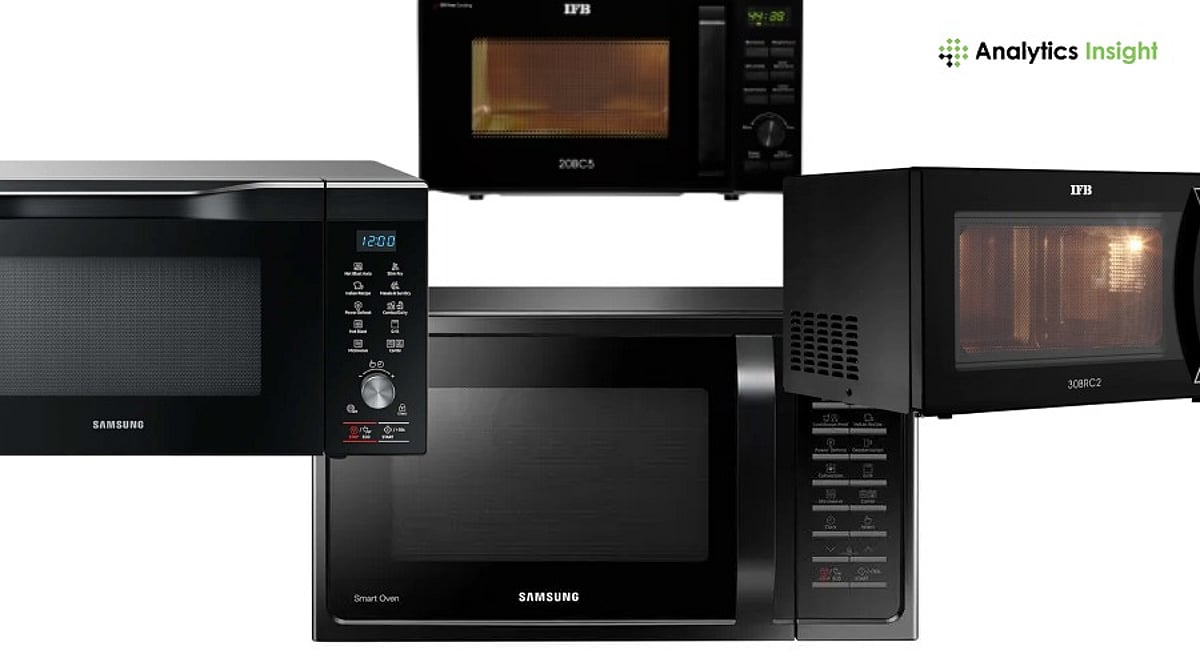
  • Best Microwave Oven Deals on Amazon: LG, Samsung, Panasonic, and Top Brands Compared

    Best Microwave Oven Deals on Amazon: LG, Samsung, Panasonic, and Top Brands Compared

    Every Amazon sale season brings a fresh round of microwave discounts, and shoppers are often left comparing percentages instead of products. LG, Samsung, Panasonic, IFB, Godrej, and Haier all show up in the same price bands with overlapping features, which makes the headline discount a poor way to judge value. The next big opportunity lands soon: Amazon Prime Day runs from July 4 to 6, marking ten years of the event in India, with home appliances confirmed as one of the featured categories alongside bank offers from SBI, Axis, and ICICI. This guide skips the noise around individual sale banners and focuses on what actually separates a good microwave deal from an average one, model by model.

    Best Deals at a Glance

    Prices and discounts shift with each sale. Treat the figures in this guide as indicative and confirm the live price on the product page before buying.

    How Amazon Microwave Deals Actually Work

    Amazon’s microwave discounts move with capacity and oven type more than brand. Convection ovens in the 25 to 32 liter range see the deepest cuts during big sales, often 20 to 50 percent off. This segment draws the most competition between LG, Samsung, IFB, and Panasonic. Bank offers add another layer: Prime Day 2026 confirms 10 percent instant savings on SBI and Axis cards, plus 5 percent unlimited cashback on the Amazon Pay ICICI card, on top of any product discount. Beyond the discount tag, four factors separate a strong deal from a weak one: choosing the right capacity for the household, power rating and inverter technology, warranty coverage, and service network reach.

    Top Microwave Picks Across LG, Samsung, Panasonic and IFB

    LG MC2886BRUM (28L Convection)

    A 360-degree motorized rotisserie, low-oil Diet Fry mode, and stainless steel cavity define this LG convection oven. The 251-item auto-cook menu leans on Indian dishes, making it a strong fit for households that cook tandoori and kebabs often.

    Samsung MC32A7035CT (32L Convection)

    Samsung’s largest convection model pairs Slim Fry technology with tandoor and curd-making presets. The ceramic enamel cavity carries a 10-year warranty, among the longest in this category, making it a dependable pick for families that bake and grill often.

    Panasonic NN-CT645BFDG (27L Convection)

    This Panasonic convection oven runs on inverter technology for even heating through the cooking cycle. Its 360-degree Heat Wrap technology and Magic Grill help brown food evenly without flipping, making it a reliable mid-size option for baking and grilling.

    IFB 30BRC2 (30L Convection)

    IFB’s 30-liter convection oven combines a 360-degree motorized rotisserie with 101 auto-cook menus built around Indian cooking. Steam clean and four combi-cook modes round out the feature set, making this a solid large-family option for tandoori and baking.

    Samsung MG23A3515AK (23L Grill)

    This Samsung grill microwave covers reheating, defrosting, and browning without the cost of full convection. Auto-cook programs, a keep-warm setting, and quick defrost make it a practical step up from a solo oven for small families.

    Godrej GMX 20SA2 (20L Solo)

    Godrej’s entry-level solo microwave keeps things simple, with five power levels for reheating and defrosting. Its five-year comprehensive warranty runs well beyond the one-year cover typical of budget solo ovens, making it a safer low-cost pick.

    Solo vs Grill vs Convection: Picking the Right Type

    Solo microwaves, typically 20-24 L from IFB, LG, and Godrej, handle reheating and defrosting and usually sit in the lowest price band on Amazon, often under 10,000 rupees during sale events. Grill models add browning for snacks like paneer tikka but skip baking. Convection ovens, typically available in the 23 to 32 liter range, combine microwave, grill, and oven functions in one unit. So, they receive the most visibility and deepest discounts during major Amazon sales. For households that bake, roast, or cook Indian dishes that need an oven, a discounted convection model delivers more usable function per rupee than a cheaper solo unit.

    How to Compare Deals Intelligently

    Even after the sale ends, three things decide whether a microwave is a good buy. Start with the total cost, not the listed price. Bank discounts, exchange offers, and any EMI charges all change what you actually pay, so add them in before comparing two models. Then look past the marketing names. Slim Fry, Diet Fry, and Magic Grill are different brand names for similar low-oil cooking features, so check the auto-cook menu count and grill power instead of the label. Warranty matters more than people expect it to. A longer warranty often adds more real value over time than a small extra discount at checkout. Bands are indicative, based on Amazon and brand-site MRP, inclusive of GST, checked in June 2026, and shift with every sale event, including Prime Day 2026 in July.

    Final Thoughts

    Across LG, Samsung, Panasonic, IFB, Godrej, and Haier, the best value on Amazon usually sits in the 28 to 30 liter convection segment, where rotisserie, Indian auto-cook menus, and longer cavity warranties line up with the deepest sale discounts. Solo ovens remain a fair pick for basic reheating on a tight budget. With Prime Day 2026 arriving on July 4, the smarter move is to shortlist a capacity and feature set now, using this guide, rather than chasing whichever discount banner loads first.

  • Best Robot Vacuum and Mop Deals on Amazon: Smart Buying Guide for 2026

    Best Robot Vacuum and Mop Deals on Amazon: Smart Buying Guide for 2026

    Amazon is offering significant discounts on robot vacuum and mop combos from top brands like ECOVACS, Dreame, Roborock, and ILIFE this weekend. However, the best deal isn’t always the one with the biggest price cut. What truly matters is how well the robot matches your home and lifestyle.

    What Makes a Robot Vacuum Deal Worth It?

    The real value in a robot vacuum isn’t just about cleaning power. It’s about how much time and effort you save. Budget models handle basic floor cleaning but often require you to empty the dustbin and clean the mop pads manually. Premium models with self-emptying docks and automatic mop washing take you out of the maintenance loop entirely.

    Every robot vacuum on sale this weekend claims similar features, but the actual results vary by price tier. This guide helps you identify the models that deliver the best balance of performance, features, and price.

    Top Robot Vacuum and Mop Picks This Weekend

    1. ECOVACS Deebot Y1 Pro

    Best for: Mid-range buyers who want smart navigation without premium pricing

    The Deebot Y1 Pro uses LiDAR mapping to create accurate floor plans and cleans in efficient, structured paths. Its suction is strong for the price, and the app makes scheduling and zone cleaning easy. It’s a balanced choice for reliable daily cleaning.

    2. Dreame L10S Ultra

    Best for: Busy households that want minimal manual maintenance

    The L10S Ultra empties its dustbin after every cycle, washes its mop pads automatically, and navigates around obstacles consistently. After setup, the automation handles most of the work, making it ideal for time-constrained households.

    3. Roborock Q Revo

    Best for: Larger homes with mixed flooring

    The Q Revo pairs reliable vacuuming with automated mop washing and drying. It transitions smoothly between hard floors and carpet, lifting the mop pad to avoid wetting. It handles longer sessions without manual help.

    4. AGARO Alpha

    Best for: First-time buyers entering the category

    The AGARO Alpha covers the basics: vacuuming, mopping, app control, and scheduling. It won’t match premium automation, but it delivers a practical, low-friction experience at an accessible price.

    5. ILIFE V20

    Best for: Small apartments and budget-conscious buyers

    The ILIFE V20 focuses on core cleaning functions without extra features. It’s a straightforward option for those who want automated cleaning without a high commitment.

    6. Narwal Freo X Ultra

    Best for: Premium buyers who want full floor-care automation

    The Freo X Ultra combines advanced obstacle avoidance with a self-cleaning mop system that washes and dries its pads between sessions. Floor detection adjusts cleaning intensity automatically. Weekend discounts can make this premium model more accessible.

    Budget vs. Premium: What Actually Changes

    The gap between budget and premium models isn’t about cleaning power alone. Navigation quality shapes the entire experience. LiDAR mapping provides consistent paths and reliable room coverage, while basic gyro navigation works in simple layouts but struggles in complex homes.

    For pet owners, suction power and brush design are critical. Hair tangles and carpet cleaning are the real tests. For hard floors, mopping quality and automated mop maintenance matter more than suction specs.

    How to Compare Deals Without Getting Misled

    Always check the final checkout price rather than the listed discount. Bank offers, coupon codes, and cashback programs can change the effective cost. Once you know the final price, consider what additional convenience or performance it delivers. A premium robot that saves hours of maintenance each year may be a better value than a cheaper model with a bigger discount.

    Final Thoughts

    If you’re shopping for a robot vacuum this weekend, skip the bargain bin. The real value is in mid-range and premium models that navigate well and empty themselves. Don’t chase the biggest discount—a great deal only matters if the machine actually fits your home and saves you from doing the maintenance yourself.

  • Best Ink Tank and WiFi Printer Deals in Flipkart Weekend Sale: A Cost-Per-Page Comparison

    Best Ink Tank and WiFi Printer Deals in Flipkart Weekend Sale: A Cost-Per-Page Comparison

    A good printer should save you money long after the purchase. Ink tank models deliver lower printing costs, and Wi-Fi support makes printing easier across devices. Flipkart’s Back to Campus Sale has brought Canon, HP, Epson, and Brother Wi-Fi ink tank printers closer in price, making long-term running costs a more important factor than upfront discounts.

    HP offers the lowest published cost per page, Epson remains the most affordable to buy, Canon delivers the most balanced overall experience, and Brother targets high-volume black-and-white printing. This comparison focuses on ink yield, cost per page, and real ownership costs to help buyers choose the right printer based on printing habits rather than sale prices alone.

    Why Ink Tank Printers Changed the Math

    Cartridge printers were the default choice for Indian homes and offices for years, picked largely for the lowest upfront price. That logic stopped working once printing volumes climbed. A standard cartridge covers a few hundred pages and can cost anywhere from one to four rupees per page once refills start. Low-cost per-page ink tank printers reversed that equation entirely. A refillable tank built into the body, fed by ink bottles, replaced the expensive cartridge cycle.

    WiFi became standard alongside that shift. Most homes and small offices now print from more than one device, and a wired connection no longer makes sense for the way people actually work.

    Four Models, One Honest Comparison

    Among the best ink tank printers on Flipkart this week, four models cover almost every kind of buyer. This Canon, HP, Epson, and Brother printer comparison moves past the discount badge on these Wi-Fi all-in-one printer offers to focus on what each model truly costs to run, not just what it costs to buy.

    Canon PIXMA G3770

    Canon’s PIXMA G3770 is the steadiest option in this group. One full set of ink bottles covers around 6,000 black pages and 7,700 color pages. That is enough for a household printing documents and the occasional photo without watching the ink gauge too closely. It handles mixed print jobs cleanly and carries no obvious weak spots across text or color output.

    BUY NOW

    HP Smart Tank 530

    HP’s Smart Tank 530 comes with an automatic document feeder and the lowest published cost per page in this comparison. HP rates it at 10 paise per black page and 20 paise per color page. The ink supplied in the box is rated for up to 18,000 black pages and 8,000 color pages, the highest combined yield across all four models here.

    BUY NOW

    Epson EcoTank L3250

    Epson’s EcoTank L3250 runs on the brand’s heat-free print technology and carries Epson’s own published figures of 9 paise per black page and 33 paise per color page, based on a 4,500 black and 7,500 color page yield. It is the least expensive of the four to purchase upfront, making it a practical entry point for buyers with moderate color printing needs.

    BUY NOW

    Brother DCP-T730DW

    Brother’s DCP-T730DW skips balance and focuses on raw output. Its ink set is rated for up to 15,000 black pages against 5,000 color pages each for cyan, magenta, and yellow. It includes an ADF and auto duplex printing as standard features, making it well-suited for offices that print largely in black and white at high volume.

    BUY NOW

    Match the Printer to How You Actually Print

    The real difference between these four comes down to how you print, not how large the discount appears. For buyers who print mostly text with the occasional color page, the Epson wins on both price and published cost per page. Canon sits close behind and handles a more even mix of text and color without any obvious trade-off.

    For frequent color printing, the HP earns a second look, given its 8,000 color page yield and the lowest listed cost per page of the group. Brother only makes sense if the majority of output is black-and-white at real volume. Its color yield falls well behind the other three.

    Also Read: Best Inkjet Printers Under Rs. 10,000 in India 2026

    The Sale Helps, But the Math Stays the Same

    This comparison will not look very different once the sale ends. Printer brands now compete on cost per page and ink yield nearly as much as on sticker price. Flipkart’s sale calendar keeps bringing this comparison back through bank offers and exchange bonuses layered on top of list price cuts.

    None of these four printers is a poor choice. The real mistake is selecting by discount size rather than actual use. Match the model to your monthly print volume and how often you print in color, then let the live price and any bank offer settle things between two close options. The cheapest printer to buy is rarely the cheapest printer to own. Compare the cost per page first and treat the sale discount as a bonus, not the deciding factor.

    Final Thoughts

    A printer is a long-term expense, not a one-time purchase. Compare ink yield and cost per page before checkout, then use Flipkart’s sale discounts and bank offers to get the best value from the model that fits your printing habits.

    FAQs

    1. Which ink tank printer has the lowest cost per page in the Flipkart Weekend Sale?

    Among the models compared, the HP Smart Tank 530 has the lowest published cost per page, rated at 10 paise for black prints and 20 paise for color prints.

    2. Are ink tank printers cheaper to run than cartridge printers?

    Yes. Ink tank printers typically offer much lower running costs as they use refillable ink bottles that deliver thousands of pages per refill, unlike cartridges that need frequent replacement.

    3. Which printer is best for high-volume black-and-white printing?

    The Brother DCP-T730DW is designed for heavy document printing, with a claimed yield of up to 15,000 black pages and features such as auto duplex printing.

    4. Is a WiFi printer worth buying for home use?

    Yes. WiFi printers allow multiple users to print from laptops, smartphones, and tablets without connecting a USB cable, making them more convenient for homes and small offices.

    5. What should I consider when choosing an ink tank printer during a sale?

    Focus on monthly print volume, color printing needs, ink yield, cost per page, and features such as WiFi, automatic document feeders, and duplex printing rather than choosing solely based on the discount offered.

  • Best VR Headset Deals for Weekend Sales at Walmart and Amazon (2026)

    Best VR Headset Deals for Weekend Sales at Walmart and Amazon (2026)

    This weekend’s VR sales bring notable discounts on popular gaming headsets. Walmart and Amazon are offering competitive pricing alongside bonus content, making it the perfect time to buy. Standalone and console VR options both have strong promotions, and buyers have multiple ways to maximize value.

    What Makes a VR Deal Worth Taking

    A lower sticker price is only part of the story. The most important number is the effective value after bundle contents are factored in. A headset that includes a major game and a three-month subscription trial at a modest discount often outperforms a cheaper headset shipped with nothing.

    Four questions cut through the noise: What does the bundle actually include? Is the headset standalone or console-dependent? Which hardware generation is it? Does either retailer add store credit or extras on top? Running through these before purchasing turns a confusing sales page into a clear decision.

    Best Overall Deal: Meta Quest 3S

    The Meta Quest 3S 128GB is the weekend VR sale benchmark. Walmart has offered it at $250, bundled with Batman: Arkham Shadow and a three-month Meta Horizon+ subscription trial. That combination puts a critically acclaimed AAA VR title and access to the games library alongside a fully wireless standalone headset for less than the price of most gaming consoles.

    The Quest 3S runs on the Snapdragon XR2 Gen 2 chip with 8GB of RAM, the same core hardware as the full-spec Quest 3. It needs no PC, no console, and no additional setup. For first-time VR buyers, that frictionless entry is the most compelling part of the deal.

    Best Premium Standalone: Meta Quest 3

    The Quest 3 sits above the 3S at a higher price, and the upgrade is visible the moment the headset goes on. It features Meta’s pancake lenses, which deliver sharper clarity across a wider field of view with precise interpupillary distance adjustment. For daily VR users or anyone who spends extended time in a headset, the optical quality matters.

    The price gap between the two models narrows when the Quest 3S is at full price, and the Quest 3 catches a weekend sale discount. Checking both simultaneously on sale day is worth the extra minute. The Quest 3 is the right call for buyers who plan to get serious about VR.

    Best Console VR Deal: PSVR 2

    Sony did not raise PSVR 2 pricing when Meta adjusted its lineup. The headset currently sits at roughly $399, and the memory crisis that pushed standalone headset costs up did not affect PSVR 2. It is not a standalone computer—it borrows all its processing from a PlayStation 5 the buyer already owns.

    For PS5 owners, that $399 price represents genuine value. The OLED display, eye tracking, headset haptics, and foveated rendering make it the most technically capable console VR experience available. Walmart has offered PSVR 2 in-game bundles during past sale events. The caveat: without a PS5 already, the real entry cost climbs close to $900.

    Best Budget Entry: Meta Quest 2

    The Quest 2 is the starter option for buyers whose primary goal is getting into VR at the lowest possible cost. It is an older generation with a narrower display and less processing headroom, but it runs a broad VR game library and has appeared at Walmart with store credit bundled alongside it. Frame it as the entry door, not the destination.

    VR Accessories Worth Adding

    Some of the sharpest weekend VR sale savings appear in accessories rather than headsets. Elite head straps improve comfort on long sessions. Charging docks eliminate cable hunting. Carrying cases protect hardware between uses. A well-chosen accessory bundle at sale pricing can add more practical value than a small headset price reduction.

    Walmart vs Amazon: Where the Better Value Usually Lives

    Walmart tends to win on bundle construction—free games, subscription trials, and occasional gift card bonuses make its VR listings worth reading carefully. Amazon competes on headline discounts and restocks faster during sale periods. Checking both on the same day during a weekend VR sale often surfaces a clear winner.

    Choosing the Right Deal

    The decision framework is simple: PS5 owners should look seriously at PSVR 2 bundles at Walmart. Buyers who want wireless VR with no additional hardware should target the Quest 3S at sale pricing. Anyone prioritizing the lowest entry cost should consider the Quest 2 with store credit added. In every case, bundle contents and platform compatibility matter more than the headline discount.

    Final Thoughts

    Weekend sales on Walmart and Amazon continue to be one of the best opportunities to find savings on VR headsets. The most attractive offers will often feature compelling bundles alongside competitive pricing. Compare the full package instead of focusing solely on the discount to see the best overall value.

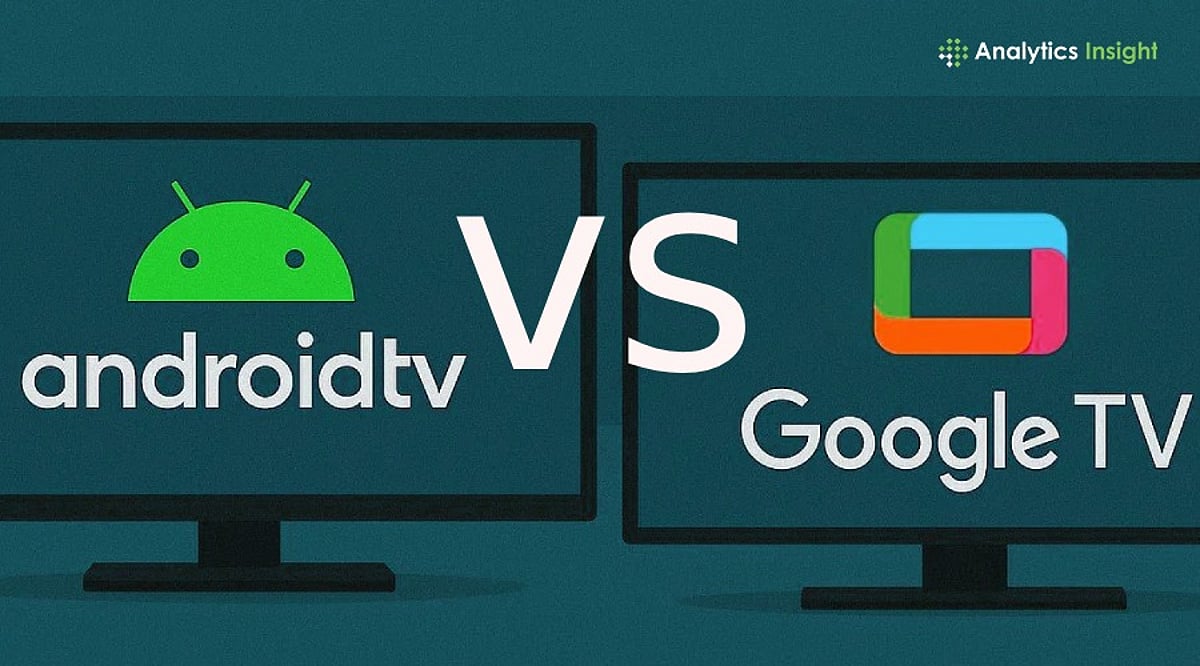
  • Android TV vs Google TV: Which Smart TV Platform Delivers a Better Viewing Experience?

    Android TV vs Google TV: Which Smart TV Platform Delivers a Better Viewing Experience?

    Smart TVs have evolved into central entertainment hubs, handling streaming, gaming, and smart home controls. With many TVs offering either Android TV or Google TV, choosing the right platform can be confusing. While both come from Google, they offer distinct experiences. This comparison examines interface, app ecosystem, smart home features, and usability to help you decide.

    Same Foundation, Different Focus

    Android TV and Google TV share the same operating system, giving you access to the Google Play Store, Google Assistant, and Chromecast support. The key difference lies in how content is presented. Android TV is app-centric: you open individual streaming services like Netflix or Prime Video to browse. Google TV, on the other hand, places content front and center, curating movies and shows from multiple platforms on a single home screen, reducing app hopping.

    More Modern Home Screen

    Google TV offers a personalized interface that learns your viewing habits and suggests programming based on interests. It supports separate user profiles, so each family member gets their own recommendations and watchlist. Android TV does provide recommendations, but they are less prominent than Google TV’s.

    App Support Remains Identical

    Both platforms offer the same app library via the Google Play Store, including Netflix, Disney+, Amazon Prime Video, Spotify, YouTube, and more. There is no practical difference in app availability or performance.

    Smart Home Integration

    As TVs become control centers for smart homes, Google TV offers a slight edge with deeper Google Home integration. You can control compatible cameras, lights, and speakers directly from the TV. Google TV also includes kids’ profiles and parental controls, making it more family-friendly.

    Which One Should You Buy?

    Android TV is ideal for users who prefer a simple, app-based interface and primarily use a few streaming services without needing recommendations. Google TV is better for households with multiple streaming subscriptions who want content discovery and personalization. For most buyers, Google TV’s richer interface and smarter recommendations make it the easier platform to live with in the long run.

    Frequently Asked Questions

    Q1. What is the main difference between Android TV and Google TV?
    Android TV focuses on apps, while Google TV emphasizes content discovery by aggregating recommendations from multiple services on one screen.

    Q2. Do both platforms support the same apps?
    Yes, both have full access to the Google Play Store and all major streaming apps.

    Q3. Is Google TV better for families?
    Yes, because it supports separate user profiles, personalized recommendations, and dedicated kids’ profiles with parental controls.

    Q4. Can both work with smart home devices?
    Yes, both support Google Assistant, but Google TV offers deeper integration with Google Home.

    Q5. Which platform should I choose for a new TV?
    Choose Android TV if you prefer a simple app grid; choose Google TV for personalized recommendations and multiple profiles.

  • GTA 6: Latest Details That Have Fans Buzzing

    GTA 6: Latest Details That Have Fans Buzzing

    Rockstar Games continues to tease fans with fresh details about the massively anticipated Grand Theft Auto VI. From a sprawling Vice City to a groundbreaking female protagonist, here’s what has the gaming community talking.

    Massive Open World

    GTA 6’s version of Vice City looks bigger than ever. Leaks suggest more locations, activities, and areas to explore, promising a truly expansive sandbox.

    Lucia Takes the Spotlight

    Lucia becomes GTA’s first female lead in a main game. Fans are excited about her story and character, which marks a significant milestone for the franchise.

    Bonnie and Clyde-Inspired Story

    The game follows Lucia and her partner in crime. Their relationship appears central to the entire narrative, echoing the iconic outlaw duo.

    Stunning Visual Upgrades

    Improved lighting, weather effects, and character details make GTA 6 look far more realistic than previous entries, pushing the boundaries of graphical fidelity.

    Smarter NPC Behavior

    NPCs reportedly react more naturally to events. This could make the world feel alive and unpredictable, enhancing immersion.

    Dynamic Weather System

    Heavy storms, flooding, and changing weather conditions may affect gameplay, creating fresh experiences across different sessions.

    Expanded Vehicle Features

    Fans expect improved driving mechanics, more vehicle customization options, and realistic traffic behavior throughout the map.

    Huge Social Media Parodies

    Leaked clips show social media-inspired content everywhere. These features could deliver Rockstar’s trademark humor and satire.

    Long-Term Online Plans

    Many believe GTA 6 Online will receive years of updates, events, and content expansions after launch, following the model of GTA Online.

  • Ethereum Price Pressures Mount: ETH Approaches $1,500 as Exchange Inflows Rise

    Ethereum Price Pressures Mount: ETH Approaches $1,500 as Exchange Inflows Rise

    Ethereum fell back toward the $1,500 area after sellers rejected another recovery attempt near a major resistance zone. Rising exchange inflows and a weak chart structure continue to support a cautious market outlook.

    Ethereum Remains Trapped Below Major Resistance

    Ethereum continues to form lower highs and lower lows on the daily chart. The pattern keeps the broader trend bearish and shows that sellers still control price direction. ETH also trades below its 100-day and 200-day moving averages. In addition, the asset remains under a long-term descending trendline that has limited previous recovery attempts.

    The latest rebound stalled below the $1,720 to $1,780 supply zone. Sellers then pushed ETH back toward the $1,460 to $1,560 demand area. Buyers have responded near that support region, but the reaction remains limited. ETH has not reclaimed the resistance range or changed the wider bearish structure.

    Until price moves above $1,780 with sustained strength, market rallies may remain corrective. A break below current demand could expose Ethereum to another downward move. Can buyers defend the $1,500 region long enough to challenge the resistance that has repeatedly stopped each recovery?

    Four-Hour Chart Shows a Fragile Recovery

    The four-hour chart reflects the same pressure across a shorter timeframe. Sellers rejected ETH near $1,720 to $1,780 before driving it toward the lower range boundary. Ethereum later recorded a modest rebound from the $1,500 to $1,530 area. That response shows buyers remain active around the market’s immediate demand zone.

    Even so, ETH still trades near the bottom of its broader consolidation range. Each recovery attempt has also formed a lower high, which keeps short-term momentum weak. For now, Ethereum may continue moving between about $1,520 and $1,750. The lower boundary remains important because a breakdown could increase selling pressure.

    By contrast, a move above the upper range would improve the short-term structure. It could also allow buyers to begin another recovery attempt toward higher resistance.

    Exchange Inflows Add Pressure Near Support

    On-chain data also shows a rise in Ethereum exchange netflows. The 14-day moving average has turned sharply positive during recent trading sessions. Higher netflows mean more ETH is moving onto exchanges. Holders may transfer assets for trading, selling, or reducing market exposure.

    Such inflows do not guarantee a price decline. Still, they add supply pressure while Ethereum trades close to a major support region. The increase has occurred as ETH moved back toward the $1,500 zone. That combination leaves the market sensitive to further weakness around current demand.

    Price stability near support and lower exchange inflows would reduce immediate pressure. Until then, Ethereum remains below key averages and the main resistance zone.

    Conclusion

    Ethereum remains under bearish pressure as sellers defend the $1,720 to $1,780 resistance zone and exchange inflows increase. Buyers must protect support near $1,500 to prevent deeper losses. Traders should watch for either a confirmed support breakdown or a strong resistance reclaim before assessing the next move.

  • Bitcoin Drops Below $60K as $700M in Long Liquidations Rock the Crypto Market

    Bitcoin Drops Below $60K as $700M in Long Liquidations Rock the Crypto Market

    Bitcoin tumbled below the $60,000 mark on June 24, triggering a cascade of liquidations that erased over $700 million in long positions. The sharp sell-off intensified market fear and wiped out speculative bets that had attempted to buy the dip.

    Liquidations Deepen Pressure Across Crypto Markets

    The forced exit of leveraged traders weighed heavily on Bitcoin as it weakened below the psychologically important $60,000 level. Further declines appeared likely as selling pressure continued to ripple through the broader cryptocurrency market. According to AMBCrypto, Bitcoin open interest had already fallen from its 2025 highs, yet volatility remained elevated as traders scrambled to adjust to rapid price swings.

    At the same time, sustained outflows from spot Bitcoin exchange-traded funds (ETFs) reflected weakening investor confidence. The Coinbase Premium Index turned negative for more than a month, signaling limited demand from U.S. investors. Consequently, spot buying provided little support as Bitcoin extended its slide.

    Demand and Miner Flows Add to Supply Concerns

    Crypto analyst Ali Martinez noted that Bitcoin’s apparent demand has remained negative for 208 consecutive days. This metric tracks whether spot demand can absorb newly mined supply and older coins moving onto exchanges. Analyst Axel Adler Jr. added that net realized profit and loss has stayed negative for five months when measured using a 90-day moving average.

    Such prolonged realized losses mirror conditions seen during previous bear markets, particularly in mid-2022. Meanwhile, CryptoQuant analyst PelinayPA observed that the foundation for the latest losses began forming in February. Bitcoin’s Miner Position Index rose between March and June.

    Although the index stood at minus 0.15—still negative—it indicated that miners were transferring relatively more Bitcoin toward cryptocurrency exchanges. Miner-to-exchange flows also increased during the same period. Together, these metrics suggest miners have been preparing more Bitcoin for potential selling.

    Bitcoin’s realized price now sits at $53,888, representing the market’s average acquisition cost. This level is widely viewed as the next major support zone and a likely price target. The key question remains whether buyers can absorb the rising supply before Bitcoin retests its realized price.

    Grantham Renews Long-Running Bitcoin Criticism

    GMO co-founder Jeremy Grantham reiterated his criticism of Bitcoin during an appearance on CNBC’s Squawk Box on Friday. He described it as a speculative asset with no intrinsic value and predicted that Bitcoin would gradually lose relevance over several decades. Grantham questioned its practical purpose and performance during a broader bull market.

    He argued that Bitcoin has failed to provide a stable store of value, citing its latest price decline despite strength in the wider economy. Grantham contrasted it with gold, which he said has still delivered solid gains even after retreating from its previous highs. He also noted that consumers rarely use Bitcoin for everyday purchases or major commercial transactions, and linked its use to illegal money transfers.

    Bitcoin has declined by at least 70% from its peak during every previous market cycle. It currently trades about 52% below its October high and remains under $60,000.

    Conclusion

    Bitcoin’s fall below $60,000 sparked $700 million in long liquidations as weak spot demand, ETF outflows, and rising miner transfers intensified selling pressure. With the realized price near $53,888 emerging as key support, traders should closely monitor demand and exchange flows before making market decisions.