Tag: AI tools

  • 7 ChatGPT Alternatives to Run Locally on Your Device

    7 ChatGPT Alternatives to Run Locally on Your Device

    If you are looking for ChatGPT alternatives that can run entirely on your own device, you are in luck. A growing number of open-source tools allow you to interact with large language models locally, without relying on cloud services. This setup offers greater privacy, control over your data, and the ability to work offline. Below are seven notable options that can be installed and run on your personal computer.

    Ollama

    Ollama simplifies the process of downloading and running large language models on compatible hardware. It supports a variety of popular open models and provides a command-line interface for direct interaction. Developers can also use its API to integrate local models into their applications. Since all processing happens on your device, Ollama gives you full control over your data and model usage.

    LM Studio

    LM Studio offers a graphical interface for discovering, downloading, and running language models locally. You can chat with supported models without any cloud dependency. It also includes a local server feature, allowing other applications to communicate with models running on the same machine. This makes it a great choice for users who prefer visual tools over command-line operations.

    Jan

    Jan is an open-source AI assistant that provides a ChatGPT-like interface while running models directly on your computer. You can select from compatible local models, and your conversations never leave your device when using local inference. Its open-source nature also gives you full visibility into the software, enhancing trust and customization.

    GPT4All

    GPT4All is a local AI platform designed for private, offline interaction with language models. It supports a range of models and emphasizes local inference, so you do not need constant internet access. This makes it appealing for users who want conversational AI while keeping all processing on their own hardware.

    Msty

    Msty is a desktop application that lets you work with AI models both locally and through supported online providers. Its visual interface makes it easy to manage conversations and experiment with different models without relying solely on command-line tools. Local model support allows you to process data on your own machine, depending on your system’s capabilities.

    AnythingLLM

    AnythingLLM is an AI application focused on documents and knowledge bases. It can be configured to use locally hosted models, enabling you to build private AI workflows around your own files. Its document-centric approach is ideal for tasks like querying internal materials, organizing information, and creating retrieval-based assistants.

    Open WebUI

    Open WebUI provides a self-hosted interface for interacting with locally running language models and compatible AI services. It works with platforms such as Ollama and offers a ChatGPT-like conversational experience. You can deploy it on your own system and customize the setup to suit your needs, making it a flexible option for those who want greater control over their local AI environment.

    These seven tools demonstrate that powerful AI assistance is available without relying on external cloud services. Whether you prioritize privacy, offline access, or customizability, there is likely a local ChatGPT alternative that fits your requirements.


  • 10 Essential AI Tools for Excel Data Analysis in 2025

    10 Essential AI Tools for Excel Data Analysis in 2025

    Introduction

    In 2025, Excel has evolved far beyond rows, columns, and confusing formulas. AI tools now handle the heavy lifting—generating charts, writing formulas, cleaning messy data, and even forecasting future numbers. These tools make Excel feel less like a math chore and more like having a smart assistant built right in. Here are ten AI tools that simplify spreadsheet work for everyone, from students to office professionals.

    Top AI Tools for Excel

    1. Microsoft 365 Copilot

    Built directly into Excel, Copilot handles nearly every data task: creating formulas, cleaning data, generating charts, and explaining what the numbers mean. Just type a request like “show sales from March to June,” and it delivers the answer. Ideal for users who want to finish tasks quickly without searching for formulas online.

    2. ExcelMatic

    This tool works like a chat box inside Excel. Type a sentence such as “sort products by price,” and it executes the command. No need to click through menus or remember button locations—simple and fast when time is short.

    3. Formula Bot

    Struggling with formulas? Describe what you need, and Formula Bot provides the correct Excel formula along with an explanation. It also works with Google Sheets, making it a great learning aid.

    4. DataRobot

    DataRobot finds patterns and makes predictions. For example, it can analyze past sales data to forecast next month’s performance. No coding required, and widely used by companies seeking data-driven insights.

    5. Arcwise AI

    Arcwise brings numbers to life with charts and graphs. Ask questions like “which product returned the most?” and it displays the answer visually. Perfect for school projects or business presentations.

    6. Power Query & Power Pivot

    These built-in Excel tools clean messy data (remove duplicates, split columns) and connect multiple tables. Power Query handles data cleaning; Power Pivot links different sheets—saving time and keeping everything organized.

    7. Datarails

    Primarily used by finance teams, Datarails gathers data from multiple files, consolidates it in one place, and assists with reports and budgets. Designed for professionals who work with numbers daily.

    8. MonkeyLearn

    MonkeyLearn focuses on text analysis. If you have hundreds of reviews or comments, it can classify them as positive, negative, or neutral. Useful for businesses wanting to understand customer sentiment.

    9. Polymer

    Polymer transforms Excel sheets into interactive dashboards. Upload a sheet, and it quickly creates graphs and summaries—no design skills needed. Great for meetings or quick reviews.

    10. KNIME

    KNIME is for advanced users. It integrates with Excel to create step-by-step workflows for cleaning, sorting, and analyzing large datasets—all without coding.

    Bonus: Grok

    Grok helps Excel users reason through data questions, explain findings in plain language, and summarize analysis. Its chat and search capabilities make it useful for research, though it’s not built directly into Excel.

    Who Should Use These Tools

    • Students: Formula Bot and ExcelMatic speed up assignments and make learning Excel easier.
    • Office workers: Microsoft Copilot, Power Query, and Datarails reduce repetitive tasks and accelerate reporting.
    • Small business owners: Polymer, Arcwise, and MonkeyLearn help make smarter decisions using customer and sales data.

    Conclusion

    These AI tools eliminate much of the tedious and confusing aspects of Excel. They save time, reduce errors, and make it simpler to interpret what the numbers are telling you. Whether you’re learning or working, these tools make Excel smarter and more accessible.

  • YouTube Shopping Bolsters Indian Merchant Ecosystem with New Partners and AI-Powered Features as Creator Payouts Surge 160%

    YouTube Shopping Bolsters Indian Merchant Ecosystem with New Partners and AI-Powered Features as Creator Payouts Surge 160%

    YouTube has announced a major expansion of its Shopping affiliate program in India, adding Amazon, AJIO, Meesho, Snapdeal, and Tata CLiQ as new retail partners. This move creates what the company calls India’s most comprehensive digital storefront, bringing together value marketplaces, horizontal retailers, and premium brands on a single platform. The expansion builds on existing partnerships with Flipkart, Myntra, Nykaa, Purplle, Shopsy, and Tira.

    According to YouTube internal data, over 450 million logged-in users in India search for shopping-related content, and shopping-related watch time has increased by 55% year-over-year. The platform’s affiliate program has also seen remarkable growth: average creator payouts in India surged more than 160% year-over-year from Q1 2025 to Q1 2026, outpacing the global average of 100%. More than 50% of eligible Indian creators are now enrolled in the program, a 200% increase year-over-year, and they have tagged over 19 million videos.

    Gunjan Soni, Managing Director – India, YouTube, said, “We’ve crossed an incredible milestone where trusted creator voices, a comprehensive retail catalog, and AI meet at a massive scale. With this expansion in retail partners we are meeting the 450 million+ Indians searching for products on YouTube with India’s most comprehensive digital storefront. Our creators are seeing life-changing revenue, and our merchant partners and brands are seeing measurable impact.”

    Partners echoed the sentiment. Nidhi Thakkar, Head of Social Commerce – Emerging Countries at Amazon, highlighted the seamless journey from creator recommendation to purchase. Arpan Biswas of Reliance AJIO emphasized the convergence of content and commerce for fashion discovery. Nikita Dawda of Meesho noted that creators can double their earnings through the partnership. Achint Setia of Snapdeal pointed to seamless discovery for GenZ shoppers, while Gopal Asthana of Tata CLiQ stressed frictionless integration with premium fashion. Prakash Subramanian of Tira reported 2x creator engagement, and Aditya Mujumdar of Purplle shared that creator-tagged videos have driven nearly a quarter of a million orders, with top earners speaking in regional languages.

    Alongside the partner expansion, YouTube unveiled several new AI-powered features to enhance the shopping experience. The Ask YouTube capability now allows viewers to ask product-related questions directly on the watch page, with follow-up queries and voice commands on TV. Dynamic Global Retail Tags automatically adapt tagged products to domestic deals and local currencies based on the viewer’s location, enabling Indian creators to earn commissions from international audiences seamlessly.

    For brands and creators, YouTube introduced the Affiliate Partnerships Boost, which lets brands amplify organic creator content through paid campaigns. Nykaa will be the first to leverage this feature for festive sales. The upcoming Ask Studio for Brand Partnerships uses generative AI inside YouTube Studio to help creators pitch campaigns and respond to brand briefs quickly. Creator Partnerships Boost simplifies getting channels in front of top advertisers, while Dynamic Brand Segments allow creators to insert promotional segments into up to 20 long-form videos simultaneously. Exclusive Affiliate Campaigns, rolling out in India next year, will invite creators into high-priority campaigns with bonus incentives and higher commission rates.

    Globally, YouTube’s shopping-related watch time surpassed 40 billion hours in 2025, and gross merchandise value grew 13 times over two years. The new tools and partnerships aim to sustain this momentum, particularly in India where the creator economy is thriving.

  • 10 Hidden Smartphone Features That Will Transform Your Daily Use

    10 Hidden Smartphone Features That Will Transform Your Daily Use

    Your smartphone is capable of far more than making calls and running apps. Many powerful tools remain hidden in menus and settings, waiting to be discovered. Both Apple and Google have added practical features that can boost productivity, enhance privacy, extend battery life, and simplify everyday tasks. The best part? You may already own a phone with these features—you just need to know where to find them. Here are several hidden smartphone features worth trying.

    Circle to Search: Find Anything on Your Screen

    Android users can search for items directly from their screen using Google’s Circle to Search. Simply press and hold the navigation handle or Home button, then circle, highlight, or tap something displayed on your screen. Google will search the selected text, image, or object, and you can even translate content without leaving the current app. This is especially useful while shopping or browsing social media—identify products without manually typing their names. The feature is available on selected Android devices, including Pixel 6 models.

    Lock or Hide Private Apps

    Your phone may contain apps you’d rather keep private. iPhones offer built-in options to lock or hide supported apps. Press and hold an app icon on the Home Screen, then choose the option requiring Face ID, Touch ID, or your passcode. You can also hide eligible downloaded apps completely; they move into a dedicated Hidden folder within the App Library. This helps protect banking, messaging, or personal applications, even when someone temporarily uses your unlocked phone. Android phones also offer similar privacy tools—check your device’s security settings for available options.

    Turn Search into a Quick Action Tool

    Many people use smartphone search only for finding apps, but on iPhone, Spotlight can do much more. Swipe down from the middle of the Home Screen, then type the information or action you need. Search can find contacts, messages, emails, photos, settings, and applications. On supported software, it can also trigger certain actions directly—for example, search for a setting and change it, or search for a contact and quickly start a communication. This can save several taps throughout the day.

    Use Focus Modes for Different Parts of Life

    Notifications can quickly become a distraction. Modern smartphones provide more control than simply switching on silent mode. iPhone Focus lets you create profiles for different situations—work, sleep, driving, or personal time. Each Focus can control which people and apps can notify you, and you can automate Focus modes around specific schedules or locations. Android phones offer comparable tools through notification and digital wellbeing settings. A customized Focus setup can reduce unnecessary interruptions while keeping important notifications from getting lost.

    Turn Your Phone into a Smart Display

    An iPhone can become a useful bedside display while charging with Apple’s StandBy feature. When the phone is positioned horizontally, it can show clocks, widgets, photos, and other information. Widgets provide quick access to calendars and reminders, and you can customize the information shown according to your routine. This feature is especially handy beside a bed or workspace, giving an older charging habit a more useful purpose.

    Check Battery Insights Before Blaming the Battery

    Battery problems aren’t always caused by an aging battery—background activity can sometimes explain unusually high power consumption. Recent iPhones provide battery usage charts and activity information, showing which apps and system processes consume the most power. Apple also provides battery suggestions and Insights that can flag settings affecting battery life. Some newer iPhones support Adaptive Power, which adjusts settings when daily usage becomes unusually high. Android devices offer similar battery dashboards and adaptive battery features. Checking these reports can quickly reveal power-hungry apps.

    AI Features Are Becoming Smartphone Shortcuts

    AI is changing how people use smartphones. Newer devices can handle tasks that once required separate applications. On supported iPhones, Apple Intelligence works across several system experiences, including writing assistance, image editing, visual intelligence, and Siri AI. Android manufacturers are adding comparable AI tools to newer devices. Availability depends on the phone, software version, language, and region. Many smartphone features are already available without downloading another app. Spend a few minutes exploring your settings this month—you may discover tools that make your phone far more useful.

  • Meta One Subscription: AI, Customization, and Professional Tools for Instagram, Facebook, and WhatsApp

    Meta One Subscription: AI, Customization, and Professional Tools for Instagram, Facebook, and WhatsApp

    Meta One Subscription Overview

    Meta has introduced Meta One, a new subscription service that offers paid upgrades across Instagram, Facebook, WhatsApp, and Meta AI. The service is designed for users who want additional AI access, customization options, and professional tools, while the core versions of its apps remain free.

    AI Access and Creative Tools

    Meta One’s Core and Premium plans bundle existing app-specific features with increased access to Meta’s AI tools. Subscribers can generate and edit more images, create videos using Meta’s Muse models, and use AI-powered features like Restyle on Instagram. Everyday access to Meta AI remains free, but paid plans offer higher usage limits and more creative capabilities.

    App-Specific Features

    Instagram Plus includes custom fonts for Stories and DMs, Story-related notifications, and message previews. Facebook Plus adds customization options, additional Reels insights, and expanded reactions. WhatsApp Plus offers chat and media backup storage, as well as Focus Schedules to mute or hide conversations at set times. Single-app subscriptions are also available for users who prefer platform-specific features.

    Creator and Business Plans

    Meta One also includes creator and business plans with professional features such as enhanced profiles, follow buttons on Reels, automatic follow invitations, and access to Meta Business Agent. Higher tiers provide analytics, audience insights, team access, and additional business tools.

    Pricing and Availability

    Meta One Core starts at $7.99 per month, and Premium costs $19.99 per month, with regional variations. The company reports that its subscription offerings have already generated 15 million subscriptions and trials globally.

    Meta One does not make the apps paid; users can continue using the core services for free. The subscription is positioned as an optional upgrade for those wanting extra AI usage, customization, or professional capabilities.

  • What Is Vibe Coding? How AI-Powered Development Lets Anyone Build Apps Without Writing Code

    What Is Vibe Coding? How AI-Powered Development Lets Anyone Build Apps Without Writing Code

    Building an app once required years of learning programming languages, debugging errors, and understanding complex logic. That barrier is fading fast. Vibe coding has changed how people approach software development, letting anyone describe an idea in plain English and watch an AI model turn it into working code.

    What Vibe Coding Actually Means

    Vibe coding is a method of building software where a person describes their goal in natural language, and an AI model writes, runs, and fixes the code based on that description. Instead of learning syntax or writing every function manually, a user simply says something like “build me a to-do list app with dark mode,” and the AI generates a working version.

    The term was coined by AI researcher Andrej Karpathy in February 2025, when he described giving in to “the vibes” and letting AI handle the coding almost entirely. Collins Dictionary later named vibe coding its Word of the Year for 2025, officially defining it as the practice of using natural language prompts to make an AI program produce the desired code.

    How the Process Actually Works

    Vibe coding generally follows a simple loop: describe what you want to build, the AI interprets the request and writes the underlying code, you review the output and ask for adjustments, and the AI refines it further based on that feedback.

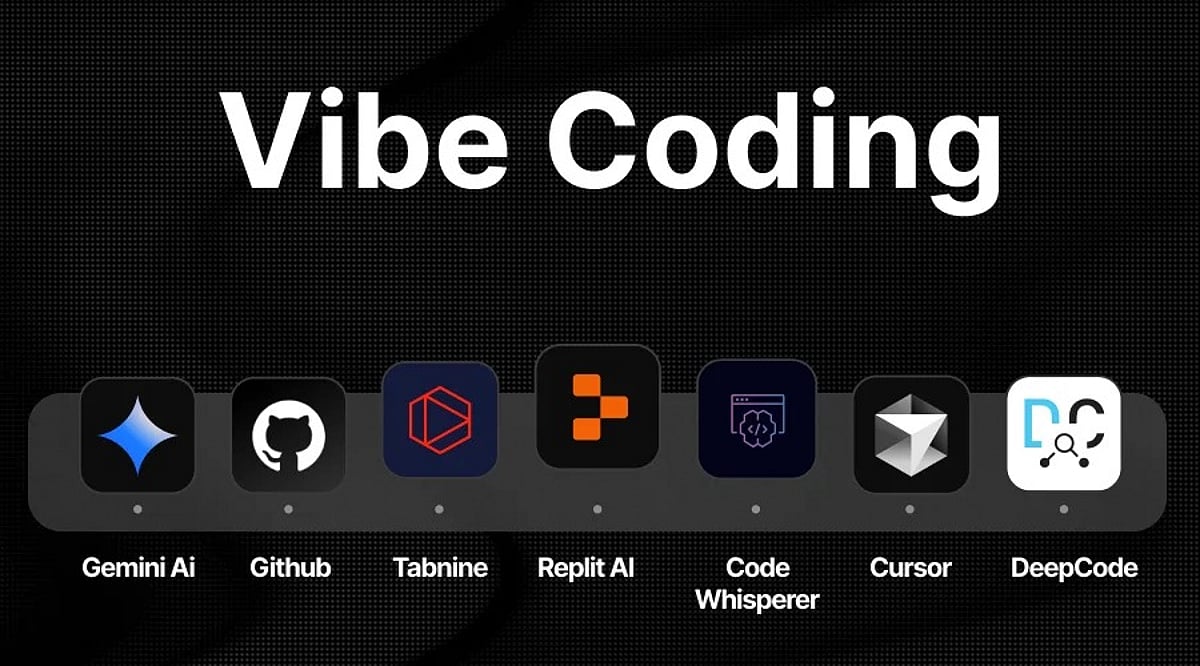
    Tools such as Lovable, Replit, Bolt, GitHub Copilot, and Cursor have built entire platforms around this workflow, handling tasks like database setup, real-time updates, and error debugging automatically. Instead of writing a complex database query, a user might simply describe the dashboard they want, and the AI generates the required logic behind it.

    Why It Matters for Non-Coders & Businesses

    Vibe coding lowers the barrier to entry for building software in a way few previous tools have managed. People with no programming background can now launch functional apps, websites, and prototypes without hiring a developer or spending months learning to code. Businesses benefit too, since ideas can move from concept to a working demo in hours rather than weeks. According to reports, by mid-2026 roughly 25 percent of Y Combinator startups were building products using mostly AI-generated code, showing how quickly this shift has moved from a novelty into standard practice for early-stage teams.

    The Limits & Risks Worth Knowing

    Vibe coding is not without its downsides. Since users often skip reading the generated code line by line, mistakes and security gaps can slip through unnoticed. Early adopters have reported issues ranging from broken features to AI-generated content that misrepresented real data, such as fake product reviews appearing on a demo app.

    Developers who understand the underlying logic can catch these problems faster, which is why many experts recommend treating AI output as a strong first draft rather than a finished product, especially for anything handling sensitive user data.

    The Road Ahead for App Development

    Vibe coding is reshaping who gets to build software, shifting the developer’s role from writing every line of code to guiding an AI assistant toward the right outcome. As AI models keep improving at understanding context and intent, the applications people can create this way will only grow more capable.

    It is not about replacing skilled developers entirely, but about giving far more people the tools to turn their ideas into something real, faster than ever before.

    Frequently Asked Questions

    1. What is vibe coding? Vibe coding is an approach where a person describes an idea in plain language and lets an AI assistant translate it into working software, rather than writing the code line by line.
    2. Does vibe coding replace developers? No, it does not replace skilled developers entirely. It gives more people the tools to turn their ideas into working applications, and experienced developers still play a key role in guiding, refining and reviewing the output.
    3. Can someone with no coding experience use vibe coding to build an app? Yes, vibe coding makes app building accessible to people who never learned to program, since the process relies on describing intent rather than writing syntax.
    4. Is AI-generated code from vibe coding safe to use directly? Experts recommend treating AI output as a strong first draft rather than a finished product, especially for anything handling sensitive user data, so a review step remains important.
    5. How will vibe coding evolve as AI models improve? As AI models get better at understanding context and intent, the applications people can build through vibe coding are expected to grow more capable and complex over time.
  • OpenAI’s ChatGPT Images 2.5 Boosts Speed, Adds Sketch and Precision Editing Tools

    OpenAI’s ChatGPT Images 2.5 Boosts Speed, Adds Sketch and Precision Editing Tools

    OpenAI has launched ChatGPT Images 2.5, the latest version of its image-generation model, bringing faster generation, sharper editing controls, and creative features designed to make visual creation more intuitive and precise. Available across ChatGPT, ChatGPT Work, and Codex on desktop, mobile, and web, the update is rolling out to all subscribers at no extra cost.

    What’s New in Images 2.5?

    Three major improvements define this release: enhanced image quality, more accurate editing, and significantly faster generation. OpenAI reports that images now render up to 50% faster than the previous Images 2.0 model. Lighting appears more natural, textures are sharper, and reference photos retain their detail—even when the subject is placed in a completely different scene.

    Beyond the core model, new tools have been integrated into the ChatGPT interface:

    • Sketch Feature: Users can draw rough ideas on a canvas, then add a short description. ChatGPT transforms the sketch into a polished, finished image. This is ideal for concepts that are easier to draw than describe.
    • Editing Toolbar: Opens when an image is selected, offering five options: Markup, Comment, Remove Background, Erase, and Resize. Remove Background isolates the subject with a transparent background. Erase removes unwanted objects with a simple brush stroke.
    • Comment-Based Editing: Click directly on part of an image and type instructions like “remove this” or “make it blue.” The AI acts on only that area, leaving the rest untouched.
    • Templates: Pre-built guides for posters, merchandise, product photography, and more. Users answer a few questions and ChatGPT generates the image.
    • Prompt Sharing: Finished images can now include the exact prompt used, allowing others to reuse and adapt the concept.

    Consistency Across Multiple Edits

    Earlier versions often degraded quality after repeated edits in the same conversation. Images 2.5 addresses this by preserving important visual details and composition through multiple rounds of changes. This reliability is especially valuable for marketing teams creating campaign assets or social media batches that need to look cohesive.

    New API Models for Developers

    Developers gain access to two new API models: Flare (default, optimized for speed and lower cost, suitable for everyday tasks) and Sunburst (slower but offers tighter control for polished campaign work). Companies like Adobe, Runway, and Manus have already integrated these models into their products.

    Competitive Edge

    Early reviews place Images 2.5 ahead of Google’s Nano Banana 2 in editing accuracy and speed. Critics note that the biggest improvement is not just raw output quality but how the new editing tools transform the daily workflow of image creation.

    Overall, ChatGPT Images 2.5 refines a system that already worked well, putting more control in users’ hands. For casual users, it simplifies quick photo touch-ups, poster design, or product shots. For businesses, the choice between Flare and Sunburst offers a practical trade-off between speed and precision. The result is steady, sensible progress that makes AI image generation more practical and accessible.

  • 7 Best AI Presentation Tools to Create Stunning Slides in 2026

    7 Best AI Presentation Tools to Create Stunning Slides in 2026

    Creating compelling presentations no longer requires hours of manual design work. Thanks to artificial intelligence, you can now generate polished slides from simple prompts, rewrite content on the fly, and maintain consistent layouts with minimal effort. Below are seven of the top AI tools that can help you create professional presentations faster.

    1. Gamma

    Gamma allows you to create complete presentations from just a few prompts. Enter a topic, choose a style, and the platform generates a structured deck in minutes. It can rewrite content, adjust layouts, and add visuals, making it ideal when you need a refined presentation without starting from scratch.

    2. Canva

    Canva combines AI features with its extensive library of templates and design tools. Its AI can generate content, suggest layouts, create visuals, and improve existing slides. You can customize fonts, images, colors, and other elements, making it a practical choice for visually appealing presentations with creative flexibility.

    3. Microsoft PowerPoint (Copilot)

    Microsoft PowerPoint integrates AI through Copilot to simplify presentation creation. You can generate slides from prompts or existing documents, create content, and improve layouts. Since PowerPoint is widely used by businesses and students, its AI features speed up familiar workflows without requiring new software.

    4. Beautiful.ai

    Beautiful.ai focuses on automated design through intelligent templates. As you add or change content, the platform adjusts elements automatically, reducing manual formatting. It offers templates for business, marketing, education, and more, helping you create consistent, professional presentations with less effort.

    5. Tome

    Tome turns ideas and written prompts into visual presentations. It helps generate structures, written content, and visuals, which you can then edit to suit your needs. This tool is especially useful when you need to quickly develop a presentation but struggle with the initial structure and storytelling.

    6. SlidesAI

    SlidesAI converts written information into presentation slides, making it useful for students, professionals, and educators. Provide text or describe a topic, and the tool generates structured slides. Its integration with Google Slides lets you continue editing in a familiar environment without switching platforms.

    7. Plus AI

    Plus AI brings AI-powered presentation creation to tools like Google Slides and PowerPoint. It can generate presentations from prompts, rewrite content, and reorganize slides. This makes it a great choice for professionals who want AI assistance without changing their existing workflow, and it helps teams create and refine presentations faster.

  • 10 AI-Powered No-Code Platforms That Let Anyone Build Mobile Apps

    10 AI-Powered No-Code Platforms That Let Anyone Build Mobile Apps

    Artificial intelligence is democratizing mobile app development, enabling entrepreneurs, creators, and beginners with no programming experience to bring their ideas to life. AI-driven no-code platforms now generate interfaces, workflows, and functional app components from simple natural-language prompts, slashing development time and letting users focus on product design and user experience.

    Visual Platforms Simplify App Creation

    Platforms like FlutterFlow, Bubble, and Adalo combine visual drag-and-drop interfaces with AI-powered assistance. Users describe features, generate layouts, and connect workflows without writing extensive code. This approach accelerates prototyping and helps non-technical founders test concepts before committing to traditional development resources.

    Faster Journey from Idea to Prototype

    AI app builders dramatically shorten the path from concept to working prototype. Instead of spending weeks building basic screens and functionality, users combine prompts with visual controls to create applications in days. This speed makes experimentation easier, especially for startups seeking to validate ideas and gather early feedback.

    Automated Interface and Design Creation

    AI automates much of the interface creation process. Users describe the app they want, and the tools generate screen layouts, navigation structures, and design elements. These components can then be refined visually, giving beginners control over their applications without requiring extensive technical expertise.

    Simplified Databases and Integrations

    Many platforms assist with databases, integrations, and application logic through simplified interfaces. Creators can connect APIs, configure data structures, and establish automated workflows without deep technical knowledge. This enables the development of increasingly sophisticated applications while avoiding the complexity of traditional frontend and backend work.

    No-Code Platforms Have Limitations

    Despite their accessibility, AI-powered no-code tools aren’t suitable for every project. Complex applications may require custom programming, advanced security controls, or specialized infrastructure. Before choosing a platform, users should evaluate pricing, scalability, data ownership, and integration capabilities to ensure the tool fits their specific needs.

    AI Is Changing Software Development

    The rise of AI-powered app builders reflects a broader shift in software development. While programming knowledge remains valuable, AI and no-code platforms are lowering barriers for people with limited technical experience. As these tools become more capable, users can increasingly turn ideas into functional mobile applications with fewer traditional development resources.

  • AI Citation Tracking in 2026: Comparing the Best Tools for Source Visibility

    AI Citation Tracking in 2026: Comparing the Best Tools for Source Visibility

    Why AI Citation Tracking Matters

    In 2026, AI answer engines like ChatGPT, Perplexity, and Google AI Overviews are reshaping how readers discover content. Being mentioned in an AI answer is no longer enough—brands need to know which pages actually get cited as sources. Citation tracking tools reveal which content wins trusted source positions, how competitors compare, and where your site falls short. This article compares six leading AI citation tracking tools to help you choose the right one for your team.

    Top AI Citation Tracking Tools of 2026

    1. Ahrefs Brand Radar

    Best for deep data and enterprise-scale tracking. Ahrefs Brand Radar stands out with its AI Visibility Index, which covers over 460 million real prompts across six AI indexes: Google AI Overviews, Gemini, Perplexity, ChatGPT, Copilot, and Google AI Mode. The data comes from real searches in Ahrefs’ keyword database, not synthetic prompts, and updates monthly. The tool provides a clear citation view, separating pages found from pages cited, and tracks mentions, citations, impressions, and AI Share of Voice. A May 2026 update added bot visits and AI traffic data for cited pages. Pricing starts at $199/month for one AI index, with all platforms at $699/month including 2,500 custom prompt checks. Additional prompt packs start at $50.

    2. Profound

    Best for enterprise AI search teams. Profound targets larger brands needing a wider answer-engine view. Its Starter plan costs $99/month and covers ChatGPT with 50 prompts; Growth is $399/month for three answer engines and 100 prompts. Enterprise plans can cover up to nine answer engines and multiple companies. Profound checks citations, sentiment, rank, and competitive presence, linking source data to overall brand visibility.

    3. Peec AI

    Best balance of detail and cost. Peec AI provides strong source-level insights at a reasonable price. Starter is $95/month for 50 prompts, three models, and one project; Pro is $245/month for 150 prompts and two projects; Advanced is $495/month for 350 prompts and five projects. It measures visibility, position, sentiment, and shows which sources AI assistants cite. Supported models include ChatGPT, Gemini, Google AI Mode, and Perplexity, with more models on higher plans or enterprise.

    4. OtterlyAI

    Budget-friendly for smaller teams. OtterlyAI offers one of the lowest entry prices—$29/month for 15 search prompts across ChatGPT, Google AI Overviews, Perplexity, and Microsoft Copilot. Additional models like Claude, Google AI Mode, and Gemini cost extra. A July 2026 update enhanced its Citations Report with a Winners & Losers view, saved citation URLs, a detail view, and a timeline chart for citation changes.

    5. Semrush AI Visibility

    Best for SEO teams already using Semrush. Semrush AI Visibility costs $99/month per domain on annual plans, covering 25 custom prompts, 300 daily AI analysis queries, 1,000 daily Prompt Research queries, and one domain. It supports ChatGPT, Google AI, Gemini, and Perplexity. A site audit feature flags technical issues that might block AI bots, making it a single hub for search and AI data.

    6. Rankscale

    Broad model coverage at low cost. Rankscale starts at $20/month and covers AI Overview, AI Mode, Gemini, ChatGPT, Perplexity, Grok, and Copilot, plus several other model engines. Pro is $99/month for 1,200 credits (up to 4,800 AI answers). Its credit system provides flexible scaling without fixed prompt limits, ideal for brands that need wide coverage on a modest budget.

    Choosing the Right Tool

    The best tool depends on your goals. For deep, large-scale data, Ahrefs Brand Radar is unmatched. If you need enterprise-level multi-engine tracking, Profound fits. For small teams or tight budgets, OtterlyAI and Rankscale offer solid entry points. SEO teams might prefer Semrush for its integrated audit tools, while Peec AI balances detail and affordability. Evaluate your prompt needs, model coverage, and budget to pick the tool that turns AI citation data into actionable SEO insights.

    Frequently Asked Questions

    What is AI citation tracking?

    AI citation tracking monitors the websites and pages that AI answer engines cite when generating responses.

    Which AI citation tracking tool is best in 2026?

    Ahrefs Brand Radar is the strongest choice for deep, large-scale citation and AI visibility data.

    What is the most affordable AI citation tracking tool?

    Rankscale starts at $20/month, while OtterlyAI starts at $29/month.

    Why are AI citations important for SEO?

    Citations show which pages AI systems trust as sources, helping brands identify content gaps and improve visibility in AI-generated answers.

    Can AI citation tools track competitors?

    Yes. Several tools compare competing brands and sources to show who earns citations and where your brand is losing visibility.