Tag: AI tools

  • Agentic AI in 2026: Top Tools, Platforms, and Frameworks for Autonomous Workflows

    Agentic AI in 2026: Top Tools, Platforms, and Frameworks for Autonomous Workflows

    Agentic AI: From Answers to Action

    In 2026, artificial intelligence has made a significant leap. Instead of merely generating responses, AI agents can now plan complex tasks, interact with business systems, verify their own output, and operate with limited human intervention. This shift is reshaping how organizations build software, manage operations, and assign responsibility to machines.

    The Three-Layer Stack of Agentic AI

    The agentic AI ecosystem has matured into three distinct layers: frameworks for constructing agents, platforms for controlling and observing them, and enterprise products that bring AI into everyday workflows. Choosing the right combination depends on workflow complexity, data requirements, and the level of control needed over autonomous decisions.

    Where Agents Are Built: Leading Frameworks

    Developers still start with frameworks, and two names dominate: LangChain and LangGraph. Although often mentioned together, they solve different problems. LangChain acts as an integration layer, connecting models to data sources, tools, and APIs while allowing teams to switch providers without rebuilding their applications. LangGraph focuses on stateful workflows, giving agents the ability to remember where they are in a task. This is essential for work that branches, loops, or runs for hours—so a single failed step doesn’t force a restart.

    CrewAI takes a collaborative approach by splitting work across specialized agents, much like a small team. A researcher gathers data, a writer drafts content, and a reviewer checks it before publication. This works well when a task can be broken into clear segments, though more agents also mean more coordination overhead.

    Other frameworks fill niche needs. LlamaIndex is built for data-heavy, retrieval-focused agents. DSPy treats prompt design as a testable, optimizable component. Microsoft’s Semantic Kernel is ideal for teams already embedded in the Microsoft ecosystem. No single framework wins across the board—the right choice depends on the type of failure a team is prepared to debug.

    Where Agents Are Controlled: Platforms and Observability

    Building an agent is relatively easy; running it safely at scale is harder. Without proper oversight, an agent might overspend a budget, access incorrect data, or misuse a tool. Production systems require evaluation, cost tracking, permission limits, and a clear audit trail.

    LangSmith provides tracing and evaluation across multiple frameworks, helping teams monitor agent behavior. TrueFoundry operates at the infrastructure level, managing routing, authentication, rate limits, and monitoring no matter which framework is in use. As organizations scale from a single agent to dozens, the challenge shifts from building to supervising.

    Where Agents Are Deployed: Enterprise Readiness

    Not every company wants to build agents from scratch. Ready-made enterprise products now fill that gap. Glean focuses on enterprise search and internal knowledge agents. Moveworks automates employee support and internal workflows. Sierra builds customer-facing agents for support and sales. Cognigy and Kore.ai compete in conversational automation at scale, while UiPath extends its existing automation platform with AI-powered exception handling for businesses already using its tools.

    An Emerging Fourth Category

    A new group of tools doesn’t fit neatly into the three layers. Google Antigravity offers an agent-first development environment. Perplexity Computer coordinates across multiple models at once. Manus focuses purely on autonomous task execution. These products sit between frameworks and finished applications, suggesting that the boundaries between building, controlling, and deploying agents are beginning to blur.

    The Bottom Line for 2026

    The real question isn’t which tool gives an agent the most freedom. It’s which tool gives an organization enough visibility and control to use that freedom wisely. As agents take on more daily operations, the winners won’t be the most autonomous systems. They’ll be the ones companies can trust, audit, and correct when things go wrong.

    Frequently Asked Questions

    What are agentic AI tools? Agentic AI tools are software frameworks and platforms that enable AI agents to plan tasks, use external tools, make decisions, maintain context, and complete multi-step workflows with limited human intervention.

    Which is the best agentic AI framework in 2026? There is no single best framework. LangGraph suits stateful workflows, LangChain handles broad agent development, CrewAI excels at multi-agent collaboration, and LlamaIndex is ideal for data-heavy applications.

    What is the difference between LangChain and LangGraph? LangChain provides components and integrations for building AI applications and agents, while LangGraph orchestrates complex, stateful workflows with branching, loops, retries, and persistent state.

    Are agentic AI platforms suitable for enterprises? Yes. Enterprise platforms offer workflow automation, observability, permissions, security controls, evaluation, and audit trails, all critical when agents operate across business processes.

    How should businesses choose an agentic AI platform? Evaluate workflow complexity, data needs, integration requirements, desired autonomy level, security controls, observability, cost management, and human-approval requirements before making a decision.


  • Top AI Tools to Transform Long Videos Into YouTube Shorts in 2026

    Top AI Tools to Transform Long Videos Into YouTube Shorts in 2026

    Producing YouTube Shorts on a consistent schedule is time-intensive. Scripting, recording, editing, and adding captions each demand separate effort. AI video tools now automate most of this workflow. Some generate a short from a simple idea, while others repurpose existing long-form footage into multiple vertical clips. Choosing the right tool can save hours every week.

    Know Your Goal First

    Not every AI video tool does the same job. Before selecting one, ask: Are you creating a video from scratch, or extracting clips from footage you already have?

    • Generating from an idea: You type a prompt, upload a photo, or paste a script, and the tool builds a new video.
    • Repurposing long video: You have a podcast, webinar, or vlog, and the tool identifies the best moments and turns them into short clips.

    These are two distinct tasks. A generator cannot clip an existing podcast, and a repurposing tool cannot create original footage. Confusing them leads to wasted effort.

    What to Check Before You Pick a Tool

    The success of a short video depends on a few essential details:

    • Vertical output: The video must export in true 9:16 format without black bars.
    • Speed: A tool that takes twenty minutes per clip is impractical for daily posting.
    • Automation level: Some tools write the script, add a voice, and place captions automatically. Others leave most work to the user.
    • Input options: Text, images, links, or audio — the more starting points, the more versatile the tool.
    • Captions and sound: Most viewers watch with sound off initially, so captions and music are baseline requirements.
    • Pricing: A flat monthly fee is easier to budget than a credit system that depletes quickly.

    The Two Paths Worth Knowing

    Tools That Build Something New

    Creators working from an idea, script, or photo should consider these:

    • Pexo: Uses a conversational approach — describe the video in plain language, and it writes the script, adds a voice, and assembles the clip in one exchange.
    • Runway and Pika: Focus on visual quality and creative style rather than a complete production workflow.
    • InVideo AI: Suits narration-heavy, faceless channels built around a written angle.
    • Canva: Ideal for creators already familiar with the platform who prefer a template-driven approach.

    Tools That Repurpose Existing Footage

    OpusClip leads this category. It processes a long recording — podcast, livestream, interview — identifies the strongest moments, and edits them into vertical clips with captions and reframing. It also scores each clip by predicted performance. Creators with hours of recorded content can save considerable time using this method.

    How to Choose

    Match the tool to the task. Starting with no footage? Pick a generator. Have long recordings? Choose a repurposing tool. Many creators use both: one for original ideas, another for extracting clips from long recordings.

    Review the free plan first. Every tool listed offers one, though most include a watermark or usage limit. Testing a free tier for a week provides more insight than any comparison article.

    Final Thoughts

    No single tool is the definitive choice — the right option depends on your starting point. For the fastest path from idea to finished vertical clip, Pexo is strong. For visual style over speed, Runway and Pika excel. For those with long recordings already available, OpusClip can turn them into weeks of short-form content. Selecting a tool based on your resources makes the ongoing task of producing Shorts much more manageable.

    Note: Prices change frequently, so check each site directly before committing.

  • Cut Software Costs with AI Coding: Strategies for Efficiency Without Sacrificing Quality

    Cut Software Costs with AI Coding: Strategies for Efficiency Without Sacrificing Quality

    AI coding can lower software costs by accelerating development, reducing wasted model usage, improving workflows, and strengthening testing—all while maintaining software quality, reliability, security, and performance. However, faster code generation alone does not guarantee savings. The real goal is to deliver useful software to production with less total effort while keeping quality high. As AI adoption reaches mainstream scale, this question now matters to nearly every software team.

    Key Takeaways

    • Measure total task cost: Faster code generation only creates savings when reviews, testing, fixes, and production checks remain efficient.
    • Optimize AI workflows: Better prompts, context management, and selective output can reduce model usage without sacrificing quality.
    • Match models to tasks: Use affordable models for simple work and stronger reasoning models only when complexity demands them.

    AI Code Has Become a Mainstream Tool

    JetBrains surveyed more than 15,000 professional developers for its 2026 Developer Ecosystem Survey. From May to July 2026, 90% of professional developers used AI coding agents at least once a week, while 68% used them every day. The same study found rapid growth across tools such as Codex, Claude Agent, GitHub Copilot, Cursor, OpenCode, and Google Antigravity.

    DORA found a similar shift. Its 2025 research showed that 90% of technology professionals use AI at work, while more than 80% report higher productivity. Yet the same research shows a clear trade-off. AI can speed up code creation, but teams may spend more time on checks and reviews. Higher AI use can also raise both software delivery speed and delivery instability. That gap explains why AI alone cannot guarantee lower costs.

    The Real Saving Comes From Faster Task Completion

    The cost of AI code should not depend only on token use. GitHub published new research on September 2, 2026, with a clear lesson: a shorter AI response can cost more if missing details force an agent to repeat a command or request more context. The better measure is the full task, from the first request to the final result.

    GitHub also found useful gains from better agent design. Selective output compression cut model inference cost by about 5% in offline tests. A live Copilot CLI test then cut average daily model inference cost per user by about 3%, with no material drop in quality or satisfaction.

    Another prompt change removed about 1,300 tokens per turn, which led to 1.8% fewer prompt tokens per session and 2.9% lower normalized cost per active hour. A separate change to task-result delivery cut token-related use by about 2.3%. These figures show a useful point: smart AI workflow design can cut waste without a weaker result.

    Better Checks Protect Software Quality

    Cost control also needs strong tests and reviews. AI can create code at high speed, but every change still needs proof that it works. DORA describes AI as an amplifier of existing strengths and weaknesses. Strong software practices can help teams gain more value, while weak processes can let defects spread faster.

    Small changes offer a safer path. A clear task, a focused AI change, automated tests, and a human review can limit the cost of a mistake. Strong version control, clear project documents, reliable tests, and good internal tools also give AI better context and reduce wasted work.

    Smart Model Choice Can Lower AI Bills

    Not every software task needs the most costly AI model. Simple work can use a lower-cost model, while complex design, difficult faults, or large codebases may need a stronger reasoning model.

    This approach can matter as AI use grows. McKinsey found that about two in ten organizations now scale software coding agents, with the figure at 31% among large enterprises. More strikingly, 32% of respondents said an organization had rejected at least one software purchase or feature purchase after deciding that an internal team could create the same function with agentic coding tools. That shift can create savings far beyond a smaller developer bill.

    The Next Cost Battle Will Focus on Efficiency

    AI can reduce the cost of software work when companies measure the full result rather than the amount of code an AI tool produces. The strongest measure is the cost of a successful software change after AI use, human review, tests, fixes, and production checks.

    The latest data points to a clear direction. AI already has broad use among developers, while new tools focus on lower model cost, better context, and fewer wasted steps. The real advantage will come from teams that pair AI speed with strong software controls. That combination can raise output, reduce waste, and protect performance at the same time.

    Frequently Asked Questions

    1. How can AI coding reduce software costs?

    AI can reduce development time, automate repetitive tasks, improve developer productivity, and lower the effort needed to deliver software changes.

    2. Can AI-generated code affect software quality?

    Yes. AI can introduce bugs or security issues, so automated testing, human review, version control, and strong development practices remain essential.

    3. Does using a more powerful AI model always provide better value?

    No. Simple coding tasks can often use lower-cost models, while complex architecture, debugging, and large codebases may benefit from stronger reasoning models.

    4. What is the best way to measure AI coding savings?

    Measure the total cost of a successful software change, including AI usage, developer time, reviews, testing, fixes, and production validation.

    5. How can companies get more value from AI coding tools?

    Companies should combine AI with clear tasks, good documentation, reliable tests, efficient workflows, appropriate model selection, and human oversight.

  • LinkedIn AI Advertising Tools Every B2B Marketer Must Master in 2026

    LinkedIn AI Advertising Tools Every B2B Marketer Must Master in 2026

    Artificial intelligence has become central to digital advertising, but nowhere is its impact more evident than on LinkedIn. As the largest professional network in the world, LinkedIn provides advertisers with access to accurate information about professionals’ job titles, industries, companies, and decision-makers. Integrating such professional information with the company’s AI tools is now making it possible for B2B marketers to run better campaigns and reduce the time needed for campaign management.

    The introduction of such AI tools into the system is not only aimed at automating mundane tasks. LinkedIn’s AI tools can help advertisers target the right audience and create the right content, optimizing the budget in real time.

    AI is Reducing the Complexity of Campaign Creation

    Developing a B2B campaign usually entailed various decisions concerning audience choice, bidding strategy, and other aspects. LinkedIn’s AI-driven campaign development capabilities significantly ease many of these steps.

    By using capabilities like Accelerate, users can develop campaign suggestions aligned with business objectives rather than manually adjusting every possible parameter. The AI provides appropriate suggestions for audiences, campaign type, and optimization techniques. This solution is especially beneficial for small marketing teams that lack advertising specialists.

    Better Targeting Means Better Leads

    LinkedIn’s ability to leverage professional audience information is one of its best benefits, and AI can enhance it by analyzing user behavior, engagement patterns, and company attributes to predict conversion likelihood among specific groups.

    Compared with traditional filtering criteria such as job position or industry, marketers can connect with prospects by considering buying intent, company growth, recruitment needs, and professional interests. For B2B brands, where acquiring a single qualified lead often costs significantly more than in consumer marketing, better targeting directly improves return on investment.

    AI is Improving Creative Quality

    Creating multiple versions of ad copy for different audience segments has always been time-consuming. LinkedIn’s generative AI tools now assist marketers by producing headlines, primary text, and campaign messaging within minutes.

    Rather than replacing human creativity, AI provides a strong starting point. Marketing teams can edit the suggested copy to reflect their brand voice while reducing the time spent drafting advertisements from scratch. This allows businesses to test multiple creatives simultaneously, helping identify which messages generate the highest engagement and conversion rates.

    Performance Optimization Happens Continuously

    Campaign optimization has moved past the weekly reporting stage. LinkedIn’s artificial intelligence constantly monitors the effectiveness of your campaigns and pinpoints ways you can improve them.

    The platform no longer shows you numbers but points out developing trends, such as reduced engagement or underperforming creatives. It may even recommend reallocating your budget, refreshing your creatives, or adjusting your targeting before your campaign performance declines.

    Personalization is Becoming a Competitive Advantage

    Today’s B2B purchasers want communications that speak to their specific industry, position, and problems. LinkedIn’s AI capabilities can help deliver better personalization in advertising efforts.

    Organizations can use personalized communication by analyzing user data and past communications through Conversations, messaging, and audiences. Personalized communication is helpful not only for engagement but also for creating trust, which is an important component of the B2B buying process. Organizations don’t send the same message to all their possible customers anymore.

    AI Integration Increases the Efficiency of Workflows

    Using AI capabilities in LinkedIn becomes more relevant when AI is integrated with CRM and marketing automation systems. Lead data is automatically passed to the sales application, allowing you to communicate with them faster. Other use cases include lead scoring, opportunity detection, and attribution. This is a time- and effort-saving strategy.

    AI Still Needs Human Strategy

    Regardless of this progress, AI will never replace marketing knowledge. For successful B2B marketing campaigns, it is important to know what challenges customers face, create something valuable for them, and build relationships. AI may assist in suggesting an audience and generating ad texts, but only humans can create a value proposition and take into account all subtleties of customer behavior. Companies that see AI as a decision-making support system, not a decision-maker itself, will reach sustainable success.

    The Road Ahead for B2B Advertising

    In terms of AI marketing tools, LinkedIn represents another example of the changes taking place in this sphere. There has been increased automation of processes, predictive analysis, and personalization, which has made the campaigns much more accurate. AI technologies are developing, and therefore, there is greater potential for accurate audience research and assistance in the development process.

    Business-to-Business marketers should take advantage of AI technologies through business strategies. Companies that use technology to assist decision-making processes, not to decide on behalf of marketers, will benefit by qualifying leads and making their marketing more effective.

  • 10 Free AI Tools That Can Save You Hours Every Week

    10 Free AI Tools That Can Save You Hours Every Week

    Artificial intelligence tools have become indispensable for boosting productivity and streamlining workflows. Whether you need to generate content, research a topic, organize documents, or automate meeting notes, there is a free AI tool that can help. Here is a curated list of 10 powerful free AI tools that can save you hours every week.

    1. ChatGPT

    ChatGPT is one of the most versatile AI assistants available. Use it to generate content, brainstorm ideas, summarize documents, answer questions, and automate everyday writing tasks. Its conversational interface makes it easy to get started.

    2. Google Gemini

    Google Gemini integrates seamlessly with Google Workspace to help you research topics, summarize lengthy files, analyze images, and streamline both personal and professional workflows. It’s a great choice for anyone already using Google’s ecosystem.

    3. Microsoft Copilot

    Microsoft Copilot works directly inside Microsoft 365 applications and Windows. Draft emails, create presentations, analyze spreadsheets, and even get assistance with coding—all without leaving your workflow.

    4. Perplexity AI

    Perplexity AI provides accurate, source-backed answers instantly with real-time web search. It makes research, fact-checking, and learning significantly faster than traditional search engines.

    5. Canva AI

    Canva’s AI-powered design tools let you create social media graphics, presentations, videos, and marketing visuals without needing professional design experience. It’s a time-saver for content creators and marketers.

    6. Grammarly

    Grammarly helps improve grammar, clarity, tone, and writing quality across emails, documents, and websites. Its instant suggestions make writing more efficient and polished.

    7. NotebookLM

    NotebookLM by Google is an AI-powered research assistant that helps you organize research materials, summarize documents, generate study guides, and ask questions using your uploaded sources. It’s ideal for students and professionals.

    8. Claude

    Claude is an AI assistant capable of summarizing long reports, writing polished content, analyzing documents, and handling complex reasoning tasks. Its natural, conversational responses make it easy to work with.

    9. Otter.ai

    Otter.ai automatically records meetings, transcribes conversations, generates summaries, and captures action items. It reduces manual note-taking and improves collaboration efficiency for teams.

    10. Additional Bonus Tools

    While the list includes nine core tools, many other free AI applications can further boost your productivity. Experiment with different tools to find the ones that best fit your needs.

    Start using these free AI tools today to reclaim hours of your week and focus on what matters most.

  • Boomy AI Tutorial: A Step-by-Step Guide to Creating Original Songs with AI

    Boomy AI Tutorial: A Step-by-Step Guide to Creating Original Songs with AI

    AI songwriting tools have opened the world of music for anyone with internet access, even for people with no experience in music production. One such platform is Boomy AI, designed to help users compose, arrange, and release their own tunes quickly and efficiently. The platform caters to beginners, creators, and independent artists who want to experiment with AI-driven music production without mastering complex digital audio workstations. Since its launch, Boomy has produced millions of songs and established itself as a major music production platform.

    Step 1: Create a Boomy Account

    First, sign up for Boomy. Once logged in, you’ll arrive at the song creation dashboard, where you can start making music. Boomy offers early directions for creating electronic, ambient, lo-fi, rap-style, and more. These preset choices affect the flow, instruments, and overall arrangement of your track.

    Step 2: Choose a Song Style

    Pick the style that matches the music you want to create. This step is crucial because Boomy uses the selected style as a foundation and generates a track with multiple elements, such as drums, bass, melodic lines, and atmospheric layers. It is much faster than composing a song from scratch and requires minimal time.

    Step 3: Customize the Generated Track

    After the initial version, Boomy lets you modify sections of the track. You can edit the arrangement, select instruments, adjust the mix, regenerate sections, or try various production settings—depending on the available tools. This gives you more control over the creation, rather than relying entirely on the first AI-generated result.

    Step 4: Add Vocals

    Boomy also features the ability to add vocals to your songs. You can record vocals directly or upload compatible recordings, depending on your plan’s features. This transforms an instrumental AI composition into a more comprehensive song with lyrics and a recognizable voice.

    Step 5: Save and Export the Song

    Once the track is mixed, save it to your Boomy library. Depending on your subscription and the platform’s rules, you can download the track or prepare it for distribution. Boomy has always provided distribution options for streaming platforms, but always verify eligibility conditions, monetization, and licensing before releasing commercially.

    Why Boomy is Useful for Beginners

    Boomy eliminates many of the technical aspects of music creation. Traditional processes like MIDI arrangement, track mixing, instrument selection, and audio mastering are handled by Boomy, enabling users to go from an idea to a completed track in minutes. The speed is the biggest advantage for beginners—instead of learning an entire production workflow first, users can experiment immediately, understand basic song structure, and gradually cultivate their own unique production style.

    Frequently Asked Questions

    1. What is Boomy AI?

    Boomy AI is an AI-powered music creation platform that enables users to generate original songs without needing professional music production skills. It automates composition, arrangement, and basic mastering.

    2. Do I need music production experience to use Boomy AI?

    No. Boomy is designed for beginners as well as experienced creators. Users can generate complete tracks in minutes using preset styles and customize them through an intuitive interface.

    3. Can I monetize songs created with Boomy AI?

    Yes, depending on your subscription plan and Boomy’s licensing policies. Always review the platform’s latest distribution, copyright, and royalty terms before releasing music commercially.

    4. What music genres does Boomy AI support?

    Boomy supports multiple genres, including electronic, lo-fi, ambient, rap, pop, and other AI-generated styles. Available options may change as the platform introduces new music templates.

    5. Can I edit AI-generated songs after they are created?

    Yes. Boomy allows users to modify arrangements, regenerate sections, adjust instruments, add vocals, and refine the mix before saving, exporting, or distributing the final track.

  • Rytr AI Writing Assistant Review: Features, Pricing, and Pros & Cons in 2026

    Rytr AI Writing Assistant Review: Features, Pricing, and Pros & Cons in 2026

    Rytr is an AI-powered writing platform designed to help users generate content quickly and efficiently. With over 40 templates for blogs, email marketing, ads, product descriptions, and social media posts, Rytr aims to streamline the content creation process. Key features include AI writing and editing, plagiarism detection, multilingual support, and AI image generation. While it excels at short-form content, long articles still require human editing for quality and accuracy.

    General Information

    • Founded: 2021
    • Platform Support: Web, macOS, Linux
    • Download: Rytr

    Main Features of Rytr

    Rytr offers a robust set of tools for AI-driven content creation:

    • Creation of blogs, emails, advertisements, product descriptions, and social media posts
    • More than 40 writing templates tailored for various content needs
    • Support for over 30 languages and 20+ writing tones
    • AI rewriting, expansion, contraction, grammar, and editing tools
    • Plagiarism detection, AI image generation, keyword suggestions, and SERP analysis

    Benefits of Rytr

    • Fast content creation: Saves time on writing and editing
    • User-friendly design: Minimal learning curve for productive use
    • Multilingual support: Enables content creation for diverse markets
    • Affordable pricing: Accessible to individuals and businesses
    • Overcomes writer’s block: Provides immediate drafts and ideas

    Challenges of Rytr

    • Long-form articles require considerable manual editing
    • AI writing can become repetitive in extensive documents
    • No search volume or competition analysis in keyword research
    • SEO capabilities are lower compared to dedicated SEO tools
    • All AI-generated content must be fact-checked before publishing

    Subscription Information

    Rytr offers three pricing tiers:

    • Free Plan: Basic features with low monthly usage limits, suitable for occasional writers
    • Saver Plan: More generous writing limits, custom use cases, and productivity tools at a low monthly fee
    • Premium Plan: Unlimited content creation, priority support, and advanced features for business users

    Support Options

    • Help Center and Learning Resources: Documentation, tutorials, FAQs, writing guides, API documentation, and feature explanations
    • Customer Support: Email support, priority support for premium users, technical assistance, billing support, and account management

    Conclusion

    Rytr is a valuable AI content creation tool that helps users produce marketing copy, emails, social media posts, product descriptions, and outlines efficiently. Its features—AI editing, multilingual support, plagiarism check, AI image generation, and browser extension—make it a cost-effective choice. However, long-form content still requires manual editing and fact-checking. Overall, Rytr is a solid option for those seeking an affordable AI writing assistant.

    Specifications

    Feature Details
    Founded 2021
    Platforms Web, macOS, Linux
    Templates 40+
    Languages 30+
    Writing Tones 20+
    Key Tools AI writing, editing, plagiarism detection, image generation, SERP analysis
  • HeyGen Review: AI-Powered Video Creation with Avatars and Voice Cloning

    HeyGen Review: AI-Powered Video Creation with Avatars and Voice Cloning

    Overview

    HeyGen is an AI-driven video generation platform that enables users to create professional videos using lifelike AI avatars, voice cloning, and text-to-video technology. It supports multiple languages and is ideal for marketing materials, training content, and product demos—no recording equipment required.

    General Information

    • Founded: 2020
    • Platform Support: Web, Windows, macOS, Linux
    • Download: Available on the official website

    Key Features

    • Generates lifelike avatars using permission-based video samples and real-time verification.
    • Clones voiceovers for consistent narration across multiple projects.
    • AI Studio integrates scripts, avatars, voice, and screen recording into a single workflow.
    • Provides translation and dubbing for videos in different languages.
    • Enables scalable video creation for product demos, marketing, and helpdesk support.

    Benefits

    • Eliminates repetitive live recording once the avatar and voice are configured.
    • Accelerates video production through efficient AI-driven generation.
    • Maintains consistent branding with cloned voices and realistic avatars.
    • User-friendly dashboard simplifies onboarding for beginners.
    • Highly efficient for businesses that produce videos frequently.

    Challenges

    • Free plan limits users to one custom AI avatar.
    • Requires manual synchronization of narration and screen recordings.
    • AI may mispronounce product names or technical terms.
    • Careful script timing is necessary.
    • Avatar hand gestures can become repetitive.

    Subscription Plans

    HeyGen offers a free plan with limited AI videos and one avatar for testing. Paid subscriptions (Creator, Business, Enterprise) include additional video credits, extra avatars, collaboration tools, API access, advanced administration, and enterprise features.

    Support Options

    • Help Center: Documentation, tutorials, FAQs, product guides, community discussions, and learning resources.
    • Customer Support: Email support, enterprise customer success, technical assistance, onboarding support, and billing support.

    Conclusion

    HeyGen is a dependable AI-based video generation tool that offers features like AI avatars, voice cloning, script-to-video generation, and multilingual localization. It simplifies professional video creation for companies, marketers, educators, and content creators without the need for traditional recordings. While synchronization, meticulous script editing, and paid subscriptions for advanced features are considerations, HeyGen effectively meets its purpose.

  • Canva Pro Review: Features, Pricing, Benefits, and Everything You Need to Know

    Canva Pro Review: Features, Pricing, Benefits, and Everything You Need to Know

    Canva has transformed how people create visual content, making professional-looking designs accessible to everyone. Although the free version has an extensive suite of tools, Canva Pro offers advanced features that will be useful for professionals, businesses, teachers, marketers, and other content creators. If you make presentations, graphics for social media, marketing material, or videos, Canva Pro will make your work easier.

    Here is all you need to know about Canva Pro – features, advantages, price, and whether it’s worth upgrading.

    What is Canva Pro?

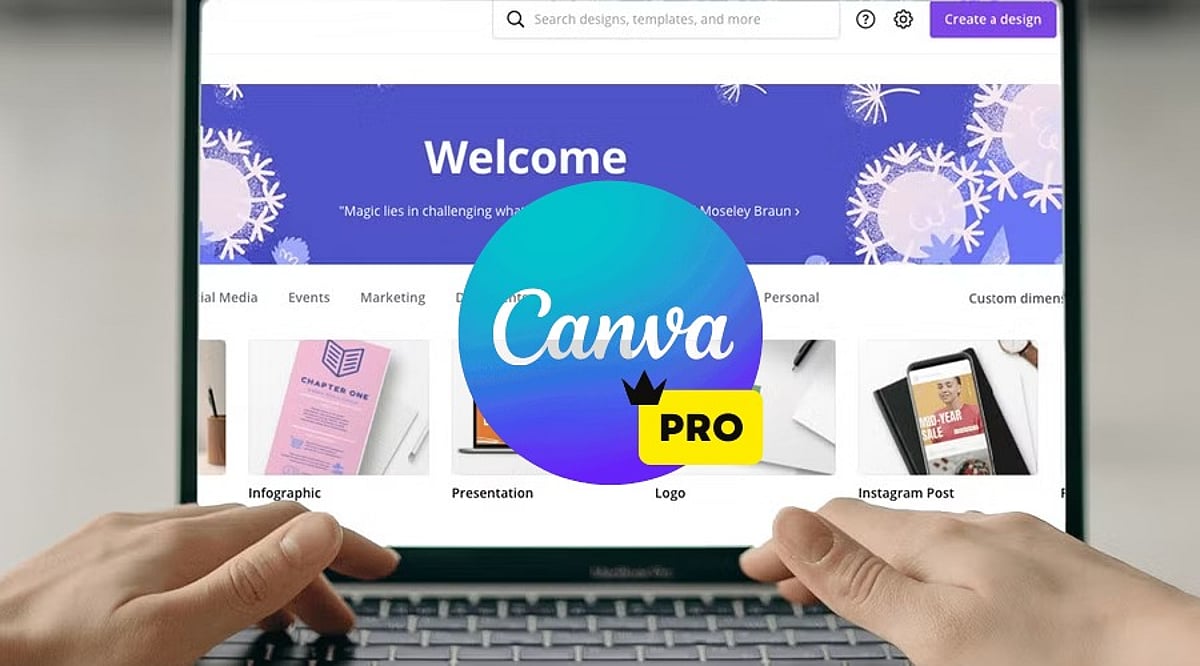
    Canva Pro is Canva’s premium subscription service, giving users access to advanced design tools, millions of premium resources, AI technologies, brand management tools, and collaboration features. Unlike the free version, Canva Pro is aimed at regular content creators. Whether you are a freelancer, a small business owner, a social media manager, or a student with multiple projects, Canva Pro can make your work easier and faster while still producing quality designs.

    Features of Canva Pro

    Millions of Premium Templates

    There are millions of professionally made templates that Canva Pro offers you, for categories including: Instagram posts and Reels, YouTube thumbnails, presentations, proposals, flyers, posters, brochures, resumes, invitations, infographics, and more. These templates are editable and always updated.

    Premium Photos, Videos, and Graphics

    Subscribers have access to a wide range of content such as stock photos, videos, audio tracks, icons, illustrations, stickers, and animations. This way, you can avoid purchasing separate stock content from stock websites.

    Magic Studio AI Tools

    Among the most important features offered by Canva Pro are the AI-enabled Magic Studio tools, which include: Magic Write (AI content generator), Magic Design, Magic Edit, Magic Eraser, Magic Expand, Magic Animate, Background Generator, AI Image generation, AI Presentations creation.

    Background Remover

    Background Remover is one of the most used tools in Canva Pro. A user can remove image backgrounds without using any other editing tool simply by clicking once. The feature is very helpful in product photography, profile pictures, marketing materials, and YouTube thumbnails.

    Brand Kit

    Companies can have consistent branding through Brand Kit. Users can save logos, brand colors, font styles, templates, and guidelines in this tool to make sure every design meets the same branding requirements.

    Resize Designs Instantly

    Using Magic Resize, users can instantly convert a design into different formats. For instance, an Instagram post can be converted into Facebook post, LinkedIn graphic, Pinterest pin, story, or presentation slide.

    Content Planner

    The Content Planner tool within Canva Pro enables users to schedule posts on social media channels including Instagram, Facebook, LinkedIn, Pinterest, and X (formerly Twitter). This makes Canva both a design and a publishing platform.

    Cloud Storage

    Canva Pro offers larger storage compared to its free counterpart, where users can store all their pictures, video clips, brand materials, templates, and design files. All stored files are accessible from any device.

    Team Collaboration

    Users can collaborate on projects, comment on them, assign tasks, work on designs collaboratively, and set permissions. It is especially useful for marketing teams and businesses.

    Version History

    With Canva Pro, you can undo your previous design changes to recover from unintentional changes.

    Benefits of Canva Pro

    • Time-Saving – Templates, AI, and one-click editing allow for faster creation of professional graphics.
    • Improved Branding Consistency – With the Brand Kit, it becomes easy for companies to maintain consistency of their visual branding across all channels.
    • Inexpensive – It becomes unnecessary to purchase stock images, graphic design templates, tools for removing backgrounds, or designing software separately, as Canva Pro offers a subscription package of all.
    • Intuitive Interface – No prior experience with graphic design is required. Even beginners can use the drag-and-drop interface to create professional graphics.
    • Best for Business – For a small business, there is a possibility to create marketing strategies, business cards, social media content, presentations, product catalogues, and advertising material without hiring professional graphic designers for every project.

    Canva Free vs Canva Pro

    [Comparison table or detailed points can be included here, but the source text only provides a brief mention. We’ll summarize: Free version has basic templates and limited assets; Pro adds premium templates, AI tools, Brand Kit, background remover, content planner, team collaboration, and larger storage.]

    Who Should Use Canva Pro?

    Canva Pro would be best used by: content creators, YouTubers, bloggers, digital marketers, small business owners, freelancers, teachers, students, startups, social media managers. Anyone producing visual content regularly is likely to benefit from the additional features.

    Should You Get Canva Pro?

    If you rarely create graphics, the free option may suffice. However, Canva Pro is beneficial if you: design content weekly, run multiple social media accounts, need premium stock assets, use AI technology in design, collaborate with a team, develop your brand identity, or make presentations, videos, or marketing content. Time saved through automation, templates, and premium assets could soon compensate for the cost of a subscription.

    Conclusion

    Canva Pro isn’t simply an upgrade of Canva; it’s a complete creative ecosystem offering all the tools you need for graphic design, AI-powered content creation, branding, collaboration, and social media posting. Several templates, premium assets, sophisticated editing tools, and productivity features make Canva Pro valuable for people and businesses that regularly create visual content. If you’re building your personal brand, running a business, or making presentations, Canva Pro will give you everything you need to design quality graphics efficiently.

    FAQs

    1. What is Canva Pro?

    Canva Pro is Canva’s premium subscription offering advanced design tools, AI features, premium assets, and branding capabilities for creators.

    2. Is Canva Pro better than the free version?

    Yes, Canva Pro includes premium templates, AI tools, Brand Kit, background remover, and advanced collaboration unavailable in the free version.

    3. Who should use Canva Pro?

    Content creators, marketers, businesses, students, educators, freelancers, and designers benefit most from Canva Pro’s advanced productivity features and assets.

    4. Does Canva Pro include AI tools?

    Yes, Canva Pro offers AI-powered Magic Studio, including Magic Write, Magic Design, Magic Edit, image generation, and automated design features.

    5. Is Canva Pro worth the subscription cost?

    If you create visual content regularly, Canva Pro saves time, improves quality, and provides valuable premium resources worth the investment.

  • Canva Pro vs Canva Free 2027: Which Plan Offers Better Value for Your Design Needs?

    Canva Pro vs Canva Free 2027: Which Plan Offers Better Value for Your Design Needs?

    Canva remains one of the most popular design platforms worldwide, used daily by students, business owners, marketers, freelancers, and content creators for presentations, social media posts, videos, posters, resumes, and more. The platform offers two main plans: Canva Free and Canva Pro. Both share the same easy-to-use editor but serve different purposes. Canva Free provides many useful tools at no cost, while Canva Pro adds advanced features that save time and improve design quality. The right choice depends on the type of work, project volume, and need for premium content.

    Canva Free vs Canva Pro Comparison

    Canva Free Offers Strong Value

    Canva Free has evolved into a complete design platform rather than a simple beginner tool. The plan includes millions of templates, a drag-and-drop editor, presentation tools, video editing, whiteboards, a website builder, and basic AI features. Every project starts with a clean workspace, and the editor keeps all tools within easy reach.

    Students often choose this plan for classroom work, presentations, and reports. Families create invitations, greeting cards, and photo collages with the same account. Small personal projects also fit well within the free plan. Many users never reach the point where a paid subscription becomes necessary.

    Canva Pro Focuses on Speed and Better Results

    Canva Pro adds features that help users finish projects in less time. The premium template library opens far more design options for every category. The plan also unlocks more than 100 million premium photos, videos, graphics, icons, and audio files. Designers no longer need to search across different websites for quality content.

    The biggest advantage comes from workflow improvements. Every tool works together inside one platform, keeping projects simple from start to finish. Professional creators often notice a clear difference after the first few days of use.

    Brand Kit Creates Consistent Designs

    Brand consistency is extremely important for companies. Canva Pro’s all-in-one brand kit provides logos, brand color palettes, typography, and templates. The system generates every new project in a manner consistent with a company’s corporate image, helping organizations achieve a uniform look across marketing communications.

    Magic Resize Saves Valuable Time

    One design rarely fits every social media platform. Canva Pro includes Magic Resize, which converts one design into several formats with a single click. A square Instagram post can quickly become a Facebook post, LinkedIn graphic, Pinterest pin, YouTube thumbnail, or Story format. This tool removes repetitive editing and keeps the overall design style unchanged.

    AI Tools Continue to Expand

    Artificial intelligence now plays a major role inside Canva. The platform offers tools such as Magic Design, Magic Write, Text-to-Image, Magic Edit, Magic Eraser, Magic Expand, AI presentation creation, AI video assistance, and Canva Code. The Free plan provides basic access to several AI tools, while Canva Pro unlocks the complete AI suite with higher usage limits.

    Premium Assets Improve Every Project

    Design quality often depends on images, graphics, and illustrations. Canva Free includes a large content library, but many premium assets remain locked. Canva Pro removes those limits and opens a collection of more than 100 million premium assets, helping businesses create polished marketing material and creators produce eye-catching thumbnails and social media posts without extra purchases.

    Recent Changes Make Canva More Powerful

    Canva has expanded far beyond graphic design. The platform now includes Visual Suite, which brings together presentations, documents, spreadsheets, websites, and whiteboards within one workspace. Canva Code also allows users to create interactive projects through simple text prompts. These updates show Canva’s move toward a complete productivity platform.

    Which Plan Delivers Better Value?

    Canva Free remains one of the strongest free design platforms available today. It covers everyday projects with ease and serves students, hobby users, and occasional designers. Many personal projects reach a professional finish without any payment.

    Canva Pro delivers far greater value for professionals, businesses, freelancers, and content creators with regular design work. Premium assets, advanced AI tools, Brand Kit, Magic Resize, Background Remover, and larger cloud storage reduce effort and improve workflow. The subscription cost often matches the amount of time saved across multiple projects.

    Final Thoughts

    Canva Free and Canva Pro both offer excellent design experiences. The free plan provides enough tools for personal work, school projects, and occasional creative tasks. Canva Pro transforms the platform into a complete professional workspace with advanced AI features, premium design resources, and productivity tools. Regular content production, client work, business branding, and marketing campaigns benefit the most from the paid plan. The final decision depends on design frequency, project size, and the need for premium features, yet both plans continue to rank among the best options available for digital design in 2027.

    FAQs

    1. Is Canva Free enough for beginners? Yes. Canva Free includes templates, basic AI tools, presentations, video editing, and many design features suitable for beginners.
    2. What makes Canva Pro better than Canva Free? Canva Pro unlocks premium templates, 100M+ assets, Brand Kit, Magic Resize, Background Remover, advanced AI tools, and 1 TB cloud storage.
    3. Does Canva Pro include AI features? Yes. Canva Pro provides access to Canva’s complete AI suite with higher usage limits than the Free plan.
    4. Who should choose Canva Pro? Freelancers, businesses, marketers, and content creators with regular design work receive the greatest value from Canva Pro.
    5. Is Canva Pro worth the subscription cost? For users who create designs frequently, the premium tools and time-saving features often justify the monthly subscription.