Tag: AI writing

  • Gamma AI Review: Create Professional Presentations, Documents, and Webpages Instantly

    Gamma AI Review: Create Professional Presentations, Documents, and Webpages Instantly

    Gamma is an AI-driven content creation app that enables users to create presentations, write documents, build websites, and produce visual content in record time. By combining artificial intelligence with advanced design technologies, Gamma helps users generate professional-looking content quickly without sacrificing quality.

    General Information

    • Founded: 2020
    • Platform Support: Web, Android, iOS
    • Download: Click Here

    Main Features of Gamma

    • Generates AI-based presentations, documents, webpages, and visualizations from straightforward prompts.
    • Provides professionally designed templates, highly customizable themes, and interactive layouts.
    • Offers AI content creation, rewriting, summarization, and AI-based image generation.
    • Facilitates collaborative working, cloud-based content synchronization, and sharing.
    • Enables exporting of presentations and documents in professional formats using the AI Presentation app.

    Benefits of Gamma

    • Create professional presentations, documents, and web pages faster with AI-generated content and automated formatting.
    • Access eye-catching templates and smart layouts that produce high-quality content without special design skills.
    • Collaborate in real time with team members for editing, reviewing, and sharing work across devices.
    • Streamline content generation with AI writing tools, content refinement, multimedia integration, and interactivity.
    • Ideal for business, education, and creative purposes thanks to intelligent content generation, design features, and collaboration capabilities.

    Challenges of Gamma

    • Some advanced AI features and premium templates require a paid subscription.
    • An internet connection is needed for AI-driven content creation, cloud synchronization, and collaboration.
    • Highly personalized designs may need manual adjustments to meet specific formatting or branding needs.
    • Advanced exporting and collaboration tools may only be available via premium plans.
    • AI-generated content should always be reviewed before final use.

    Subscription Information

    Gamma offers both free and paid subscription plans. The free version includes essential AI content creation tools, basic templates, and collaboration features with usage limits. Premium plans provide higher AI usage limits, advanced templates, custom branding, expanded export options, team collaboration tools, and additional productivity features.

    Support Options

    • Help Center and Learning Resources: FAQs, Help Center, tutorials, AI presentation guides, documentation, product updates, template resources, and knowledge base.
    • Customer Support: Email support, technical assistance, Help Center support, enterprise support, account assistance, and documentation.

    Conclusion

    Gamma is a robust and highly advanced AI-based content creation system that simplifies presentation design, document creation, and webpage building using intelligence. With modern templates, collaboration capabilities, and intelligent writing tools, it is suitable for professionals, educators, students, and creators.

  • OpenAI’s ChatGPT Work Now Mimics Your Writing Style Automatically

    OpenAI’s ChatGPT Work Now Mimics Your Writing Style Automatically

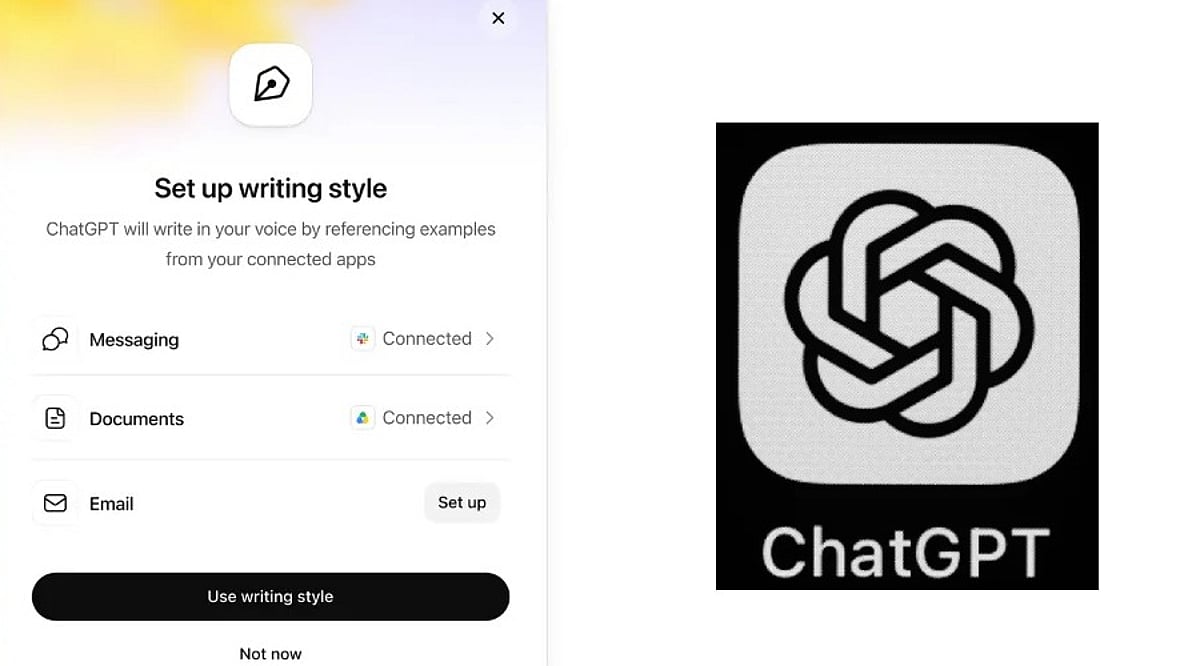
    OpenAI has rolled out a new capability for ChatGPT Work that lets the AI learn a user’s personal writing style and apply it in future interactions. This means less time spent explaining how you want your emails or documents to sound.

    Previously, users had to provide explicit instructions about tone and style. Now, ChatGPT can analyze your past writing—including frequently used phrases, email sign-offs, and subtle habits—to generate drafts that feel more like you.

    The feature can tap into connected applications such as Gmail, Google Drive, Slack, and SharePoint to better understand your writing patterns.

    How to Set It Up

    Enabling this is straightforward. Go to Settings > Personalization > Writing style. From there, you can link your work apps and allow ChatGPT to study your old messages and documents. Once activated, it works across both the web version and mobile apps, but only for ChatGPT Work subscribers on paid plans.

    The more ChatGPT sees of your writing, the more natural its drafts will become. Over time, you might not need to provide detailed instructions at all.

    Higher Productivity Meets Corporate Data Privacy

    This update is particularly useful for professionals who draft many work emails, messages, or reports with the help of AI. However, there’s a catch: because the tool reads through emails and files, it also processes sensitive business information. Companies should weigh the benefits against potential privacy risks, especially regarding who can access or use that data.

    Overall, this change signals where AI writing tools are headed—moving from simple instruction-following to truly understanding individual users. The ultimate goal is fewer edits and drafts that already sound like you.

  • Mastering AI Prompts: A Practical Guide to Clearer, More Effective Requests

    Mastering AI Prompts: A Practical Guide to Clearer, More Effective Requests

    Crafting high-quality prompts is essential for getting the best results from AI tools. By following a few key strategies, you can dramatically improve the relevance, accuracy, and usefulness of AI-generated responses.

    Be Specific

    Clearly describe your request with enough context, goals, and details so the AI understands exactly what you want to generate. Vague prompts lead to vague answers.

    Define the Role

    Assign the AI a specific role, such as teacher, marketer, developer, or editor, to receive more focused and relevant responses. Role-based prompts help the AI adopt the right tone and expertise.

    Provide Context

    Include background information, audience details, or project goals to help the AI generate responses tailored to your specific situation. Context ensures the output aligns with your needs.

    State the Desired Format

    Mention whether you need a list, table, article, email, summary, or step-by-step guide to improve response structure and readability. Format instructions reduce ambiguity.

    Set Clear Constraints

    Specify word count, tone, language, style, or limitations so the AI stays within your preferred requirements and expectations consistently. Constraints prevent off-target outputs.

    Include Examples

    Provide sample inputs or desired outputs to guide the AI toward matching your preferred writing style, format, or level of detail. Examples act as a powerful reference.

    Break Complex Tasks

    Split large requests into smaller steps, allowing the AI to solve each part accurately before moving to the next stage. This improves accuracy and manageability.

    Refine with Follow-Ups

    Review the response and ask follow-up questions to improve clarity, add details, correct errors, or adjust the final output effectively. Iteration is key to perfection.

    Ask for Alternatives

    Request multiple versions, ideas, or perspectives so you can compare options and choose the response that best fits your needs. More choices lead to better decisions.

  • How to Write Human-Like Articles Using DeepSeek AI for Free: A Step-by-Step Guide

    How to Write Human-Like Articles Using DeepSeek AI for Free: A Step-by-Step Guide

    Speed used to be the main selling point of AI writing tools, but that alone no longer cuts it. Faster drafts often produce articles that sound alike—same sentence lengths, same safe transitions, and same forgettable phrasing. DeepSeek AI, a free tool, can generate a solid outline or a full draft in minutes, but the real work begins after the draft is done. The difference between a generic AI article and one that feels human lies in how you edit, verify, and add original insights.

    Building a Prompt DeepSeek Can Actually Use

    Prompt quality heavily influences the output. The biggest mistake is asking for a finished article in a single request. A strong prompt defines four elements: the audience, the objective, the format, and any constraints on tone or length. Breaking the request into stages yields more coherent results:

    • First, ask for an outline only.
    • Second, expand each section individually.
    • Third, run a separate pass to adjust the tone.

    A weak prompt: “Write a 1,000-word article about electric cars.” A staged version: “Outline a 1,000-word article for first-time EV buyers in India, with a conversational tone, one practical example per section, and no promotional language.” DeepSeek retains conversational context within a session, so follow-up prompts can refine the same draft without restarting—for example, by shortening a section or simplifying the language.

    Where DeepSeek Helps and Where It Does Not

    DeepSeek excels at structure and summarization. It organizes complex topics into logical sections quickly and compresses source material effectively. However, it is less reliable without human review when producing verified facts, distinctive opinions, and naturally varied sentence rhythm. It can also generate multiple structural approaches to the same topic, making it useful for exploring outlines before committing to a final direction.

    Editing for Rhythm Instead of Just Correctness

    Left unedited, DeepSeek tends to repeat sentence openers across adjacent paragraphs. For example: “Artificial intelligence is transforming content creation. Artificial intelligence also improves productivity. Artificial intelligence helps writers generate articles faster.” Edited for rhythm, the same idea reads: “AI has transformed content creation, though speed is not its main advantage. It handles repetitive drafting well, leaving writers more time to refine ideas and verify facts.” The information stays the same, but the shape changes—and shape is what readers notice first. A quick diagnostic: if two adjacent paragraphs open with a similar structure, rewrite one.

    Verifying Before Publishing

    Every factual claim, number, or named tool must be checked against current, authoritative sources before publication. A confident-sounding statistic from the model is not the same as a verified one. This step separates an editorially responsible article from one that merely reads well.

    Adding What the Model Cannot

    Structure and phrasing can come from the model, but specific examples, workflow observations, or genuine opinions about where the tool falls short cannot. One reliable method: instruct DeepSeek to leave a placeholder, such as “insert practical example here,” during drafting. That way, the exact spot needing original insight never gets lost in the edit.

    The full workflow is simple: build a staged prompt, expand the draft section by section, edit for rhythm and tone, verify every factual claim, and finish by adding original judgment. Skipping the verification step is the fastest way to publish something confident and wrong.

    Final Thought

    AI may keep improving at drafting, but clarity, judgment, and credibility remain editorial decisions. DeepSeek can accelerate the writing process, yet an article earns a reader’s trust only after a human shapes it with evidence, context, and a distinctive voice.

    Frequently Asked Questions

    1. Can DeepSeek AI write complete articles for free?

    Yes. DeepSeek AI can generate outlines, introductions, and full-length article drafts without cost on its free version. However, human editing is still necessary to improve accuracy, readability, tone, and originality before publication.

    2. How can AI-generated articles sound more human?

    Start with detailed prompts, generate content in stages, vary sentence lengths, replace repetitive phrases, add original examples, and fact-check every claim. Human editing is what gives an article a natural voice and credibility.

    3. Is DeepSeek AI suitable for SEO content writing?

    Yes. DeepSeek AI can help create SEO-friendly outlines, incorporate target keywords naturally, and structure content with headings. Final optimization should include manual keyword refinement, internal linking, metadata, and fact verification.

    4. What are the biggest mistakes when using DeepSeek AI for writing?

    The most common mistakes are relying on a single prompt, publishing without verifying facts, leaving repetitive sentence structures unchanged, and failing to add unique insights or real-world examples that distinguish the content.

    5. Can DeepSeek AI replace human writers?

    No. DeepSeek AI is an effective drafting assistant, but it cannot consistently provide editorial judgment, original experiences, nuanced opinions, or reliable fact verification. Human writers remain essential for producing trustworthy and engaging articles.

  • 10 Essential DeepSeek Prompts to Supercharge Your Writing in 2026

    10 Essential DeepSeek Prompts to Supercharge Your Writing in 2026

    AI has become an indispensable tool for modern writers, but the quality of its output hinges on one critical factor: the prompt. Whether you’re a blogger, marketer, copywriter, or technical writer, well-crafted prompts can save hours of editing and produce content that is accurate, engaging, and human-like. Here are ten powerful DeepSeek prompts every writer should have in their toolkit for 2026.

    1. Blog Writing Prompt

    Generate a complete, SEO-friendly article from scratch.
    Act as an experienced content writer. Write a 1,200-word SEO-optimized blog post about [Topic] for [Target Audience]. Use a conversational tone, include an engaging introduction, H2 and H3 headings, practical examples, actionable tips, and a compelling conclusion. Naturally incorporate the primary keyword throughout the article while maintaining readability.

    2. Humanize AI-Generated Content Prompt

    Make robotic text sound natural and engaging.
    Rewrite the following content so it reads like it was written by an experienced human writer. Remove repetitive phrases, improve sentence flow, vary sentence lengths, maintain the original meaning, and use a conversational yet professional tone. Ensure the content passes AI detection while preserving clarity and accuracy.

    3. SEO Optimization Prompt

    Improve existing content without sacrificing readability.
    Optimize the following article for SEO. Improve keyword placement, rewrite headings for better search visibility, enhance readability, suggest internal linking opportunities, and naturally include related keywords without keyword stuffing. Preserve the original meaning and writing style.

    4. Social Media Content Prompt

    Turn one article into multiple platform-specific posts.
    Create engaging social media posts based on the following article. Generate separate versions for LinkedIn, X (Twitter), Facebook, Instagram, and Threads. Each post should include a strong hook, concise messaging, relevant hashtags, and a compelling call to action tailored to the platform.

    5. Email Copywriting Prompt

    Craft professional emails that drive action.
    Write a persuasive marketing email promoting [Product/Service]. Include an attention-grabbing subject line, engaging introduction, key benefits, social proof where appropriate, and a clear call to action. Keep the tone friendly, professional, and customer-focused.

    6. Article Summarization Prompt

    Quickly extract key points from lengthy content.
    Summarize the following article into five key takeaways. Highlight the most important insights, explain them in simple language, and maintain the original context. Present the summary using concise bullet points.

    7. Technical Documentation Prompt

    Create beginner-friendly documentation.
    Act as a technical writer. Create step-by-step documentation explaining how to use [Software/Tool]. Include prerequisites, installation steps, usage instructions, troubleshooting tips, frequently asked questions, and best practices. Use simple language and clear formatting.

    8. Research Assistant Prompt

    Speed up research before writing.
    Act as a research assistant. Gather the latest information on [Topic], summarize current trends, identify key challenges and opportunities, list important statistics, and suggest credible sources for further reading. Organize the findings into clear sections for easy reference.

    9. Creative Storytelling Prompt

    Make content more engaging with narrative.
    Write a compelling story about [Topic] using a relatable character, a realistic challenge, practical solution, and memorable ending. Keep the writing conversational, emotionally engaging, and suitable for an online audience while naturally delivering the intended message.

    10. Proofreading and Editing Prompt

    Give your content a professional polish.
    Act as a professional editor. Review the following content for grammar, spelling, punctuation, readability, consistency, tone, and sentence flow. Correct all errors, improve clarity, eliminate unnecessary words, and preserve the author’s original voice while making the content publication-ready.

    Final Thoughts

    Prompting is the key to unlocking the full value of AI content. These DeepSeek prompts will help you write blogs, marketing copy, social media posts, technical documentation, and summaries faster and more accurately. Instead of staring at a blank page, leverage these templates to get your job done quickly. As AI continues to evolve, mastering prompt engineering will remain one of the most important skills for content creators. Save these prompts and use them to reduce editing time and improve your writing quality.

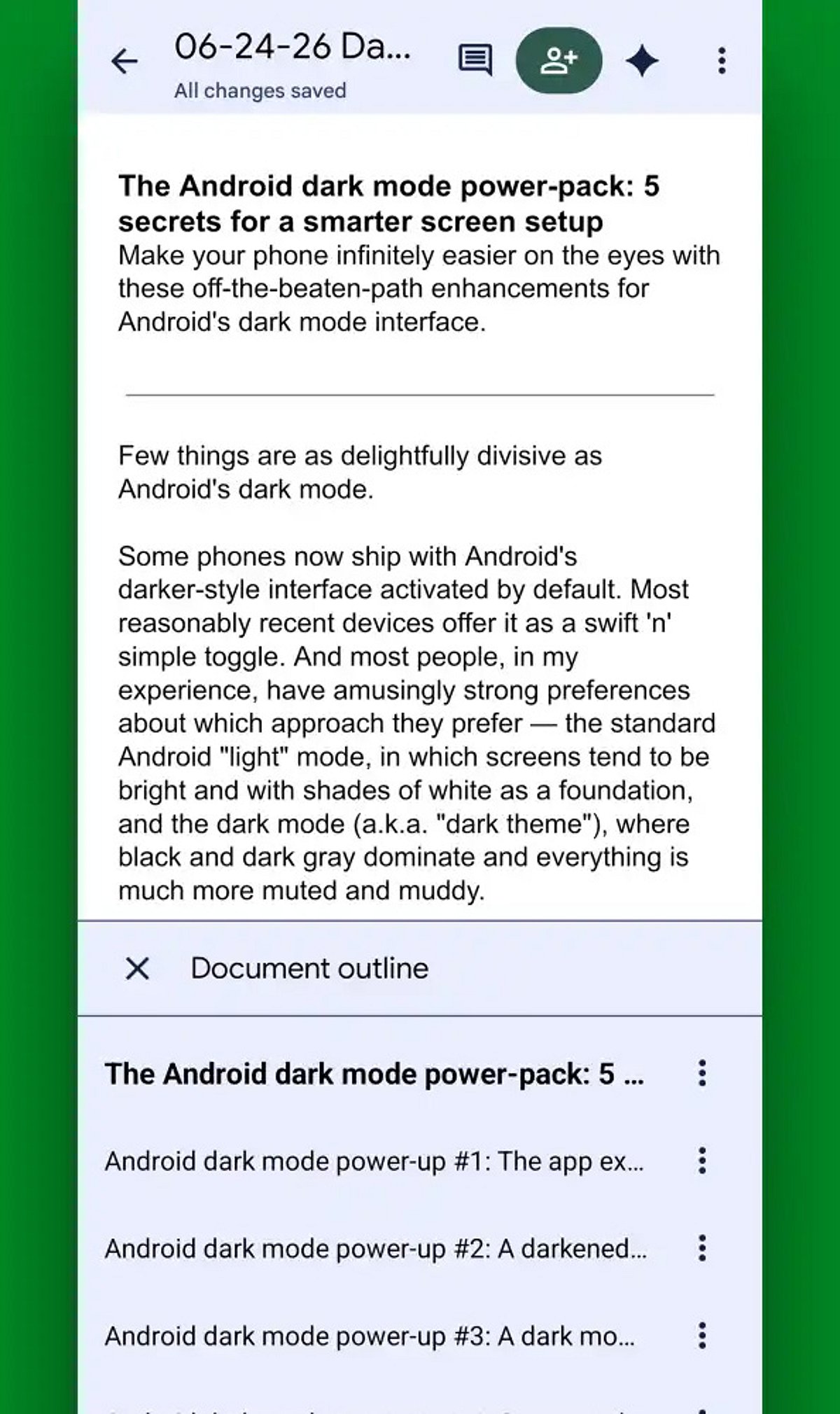
  • 10 Essential Google Docs Tips for Android Users in 2026

    10 Essential Google Docs Tips for Android Users in 2026

    Google Docs on Android continues to evolve, offering powerful tools that make document creation, editing, and sharing easier than ever from your mobile device. Here are the best tips and tricks for maximizing your productivity in 2026.

    AI-Powered Writing Assistance

    Leverage built-in AI features to draft, rewrite, summarize, and polish documents directly within Google Docs. This smart assistance helps you write faster and with greater clarity.

    Enhanced Voice Typing

    Voice typing has become remarkably accurate, allowing you to dictate entire documents quickly while significantly reducing typing time. Perfect for on-the-go note-taking or drafting long content.

    Offline Mode

    Edit your files without an internet connection. Any changes you make will sync automatically once you reconnect, ensuring you never lose productivity due to connectivity issues.

    Smart Chips for Better Organization

    Use smart chips to link people, files, dates, and meetings directly within your document. This feature streamlines collaboration and keeps all relevant information connected.

    Real-Time Collaboration

    Commenting, suggesting edits, and real-time editing make teamwork seamless, even when collaborators are using different devices. Everyone stays on the same page.

    Document Templates

    Save time with ready-made templates for resumes, reports, meeting notes, and project plans. Simply choose a template and customize it to your needs.

    Version History

    Track every edit and restore previous versions of your document with ease. Version history prevents accidental loss of important content and gives you peace of mind.

    Keyboard Shortcuts & Quick Formatting

    Master keyboard shortcuts and quick formatting tools to speed up your workflow. Combined with Google Drive integration, these features help Android users work faster and stay organized.

    Start implementing these tips today to transform your mobile document experience.

  • Top AI-Powered Side Hustles to Boost Your Income in 2026

    Top AI-Powered Side Hustles to Boost Your Income in 2026

    As artificial intelligence continues to reshape the way we work, a new wave of side hustles has emerged for those looking to supplement their income in 2026. From content creation to automation, AI tools are enabling freelancers and entrepreneurs to work smarter, not harder. Here are the most promising AI-driven side hustles gaining traction this year.

    AI-Powered Writing & Content Creation
    AI writing assistants help freelancers produce blogs, email campaigns, and marketing copy at unprecedented speed, allowing them to take on more clients and increase earnings.

    Graphic Design with AI Generators
    AI image generators like DALL·E and Midjourney are making professional-quality design accessible to everyone. Creators can offer custom visuals for social media, branding, and advertising on a freelance basis.

    AI-Assisted Video Editing
    Video content is in high demand, and AI tools now simplify tasks like cutting, color correction, and transcription. Creators can produce polished videos faster and manage multiple projects simultaneously.

    Coding with AI Assistants
    Developers are using AI copilots to write code faster, debug efficiently, and build websites or apps for freelance clients. This lowers the barrier for non-experts while boosting productivity for seasoned coders.

    AI Automation Specialists
    Businesses seek experts to streamline repetitive tasks using AI-powered workflows, from email sorting to data entry. This niche is rapidly growing as companies adopt automation.

    Digital Products & Templates
    Creating AI-generated templates, e-books, and online courses allows entrepreneurs to sell scalable digital assets with minimal ongoing effort.

    Social Media Management
    AI scheduling, content curation, and analytics tools enable managers to handle multiple client accounts efficiently, making it a lucrative side gig.

    Voice Generation & Podcast Production
    AI voice cloning and text-to-speech tools open doors for voiceover work, audio books, and podcasting—perfect for side hustlers looking to tap into the audio market.

    Success in any of these side hustles hinges on combining AI efficiency with genuine human expertise. As the technology evolves, those who adapt early will find the greatest opportunities.

  • How AI Is Revolutionizing Web Stories and Digital Content Creation

    How AI Is Revolutionizing Web Stories and Digital Content Creation

    Artificial intelligence is rapidly changing how web stories are created, allowing writers and creators to generate high-quality content in seconds using advanced generative models.

    Modern AI tools can understand prompts and convert them into structured stories, blog posts, scripts, and social media content with impressive accuracy and creativity.

    With AI-powered writing assistance, creators can now focus more on ideas and storytelling while automation handles formatting, grammar, and structure.

    Generative AI models can adapt tone and style based on audience type, making content more engaging for tech readers, students, or general audiences.

    AI is also improving visual storytelling by generating images, thumbnails, and design layouts that match the written content automatically.

    In journalism and blogging, AI helps speed up research by summarizing complex topics and extracting key insights from large datasets.

    Personalized content delivery is becoming more common, where AI recommends stories based on user interests, reading behavior, and engagement patterns.

    However, challenges remain such as misinformation, bias in generated content, and the need for human fact-checking to ensure accuracy.

    Despite limitations, AI is expected to become a core part of digital publishing, enabling faster workflows and more interactive storytelling experiences.