Tag: developer productivity

  • Why AI Coding Assistants Aren’t Speeding Up Mobile Projects (and What Will)

    Why AI Coding Assistants Aren’t Speeding Up Mobile Projects (and What Will)

    Ask a mobile team how much of their code an assistant drafts today, and the honest answer is a large share of it. Ask whether the last project shipped in half the time, and the tone changes. Both things are true at once: code appears faster than ever, but delivery dates have barely moved. That gap is not a failure of the tools, nor a reason to ignore them. It is a signal that typing was never the constraint.

    Writing Code Was Never the Bottleneck

    Break a mobile project into where the calendar actually goes, and code generation turns out to be a modest slice. There is deciding what to build, design iterations, integration with external systems, testing across a device matrix, the store submission cycle, and review—which has quietly become the busiest station on the line. Speeding up one step only shortens the chain if that step was the bottleneck. Generation was not. The saving is real but small, and it pushes the pressure elsewhere.

    The Bottleneck Moved to Review

    Reading code you did not write is slower than reading code you did. An assistant can produce a plausible 300-line change in the time it takes to describe the requirement. Understanding that change well enough to approve it takes what it always has. Output rose; review capacity did not. Pull requests get bigger, review gets shallower, and defects surface later, when they are more expensive. Teams that get real value impose three rules: keep diffs small, require an author who can explain every line, and never merge on a green test run alone.

    Platform Knowledge Gaps

    Suggestions are shaped by the code a model has seen, and public mobile code skews old. The assistant reaches for a deprecated API, an outdated permission flow, a threading pattern from before structured concurrency, or a library whose last release predates the current toolchain. All of it compiles. Some will not pass store review. Dependencies add further risk: Apple now requires privacy manifests and signatures for common SDKs, and every dependency carries a license, data collection disclosure, and maintenance risk. A model that suggests a package is not weighing any of that. None of these problems announce themselves; a compiler will not catch them.

    Where AI Genuinely Excels

    Assistants are excellent at boilerplate: data classes, serialization, wiring between layers. They are good at tests, especially edge cases people skip when tired. They excel at mechanical migrations (Java to Kotlin, Objective-C to Swift) and shorten the time to get oriented in an unfamiliar API. Throwaway code becomes almost free, changing what is worth prototyping. The gain is largest where work is mechanical, verifiable, and cheap to be wrong about. It shrinks to nothing where work depends on something the model has no access to: your data model, users, regulatory constraints, or historical decisions.

    What This Changes About Buying Mobile Development

    If the constraint has moved from production to verification, then the thing worth buying has moved too. Useful questions for a prospective partner now sound different: What is the review policy? Who is accountable for a line nobody wrote by hand? How does a new dependency get approved? What runs automatically on every commit, and on how many real devices? Those questions say more about the outcome than headcount or day rate. The mobile development teams that succeed today look less like typing and more like reviewing: fewer hands, more judgment, and a process that assumes code needs to be defended rather than merely delivered.

    The Real Lever: Feedback Loops

    If generation is fast and verification is slow, invest in verification. Continuous integration on every commit, an automated device matrix, static analysis and dependency scanning in the pipeline, builds that reach testers in minutes. The teams that actually got faster over the last two years are the ones that shortened the distance between writing something and finding out whether it works. The assistant is one input into that loop. It was never going to be the loop itself.

  • Cut Software Costs with AI Coding: Strategies for Efficiency Without Sacrificing Quality

    Cut Software Costs with AI Coding: Strategies for Efficiency Without Sacrificing Quality

    AI coding can lower software costs by accelerating development, reducing wasted model usage, improving workflows, and strengthening testing—all while maintaining software quality, reliability, security, and performance. However, faster code generation alone does not guarantee savings. The real goal is to deliver useful software to production with less total effort while keeping quality high. As AI adoption reaches mainstream scale, this question now matters to nearly every software team.

    Key Takeaways

    • Measure total task cost: Faster code generation only creates savings when reviews, testing, fixes, and production checks remain efficient.
    • Optimize AI workflows: Better prompts, context management, and selective output can reduce model usage without sacrificing quality.
    • Match models to tasks: Use affordable models for simple work and stronger reasoning models only when complexity demands them.

    AI Code Has Become a Mainstream Tool

    JetBrains surveyed more than 15,000 professional developers for its 2026 Developer Ecosystem Survey. From May to July 2026, 90% of professional developers used AI coding agents at least once a week, while 68% used them every day. The same study found rapid growth across tools such as Codex, Claude Agent, GitHub Copilot, Cursor, OpenCode, and Google Antigravity.

    DORA found a similar shift. Its 2025 research showed that 90% of technology professionals use AI at work, while more than 80% report higher productivity. Yet the same research shows a clear trade-off. AI can speed up code creation, but teams may spend more time on checks and reviews. Higher AI use can also raise both software delivery speed and delivery instability. That gap explains why AI alone cannot guarantee lower costs.

    The Real Saving Comes From Faster Task Completion

    The cost of AI code should not depend only on token use. GitHub published new research on September 2, 2026, with a clear lesson: a shorter AI response can cost more if missing details force an agent to repeat a command or request more context. The better measure is the full task, from the first request to the final result.

    GitHub also found useful gains from better agent design. Selective output compression cut model inference cost by about 5% in offline tests. A live Copilot CLI test then cut average daily model inference cost per user by about 3%, with no material drop in quality or satisfaction.

    Another prompt change removed about 1,300 tokens per turn, which led to 1.8% fewer prompt tokens per session and 2.9% lower normalized cost per active hour. A separate change to task-result delivery cut token-related use by about 2.3%. These figures show a useful point: smart AI workflow design can cut waste without a weaker result.

    Better Checks Protect Software Quality

    Cost control also needs strong tests and reviews. AI can create code at high speed, but every change still needs proof that it works. DORA describes AI as an amplifier of existing strengths and weaknesses. Strong software practices can help teams gain more value, while weak processes can let defects spread faster.

    Small changes offer a safer path. A clear task, a focused AI change, automated tests, and a human review can limit the cost of a mistake. Strong version control, clear project documents, reliable tests, and good internal tools also give AI better context and reduce wasted work.

    Smart Model Choice Can Lower AI Bills

    Not every software task needs the most costly AI model. Simple work can use a lower-cost model, while complex design, difficult faults, or large codebases may need a stronger reasoning model.

    This approach can matter as AI use grows. McKinsey found that about two in ten organizations now scale software coding agents, with the figure at 31% among large enterprises. More strikingly, 32% of respondents said an organization had rejected at least one software purchase or feature purchase after deciding that an internal team could create the same function with agentic coding tools. That shift can create savings far beyond a smaller developer bill.

    The Next Cost Battle Will Focus on Efficiency

    AI can reduce the cost of software work when companies measure the full result rather than the amount of code an AI tool produces. The strongest measure is the cost of a successful software change after AI use, human review, tests, fixes, and production checks.

    The latest data points to a clear direction. AI already has broad use among developers, while new tools focus on lower model cost, better context, and fewer wasted steps. The real advantage will come from teams that pair AI speed with strong software controls. That combination can raise output, reduce waste, and protect performance at the same time.

    Frequently Asked Questions

    1. How can AI coding reduce software costs?

    AI can reduce development time, automate repetitive tasks, improve developer productivity, and lower the effort needed to deliver software changes.

    2. Can AI-generated code affect software quality?

    Yes. AI can introduce bugs or security issues, so automated testing, human review, version control, and strong development practices remain essential.

    3. Does using a more powerful AI model always provide better value?

    No. Simple coding tasks can often use lower-cost models, while complex architecture, debugging, and large codebases may benefit from stronger reasoning models.

    4. What is the best way to measure AI coding savings?

    Measure the total cost of a successful software change, including AI usage, developer time, reviews, testing, fixes, and production validation.

    5. How can companies get more value from AI coding tools?

    Companies should combine AI with clear tasks, good documentation, reliable tests, efficient workflows, appropriate model selection, and human oversight.

  • .NET 8 vs .NET 6: Key Differences, Performance Gains, and Upgrade Considerations

    .NET 8 vs .NET 6: Key Differences, Performance Gains, and Upgrade Considerations

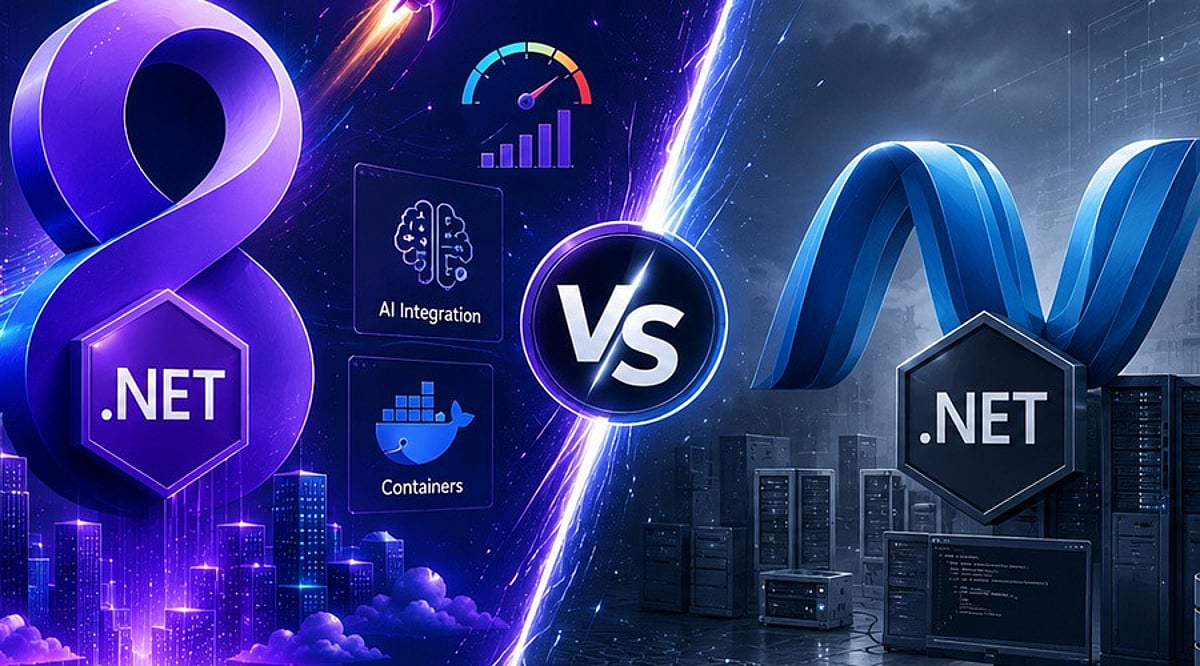
    .NET 8 builds upon the strong foundation of .NET 6 by introducing major improvements in performance, cloud-native development, developer productivity, and security. This comparison guide explores the key differences between the two LTS releases, highlights new features in .NET 8, and outlines important considerations for organizations planning an upgrade.

    Overview

    Both .NET 6 and .NET 8 are Long-Term Support (LTS) releases, but .NET 8 introduces significant improvements in runtime performance, cloud-native development, and developer productivity. From C# 12 and Native AOT to enhanced ASP.NET Core performance and better container support, .NET 8 is designed for modern enterprise application development. This guide compares .NET 6 and .NET 8 across performance, features, and migration considerations to help developers and organizations plan a successful upgrade.

    .NET 6 vs .NET 8: Key Differences at a Glance

    Both versions are production-ready, but .NET 8 delivers meaningful improvements across runtime efficiency, scalability, and modern development workflows.

    Performance Improvements Make .NET 8 a Clear Winner

    The foremost driver of organizational modernization is performance. Microsoft has incorporated thousands of runtime optimizations into .NET 8, including JIT optimizations, Dynamic Profile-Guided Optimizations (Dynamic PGO), Garbage Collection (GC) optimizations, SIMD optimizations, and ARM64 enhancements. These optimizations help minimize startup time, increase throughput, and reduce infrastructure costs for high-traffic applications. .NET 8 offers greater processing capacity for requests in ASP.NET Core, making it more desirable for APIs, microservices, and cloud-native deployments than .NET 6.

    Developer Experience Has Improved Significantly

    Beyond performance, .NET 8 introduces features that make application development easier. C# 12 includes more expressive language features to help developers create clean and manageable code. Native AOT support has reached maturity, enabling faster startup times and smaller footprints. Minimal APIs in ASP.NET Core have been extended to support lightweight services while retaining enterprise-level features.

    What to Consider Before Upgrading

    Although migrating from .NET 6 to .NET 8 is relatively easy, businesses should conduct a compatibility check before upgrading. Steps include:

    • Upgrade the application to the latest target framework and install the .NET SDK.
    • Verify all NuGet packages are compatible with .NET 8, replacing any deprecated packages.
    • Check for breaking changes, verify third-party integrations, and run unit, integration, and performance tests before going live.

    Modern ASP.NET Core applications typically require only minor code modifications when migrating to .NET 8.

    Is Upgrading to .NET 8 Worth It?

    For most enterprises, yes. Applications requiring greater scalability, cloud readiness, security improvements, and maintainability will benefit from upgrading to .NET 8. Enterprises that have adopted containerization, microservices, AI solutions, and fast APIs can maximize the benefits of the latest platform version. However, migration efforts should be undertaken after thorough dependency checks and testing procedures, following Microsoft’s upgrade guidelines. A gradual adoption process reduces risks and allows developers to test the improvements offered by .NET 8.

    In the evolving Microsoft development ecosystem, .NET 8 represents an important milestone over previous versions like .NET 6. Its better performance, new tools, cloud-native characteristics, and productivity gains make it a strong choice for upgrading applications to gain more speed and scalability. Migrating to .NET 8 also simplifies future upgrades to newer .NET versions.

    Why This Matters

    Choosing the right .NET version directly affects application performance, maintainability, security, and long-term support. As organizations modernize their technology stacks and increasingly adopt cloud-native architectures, containerized deployments, and AI-powered applications, newer framework capabilities deliver measurable improvements in scalability and operational efficiency.

    FAQs

    What is the biggest difference between .NET 6 and .NET 8?
    The biggest difference is that .NET 8 introduces substantial improvements in runtime performance, cloud-native development, Native AOT, C# 12 language features, ASP.NET Core enhancements, and developer productivity. Both are LTS releases, but .NET 8 is optimized for modern, high-performance applications.

    Is .NET 8 faster than .NET 6?
    Yes. .NET 8 delivers significant performance improvements through Dynamic PGO, JIT compiler enhancements, garbage collection optimizations, SIMD improvements, and better ARM64 support, reducing startup times and improving throughput.

    Should I upgrade from .NET 6 to .NET 8?
    For most applications, upgrading is recommended. Benefits include better performance, enhanced security, improved developer tools, stronger cloud-native capabilities, and continued LTS support. Compatibility testing and dependency validation should be completed before migrating production workloads.

    Is upgrading from .NET 6 to .NET 8 difficult?
    In most cases, the upgrade process is straightforward. Developers update the target framework, install the latest .NET SDK, upgrade compatible NuGet packages, review breaking changes, and thoroughly test the application. Modern ASP.NET Core applications usually require only minor code modifications.

    What new features does .NET 8 introduce?
    .NET 8 includes C# 12 support, enhanced Native AOT, improved Minimal APIs, better container support, runtime optimizations, enhanced diagnostics, cloud-native improvements, performance enhancements, and expanded tooling that simplifies development and deployment.

  • Comparing Generative AI Coding Tools: Which Offers the Most Value for Developers in 2026?

    Comparing Generative AI Coding Tools: Which Offers the Most Value for Developers in 2026?

    Generative AI coding tools are becoming a standard part of software development. They help developers write, review, and improve code more efficiently. Comparing their features and workflows reveals which tools deliver the greatest value in 2026.

    Overview

    Windsurf and Amazon Q Developer, two familiar AI coding brands, will have each moved into different product areas by mid-2026, reshaping the competitive landscape. GitHub Copilot, Cursor, Claude Code, and Kiro have emerged as the four tools that are actually shaping how developers choose AI coding help today. Pricing across the category has shifted from flat subscriptions to usage-based credits, changing how teams should evaluate cost.

    Choosing an AI coding tool is now much harder than choosing a programming language. The names of the tools developers trusted a year ago have changed, merged, or shifted their direction. Windsurf is now part of Devin Desktop, and Amazon is moving developers from Q Developer to Kiro. The bigger change, however, is that AI coding tools now serve very different workflows. Comparing them by brand alone is no longer enough.

    AI Coding Tools at a Glance

    Claude Code: Built for Complexity

    Claude Code runs from the terminal, not inside an editor. This is a deliberate design choice rooted in a specific philosophy: for genuinely complex engineering work, the file you are editing is rarely the whole problem. It reads the entire codebase, plans changes across multiple files, and refactors code by understanding how everything works together. Its large context window is the engine behind this. For backend systems, infrastructure work, or legacy codebases where cross-file relationships pose the real challenge, Claude Code operates at a depth that editor-based tools rarely reach.

    Cursor: The IDE Reimagined

    Cursor does not add AI to an existing editor. It builds the editor around AI from the start. Multi-file editing, repository-wide context, and conversational assistance are not features you enable. They are simply how the tool works. For developers who spend most of their day inside an IDE, Cursor reduces the need to switch between tools. Developers can edit multiple files, understand repository context, and generate new code without leaving the IDE.

    GitHub Copilot: The Reliable Standard

    GitHub Copilot remains the easiest AI coding assistant to adopt. It works inside popular editors such as VS Code, JetBrains, and Neovim without changing existing workflows. Teams already on GitHub can adopt it with almost no friction. Newer tools have pushed further into deep repository reasoning. But for the work that makes up most of a developer’s day, Copilot remains consistent, fast, and dependable.

    Kiro: Amazon’s Next Move

    Kiro approaches development from a different angle entirely. It starts from structured specifications rather than open-ended prompts, and it integrates directly with AWS services in ways that general-purpose tools cannot replicate. For teams building cloud-native applications on AWS, that specificity is a genuine advantage. Amazon is positioning Kiro as the successor to Q Developer, and the direction is clear, even if the ecosystem is still maturing.

    What the Benchmarks Now Measure

    Reliable code completion is now common across leading AI coding tools. The real difference lies in how well each tool understands the entire project before making changes. Benchmarks like SWE-bench Verified now test whether an AI can resolve a complete software issue end-to-end. That is a harder test and a more honest one.

    Choosing the Right Tool

    Pick GitHub Copilot for fast, reliable completion that fits into your current setup. Pick Cursor for an AI-first editing experience with real multi-file capability. Pick Claude Code for large-scale codebases, enterprise systems, and complex engineering where project-wide understanding matters. Pick Kiro when AWS is your primary environment and cloud-native integration is a priority. No single tool wins across every context. The best choice is the one that fits how you actually build software, not the one with the most visible brand.

    Why This Matters

    AI coding tools are changing how developers build software by speeding up development, improving code quality, and reducing repetitive work. Knowing the strengths of each tool helps individuals and teams choose the right assistant, improve productivity, control costs, and build better applications with greater confidence.

    Final Thoughts

    AI coding tools have moved well beyond simple code completion. They now help developers understand entire projects, refactor code, and automate complex development tasks. That makes choosing the right tool less about finding the biggest brand and more about matching the tool to the way a team builds software. The strongest choice is the one that fits the workflow, development environment, and scale of the projects being built.