Tag: encryption

  • ApexGuard VPN in 2026: 7 Key Features That Determine Its Real Value

    ApexGuard VPN in 2026: 7 Key Features That Determine Its Real Value

    A paid VPN earns its value through consistent protection, practical controls, usable performance, and coverage across the devices people actually use. ApexGuard combines encryption, privacy architecture, leak protection, Double VPN routing, RAM-only servers, and unlimited-device support in one service. The most useful evaluation looks beyond a feature count and asks whether each capability solves a relevant problem for the user.

    What a VPN Actually Does

    A VPN encrypts the connection between a device and a remote server, then routes supported traffic through that server. Websites see the server’s public IP address instead of the user’s home, workplace, or mobile network address. This basic tunnel matters on public Wi-Fi, during travel, and when moving between networks. However, a subscription’s value also depends on data handling, leak prevention, network capacity, and device coverage.

    1. Encryption and Protocols Still Set the Foundation

    Encryption protects traffic between device and VPN server by turning it into ciphertext. This prevents connected networks from reading the data, though it does not hide signed-in accounts or replace HTTPS. ApexGuard uses AES-256 encryption with IKEv2/IPsec.

    2. Privacy Depends on What Happens After Encryption

    Encryption protects traffic in transit, but privacy also depends on what the provider logs. A no-logs architecture limits routine activity records. ApexGuard uses a strict no-logs policy, avoiding retention of browsing history, DNS requests, or traffic content. Its RAM-only servers use volatile memory instead of persistent storage.

    3. A VPN Must Protect the Moments When It Fails

    VPN connections can drop during Wi-Fi changes or sleep mode. A kill switch blocks unprotected traffic during interruptions, and leak protection addresses DNS, IP, and WebRTC leaks. ApexGuard combines these controls as part of the connection.

    4. Network Infrastructure Determines Whether Security Feels Usable

    Network capacity and server distance affect latency and throughput. ApexGuard offers locations in over 125 countries with 3.2 Tbps of total capacity. Its privately owned infrastructure gives direct control over routing and operations.

    5. Device Coverage Changes the Economics of a Subscription

    A VPN that covers unlimited devices under one account shifts the value equation. ApexGuard supports unlimited devices with apps for Windows, macOS, Android, and iOS, plus browser extensions for Chrome, Firefox, and Edge. Split Tunneling lets users direct specific traffic outside the VPN when needed.

    6. Premium Features Need to Solve Real Problems

    Features like Double VPN routing (sending traffic through two servers), Dedicated IP (reduces CAPTCHAs), Threat Protection (blocks malware and trackers), and Smart Play (streaming access) only matter if they address actual needs. Each should be evaluated against personal usage.

    7. A Refund Period Is Part of Real-World Testing

    VPN performance varies by location, device, and time of day. ApexGuard offers a 30-day risk-free period to test connection stability, speed, device compatibility, kill switch, and leak protection under normal conditions.

    What Makes a Paid VPN Worth It in 2026?

    A paid VPN is worth it when its privacy architecture, failure protection, infrastructure, and device coverage match real-world needs. Compare beyond feature counts and headline prices. Value comes from handling data responsibly, limiting exposure, performing reliably, and solving actual problems. For readers comparing VPNs in 2026, that approach is more reliable than a simple yes or no.

  • How Modern Technology Is Making Payments Faster and More Secure

    How Modern Technology Is Making Payments Faster and More Secure

    Technology is transforming the way we pay, making transactions both faster and safer. From real-time settlement to biometric verification, here are the key innovations driving this change.

    Real-Time Payments

    Real-time payment systems enable money to move between accounts within seconds. Services like UPI have made instant transactions practical for everyday purchases, bills, and transfers. This reduces waiting periods and provides immediate confirmation. Businesses benefit from quicker settlements, improved cash flow, and smoother customer payment experiences.

    Biometric Authentication

    Biometric authentication adds an extra security layer by using fingerprints, facial recognition, or other unique characteristics. Instead of relying solely on passwords or PINs, payment systems can verify the person making a transaction. This deters unauthorized access while allowing users to complete transactions quickly without repeatedly entering lengthy credentials.

    Tokenization

    Tokenization replaces sensitive card information with unique digital tokens during transactions. Merchants and payment platforms process payments without directly exposing the actual card number. Even if transaction data is intercepted, the token generally cannot be used like the original card details, reducing risks associated with stolen payment information.

    Artificial Intelligence

    Artificial intelligence helps payment companies identify unusual transaction patterns and potential fraud. Systems analyze transaction behavior, location, device information, and other signals to detect suspicious activity quickly. This allows financial institutions to flag or block potentially fraudulent payments while minimizing unnecessary interruptions for legitimate transactions.

    Contactless Payments

    Contactless payments use technologies like near-field communication (NFC) so users can pay by tapping compatible cards, phones, or wearables. Transactions complete within seconds without inserting a card or re-entering details. Secure authentication and transaction limits provide additional protection, making contactless payments convenient for everyday use.

    Encryption and Security

    Encryption protects payment information as it moves between devices, banks, and payment networks. Modern payment platforms also use secure authentication, fraud monitoring, and layered security controls. These measures help safeguard sensitive financial data from unauthorized access while allowing legitimate transactions to flow efficiently between customers, merchants, and financial institutions.

    Digital Wallets

    Digital wallets bring payment cards, bank accounts, and other payment options together in one application. Users can transact through smartphones or wearable devices without carrying physical cards. Wallets often incorporate device authentication, tokenization, and transaction monitoring, combining convenience with multiple security measures for everyday digital payments.

  • Why iMessage Fails HIPAA Compliance and What Healthcare Teams Need Instead

    Why iMessage Fails HIPAA Compliance and What Healthcare Teams Need Instead

    If anyone on your team uses an iPhone, iMessage is already in their pocket. It’s encrypted, and Apple has built its entire brand around privacy. So is iMessage safe for texting about patients? Can you configure it to be HIPAA-compliant, or does the encryption already take care of that? If your team texts about patients on iMessage, or you suspect they do, the question deserves a direct answer.

    Here’s whether iMessage meets HIPAA requirements, where it falls short, what continued use can cost, and what to look for in a compliant team chat app.

    The Short Answer: iMessage Isn’t HIPAA-Compliant

    iMessage isn’t HIPAA-compliant, and no setting inside the app changes that. According to Apple’s iCloud Terms of Service, healthcare organizations agree not to “use any component, function or other facility of iCloud to create, receive, maintain or transmit any ‘protected health information.’” In plain terms, Apple bans patient information from iCloud entirely. And because iMessages back up to iCloud by default, using iMessage to share patient information with your team is both a HIPAA violation and a violation of Apple’s own terms.

    Why iMessage Isn’t HIPAA-Compliant

    The verdict comes down to three gaps, and any one of them would be enough on its own. Here’s each one and why it matters for your organization.

    Apple won’t sign a Business Associate Agreement

    HIPAA requires a signed BAA from any vendor that stores or transmits protected health information (PHI). It’s a contract that makes the service provider legally responsible for protecting that data. Apple doesn’t offer one for iMessage, and without a BAA, no messaging app can be HIPAA-compliant, no matter how secure it feels.

    End-to-end encryption stops at the iCloud backup

    iMessage has a strong security reputation because messages are end-to-end encrypted on their way to the recipient, but HIPAA compliance breaks down after the message is sent. According to Apple’s own iCloud data security overview, with default settings your iCloud backup includes a copy of the Messages encryption key, and Apple keeps those backup keys in its own data centers. Unless every staff member turns off iCloud backup or turns on Advanced Data Protection, and nobody in your organization can check either one, the content of those messages sits where Apple can read it and where a breach of Apple’s servers could reach it. “Encrypted” sounds like “compliant,” and with iMessage the gap between the two is wide.

    There’s no admin control and no audit trail

    iMessage runs on personal Apple IDs, and its group chats have no admin roles. Anyone can start a group chat about work, and anyone in it can add more people, with no way to limit who can see or share what’s posted. HIPAA expects your organization to control who can access patient information and to prove that it can. iMessage offers no way to do either.

    What’s at Stake When Staff Text About Patients on iMessage

    Every patient-related text on iMessage carries a cost, even when nothing goes wrong right away. Here’s what those threads mean for your organization in practice.

    Patient data syncs to every Apple device staff own

    An iMessage thread doesn’t stay on one phone. It syncs to the personal iPads and Macs signed into the same Apple ID, and iCloud backups keep copies of everything. A photo of a wound or a screenshot of a lab result can end up on a personal device, where nobody in your organization can retrieve or delete it.

    Former employees keep every thread

    When someone leaves, there’s no account to close and no access to shut off. Even if you remove them from every group chat you know about, everything already on their phone stays theirs: the full chat history, the files, and the patient photos, all synced to their personal iCloud account. And because these group chats live on personal devices, you don’t know how many work group chats exist in the first place, let alone which ones a former employee is sitting in. You can’t cut off access to a text thread that lives on hardware you don’t own.

    You can’t produce records for reviews or investigations

    Compliance reviews, HR investigations, and legal holds all run on records. iMessage gives you nothing to export, because there are no admin accounts and no activity records. If an investigator asks how patient information moved through your team, the honest answer is that nobody knows.

    Fines and breach costs pile up before anyone notices

    HIPAA fines can reach $50,000 or more per violation, and every patient-related text sent through a personal messaging app such as iMessage counts as one. HIPAA violations accumulate quietly, one thread at a time, until a complaint, a lost phone, or a resentful former employee brings them to light. According to the HIPAA Journal, the average healthcare data breach costs $7.42 million once you count legal fees, patient notification, and cleanup, and that figure doesn’t include the damage to patient trust when the story gets out.

    Why Staff Text About Patients on iMessage Anyway

    Healthcare teams run on quick messages. A question about a med change, a heads-up before a shift, a photo that needs a second opinion. For iPhone users, iMessage is the most convenient way to send them. It’s already on the phone, it opens in a second, and the whole team knows how to use it. If your approved messaging option is slower, desktop-bound, or not intuitive enough to open quickly, staff will fall back to iMessage every time. Compliance teams call this shadow IT, which means staff solving a work problem with tools the organization never approved and can’t see. With iMessage, it’s the quietest version of the problem, because there’s nothing to install and no sign-up to flag. The way out is a HIPAA-compliant team chat app that’s as easy as texting, because policy memos don’t beat convenience.

    What a HIPAA-Compliant Team Chat App Needs to Have

    If your team is already texting about patients, the goal is to move those conversations into a HIPAA-compliant messaging app built for them. Look for:

    • A signed BAA, offered as a standard part of onboarding
    • Secure cloud storage your organization controls, so nothing is saved on personal devices
    • One-click offboarding, so you can instantly remove access to the entire workspace when someone leaves
    • Admin controls with granular permissions, so you can manage exactly who can see and do what, and the right people see the right information
    • Exportable activity records for compliance reviews, HR investigations, and legal holds

    There’s one more requirement that’s just as important as everything on that list. Your team has to want to use the app, because the fanciest tool in the world is useless if it’s too complicated to open during a busy shift. Your healthcare team needs a HIPAA-compliant iMessage alternative that staff will pick up without training. Zenzap is a team chat app built for healthcare that’s intuitive and easy to use while meeting all HIPAA requirements, with the professional features your organization needs. For teams that use iMessage today, switching barely feels like a change, and that’s what finally moves conversations about patients off personal texting for good.

    Get Conversations About Patients Off iMessage

    iMessage isn’t HIPAA-compliant, and it can’t be configured into compliance. The texts your team has already sent are out of reach, but the next ones don’t have to follow them. Start by finding out where conversations about patients happen today, then give your team a HIPAA-compliant team chat app that’s just as easy to use. That’s how you protect your organization and the patients it cares for.

    Frequently Asked Questions

    Is iMessage HIPAA-compliant?

    No, iMessage isn’t HIPAA-compliant, and every patient-related message your team sends through it violates both HIPAA and Apple’s iCloud terms.

    Does iMessage’s end-to-end encryption make it HIPAA-compliant?

    No, iMessage’s end-to-end encryption doesn’t make it HIPAA-compliant. With default settings, messages back up to iCloud and Apple keeps the encryption key on its servers. Compliance also requires a signed BAA, admin control over who can access patient information, and records your organization can produce on request. iMessage provides none of those.

    Can we make iMessage HIPAA-compliant by turning off iCloud backup?

    No, turning off iCloud backup doesn’t make iMessage HIPAA-compliant. Your organization has no way to verify or enforce settings on personal devices, and Apple won’t sign a BAA or take responsibility for patient information on its devices either way. Without a BAA, the app can’t be compliant no matter how it’s configured.

    Can my team use iMessage if we never mention patient names?

    No, leaving out patient names doesn’t make iMessage safe for messages about patients. Protected health information covers far more than names: photos, room numbers, appointment details, and any detail that could identify a patient all count. If a text is about a patient, treat it as PHI.

    What is the best HIPAA-compliant messaging app for healthcare teams?

    For healthcare teams, Zenzap is one of the best HIPAA-compliant messaging apps. It feels as familiar as texting, so staff use it the way they use iMessage today, without the compliance problems that come with a personal messaging app.

  • Essential API Security Best Practices to Protect Your Data

    Essential API Security Best Practices to Protect Your Data

    APIs are the backbone of modern applications, but they also present significant security risks. Implementing robust security measures is crucial to protect sensitive data and maintain system integrity. Below are the top 10 API security best practices every organization should follow.

    1. Use Strong Authentication

    Implement OAuth 2.0, OpenID Connect, or multi-factor authentication to verify user identities and prevent unauthorized API access across all environments.

    2. Enforce Authorization

    Apply role-based access controls (RBAC) to ensure users can only access permitted resources. This reduces privilege abuse and minimizes security vulnerabilities.

    3. Encrypt Data Everywhere

    Secure API traffic using HTTPS and TLS encryption. Protect stored sensitive information with strong encryption standards and robust key management practices.

    4. Validate All Inputs

    Filter and sanitize incoming requests to prevent SQL injection, cross-site scripting (XSS), command injection, and other common API-based attacks.

    5. Limit API Requests

    Use rate limiting and throttling to reduce abuse, block denial-of-service (DoS) attempts, and maintain stable application performance under heavy traffic.

    6. Monitor API Activity

    Continuously track logs, detect suspicious behavior, and respond quickly to anomalies using automated security monitoring and alerting systems.

    7. Rotate API Keys Regularly

    Replace compromised or aging credentials frequently. Securely store keys using secrets management solutions and enforce restricted access policies.

    8. Keep APIs Updated

    Regularly patch vulnerabilities, update dependencies, and retire unsupported versions to minimize exposure to evolving cybersecurity threats and exploits.

    9. Conduct Security Testing

    Perform penetration testing, vulnerability assessments, and automated scans regularly to identify weaknesses before attackers can exploit exposed API endpoints.

    By implementing these best practices, organizations can significantly reduce the risk of API-related security incidents and protect their digital assets.

  • WhatsApp Tests Independent Cloud Backup for iPhone Users, Reducing iCloud Reliance

    WhatsApp Tests Independent Cloud Backup for iPhone Users, Reducing iCloud Reliance

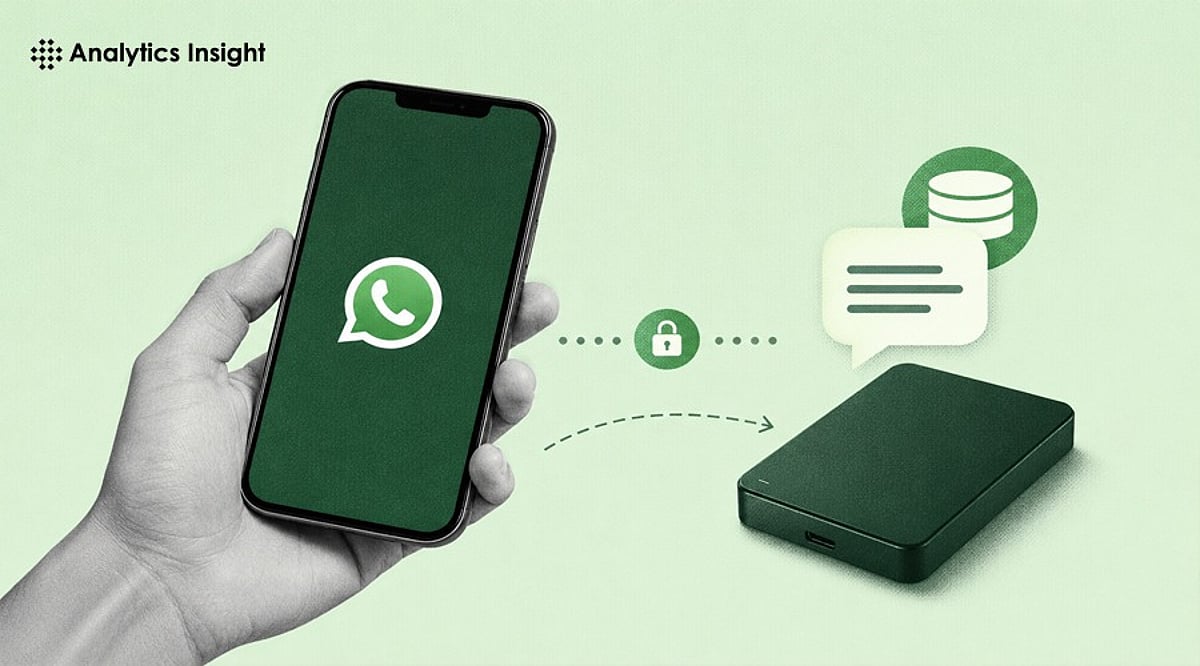
    WhatsApp is developing a new feature that would allow iPhone users to back up their chat history without relying on Apple’s iCloud. The move, discovered in the latest WhatsApp beta for iOS by WABetaInfo, points to Meta’s plan to introduce its own encrypted cloud storage service for conversation backups.

    Currently, iPhone users must use iCloud for WhatsApp backups, requiring sufficient iCloud storage space. The upcoming change would give users the option to choose between iCloud and WhatsApp’s own cloud service, potentially easing storage constraints for those who frequently run out of space or prefer not to depend on Apple’s ecosystem.

    According to leaked screenshots, the new system will offer 2GB of free cloud storage from WhatsApp, with additional paid plans likely available for users who need more capacity. Like the existing backup option, WhatsApp’s cloud backups will be end-to-end encrypted, ensuring messages remain private and secure.

    The feature is still in development and not yet accessible to beta testers. Meta has not announced a release date or availability timeline. If launched, it would give iPhone users greater flexibility in managing their chat backups and reduce dependence on iCloud for storage.

  • Government Surveillance of AI and Smart Devices: Key Privacy Insights

    Government Surveillance of AI and Smart Devices: Key Privacy Insights

    Smartphones, AI assistants, and smart home gadgets continuously generate and share data. Governments can access some of this information through legal channels, but users have controls to limit exposure. Here’s a breakdown of how tracking works and what you can do to protect your privacy.

    Device Location Data

    Smartphones and connected devices can share location information through GPS, cellular networks, and Wi-Fi, depending on user permissions and settings. Disabling location services for apps that don’t need them reduces tracking.

    Legal Data Requests

    Governments may request user data from technology companies through lawful processes, subject to applicable regulations, court orders, and national legislation. Companies often publish transparency reports showing the volume of such requests.

    AI Voice Assistants

    Voice assistants process spoken commands, with some requests handled in the cloud while others increasingly rely on on-device AI processing. On-device processing minimizes data sent to servers, enhancing privacy.

    Smart Home Devices

    Connected cameras, speakers, and sensors generate data that can reveal usage patterns, making security settings and account protection increasingly important. Regularly update firmware and use strong passwords to safeguard your network.

    Cloud Data Storage

    Information synchronized to cloud services may remain accessible across devices, depending on retention policies, encryption, and user account preferences. Review your cloud storage settings and enable encryption where available.

    End-to-End Encryption

    Encrypted messaging services help protect conversations during transmission, reducing unauthorized access while maintaining secure communication between users. Use apps that offer end-to-end encryption by default.

    On-Device AI Processing

    Modern AI models increasingly process data directly on smartphones, minimizing cloud transfers and improving both privacy and response speed. This local processing reduces the amount of personal data exposed to external servers.

    User Privacy Controls

    Device settings allow users to manage permissions for location, microphone, camera, contacts, and app access to limit unnecessary data collection. Audit these permissions regularly and revoke access for apps that don’t need it.

    Transparency Reports

    Many technology companies publish transparency reports showing government data requests, offering users greater insight into official information access practices. Consulting these reports helps you make informed decisions about which services to trust.

    For the latest news, exclusives, and videos, join our WhatsApp Channel.

  • Top Zoho Mail Competitors for 2026: Feature and Pricing Comparison

    Top Zoho Mail Competitors for 2026: Feature and Pricing Comparison

    Choosing a business email platform goes far beyond simply sending messages. Collaboration, security, pricing, and scalability all shape the right decision. The following Zoho Mail alternatives stand out by solving different business needs.

    Overview

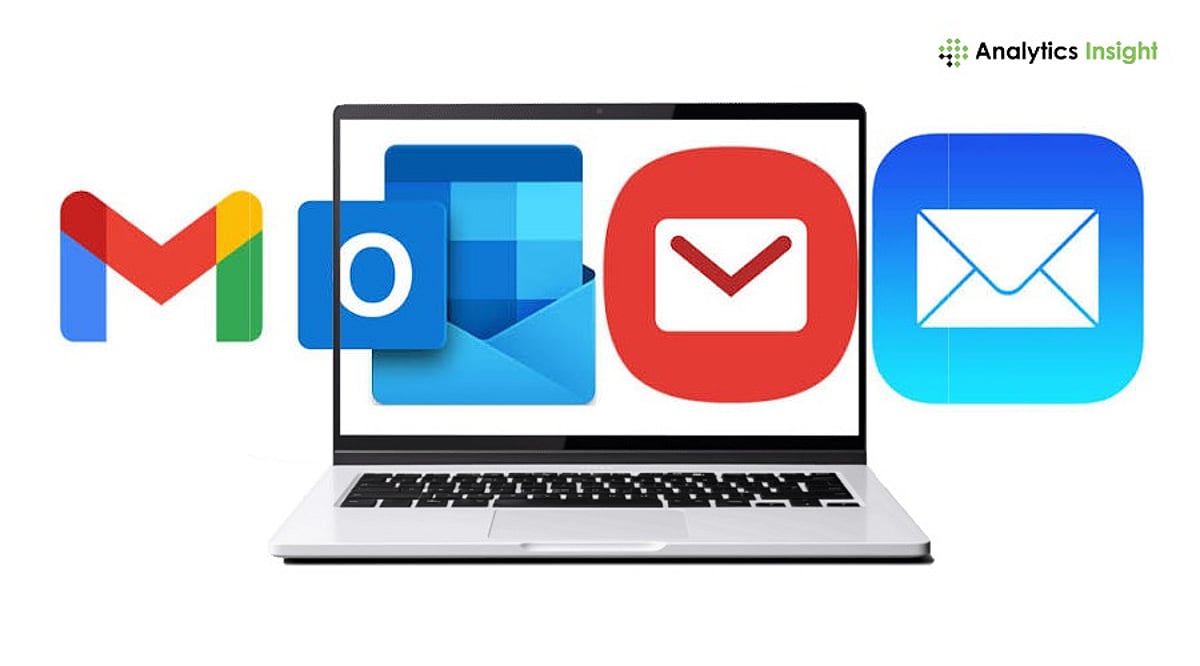
    Google Workspace and Microsoft 365 are the strongest upgrades from Zoho Mail when email sits at the center of a broader productivity workflow rather than operating as a standalone tool. ProtonMail and Tutanota serve businesses where end-to-end encryption and data confidentiality matter more than deep office suite integration. Budget providers like Hostinger and Indian cPanel hosts offer the lowest cost per mailbox for SMEs that need reliable domain email without bundled productivity tools.

    Zoho Mail is affordable, functional, and good enough for most small businesses. This is exactly why many teams outgrow it. When your workflow demands deeper collaboration, stronger privacy, or simply a cheaper mailbox, there’s a better fit. The real question is not which provider offers the most features. It is the one that best matches the way a team works and what the business actually needs.

    Two questions settle this faster than any comparison chart. Does your team use email as a standalone tool or as the center of a productivity workflow? And what is your honest per-user budget, factoring in growth?

    Provider Comparison at a Glance

    When You Need a Full Productivity Suite

    For many businesses, moving away from Zoho Mail is not really about email. It is about getting a complete productivity platform instead of a standalone email service. Both Google Workspace and Microsoft 365 include email, document editing, calendar, video meetings, and team collaboration in one package. A single platform reduces the need to switch between different tools throughout the workday.

    Google Workspace works best for teams that spend most of their day in a web browser. Gmail, Drive, Docs, and Meet all integrate closely, and real-time collaboration is seamless. It suits teams that collaborate on documents, hold frequent video meetings, and prefer a single platform for everyday work.

    Microsoft 365 is a better fit for organizations that already rely on Outlook, Excel, or desktop Office applications. Businesses with established Microsoft workflows can migrate with minimal disruption.

    Both platforms perform well in terms of the technical aspects of email delivery. SPF, DKIM, and DMARC help keep your domain reputation clean and your emails in inboxes and out of spam folders. User management is easy on both platforms, with tools maturing as the number of users grows.

    When Privacy and Encryption Come First

    ProtonMail and Tutanota serve a different requirement entirely. Both encrypt email end-to-end by default, meaning the provider itself cannot access stored messages. ProtonMail operates under Swiss privacy law, with Professional plans starting around 6.25 euros per user per month. Tutanota offers comparable encrypted email and calendar functionality at competitive pricing, with particular appeal for small privacy-conscious teams.

    What you give up is office suite integration. Neither platform connects naturally with Google Docs or Microsoft Office workflows. For law firms, healthcare providers, or any business handling sensitive client communications, that trade is justified. For a general business team that relies on everyday collaboration tools, it is not the right fit.

    When Affordable Domain Email is All You Need

    Not every business needs a full productivity suite. All they want is a reliable email service that can be customized with their own domain name at a reasonable cost. That’s where budget email hosting providers come into play. Hostinger email plans are available from approximately Rs. 25 per mailbox per month on long-term plans, which include IMAP support, webmail, and spam protection.

    Other Indian hosting providers, including HostStack, MilesWeb, and TrueHost, bundle cPanel email with web hosting and often include multiple email accounts and standard email authentication features. Collaboration tools are typically separate, and these services are more hands-on to manage than Google Workspace or Microsoft 365. They’re a good option for companies that prioritize email reliability and cost savings.

    Understanding the True Cost

    Headline pricing rarely reflects what a platform actually costs over time. Google Workspace costs more per user than Zoho Mail, but reduces IT overhead, removes the need for separate video meeting subscriptions, and scales without requiring plan upgrades as teams grow. Hostinger costs less per mailbox but demands separate tools for everything beyond basic email.

    Zoho Mail Lite and Workplace generally undercut Google and Microsoft on price. Hostinger and cPanel email undercut Zoho on mailbox-only costs. ProtonMail and Tutanota may carry a higher per-user cost than standard providers, but their encryption defaults and compliance benefits carry real value in regulated industries.

    The right approach is to match your budget to what your team genuinely uses, not to the lowest available price.

    Which Alternative Fits Your Business

    Before making a final decision, consider these questions:

    • Does your team need office apps within the same subscription?
    • Is encryption a compliance requirement for your industry?
    • Will headcount grow rapidly over the next year?
    • Do you need shared mailboxes, aliases, or admin auditing tools?
    • Are you replacing an existing platform that requires a careful migration path?

    Each answer clearly points to one category. Match the platform to what your business genuinely needs, and the right choice becomes obvious.

    Final Thoughts

    The ideal Zoho Mail replacement is the one that fits a team’s workflow today and will also enable growth in the future. It’s not about price alone but rather a balance that includes security, collaboration, administration, and value. A platform that suits the business will deliver better outcomes than one selected for its lowest monthly price.

    FAQs

    1. What is the best alternative to Zoho Mail for small businesses?
    The best alternative depends on business needs. Google Workspace is ideal for collaboration; Microsoft 365 suits Office-based workflows; and Hostinger and cPanel email are good choices for affordable custom-domain email.

    2. Is Google Workspace better than Zoho Mail?
    Google Workspace offers a broader productivity suite with Gmail, Drive, Docs, Meet, and real-time collaboration. Zoho Mail remains a more affordable option for businesses that primarily need professional email.

    3. Which Zoho Mail alternative offers the best privacy?
    ProtonMail and Tutanota are among the strongest privacy-focused alternatives. Both provide end-to-end encryption and are designed for organizations that prioritize secure business communication.

    4. Are budget email hosting providers suitable for businesses?
    Yes. Providers such as Hostinger and cPanel-based email hosting are suitable for businesses that only need reliable custom-domain email without integrated office applications or collaboration tools.

    5. What should businesses consider before switching from Zoho Mail?
    Businesses should compare pricing, collaboration features, security, storage, migration support, and long-term scalability. Choosing a platform that matches daily workflows usually delivers better value than selecting the lowest-priced option.

  • Essential Data Security Practices for Remote Analytics Teams

    Essential Data Security Practices for Remote Analytics Teams

    Remote analytics teams handle some of the most valuable assets in modern organizations: customer information, operational metrics, financial records, and proprietary business intelligence. Effective data security requires multiple layers of protection, including access controls, encryption, endpoint security, and secure network connections.

    Why Is Data Security More Challenging for Remote Analytics Teams?

    Remote work has drastically altered the way companies use data analytics. Analysts have to work with various dashboards, cloud data warehouses, machine learning tools, customer databases, and other reporting systems from places outside of the conventional company network infrastructure.

    Such flexibility makes people more productive, yet, at the same time, it expands the area for potential attacks of hackers. People who conduct remote work might use public Wi-Fi, personal computers, their own routers, or even third-party apps to access the network.

    There is an increased risk for analysts, as they deal with a lot of confidential data. The hacking of such an analyst’s account might give hackers an opportunity to steal customer databases, financial reports, forecasts, or other important pieces of information.

    It is necessary to prevent such attacks not only because of the security, but also due to the necessity to comply with various privacy requirements and to guarantee the protection of data integrity.

    How Can Remote Teams Build a Secure Analytics Environment?

    A secure analytics environment relies on multiple protective measures working together. No single technology can eliminate all risks.

    1. Implement Strong Identity Controls

    Identity security comes first. Companies must have strong passwords, password managers, and multi-factor authentication (MFA). MFA decreases the probability of account hacking as hackers cannot get access without having access to more than just the password.

    There must also be role-based access controls where users will only have access to what is required in their roles.

    2. Encrypt Data in Transit and at Rest

    Encryption protects information from unauthorized viewing during transmission and storage. Cloud platforms, databases, analytics tools, and file-sharing systems should all use modern encryption standards. Teams should regularly verify that encryption settings remain enabled after software updates or platform migrations.

    3. Secure Network Connections

    Remote employees frequently connect from hotels, airports, cafes, coworking spaces, and home networks. Organizations should establish policies that require secure connections when accessing sensitive business systems.

    In some situations, teams may use secure VPN solutions to encrypt network traffic before accessing corporate resources. For example, in addition to additional security measures like MFA and endpoint protection, a free VPN service like Planet VPN can secure your connection. VPNs should be viewed as one component of a broader security framework rather than a complete solution.

    4. Protect Endpoints

    All laptops, workstations, and mobile devices used for analytics should be equipped with endpoint protection applications. Security professionals should make sure that the devices get OS updates and anti-malware protection without manual interventions. There are many device management tools which can facilitate the implementation of security policies.

    5. Monitor and Audit Access

    Continuous monitoring helps organizations identify unusual behavior before it becomes a serious incident. Security teams should review login patterns, access logs, permission changes, and data exports. Automated alerts can identify suspicious activities such as large downloads, unusual login locations, or repeated authentication failures.

    What Additional Security Layers Should Organizations Consider?

    Organizations that have advanced analytics systems may go further to employ defense-in-depth mechanisms for their cybersecurity needs.

    The Zero Trust system has gained popularity due to its assumption that nothing is to be trusted by default. All access requests are constantly checked and validated regardless of any location.

    The classification of data can also enhance security through recognizing which databases need extra measures of protection. Personal data of customers, financial data, data from the field of healthcare, and proprietary algorithms can need extra security measures compared to ordinary operation reports.

    Another useful mechanism is the data loss prevention system. The DLP system can help prevent any illegal dissemination of sensitive information.

    Security training of the staff is an essential measure. A significant number of successful attacks on businesses start from phishing attacks and human error and not from some technical flaws in the system.

    Periodic security assessment and testing are needed as well.

    What Common Data Security Mistakes Should Teams Avoid?

    A number of security breaches can be attributed to mistakes, rather than elaborate attacks.

    Excessive access rights represent one such common problem. Employees end up accessing various databases and systems even when their job responsibilities have changed. Such practices inevitably pose risks in the future.

    Another mistake involves the use of traditional security measures. With most employees working remotely and accessing company assets from different places, such security systems prove to be ineffective.

    Organizations tend to ignore the threats posed by shadow IT as well. Employees might start using unauthorized programs and productivity tools.

    Failing to patch the systems in time poses another vulnerability. Many attacks utilize existing flaws that could have been fixed already.

    The final common mistake includes concentrating too much on preventive measures and not on how to respond to the threat in case of an attack.

    What Are the Most Important Security Best Practices?

    Organizations can strengthen remote analytics security by following these core practices:

    • Require multi-factor authentication for all analytics and data platforms.
    • Limit user access according to business needs and job responsibilities.
    • Encrypt sensitive data during storage and transmission.
    • Maintain endpoint security across laptops, mobile devices, and workstations.
    • Monitor access logs and investigate suspicious activity quickly.
    • Conduct regular security awareness training programs.
    • Apply software updates and security patches without delay.
    • Develop and test incident response procedures regularly.
    • Classify sensitive data and apply stronger controls where necessary.
    • Review permissions and third-party integrations on a scheduled basis.

    These practices create multiple layers of protection that reduce risk while supporting productive remote collaboration.

    Frequently Asked Questions

    What are data security best practices for remote teams?

    Data security best practices for remote teams include multi-factor authentication, encrypted communications, endpoint protection, access controls, continuous monitoring, and employee security training. Organizations should combine multiple controls rather than relying on a single technology.

    Why is data security important for analytics teams?

    Analytics teams often work with highly sensitive information, including customer records, financial data, operational metrics, and strategic business intelligence. A security breach can expose valuable information and lead to compliance violations, financial losses, and reputational damage.

    How do remote employees protect sensitive business data?

    Remote employees can protect sensitive data by using strong authentication, secure devices, encrypted connections, approved software platforms, and company security policies. Regular software updates and awareness of phishing threats are also essential.

    Is a VPN enough to secure remote work?

    No. A VPN can help encrypt network traffic, but it does not replace identity management, endpoint protection, access controls, monitoring, or employee training. Effective security requires multiple layers working together.

    What is Zero Trust security?

    Zero Trust is a cybersecurity model that continuously verifies users and devices before granting access to resources. It assumes that no user, device, or network should be trusted automatically, even when operating inside a corporate environment.

    How often should organizations review data access permissions?

    Organizations should review permissions regularly, especially after role changes, employee departures, mergers, or major system updates. Quarterly reviews are common, although highly regulated industries may require more frequent assessments.