Tag: Gadgets

  • Upcoming Budget Earbuds: Key Brands and Features to Watch

    Upcoming Budget Earbuds: Key Brands and Features to Watch

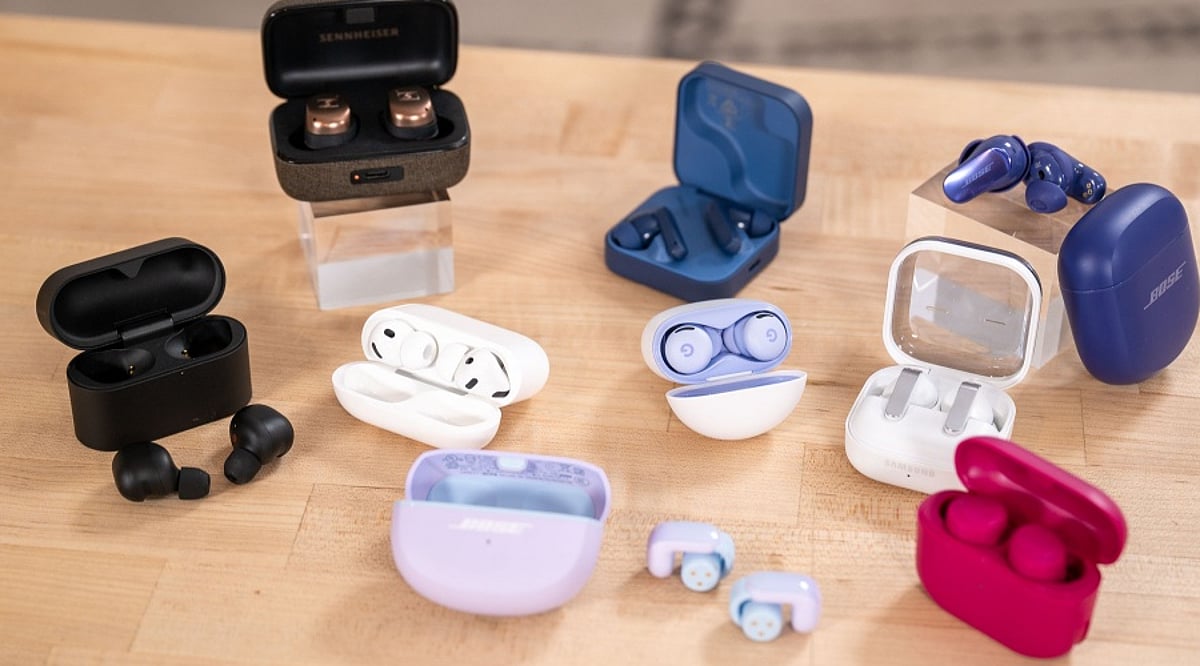
    The budget wireless earbuds segment continues to heat up, with several major brands preparing new launches featuring improved sound, battery life, and smart features. Here is a look at what to expect from top players like boAt, Noise, Realme, OnePlus, Boult Audio, JBL, and Oppo.

    boAt

    boAt remains a dominant force in affordable audio, consistently targeting feature-hungry buyers. Upcoming models are expected to emphasize longer battery life, deeper bass, better microphone performance, and low-latency modes. With its deep market penetration in India, new boAt earbuds will likely appeal to everyday users seeking quality wireless audio on a budget.

    Noise

    Noise has carved out a strong niche among younger consumers with value-packed earbuds. Future releases may bring refined sound, extended playback, clearer calling, and more intuitive controls. The brand’s commitment to affordability will keep its upcoming offerings relevant for shoppers prioritizing practical features at low prices.

    Realme

    Realme continues to innovate in the budget segment, blending modern designs with active noise cancellation, long battery life, and dedicated gaming modes. Its tight integration with the Realme smartphone ecosystem could further boost its appeal among users who prefer a single-brand device experience.

    OnePlus

    OnePlus has expanded its audio lineup with products balancing design, sound, and price. Future budget earbuds are likely to enhance noise cancellation, call clarity, fast charging, and seamless integration with OnePlus phones. These features make them attractive for users upgrading from basic wireless earphones.

    Boult Audio

    Boult Audio remains active in India’s value-focused audio space, offering earbuds at multiple price points. New launches will continue to emphasize strong bass, stylish designs, long battery life, and gaming-friendly features. As competition intensifies, buyers can expect even more options in the affordable segment.

    JBL

    JBL brings its renowned audio expertise to budget wireless earbuds. Upcoming models will focus on balanced sound, comfortable ergonomics, reliable connectivity, and solid battery life. For consumers who trust a familiar audio brand, JBL’s new entries add another strong contender to the crowded market.

    Oppo

    Oppo’s audio products often complement its smartphones, and its upcoming budget earbuds are no different. Expect improvements in call quality, battery life, noise control, and effortless device pairing. As the segment grows, Oppo can leverage useful features at accessible prices to attract more buyers.

    Stay tuned for official announcements and reviews as these brands unveil their latest budget-friendly earbuds later this year.
  • Moto Pad 70 Groove vs Standard Moto Pad 70: Which Motorola Tablet Delivers Better Audio?

    Moto Pad 70 Groove vs Standard Moto Pad 70: Which Motorola Tablet Delivers Better Audio?

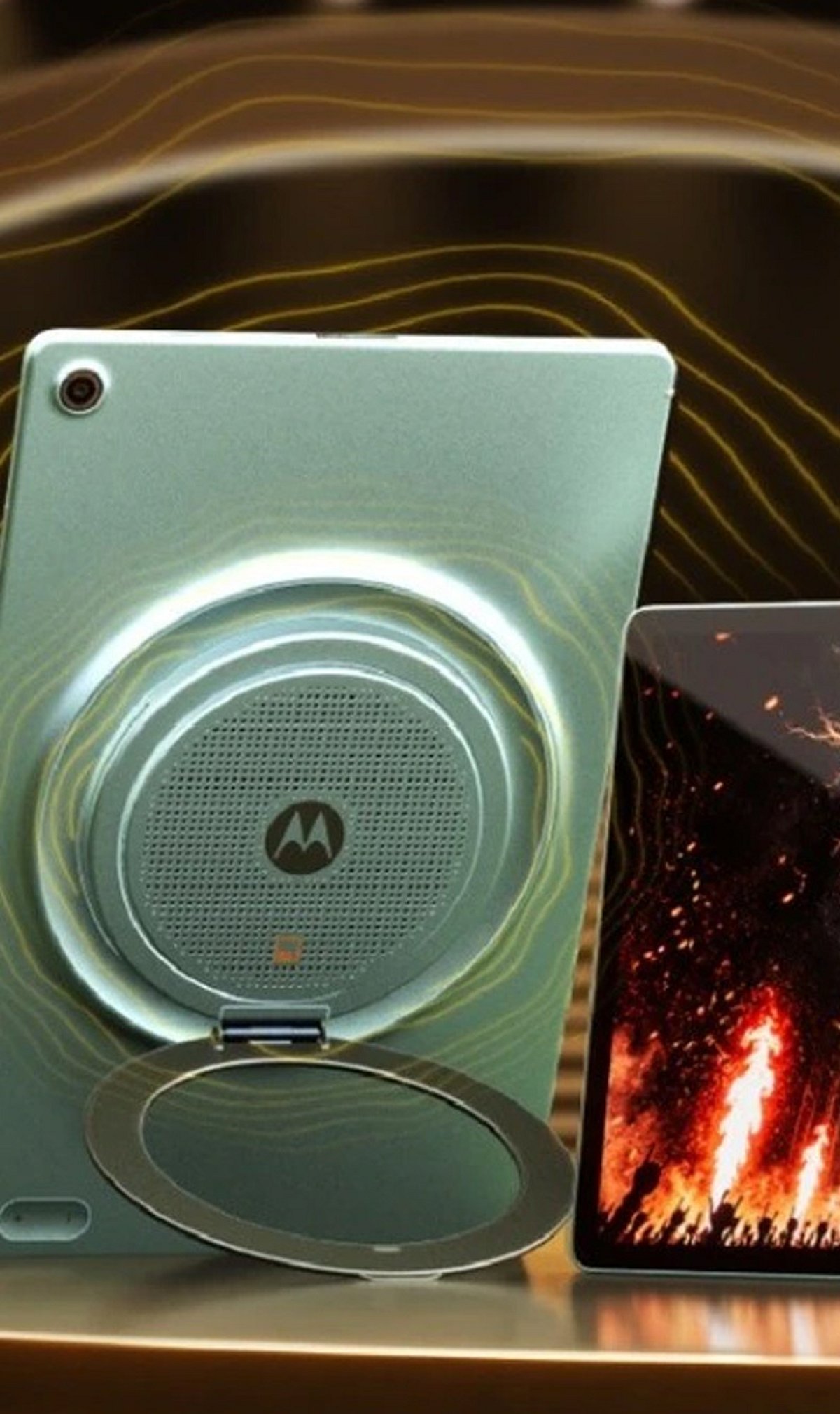
    Motorola’s Moto Pad 70 Groove and the standard Moto Pad 70 may look nearly identical, but they target different user priorities. The key difference lies in audio performance: the Groove variant is engineered for richer sound, making it a stronger choice for entertainment lovers, while the regular model offers a more balanced, no-frills tablet experience.

    The Moto Pad 70 Groove puts audio front and center. Its enhanced sound system is designed to elevate music, movies, and gaming, creating a more immersive media experience. For users who frequently stream content or play audio-heavy games, the Groove model provides a noticeable upgrade in sound quality and volume.

    In contrast, the standard Moto Pad 70 takes a simpler approach. It delivers solid performance for everyday tasks such as browsing, reading, streaming, and light gaming, but does not emphasize audio as a standout feature. This makes it a more straightforward option for users who want a capable large-screen device without paying extra for specialized speakers.

    Both tablets share a similar design and are built to handle typical digital activities. Motorola’s strategy with these two variants shows how small hardware tweaks can create distinct experiences, even when the devices look alike. The Groove model appeals specifically to users who value sound quality, while the standard model caters to those who prefer a well-rounded tablet at a potentially lower price point.

    Ultimately, the decision comes down to how you use your tablet. If rich audio matters to you, the Moto Pad 70 Groove is the clear winner. If you need a reliable, all-purpose tablet without extra audio emphasis, the standard Moto Pad 70 remains a solid choice.

  • Essential 3D Printer Accessories Every Owner Should Know About

    Essential 3D Printer Accessories Every Owner Should Know About

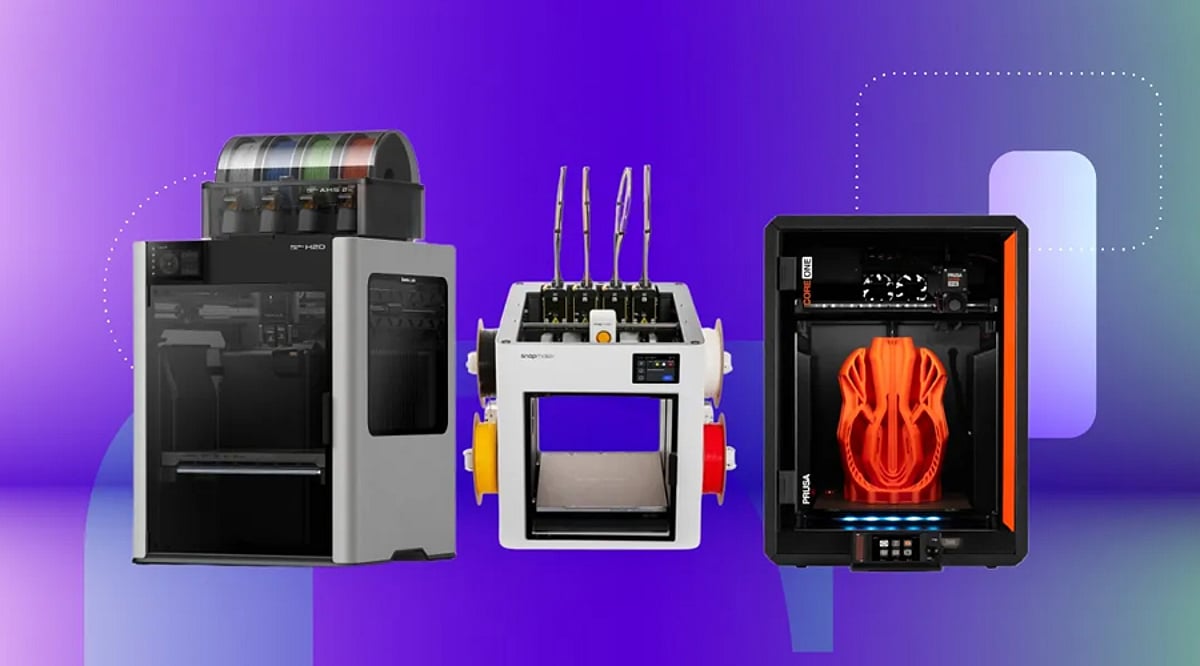
    3D printing is an exciting technology that allows you to bring digital designs to life. However, to get the best results and maintain your printer, having the right accessories is essential. This article highlights key accessories that every 3D printer owner should consider, from spare parts to cleaning tools.

    Spare Nozzles

    Spare nozzles are crucial for any 3D printer owner. Nozzles can clog, wear out, or become damaged during regular use. Keeping a set of replacements on hand minimizes printing interruptions. Different nozzle sizes also allow you to experiment with layer thickness, print speed, and material flow for various projects.

    Build Plate Accessories

    Build plate accessories improve print adhesion and make finished models easier to remove. Depending on your printer and filament, different surfaces offer specific benefits. A suitable build plate ensures consistent first layers and reduces issues like prints separating from the surface during printing.

    Digital Calipers

    Digital calipers are invaluable for precise measurements in 3D printing projects. They allow you to measure existing objects, printed parts, and design components with accuracy. This is especially important when creating replacement parts or models that must fit other assemblies or mechanical components.

    Filament Storage

    Proper filament storage is vital because many 3D printing materials absorb moisture from the environment. Moisture can lead to inconsistent printing and affect print quality. Using airtight containers, desiccants, and dedicated storage solutions helps protect your filament and keeps spools in better condition between printing sessions.

    Deburring Tools

    Deburring tools help remove unwanted edges, small imperfections, and excess material from completed prints. They clean holes, edges, and detailed sections after printing. A good finishing tool gives models a cleaner appearance and improves the fit of parts designed to connect with other components.

    Cleaning Tools

    Cleaning tools are essential for maintaining a 3D printer. They remove residue from components and surfaces. Depending on the printer, you may need brushes, scrapers, and other dedicated tools. Regular cleaning supports reliable operation and prevents accumulated material from interfering with subsequent print jobs.

    Nozzle Cleaning Kit

    A nozzle cleaning kit is useful when printing material lodges in the nozzle and causes minor blockages. Fine cleaning needles and related tools are designed for this purpose. Keeping a kit on hand simplifies troubleshooting and routine maintenance, especially for frequent users or those working with different filament materials.

    Investing in these accessories can significantly improve your 3D printing experience, ensuring consistent quality and longer printer life.

  • iPhone Duo: 5 Exclusive Features That Redefine Apple’s Foldable Experience

    iPhone Duo: 5 Exclusive Features That Redefine Apple’s Foldable Experience

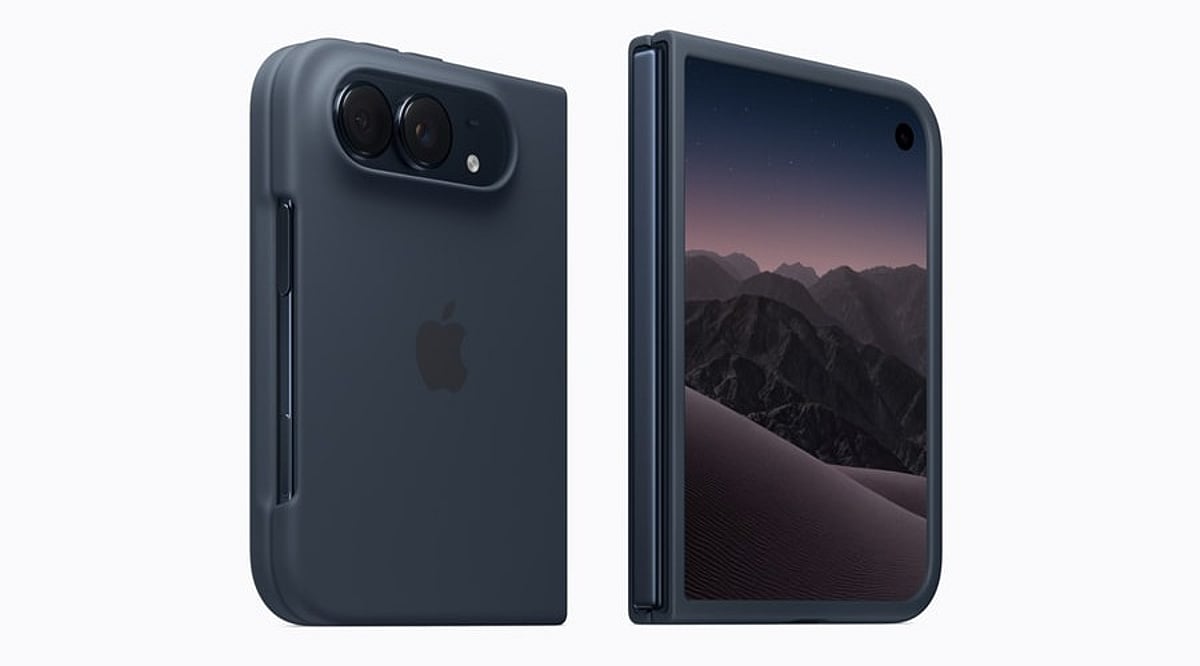
    Apple has finally entered the foldable phone market with the iPhone Duo, a book-style device featuring two screens. This launch answers questions iPhone users have been asking for years: What changes when a phone becomes a small tablet, and what stays the same? Apple has packed the iPhone Duo with exclusive features that don’t exist on any other iPhone model, from dual-screen camera tricks to a different unlocking method and even unique charging capabilities.

    1. Dual-Screen Camera Software

    The iPhone Duo sports a dual 48-megapixel camera system on the back, similar to the iPhone 18 Pro, but its software is where Apple gets creative. Features like Smart Take, Kid Cue, and Duo Preview are exclusive to this model, and they exist because the phone can display a live camera view on both screens simultaneously. A parent photographing a child can use Kid Cue to capture their attention on the outer display while framing the shot on the inner one. Duo Preview lets a photographer show the subject exactly what the shot looks like before the picture is taken—something a single-screen iPhone simply cannot do.

    2. Under-Display Camera on the Inner Screen

    For the first time on any iPhone, Apple has placed a camera underneath the display itself. The inner 7.6-inch screen carries this under-display camera, keeping the folding display free of any visible cutout or notch. The trade-off is that this camera doesn’t match the quality of the Center Stage front camera on the outer screen, so Apple recommends using the outer camera for video calls and selfies whenever the phone stays closed.

    3. Touch ID Instead of Face ID

    Every recent iPhone has relied on Face ID for unlocking, but the Duo breaks that pattern. Apple moved authentication to a side-mounted Touch ID sensor, a design choice driven by the thinner profile needed for a folding phone. This lets users unlock the device whether it sits open or closed, without needing a front-facing sensor array that would otherwise eat into the slim bezels Apple aimed for on the folding screen.

    4. Apple Pencil Support & Familiar Charging

    Apple Pencil has always been an iPad feature, but the iPhone Duo changes that boundary. The company has confirmed that Apple Pencil support will roll out for both the inner and outer displays later this year. On the charging side, the Duo sticks with what iPhone owners already know, supporting fast wired charging alongside MagSafe and Qi2 wireless charging, so an existing iPhone charger still works fine with the new model. This turns the Duo into a note-taking and sketching device in a way no earlier iPhone allowed, positioning it as a bridge between Apple’s phone and tablet lineups.

    5. Adaptive Postures

    The iPhone Duo supports several distinct postures that Apple built software around, including Landscape, Portrait, Closed, Seated, and Standing modes. In Seated mode, the phone can rest at an angle for watching a video or following a workout routine. In Standing mode, it doubles as a bedside display through StandBy, showing a clock, photos, or widgets. Split View lets two apps run side by side on the larger inner display, a functionality closer to what people expect from a small tablet than a phone.

    Why These Features Matter

    These five features show that Apple did not simply put a hinge on an existing iPhone design. Each one, from the camera software to the authentication method, reflects a rethink of what a phone can do once it has two screens working together. For anyone weighing whether the Duo justifies its higher iPhone price compared to a regular Apple iPhone, these software and hardware choices matter more than the display size alone, since they define how the phone actually gets used day to day.

    FAQs

    1. What makes the iPhone Duo different from other iPhone models?
    The iPhone Duo is Apple’s first foldable iPhone, featuring a book-style design with two screens, exclusive camera software, and an under-display camera not found on any other iPhone.

    2. Does the iPhone Duo use Face ID?
    No, the iPhone Duo replaces Face ID with a side-mounted Touch ID sensor, letting users unlock the device whether it is open or closed.

    3. Can the iPhone Duo work with Apple Pencil?
    Yes, Apple has confirmed Apple Pencil support for both the inner and outer displays, rolling out later this year.

    4. Does the iPhone Duo need a special charger?
    No, the iPhone Duo supports the same fast wired charging along with MagSafe and Qi2 wireless charging as other recent iPhone models, so an existing iPhone charger works fine.

    5. What are the exclusive camera features on the iPhone Duo?
    The iPhone Duo offers Smart Take, Kid Cue, and Duo Preview—camera features built specifically to use both the inner and outer displays at the same time.

  • boAt Bluetooth Speaker Guide: Comparing Stone 350 Pro, Stone 1200 Pro, Stone 900, and PartyPal Nova

    boAt Bluetooth Speaker Guide: Comparing Stone 350 Pro, Stone 1200 Pro, Stone 900, and PartyPal Nova

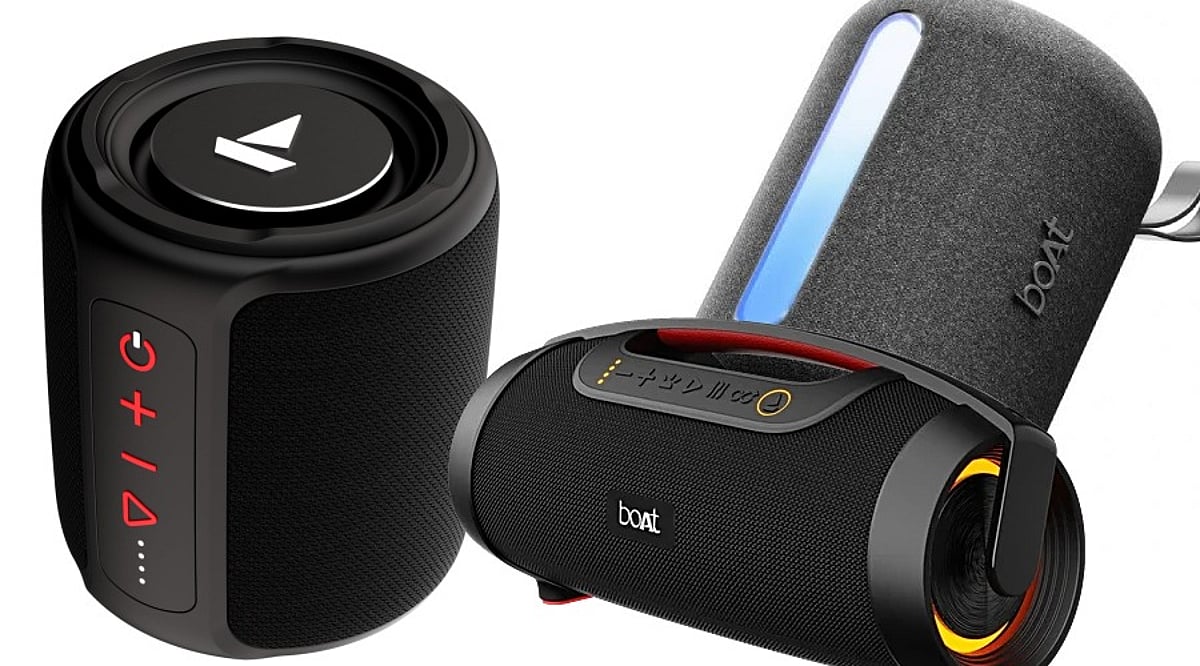
    Portable Bluetooth speakers are a convenient way to upgrade your audio without investing in a full home sound system. boAt offers multiple models across different price points, making it easier to find a speaker that matches your listening habits, whether you need a compact companion for daily use or a high-output speaker for parties.

    boAt Stone 350 Pro: Budget-Friendly Portable Sound

    The Stone 350 Pro is the most affordable model in this lineup at around Rs. 2,099. It delivers 14W of audio output and offers up to 12 hours of claimed battery life. Connectivity options include Bluetooth 5.3, AUX, and TF card playback, while RGB lighting and an IPX5 water-resistance rating add extra value for everyday use.

    This speaker suits casual listening at home, small get-togethers, and outdoor activities where portability is key.

    boAt Stone 1200 Pro: More Volume, More Features

    The Stone 1200 Pro steps up the performance with 60W output powered by 76.2mm drivers. Priced around Rs. 4,999, it targets users who want noticeably louder audio from a portable speaker. boAt rates the battery at up to 7.5 hours of playback at 50% volume.

    It also supports True Wireless Stereo pairing, Bluetooth and USB connectivity, and carries an IPX6 rating for splash resistance. A built-in microphone and carry strap make it a useful option for trips and outdoor use.

    boAt Stone 900: High Power with Long Playback

    For those who need even more sound, the Stone 900 delivers 80W output with a boombox-style design that emphasizes bass. According to the official boAt listing, it is priced at Rs. 6,499 and offers up to 15 hours of claimed playback.

    This model is a good fit for louder listening sessions, small gatherings, and users who prefer a bigger audio presence without moving to a full party speaker.

    boAt PartyPal Nova: Karaoke and Party Features

    The PartyPal Nova is the most feature-rich model in this comparison, starting at Rs. 7,999. It delivers 120W output and includes a wireless UHF microphone plus dynamic lighting, making it ideal for karaoke, announcements, and social events rather than routine listening.

    If entertainment features matter more than portability, this is the speaker to consider.

    How to Choose the Right boAt Speaker

    The main differences among these four models come down to output, portability, battery life, and extra features. The Stone 350 Pro is best for budget-conscious buyers who want a compact speaker. The Stone 1200 Pro and Stone 900 offer progressively higher power for louder settings. The PartyPal Nova is aimed at users who want karaoke and party-ready features.

    Prices may vary by retailer and ongoing promotions, so be sure to check current listings and specifications before making a purchase.

  • Xiaomi Mijia Smart Clothes Dryer 3 Max: A Complete Look at Its Top Smart Features

    Xiaomi Mijia Smart Clothes Dryer 3 Max: A Complete Look at Its Top Smart Features

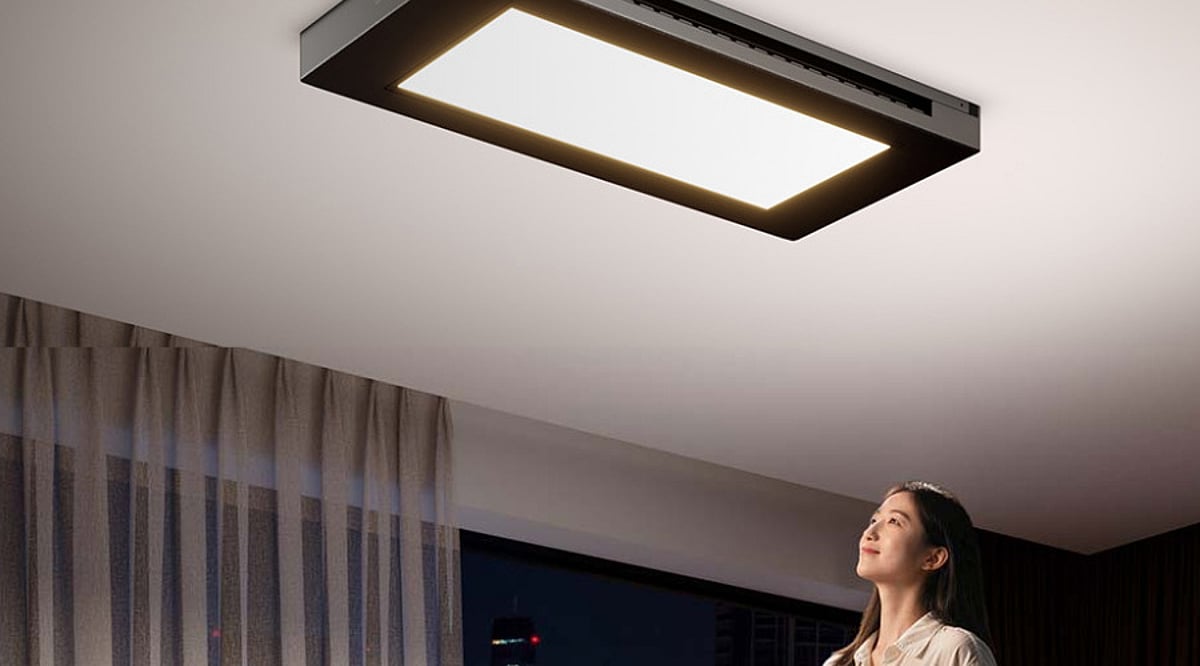
    Xiaomi’s Mijia Smart Clothes Dryer 3 Max transforms a routine household task into a high-tech experience. This ceiling-mounted system combines drying, lighting, and smart controls in one slim unit. It launched for crowdfunding in China at 2,399 yuan, while international availability remains unconfirmed.

    42-Inch Smart Light Panel

    The dryer doubles as a large ceiling light with a 42-inch integrated panel. Its colour temperature can be adjusted from 2,700K to 5,700K to suit different environments. Xiaomi also lists Ra95 colour rendering and RG0 certification, while presence sensing can automatically adjust the lighting.

    1,250W Hot-Air Drying

    Fast drying is one of the headline features of the Mijia 3 Max. Its 770mm air outlet delivers 1,250W of hot air, alongside a 10W natural airflow system. The design speeds up drying while keeping clothes arranged neatly overhead.

    Plasma-Based Sterilisation

    The system goes beyond simply blowing warm air onto clothes. It combines a drying net rated for 99% antibacterial effectiveness with plasma-release technology. Xiaomi positions this as a dual-effect sterilisation setup, adding a hygiene-focused layer to the dryer’s everyday laundry functions.

    Massive 45kg Load Capacity

    Heavy laundry is not a problem for this ceiling-mounted system. Xiaomi says the dryer can handle up to 45kg, while its 2.4-metre telescopic pole creates five hanging zones. It can accommodate around 80 pieces of clothing or two quilts simultaneously.

    Smart App Controls

    Users do not have to operate every function manually. The dryer can be controlled through a smartphone app, including its lifting height and timing. Scheduling also allows the rack to move down during the day and return upward automatically, making the system easier to manage.

    Slim Ceiling-Friendly Design

    Despite packing several functions into one appliance, the main body is only about 9cm thick. Its ceiling-mounted design keeps the drying system above the living space instead of occupying valuable floor area. That makes it particularly interesting for compact homes where every square metre matters.

    With its blend of drying power, integrated lighting, and smart automation, the Xiaomi Mijia Smart Clothes Dryer 3 Max represents a futuristic approach to home laundry.

  • Apple’s Foldable iPhone Duo vs iPhone 18 Pro Max: A Flagship Showdown

    Apple’s Foldable iPhone Duo vs iPhone 18 Pro Max: A Flagship Showdown

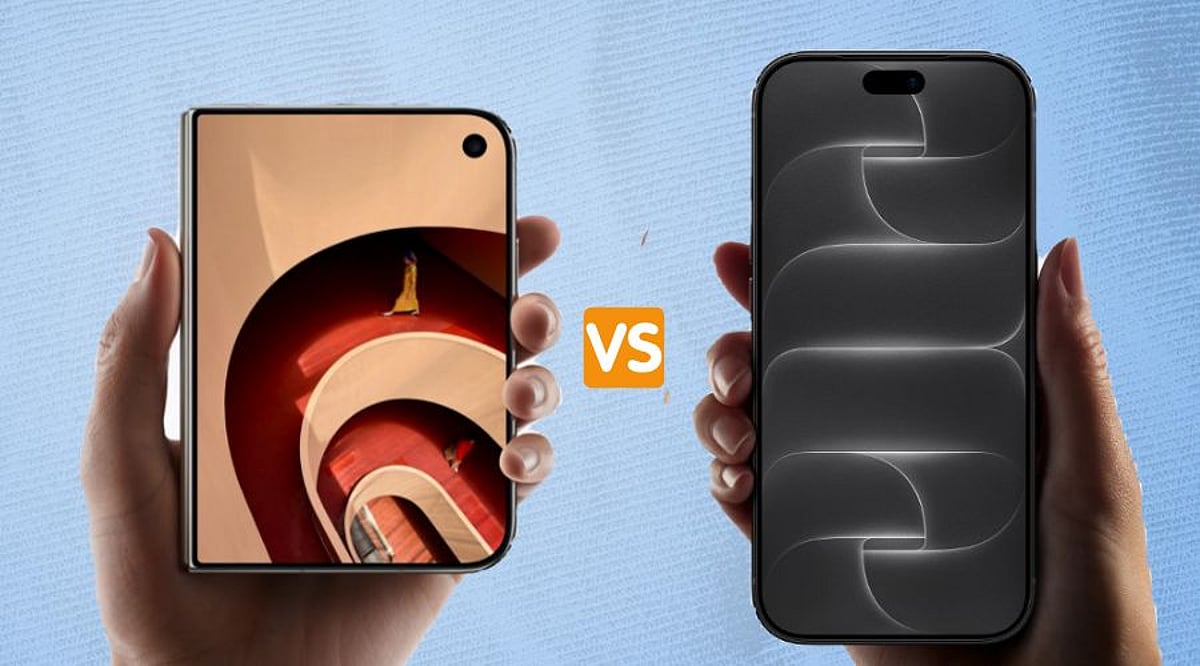
    Apple now offers two distinctly different flagship phones: the iPhone 18 Pro Max and the all-new foldable iPhone Duo. Each targets a different type of user, and the choice ultimately depends on what you value most in a smartphone.

    Design and Display

    The iPhone Duo is Apple’s first foldable device. It opens to reveal a 7.6-inch inner screen—nearly 50% larger than the iPhone 18 Pro Max’s 6.9-inch display—and features a 5.4-inch external screen for quick tasks without unfolding. In contrast, the iPhone 18 Pro Max retains a traditional slab design with a familiar 6.9-inch display.

    Performance and Storage

    Both phones are powered by Apple’s A20 Pro chip and offer up to 2TB of storage, ensuring top-tier performance for demanding apps, games, and multitasking.

    Camera Systems

    The iPhone 18 Pro Max boasts a triple 48MP Pro Fusion camera system with Main, Ultra Wide, and Telephoto lenses. The iPhone Duo shares the same 48MP Main lens (without variable aperture) but lacks a telephoto lens. Instead, it includes a 12MP Center Stage selfie camera. For photography enthusiasts, the Pro Max provides greater versatility.

    Pricing and Availability

    Price is a major differentiator. The iPhone 18 Pro Max starts at $1,299 (₹1,79,900 in India), while the iPhone Duo starts at $1,999 (₹2,99,900). The Pro Max goes on sale September 18; the Duo follows on October 23.

    Which iPhone Should You Choose?

    For most buyers seeking strong cameras, a large display, and better value, the iPhone 18 Pro Max is the smarter choice. The iPhone Duo is for early adopters willing to pay a premium for Apple’s first foldable experience—offering a huge screen in a compact, pocketable form factor. If you already own a recent Pro Max, the Duo may not feel like a spec upgrade, but it delivers a unique, flexible experience.

  • Apple’s Latest AirPods: 9 Upgrades Every Fan Should Know About

    Apple’s Latest AirPods: 9 Upgrades Every Fan Should Know About

    Apple has once again refined its popular AirPods lineup, introducing a series of improvements that enhance comfort, audio quality, and integration with the Apple ecosystem. Here are nine key features that make the new AirPods a compelling upgrade for Apple users.

    1. Refined Design for Better Comfort

    The latest AirPods retain Apple’s iconic styling while incorporating subtle refinements that improve ergonomics and everyday usability, ensuring a secure and comfortable fit for extended wear.

    2. Enhanced Audio Quality

    New audio technologies deliver clearer sound with stronger detail and a more immersive listening experience across all compatible Apple devices, from iPhone to Mac.

    3. Improved Active Noise Cancellation

    Advanced noise cancellation effectively reduces surrounding sounds, allowing you to enjoy music, podcasts, and calls without distraction in noisy environments.

    4. Transparency Mode for Situational Awareness

    Transparency mode lets you hear ambient sounds without removing your earbuds, making it easy to stay aware of your surroundings during daily activities like walking or commuting.

    5. Intuitive Touch and Gesture Controls

    Updated touch or gesture controls simplify playback management, call handling, and other functions, reducing the need to reach for your iPhone.

    6. Seamless Apple Ecosystem Connectivity

    Effortless pairing and automatic switching between iPhone, iPad, and Mac devices ensure a smooth, uninterrupted experience as you move between Apple products.

    7. Longer Battery Life

    Battery improvements provide extended listening sessions, meaning you can go longer between charges during busy days.

    8. Convenient Charging Case

    The updated charging case offers efficient power management while keeping your AirPods protected, so they are always ready for use.

    9. Deeper Ecosystem Integration

    Enhanced integration with Apple’s ecosystem connects AirPods with features across supported devices, delivering a more consistent and intelligent listening experience for Apple users.

  • Top USB-C 60W Charging Cables: Expert Picks for 2026

    Top USB-C 60W Charging Cables: Expert Picks for 2026

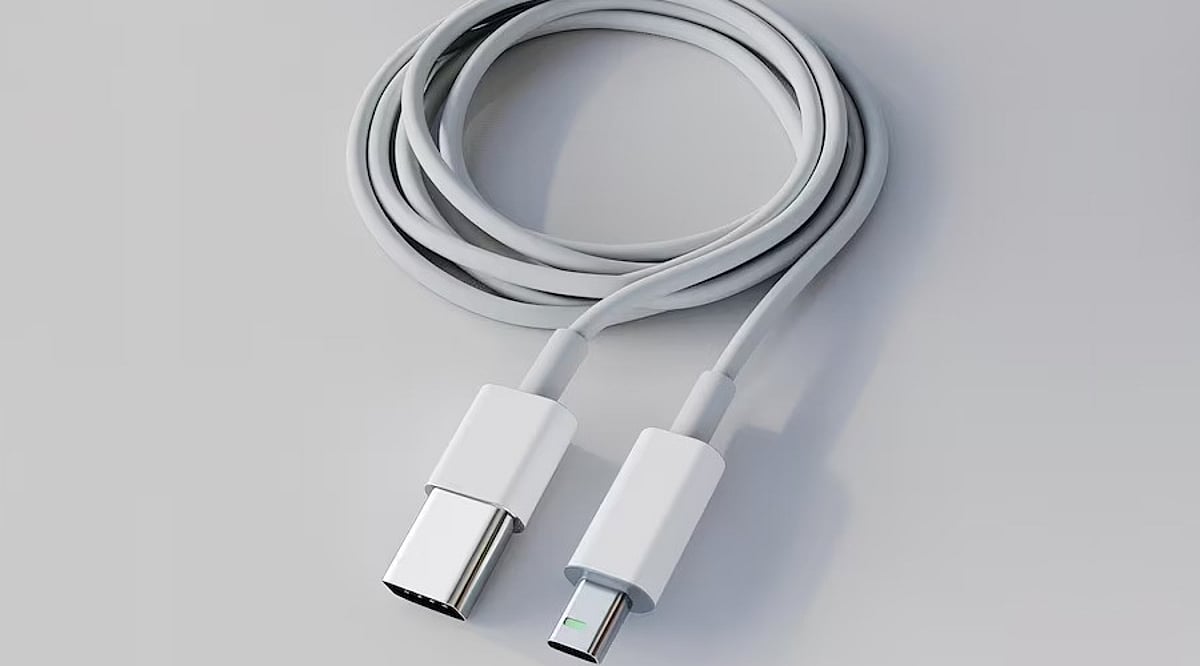
    USB-C has become the universal connector for modern gadgets, powering everything from smartphones and tablets to laptops and power banks. While many cables support fast charging, not all deliver the same performance. For everyday devices, a 60W USB-C cable often provides the perfect balance of power and affordability. Here are five top-rated 60W USB-C cables from leading brands, along with key factors to consider before making a purchase.

    Anker New Nylon USB-C Cable

    Anker is a trusted name in charging accessories, and its New Nylon USB-C cable delivers reliable 60W Power Delivery. The braided nylon exterior enhances durability, with Anker claiming it can withstand up to 12,000 bends. It supports USB 2.0 data transfer speeds up to 480Mbps, sufficient for everyday syncing and file transfers. Available in 3-foot and 6-foot lengths, and in a two-pack, it’s a solid choice for phones and tablets.

    Belkin BoostCharge USB-C Cable

    Belkin’s BoostCharge USB-C to USB-C cable supports 60W charging and features a braided nylon design rated for over 25,000 bends and 10,000 plug-ins. It is USB-IF certified for compatibility and comes with a two-year warranty. This cable works seamlessly with a wide range of USB-C devices, including iPhones, Galaxy phones, iPads, and MacBooks, making it a durable and dependable option.

    UGREEN USB-C Charging Cable

    UGREEN offers a variety of USB-C cables at different power levels. For a 60W setup, verify the exact model specifications before buying, as UGREEN also sells 100W and higher-rated cables. A 60W cable is sufficient for many phones, tablets, power banks, and compatible laptops. UGREEN cables are a great fit for multi-device charging stations, and braided versions are available for extra durability.

    Baseus USB-C 60W Cable

    Baseus is another well-known accessory brand with a broad range of USB-C cables. Their 60W model is ideal for users who primarily charge phones and tablets, and it can also support lightweight laptops that require 60W or less. As with UGREEN, double-check the power rating before purchasing, as Baseus offers higher-wattage cables in similar product lines. Baseus is a strong contender for value-conscious shoppers.

    Spigen USB-C Charging Cable

    Spigen, famous for smartphone cases, also produces USB-C charging cables for everyday devices. Some models support up to 60W charging with compatible USB-C Power Delivery chargers. Spigen cables are a practical choice for users already within the Spigen ecosystem. As always, confirm the exact model’s power and data specifications before buying.

    What to Check Before Buying a 60W Cable

    • Power Delivery Rating: Ensure the cable’s wattage matches your charger and device needs.
    • Data Transfer Speed: Many affordable cables still use USB 2.0 (480Mbps), which may be slow for large files.
    • Cable Length: A 6-foot cable is convenient for desk or bedside use; shorter cables are better for travel.
    • Build Quality: Look for braided nylon and reputable brands to ensure longevity.
    • Certification: USB-IF certification guarantees compatibility and safety.

    Which 60W USB-C Cable Should You Buy?

    The best cable depends on your devices and usage habits. Anker is a reliable everyday choice with proven durability. Belkin appeals to those who prioritize certification and warranty support. UGREEN and Baseus offer extensive accessory ecosystems and multiple cable configurations. Spigen is a practical option for mobile-device users. Remember, 60W is sufficient for most smartphones, tablets, and lightweight laptops. If you own a high-performance laptop, consider a 100W, 140W, or 240W cable instead. The smartest purchase matches your specific device, charger, and daily routine.

    Frequently Asked Questions

    Is a 60W USB-C cable enough for everyday charging?

    Yes, for most users. A 60W cable can charge smartphones, tablets, power banks, and many lightweight laptops. Actual charging speed depends on your device and charger. Check your laptop’s power requirements if you own a high-performance model.

    What is the difference between a 60W and 100W USB-C cable?

    The maximum power rating. A 100W cable can deliver more power when paired with compatible hardware, but it won’t automatically charge your device faster unless the device and charger also support higher power.

    Is Anker a good brand for USB-C charging cables?

    Anker is a well-known and reliable brand for charging accessories. Its New Nylon series includes durable 60W options. Always check the exact model’s specifications for power and data capabilities.

    Do all USB-C cables support fast charging?

    No. USB-C is a connector shape, not a guarantee of speed. Cables have different power ratings, data speeds, and features. Always verify the cable’s specifications before assuming it supports your device’s maximum charging speed.

    Does a 60W cable charge a laptop faster than a phone?

    Not necessarily. Charging speed depends on the device’s power requirements and supported protocols. A laptop may draw more power than a phone, but both will charge within the cable’s 60W limit if compatible.

  • Is a Chromebook Ready for Everyday Use? Key Considerations for 2026

    Is a Chromebook Ready for Everyday Use? Key Considerations for 2026

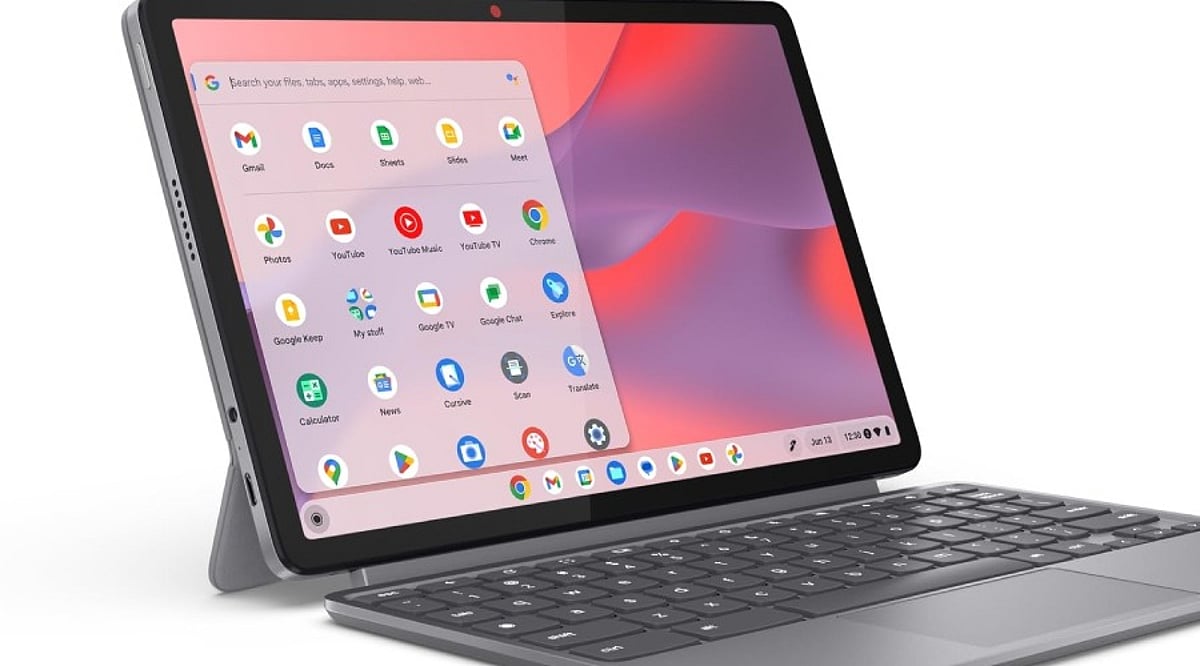
    Chromebooks have evolved far beyond their reputation as simple web-only devices. With the introduction of the Chromebook Plus line, improved hardware, long software support, and integrated AI tools, they now present a compelling option for daily computing. However, software compatibility with Windows and macOS applications remains a critical factor to evaluate before making a purchase.

    ChromeOS has matured into a robust platform for web research, email, document editing, video calls, media consumption, and cloud storage. Google services like Gmail, Drive, Docs, Sheets, and Slides work offline after initial setup—a vital feature for travelers, students, and professionals in areas with unreliable internet. The simplicity of the desktop, centered around the browser, appeals to users who rely primarily on online tools rather than heavy local software.

    The Chromebook Plus category represents a significant step forward. Models such as the Lenovo Chromebook Plus 14, equipped with MediaTek Kompanio Ultra 910 chips, 16GB of RAM, OLED displays, and over 13 hours of battery life, rival premium laptops. These devices handle multitasking with ease and offer a premium experience, making them suitable as a primary computer.

    AI features are now integral to Chromebook Plus. Gemini integration enables complex topic explanations, article summarization, cross-page comparisons, and in-browser task assistance. The “Help me Read” tool can summarize pages, answer questions about content, and simplify selected text. “Help me Write” assists in drafting, rewriting, shortening, or adjusting tone. While not a replacement for a creative workstation, these tools boost productivity in office, academic, and research contexts.

    Long-term value is another strength. Google now offers up to 10 years of automatic updates for eligible Chromebooks. Older models (pre-2021) may receive extended updates at the cost of losing Android app and Google Play Store access, but newer devices avoid this trade-off. Models with update support through 2033, 2035, or 2036 justify a higher initial investment.

    However, software limits persist. ChromeOS excels with web apps, Android apps, Linux tools, and cloud services. Applications built exclusively for Windows or macOS—such as Adobe Photoshop, Premiere, DaVinci Resolve, specialized CAD tools, certain enterprise software, and many local PC games—remain hurdles. Web versions of Microsoft 365 and cloud gaming services can cover some gaps, but they don’t replace every desktop application. A thorough check of essential apps before purchase is essential.

    Hardware recommendations for a primary Chromebook: at least 8GB of RAM and 128GB of storage, a 1080p webcam for quality video calls, a comfortable keyboard and trackpad, USB-C charging, and Wi-Fi 6E or Wi-Fi 7 support. Display quality matters more on a daily driver than on a secondary device. A premium configuration could include 8–16GB RAM, 256GB storage, a 14-inch 16:10 display, and robust build quality. Prices for premium Chromebooks can reach over $800.

    In summary, the Chromebook Plus lineup offers strong hardware, AI capabilities, and long-term support. The decision hinges on software: if all critical applications have viable web, Android, or Linux alternatives, ChromeOS provides a smooth, efficient daily experience. If not, a traditional laptop remains the safer choice.

    Frequently Asked Questions

    Q: Can a Chromebook be used as a main computer?
    A: Yes—it handles browsing, email, documents, video calls, media, cloud storage, and many productivity tasks effectively.

    Q: Is Chromebook Plus better than a regular Chromebook?
    A: Generally yes for demanding daily use; Plus models offer stronger hardware, better multitasking, and additional AI capabilities.

    Q: How long do Chromebooks receive updates?
    A: Google provides eligible ChromeOS devices with up to 10 years of automatic updates, depending on the model.

    Q: Can Chromebooks run Windows applications?
    A: Not all Windows apps have native ChromeOS versions. Web, Android, Linux, and cloud services cover some needs but not every desktop program.

    Q: What should I check before buying a Chromebook?
    A: Verify essential software compatibility first, then consider RAM, storage, display, webcam, keyboard, trackpad, ports, wireless connectivity, battery life, and the device’s update-support period.