Tag: GPU

  • How Jensen Huang Built NVIDIA Into the AI Infrastructure Powerhouse

    How Jensen Huang Built NVIDIA Into the AI Infrastructure Powerhouse

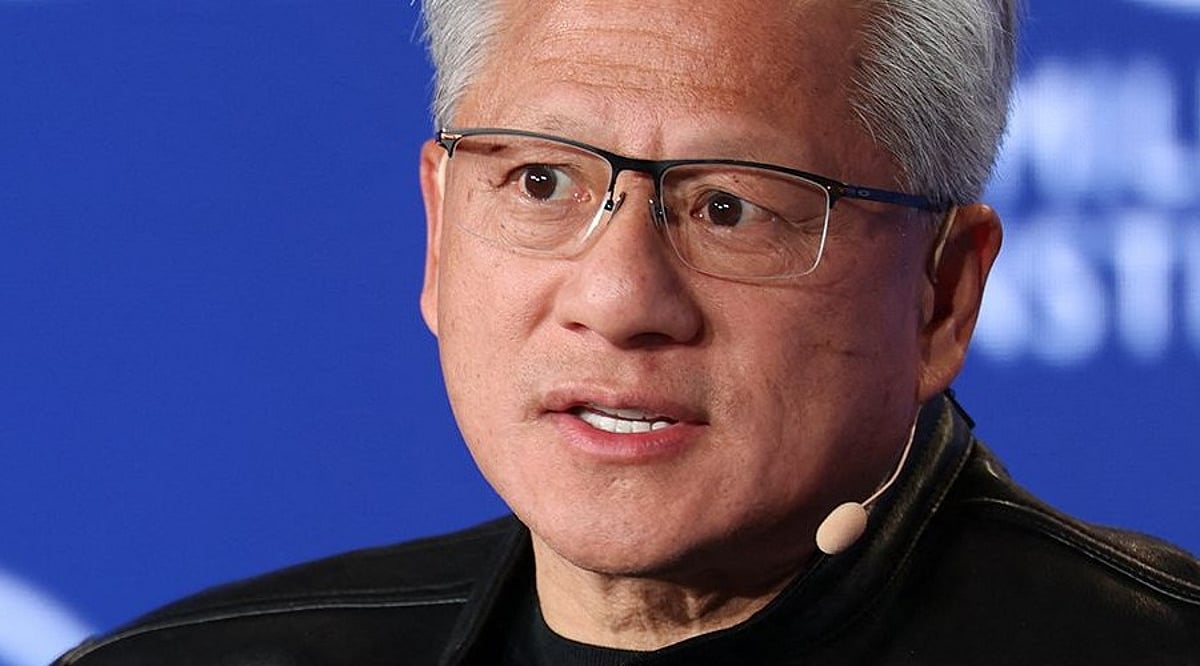
    Jensen Huang, NVIDIA’s founder and CEO, saw early that the AI boom would depend not just on chatbots but on massive data centers packed with chips, memory, networks, and power systems. His strategy turned NVIDIA from a graphics chip company into a foundational supplier for the entire AI economy.

    The GPU Became the Start of a Much Bigger System

    Huang’s key bet was that a graphics processor could do far more than graphics. NVIDIA built CUDA, a software platform that lets developers use its GPUs for advanced computing. That choice gave the company a strong base when AI models began demanding huge amounts of compute.

    For the quarter ended July 26, 2026, NVIDIA posted $96.2 billion in revenue, up 106% year-over-year. Data Center revenue reached $89.0 billion, up 117%. Net income hit $59.7 billion, with a gross margin of 75%. NVIDIA expects $108 billion in revenue for the next quarter and about 70% revenue growth for fiscal 2028, though supply limits still affect that outlook.

    Vera Rubin Turns the Rack into One AI Computer

    NVIDIA’s latest move takes the strategy further. The Vera Rubin platform combines Rubin GPUs, Vera CPUs, NVLink 6, ConnectX-9 network chips, BlueField-4 DPUs, Spectrum-6 systems, and Groq 3 LPX. Several racks can act as one large AI computer.

    NVIDIA says Vera Rubin can deliver 10 times the agent throughput of the Grace Blackwell platform at scale. The platform is designed for AI agents that call tools, search data, write code, and take many steps before completing a task. Such workloads need fast chips, fast memory, and fast links between every part of the system.

    A data center can no longer rely on raw GPU speed alone. Memory, storage, network systems, security, and power all affect the final cost of each AI response. NVIDIA now sells an architecture that connects these pieces.

    Power, Capital and Cloud Capacity Join the Strategy

    Huang has also moved closer to the physical side of AI infrastructure. NVIDIA now treats land, power, and data center space as key resources. In August, the company partnered with SB Energy to secure land, power, and shell capacity at the PORTS-Pike Technology Campus in Ohio. OpenAI will serve as the tenant.

    Capital has become another part of the plan. NVIDIA announced partnerships with Apollo, BlackRock, Blackstone, Brookfield, Goldman Sachs, and KKR. These platforms aim to mobilize more than $500 billion in third-party capital for AI infrastructure over time. The capital does not count as NVIDIA revenue; the goal is to give AI companies and cloud providers access to large pools of long-term infrastructure money.

    AWS and NVIDIA plan to deploy 2 million additional NVIDIA GPUs across AWS infrastructure in 2027–2028. The deal also covers Vera CPUs, network systems, open models, data tools, and robotics.

    NVIDIA has also expanded its reach into software. On September 3, the company agreed to acquire Hugging Face for $12.93 billion. The deal would give NVIDIA a deeper role in the open AI software ecosystem and help expand access to models, tools, and AI infrastructure.

    Huang’s Real Advantage is the Full Stack

    The central idea behind Huang’s strategy is not a single GPU. It is control of the system around the GPU. NVIDIA supplies compute, software, network systems, and rack architecture. It now has a role in power access, infrastructure finance, and developer software as well.

    That model helps explain why the company can grow as AI hardware becomes more complex. Every new AI workload creates demand across several layers at once.

    The next test will come from agentic AI, where one request can trigger hundreds or thousands of steps. That workload can create far more demand for compute than a simple chatbot response. NVIDIA has built Vera Rubin around that shift.

    Huang’s long bet has reached a new stage. NVIDIA no longer sells only the engine for AI. It sets the factory around it, from the first line of code to the data center floor.

  • 2026 AI PC Hardware Guide: Memory, GPUs, and Storage for Local AI Models

    2026 AI PC Hardware Guide: Memory, GPUs, and Storage for Local AI Models

    Local AI in 2026: Hardware Essentials for Running Models On-Device

    Running AI models locally in 2026 hinges on more than just a capable processor. Memory, GPU power, bandwidth, and storage all play critical roles. Whether you’re using a standard laptop or a high-end workstation, understanding how these components scale with model size is key to making the right hardware choices.

    Memory: The Primary Constraint

    The amount of RAM and video memory (VRAM) directly determines which AI models your system can handle. For example, a 7-billion-parameter model at 4-bit precision requires roughly 4–5 GB for its weights. Larger models scale up quickly: a 14B model needs 8–10 GB, a 30B model needs 18–22 GB, and a 70B model demands 40–45 GB. For cutting-edge models like a 120B or 300B, you’re looking at 70–80 GB and 170–190 GB respectively.

    Beyond the model weights, your operating system, cache, and AI tools also consume memory. That’s why 32 GB is a sensible starting point for smaller models, but 64 GB or 128 GB offers far more headroom. High-end systems like AMD’s Ryzen AI Max PRO 400 series push the envelope with up to 192 GB of unified memory, enabling models over 300 billion parameters to run locally.

    GPU and Unified Memory: Boosting Performance

    For serious AI workloads, dedicated graphics hardware is non-negotiable. NVIDIA’s RTX PRO 6000 Blackwell Workstation Edition, with its 96 GB of GDDR7 memory and 1,792 GB/s bandwidth, is built for massive local models. Alternatively, NVIDIA’s RTX Spark takes a unified-memory approach, pairing a Grace CPU with a Blackwell GPU and up to 128 GB of shared memory, capable of handling inference, model development, and AI agent tasks.

    Apple’s 2026 Mac Studio follows a similar path. The M5 Max offers up to 128 GB of unified memory, while the M5 Ultra doubles that to 512 GB, making it a powerhouse for on-device large language models.

    Bandwidth and Storage: Often Overlooked

    Memory bandwidth is just as important as capacity. A system with 512 GB of memory but slow bandwidth will bottleneck large models. Apple’s M5 Ultra achieves 1.2 TB/s, while NVIDIA’s DGX Spark offers 273 GB/s with 128 GB of LPDDR5X memory. Always consider bandwidth when choosing hardware for AI.

    Storage is another critical factor. A 1 TB SSD is fine for a basic setup, but 2 TB is more practical if you plan to store multiple models. For serious development, 4 TB or more is recommended to accommodate model files, datasets, and checkpoints.

    Hardware Tiers by Use Case

    Entry-Level AI PC: 16–32 GB RAM, a 40+ TOPS NPU, and a 512 GB–1 TB SSD. Suitable for small language models, speech recognition, and basic image tasks.

    Mid-Range AI System: 32–64 GB memory and 8–16 GB GPU memory. Handles 7B, 8B, and 14B models comfortably, with room for some larger models.

    High-End AI Workstation: 64–128 GB memory and 24–32 GB GPU memory (or a large unified-memory design). Supports 30B and 70B models with ease.

    Enthusiast/Large-Model Rig: 128–512 GB memory. Systems like NVIDIA DGX Spark (128 GB, expandable to 700B parameters with four units) or Apple M5 Ultra (512 GB) are built for the most demanding local AI workloads.

    The Bottom Line

    The 2026 AI PC landscape is defined by a clear shift: while NPUs handle efficient local features, memory capacity is now the hard limit for model size. For most users, 64 GB is a strong practical target, while 128 GB offers ample headroom for future-proofing. If you’re serious about running large models locally, investing in high-bandwidth memory and a capable GPU is just as important as raw capacity.

    Frequently Asked Questions

    Q: How much RAM do I need for local AI in 2026?
    32 GB is sufficient for smaller models, but 64 GB is recommended for a more comfortable experience with demanding workloads.

    Q: Is an NPU enough for local AI?
    No. While a 40+ TOPS NPU is useful for specific features, larger models depend far more on memory capacity, GPU power, and bandwidth.

    Q: Can I run a 70B model on a PC?
    Yes, but it requires roughly 40–45 GB just for the weights. A system with 64 GB or more memory is strongly advised.

    Q: Is 128 GB RAM better than a powerful GPU?
    It depends. More memory lets you fit larger models, but GPU memory and bandwidth heavily influence inference speed. Both are important.

    Q: How much storage should I allocate?
    1 TB is a start, but 2 TB is more practical for multiple models. For serious development, 4 TB or more ensures you won’t run out of space.

  • The Ultimate Guide to the Best Graphics Cards for 4K Gaming in 2026

    The Ultimate Guide to the Best Graphics Cards for 4K Gaming in 2026

    As 4K gaming becomes the new standard, choosing the right graphics card is crucial for a smooth, high-fidelity experience. The 2026 lineup includes powerful options from NVIDIA, AMD, and Intel, each offering unique features like advanced ray tracing, AI upscaling, and generous VRAM. Below, we break down the top contenders to help you make an informed decision.

    NVIDIA GeForce RTX 6090

    Delivers exceptional 4K gaming performance with advanced ray tracing, AI-powered DLSS, massive VRAM, and outstanding frame rates across demanding titles.

    AMD Radeon RX 10900 XTX

    Offers strong native 4K performance, competitive pricing, improved ray tracing, generous memory capacity, and excellent support for modern gaming technologies.

    NVIDIA GeForce RTX 6080 Ti

    Balances premium performance and value, making it ideal for gamers seeking smooth 4K gameplay without flagship-level pricing.

    AMD Radeon RX 10800 XT

    Provides excellent rasterization performance, efficient cooling, reliable power consumption, and smooth gameplay in most modern AAA titles at 4K.

    Intel Arc Celestial Pro

    Intel’s flagship GPU delivers competitive 4K gaming, enhanced AI features, improved drivers, and attractive pricing for enthusiasts upgrading systems.

    NVIDIA GeForce RTX 6070 Ti

    Handles many modern games at 4K with DLSS enabled while maintaining strong efficiency and impressive visual fidelity throughout gameplay.

    AMD Radeon RX 10700 XT

    Suitable for gamers seeking affordable 4K experiences, offering reliable performance, modern connectivity, and strong value across multiple game genres.

    NVIDIA RTX Pro Gaming Edition

    Designed for creators and gamers, combining workstation capabilities with high-end gaming performance for demanding graphics-intensive workloads.

    Intel Arc Celestial Ultra

    Brings AI-assisted rendering, hardware acceleration, competitive pricing, and solid gaming performance for users entering premium 4K gaming setups.

    Whether you’re an enthusiast, a competitive gamer, or a content creator, the 2026 GPU market offers a card that fits your needs and budget. Keep an eye on real-world benchmarks and driver updates to get the most out of your investment.

  • Serhiy Tokarev Backs Zibra AI’s ZibraGDS: A Real-Time 3D Graphics Breakthrough

    Serhiy Tokarev Backs Zibra AI’s ZibraGDS: A Real-Time 3D Graphics Breakthrough

    Ukrainian technology company Zibra AI has unveiled ZibraGDS, a solution that could transform the way complex 3D graphics are created. The technology makes it possible to work with animated geometry directly in real time, whereas similar effects previously often required lengthy offline rendering.

    The development has already been recognized as a promising innovation in computer graphics: on July 21, Zibra AI presented ZibraGDS at ACM SIGGRAPH 2026 Real-Time Live!, an international program showcasing the latest solutions for working with digital imagery. This year, only eight projects were selected from hundreds of submissions.

    Zibra AI’s technological development is supported by Serhiy Tokarev, founder of Roosh and an investor in Zibra AI. He focuses on building products that shape a new infrastructure for artificial intelligence and digital production.

    ZibraGDS: How the Technology Accelerates Complex Graphics Workflows

    ZibraGDS is primarily designed for highly detailed animated 3D scenes. These include object destruction, water simulations, particles, complex visual effects, and other elements traditionally created through resource-intensive offline processes.

    The drawback of such approaches is the lengthy processing time. Even minor changes to a scene could require rerendering, slowing down teams in game development, film production, and other areas of digital production.

    According to Zibra AI, the new technology can:

    • Reduce the volume of animated data by up to 92%
    • Make rendering 5-10 times faster than traditional solutions
    • Handle scenes containing millions of polygons
    • Process complex geometry directly on the GPU

    According to Serhiy Tokarev, investing in technological solutions of this caliber plays a major role in advancing new fields, from AI to digital content creation tools.

    The Technology Behind ZibraGDS

    One of ZibraGDS’s key features is its approach to handling large volumes of geometric data. During compression, 3D objects are automatically divided into small structural units called meshlets.

    The system then decompresses the data directly on the GPU using amplification shaders and mesh shaders. This architecture makes it possible to process large data arrays in parallel and render complex scenes without a significant drop in performance.

    Zibra AI says the new development builds on its proprietary technology platform. In 2024, the company introduced ZibraVDB, a solution for running volumetric effects, including smoke, fire, and liquids, in real time within Unreal Engine.

    ZibraGDS builds on this work, shifting the focus from volumetric effects to the rapid processing of complex animated geometry.

    New Infrastructure Is Needed to Advance AI and Digital Content

    Serhiy Tokarev, founder of the Roosh investment group and an investor in Zibra AI, says the future of digital production will depend on technologies that make it possible to create and scale complex products faster:

    “The next generation of AI and digital content requires new infrastructure. We invest specifically in foundational technologies that define what the entire industry can achieve. ZibraGDS is another important step toward making high-quality digital content production faster, more accessible, and more scalable.”

    From Games to Film: How ZibraGDS Could Transform Production Workflows

    Zibra AI explains that the new technology emerged from a practical need faced by teams working with large-scale 3D scenes.

    “ZibraGDS solves a problem our team encountered in nearly every project. Animated geometry almost always meant offline rendering and hours of waiting. Now these scenes can run directly inside the engine in real time. This changes not only the speed of work but also the way studios approach content production,” said Alex Petrenko, CEO of Zibra AI.

    Technologies of this kind could reshape how video games, films, virtual spaces, and interactive products are created. The ability to see results in real time allows teams to test solutions faster, shorten production cycles, and use resources more efficiently.

    Zibra AI’s development is part of a broader technology focus supported by Serhiy Tokarev in his role as an investor. These projects focus on creating solutions capable of competing in the global market and setting new standards for digital production.

  • AI Chips Demystified: How GPUs, NPUs, and TPUs Power Modern Machine Learning

    AI Chips Demystified: How GPUs, NPUs, and TPUs Power Modern Machine Learning

    Every major AI breakthrough begins with computing power. As models grow larger, traditional processors face mounting pressure, pushing specialized AI chips into the spotlight. Three chip types lead this shift: GPUs, TPUs, and NPUs. While the central processor still coordinates the system—scheduling tasks and managing data—the heavy computation has moved elsewhere.

    GPU vs. TPU vs. NPU: What Each Does Best

    A GPU (graphics processing unit) was originally built to render images by running thousands of similar calculations simultaneously. That parallel structure suits neural network math perfectly, making GPUs the default engine for AI training across research labs and data centers. Mature software ecosystems such as CUDA, ROCm, and TensorFlow reinforce this position, giving developers stable tools to build on.

    A TPU (Tensor Processing Unit) is not a general hardware category—it is Google’s proprietary accelerator built around systolic arrays that execute tensor operations. These are mathematical calculations on multidimensional arrays that neural networks use to process and learn from data. TPUs mainly power AI workloads inside Google’s cloud infrastructure and its supported frameworks, handling tensor-heavy tasks more efficiently than general-purpose processors.

    An NPU (neural processing unit) is often mistaken for a single product, but it is actually a category of low-power AI processors that chipmakers including Qualcomm, Apple, Intel, AMD, and MediaTek build into phones, laptops, and edge devices. Each company designs its own version, but all share the same goal: running AI features locally without draining battery life or sending data to a server.

    Training vs. Inference: The Core Distinction

    The clearest way to separate these chips is by what they are built to do. GPUs favor flexibility—thousands of general-purpose cores and broad framework compatibility make them the default choice for training large models, where workloads shift constantly.

    TPUs trade that flexibility for efficiency within a narrower lane. Their systolic array design accelerates tensor-heavy training and high-throughput inference but only reaches its full advantage inside Google’s ecosystem. Outside that environment, the efficiency gap narrows.

    NPUs optimize for a third priority: low-power, real-time inference. A phone running a camera effect or a voice assistant does not need to train anything. It needs a fast, efficient response to a model trained elsewhere—often on GPUs or TPUs. Precision drops accordingly. NPUs lean on compressed, lower-precision formats that would be unacceptable for training but work well for inference on-device.

    Where Each Chip Shows Up

    Many AI applications lean on CPUs, GPUs, and NPUs together rather than a single processor. Cloud models typically run on GPUs or TPUs, while NPUs handle supported AI features directly on compatible user devices.

    How AI Systems Actually Combine These Chips

    Production AI rarely runs on a single chip type. A large training run typically pairs a central processor with a cluster of GPUs. Sometimes TPUs handle the parallel math while the CPU manages data pipelines and scheduling. An inference server deployed after training often adds a dedicated accelerator layer alongside the CPU and GPU to handle high request volumes efficiently.

    The pattern repeats at the edge. A modern laptop built for AI features runs a CPU, GPU, and NPU together, each handling a different slice of the work: the CPU for general tasks, the GPU for heavier computation, and the NPU for background AI features that need to stay fast and power-efficient. Smartphones follow the same layered design.

    The chip that trained a model is rarely the chip that runs it for the end user. That handoff explains more about real-world AI performance than picking a single winner among GPU, TPU, and NPU ever could.

    How to Choose the Right AI Chip

    Teams that need broad framework support and maximum flexibility still default to GPUs. Organizations already committed to Google Cloud and training tensor-heavy models at scale can gain real cost and throughput advantages from TPUs. Products that run AI features directly on user devices depend most on NPUs, since they preserve battery life and keep responses fast.

    Software maturity—including driver quality and framework integration—often shapes real-world performance as much as raw specifications. Many teams end up using all three: GPUs or TPUs to train and NPUs to deploy.

    Final Thoughts

    AI hardware is moving toward specialization rather than converging around a single processor. Future systems will lean on CPUs, GPUs, TPUs, NPUs, and emerging custom accelerators working together, each tuned for a specific stage of the pipeline. The real advantage ahead will come less from raw computing power and more from how efficiently these processors divide the work between them.

    Frequently Asked Questions

    1. What is the main difference between a GPU, NPU, and TPU?
    A GPU is a versatile processor designed for parallel computing and widely used for AI training and inference. An NPU is optimized for low-power, on-device AI tasks, while a TPU is a specialized accelerator built by Google for efficient tensor computations in large-scale deep learning workloads.

    2. Which AI chip is best for training machine learning models?
    GPUs are the most common choice for training machine learning and deep learning models since they offer high parallel processing capabilities, broad software support, and flexibility across various AI frameworks. TPUs are also highly effective for large-scale training in supported cloud environments.

    3. Why do smartphones and laptops include NPUs?
    NPUs enable AI features such as image enhancement, speech recognition, real-time translation, and on-device AI assistants while consuming less power than CPUs or GPUs. This improves performance, reduces latency, and helps extend battery life.

    4. Can the same AI model run on a GPU, NPU, and TPU?
    Yes. Most AI models can run on all three types of accelerators, but they often require different software frameworks, runtimes, or optimizations such as quantization or model conversion to achieve the best performance on each platform.

    5. Will NPUs and TPUs replace GPUs in AI computing?
    Not entirely. GPUs remain the most flexible and widely used AI accelerators for training and many inference workloads. NPUs and TPUs complement GPUs by handling specialized tasks such as power-efficient edge AI and large-scale tensor processing in cloud environments.

  • 7 Common Mistakes to Avoid When Buying Your First Gaming Laptop

    7 Common Mistakes to Avoid When Buying Your First Gaming Laptop

    Buying your first gaming laptop is an exciting step, but it’s easy to get sidetracked by flashy features or overlook critical components. To help you make a smart investment, we’ve identified seven common mistakes that first-time buyers often make—and how to avoid them.

    1. Prioritizing RGB Over Performance

    A flashy design, RGB lighting, and futuristic styling may look appealing, but they don’t improve gaming performance. Focus first on the graphics card, processor, RAM, and cooling system. A laptop with balanced hardware will deliver smoother gameplay and better longevity than one that simply looks impressive.

    2. Ignoring the GPU

    The graphics card is the most important component in a gaming laptop. Many first-time buyers focus only on the processor while overlooking GPU performance. Choose a laptop with a modern dedicated graphics card that matches the types of games you play and offers enough performance for future game releases.

    3. Buying Without Checking Cooling Performance

    Powerful hardware generates significant heat during gaming sessions. A laptop with poor thermal management may experience overheating, loud fan noise, and reduced performance due to thermal throttling. Before purchasing, check the cooling design, airflow, and long-term thermal performance to ensure consistent gaming and hardware reliability.

    4. Choosing Too Little RAM or Storage

    Modern games require more memory and storage than ever before. Buying a laptop with insufficient RAM or limited SSD capacity can affect performance and leave little room for new titles. Consider configurations with upgrade options so your laptop remains capable as game sizes and system requirements continue growing.

    5. Overlooking Display Quality

    A powerful GPU deserves a quality display. Many buyers ignore refresh rate, response time, brightness, and color accuracy, even though these directly affect the gaming experience. A higher refresh rate and smoother visuals can make competitive games feel more responsive while also improving everyday productivity and entertainment.

    6. Ignoring Battery and Port Selection

    Gaming laptops aren’t known for exceptional battery life, but connectivity still matters. Check for enough USB ports, HDMI, fast charging support, Wi-Fi standards, and other essential connections. A well-equipped laptop provides greater flexibility for gaming accessories, external displays, and everyday work without requiring multiple adapters.

    7. Not Considering Future Needs

    A gaming laptop is a long-term investment, so avoid buying only for today’s requirements. Consider upcoming game demands, software updates, and potential upgrades. Selecting hardware with extra performance headroom helps extend the laptop’s usable lifespan, providing better value and reducing the need for an early replacement.