Tag: home security

  • Local vs Cloud CCTV Storage: A Complete Buying Guide for Home Security

    Local vs Cloud CCTV Storage: A Complete Buying Guide for Home Security

    Introduction

    When purchasing a CCTV system, one of the most critical decisions is how to store recorded footage. The two primary options are local storage and cloud storage, each offering distinct advantages. This guide compares both approaches to help you choose based on your priorities, including privacy, cost, internet reliability, and remote access.

    How Local CCTV Storage Works

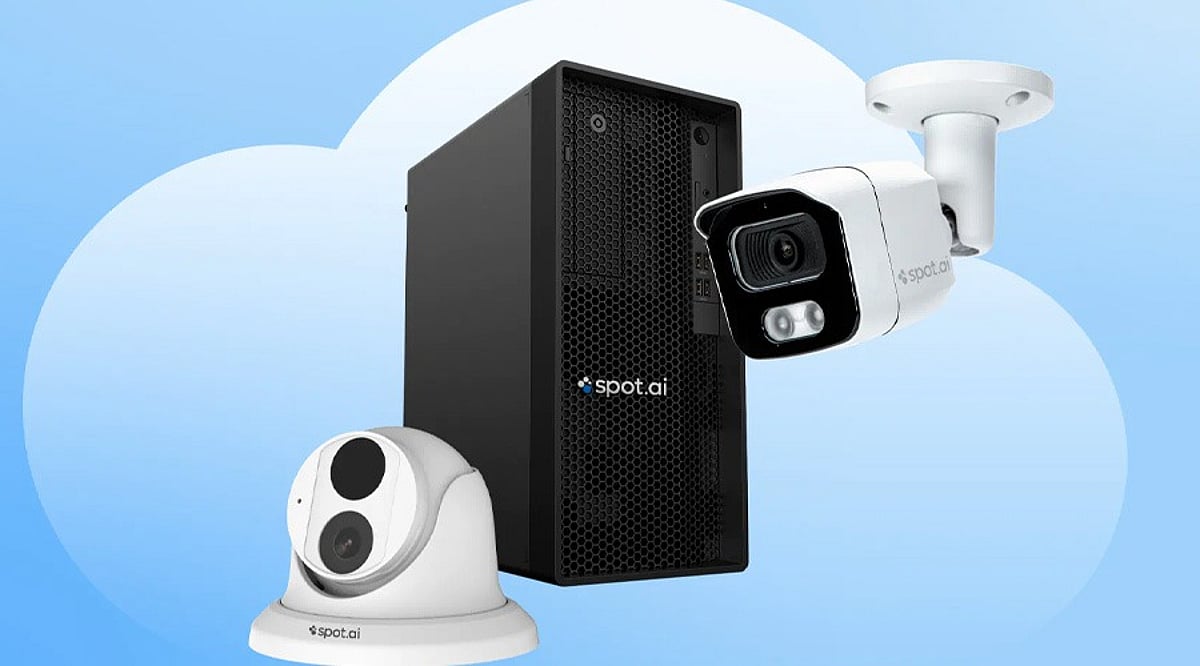
    Local storage keeps video recordings on physical devices installed at your property, such as microSD cards, DVRs, or NVRs. This method does not rely on an internet connection for recording, making it ideal for areas with unreliable connectivity. It also eliminates recurring subscription fees, though you must manage storage capacity manually. When the storage fills up, older footage is typically overwritten. A key downside is physical vulnerability: if the camera or recording device is stolen, locally stored footage may be lost.

    How Cloud CCTV Storage Works

    Cloud storage uploads footage to remote servers via the internet, allowing you to access recordings from anywhere through a smartphone app or web interface. This provides convenient remote monitoring and ensures that recordings remain safe even if the camera or local equipment is stolen. However, cloud services usually require a monthly or annual subscription, and the cost varies based on the number of cameras, storage capacity, and retention period. A stable internet connection is essential for uploading footage, and you should review the provider’s data security and privacy policies before subscribing.

    Local vs Cloud: Key Considerations

    • Cost: Local storage has higher upfront hardware costs but no recurring fees; cloud storage involves ongoing subscription costs.
    • Privacy: With local storage, footage stays on your equipment; with cloud storage, recordings are transferred to third-party servers.
    • Internet Reliability: Local recording continues without internet; cloud storage requires a consistent connection for uploading.
    • Remote Access: Cloud storage enables easy remote viewing; local storage may require additional networking setup for remote access.
    • Security Against Theft: Cloud storage preserves recordings off-site; local storage risks losing footage if devices are stolen.

    Is Hybrid Storage a Better Option?

    Some CCTV systems support both local and cloud storage simultaneously. This hybrid approach offers the best of both worlds: continuous local recording even during internet outages, plus off-site backups for critical events. It provides an extra layer of protection and flexibility, making it a strong choice for users who want both reliability and remote accessibility.

    Final Word

    There is no one-size-fits-all answer. Local storage suits users who prioritize control and lower long-term costs, while cloud storage appeals to those who value remote access and off-site backup. Before buying a CCTV system, evaluate its storage options, subscription charges, recording retention, internet requirements, and backup features. These factors are as important as camera resolution and night vision capabilities.

  • 5 DIY Smart Home Projects You Can Build with a Raspberry Pi

    5 DIY Smart Home Projects You Can Build with a Raspberry Pi

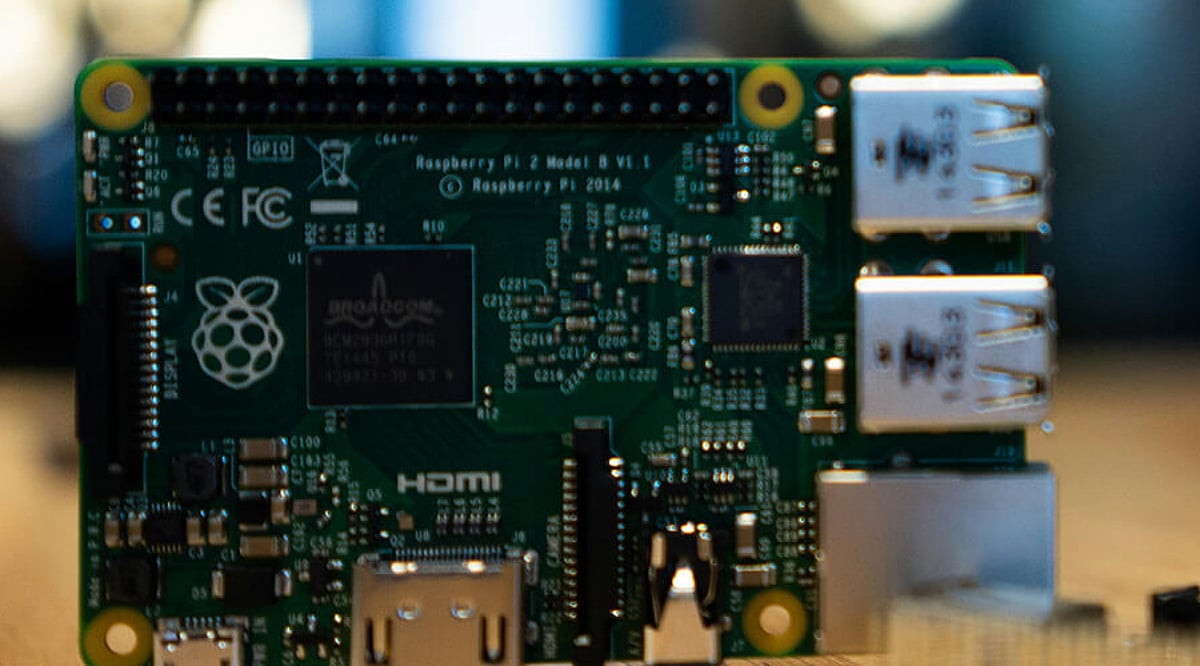
    Raspberry Pi is a compact, affordable computer that can serve as the brain for a wide range of home automation projects. By connecting sensors, switches, cameras, and other devices, you can build systems that monitor conditions and trigger actions automatically. These projects not only make your home smarter but also offer a hands-on way to learn about programming, networking, and the Internet of Things (IoT). Best of all, most can be expanded as you add more devices.

    1. Automated Smart Lighting

    With a Raspberry Pi, you can control lights based on schedules, motion sensors, or voice commands. Motion sensors can turn lights on when someone enters a room, while timers can switch them off automatically. Using appropriate hardware and software, you can create different lighting routines for various rooms. This project provides a practical introduction to automated device control.

    2. Smart Temperature Monitoring

    Connect temperature and humidity sensors to your Raspberry Pi to build a home environment monitoring system. The device can collect readings at regular intervals and display them on a local dashboard. You can also configure alerts when temperatures cross selected thresholds. This project is ideal for monitoring rooms, storage areas, or any space where environmental conditions need regular observation.

    3. DIY Home Security System

    Pair a Raspberry Pi with cameras and motion sensors to create a basic home monitoring system. The setup can capture images or video when movement is detected and store recordings for later review. You can also add notifications to alert you of activity. Remember to implement proper network security and access controls when connecting cameras to the internet.

    4. Smart Doorbell and Alerts

    Build a customized smart doorbell using a button, camera, and speaker connected to a Raspberry Pi. When someone presses the button, the system can capture an image and send an alert to your phone or another device. With the right hardware and software, you can add two-way communication, motion detection, or automated responses to create a more capable setup.

    5. Voice-Controlled Home Devices

    With suitable software and microphones, a Raspberry Pi can become part of a voice-controlled home automation system. You can issue commands to control lights, switches, or other connected devices. This project demonstrates how voice interfaces interact with IoT hardware. Be mindful of privacy settings, especially when using microphones or cloud-based services.

    Bonus: Create a Custom Automation Hub
    Bring multiple projects together by using your Raspberry Pi as a central dashboard or automation platform. Connect sensors, lights, cameras, and switches, then create rules that link different devices. For example, motion detection could trigger lighting automatically. Building a central hub lets you experiment with increasingly complex smart-home routines while retaining full control over your setup.

  • Apple’s New Home AI Features: Pricing Tiers Up to $60/Month for iCloud+ Users

    Apple’s New Home AI Features: Pricing Tiers Up to $60/Month for iCloud+ Users

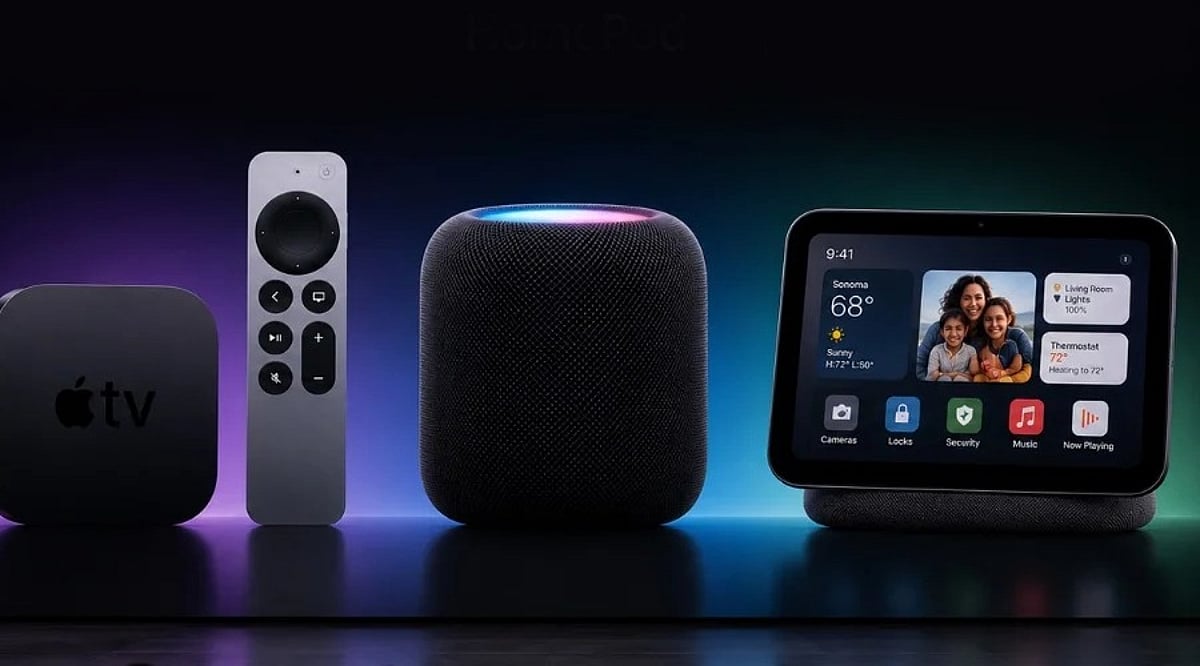
    Apple’s latest software updates—iOS 27 and tvOS 27—bring artificial intelligence capabilities to the Home app, introducing AI-generated video summaries, video search, and the ability to combine footage from multiple cameras. However, accessing these features requires an iCloud+ subscription, with costs ranging from $9.99 to $59.99 per month depending on the number of cameras.

    Apple Home AI Pricing Breakdown

    For a single camera, users need the 2TB iCloud+ plan at $9.99/month or an Apple One Premier subscription at $39.95/month. Adding a second camera jumps to the 6TB plan at $29.99/month, while up to five cameras require the 12TB plan at $59.99/month. Apple has not confirmed support for more than five cameras.

    Importantly, camera recordings from HomeKit Secure Video devices do not count toward the iCloud storage quota.

    Existing HomeKit Secure Video Unchanged

    The new pricing does not alter the standard HomeKit Secure Video service, which starts at $1/month for the 50GB plan (one camera with smart alerts and facial recognition). Previously, the 2TB plan supported up to five cameras without AI features; now the same tier enables AI for just one camera.

    Competitive Landscape

    Apple’s pricing faces stiff competition. Amazon’s Ring and Google Nest charge around $20/month for similar AI-powered camera features, often with more functionality. Apple’s iCloud+ plans also bundle storage for photos, files, and device backups, plus higher limits for Siri AI and other Apple Intelligence features—though specifics remain undisclosed.

    The updates also improve speed, reliability, and add 4K video resolution support for HomeKit Secure Video. AI features remain optional for existing users.

  • 2026’s Best Home Security Cameras with Cloud Storage: Reviews and Comparison

    2026’s Best Home Security Cameras with Cloud Storage: Reviews and Comparison

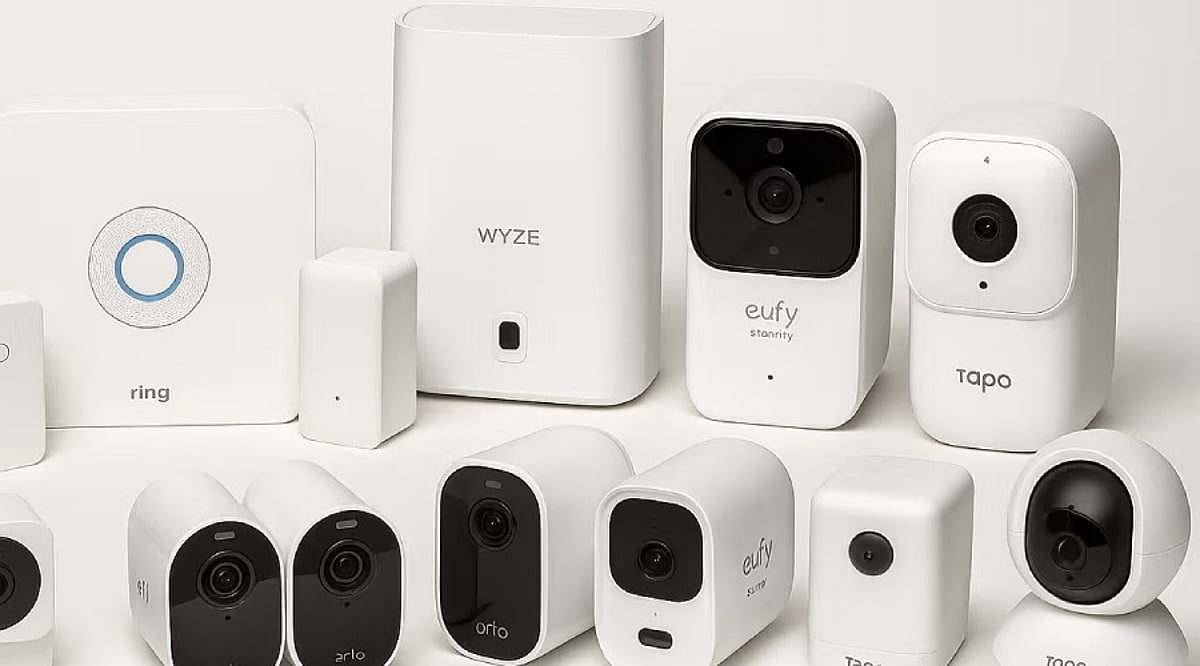
    Home security cameras have become easier to install and manage, with many models now connecting directly to smartphones and home networks. Cloud storage adds another layer of convenience by keeping recorded footage accessible without relying on physical storage cards. However, cloud storage often comes with a subscription fee, and some cameras combine cloud services with local storage options. The right choice depends on your home, budget, privacy needs, and storage preferences. Here are some strong options to consider.

    Ring

    Ring remains a popular choice for connected home security. Its cameras integrate closely with the wider Ring ecosystem. The Ring Pan-Tilt Indoor Cam is one notable indoor option, offering 1080p video and broad room coverage. Ring’s subscription plans provide cloud video history and smart alerts, with current plans retaining recorded events for up to 180 days. This makes Ring useful for homeowners who regularly review older footage. The ecosystem also works well with other Ring security products. However, recorded video features generally require a paid subscription, so buyers should include that recurring cost in their budget.

    Google Nest

    Google’s Nest cameras are designed around the Google Home ecosystem, providing live video through compatible smartphones and smart displays. Cloud storage is available through Google’s paid home security plans, which also add features such as longer event history and advanced alerts. Google’s cameras can identify different types of activity, allowing users to receive alerts involving people, animals, vehicles, and packages. This makes Nest attractive for households already using Google smart home products. The main consideration is the recurring subscription, and continuous recording requires a higher-tier plan.

    Arlo

    Arlo offers cameras for both indoor and outdoor security, including models with higher-resolution video and advanced detection. The company’s subscription plans provide cloud storage and additional security features, such as alerts for people, vehicles, animals, and packages. Arlo also offers advanced features for users seeking more detailed security monitoring. The downside is cost: Arlo’s cloud plans can become expensive across multiple cameras. It suits users who value advanced features and video quality, but buyers should compare the total subscription cost before purchasing.

    Blink

    Blink offers a simpler approach to connected home security. Its cameras are compact and easy to install. The Blink Mini 2K+ is one option for indoor monitoring, recording at 2K resolution and supporting cloud or local storage. Blink’s subscription plans add cloud recording and smart detection features, with the basic plan positioned as a lower-cost option for individual cameras. This makes Blink suitable for buyers building a basic security setup, renters, and smaller homes. However, some advanced features depend on a subscription, so buyers should check which functions remain available without one.

    Eufy and Wyze: Alternatives to Expensive Subscriptions

    Eufy is worth considering for users who prefer local storage. Many Eufy systems use a local hub instead of relying entirely on cloud storage, reducing recurring costs and keeping footage closer to home. Some models also provide advanced detection without requiring a cloud subscription. Wyze offers another alternative for budget-conscious buyers. The Wyze Cam v3 supports MicroSD storage and limited free cloud storage. Local storage can be a major advantage during internet outages, but footage stored directly on a camera can be lost if the camera is stolen. A separate hub or recorder can better protect important recordings.

    How to Choose the Right Cloud Security Camera

    Start by deciding where to install the camera. Indoor cameras have different requirements from outdoor models; outdoor cameras should have appropriate weather resistance, and battery-powered models can simplify installation. Next, check video resolution and night vision. Full HD can work for basic monitoring, while higher-resolution cameras provide more detail when viewing distant subjects. Cloud storage deserves equal attention: check how long recordings remain available and how many cameras each plan covers. Users should also consider privacy and internet dependence, as cloud cameras need connectivity to upload recordings and provide remote access. Subscription costs can become significant over several years, so a cheaper camera may cost more over time. For many households, the best option is a balance of good video quality, reliable alerts, suitable storage, and manageable long-term costs.

    Frequently Asked Questions

    What is cloud storage in a CCTV camera?

    Cloud storage allows a security camera to upload recorded footage to remote servers. Users can then access recordings through an app or web service. This protects footage if the physical camera is damaged or stolen, but extended cloud storage often requires a monthly or annual subscription.

    Which CCTV camera is best with cloud storage in 2026?

    There is no single best camera for every household. Ring, Google Nest, Arlo, Blink, Eufy, and Wyze target different users. Ring suits Amazon households, Nest fits Google ecosystems, Arlo focuses on video quality, and Eufy and Wyze provide attractive local-storage alternatives.

    Do CCTV cameras require a cloud storage subscription?

    Not always. Some cameras provide local storage through MicroSD cards or dedicated hubs. Other brands offer limited free cloud storage but charge for longer video history. Ring, for example, requires a subscription for saved video storage. Buyers should check the exact model and plan before purchasing.

    How much does CCTV cloud storage cost?

    Cloud storage prices vary significantly between brands and plans. Some services cost only a few dollars monthly for basic coverage, while higher plans can cost considerably more, especially when multiple cameras are included. Buyers should calculate annual costs rather than focusing only on the camera’s upfront price.

    Is cloud storage better than local storage for security cameras?

    Neither option is universally better. Cloud storage protects recordings if someone steals the camera. Local storage avoids recurring subscription fees and keeps footage closer to home. Some systems combine both approaches. The right choice depends on privacy preferences, budget, internet reliability, and security requirements.

  • Smart Home Security: How Video Doorbells Are Revolutionizing Safety and Convenience

    Smart Home Security: How Video Doorbells Are Revolutionizing Safety and Convenience

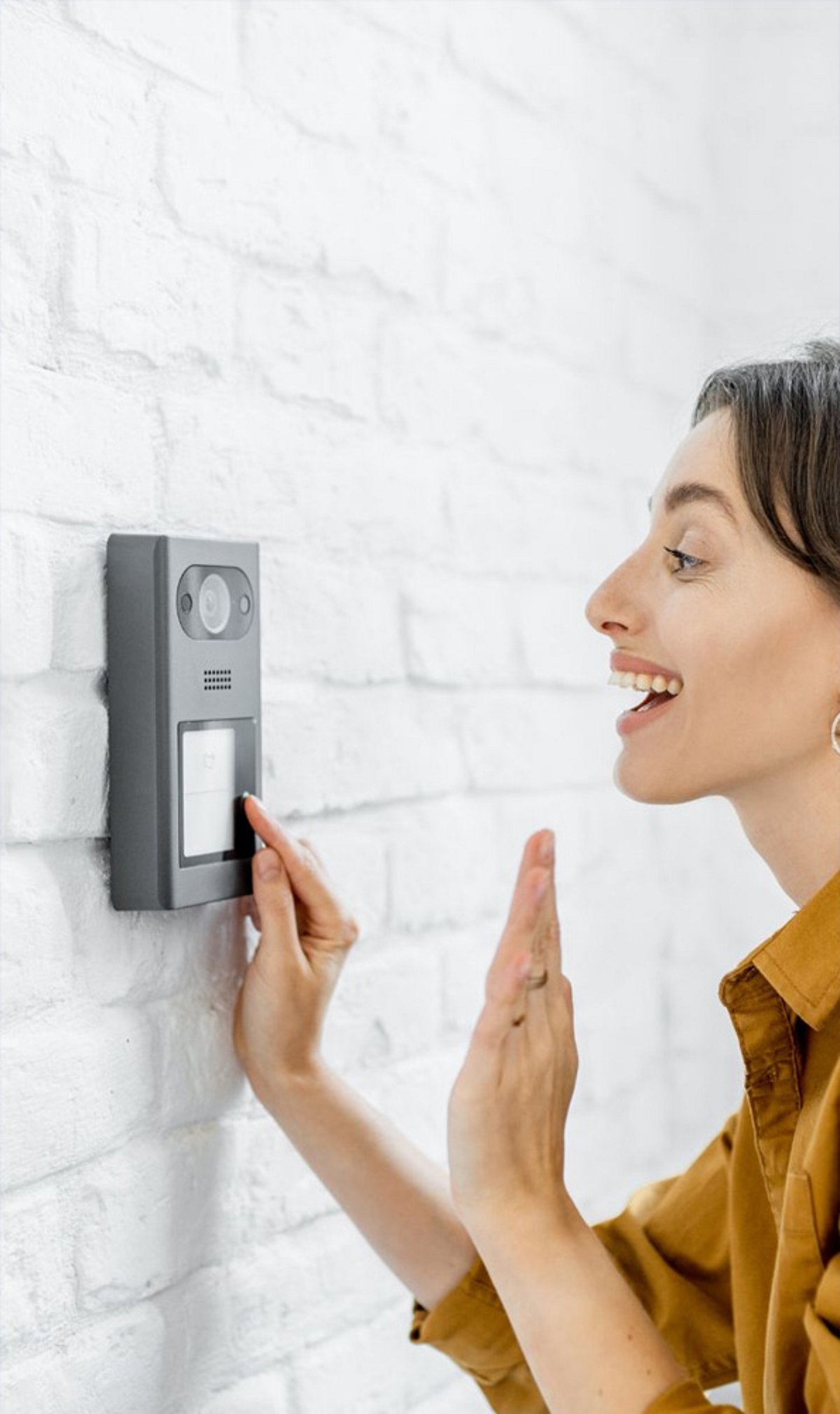
    Video doorbells have transformed the way homeowners monitor their entrances, offering a blend of convenience, awareness, and security. By providing an instant view of your doorstep, these devices let you see who is outside without opening the door, enhancing everyday safety.

    With remote access via smartphone, you can check your home from anywhere, making it easier to stay connected while traveling. Motion detection alerts you to activity near your door, whether it’s a visitor, a delivery, or unexpected movement, keeping you informed in real time.

    Two-way audio allows you to speak with visitors through your phone, even when you’re not at home. Night vision ensures clear footage even in low-light conditions, improving visibility when outdoor lighting is limited. Video doorbells also help track deliveries, providing footage that reduces uncertainty about packages left outside.

    Many models store recorded footage, giving homeowners valuable evidence for investigating suspicious activity. Modern video doorbells can integrate with smart home systems, enabling compatible devices to work together and simplify everyday security tasks. Ultimately, with alerts, live video, audio, and recording features, video doorbells offer a straightforward way to improve home security.

  • Top Google Home Security Cameras for 2026: Expert Picks & Buying Guide

    Top Google Home Security Cameras for 2026: Expert Picks & Buying Guide

    Key Takeaways

    • Google Nest Cam (Battery) remains the best overall choice with seamless Google Home integration and reliable AI.
    • Eufy, Arlo, Reolink, and TP-Link provide excellent alternatives with premium features across different budgets.
    • Modern cameras now combine AI detection, sharper video, local storage, and smart automation for enhanced home security.

    Home security has evolved significantly. A simple camera no longer just records video. Modern models now spot people, pets, vehicles, and packages with smart AI tools. Many cameras also connect with the Google Home app, smart displays, speakers, and Chromecast devices. A quick voice command can show a live video feed on a Nest Hub or a compatible television.

    Google Home support has improved across many popular brands. Nest still offers the smoothest experience, yet companies such as Eufy, Arlo, Reolink, and TP-Link now deliver excellent compatibility. Better software, sharper cameras, and smarter alerts have created many great options for every budget.

    Google Nest Cam (Battery) Stays at the Top

    The Google Nest Cam (Battery) remains the best overall security camera for Google Home users. Native support gives this model fast access inside the Google Home app without extra setup. Live video appears almost instantly on Nest Hub smart displays and Chromecast-enabled televisions.

    This camera records video in 1080p HDR resolution and covers a 130-degree field of view. AI features recognize people, animals, and vehicles with high accuracy. The battery design also offers flexible placement around the home, while wired power remains available for those who prefer continuous charging. Current retail prices sit around Rs. 27,400, or roughly $330, depending on the seller and region.

    Nest Cam Indoor (3rd Gen) Delivers Better Indoor Protection

    Google also introduced the Nest Cam Indoor (3rd Gen), which brings a major upgrade for indoor security. The new camera captures video in sharp 2K resolution, far above the older Full HD models. Fine details such as faces, small objects, and room activity appear much clearer.

    Google also adds Gemini-powered AI features that create event summaries and smarter alerts. Quick access through the Google Home app keeps every important notification in one place. Anyone who wants simple indoor monitoring with deep Google Home support will find this camera an excellent choice.

    EufyCam S3 Pro Offers Premium Features Without Monthly Fees

    The EufyCam S3 Pro stands out as one of the strongest alternatives to Google’s own cameras. This model records crisp 4K Ultra HD video, which captures much more detail than standard Full HD cameras. Solar charging keeps the battery ready for long periods with very little maintenance.

    Local storage removes the need for a monthly cloud subscription, which helps lower long-term costs. AI tools identify people, pets, and vehicles with impressive accuracy. Google Home compatibility allows live streaming through compatible smart displays and voice commands. Current prices start around Rs. 34,000 for an add-on camera.

    Arlo Pro 5S Brings Powerful AI Detection

    The Arlo Pro 5S focuses on smart detection and excellent image quality. This camera records in 2K HDR resolution and includes a wide 160-degree viewing angle that covers more space around a home. Color night vision also delivers brighter footage after sunset.

    Dual-band Wi-Fi supports stable wireless performance in many home networks. Smart alerts identify people, vehicles, animals, and other important events with great precision. Google Assistant support allows quick voice control through Google Home devices. Current prices remain close to Rs. 27,000 in most online stores.

    Reolink Argus 4 Pro Covers More Space

    The Reolink Argus 4 Pro introduces one of the most significant improvements in camera technology. Thanks to a unique dual-lens design, this camera boasts a wide 180-degree field of view. Unlike conventional cameras that miss certain areas around driveways, gardens, or entrances, this camera captures almost everything in its radius.

    The camera captures high-quality 4K videos and operates on battery power. Additionally, it supports Google Home and can be operated using your voice as well as streamed live on compatible smart displays.

    TP-Link Tapo C425 Delivers Great Value

    The TP-Link Tapo C425 is proof that good security can be inexpensive. This wireless camera has the capacity to record images at a 2K QHD resolution and comes with a magnetic mount that can be set up easily at practically any location.

    Its color night vision can make the imaging clearer even in darkness, while its compatibility with Google Home provides the advantages of voice control and live streaming. The actual price for such cameras varies between Rs. 7,600 and Rs. 8,000, which makes this equipment affordable.

    New Features Shape the 2026 Market

    Modern security cameras now offer far more than simple video recording. AI technology detects people, pets, vehicles, and delivered packages with impressive accuracy. Smart notifications reduce false alerts and help homeowners focus on important activity.

    Google continues to expand the Nest camera family with new 2K indoor and outdoor models that include Gemini-powered intelligence. Natural-language video search and AI event summaries also become more common across premium devices. At the same time, many brands now offer local storage instead of paid cloud plans, which saves money over the life of the product.

    Final Thoughts

    The Google Nest Cam (Battery) is the most effective all-around option for users of Google Home; it comes with perfect software, reliable AI and seamless integration. The Nest Cam Indoor (3rd Gen) is the safest option among indoor cameras, with its crystal-clear 2K image quality and advanced Gemini capabilities. The EufyCam S3 Pro has the advantage of 4K quality, solar charging and no subscription is required. Arlo Pro 5S has improved AI detection and steady performance, whereas the Reolink Argus 4 Pro amazes with its unique 180-degree visibility. Finally, TP-Link Tapo C425 is the best value option, with great features at a competitive price. The new generation of security cameras compatible with Google Home focused on smart software, video quality and reliable automation.

    Frequently Asked Questions

    1. Which security camera works best with Google Home in 2026?

    The Google Nest Cam (Battery) offers the smoothest Google Home experience with native app integration, voice commands, and instant live streaming.

    2. Which Google Home camera offers the best indoor security?

    The Nest Cam Indoor (3rd Gen) delivers 2K video quality, Gemini-powered AI summaries, and advanced smart alerts.

    3. Which security camera doesn’t require a monthly subscription?

    The EufyCam S3 Pro supports local storage, allowing users to avoid recurring cloud storage fees.

    4. Which budget-friendly camera supports Google Home?

    The TP-Link Tapo C425 offers 2K QHD recording, color night vision, and Google Home compatibility at an affordable price.

    5. What features should I look for in a Google Home security camera?

    Choose a camera with AI person detection, at least 2K video resolution, Google Home integration, reliable night vision, local storage or cloud options, and weather resistance for outdoor use.

  • Essential Home Security Tips to Keep Your Property Safe While You Travel

    Essential Home Security Tips to Keep Your Property Safe While You Travel

    Heading out on vacation? Don’t let a break-in ruin your peace of mind. With the right precautions, you can keep your home secure while you’re away. Here are expert-backed strategies to protect your property, from smart tech upgrades to simple neighborly favors.

    Lock Every Entry Point

    Before you leave, double-check all doors, windows, garage entrances, and balconies. A quick walk-through ensures no entry point is left vulnerable, making it harder for intruders to gain access.

    Install Smart Security Cameras

    Smart cameras with motion alerts let you monitor your property remotely via your smartphone. Place them at key spots like the front door, driveway, and backyard to keep an eye on things from anywhere.

    Use Smart Lights on Timers

    Automated lights that turn on and off at preset times create the illusion that someone is home. This simple trick can deter burglars who target empty houses.

    Pause Deliveries

    Stop newspaper and package deliveries temporarily. A pile of mail or boxes on the doorstep is a clear signal that no one is around.

    Ask a Trusted Neighbor for Help

    Request a reliable neighbor to collect mail, water plants, and check your property regularly. They can also report any suspicious activity while you’re gone.

    Avoid Posting Travel Updates on Social Media

    Resist the urge to share live vacation photos or location updates. Wait until you return home to post about your trip—this keeps your empty house off the radar.

    Secure Valuables Properly

    Store jewelry, cash, passports, and important documents in a home safe or a hidden, locked location. This adds an extra layer of protection for your most prized possessions.

    Test Your Alarm System

    Check that your security alarm is working properly. Replace weak batteries and ensure emergency contacts receive alerts if the system is triggered.

    Unplug Unnecessary Electronics

    Disconnect unused appliances and electronics to reduce fire risks, save energy, and protect devices from power surges while you’re away.

    By following these simple steps, you can enjoy your travels knowing your home is well-protected.

  • How to Share Your Smart Doorbell with Every Household Member

    How to Share Your Smart Doorbell with Every Household Member

    When I first considered installing a smart doorbell, I assumed connecting it to my phone would be enough. However, this became inconvenient whenever I was in a meeting, traveling, or unable to check an alert immediately.

    Other family members could hear someone at the entrance, but they could not view the visitor or respond through their phones. I realized that a video doorbell becomes much more useful when everyone responsible for the home can receive alerts.

    After a bit of research, I figured out the solution. All I had to do was configure the doorbell on one primary phone and share access with other household members. Here is how you can set up a similar arrangement.

    Why I Wanted Everyone to Receive Alerts

    A conventional calling bell only informs people who can physically hear it. A video doorbell can also let authorized household members see who is outside and communicate with visitors through their phones.

    Restricting these functions to one person limits their usefulness. I might miss an alert while working, but another family member could still respond to a delivery. If nobody was home, an authorized person could remotely check who was at the entrance.

    Giving multiple people access therefore made the doorbell part of our broader smart home security setup instead of leaving it under the control of one person.

    I Started with One Primary Phone

    As more household devices become connected, brands such as Wipro Consumer Lighting are expanding beyond lighting to offer integrated smart-home security solutions. Products such as the Wipro Smart Wi-Fi Video Doorbell Pro are designed to help households monitor and manage their entrances through a connected app.

    The first step was to install the doorbell and connect it to a primary smartphone. This phone served as the main device for creating the account, adding the doorbell, and managing access for other users.

    The Wipro Smart Wi-Fi Video Doorbell Pro can be managed through the Wipro Next Smart Home app. Wipro also states that multiple family members can access the smart doorbell through the app.

    I Shared the Device, Not the Password

    It may appear easier to use the same account and password on every phone. However, sharing the primary login can make access difficult to manage and may create unnecessary security concerns.

    Instead, I used the app’s device-sharing or household-access feature. Depending on the current app version, the exact name and location of this option may differ.

    The process generally involves opening the doorbell in the app, entering its settings, and selecting the available sharing option. The primary user can then invite another household member through the account details requested by the app.

    Using the official sharing function means each person can access the device through an individual account without knowing the password of the primary user.

    Everyone Installed the App

    Each person who needed doorbell access installed the Wipro Next Smart Home app on their phone. They then created an account or signed in and accepted the invitation sent by the primary user.

    Once the shared doorbell appeared in the app, we checked whether each person could:

    • Receive a doorbell alert
    • Open the live video feed
    • View the entrance
    • Use the available communication controls

    The Wipro Smart Wi-Fi Video Doorbell Pro features a 3 MP 1296p Full HD camera and night vision. Its connected functions allow authorized users to see and communicate with visitors through their phones.

    These capabilities are particularly useful in households where different people may be responsible for answering the entrance at different times.

    I Checked Notifications Separately

    Sharing access does not always guarantee that every phone will produce an alert. Notifications must also be enabled through the app and the settings of each phone.

    On every device, I checked that:

    • App notifications were enabled
    • Doorbell alerts were active
    • The app could run in the background
    • Battery-saving settings were not blocking notifications
    • Sound and vibration permissions were allowed
    • The phone had a working internet connection

    We then pressed the doorbell and confirmed which phones received the alert.

    This test helped identify phones that could access the live feed but were suppressing notifications. Checking these permissions during setup reduces the risk of missing a visitor later.

    I Limited Access to Trusted Users

    Connecting the doorbell to everyone did not mean giving access to every person who entered the house. I shared it only with family members who genuinely needed to monitor or answer the entrance.

    I also planned to review access whenever someone changed phones, moved out, or no longer needed control. The primary user should remove accounts that no longer require access.

    A doorbell camera also serves a different purpose from a conventional CCTV camera. While CCTV cameras may monitor broader areas, a video doorbell focuses on the entrance and enables direct interaction with visitors.

    Both can support smart home security, but access to their footage should remain limited to trusted users.

    Shared Access Made the Doorbell More Useful

    Connecting the doorbell to multiple phones prevented responsibility for the entrance from falling on one person. When I could not respond, another authorized household member could still check the visitor.

    The Wipro Smart Wi-Fi Video Doorbell Pro supports connected app access for family members, making it suitable for a shared household setup. The key is to configure one primary account, invite other users through the official sharing feature, enable notifications on every phone, and regularly review access.

    With those steps completed, a video doorbell becomes more than a replacement for a calling bell. It becomes a shared smart home security tool that helps the household respond even when the primary user is unavailable.

  • Top WiFi Bulb CCTV Cameras for Effortless Home Security (2026 Guide)

    Top WiFi Bulb CCTV Cameras for Effortless Home Security (2026 Guide)

    A good WiFi bulb CCTV camera helps you keep an eye on your home without complicated installation. Here are the best WiFi bulb CCTV cameras in 2026, compared by specifications, features, price, and overall value.

    Overview

    WiFi bulb CCTV cameras make home security simple without needing extra wiring or a complicated setup. Features like motion alerts, night vision, and mobile access help you keep an eye on your home from anywhere. The best models offer clear video, reliable performance, and easy installation for everyday use.

    Keeping your home safe does not always mean installing expensive security systems. A WiFi bulb CCTV camera is a simple option that works through a normal light socket. Once connected to WiFi, it lets you check your home from your phone, whether you are at work, traveling, or just in another room.

    Many of these cameras now offer clear video, night vision, motion detection, and two-way audio. Some even cover a wider area with dual lenses. With so many choices available, picking the right one can be confusing. To make things easier, we compared some of the best WiFi bulb CCTV cameras you can buy.

    Most Popular WiFi Bulb CCTV Cameras

    Every camera in this list is designed for different needs. Some are budget-friendly, while others offer better picture quality and extra smart features. If you go through the list carefully, you can easily see that every camera has its strengths and weaknesses. For example, you can use some models for basic home monitoring, while others are better suited to users who want better coverage.

    Let’s begin with the Guard Well 4MP WiFi Bulb CCTV Camera. This model is a decent choice for regular use, as it captures crisp video, senses motion, and fits into a standard light socket. The setup process is easy, which makes it a perfect choice for first-time users.

    The next budget-friendly model is the IFITech FTY-HD Smart Wi-Fi CCTV. It offers live viewing and two-way audio. Thus, you can not only see through the camera but also talk to the person on the other side.

    Similarly, the Eyetech Dual Lens 4MP/8MP WiFi Smart Light Bulb Camera covers a larger area with its dual-lens design. It is a good fit for bigger rooms, garages, or entrances where a wider view is helpful.

    Following these, whether it’s the DDLC 4MP/8MP WiFi Smart Light Bulb Camera, the Maizic Smarthome 3MP WiFi Camera, or the Eyetech 4MP WiFi Bulb CCTV Camera, each is built for buyers who want an affordable model with 360-degree rotation, motion detection, night vision, and others.

    Which WiFi Bulb CCTV Cameras Would I Recommend?

    If I had to pick only one, I would go with the Eyetech Dual Lens 4MP/8MP WiFi Smart Light Bulb Camera. I like the wider view that the dual lenses provide. It records clear video and covers more space, leaving fewer blind spots around the house.

    My second choice would be the Guard Well 4MP WiFi Bulb CCTV Camera. It is easy to install, records clear footage, and performs well throughout the day, offering a good balance between price and features.

    The third model I would recommend is the DDLC 4MP/8MP WiFi Smart Light Bulb Camera. I like its clear picture, two-way audio, and quick phone alerts. It gives useful features without making the setup difficult.

    Final Thoughts

    A WiFi bulb CCTV camera is an easy way to enhance home security without spending a lot on installation. It screws into a normal light socket, connects to your Wi-Fi, and lets you check in on your house from your phone anytime you want.

    Before you buy, consider where you want to put the camera and what area you want it to cover. Features that you never use are less useful than clear video, good night vision, and reliable motion alerts. The right camera today can help you feel safer every day.

    Frequently Asked Questions

    Which WiFi bulb CCTV camera is best for home use?

    The Eyetech Dual Lens 4MP/8MP WiFi Smart Light Bulb Camera is one of the best choices for home use. It offers wide coverage, clear video, and useful smart features for everyday security.

    Are WiFi bulb CCTV cameras easy to install?

    Yes. Most models fit into a regular bulb socket and connect to your WiFi through a mobile app. The setup usually takes only a few minutes and does not need professional help.

    Can I watch the camera from my phone?

    Yes. Most WiFi bulb CCTV cameras come with a mobile app that lets you watch live video, receive motion alerts, and manage camera settings from anywhere.

    Do WiFi bulb CCTV cameras record at night?

    Yes. Most models include night vision, allowing them to capture clear video even in dark or low-light conditions, making them useful throughout the day and night.

    What should I check before buying a WiFi bulb CCTV camera?

    Check the video quality, night vision, motion detection, two-way audio, mobile app support, and WiFi compatibility. These features make the biggest difference during everyday use.

  • Top Smart Door Locks for Home Security in 2026: Key Features and Buying Tips

    Top Smart Door Locks for Home Security in 2026: Key Features and Buying Tips

    Smart door locks have become an essential component of modern home security, offering convenience, remote access, and enhanced protection. As we move into 2026, these devices are more advanced than ever, integrating seamlessly with popular smart home ecosystems like Apple Home, Google Home, Amazon Alexa, and Samsung SmartThings.

    Key Features of 2026 Smart Door Locks

    • Fingerprint Recognition: Quick, keyless entry that eliminates the risk of lost or duplicated keys.
    • Wi-Fi Connectivity: Lock, unlock, and monitor your door from anywhere using a smartphone app.
    • Smart Home Integration: Compatible with major platforms for voice control and automation.
    • Virtual Access Codes: Create temporary digital codes for family members, guests, or service professionals.
    • AI-Powered Alerts: Real-time notifications and activity logs that flag unusual access attempts.
    • Long Battery Life: Many models now last up to a year on a single set of batteries, reducing maintenance hassles.

    What to Consider Before Buying

    Before investing in a smart lock, evaluate compatibility with your existing door, security certifications, emergency backup options (e.g., physical key or external battery port), and installation requirements. As smart homes continue to evolve, upgrading to a reliable smart door lock remains one of the most valuable improvements for both convenience and peace of mind.