
Tag: home security

  • 2026 Smart Smoke Detector Buying Guide: Key Features, Safety Standards, and Top Picks

    2026 Smart Smoke Detector Buying Guide: Key Features, Safety Standards, and Top Picks

    Today’s smart smoke detectors combine traditional fire protection with intelligent features that keep homeowners informed wherever they are. From sensor technology to Wi-Fi connectivity and carbon monoxide detection, every feature plays a role in ensuring safety and convenience.

    Check Safety Certifications and Sensor Technology Before Buying

    Every smoke alarm sold in the US should carry a UL 217 listing. The standard was last revised in January 2026, and recent editions added stronger tests for smoldering fires and for filtering out cooking smoke. In Europe and the UK, EN14604 is the equivalent mark to check. A listing that does not mention either standard is not worth buying, regardless of how polished the companion app looks.

    Sensor type is the next check. Photoelectric sensors catch slow, smoldering fires early. Ionization sensors respond faster to flaming fires. Combined units cover a wider range of fire types than single-sensor models.

    Homes with gas appliances or an attached garage call for a combined smoke and carbon monoxide alarm. A CO sensor adds a second layer of protection that a smoke-only unit cannot provide.

    Smart Smoke Detector Placement Rules: Why Installation Matters

    Placement is one thing most buyers never think to check. NFPA 72, the US code that governs fire alarm installation, revised its rules around cooking appliances back in 2025. A smoke alarm now has no business sitting within 10 feet of a stove. Between 10 and 20 feet, it needs to carry nuisance-resistance certification, either UL 217’s eighth edition or UL 268’s seventh.

    Manufacturers run these alarms through actual cooking smoke during testing to confirm they won’t trip for no reason. That’s the real story behind all those older alarms shrieking every time someone fries an egg. And it’s exactly why swapping out a nuisance-prone unit near the kitchen pays off in both safety and sanity.

    Best Smart Smoke Detector Features Worth Paying For

    Once safety basics are covered, smart features add real convenience. Wi-Fi models push alerts to a phone if an alarm triggers while the house is empty. Better units announce the room, so the alert says smoke in the kitchen rather than sounding a generic siren.

    Ecosystem support varies by brand: Nest Protect and First Alert SC5 work with Google Home, Onelink units pair with Alexa, and Eve Smoke or Owl Wired support Apple HomeKit. Homes that already have certified alarms in working order can skip full replacement.

    A retrofit option like a Roost smart battery or a Ring smoke listener adds phone alerts without touching the existing hardware. Several premium detectors, including Google Nest Protect, combine multiple sensing technologies to improve detection across different fire types, rather than relying on a single sensor to catch every kind of fire.

    False alarms are the main reason people disable smoke detectors, so nuisance-alarm filtering matters as much as raw sensitivity. Updated sensing can tell the difference between shower steam, smoke from burnt toast, and an actual fire, cutting down on the alerts that lead many households to pull the batteries out entirely.

    When comparing models, explicit nuisance-resistance certification carries more weight than marketing claims about smart filtering, since the UL 217 and UL 268 nuisance tests described earlier are the only independent check that the claim holds up.

    Best Smart Smoke Detector Types Compared

    There are several types of smart smoke detectors available, including battery-powered, hardwired, and combination smoke/CO models. Battery-powered units are easy to install and work during power outages. Hardwired models are interconnected for whole-house alerts. Combination units offer dual protection in one device. Choose based on your home’s wiring and specific needs.

    Smart Smoke Detector Maintenance, Privacy, and Battery Life

    A smart smoke alarm keeps sounding locally even if the Wi-Fi drops or the power goes out, since it runs off its own battery or a hardwired backup. The phone notification is the only part that needs an internet connection. Most units ship with a sealed 10-year battery built to be replaced once it’s spent, not repaired.

    A monthly test button check and the occasional dusting go a long way toward keeping the sensor sharp. It’s worth a glance at the manufacturer’s privacy policy too, particularly for anyone leaning on remote monitoring. Some alarms need a cloud account for alerts to work at all, while others still handle certain features locally, which gives privacy-minded buyers a bit more say in the matter.

    Final Thoughts

    The best smart smoke detector detects danger quickly, meets recognized safety standards, and fits the layout of the home it protects. Smart features should enhance that protection, not replace it.

    Frequently Asked Questions

    1. What is the difference between a smart smoke detector and a traditional smoke detector?

    A smart smoke detector offers the same core fire detection as a traditional alarm but adds features like Wi-Fi connectivity, smartphone alerts, voice notifications, and smart home integration for enhanced monitoring.

    2. Should I buy a smoke-only detector or a smoke and carbon monoxide (CO) detector?

    A combination smoke and carbon monoxide detector is a better choice for most homes, especially those with gas appliances, fireplaces, or attached garages, as it provides protection against both fire and CO leaks.

    3. Which sensor type is best for a smart smoke detector?

    Photoelectric sensors are more effective at detecting slow, smoldering fires, while ionization sensors respond faster to flaming fires. Many premium smart detectors combine multiple sensing technologies for broader fire detection.

    4. Do smart smoke detectors work during a power or internet outage?

    Yes. Smart smoke detectors continue to sound their local alarm even if Wi-Fi goes down. Hardwired models use battery backup during power outages, while battery-powered models continue operating normally. Remote notifications may not work without an internet connection.

    5. How often should a smart smoke detector be replaced?

    Most manufacturers recommend replacing smart smoke detectors every 10 years, even if they appear to work properly. Regular monthly testing and routine maintenance help ensure reliable performance throughout their lifespan.

  • Top Wireless Doorbells for Every Home in 2026: From Basic Chimes to Smart Security

    Top Wireless Doorbells for Every Home in 2026: From Basic Chimes to Smart Security

    Whether you live in an apartment, a large house, or a rental property, a wireless doorbell offers quick installation and reliable performance. Modern models also include smart security features for added peace of mind. Discover the best wireless doorbells for every home in 2026.

    What Actually Separates Wireless Doorbells

    Price is not really where these products differ most. Signal range decides whether the doorbell still works properly in a bigger home, and the power source affects how easy it is to install and how much upkeep it needs later. Storage matters too, since it changes what ownership costs over time. Cloud storage usually means a monthly fee. Local storage is more of a one-time cost. Smart integration can be small, just a notification when the bell rings, or bigger, tying into home automation and even electric locks. Wi-Fi signal near the door and a stable internet connection matter just as much as any of this, since most doorbells rely on that connection to send alerts and let someone check in remotely.

    Quick Comparison

    Every entry above solves a different problem: Some lean on cameras and smart alerts. Others exist purely to announce a visitor. The right pick depends on a home’s layout more than on price.

    TP-Link Tapo D230S1

    This model focuses on picture quality. It’s a 2K 5MP camera with a 160-degree field of view that captures visitors head to toe, and color night vision holds up well after dark. The IP64 rating handles monsoon exposure. Local SD card storage avoids any subscription, while an optional Tapo Care plan adds extended cloud history. The removable battery lasts up to 180 days per charge but still needs periodic recharging.

    Qubo Smart WiFi Video Doorbell Pro 2K

    Built for larger homes where Wi-Fi range is a real concern. AC power removes battery charging entirely, and dual-band Wi-Fi with an Ethernet port gives it a steadier connection than most battery-powered rivals. Its IP66 rating handles harsher outdoor exposure than IP64, and local storage scales up to 1TB without a subscription. The AC wiring that makes it reliable also makes it a poor fit for renters, who cannot run a permanent power line to the door.

    Qubo Smart WiFi Video Doorbell Essential

    The budget entry point into video doorbells. Dropping to 1080p resolution and single-band Wi-Fi brings the price under Rs 6,500, while still delivering a built-in intruder alarm and a plug-and-play chime with 36 tunes. Footage shows less detail than the 2K models above, and extended cloud storage depends on a paid plan.

    Godrej SeeThru NeX Touch

    Built for homes that want doorbell and lock control combined. A 7-inch indoor touch display shows a live 1080p feed with a 120-degree view, and the standout feature is direct control of a single electric lock, allowing a resident to verify a visitor and open the door without walking to it. Storage stays local with no recurring fee, but the feed cannot be checked from outside the home network, and some users find the companion app less polished than dedicated doorbell apps.

    Anchor by Panasonic Wireless Doorbell

    The strongest no-camera pick here. Panasonic’s backing brings genuine service support, a rarity among unbranded alternatives in this price band. A 120-meter range covers most apartments and houses, and setup takes minutes with no drilling. Forty-five melodies let one household’s doorbell sound distinct from a neighbor’s. What it lacks is any camera or way to see a visitor before opening the door.

    Goldmedal Wireless Door Chime

    Well suited to elderly residents or hearing-impaired households, and a solid choice for apartments where alerts matter more than cameras. A bright LED flash accompanies the chime, cutting through kitchen noise or catching attention when sound alone gets missed. Fully plug-in and battery-powered, it moves easily between rentals without leaving marks on a wall. Like the Anchor pick, it carries no smart features: a plug-in receiver built for one job.

    Final Thoughts

    A wireless doorbell doesn’t have to be the expensive option to be the right one. It just has to suit the home it’s going into. Most apartments do fine with a basic wireless chime. Bigger homes get more mileage out of video monitoring, stronger connectivity, and smart integrations. Think about what the space actually calls for, not how many features are on the box, and the purchase tends to age a lot better.

    FAQs

    What should I look for when buying a wireless doorbell in 2026?

    Look for reliable wireless range, battery life, weather resistance, chime volume, easy installation, and smart features such as video monitoring, motion detection, and two-way audio if security is a priority.

    Are wireless doorbells better than wired doorbells?

    Wireless doorbells are easier to install and ideal for renters or homes without existing wiring. Wired models provide continuous power, while battery-powered wireless options offer greater flexibility.

    Do all wireless doorbells require a Wi-Fi connection?

    No. Basic wireless doorbells use radio frequency (RF) to connect the button and receiver without Wi-Fi. Smart video doorbells, however, require Wi-Fi for app access, notifications, and remote monitoring.

    How long does the battery last on a wireless doorbell?

    Battery life varies by model and usage. Standard wireless doorbells can last several months to over a year, while smart video doorbells typically require recharging every few months.

    Is a smart video doorbell worth buying?

    If you want added security, a smart video doorbell is a worthwhile investment. Features like live video, motion alerts, two-way communication, and visitor recording help monitor your home’s entrance from anywhere.

  • Ultimate Home Security Camera Buying Guide for 2026: How to Pick the Perfect System

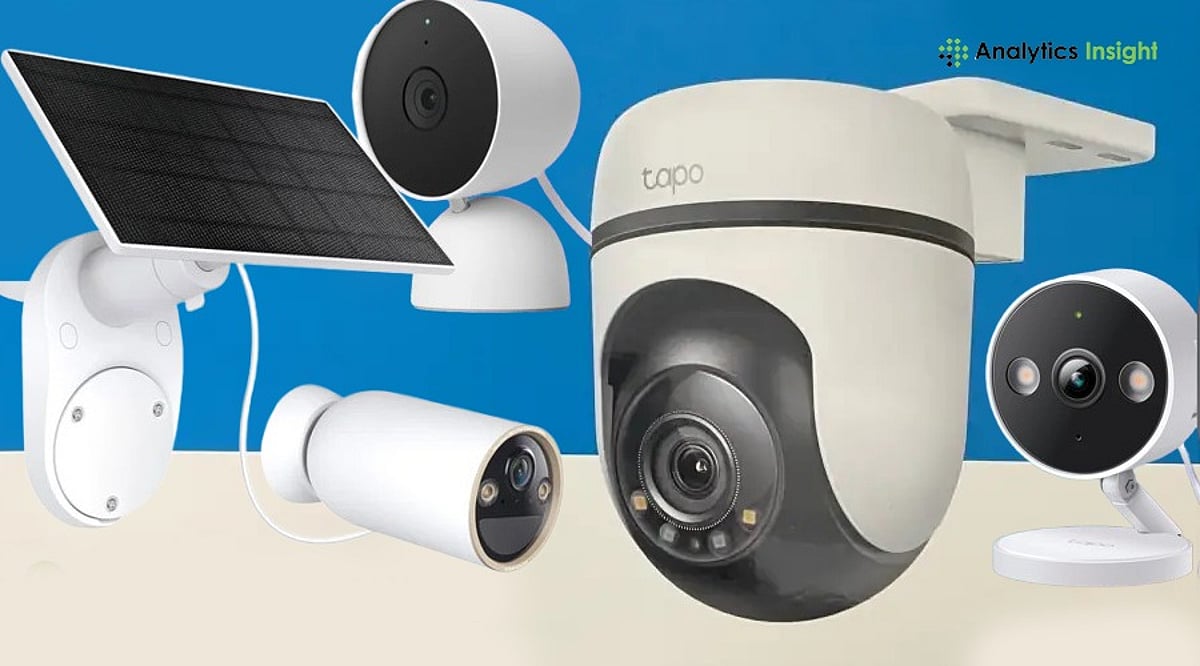
    Ultimate Home Security Camera Buying Guide for 2026: How to Pick the Perfect System

    Home security cameras have evolved from simple recording devices into intelligent smart systems. Today’s models offer advanced AI-powered features such as smart motion detection, 4K Ultra HD, night vision, smartphone integration, and multi-device connectivity, providing a complete security solution for any property.

    Whether you live in a city apartment, a suburban house, or a farmhouse, choosing the right camera is essential to deter intruders and protect your loved ones. This comprehensive guide helps you match buyer requirements to your specific home or office space.

    Key Factors to Consider

    Before buying a home security camera, it’s important to understand the features available in the market to find the most compatible product for your living space. Here are the most critical factors:

    • Resolution & Image Quality: For clear footage, aim for 2K to 4K resolution.
    • Storage Options: Choose between cloud subscriptions (Ring, Nest, Arlo) or local storage (Eufy, Reolink, CP Plus).
    • Power Source: Wireless battery cameras are easy to install and require recharging every 3–6 months. Wired cameras need a constant power source, which can limit placement. PoE (Power-over-Ethernet) cameras are ideal for permanent setups and are extremely reliable for large homes.
    • Smart Features: Look for AI detection, two-way audio, floodlights, and app control.
    • Privacy & Security: Subscription-free systems reduce dependence on large tech ecosystems.

    Quick Comparison

    For a fast overview of popular camera types, see our comparison table below (not shown here for brevity).

    Best Brand Options for Indian Homes

    CP Plus 2MP Wi-Fi Smart CCTV is a trusted brand among Indian households for its reliability and adaptability to local climatic conditions. It is perfect for apartments and small homes where reliability and ease of operation are critical.

    Eufy Outdoor Cameras are known for their no-subscription model and efficient memory storage. Great for families wanting to avoid recurring costs.

    For large properties such as villas or farmhouses, Reolink PoE Kits provide comprehensive coverage with professional security, though installation may be more complex.

    Wyze and TP-Link Tapo are affordable smart home security cameras, but they are less reliable and durable than premium brands. These options help Indian homeowners balance cost, convenience, and long-term security needs.

    Risks & Trade-offs

    Depending on your requirements and budget, certain trade-offs may be unavoidable. Being aware of them helps you optimize risk and make an informed decision.

    • Subscription Costs: Over five years, subscription fees can exceed hardware costs (₹40,000–₹1,50,000 for four cameras).
    • Privacy Concerns: Cloud-based systems raise data security issues.
    • Installation Complexity: PoE and floodlight cameras often require professional assistance.
    • Internet Reliability: In India, local storage systems are more resilient to outages.

    Final Thoughts

    Choosing the best home security camera is about more than specs—it’s about peace of mind, adaptability, and long-term value. Whether you opt for a budget-friendly Wi-Fi model, a subscription-free system with local storage, or a professional-grade PoE kit, the best camera fits your lifestyle and protects what matters most. Investing in a reliable security setup today ensures your home stays safe, smart, and ready for future technological changes.

    Frequently Asked Questions

    1. Which type of home security camera is best for Indian homes? Wireless Wi-Fi cameras are ideal for apartments and small homes, while PoE cameras offer reliable, long-term security for larger houses, villas, and farmhouses.
    2. Do home security cameras work without an internet connection? Yes. Cameras with local storage (microSD cards or NVR systems) can continue recording without the internet. However, remote viewing and instant alerts typically require an internet connection.
    3. Are subscription-based security cameras worth it? Subscription plans provide cloud storage, advanced AI detection, and extended video history. If you prefer avoiding recurring costs, cameras with local storage are a better option.
    4. What resolution should I choose? A 2K or 4K camera is recommended for clear footage and better facial recognition. Higher resolutions capture more detail but require more storage.
    5. Which features should I prioritize? Look for AI motion detection, night vision, two-way audio, smartphone app support, weather resistance for outdoor use, and secure storage options to ensure comprehensive protection.