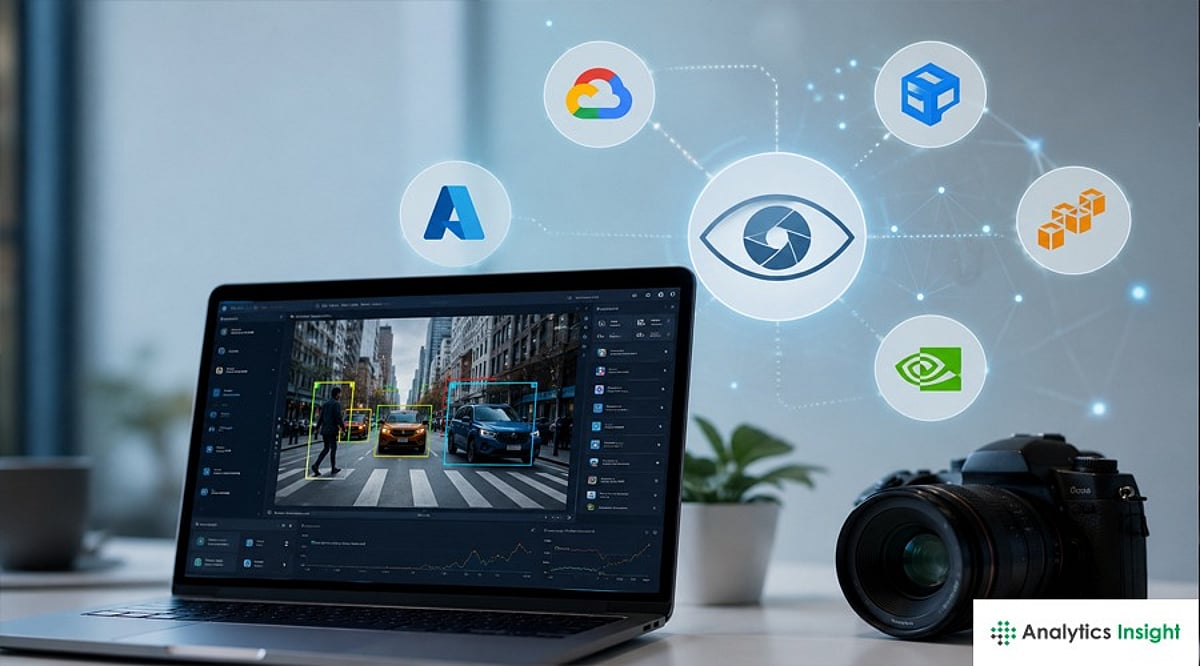
Computer vision APIs and AI models have become essential for OCR, facial recognition, image analysis, and visual reasoning. This guide compares leading platforms, including Google Cloud Vision, AWS Rekognition, Azure AI Vision, Clarifai, Imagga, and multimodal AI models, helping businesses choose the right solution.
Overview
Computer vision has moved well past simple object detection. Today’s APIs and models handle everything from document OCR and facial analysis to open-ended visual reasoning, and the right choice depends heavily on what a team is actually building. With hyperscalers, specialized platforms, and multimodal language models all competing for the same use cases, picking a computer vision stack in 2026 means weighing accuracy, cost, and ecosystem fit rather than chasing a single “best” answer.
The Hyperscaler Trio Still Anchors Most Production Systems
Google Cloud Vision, AWS Rekognition, and Azure AI Vision continue to be the default starting point for almost all teams due to their unique strengths. Google Cloud Vision wins on OCR precision and number of label classes, which is above 10,000, with good support for multilingual text detection and hence is great for document scanning and e-commerce catalogs. AWS Rekognition wins on face-based functionality and video recognition and comes pre-integrated with S3, Lambda, and Kinesis Video Streams for organizations that want to use AWS. Azure AI Vision is a part of the new Azure AI Foundry Tools, and for enterprise teams on Microsoft identity & compliance services, it is clearly the winner, although its pricing model for Vision, Custom Vision, Face, and Document Intelligence services might be quite confusing.
Specialized Platforms Fill Gaps Hyperscalers Leave Open
Apart from the “big three”, Clarifai and Imagga offer their services to those teams that require more flexibility than label-based tools can provide. With Clarifai, you get access to pre-trained models, visualized no-code model building, and a marketplace of 300+ community models, which makes it one of the best options for teams without dedicated machine learning engineers but wishing to create custom classifiers. Imagga is marketed as an inexpensive solution providing tagging and classification of images for about $0.60 per 1,000 images along with color detection and intelligent image cropping.
Multimodal Language Models are Reshaping What ‘Vision’ Means
The biggest shift in 2026 isn’t a new API; it’s the rise of vision-capable large language models like GPT-4o, GPT-5.4 Vision, and Claude’s vision capabilities. Unlike traditional cloud vision APIs that return a fixed list of labels, these models can reason about an image, answer open-ended questions about its content, and extract information in custom formats without retraining. This makes them a better fit whenever a task requires contextual understanding rather than a predefined label taxonomy, reading a messy handwritten form and inferring intent, for instance, rather than simply detecting that text is present.
Comparing the Leading Computer Vision Options
[Insert comparison table or bullet list summarizing Google Cloud Vision, AWS Rekognition, Azure AI Vision, Clarifai, Imagga, GPT-4o Vision, Claude Vision, YOLO, SAM 2, CLIP, SigLIP – as per source text but rewritten for clarity]
Open-Source Models Remain a Serious Option
For teams with in-house ML infrastructure, open-source models continue to close the gap with commercial APIs. YOLO-based object detectors remain the go-to for real-time detection tasks, while Meta’s Segment Anything Model (SAM 2) has become a standard tool for precise image segmentation. CLIP and SigLIP-style embedding models have also gained traction, since they produce reusable vectors that power similarity search and clustering rather than fixed labels, a meaningfully different approach from the labeled-output model that cloud APIs are built around.
Choosing Right Stack for Your Use Case
No clear victor emerges from the comparison above. Teams who develop pipelines that use large quantities of documents find that Google Cloud Vision works better for them; those with a native AWS infrastructure find more value in Rekognition, while those who use Microsoft software find greater utility in closer integration with Azure services. At the same time, the need for vision to include actual visual understanding is moving the industry towards multimodal LLMs. The best generic advice in 2026 remains unchanged: always try at least two or three solutions on your actual data since accuracy and cost both vary significantly once you move past vendor demo datasets.
Why This Matters
Computer vision now powers everything from document automation and medical imaging to autonomous systems and AI assistants. Choosing the right API or AI model directly impacts development speed, operating costs, accuracy, and scalability, making platform selection a critical decision for businesses investing in AI-powered applications.
Frequently Asked Questions
What is a computer vision API?
A computer vision API enables software applications to analyze and interpret images or videos using artificial intelligence. It can detect objects, recognize faces, extract text through OCR, classify images, and automate visual inspection without requiring developers to build AI models from scratch.
Which is the best computer vision API in 2026?
There is no single best option for every project. Google Cloud Vision excels in OCR, AWS Rekognition is ideal for facial recognition and video analysis, Azure AI Vision suits Microsoft enterprises, while GPT-4o Vision and Claude Vision are stronger for contextual image understanding.
What is the difference between traditional computer vision APIs and multimodal AI models?
Traditional computer vision APIs return predefined outputs such as labels, detected objects, or extracted text. Multimodal AI models like GPT-4o Vision and Claude Vision go further by understanding context, answering questions about images, summarizing visual content, and extracting structured information.
Is Google Cloud Vision better than AWS Rekognition?
The answer depends on the use case. Google Cloud Vision generally offers stronger OCR capabilities and broader image labeling, while AWS Rekognition provides better facial analysis, video recognition, and seamless integration for organizations already using the AWS cloud ecosystem.
When should businesses choose open-source computer vision models?
Open-source models such as YOLO, SAM 2, and CLIP are ideal for organizations with machine learning expertise and dedicated infrastructure. They provide greater flexibility, customization, and lower long-term costs but require more technical effort than managed cloud APIs.