Tag: Productivity

  • 7 YouTube Tricks I Use Daily to Save Time and Learn Faster

    7 YouTube Tricks I Use Daily to Save Time and Learn Faster

    YouTube is packed with features that can dramatically improve how you watch and learn from videos. Here are seven tricks I use almost every day to save time, stay organized, and get more out of every video.

    Jump to Important Sections with Chapters

    Whenever a video includes chapter markers, I use them to skip straight to the information I need. This is a huge time-saver for tutorials, product reviews, interviews, and long-form discussions. Instead of watching the entire video, I jump directly to the relevant section and keep learning efficiently.

    Adjust Playback Speed for Better Pacing

    Changing playback speed is one of my favorite productivity tricks. I usually watch tutorials, news updates, and podcasts at 1.25x or 1.5x speed without missing important details. When following technical demonstrations or complex explanations, slowing videos to 0.75x makes every step much easier to understand.

    Save Videos to Watch Later

    Whenever I come across an interesting video but don’t have time to watch it immediately, I add it to the Watch Later playlist. This simple habit keeps my recommendations organized and prevents useful tutorials, documentaries, and reviews from being buried under newer uploads or forgotten entirely.

    Master Keyboard Shortcuts

    Keyboard shortcuts make YouTube much easier to navigate on a desktop. I regularly use Spacebar for play/pause, arrow keys to skip forward or backward, and the F key for fullscreen mode. These shortcuts eliminate unnecessary mouse movements and improve the overall viewing experience.

    Turn On Automatic Captions

    Even when audio quality is good, I often enable captions for better clarity. Captions help me understand unfamiliar accents, technical terminology, and fast-paced conversations. They are especially useful while watching educational videos, interviews, or content in noisy environments where listening becomes difficult.

    Explore the Transcript Feature

    The transcript option is incredibly useful for educational and research content. Instead of replaying an entire video, I search the transcript to find specific topics, quotes, or timestamps. This feature makes YouTube an efficient learning platform for students, professionals, and researchers alike.

    Use Picture-in-Picture Mode

    Picture-in-Picture (PiP) allows me to continue watching videos while working on documents, browsing websites, or replying to emails. It keeps the video visible in a small floating window without interrupting other tasks, making multitasking much more convenient throughout the day.

    These seven tricks have transformed the way I use YouTube. Try them out and see how much time and effort you can save.

  • Best AI-Powered Chrome Extensions for Maximum Productivity in 2026

    Best AI-Powered Chrome Extensions for Maximum Productivity in 2026

    Professionals spend most of their working hours inside a browser, yet many still rely on manual workflows for writing, research, and communication. AI Chrome extensions in 2026 change that by embedding intelligent automation directly into everyday browser sessions. Tools like Sider AI, Perplexity, Grammarly, Bardeen, and Tactiq lead the category with distinct strengths across research, writing, automation, and meeting management. Selecting the right extension requires matching tool capability to specific workflow pain points rather than installing every available option.

    What Are AI Chrome Extensions?

    AI Chrome extensions are add-ons that activate on web pages, email platforms, documents, and video calls without requiring separate software. Unlike earlier browser tools, the current generation offers contextual intelligence—they read what’s on the screen, understand the task, and respond accordingly. Capabilities now include real-time grammar correction, cited research summaries, multi-step workflow automation, meeting transcription without bots, and email drafting from brief inputs. Most operate on a freemium model, letting professionals evaluate core features before subscribing.

    Top 10 AI Chrome Extensions in 2026

    1. Sider AI

    Sider AI runs as a persistent sidebar inside Chrome, accessible on any webpage without interrupting the current tab. It connects to GPT-4, Claude, and Gemini within a single interface, allowing users to switch models based on the task. Highlight any text to explain, rewrite, translate, or summarize it instantly. PDF reading and image analysis are built in, making it a versatile all-in-one tool for everyday needs.

    2. Perplexity AI

    Perplexity sets itself apart by providing cited sources for every answer, crucial for accuracy-dependent environments. A dedicated focus mode interrogates the specific article or PDF you’re reading. The free tier handles most daily research, while the Pro plan ($20/month) adds GPT-4 and Claude for more demanding work.

    3. Grammarly

    The long-standing default writing assistant now includes a tone detector that flags overly formal, dismissive, or passive-aggressive phrasing before sending. Generative features suggest full rewrites and real-time alternatives. It works across Gmail, Outlook, Google Docs, and most text fields, making it essential for professional communication.

    4. Monica

    Monica packs composing, translation (50+ languages), DALL-E 3 image generation, and voice input into one extension. It adapts to individual writing patterns over time, making it ideal for content teams and marketers who need consistent output.

    5. Bardeen

    Bardeen automates cross-platform data movement, connecting Chrome to over 100 apps like Notion, Slack, Google Sheets, HubSpot, and Gmail. Describe a workflow in plain language, and Bardeen builds the automation—for instance, extracting LinkedIn data and populating a CRM row with one click. Sales and operations teams benefit heavily from the time saved.

    6. Tactiq

    Tactiq transcribes meetings in real time without placing a bot in the call—it captures audio from the Chrome tab invisibly. After the meeting, it generates a structured summary with action items and speaker attribution, pushing notes directly to Salesforce and HubSpot. This is a huge advantage for sensitive discussions.

    7. Compose AI

    Compose AI focuses on email drafting speed with sentence-level autocomplete across Gmail and Outlook. Suggestions appear as you type and are accepted or dismissed with a keystroke. It learns your writing habits, producing outputs that match your personal tone. Professionals handling high email volumes report significant time savings within a week.

    8. Merlin AI

    Merlin provides an AI chat overlay via keyboard shortcut on any active page. It includes native compose buttons for Gmail and LinkedIn, and generates YouTube video summaries with timestamps. Its speed and minimal disruption suit professionals who need AI assistance across many contexts daily.

    9. Glasp

    Glasp focuses on knowledge retention: highlight passages on any webpage, and it builds them into a searchable personal knowledge base. An AI layer converts accumulated highlights into structured notes automatically. YouTube transcripts get full highlighting support, and exports go to Notion, Readwise, and Markdown. Ideal for analysts and researchers who read heavily.

    10. AIPRM

    AIPRM adds a prompt library to ChatGPT with thousands of community-tested templates organized by category (SEO, marketing, coding, etc.). User ratings help identify high-performing prompts. Teams can build and share internal prompt libraries, bringing consistency to AI-generated outputs.

    How to Choose the Best AI Chrome Extension

    Start by identifying your single most time-consuming manual task. Research-heavy roles benefit from Perplexity and Glasp; communication roles from Grammarly, Compose AI, and Monica; automation needs point to Bardeen; meeting-intensive roles to Tactiq. Budget is practical: Grammarly, Perplexity, Monica, and Sider AI offer free tiers; paid plans typically range $9–$20/month. Running more than two or three active extensions slows Chrome, so build a focused stack instead of an exhaustive one.

    Final Thoughts

    Browser productivity in 2026 is markedly different from even two years ago. The extensions listed target specific operational gaps: slow research, inconsistent writing, manual data entry, meeting transcription, and email fatigue. The professionals gaining the most are those who identified where their time was going and chose tools that align precisely with their work.

  • Top 9 AI Tools Trending This Week You Should Know About

    Top 9 AI Tools Trending This Week You Should Know About

    The world of artificial intelligence is evolving rapidly, and every week brings new tools that capture the attention of professionals and enthusiasts alike. Here are nine AI tools everyone is talking about this week, spanning productivity, creativity, research, and coding.

    ChatGPT – All-in-One AI Assistant

    ChatGPT helps users write, code, research, analyze documents, generate images, and automate workflows, making it the most versatile AI platform today.

    Google Gemini – AI Across Google Apps

    Gemini integrates with Gmail, Docs, Search, and Android, enabling seamless AI-powered writing, research, coding, planning, and multimodal content understanding across devices.

    Claude – Enterprise AI for Long Documents

    Claude excels at analyzing lengthy documents, summarizing reports, answering complex questions, and supporting enterprise workflows with strong contextual reasoning and safety.

    Perplexity AI – Search with Trusted Sources

    Perplexity AI combines conversational search with web citations, helping users quickly discover accurate information, compare sources, and conduct efficient online research.

    Microsoft Copilot – Workplace Productivity Booster

    Microsoft Copilot enhances productivity by drafting emails, summarizing meetings, creating presentations, analyzing spreadsheets, and automating repetitive tasks across Microsoft 365.

    Runway – AI Video Creation Platform

    Runway enables creators to generate videos, edit footage, remove backgrounds, create visual effects, and produce professional-quality content using advanced generative AI.

    Midjourney – High-Quality AI Image Generator

    Midjourney creates stunning, artistic images from text prompts, helping designers, marketers, and artists rapidly visualize creative ideas and marketing campaigns.

    Cursor – AI-Powered Coding Companion

    Cursor accelerates software development by generating code, explaining functions, fixing bugs, and assisting developers with intelligent programming suggestions inside the editor.

    NotebookLM – AI Research and Knowledge Assistant

    NotebookLM analyzes uploaded documents, PDFs, and notes to deliver contextual answers, summaries, and insights grounded in users’ own trusted source material.

    These tools represent the cutting edge of AI this week. Which one will you try first?

  • 10 Essential AI Books to Build Wealth in 2026

    10 Essential AI Books to Build Wealth in 2026

    Artificial intelligence is reshaping industries, creating new business opportunities, and changing how people invest, work, and build wealth. While AI tools can automate tasks, understanding the technology and its economic impact is what gives individuals a lasting advantage. Whether you’re an entrepreneur, investor, freelancer, or working professional, the right AI book can help you stay ahead. Here are the 10 best AI books to read in 2026 if your goal is to grow your knowledge and your wealth.

    Top 10 AI Books for Building Wealth in 2026

    1. The AI Economy by Roger Bootle

    This book describes the impact of artificial intelligence on markets, companies, and job markets worldwide. Bootle describes the industries that will be most affected by AI and what its wider economic impact will be. The book provides valuable information for investors interested in finding growth areas in AI-powered industries. Beyond market trends, the author explains how AI could affect productivity, inflation, the labor market, and global competitiveness, helping readers determine which industries might gain—and what economic challenges AI adoption could bring.

    2. Co-Intelligence by Ethan Mollick

    Instead of seeing AI as something that replaces human laborers, Co-Intelligence talks about cooperation between humans and AI. Ethan Mollick gives practical tips for using AI to increase productivity, creativity, and decision-making. This book is useful for entrepreneurs, freelancers, and professionals who want to learn more about boosting productivity and earning additional money. Mollick discusses which tasks can be effectively done by AI and which require human thinking, with real-life office examples showing how professionals can use AI without losing creativity or critical thinking.

    3. AI Superpowers by Kai-Fu Lee

    In AI Superpowers, Kai-Fu Lee compares the AI ecosystems of the United States and China while examining how the global AI race is reshaping economies and industries. The book offers valuable insights into emerging business opportunities and investment trends driven by AI innovation. Drawing on decades of experience in technology, Lee explains why data, talent, and government support play a crucial role in AI leadership. He also discusses how automation could transform employment and why individuals and businesses must prepare for significant changes in the global economy.

    4. Prediction Machines by Ajay Agrawal, Joshua Gans, and Avi Goldfarb

    Rather than concentrating on technicalities, Prediction Machines uses economics to explain AI. The authors state that the main advantage of AI is its ability to enhance predictions, making decisions easier and faster for firms. This book allows entrepreneurs and business managers to see how AI brings tangible business benefits. By using specific business cases, the authors show how AI reduces uncertainty and transforms decision-making across industries, considering the true cost and organizational transformation needed to make AI work.

    5. Competing in the Age of AI by Marco Iansiti and Karim R. Lakhani

    As organizations adopt more AI technology, Competing in the Age of AI explains how leading companies leverage artificial intelligence to optimize systems, save costs, and improve customer experience. This guide is useful for business owners and executives who want to develop an AI-first organization. The book looks at how digital platform technologies, cloud computing, and AI impact competition, using examples from successful businesses to illustrate why conventional companies cannot compete with those using AI technologies.

    6. Life 3.0 by Max Tegmark

    Life 3.0 examines the future of AI and its potential implications for jobs, industries, economic systems, and humanity. Author Max Tegmark provides readers with a comprehensive look at the benefits and risks of AI technology, inviting them to consider how developments may affect wealth creation in the future. The book also discusses ethical issues around governing and using AI, offering several future scenarios that help readers assess both optimistic and pessimistic sides of AI development.

    7. The Coming Wave by Mustafa Suleyman

    Mustafa Suleyman explains how artificial intelligence and other revolutionary technologies are expected to affect practically all industries. This book emphasizes the advantages generated through technology disruption and the skills and business areas that will benefit from them. Suleyman also discusses the dangers of rapid technological development, including problems of regulation and control. He argues that society needs to create a responsible attitude toward AI rather than simply being concerned about innovations.

    8. The Age of AI by Henry Kissinger, Eric Schmidt, and Daniel Huttenlocher

    Authored by prominent figures from politics, technology, and academia, The Age of AI examines the wider societal, economic, and geopolitical ramifications of artificial intelligence. It offers strategic insight into the role AI can play in shaping world business and governance. The authors explore potential impacts on diplomacy, education, medicine, national security, and scientific discovery. This multidisciplinary approach is particularly valuable for business executives and policymakers wanting to understand AI’s influence beyond business organizations.

    9. Human + Machine by Paul R. Daugherty and H. James Wilson

    Human + Machine argues that combining human imagination with AI technologies creates the most value for businesses. Using real-world company examples, the authors show that AI in daily business processes increases efficiency, innovation, and profits. The book provides useful frameworks for redesigning jobs, improving human-machine cooperation, and acquiring new workplace skills. The key idea is that companies should invest in both workers and technology to create sustainable competitive advantage.

    10. The Singularity Is Nearer by Ray Kurzweil

    Ray Kurzweil explores and expands upon his futuristic predictions about AI and technological advancement in The Singularity Is Nearer. Despite its futuristic nature, the book provides an interesting perspective on how artificial intelligence might create new industries and wealth in coming years. Kurzweil discusses developments in computing, biotechnology, robotics, and machine learning, demonstrating how these technologies will converge. While some forecasts are ambitious, the book encourages out-of-the-box thinking about the future.

    Choose Your Next AI Read: Final Thoughts

    Building wealth in today’s competitive era is no longer just about picking the right stocks or launching a startup—it also requires understanding the technology shaping tomorrow’s economy. This list of AI books offers valuable knowledge on investment, business, productivity, and innovation. If you want to secure your professional future or discover the next breakthrough opportunity, these books are worth considering.

    Frequently Asked Questions

    Which AI book is best for beginners?

    Co-Intelligence by Ethan Mollick introduces AI through practical workplace applications rather than technical concepts. It helps beginners understand how to use AI effectively in everyday professional and creative tasks.

    Which AI book is best for investors?

    Roger Bootle’s The AI Economy examines how artificial intelligence affects productivity, markets, employment, and industries, helping investors identify sectors with strong long-term growth potential and economic opportunities.

    Which book explains AI from a business perspective?

    Marco Iansiti and Karim R. Lakhani’s Competing in the Age of AI explains how AI-first organizations transform operations, customer experiences, and business models, offering practical lessons for founders, executives, and decision-makers.

    Are these books suitable for non-technical readers?

    Most books emphasize real-world applications, economic impact, leadership, and decision-making instead of programming, making them accessible to professionals, entrepreneurs, investors, students, and general readers interested in AI.

    Why should professionals read AI books in 2026?

    Understanding artificial intelligence enables professionals to work more efficiently, embrace automation, develop future-ready skills, identify emerging business opportunities, and stay competitive in an increasingly AI-driven global economy.


  • Top AI-Powered Laptops and Workstations for Maximum Productivity in 2026

    Top AI-Powered Laptops and Workstations for Maximum Productivity in 2026

    Key Takeaways

    • Dedicated AI chips now allow laptops to handle advanced tasks locally without relying on the cloud.
    • Battery efficiency has surged, with some AI laptops delivering up to 22 hours of real-world use.
    • AI-powered computers have become essential tools for business, creative work, and professional productivity.

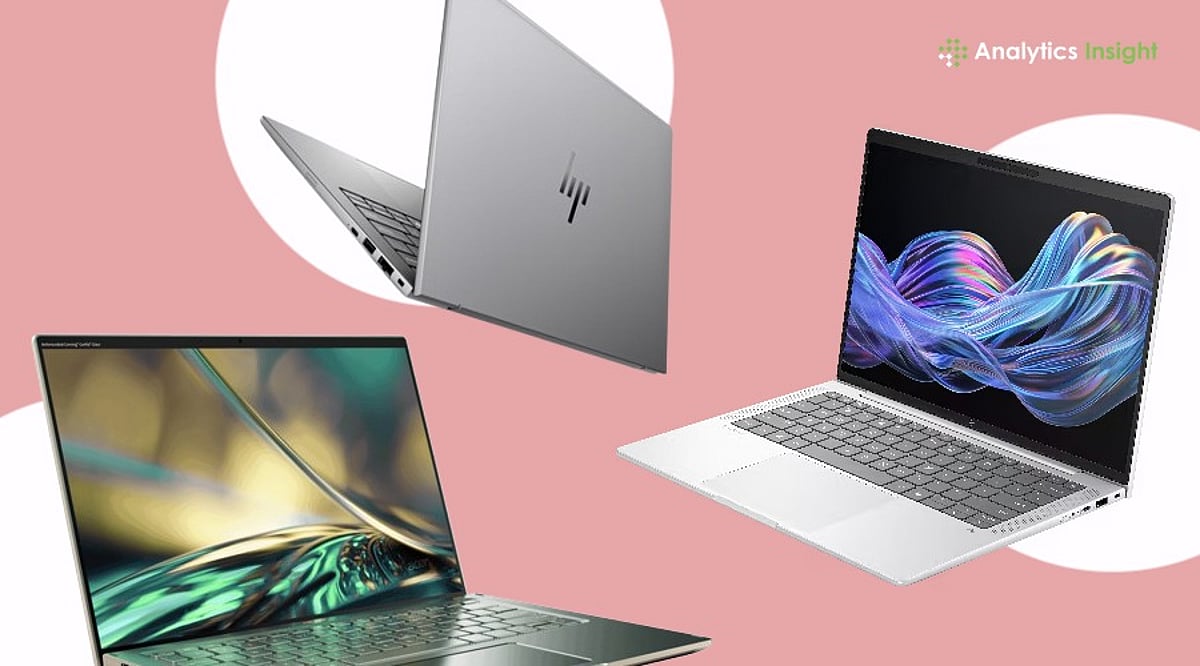
    The laptop market has undergone a dramatic transformation in 2026. Artificial intelligence is now a primary driver for computer upgrades. Modern laptops come equipped with specialized AI hardware that accelerates tasks, conserves battery, boosts speed, and simplifies everyday workflows. These machines no longer depend solely on cloud-based AI tools—advanced AI processes now run directly on the device.

    Industry experts have crowned 2026 as the year of the ‘AI PC.’ Major players like Apple, Microsoft, Intel, AMD, and Qualcomm are heavily focused on AI-powered computers. Market reports indicate that AI laptops are among the fastest-growing segments in the global PC market. Businesses increasingly demand systems capable of handling AI assistants, smart automation, real-time translation, rapid content creation, and advanced office applications.

    Apple MacBook Air M5 Dominates Premium AI Computing

    The Apple MacBook Air M5 stands out as one of the most powerful AI laptops in 2026. Apple’s new M5 chip features a significantly faster Neural Engine that executes AI tasks directly — without heavy internet reliance. The machine effortlessly manages smart writing tools, document summaries, image generation, voice cleanup, and AI-driven editing. Its nearly 18-hour battery life makes it ideal for professionals working long hours. Apple’s seamless hardware-software integration ensures AI features feel faster and more intuitive than many competitors. Market demand for Apple’s AI-focused devices remains exceptionally strong as of mid-2026.

    HP OmniBook Ultra 14 Leads Windows AI Innovation

    HP has made a bold entry into the AI laptop arena with the HP OmniBook Ultra 14. Powered by Qualcomm’s Snapdragon X2 Elite processor, it is one of the most capable Windows AI laptops this year. The device sports an 18-core processor and supports up to 64GB LPDDR5X memory. Independent testing in June 2026 revealed nearly 22 hours of real-world battery life, surpassing many premium rivals. This laptop excels at AI-powered tasks such as background noise removal during video calls, live translation, smart meeting summaries, and advanced automation — marking a major leap forward for ARM-based Windows machines.

    Lenovo Yoga Slim 7x Wins Over Business Users

    Business professionals have embraced the Lenovo Yoga Slim 7x as their preferred 2026 laptop, thanks to its Snapdragon X Elite chipset and dedicated AI processor that enhance workplace efficiency. With 32GB of memory and a stunning 3K OLED display, it delivers approximately 18 hours of battery life under typical office use. The system handles complex spreadsheets, AI meeting assistants, smart presentation tools, and office automation applications with ease. As AI applications become integral to daily business operations, companies increasingly favor such systems over traditional business laptops.

    Asus ProArt PX13 Redefines Creative Workstations

    Creative professionals demand computers that can handle AI-driven design software without lag. The Asus ProArt PX13 has emerged as a top workstation for creators in 2026. It combines AMD Ryzen AI processors with a dedicated 50 TOPS NPU and powerful NVIDIA graphics. Applications like Adobe Photoshop AI tools, image upscaling, video rendering, and local generative AI models run significantly faster than on older systems. A major advantage is local AI processing — many tasks occur directly on the machine, improving speed, reducing wait times, and enhancing privacy for users working on sensitive projects.

    Acer Swift 16 AI Balances Performance and Value

    The Acer Swift 16 AI is an excellent choice for users seeking strong AI performance without workstation-level pricing. It strikes a fine balance between price, performance, battery life, and AI capability. Powered by Intel’s latest AI hardware architecture and fully supporting Microsoft Copilot+ features, recent benchmarks place it among the best laptops released in 2026. It comfortably handles software development, office work, AI research, multitasking, and creative projects. Excellent heat management keeps the system reliable during heavy workloads.

    AI Laptop Technology Reaches New Heights

    The biggest change in 2026 is the widespread adoption of dedicated Neural Processing Units (NPUs). These processors now deliver between 40 and 80 TOPS (trillion operations per second). AMD Ryzen AI and Qualcomm Snapdragon X Elite processors have dramatically boosted local AI performance. Research published in June 2026 showed that optimized AI workloads on modern NPUs reduced inference latency by up to 121% while cutting energy consumption by more than 64%. This proves that AI hardware is now a critical component of modern computing, not just a premium add-on.

    Final Outlook for AI Productivity Machines

    A massive hardware shift has made AI capabilities standard across the laptop market. Instead of relying on cloud processing, modern machines handle heavy automation, asset generation, and workplace productivity tools locally on specialized chips. The latest MacBook Air, HP OmniBook, and Lenovo Yoga models illustrate how the PC market has evolved. Buyers no longer need to pay extra for AI hardware — companies are building these chips into their base configurations as standard features.

    Frequently Asked Questions

    What is an AI-powered laptop?
    It is a computer built with a dedicated Neural Processing Unit (NPU) to run complex artificial intelligence tasks locally.

    Why are AI laptops important in 2026?
    They drastically reduce processing delays, cut power consumption by 64%, and enable offline tools like real-time translation and smart automation.

    Which companies lead the AI laptop market?
    Apple, HP, Lenovo, Asus, and Acer dominate hardware delivery, powered by cutting-edge chips from Intel, AMD, and Qualcomm.

    What is an NPU in AI laptops?
    A Neural Processing Unit is a specialized processor handling up to 80 trillion operations per second for faster, private AI workloads.

    Are AI laptops better than traditional laptops?
    Yes, they offer superior battery efficiency, lower latency for modern applications, and eliminate complete reliance on slow, cloud-based AI servers.

  • Must-Have USB-C Gadgets for Productivity, Security, and Convenience in 2026

    Must-Have USB-C Gadgets for Productivity, Security, and Convenience in 2026

    USB-C has become the universal standard, powering everything from smartphones and laptops to accessories and smart devices. Today’s USB-C gadgets go far beyond simple charging—they boost productivity, strengthen security, expand connectivity, and simplify daily tasks. Here are some of the coolest USB-C gadgets worth adding to your tech toolkit.

    YubiKey 5C NFC for Stronger Security

    Cybersecurity remains a top concern, making hardware security keys more valuable than ever. The YubiKey 5C NFC provides passwordless login and two-factor authentication for your online accounts. Simply plug it into a USB-C port or tap via NFC. It adds an extra layer of protection against phishing attacks and unauthorized access.

    SanDisk Dual USB-C Drive for Easy Transfers

    Managing files across devices becomes effortless with a dual-interface USB-C flash drive. The SanDisk Ultra Dual Drive Luxe enables quick file transfers between smartphones, tablets, and computers. It reduces reliance on cloud storage and internet connectivity, making it especially useful for content creators, professionals, and frequent travelers.

    USB-C Hub Expands Connectivity

    Many modern laptops come with limited ports, creating a need for expansion solutions. A USB-C hub solves this by adding multiple USB ports, HDMI output, memory card readers, and power delivery support. Compact and portable, these hubs turn a single USB-C port into a versatile workstation for work and entertainment.

    Magnetic USB-C Dock for Smartphones

    A magnetic USB-C dock can transform your smartphone into a productivity powerhouse. These accessories provide additional ports, display output, charging capabilities, and storage options. Whether you’re delivering presentations, editing content, or connecting peripherals, a magnetic USB-C dock helps you get more functionality from your mobile device.

    USB-C Charging Stations Reduce Cable Clutter

    As the number of connected devices grows, managing chargers becomes a challenge. USB-C charging stations simplify this by powering multiple devices from a single location. Smartphones, tablets, earbuds, smartwatches, and accessories can be charged simultaneously, reducing cable clutter and creating a cleaner, more organized workspace.

    Small USB-C Gadgets Deliver Big Value

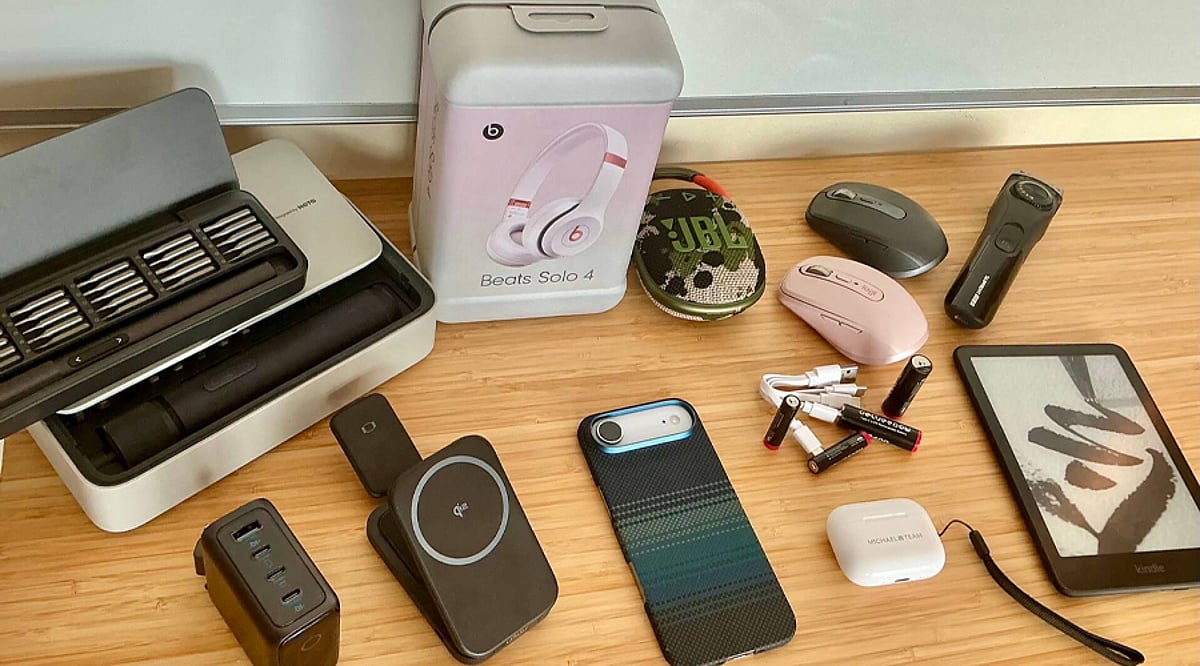
    Beyond mainstream accessories, innovative USB-C gadgets include mini flashlights, endoscope cameras, electric screwdrivers, and portable air pumps. These compact tools showcase the versatility of USB-C technology. Whether you focus on productivity, security, travel, or DIY projects, the right USB-C gadget can significantly improve everyday convenience.

  • How AI-Powered Slide Generators Are Automating Presentation Creation — Inside HIX AI’s Agent Workspace

    How AI-Powered Slide Generators Are Automating Presentation Creation — Inside HIX AI’s Agent Workspace

    Modern work environments often feel more fragmented than necessary. Most professionals juggle multiple tools—one for research, another for writing, a third for data organization, and yet another for presentations. This constant switching between applications not only slows productivity but also breaks concentration, making tasks feel longer and more burdensome.

    A more efficient approach is emerging: the Smart AI Agent Workspace. Instead of executing each step manually, users can issue a single command, and a team of AI agents handles the rest. These agents research, write, organize ideas, and even generate presentations within a unified environment.

    HIX AI is one platform that brings this vision to life. It integrates multiple AI capabilities into a single workspace, including its HIX AI Slides tool, which can transform raw ideas or documents into complete, ready-to-use presentations. The goal is to shift from manual, step-by-step workflows to automated, streamlined processes.

    The Hidden Cost of Digital Busywork

    Most people underestimate how much time is lost to routine digital tasks. It’s not the big projects that slow things down—it’s the small, repetitive actions: switching between apps, copying and pasting content, formatting documents, and recreating the same material in different tools. This so-called “digital glue work” consumes hours without adding real value.

    The problem intensifies with complex assignments that involve multiple sources, spreadsheet data, written explanations, and a final presentation. Each step requires a separate tool, forcing users to constantly switch platforms instead of focusing on critical thinking and decision-making.

    Modern AI-driven systems aim to solve this by consolidating everything into one environment. They treat work not as a sequence of isolated steps but as a single process, eliminating manual busywork and letting users concentrate on outcomes.

    How an AI Agent Workspace Actually Operates

    Understanding the User’s Goal

    An AI presentation maker starts by comprehending what the user truly wants to achieve. Instead of treating input as a simple command, the system reads the intent behind it and identifies the final deliverable—whether a report, article, or slide deck.

    Breaking Down the Task

    Once the objective is clear, the system automatically decomposes the work into smaller sub-tasks. Different AI agents are assigned to research, content creation, structuring, and formatting. Each agent focuses on its piece, making the overall process more efficient and organized.

    Delivering the Final Output

    After all steps are completed, the results are assembled into a cohesive final output within the same workspace. No manual linking or app switching is required. This approach is exactly how HIX AI and its HIX AI Slides module convert raw data into polished presentations or articles.

    HIX AI’s Implementation of the Agent Workspace

    A Unified AI Workspace

    HIX AI is designed as a single environment where various AI functions work together seamlessly, rather than as a collection of separate tools. The goal is to eliminate the need to jump between applications and centralize everything in one place.

    Multi-Agent Coordination

    Behind the scenes, several AI agents handle different parts of the workflow. One agent may focus on research, another on writing, and another on organizing or formatting the final product. These agents cooperate without user intervention—the user simply issues one command.

    End-to-End Automation

    When a task is assigned, the system processes it from start to finish. Whether generating content or building a presentation with HIX AI Slides, the result is a complete, well-structured output ready for use in the same workspace.

    AI Slides: Fully Automated Presentation Generation

    HIX AI Slides is built to dramatically simplify presentation creation. Users can just type a topic, upload a document, or provide raw ideas, and the system automatically produces a full slide deck with structured content and layout.

    The tool handles various input types like PDFs, reports, or notes. It breaks the content into logical segments and arranges them into a coherent sequence, ensuring no important information is lost and the presentation flows smoothly.

    Design is also automated. The platform adjusts layouts, spacing, and visual placement to create clean, professional slides without manual tweaking. The output is ready to use, though users can refine or edit it directly within the workspace.

    Conclusion

    The way we work is shifting from manual, step-by-step processes to interconnected, intelligent systems. Instead of using separate tools for each stage, professionals can now rely on AI-driven environments that handle the heavy lifting in one place.

    This transformation is embodied by the AI Agent Workspace. It unites research, writing, structuring, and presentation creation into a single flow, reducing effort and time. Ultimately, it’s not about working faster—it’s about working smarter, letting users focus on thinking and decision-making while the system executes the details.

  • AI as a Coworker: How Intelligent Systems Are Redefining Workplace Productivity in 2026

    AI as a Coworker: How Intelligent Systems Are Redefining Workplace Productivity in 2026

    AI is evolving from a simple tool into a proactive coworker that retains context, automates workflows, and helps employees work more efficiently while improving decision-making. Organizations using AI effectively are reporting major productivity gains, with task completion times reduced by up to 56% and overall productivity improvements reaching 30%–40%. The biggest advantage comes from combining AI-driven execution with human judgment, allowing professionals to focus on strategy, relationships, and high-value decisions while AI handles routine work.

    The Shift from Tool to Teammate

    The modern workplace is no longer structured around what a single employee can accomplish. It is being restructured around what a human and an AI system can accomplish together. This distinction matters. AI is not a search engine. It is not an autocomplete tool. Currently, AI systems carry context, anticipate needs, flag inconsistencies, and execute tasks across entire workflows without waiting for instruction at each step.

    The scale of adoption reflects this shift. 91% of businesses now use AI in some capacity, marking a significant acceleration from 78% in 2024 and 55% in 2023. Organizations that have moved beyond experimentation are reporting structural changes in how their teams operate, what roles look like, and where human judgment adds the most value.

    Delegate Execution, Retain Judgment

    The clearest productivity gain comes from matching the right category of work to the right intelligence. Harvard Business Review research found that task completion times can drop by up to 56% when employees use AI tools effectively. Dropping a task into an AI system without framing the context produces mediocre output. Treating AI like a junior colleague with strong recall and fast execution produces measurably better results.

    The tasks best suited to AI delegation include research synthesis, first-draft generation, scheduling, data summarization, and quality checks. The tasks that remain firmly human are stakeholder negotiation, strategic trade-off decisions, relationship management, and judgment calls where organizational context and political awareness determine the outcome.

    Build Context into Every Interaction

    AI performs best when it understands the full picture. Professionals who treat each AI interaction as a standalone prompt get transactional results. Those who supply context, reference earlier work, and iterate on output get something closer to a genuine collaborative output. The difference is not the AI. The difference is the working relationship.

    ADP Research data from more than 30,000 survey respondents found that people who use AI on a daily or near-daily basis report the highest levels of engagement, motivation, and commitment to their work. The implication is clear: consistent, intentional integration outperforms occasional use by a considerable margin.

    How AI Improves Workplace Productivity

    The productivity case for AI rests on three compounding mechanisms: time reclaimed, cognitive load reduced, and output quality elevated. AI users save an average of 2.2 hours per week at the individual level, and AI-exposed industries are showing strong productivity growth overall. At scale, across hundreds of knowledge workers in a single organization, that figure becomes a structural advantage.

    Beyond hours saved, the quality of output improves when AI handles the preparatory and administrative layer of knowledge work. Professionals spend less time formatting reports and more time interpreting findings. They spend less time drafting routine communication and more time on the conversations that require human nuance.

    The benefits extend across departments:

    • Marketing teams use AI to generate content briefs, draft copy, and analyze campaign data across channels simultaneously.
    • Operations professionals use AI agents to monitor supply chain signals and surface deviations before they escalate.
    • HR leaders are deploying AI to screen applications, coordinate interview scheduling, and personalize onboarding workflows.
    • Finance teams use AI to reconcile data, flag anomalies, and generate variance commentary at reporting speed.

    Accenture reports that AI can increase productivity by up to 30%, based on real workplace tests. PwC shows that industries adopting AI see productivity growth reach 27%, compared to 7% before AI adoption. The pattern across every function is consistent: AI removes the friction between having information and being able to act on it.

    What This Means for the Workforce

    The workforce transformation driven by AI is no longer a projected outcome. It is an observable reality across sectors, geographies, and organizational scales. Workers who learn with AI will gain a distinct advantage, and the gap between early and late adopters will continue to widen. For organizations still treating AI as an experiment, that window is narrowing.

    What remains constant amid this shift is the importance of human judgment. AI handles execution at speed and scale. It does not replace the professional who knows which direction to set, which relationships to protect, and which trade-offs align with long-term strategy. The most productive version of AI in the workplace is not one that replaces the worker. It allows the worker to operate at the level their expertise actually warrants. The machines are ready. The infrastructure is in place. The organizations that move with intention now are the ones that will define the standard others follow.

  • Simple Phone Settings That Slashed My Screen Time by Hours

    Simple Phone Settings That Slashed My Screen Time by Hours

    Like many people, I found myself constantly checking my phone throughout the day. Social media, notifications, and endless scrolling consumed hours without me realizing it. Instead of deleting apps completely, I explored built-in phone settings that encouraged mindful usage. These simple adjustments helped me regain focus and improve my daily routine.

    Turning Off Unnecessary Notifications

    The first change was disabling notifications from social media, shopping, and entertainment apps. Constant alerts were the biggest trigger for checking my phone. I kept only essential notifications for calls, messages, email, and work-related apps. Fewer interruptions made it easier to stay focused and reduced unnecessary screen pickups throughout the day.

    Setting App Time Limits

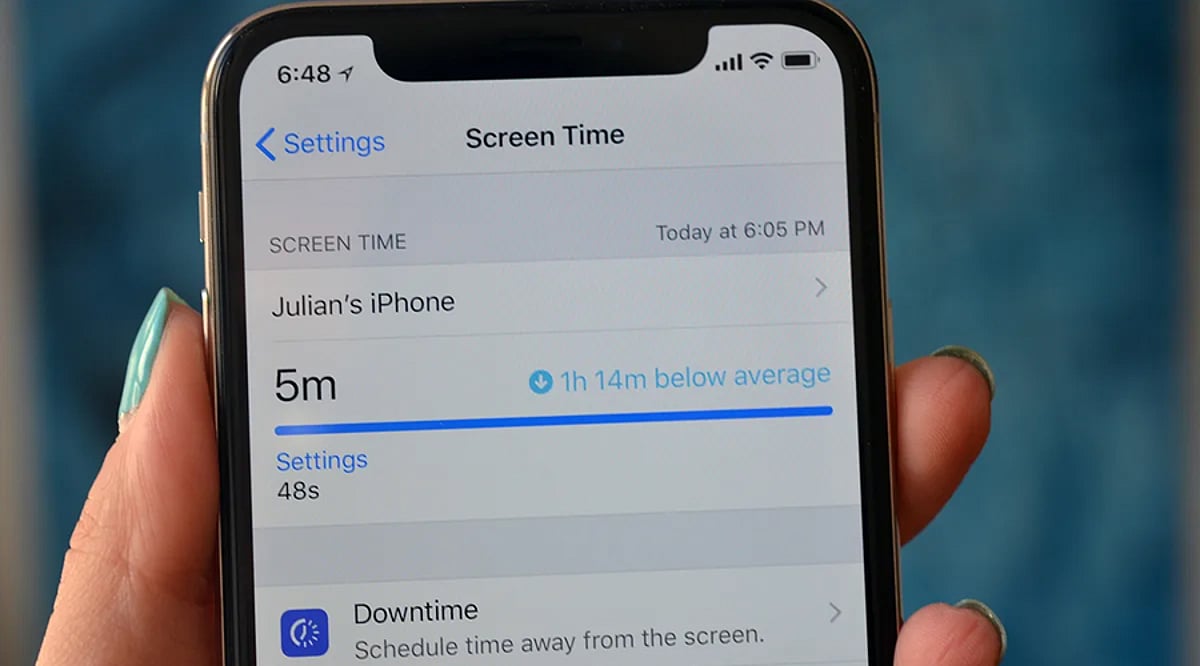
    I used my phone’s Digital Wellbeing or Screen Time feature to set daily limits for distracting apps. Social media, streaming platforms, and games each received a fixed time allowance. Once the limit expired, I had to decide whether to continue, making me more conscious of how I spent my time online.

    Using Grayscale and Organizing Apps

    Switching the display to grayscale made colorful apps less appealing and reduced the urge to scroll endlessly. I also moved distracting apps into folders on the last home screen page. That extra step created a small pause before opening them, helping me break the habit of mindless phone usage.

    Activating Focus Mode and Bedtime Mode

    Focus Mode temporarily blocked distracting apps during work hours, helping me stay productive without constant interruptions. Bedtime Mode automatically silenced notifications and dimmed the screen at night. These features reduced late-night scrolling, improved my sleep quality, and encouraged healthier digital habits without requiring drastic lifestyle changes.

    Tracking My Progress

    Weekly screen time reports showed exactly how much time I spent on different apps. Seeing the numbers motivated me to make better decisions and celebrate small improvements. Tracking progress turned screen time reduction into an achievable goal rather than an overwhelming challenge, making it easier to stay consistent.

    The Results and Key Takeaway

    Within a few weeks, my screen time dropped noticeably. I became more productive, slept better, and spent more time reading, exercising, and connecting with family. The biggest lesson was that small adjustments to app settings can create lasting habits. You don’t need a digital detox—just smarter control over your phone.

  • Hands-On Review: My Top AI Tools After Extensive Testing

    Hands-On Review: My Top AI Tools After Extensive Testing

    After testing a wide range of popular AI tools, I’ve identified the ones that truly stand out for productivity, creativity, and research. Here’s a detailed look at my favorites and why they earn a spot in my daily workflow.

    ChatGPT: The All-Purpose AI Assistant

    ChatGPT remains my go-to AI assistant for writing, brainstorming, coding, research, and everyday productivity. It consistently delivers natural conversations, detailed explanations, creative ideas, and reliable assistance across multiple tasks. Whether drafting articles, summarizing reports, solving technical problems, or learning something new, it is the most versatile AI tool I use regularly.

    Claude: Master of Long-Form Analysis

    Claude excels at handling lengthy documents, thoughtful reasoning, and polished writing. It analyzes reports, edits content, summarizes research papers, and maintains context across extended conversations. Whenever I need structured analysis or nuanced responses, Claude produces clear, well-organized, and dependable results.

    Google Gemini: Seamless Ecosystem Integration

    Gemini integrates seamlessly with Google’s ecosystem, making it ideal for users relying on Gmail, Docs, Drive, and Search. It delivers accurate information, multimodal capabilities, and useful productivity features. I especially appreciate its ability to combine web knowledge with document-based assistance inside Google’s familiar workspace.

    Microsoft Copilot: The Enterprise Workhorse

    Copilot shines for professionals working within Microsoft 365. It helps draft emails, summarize meetings, generate presentations, analyze spreadsheets, and improve workplace productivity. Its integration with Word, Excel, PowerPoint, and Teams makes it an excellent AI companion for business users and enterprise environments.

    Perplexity AI: The Research Companion

    Perplexity has become my preferred research assistant whenever I need quick, source-backed answers. It simplifies complex topics, provides citations, and makes exploring current information easier. Instead of opening multiple browser tabs, I can quickly understand subjects through concise summaries supported by relevant references.

    Midjourney: Creative Visuals Redefined

    Midjourney continues to impress with exceptional AI-generated artwork and creative visuals. It produces highly detailed illustrations, concept art, marketing assets, and imaginative designs from simple prompts. For designers, marketers, and creators seeking visually stunning results, it remains one of the strongest image-generation platforms available.

    GitHub Copilot: The Developer’s Coding Partner

    GitHub Copilot significantly speeds up software development by suggesting code, generating functions, explaining logic, and reducing repetitive programming tasks. It supports multiple programming languages and integrates directly into popular code editors. For developers, it acts like an experienced coding partner that enhances productivity every day.