Tag: prompt engineering

  • How Text-to-Image AI Generates Photographs, Art, and More from Simple Prompts

    How Text-to-Image AI Generates Photographs, Art, and More from Simple Prompts

    Text-to-image artificial intelligence has changed the way people create digital visuals. AI image generators can turn written descriptions into images, letting users create everything from photorealistic scenes and illustrations to product concepts and creative artwork.

    The technology combines natural-language processing with image-generation techniques to interpret a user’s instructions and produce a visual result. While different AI systems use different architectures, diffusion models are among the techniques used by modern image generators.

    What is Text-to-Image AI?

    Text-to-image AI refers to generative AI applications that produce images based on a natural language prompt. These applications learn to generate images from text prompts since they are trained on large amounts of image data paired with corresponding text.

    When the user inputs the text prompt, the application interprets it and produces an image based on the input. The more detail the user provides in the prompt, the more specific the instructions they give the model. Google has described how AI systems learn relationships between textual descriptions and visual features during training, allowing them to generate images from written prompts.

    How AI Image Generators Create Images

    Many modern image-generation systems use diffusion-based techniques. During training, a model learns what happens when noise progressively affects an image. It then learns how to reverse that process and reconstruct an image.

    During generation, the process generally begins with random noise. The user’s text prompt guides the model as it progressively removes noise. As the process continues, shapes, textures, colors, and other visual elements emerge until the system produces a finished image.

    Amazon Web Services describes diffusion models as systems that learn to generate images by reversing a noise process. This approach has become a key method for modern text-to-image generation.

    However, not every image-generation system uses the same architecture. Earlier systems used other approaches. OpenAI’s DALL-E, for example, used autoregressive transformer-based generation.

    What Can Users Create with AI?

    The range of visuals AI image generators can create is much larger than before.

    • Photographic-style Visuals: AI image generators can create images intended to look as realistic as photographs.
    • Digital Art: You can generate illustrations, paintings, concept art, or images in various artistic styles.
    • Product Visuals: Generated images may be used for creating concepts for products and promoting them.
    • Character and Scene Generation: Writers or game developers can generate fictional characters, settings, and scenes.
    • Social Media Visuals: AI-generated visuals can be used for social media posts and digital content creation.
    • Creative Concepts: It is possible to visualize various creative ideas.

    Modern AI image tools can also do more than generate an image from text. Depending on the platform, users may be able to edit existing images, transform one image into another, modify backgrounds, or make targeted changes to visual elements.

    Why Prompt Matters

    Prompting remains essential to image generation. Users can specify elements such as the subject, setting, lighting, composition, atmosphere, and how visuals should be treated, giving the model more detailed instructions.

    But AI image generators do not always include every instruction in the generated visuals. Complicated prompts may result in missing elements, unanticipated elements, or wrong connections between objects.

    Google has observed that image-generation models can sometimes leave out elements from the prompt or add new ones not mentioned, especially when prompts have complicated instructions.

    This suggests that image generation is an iterative process, not a one-prompt task.

    Where AI Image Generation is Heading

    Text-to-image AI has disrupted visual creation by letting users engage with creative software through language rather than starting with a blank page or creating visuals from scratch.

    The advent of text-to-image AI also raises legal and ethical considerations around copyright infringement, training data, bias, and responsible use.

    While these concerns matter when discussing the implications of text-to-image AI, at its core, the concept is simple: tell the AI what you want to see in your image.

  • How to Optimize Prompts for Better, More Reliable LLM Output

    How to Optimize Prompts for Better, More Reliable LLM Output

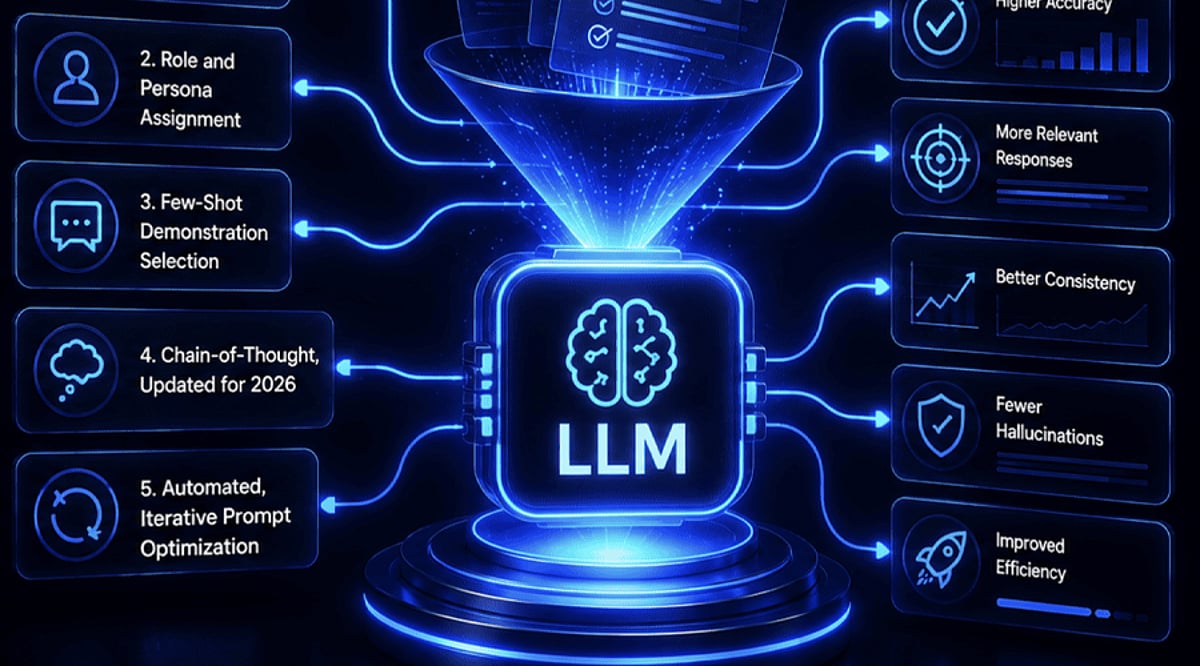
    Large language models can produce impressive drafts, but the quality of the result depends heavily on the quality of the request. Prompt optimization is less about finding a magic phrase and more about removing ambiguity, giving the model the right boundaries, and refining the instruction until the output is useful.

    The techniques below can be used individually, but they work best together. They apply to content creation, research, coding, data processing, and any workflow where consistency matters.

    1. State the objective with precision

    Tell the model exactly what it should produce. Include the subject, format, tone, audience, and intended outcome. A vague request often leads to a broad response because the model has to fill in missing details.

    For example, instead of asking for an article about artificial intelligence, specify the length, structure, writing style, target reader, and any facts that must remain unchanged. Precise instructions reduce back-and-forth and make the first draft more usable.

    2. Supply relevant context without clutter

    Give the model enough background to understand the task. Useful context can include prior decisions, source material, definitions, examples, or specific requirements. For professional content, mention the audience and purpose.

    At the same time, avoid adding unrelated information. Too much context can make the prompt harder to follow and distract the model from the central task.

    3. Define constraints that shape the response

    Constraints make output easier to review and reuse. Specify word counts, formatting rules, the number of sections, writing style, prohibited elements, or information that should not change.

    For instance, asking for seven points with exactly 30 words each gives clearer boundaries than asking for seven important points. Consistent constraints also improve results when the same prompt is used repeatedly.

    4. Use examples to anchor style and structure

    When a desired style is hard to describe, show an example. A sample headline, paragraph, formatting pattern, or answer can help the model identify the pattern and apply it to new material.

    Examples are especially helpful for repetitive editorial, marketing, coding, and data-processing tasks where consistent output matters.

    5. Assign a role that fits the task

    Giving the model a relevant role can establish the perspective and expertise needed for an assignment. Instead of asking for a general analysis, you might ask it to act as a technology journalist, research assistant, editor, or coding reviewer.

    The role should directly relate to the task. Pair it with clear instructions about the expected output, audience, and limitations.

    6. Specify the output structure up front

    Tell the model how the final response should be organized before it starts generating. Tables, bullet points, headings, numbered sections, or predefined fields can make complex information easier to review.

    Structured output is particularly useful when content will be published, transferred into documents, compared across datasets, or processed by another system. A consistent format can also reduce editing time.

    7. Refine prompts through iteration

    A strong prompt does not always produce the ideal response on the first attempt. Review the output, identify what needs improvement, and adjust the instruction accordingly.

    You can ask the model to shorten sections, remove repetition, clarify explanations, or follow a specific structure. Iterative prompting turns the first response into a working draft rather than treating it as the final result.

    Putting the techniques into practice

    Effective prompt optimization combines clear objectives, focused context, useful constraints, examples, roles, output structure, and iteration. Start with a precise request, review the result critically, and refine the prompt until the output meets the standard required for the task.

  • The Complete Guide to Prompt Engineering: How to Write Clear AI Instructions That Work

    The Complete Guide to Prompt Engineering: How to Write Clear AI Instructions That Work

    Prompt engineering is the practice of crafting clear instructions for AI models to produce specific, useful results. A vague request often yields a vague answer, while a well-structured prompt delivers accurate, formatted, and actionable responses. Modern prompt engineering goes beyond clever phrasing—it treats prompts as part of a larger system that includes context, examples, tools, output formats, evaluation, and iterative refinement.

    What Prompt Engineering Really Means

    At its core, prompt engineering involves creating precise instructions that tell an AI model what task to perform, what information is relevant, what constraints apply, and what the final output should look like. For example, instead of asking for a generic “report about customers,” a strong prompt specifies the five most common complaints, separates product issues from service problems, and presents results in a table with columns for issue, frequency, evidence, and suggested action. This structure gives the model a clear target and makes the output easier to verify.

    The Basic Parts of a Strong Prompt

    A useful prompt typically includes five core components:

    • Task: The exact job the model must complete.
    • Context: Relevant facts or background information.
    • Constraints: Limits on what to include or avoid.
    • Output format: The structure of the final response (e.g., table, bullet points, summary).
    • Quality criteria: Standards that define a successful answer.

    Clear section labels, such as Markdown headings or XML-style tags, help separate these elements and guide the model. OpenAI recommends structured prompts with relevant context, examples, and evaluation for reliable results. This approach also applies to long prompts—more context does not mean more detail; relevance matters more than volume.

    Why Context Matters More Now

    Modern AI systems handle text, images, audio, video, files, structured data, retrieved information, and external tools. This expansion has transformed prompt engineering into context engineering, which asks: what information should reach the model at a specific point in a task? The answer may include instructions, previous messages, company documents, search results, examples, database records, or tool outputs. For instance, a support AI that receives the correct company policy can answer a customer question with far more control than one that only sees the customer’s query.

    Zero-Shot and Few-Shot Prompts

    Zero-shot prompts give a task without examples—e.g., “Summarize this contract in 200 words.” Few-shot prompts include examples that demonstrate the desired output, such as providing sample inputs and correct labels before a classification task. While few-shot methods remain useful, their effectiveness varies across model families and generations. Recent research shows that techniques like few-shot and chain-of-thought prompts do not yield consistent gains across all modern models.

    Reasoning Models Need a Different Approach

    Older prompt advice emphasized step-by-step reasoning requests. However, modern reasoning models can handle complex problems without explicit reasoning instructions. For example, Google’s Gemini 3 guidance favors concise, direct prompts for newer reasoning models. This highlights a crucial lesson: no single prompt formula works for every model. Prompt design should match the model, task, and desired result rather than follow a fixed recipe.

    Evaluation Has Become Essential

    A prompt can look perfect yet fail on real examples. Production AI systems require tests that measure output quality across representative cases. Effective evaluation compares prompt versions, checks accuracy, detects regressions, and confirms whether a change improves results. This makes prompt engineering closer to software development than casual chat. Version control is also important—OpenAI’s current API guidance treats prompts as part of a development workflow with testing and controlled changes. OpenAI has announced the planned shutdown of its v1/prompts endpoint on November 30, 2026.

    The Next Stage of Prompt Engineering

    Prompt engineering now extends beyond better wording. Modern systems combine instructions with retrieval, structured outputs, multimodal inputs, tool use, and evaluation. The strongest approach treats a prompt as one part of a complete AI workflow: clear instructions set the goal, good context supplies the facts, tools extend the model’s capabilities, output schemas control results, and evaluation shows whether the system works. This shift gives prompt engineering a practical role—not to craft clever sentences for surprising answers, but to build reliable AI systems that deliver consistent results across real tasks and conditions.

    Frequently Asked Questions

    1. What is prompt engineering? Prompt engineering is the practice of creating clear instructions that guide an AI model toward a specific result.
    2. Why does prompt engineering matter? It improves clarity, control, consistency, and usefulness in AI-generated responses.
    3. What makes a prompt effective? A strong prompt clearly defines the task, context, constraints, output format, and quality requirements.
    4. What is few-shot prompting? Few-shot prompting provides an AI model with examples that demonstrate the expected response for a new task.
    5. Is prompt engineering only about writing better prompts? No. Modern prompt engineering also covers context, retrieval, tools, structured outputs, model-specific methods, and systematic evaluation.
  • Key Strategies for Training AI Models with Prompts in 2026

    Key Strategies for Training AI Models with Prompts in 2026

    Modern AI prompting has evolved significantly. Instead of relying on cleverly crafted phrases, effective prompt engineering in 2026 focuses on clear goals, relevant context, strong examples, structured outputs, appropriate model effort, and rigorous evaluations. These practices improve accuracy, consistency, efficiency, and reliability across AI systems.

    Key Takeaways:

    • Clarity over complexity: Define the goal, success criteria, constraints, evidence, and desired output rather than micromanaging every step.
    • Test before optimizing: Use representative evaluations, including difficult edge cases, to determine whether prompt or model changes genuinely improve results.
    • Use the right controls: Combine examples, structured outputs, context placement, and model effort strategically rather than putting every rule inside the prompt.

    Clear Goals Give Models Better Direction

    A strong prompt starts with the desired result, not a lengthy recipe. For example, a customer support task should state the target decision, rules, evidence source, and answer format. Models like OpenAI’s GPT-5.5 can then choose an appropriate path. OpenAI advises against detailed process rules unless a fixed sequence is truly necessary. It also recommends using stop rules for tool-based tasks.

    Short prompts have practical value. According to Google’s Gemini 3 guidance, concise input outperforms complex prompting methods from older model families. OpenAI echoes this for GPT-5.5: start with the smallest prompt that maintains the product contract. Extra commands can narrow the model’s options and lead to poor results.

    Examples Still Matter for Consistent Results

    Examples remain valuable when a task demands a fixed format, specific label set, consistent tone, or proper handling of edge cases. A small set of strong examples can clearly demonstrate the exact pattern required for classification tasks. These examples should cover useful, varied cases rather than repeating simple patterns.

    For long documents, careful structure is key. Anthropic recommends placing large documents near the top of the prompt and the main query near the end. Using XML tags to separate document text, source details, and other context improves clarity. Anthropic reports better test results when queries appear after large context blocks. Google’s Gemini 3 guidance gives a related rule: place the question after the data and anchor the answer to the supplied material. Since different model families may prefer different layouts, always follow model-specific guidance.

    Evaluation Should Decide What Counts as Better

    Prompt changes require a clear measure of success. OpenAI recommends an evaluation loop where prompt edits, parameter changes, and model upgrades are tested against the same benchmark before release. Useful metrics include accuracy, factual error rate, token usage, latency, tool success, and format compliance.

    A good test set must include challenging cases: ambiguous requests, missing data, contradictory facts, unusual inputs, safety scenarios, and tool failures. Relying solely on easy examples may hide production failures. OpenAI’s 2026 work on third-party model evaluations emphasizes that frontier models use tools, track information across multiple steps, and operate within larger workflows.

    Model Effort Needs a Clear Purpose

    More model effort does not always yield better results. GPT-5.5 uses medium effort as the default. Low effort suits simple tasks, while high or xhigh effort can benefit complex agent tasks. OpenAI advises using higher effort only when evaluation results show a clear quality gain that justifies the added cost and latency.

    Google’s Gemini models also use internal reasoning for complex tasks like code, mathematics, and data analysis. Simple classification needs less reasoning than a difficult multi-step task. Prompt design and model settings should be aligned accordingly.

    Structured Output Can Reduce Prompt Noise

    A prompt should not carry rules that the model or API can enforce directly. OpenAI recommends using Structured Outputs when a fixed schema is required. A JSON schema can define required fields without lengthy natural-language descriptions.

    Prompt design also needs a clean separation between stable rules and new data. OpenAI recommends placing stable prompt content first and dynamic context later to improve prompt cache reuse.

    The Practical Standard for 2026

    Strong AI prompting now resembles disciplined product design rather than a search for clever phrases. A clear goal sets the target. Examples define hard cases. Context supplies evidence. Model settings control effort. Structured outputs protect format. Evaluations show whether a change helps or hurts.

    The most effective workflow starts with a small prompt, a representative test set, and a clear success measure. Each change is then tested against the same evidence. This discipline gives prompt engineering a useful role within model development: not a collection of tricks, but a measurable method for improving model behavior.

    Frequently Asked Questions

    1. What makes a good AI prompt in 2026? A good prompt clearly defines the desired outcome, constraints, evidence requirements, success criteria, and output format without unnecessary instructions.
    2. Are longer prompts better for advanced AI models? Not necessarily. Modern models often perform better with concise, well-structured prompts that provide only the needed information and constraints.
    3. Should examples still be used in AI prompts? Yes. Carefully selected examples are particularly useful for enforcing formats, classifications, tone, and responses to difficult or unusual cases.
    4. How can teams measure whether a prompt is better? Use a consistent evaluation set and compare relevant metrics such as accuracy, factual errors, format compliance, tool success, latency, and token usage.
    5. Does increasing model reasoning effort always improve results? No. Higher effort can help with complex tasks, but it may increase cost and latency. Evaluation should determine whether the quality improvement justifies the trade-off.
  • Master AI Video Creation: A Complete Step-by-Step Guide

    Master AI Video Creation: A Complete Step-by-Step Guide

    Key Takeaways

    • A clear script and short scene plan give AI video creation better structure and control.
    • Tools such as Veo, Kling, and Runway offer different options for visual quality and creative control.
    • Human editing and final checks remain essential for strong visuals, sound, continuity, and captions.

    Artificial intelligence video tools can turn a short script into cinematic scenes, product clips, social media videos, tutorials, and short films. The process now goes far beyond a single text prompt. A strong result starts with a clear idea, moves through a shot plan, uses suitable AI models, and ends with careful editing, sound, captions, and quality checks. The AI video market has also changed fast, with Google Veo, Kling, Runway, and other platforms taking major roles in modern video production.

    Start with a Clear Video Idea

    Every AI video needs a clear purpose before the first prompt. A YouTube video may need a wider frame and longer story, while a TikTok, Instagram Reel, or YouTube Short usually needs a vertical 9:16 frame. A product advert may need sharp product detail, while a short film may need stronger character and scene control.

    A simple plan should define the subject, audience, length, visual style, voice style, and final platform. A 60-second video, for example, can have a five-second hook, a main section, a short payoff, and a final call to action. A clear plan also reduces wasted AI credits.

    Turn the Script into Short Scenes

    A complete video should not depend on one large prompt. A better method splits the script into short scenes. Each scene can have a clear subject, action, location, camera view, light style, and mood.

    For example, a video about AI video tools could open with a creator at a desk, move to an AI video interface, show a cinematic generated scene, and then return to the creator. Short clips give better control and make weak shots easier to replace.

    Character consistency also matters. A reference image can establish the same face, clothes, location, product, or visual style across several scenes. Current AI video workflows place more focus on reference control and shot consistency than older text-to-video methods.

    Pick the Right AI Video Tool

    Google Veo 3.1, Kling 3.0, and Runway now sit among the main choices for AI video work. Each platform suits different production needs. Veo 3.1 stands out for high visual quality and native audio. Kling 3.0 supports multi-shot story work and synced audio. Runway offers strong creative control and a broad production workflow. These strengths can change as new model versions arrive, so model names and versions need a date check before publication.

    Sora no longer serves as a current general option. OpenAI ended the Sora web and app experience on April 26, 2026. The Sora API also has a scheduled shutdown date of September 24, 2026.

    Write Better Video Prompts

    A useful prompt should describe the subject, action, setting, camera, light, movement, and visual style. A prompt such as ‘a person at a computer’ gives limited control. A stronger version can describe a filmmaker at a modern desk, a cinematic studio, warm practical lights, shallow depth of field, a slow camera push, realistic skin texture, and natural movement.

    Specific details help an AI model understand the intended shot. Camera direction also matters. Terms such as close-up, wide shot, tracking shot, slow push, overhead view, and shallow depth of field can shape the result.

    Add Voice, Music, and Sound

    A strong video needs more than attractive visuals. Voiceover can explain the subject, while music can set the mood. Sound effects can add realism to footsteps, machines, doors, vehicles, weather, and other actions.

    Current AI video systems increasingly support audio as part of video production. Adobe also added tools that can create video, sound effects, music, and soundscapes inside Premiere. Premiere can use Adobe Firefly as well as partner models such as Google Veo, Kling, Runway, and Luma.

    Edit the Final Video with Care

    AI output still needs human judgment. The best clips should form a clear sequence with a natural pace. Voiceover should match the correct scene, music should remain below speech, and sound effects should fit the action.

    Adobe Premiere now lets editors generate video and sound directly inside the timeline. The Generative Media Tool can use reference frames from nearby footage, which helps a new clip match the existing edit.

    Check Every Scene Before Publication

    A final review should catch distorted hands, odd faces, changing clothes, shifting objects, poor lip sync, strange physics, incorrect text, and sudden changes in location. Logos and important text deserve extra care, since AI models may still produce errors in small written details.

    Captions also need a manual check. Clear captions improve access and help short-form videos work without sound. The final export should match the target platform, with 16:9 for standard YouTube video and 9:16 for most vertical short-form content.

    AI video now works best as a complete production process rather than a single prompt. The strongest results come from a clear script, short scene plans, suitable AI models, controlled references, good sound, careful edits, and a final human review. The technology can supply the raw material, but strong creative direction still shapes the finished video.

    Frequently Asked Questions

    1. What is an AI video? An AI video uses artificial intelligence tools to create or modify video content from text prompts, images, scripts, or other references.
    2. How does AI create a video? AI can turn a written prompt or reference image into short video scenes, which can later form part of a complete edited video.
    3. Which AI tools can create videos? Google Veo, Kling, and Runway are among the major AI video tools available for different creative needs.
    4. Can AI create the whole video? AI can create many parts of a video, but editing, sound, captions, continuity checks, and quality control still need careful attention.
    5. What makes an AI video look better? A clear script, detailed prompts, consistent references, suitable scene plans, good sound, careful editing, and a final quality check can improve the result.
  • AI Learning Roadmap: From Beginner to Advanced Skills in Four Stages

    AI Learning Roadmap: From Beginner to Advanced Skills in Four Stages

    An AI learning roadmap is a staged path that moves learners from basic literacy to advanced specialization. Rather than a random collection of courses, it provides a sequence where each level builds on the previous one. With AI skills increasingly demanded in entry-level roles, following the right progression is more important than simply accumulating knowledge.

    The Four Stages of an AI Learning Roadmap

    Stage 1: Building AI Literacy (Weeks 1–4)

    This foundation stage covers what large language models do, why they hallucinate, the difference between a model and an application built on it, and basic data and AI ethics. Employers value the ability to choose the right AI tool and verify its output over deep technical expertise. Free resources like Google’s AI Essentials, Anthropic’s documentation, and Andrew Ng’s introductory courses are excellent starting points. The goal is to be able to explain in plain terms what a model does and where its output needs a second check.

    Stage 2: Applying AI in Real Workflows (Months 2–4)

    Once the basics are set, hands-on use begins. Prompt engineering is part of this stage, but the real skill is workflow design: breaking tasks into steps, providing the right context, checking output, and automating repetitive parts. Building a pipeline that pulls data, summarizes it with AI, and flags anomalies for review is a practical achievement. A few finished workflows carry more weight than a certificate.

    Stage 3: Moving Into AI Engineering (Months 4–10)

    This is where technical depth starts. Python and SQL come first, then statistics, classical machine learning, neural networks, embeddings, and finally retrieval-augmented generation (RAG) and LLM-based applications. Each step supports the next. Learners should become comfortable with a major deep-learning framework like PyTorch or TensorFlow. Fast.ai’s practical deep learning course, DeepLearning.AI specializations, and Kaggle competitions provide strong open resources and a public portfolio.

    Stage 4: Choosing an Area of Specialization (Year 1 and Beyond)

    The field is too wide for anyone to cover all of it. This stage focuses on picking a problem to master, such as MLOps, AI security, multimodal systems, or agentic AI. Stanford’s 2026 Index shows agentic AI mentions in U.S. job postings grew over 280% in one year. Specialization turns general fluency into a defensible skill set. Advanced ability is measured by the complexity of problems solved, not the number of frameworks known.

    Why Sequence Matters

    The biggest risk in learning AI is not falling behind but learning the wrong things in the wrong order. Skipping stages explains why some self-taught learners can describe transformers but cannot ship a working chatbot. A roadmap ensures that each level builds a foundation for the next, turning scattered knowledge into practical, demonstrable skills.

    Final Thought

    The roadmap itself will shift as AI capabilities evolve—agentic AI barely existed as a hiring category two years ago. What stays fixed is the order: literacy, application, engineering, specialization. Learners who follow that sequence build something they can point to and explain, not just a list of finished courses.

  • OpenAI Playground Guide: Key Features, Real-World Uses, and Prompt Engineering Tips

    OpenAI Playground Guide: Key Features, Real-World Uses, and Prompt Engineering Tips

    As generative AI becomes an essential part of software development and business processes, developers need a space to experiment with prompts, test models, and fine-tune outputs. OpenAI Playground was built for exactly this purpose. It offers a web-based graphical interface where you can interact with AI models, adjust parameters, and evaluate results without writing code.

    This versatile tool is widely used for fast prototyping, prompt crafting, and API trials, making it a valuable resource for developers, researchers, and businesses building AI-powered applications.

    Key Features of OpenAI Playground

    OpenAI Playground is a web-based application that enables real-time interaction with various AI models. Users can perform text generation, programming assistance, reasoning, summarization, translation, and structured outputs. One major benefit is parameter customization: you can modify settings such as temperature, max output tokens, and other generation controls to see how they affect responses. This flexibility helps developers fine-tune prompts before integrating them into apps. The Playground also supports system instructions and multi-turn conversations, allowing users to simulate authentic chatbot interactions and AI assistants.

    Common Use Cases

    Developers frequently use the Playground to test AI applications at the prototype stage before writing production code. It enables rapid testing of prompts for customer support bots, content generation, coding help, document summarization, and workflow automation. Businesses leverage it to evaluate AI responses for internal knowledge bots, email creation, report generation, and data analysis. Researchers use it to compare prompts and study how different instructions affect model behavior. The low-friction setup allows teams to quickly try out ideas without building a full application.

    Tips for Better Results

    • Write clear, specific prompts: provide background, describe the desired output format, and state any constraints.
    • Break complex tasks into smaller prompts to improve consistency and reduce ambiguity.
    • Experiment with parameter settings to find the right balance between creativity and factual accuracy.
    • For structured tasks, request output in JSON, tables, or bullet points for easier post-processing.
    • Test multiple prompt variations to determine the most effective approach before deploying AI into production.

    Conclusion

    OpenAI Playground is an excellent testing ground for anyone developing AI-powered applications. Its interactive interface, configurable parameters, and support for advanced prompts make it useful for both beginners and seasoned developers. As organizations increasingly invest in AI, tools like the Playground help cut development time, improve prompt quality, and accelerate experimentation. Thoughtful prompt design combined with systematic testing enables more reliable, scalable, and effective AI applications.

    Frequently Asked Questions

    1. What is OpenAI Playground used for?

    OpenAI Playground is a web-based interface that lets users interact with AI models without coding. It is commonly used for prompt testing, prototyping applications, and experimenting with different model settings before deployment.

    2. Is OpenAI Playground free to use?

    OpenAI Playground typically requires an OpenAI account with available API credits or a paid plan. Usage is billed based on the selected model and the number of input and output tokens processed.

    3. How is OpenAI Playground different from ChatGPT?

    Unlike ChatGPT, OpenAI Playground provides advanced controls such as temperature, max output tokens, system instructions, and structured output settings. It is designed for developers and researchers who need greater flexibility.

    4. Can businesses use OpenAI Playground for application development?

    Yes. Businesses use OpenAI Playground to test customer support bots, automate workflows, generate content, summarize documents, and refine prompts before integrating AI models into production applications.

    5. What are the best practices for getting accurate responses in OpenAI Playground?

    Use clear and specific prompts, provide relevant context, define the desired output format, and experiment with model parameters. Testing multiple prompt variations also helps improve response quality and consistency.

  • 9 AI-Powered Careers on the Rise: Where Job Growth Is Heading

    9 AI-Powered Careers on the Rise: Where Job Growth Is Heading

    Artificial intelligence is no longer limited to research labs and sci-fi plots. It is reshaping how companies operate, how decisions are made, and which skills are in demand. As organizations integrate AI into their daily workflows, new roles are emerging and existing roles are evolving rapidly. Here are nine careers that are setting the pace in the AI age.

    1. AI Engineer

    AI engineers design intelligent applications, train machine learning models, and build automation systems that power businesses across industries. Their work turns raw data and algorithms into practical products used by millions.

    2. Data Scientist

    Data scientists analyze massive datasets to uncover trends and build predictive models. Their insights help organizations make smarter decisions and provide the foundation for AI development.

    3. Cybersecurity Specialist

    As AI expands the digital attack surface, cybersecurity specialists are needed to protect AI systems, enterprise networks, and critical infrastructure. They defend against increasingly sophisticated threats and evolving attack techniques.

    4. Prompt Engineer

    Prompt engineers craft effective inputs for AI models, improving chatbot performance, automating workflows, and generating reliable, business-ready outputs. This role has become essential as generative AI becomes mainstream.

    5. Robotics Engineer

    Robotics engineers design intelligent machines that automate manufacturing, logistics, healthcare, agriculture, and industrial operations. Their work combines mechanical engineering with AI to create more precise and adaptable systems.

    6. AI Product Manager

    AI product managers sit at the intersection of business strategy and technology. They guide AI product development, drive market adoption, and keep the focus on customer needs while aligning teams around a clear roadmap.

    7. Healthcare AI Specialist

    Healthcare AI specialists implement AI-powered diagnostics, patient monitoring, medical imaging, and personalized treatment plans. These professionals help improve clinical outcomes and make healthcare more efficient.

    8. Digital Marketing Analyst

    Digital marketing analysts use AI tools to optimize campaigns, interpret customer behavior, and improve targeting. By applying AI to real-time data, they help brands maximize marketing ROI across all channels.

    9. AI Ethics Professional

    AI ethics professionals ensure that artificial intelligence systems are transparent, fair, and aligned with responsible governance standards. Their role is crucial as companies seek to build trusted AI frameworks.

    These careers reflect a broader shift: the future of work belongs to people who can work alongside intelligent systems, build them, and keep them accountable. Whether you are entering the job market or planning a career change, the skills behind these roles are worth watching.

  • Loop Engineering: A Beginner’s Guide to Building Reliable AI Agent Workflows

    Loop Engineering: A Beginner’s Guide to Building Reliable AI Agent Workflows

    Artificial intelligence has moved far beyond simple chatbots. Modern AI systems can search the web, write code, check documents, call software tools, and complete long tasks with very little human help. This major shift has created a new field called loop engineering. Instead of focusing only on prompts, loop engineering focuses on the full process that helps an AI agent reach the right result.

    The idea has gained strong attention during 2026 as businesses and software teams build AI agents that solve real work problems. Experts now see workflow design as one of the most valuable skills for anyone who builds AI systems. Many developers also believe prompt writing alone cannot deliver reliable results for complex tasks. A well-designed loop helps an AI system plan, check, improve, and finish its work with greater accuracy.

    What Loop Engineering Means

    Loop engineering refers to the activity of creating the procedure that an AI agent employs to address a task completely. The process typically starts with the specification of a goal; the AI devises a plan and carries it out. After finishing the process, the AI checks the outcome and, if errors occur, corrects them and goes through the same operations again.

    A single input creates an answer in most cases. Loop creates new opportunities for improved answers. Since Loop allows the AI to work with several iterations of information, it helps to solve larger problems.

    Why AI Agents Need Loops

    Many modern AI agents work with tools instead of plain text. They can search websites, open files, read databases, write software, or connect with business applications. Every action creates new information. The AI must study that information before it decides what to do next.

    This repeated cycle helps the system avoid simple mistakes. If a software test fails, the AI can examine the error, correct the code, and test it again. If a research task lacks enough facts, the AI can search for more sources before it prepares the final report. This steady process improves quality without constant human guidance.

    The Main Parts of an AI Loop

    Every AI loop follows a similar structure, even though each project looks different. First, the system receives a clear goal. Next, it breaks that goal into smaller tasks. After that, it completes one task at a time with the help of available tools.

    Once each action ends, the AI reviews the result. If the outcome fails to match the expected standard, the system changes its approach and tries again. This cycle continues until every requirement reaches completion. The process ends only after the AI satisfies the success rules that developers set at the start.

    How Businesses Use Loop Engineering

    Many companies now build AI agents for real business work instead of simple conversations. Customer support teams use AI agents that read support tickets, search company knowledge, check customer records, prepare replies, and request human approval for sensitive cases.

    Software teams also depend on loop engineering. An AI coding agent can read existing code, create new code, run tests, find errors, repair problems, and repeat the same cycle until every test passes. This approach saves valuable time and improves software quality.

    Research teams also benefit from this method. An AI agent can collect information from trusted sources, compare facts, find missing details, perform another search, and prepare a detailed report after every important fact receives proper verification.

    Why Verification Matters

    Loop engineering does not ask an AI system to trust every answer that it creates. Instead, it asks the system to verify each important result before it moves ahead. This step reduces mistakes and improves confidence.

    Many software teams already follow this practice. Recent industry reports show that 76% of development teams review AI-written code with the same level of attention as human-written code, while 33% apply even stricter reviews. These numbers show that careful verification remains an important part of successful AI projects.

    The Numbers Behind the Trend

    Recent business studies show that strong AI models alone cannot guarantee success. Industry research reports that almost 95% of generative AI pilot projects fail to create measurable profit, while analysts expect more than 40% of those projects to end before 2027. Poor workflow design often creates this gap between powerful technology and real business value.

    Another report shows that 87% of companies hold a positive view of AI, yet only 16% have completed full AI adoption. These figures highlight a common challenge. Many organizations understand the value of AI, although far fewer succeed with large-scale implementation. Loop engineering helps close that gap through reliable and repeatable workflows.

    A production case also shows the value of this approach. One AI investigation system handled almost 11,000 alerts each month. The workflow removed 85% of unnecessary alerts before the AI started its analysis. The average investigation time fell from more than ten minutes to about two minutes, while operating costs dropped to less than one-third of the previous level. These results came from better workflow design rather than stronger prompts.

    The Future of AI Workflows

    Loop engineering marks the next stage of AI development. Modern AI agents must plan, review, verify, improve, and finish complex tasks with consistency. This goal requires much more than a single prompt. A carefully designed loop gives AI systems a clear path from the first step to the final result.

    As more businesses adopt autonomous AI agents, loop engineering will play a central role in software development, research, customer service, finance, healthcare, and many other industries. Reliable workflows will shape the future of AI far more than clever prompts alone.

    Frequently Asked Questions

    1. What is loop engineering?

    Loop engineering is the practice of designing the repeated workflow an AI agent follows to complete a task accurately.

    2. How is loop engineering different from prompt engineering?

    Prompt engineering focuses on creating better prompts, while loop engineering focuses on the entire AI workflow from planning to completion.

    3. Which industries use loop engineering?

    Software development, customer support, finance, healthcare, research, and enterprise automation commonly use loop engineering.

    4. Why do AI agents need verification loops?

    Verification checks reduce errors, improve output quality, and help AI systems produce reliable results before task completion.

    5. Is loop engineering important for the future of AI?

    Yes. Modern AI agents handle complex tasks, and well-designed workflows help them perform reliably, safely, and efficiently.

  • Mastering AI Prompts: A Practical Guide to Clearer, More Effective Requests

    Mastering AI Prompts: A Practical Guide to Clearer, More Effective Requests

    Crafting high-quality prompts is essential for getting the best results from AI tools. By following a few key strategies, you can dramatically improve the relevance, accuracy, and usefulness of AI-generated responses.

    Be Specific

    Clearly describe your request with enough context, goals, and details so the AI understands exactly what you want to generate. Vague prompts lead to vague answers.

    Define the Role

    Assign the AI a specific role, such as teacher, marketer, developer, or editor, to receive more focused and relevant responses. Role-based prompts help the AI adopt the right tone and expertise.

    Provide Context

    Include background information, audience details, or project goals to help the AI generate responses tailored to your specific situation. Context ensures the output aligns with your needs.

    State the Desired Format

    Mention whether you need a list, table, article, email, summary, or step-by-step guide to improve response structure and readability. Format instructions reduce ambiguity.

    Set Clear Constraints

    Specify word count, tone, language, style, or limitations so the AI stays within your preferred requirements and expectations consistently. Constraints prevent off-target outputs.

    Include Examples

    Provide sample inputs or desired outputs to guide the AI toward matching your preferred writing style, format, or level of detail. Examples act as a powerful reference.

    Break Complex Tasks

    Split large requests into smaller steps, allowing the AI to solve each part accurately before moving to the next stage. This improves accuracy and manageability.

    Refine with Follow-Ups

    Review the response and ask follow-up questions to improve clarity, add details, correct errors, or adjust the final output effectively. Iteration is key to perfection.

    Ask for Alternatives

    Request multiple versions, ideas, or perspectives so you can compare options and choose the response that best fits your needs. More choices lead to better decisions.