Tag: Python

  • 10 Essential Data Science Concepts to Master in 2026

    10 Essential Data Science Concepts to Master in 2026

    Data science has evolved rapidly, and professionals who want to stay ahead must master a blend of foundational skills and emerging technologies. Here are the ten most important concepts to learn in 2026, covering Python, statistics, SQL, machine learning, generative AI, data engineering, cloud computing, MLOps, and business intelligence.

    1. Python

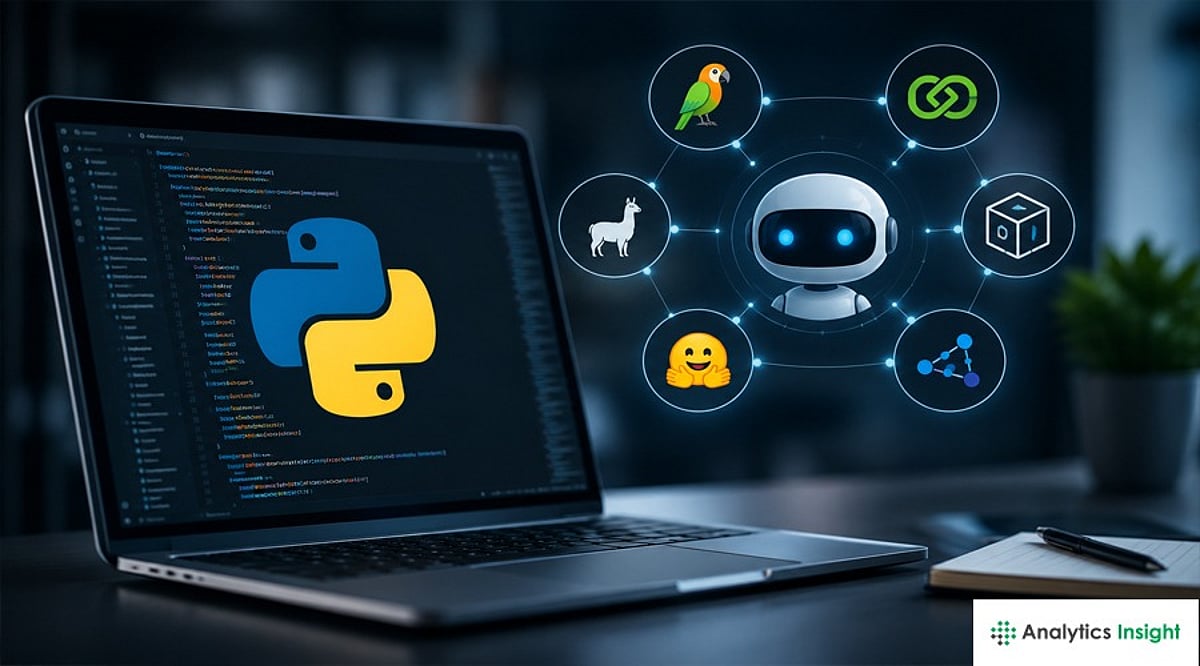
    Python remains the dominant language for data science due to its readability and extensive library ecosystem. Key skills include functions, classes, object-oriented programming, error handling, decorators, and context managers. Essential libraries: NumPy, Pandas, Polars, Matplotlib, Seaborn, Plotly, Scikit-learn, PyTorch, TensorFlow, and JAX.

    2. Mathematics

    Mathematics underpins every machine learning model. Focus on linear algebra (vectors, matrices, PCA), calculus (derivatives, gradient descent), probability (Bayes’ theorem, distributions), and statistics (hypothesis testing, A/B testing, ANOVA).

    3. SQL

    SQL is critical for querying databases. Beyond basic SELECT statements, learn CTEs, window functions, indexes, and views. Modern cloud data warehouses like Snowflake, BigQuery, and Redshift, plus lakehouse technologies like Delta Lake, are increasingly important.

    4. Machine Learning

    Machine learning enables pattern recognition and prediction. Supervised methods include linear regression, random forests, and gradient boosting. Unsupervised techniques include K-Means, PCA, and t-SNE. Model evaluation metrics like precision, recall, F1 score, and cross-validation are essential.

    5. Deep Learning

    Deep learning powers modern AI with architectures like CNNs for images, RNNs and LSTMs for sequences, and Transformers for language and generation. Mastering these enables advanced pattern detection and classification.

    6. Generative AI

    Generative AI builds on deep learning to create content. Key techniques include Retrieval-Augmented Generation (RAG), fine-tuning, LoRA, PEFT, and RLHF. AI agents and function calling allow models to perform autonomous tasks, making them central to business AI applications.

    7. MLOps

    MLOps ensures models are deployable and maintainable. Tools like Git, MLflow, Docker, Kubernetes, and CI/CD pipelines are vital. Cloud platforms (AWS, Azure, GCP) enable scalable deployment and monitoring for drift and performance issues.

    8. Cloud Computing

    Cloud platforms provide the infrastructure for data processing, storage, and AI at scale. Familiarity with AWS, Azure, or Google Cloud, along with services like S3, Lambda, and BigQuery, is increasingly required for data science roles.

    9. Business Intelligence

    Visualization and communication turn data into actionable insights. Tools like Tableau, Power BI, Looker, and Apache Superset help create dashboards that convey key metrics. Clear reporting supports better decision-making.

    10. Emerging Concepts

    Stay ahead with emerging fields like Responsible AI, Synthetic Data, Causal AI, Time Series AI, Multimodal AI, and AI agents. Combining these with strong fundamentals in Python, mathematics, and SQL will provide the best career opportunities in 2026.


    FAQs:

    1. Why learn data science in 2026? These skills align with current industry demands and future AI roles.
    2. Is Python still the best language? Yes, due to its simplicity and powerful libraries.
    3. Do I need math? Yes, for understanding model mechanics.
    4. What new skills matter? Generative AI, RAG, and MLOps are key.
    5. Can beginners start? Yes, begin with Python, SQL, and statistics, then progress to more advanced topics.
  • 5 Key Reasons Python Remains the Top Language for AI and Machine Learning

    5 Key Reasons Python Remains the Top Language for AI and Machine Learning

    Python has become the go-to programming language for artificial intelligence and machine learning due to its simplicity, readability, and rich ecosystem of libraries. Developers can build smart applications faster, test ideas quickly, and deploy models with minimal friction.

    Why Python Leads in AI Development

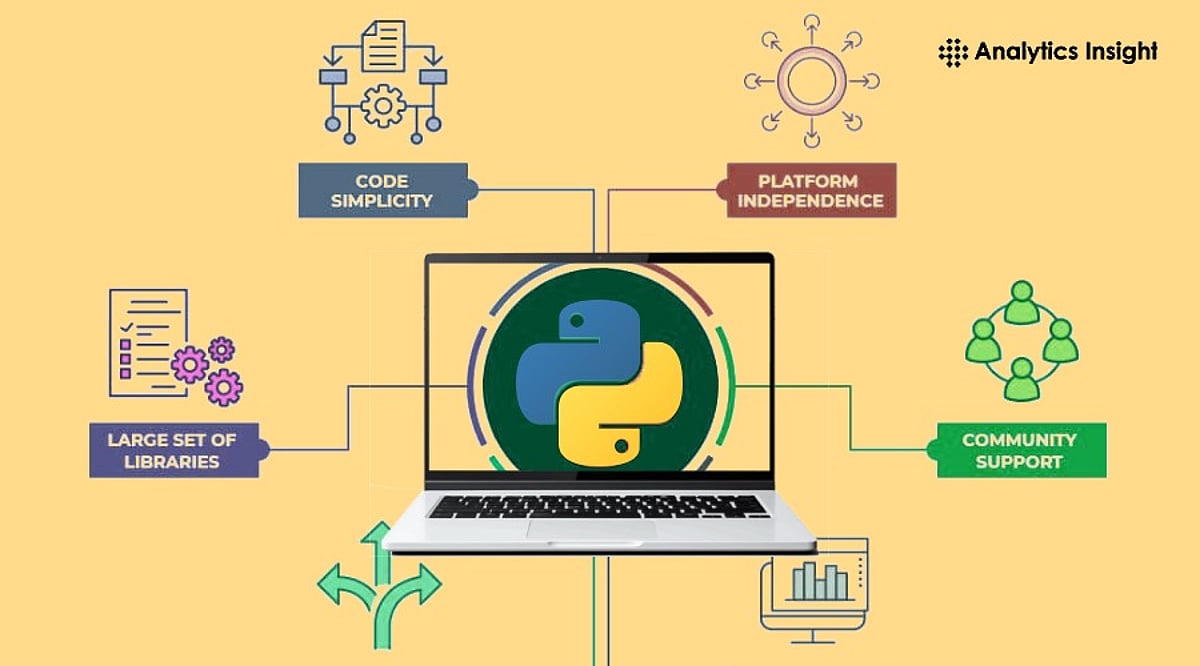
    Python’s clean syntax and minimal learning curve allow developers to focus on solving problems rather than wrestling with complex code. Its extensive library collection, strong community support, and flexibility across industries make it the trusted choice for AI projects, from startups to global enterprises.

    1. Simple, Readable Code Speeds Development

    Python’s syntax is intuitive and clean. Even when reading someone else’s project, the logic is easy to follow. This simplicity reduces the time spent debugging and improves collaboration—critical when AI models frequently need updates and iteration.

    2. Powerful Libraries Save Hours of Work

    Developers don’t have to build AI features from scratch. Python offers mature libraries for every task:

    • TensorFlow and PyTorch for deep learning
    • Scikit-learn for classical machine learning
    • Pandas and NumPy for data manipulation
    • OpenCV for computer vision

    These pre-built tools let developers focus on refining models instead of rewriting boilerplate code.

    3. A Thriving Community Offers Endless Support

    Python’s huge global community means help is always just a search away. Forums, tutorials, guides, and open-source projects ensure that even complex problems have documented solutions. This collective knowledge keeps Python evolving with regular updates and new features.

    4. Versatility Across Industries and Projects

    AI is no longer confined to tech companies. Python powers applications in healthcare, finance, retail, manufacturing, agriculture, and more. The same language can drive a chatbot, a fraud detection system, a recommendation engine, or an image recognition pipeline—eliminating the need to learn a new language for each domain.

    5. Seamless Integration with Modern Infrastructure

    Building an AI model is only half the battle; deploying it matters too. Python integrates smoothly with cloud platforms, databases, APIs, and web frameworks. Many cloud services run Python natively, so moving from training to production requires minimal changes.

    Why This Matters

    Python isn’t just another language—it’s the backbone of many AI tools used daily. As companies embed AI into their products, knowing Python gives developers a durable advantage. While Python may not be the fastest language, its clarity and rapid prototyping capabilities often matter more in AI. With continuous improvements and a growing ecosystem, Python is well-positioned to remain at the center of AI innovation.

    Frequently Asked Questions

    1. Why do most AI developers choose Python?
    Python’s readability, ease of learning, and vast library ecosystem enable faster development with fewer errors.

    2. Which Python libraries are popular for AI?
    TensorFlow, PyTorch, Scikit-learn, Pandas, NumPy, Keras, and OpenCV are widely used for machine learning, deep learning, and data analysis.

    3. Is Python good for AI beginners?
    Yes, its simple syntax and abundant free resources make it one of the best starting points.

    4. Do large companies use Python for AI?
    Yes, many tech giants rely on Python for AI, data science, and automation due to its reliability and strong ecosystem.

    5. Will Python remain important for AI?
    Almost certainly. Its community continues to grow, and new AI tools consistently support Python.

  • Top Technology Stacks Every SaaS Startup Should Consider for 2026

    Top Technology Stacks Every SaaS Startup Should Consider for 2026

    Choosing the right technology stack is critical for SaaS startups aiming to build scalable, high-performance applications. In 2026, the landscape continues to evolve, offering powerful tools that combine speed, flexibility, and intelligent features. Below are the essential technologies your startup should evaluate.

    Frontend: React and Next.js

    React paired with Next.js remains a leading frontend combination. It delivers outstanding performance, a scalable architecture, and excellent user experiences. Its built-in SEO support is crucial for SaaS platforms that rely on organic discovery.

    Backend: Node.js and Python with FastAPI

    Node.js provides a robust runtime for building real-time services, scalable APIs, and distributed applications using JavaScript end-to-end. For startups integrating artificial intelligence, Python with FastAPI offers a powerful backend stack that supports rapid API development, automation, analytics, and enterprise-grade solutions.

    Databases: PostgreSQL and MongoDB

    For relational data, PostgreSQL stands out as a reliable open-source database with strong security, advanced querying, and proven scalability for growing businesses. When handling unstructured or rapidly changing data, MongoDB provides a flexible NoSQL alternative that supports agile development and adaptable storage.

    Containerization and Orchestration: Docker and Kubernetes

    Docker and Kubernetes simplify deploying, scaling, and managing applications. These containerization technologies enable seamless cloud-native software delivery across multiple environments, reducing infrastructure complexity for engineering teams.

    Cloud Platform: AWS

    AWS remains a comprehensive cloud provider offering scalable computing, storage, databases, security, AI services, and global infrastructure. It supports startup growth efficiently, allowing teams to focus on product development rather than hardware management.

    CI/CD: GitHub Actions

    Automated continuous integration and deployment streamline software releases. GitHub Actions improves development productivity, reduces errors, and accelerates feature delivery, making it an essential tool for modern engineering workflows.

    Intelligence Layer: OpenAI APIs

    OpenAI APIs empower SaaS platforms with AI-driven capabilities such as intelligent chatbots, content generation, personalized user experiences, and advanced automation. Integrating these APIs can differentiate your product in a competitive market.

    Selecting the right mix of these technologies can set your startup on a path to success in 2026. Evaluate your specific needs, team expertise, and growth projections to build a stack that scales with you.

  • Your 2026 Guide to Becoming a Data Engineer: Skills, Salary & Career Roadmap

    Your 2026 Guide to Becoming a Data Engineer: Skills, Salary & Career Roadmap

    Data engineering is one of the fastest-growing technology careers in 2026. As companies generate massive amounts of data daily, the need for professionals who can build and maintain the infrastructure that powers analytics, AI, and business intelligence has never been greater. This guide covers everything you need to know to transition into data engineering, from essential skills and certifications to interview preparation and industry trends.

    What Does a Data Engineer Do?

    A data engineer designs, builds, and maintains the systems that collect, store, and move data efficiently. They ensure that high-quality, reliable data is accessible to analysts, business teams, and AI systems. Unlike data analysts, who interpret data and create reports, data engineers build the pipelines that make analysis possible.

    Skills You Need in 2026

    Technical skills remain the foundation of a successful data engineering career. Key areas include:

    • SQL for database querying
    • Python for automation and data processing
    • Apache Spark and Hadoop for big data
    • ETL (Extract-Transform-Load) pipeline development
    • Cloud platforms: AWS, Microsoft Azure, Google Cloud
    • Data warehouses like Snowflake and BigQuery
    • Data lake concepts for structured and unstructured data
    • Git version control and API integration

    Where Should You Learn?

    There are many quality learning resources available. Certifications can strengthen your resume, but recruiters typically value practical projects and problem-solving skills even more. Consider online courses, bootcamps, and hands-on labs.

    Career Transition Roadmap

    Switching into data engineering is increasingly common. Here’s a path for different backgrounds:

    • Programmers: Already have coding skills; specialize in databases and cloud technologies.
    • Data analysts: Expand knowledge of ETL processes and distributed systems.
    • Testers: Use automation skills to learn data engineering.
    • Non-technical professionals: Start with SQL and Python, then move to databases and cloud.

    Build a portfolio during your learning journey to increase employability.

    Build Projects That Showcase Your Skills

    A strong GitHub profile often speaks louder than certificates. Work on projects like:

    • Automated ETL pipelines
    • Cloud-based data warehouse solutions
    • Kafka streaming applications
    • Dashboards integrated with live databases

    Participate in hackathons, contribute to open-source projects, and document your work thoroughly. Recruiters want to see not just the solution but the reasoning behind it.

    Preparing for Interviews

    Data engineering interviews test practical knowledge. Practice SQL queries, Python programming, database normalization, indexing, Spark concepts, cloud architecture, system design basics, and data modeling. Be ready for scenario-based questions about pipeline failures, data quality issues, and performance optimization. Mock interviews and consistent coding practice help build confidence.

    Salary Outlook

    Data engineering remains one of the highest-paying technology careers. Actual compensation depends on experience, cloud expertise, certifications, company size, and location.

    Trends Shaping Data Engineering

    The field is evolving rapidly. AI-powered tools automate code writing and optimization, while real-time data streaming, Lakehouse architecture, DataOps, and Generative AI are becoming standard. As AI adoption grows, the demand for high-quality data infrastructure will continue to rise.

    The Bottom Line

    Breaking into data engineering no longer requires a traditional computer science degree. Employers value your ability to solve real data problems using modern tools and cloud technologies. Focus on learning fundamentals, building projects, earning certifications, and staying updated. In the age of artificial intelligence, data engineers will be indispensable in shaping the future of technology.

    Frequently Asked Questions

    What does a data engineer do?

    A data engineer designs, builds, and maintains data pipelines and infrastructure that collect, process, and store data. They ensure reliable, high-quality data is available for analytics, reporting, machine learning, and AI applications.

    Which skills are essential to become a data engineer in 2026?

    Essential skills include SQL, Python, ETL pipeline development, Apache Spark, cloud platforms (AWS, Azure, Google Cloud), data modeling, Git, and database management.

    Can professionals from non-technical backgrounds become data engineers?

    Yes. Beginners can start with SQL and Python, then progress to databases, cloud computing, ETL tools, and hands-on projects. Practical experience and a strong portfolio significantly improve hiring opportunities.

    Are certifications necessary for a data engineering career?

    Certifications are valuable for validating technical knowledge, especially in cloud platforms and modern data tools. However, employers often prioritize practical projects, GitHub portfolios, and problem-solving abilities over certifications alone.

    What is the career outlook for data engineers in 2026?

    Data engineering remains one of technology’s fastest-growing careers. Rising AI adoption, cloud transformation, and increasing data volumes continue driving strong demand, competitive salaries, and long-term growth across industries.

  • Best Python Frameworks for Autonomous AI Agents in 2026: A Comprehensive Guide

    Best Python Frameworks for Autonomous AI Agents in 2026: A Comprehensive Guide

    The Python AI agent framework landscape has evolved rapidly in 2026, offering specialized tools for production orchestration, multi-agent collaboration, enterprise deployment, and retrieval-augmented generation (RAG) workflows. This guide compares the leading frameworks to help developers choose the right platform for scalable autonomous AI applications.

    LangGraph Leads on Production-Grade Control

    LangGraph, developed by LangChain, uses a directed graph model where each node represents an API call to an LLM, tool use, or logic, while edges handle interaction, conditional execution, and looping. It provides complete control over execution, making it popular for complex stateful applications like customer service chatbots with escalation paths. LangGraph gained general availability in October 2025 and saw further improvements in 2026, including per-node timeouts and durable streaming. The main drawback is the steep learning curve compared to more opinionated frameworks.

    CrewAI Remains the Fastest Path to Prototyping

    CrewAI models agents as a crew of specialists with unique purposes, goals, and background stories. Developers can get it operational in under 20 lines of Python code, making it the most straightforward framework. However, it trades off scalability due to less precise error handling and lower accuracy in inter-agent communication. Teams often start with CrewAI and migrate to LangGraph when they need complex state management. The project still attracts millions of monthly downloads and now supports Google’s A2A protocol.

    Microsoft’s Consolidation: AutoGen Gives Way to Agent Framework

    AutoGen, Microsoft Research’s multi-agent conversation platform, introduced agents having discussions to improve output. In April 2026, Microsoft unified AutoGen and Semantic Kernel into the Microsoft Agent Framework, integrating AutoGen’s conversational architecture with Semantic Kernel’s enterprise capabilities like session-based state and telemetry. AutoGen is now in maintenance mode, suitable for research and legacy code, while new Microsoft-stack projects should use Agent Framework.

    Vendor SDKs Are Squeezing Out Frameworks for Simple Agents

    For single agents calling one or two tools, the OpenAI Agents SDK or Anthropic’s Claude Agent SDK offer a faster path with built-in tool use, memory, and tracing, without the abstraction overhead of LangGraph or CrewAI. The Claude Agent SDK reportedly passed AutoGen in production deployment counts during early-to-mid 2026. The general guidance: use a full framework for multi-agent coordination or graph-shaped control flow; use a vendor SDK for a single well-tooled agent.

    Choosing the Right Framework for Your Project

    There is no universal winner. Teams building production systems with complex execution paths gravitate toward LangGraph, while those prototyping role-based workflows find CrewAI faster. Microsoft-stack teams consolidate around Agent Framework, GCP-native teams lean on Google ADK, and document-heavy RAG pipelines favor LlamaIndex Workflows. The safest approach is matching the framework to the specific coordination problem rather than defaulting to the most popular tool.

    As autonomous AI agents become central to enterprise software, selecting the right framework directly affects scalability, maintainability, and development speed. Understanding each framework’s strengths helps developers build more reliable AI applications while avoiding unnecessary complexity and costly migrations.

  • Best Data Mining Courses and Certifications to Master in 2026

    Best Data Mining Courses and Certifications to Master in 2026

    Data mining is growing fast as companies look for better ways to turn large volumes of data into useful decisions. Market estimates by Mordor put it at $1.66 billion in 2026, rising to $2.82 billion by 2031, which reflects an 11.25% CAGR. A different prediction suggests that the tools will be worth $1.2 billion by 2026, rising from $634.7 million in 2020, at a CAGR of 11.1%. Consistent growth proves high demand for skills like data cleaning, pattern detection, and predictive analysis.

    With data driving decisions across industries, the right training can help you build the skills needed to stay relevant, practical, and job-ready.

    Top 10 Courses to Build Data Mining Skills

    Professional Certificate in Data Mining: Coursera (University Specialization)

    A hands-on concentration that addresses preprocessing, association rules, clustering, classification, and modeling evaluation through Python and R. This degree involves a capstone project in which you apply what you have learned from real data sets and receive guidance from instructors.

    Data Mining and Business Intelligence: Indian Statistical Institute Certificate

    This course emphasizes statistical foundations and pattern discovery, with a strong focus on business workflows and decision support. It’s suited to analysts who want rigorous theory combined with applied business intelligence techniques.

    Advanced Data Mining Bootcamp: Simplilearn ProTrack

    A bootcamp course focused on scaling mining techniques, feature engineering, and deployment through the use of Spark and MLlib in the cloud.

    Data Mining with Python: DataMites Professional Course

    A brief, hands-on course focused on applying Python tools and packages like pandas and scikit-learn. This is an ideal choice for quick upskilling and preparation for technical interviews.

    Applied Data Mining: University Capstone on Coursera

    Hands-on project-based learning course taking students through the full process of working with raw data: cleansing, discovering patterns, making predictions, and presenting results.

    Certificate in Data Mining & NLP with R: Online Provider

    This combined course covers structured data mining plus text mining and NLP in R, including preprocessing, topic modeling, and sentiment analysis methods for unstructured datasets common in industry projects.

    Postgraduate Diploma in Big Data Science: University Programs (IIT-level)

    A diploma integrating data mining with big-data engineering and distributed algorithms. It’s tailored for professionals aiming to move into scalable analytics or data engineering roles that require both theory and systems knowledge.

    Data Mining Professional: Vendor-Neutral Certification

    A recognized credential focused on algorithmic understanding, evaluation metrics, and cross-industry case studies. This certification helps validate conceptual mastery independent of specific vendor tools.

    Full-Stack Data Science with Data Mining Specialization: Scaler / InterviewBit

    A curriculum combining software engineering best practices with mining tasks: production ML pipelines, feature stores, experiment tracking, and deployment. It’s ideal for engineers building end-to-end machine learning systems.

    Data Mining Essentials: Short Course (Knowledge Academy)

    A concise course on the basics of association rules, clustering, and classification. This will be a good starting point for those who want to go further into projects and more advanced courses.

    Choosing the Right Course

    Data mining is an essential skill for careers in data science, analytics, and machine learning. Whether you’re just starting out or looking to advance your expertise, choosing a course with hands-on projects, industry-relevant tools, and a recognized certification can help you stay competitive and prepare for real-world data challenges.

    FAQs

    Q1. What is a data mining course?

    A data mining course teaches techniques for collecting, cleaning, analyzing, and interpreting large datasets using statistical methods, machine learning, and programming tools like Python to uncover meaningful patterns and support decision-making.

    Q2. Who should enroll in a data mining certification?

    Data mining certifications are suitable for students, data analysts, software developers, business intelligence professionals, and anyone looking to build practical data analytics skills or transition into data science careers.

    Q3. Which programming language is best for learning data mining?

    Python is the most widely recommended language for data mining because of its extensive libraries, ease of use, and strong support for data analysis, visualization, machine learning, and automation.

    Q4. Are online data mining courses recognized by employers?

    Yes, reputable online courses from universities and established learning platforms are valued by many employers, especially when they include hands-on projects, industry-relevant tools, and recognized certification credentials.

    Q5. How do I choose the right data mining course?

    Choose a course based on your experience level, career goals, curriculum, practical projects, instructor expertise, certification value, and coverage of essential tools like Python, SQL, and machine learning frameworks.

  • Your Complete Data Analytics Cheat Sheet: Excel, SQL, Python, and Power BI

    Your Complete Data Analytics Cheat Sheet: Excel, SQL, Python, and Power BI

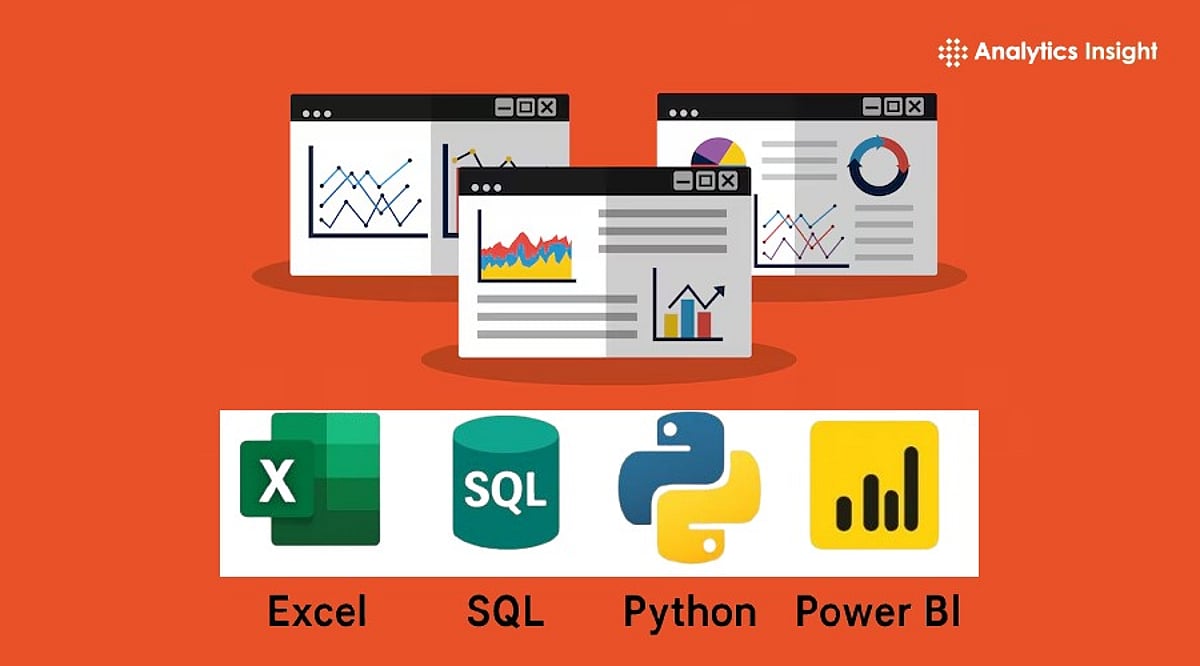
    Data analytics is the process of examining data to uncover useful insights. Every organization collects vast amounts of information daily—sales figures, customer feedback, website traffic, and growth metrics. Companies leverage this data to make smarter decisions and plan ahead. Mastering data analytics is a highly sought-after skill, and employers increasingly value professionals who can work across multiple tools. The four most popular tools in this domain are Excel, SQL, Python, and Power BI. Each serves a distinct purpose: Excel handles calculations and reporting; SQL retrieves data from databases; Power BI transforms data into visual dashboards; and Python manages large datasets and complex analyses. This guide provides a concise cheat sheet covering essential formulas, commands, and functions for these tools.

    Excel Cheat Sheet

    Excel remains a staple for everyday data analysis due to its simplicity and versatility. It is widely used for creating reports, analyzing numbers, and organizing information. Key formulas include SUM, AVERAGE, COUNT, MIN, and MAX for basic calculations; IF for conditional logic; XLOOKUP and VLOOKUP for searching large tables; and INDEX and MATCH for advanced lookups. Essential features include Pivot Tables to summarize data, Conditional Formatting to highlight key values, Power Query for data cleaning, and Data Validation to prevent input errors. Industry surveys indicate that over 75% of data professionals still use Excel daily.

    SQL Cheat Sheet

    SQL (Structured Query Language) is the standard for working with relational databases. Most businesses store critical data in databases, and SQL enables quick and efficient retrieval. Core commands include SELECT, FROM, WHERE, ORDER BY, GROUP BY, HAVING, DISTINCT, and LIMIT. Joins are crucial: INNER JOIN returns matching records; LEFT JOIN returns all records from the left table; RIGHT JOIN returns all from the right; and FULL OUTER JOIN returns all from both. Advanced features include Common Table Expressions (CTEs), CASE statements, subqueries, window functions (ROW_NUMBER, RANK, DENSE_RANK, LEAD, LAG). SQL remains indispensable because most business data resides in databases.

    Python Cheat Sheet

    Python is a powerful programming language for data analysis, valued for its readability and extensive library ecosystem. The top five libraries are Pandas (data manipulation), NumPy (numerical operations), Matplotlib and Plotly (visualization), and Scikit-learn (machine learning). Key Pandas commands include read_csv(), head(), info(), describe(), shape, columns, groupby(), merge(), sort_values(), drop_duplicates(), and fillna(). Python excels at data cleansing, automation, statistical analysis, and building AI models.

    Power BI Cheat Sheet

    Power BI, a Microsoft business intelligence tool, converts raw data into interactive charts, reports, and dashboards. Core components include Power Query (data preparation), Data Model (table relationships), DAX (formulas), Visualizations (charts), Dashboards, and Power BI Service (cloud sharing). Common chart types are bar, line, column, pie, maps, KPI cards, matrix tables, and slicers. According to Microsoft, Power BI is used by over 375,000 organizations and has more than 30 million monthly active users, reflecting its widespread adoption.

    Latest Trends in Data Analytics

    Data analytics continues to evolve with emerging technologies. Artificial intelligence accelerates analysis, enabling tools to answer business questions via natural language instead of code. Cloud technology facilitates storage and processing of massive datasets. Real-time reporting is increasingly common as organizations demand up-to-the-minute insights. Enhanced data security and self-service analytics are also top priorities. Industry experts highlight AI-powered analytics, robust data governance, and accessible business intelligence as the biggest current trends.

    Final Thoughts

    A comprehensive data analytics cheat sheet saves time and streamlines workflows. Excel handles numerical tasks and reporting; SQL retrieves database information; Python manages large-scale and advanced analysis; Power BI creates clear visual dashboards. Together, these four tools cover every essential aspect of data analytics. Mastering them builds a solid foundation for a successful career in today’s data-driven world.

    Frequently Asked Questions

    1. What is a data analytics cheat sheet? A quick reference guide summarizing important formulas, commands, and functions for popular analytics tools.
    2. Why is Excel important for data analytics? It helps organize data, perform calculations, create reports, and identify trends using simple formulas and built-in features.
    3. Why should SQL be part of data analytics skills? SQL enables access, filtering, and analysis of data stored in databases, which most businesses rely on daily.
    4. What is Python used for in data analytics? Python is used for data cleaning, task automation, visualization, statistical analysis, and building machine learning models.
    5. Why do companies use Power BI? Power BI transforms raw data into clear dashboards and reports, helping businesses understand information and make better decisions.
  • Best Backend Frameworks for Modern Web Development in 2025

    Best Backend Frameworks for Modern Web Development in 2025

    Choosing the right backend framework is critical for building scalable, secure, and maintainable applications. Below is an overview of the most popular frameworks across different programming languages, each offering unique strengths for modern development.

    Django

    A high-level Python framework that emphasizes rapid development and clean, pragmatic design. It comes with built-in security features, an ORM (Object-Relational Mapping) for database interaction, authentication support, and proven scalability for enterprise applications and content-driven websites worldwide.

    Express.js

    A lightweight and flexible Node.js framework that simplifies building web applications and APIs. It offers powerful routing, middleware integration, and excellent performance for scalable RESTful services, making it a go-to choice for fast development.

    Spring Boot

    Built on Java, Spring Boot streamlines enterprise application development with auto-configuration, dependency injection, and robust support for microservices. It provides production-ready capabilities, making it ideal for large-scale business applications.

    Laravel

    Laravel is a PHP framework known for its elegant syntax and developer-friendly tools. It includes built-in authentication, an MVC architecture, database migrations, and a rich ecosystem for building secure and maintainable web applications.

    ASP.NET Core

    Microsoft’s cross-platform framework delivers high performance, cloud integration, and advanced security features. With built-in dependency injection and support for a wide range of operating systems, it is well-suited for scalable enterprise development.

    Ruby on Rails

    A Ruby framework that follows convention-over-configuration principles, enabling rapid development with minimal setup. It offers robust database management, testing support, and a strong emphasis on maintainable code for startups and established companies alike.

    FastAPI

    A modern Python framework designed for building APIs with high performance. It supports asynchronous processing, automatic interactive documentation (OpenAPI), type validation, and efficient handling of concurrent requests—ideal for scalable backend services.

    NestJS

    A TypeScript-based Node.js framework that brings modular architecture and enterprise-grade structure to backend development. It leverages decorators, dependency injection, and strong typing to create maintainable and testable applications and APIs.

    Phoenix

    Built on Elixir, Phoenix is designed for fault-tolerant, real-time applications with high concurrency. It delivers exceptional performance under heavy traffic, making it perfect for systems that require reliability and low latency.

    Each framework has its strengths, and the best choice depends on your project’s requirements, team expertise, and scalability needs.

  • Programming Languages That Excel in the AI Era: Python, TypeScript, and More

    Programming Languages That Excel in the AI Era: Python, TypeScript, and More

    Artificial intelligence has fundamentally changed how software is built, but it hasn’t made programming languages obsolete. According to the GitHub Octoverse 2025 report, TypeScript became the top language for GitHub projects in August 2025, while Python remained the dominant choice for AI and data science tasks. The volume of public repositories also grew significantly year-over-year, with developers contributing to over 1.1 million public repositories. Here are the programming languages that thrive alongside AI.

    Python

    Python continues to anchor the AI landscape. Instead of writing core algorithms from scratch, developers leverage its massive ecosystem to handle complex data processing and model training. The language’s dominance is clear: it attracted 2.6 million contributors in 2025 alone, cementing its status as the standard for data science and automation.

    TypeScript

    TypeScript’s rise mirrors the explosion of AI-generated code. By bringing static typing to JavaScript, it catches errors early and secures large codebases. This utility pushed TypeScript past both Python and JavaScript in August 2025 to become the most-used language on GitHub. The milestone followed a 66% surge in its user base, adding 1 million contributors in a single year, underscoring a major shift toward typed languages for building AI software.

    JavaScript

    JavaScript remains strong because most AI products require user interfaces. It is frequently used in chatbots, AI dashboards, browser extensions, SaaS tools, and web-based automation platforms. JavaScript was used by 66% of all respondents on GitHub, making it highly relevant for developing AI-powered web applications.

    Java

    Enterprise adoption of Java is holding steady in AI. It is still used for backend systems, APIs, Android apps, and high-volume platforms at banks, insurance companies, telecom firms, and large corporations. The language is important for use cases beyond AI—many companies are augmenting their existing apps with AI capabilities rather than replacing legacy systems. Java experienced steady enterprise-driven growth, bringing the total number of contributors to approximately 174,705 over the past year, according to GitHub.

    C++

    C++ is crucial in AI where performance is key. It is applied in inference engines, robotics, embedded systems, games, computer vision, and high-performance computing. When speed, memory control, and hardware-level optimization are required, C++ is invaluable. In July 2026, TIOBE named C++ as one of the three most popular programming languages in the world, trailing only Python and C. This indicates that performance-oriented languages remain in high demand even in the AI era.

    C#

    C# is used in enterprise software, cloud apps, desktop apps, and game development, and continues to grow. It leverages Microsoft’s ecosystem, including Azure, .NET, Visual Studio, and AI tools. In 2025, C# brought in approximately 136,735 contributors and saw a 22.22% increase compared to the previous year, according to GitHub. It is a useful language for enterprise and interactive products relying on artificial intelligence, particularly in business applications and game engines.

    Final Thoughts

    The programming languages that will thrive alongside AI are not only those used to build models. Python dominates AI development, while TypeScript and JavaScript dominate modern AI applications. Java is well-suited for enterprise use, C++ for systems requiring performance, and C# for Microsoft-backed and interactive systems.

    Frequently Asked Questions

    1. Which programming language is best for AI development?

    Python is widely considered the best language for AI development due to its simple syntax and strong ecosystem. Libraries like TensorFlow, PyTorch, Pandas, NumPy, and Scikit-learn make it useful for machine learning, data science, and automation.

    2. Why is TypeScript growing in the AI era?

    TypeScript is growing because AI-generated code needs structure, type safety, and easier maintenance. Its static typing helps developers reduce bugs and manage large AI-powered applications more efficiently.

    3. Is JavaScript useful for AI applications?

    Yes, JavaScript is useful as most AI tools need web-based interfaces. Chatbots, AI dashboards, browser extensions, SaaS platforms, and automation tools often rely on JavaScript frameworks and runtime environments.

    4. Why does C++ remain important with AI?

    C++ remains important because it offers high performance, memory control, and hardware-level optimization. It is commonly used in robotics, inference engines, computer vision, gaming, embedded systems, and high-performance computing.

    5. Should beginners learn Python first for AI?

    Yes, beginners interested in AI should usually start with Python as it is easier to learn and has strong AI libraries. After Python, they can learn JavaScript, TypeScript, Java, C++, or C# depending on their career goals.

  • Master Jupyter Notebook in 2026: Key Shortcuts, Commands, and Magic Functions

    Master Jupyter Notebook in 2026: Key Shortcuts, Commands, and Magic Functions

    Jupyter Notebook remains a powerhouse for Python, AI, and data science development in 2026. With the latest updates—including Jupyter AI integration and the March 2026 performance boost—knowing essential shortcuts, commands, and magic functions can dramatically accelerate your workflow. This guide covers everything you need to work smarter, not harder.

    Why Jupyter Notebook Still Dominates in 2026

    Despite competition from tools like Deepnote, Jupyter Notebook’s simplicity and flexibility keep it at the forefront. It combines code execution, documentation, visualization, and testing in one unified workspace—ideal for both small experiments and large-scale machine learning projects. Universities, research labs, and AI teams continue to rely on it for its ease of use and powerful ecosystem.

    Understanding the Two Working Modes

    Jupyter operates in two modes: Command Mode (for notebook-level actions like adding, deleting, or moving cells) and Edit Mode (for typing code or markdown inside a cell). Mastering the switch between these modes—using Esc and Enter—saves countless mouse clicks and speeds up navigation.

    How Keyboard Shortcuts Save Time

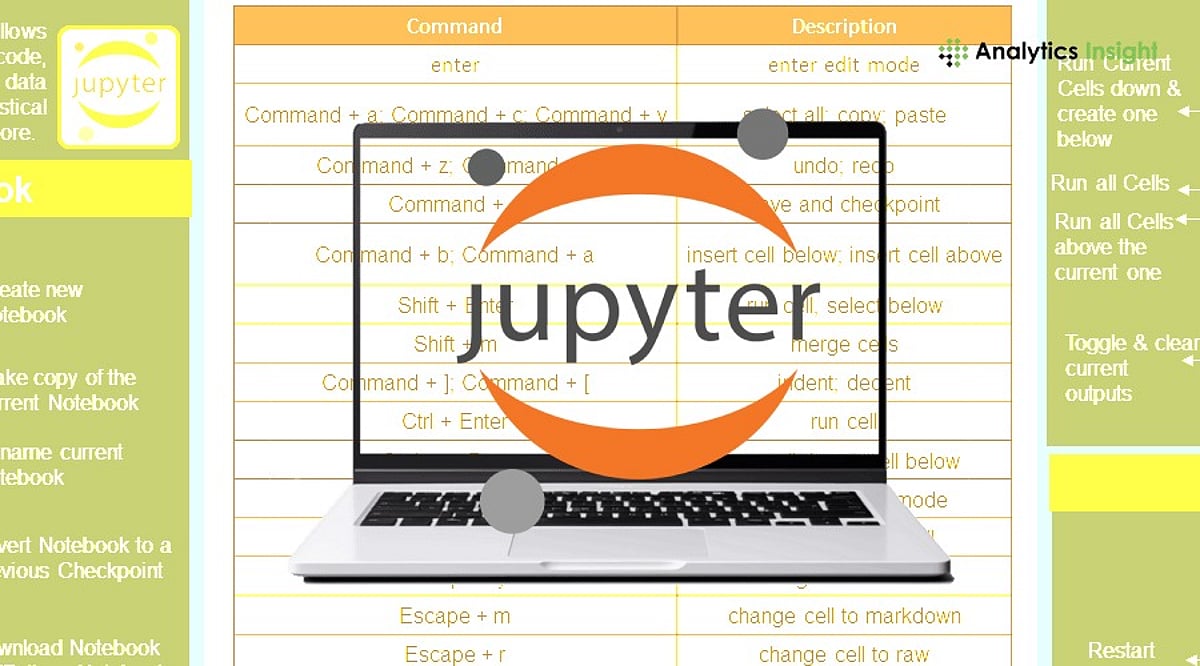
    Shortcuts reduce repetitive manual work. Studies show that efficient shortcut usage can cut coding time by 30–40% during large projects. Essential shortcuts include:

    • Shift + Enter – Run current cell and move to the next
    • Ctrl + Enter – Run current cell without moving
    • Alt + Enter – Run current cell and insert a new one below
    • A (Command Mode) – Insert cell above
    • B (Command Mode) – Insert cell below
    • DD (Command Mode) – Delete selected cell
    • M (Command Mode) – Change cell to Markdown
    • Y (Command Mode) – Change cell to Code

    Important Commands for Environment Control

    Jupyter commands let you manage kernels, check versions, and control the server without leaving the notebook. Use !pip list to see installed packages, %lsmagic to list all magic functions, and %who to display active variables. These commands streamline troubleshooting and environment management.

    Magic Functions That Boost Productivity

    Magic functions are built-in shortcuts that perform complex tasks with a single line. Key ones include:

    • %timeit – Measure execution time of a statement
    • %run – Run an external Python file
    • %load – Load code from an external file
    • %matplotlib inline – Display plots directly in the notebook
    • %pdb – Enable interactive debugging on errors
    • %%writefile – Write cell contents to an external file

    Better Performance for Data Science Work

    Jupyter integrates seamlessly with libraries like pandas, NumPy, and scikit-learn. You can inspect large datasets, generate statistical summaries, and create visualizations—all within one notebook. This eliminates context-switching and improves project organization.

    Improved Debugging Features

    Modern Jupyter includes advanced debugging: set breakpoints, inspect variables, and auto-reload modules with %autoreload. This reduces manual restarts and speeds up iterative development, especially for complex Python applications.

    Major Jupyter Updates in 2026

    The March 2026 update brought speed improvements, better stability, and enhanced extension support. Jupyter AI now offers code generation, debugging assistance, and notebook summarization directly inside the environment. Additionally, research like the JupOtter bug detection system—analyzing over 21,000 notebooks—promises even fewer errors in future releases.

    Final Thoughts

    Jupyter Notebook remains an indispensable tool for developers, data scientists, and AI engineers. By mastering shortcuts, commands, and magic functions, you can reduce manual work and focus on what matters: building innovative solutions. With AI enhancements and ongoing performance improvements, Jupyter is more powerful than ever.

    FAQs

    1. Why is Jupyter Notebook still popular in 2026?
    It combines coding, documentation, visualization, and testing in one simple workspace.

    2. What is the biggest Jupyter update in 2026?
    The March 2026 update improved speed, stability, and extension compatibility.

    3. What is Jupyter AI?
    Jupyter AI adds artificial intelligence features such as code generation, debugging help, and notebook summaries.

    4. How do shortcuts help in Jupyter Notebook?
    Shortcuts reduce repeated manual work and can improve coding speed by nearly 30 to 40 percent.

    5. Is Jupyter Notebook only for data science work?
    No. Jupyter is widely used for Python development, machine learning, research computing, education, and software testing.