Tag: Siri

  • Apple’s $250 Million Siri Settlement: iPhone Owners Could Claim Up to $95 – Eligibility & How to File

    Apple’s $250 Million Siri Settlement: iPhone Owners Could Claim Up to $95 – Eligibility & How to File

    Apple Launches Claims for $250 Million Siri Settlement

    Apple’s $250 million class-action settlement over Siri delays is now accepting claims. Eligible iPhone owners in the U.S. can file for payments estimated at $25 to $95 per device.

    Why the Settlement?

    The lawsuit alleged that Apple promoted advanced Siri features with Apple Intelligence but failed to deliver them as advertised.

    Which iPhone Models Qualify?

    The settlement covers specific iPhone models sold in the U.S. between June 10, 2024, and March 29, 2025:

    • iPhone 15 Pro
    • iPhone 15 Pro Max
    • iPhone 16e
    • iPhone 16 Plus
    • iPhone 16 Pro
    • iPhone 16 Pro Max

    Note: The purchase must meet settlement requirements, and only U.S. purchases qualify.

    How to File a Claim

    Eligible customers can submit claims via the official settlement website. You’ll need your device’s serial number (found in Settings > General > About) or alternative information like your Apple Account email and phone number. Some users may receive a claim ID and PIN by email, but it’s not required to start.

    Payment Amounts and Options

    The total settlement fund is $250 million. Expected payout is about $25 per device, but could increase to $95 if fewer claims are filed. Each eligible device requires a separate claim. Payment can be made via PayPal, Venmo, direct deposit, or paper check.

    Deadline

    Claims must be submitted by December 21, 2026. A final approval hearing is on February 24, 2027, so payments may be delayed if appealed.

  • Apple’s Smart Home Push: New Apple TV, HomePod Mini, and Siri-Focused Hub on the Horizon

    Apple’s Smart Home Push: New Apple TV, HomePod Mini, and Siri-Focused Hub on the Horizon

    Apple is reportedly planning a major expansion of its smart home product lineup, with an October event expected to introduce new devices including an Apple TV, a HomePod mini, and a dedicated smart home hub that puts Siri at the center of the experience.

    According to reports, the event would follow Apple’s traditional September iPhone launch and is likely to also feature updates to Macs and iPads. Among the products rumored to be in the pipeline are an OLED iPad mini, new MacBook and iMac models, along with the smart home hardware. While Apple has not confirmed the event or any specific products, Bloomberg’s Mark Gurman has indicated that most of these devices are planned for later this year, with an October reveal looking increasingly likely.

    The speculation is not without precedent. Apple has frequently used October events to announce new hardware, often through press releases rather than keynotes. For example, the company unveiled its M1 Pro and M1 Max MacBook Pro models in October 2021, and Macs were also announced during October events in 2024 and 2025.

    Siri Could Take Center Stage

    The reported launch comes at an interesting time for Apple, as the company is reportedly working on a more capable version of Siri. The new home products could give the assistant a larger role in daily life, moving beyond simple queries to controlling smart devices, checking information, and managing tasks. The screen on the rumored Home Hub could make these interactions more visual and intuitive.

    This strategy could allow Apple to connect several products through a single ecosystem. The Apple TV would handle entertainment, the HomePod mini would focus on audio, and the Home Hub would serve as the command center for Siri and device controls. If the reports prove true, Apple’s next step may be less about any single device and more about building a truly connected home—a vision that hinges on how useful Siri becomes across the product range.

    Until Apple makes an official announcement, these remain rumors, but the pattern of October hardware reveals suggests that a smart home push could be imminent.

  • iOS 27 Siri AI: Apple’s Context-Aware Assistant Makes Your iPhone More Personal

    iOS 27 Siri AI: Apple’s Context-Aware Assistant Makes Your iPhone More Personal

    With iOS 27, Apple is reimagining Siri as a context-aware AI assistant that goes far beyond simple voice commands. Instead of just setting alarms or checking the weather, Siri can now pull from your personal data, understand what’s on your screen, use the camera view, and draw on live web information to complete complex, multi-step tasks.

    Personal Context: Siri Works Across Your Apps and Data

    The biggest shift in iOS 27 is Siri’s access to personal context. On supported iPhones, Siri can search through Messages, Mail, Photos, Calendar, Notes, and other supported apps to find relevant information. Ask for photos from a Lisbon trip and Siri can retrieve them. If a family member shares a recipe in Messages and the ingredients arrive by email, Siri can pull those details into Reminders for you.

    Beyond finding information, Siri can also act on it. The assistant can draft emails, edit and share photos, add items to a grocery list, and interact with more third-party apps. Apple confirms support for WhatsApp and Audible, with additional actions for Outlook, Notability, and Tripsy arriving soon.

    Visual Intelligence: Siri Understands Your Screen and Camera

    Siri AI can see and interpret content displayed on your iPhone. Open a class note with a diagram and ask for an explanation—Siri will analyze the visible content and can take a related action. According to Apple Support, Siri AI works with images, PDFs, notes, and files through Visual Intelligence.

    The camera also becomes part of the assistant’s understanding. Siri mode in the Camera app can use the live view to answer questions, search for details, and initiate actions, such as splitting a bill and sending payments with Apple Cash or adding a custom pass to Wallet.

    World Knowledge and Conversational Continuity

    Siri AI taps into broad web knowledge to answer questions about sports scores, vacation planning, or nearby coffee shops. Responses can combine private device data with fresh public information.

    A new Siri app stores past conversations, and iCloud syncs that history across iPhone, iPad, Mac, Apple Watch, and Apple Vision Pro. You can also invoke Siri via the side button, Dynamic Island, Spotlight on iPad and Mac, and system context menus. The assistant maintains context across follow-up requests, so you can build on a task without starting over.

    Privacy and Device Requirements

    Apple says privacy remains a core part of the design. The system orchestrator uses the on-device Spotlight index and App Toolbox to keep personal data under user control. Some Apple Intelligence features rely on server-side models, which may come with daily usage limits that vary based on request complexity and system demand.

    As for compatibility, Siri AI requires an iPhone 15 Pro, iPhone 15 Pro Max, or iPhone 16 models or later. While iOS 27 installs on a wider range of iPhones, not every device gets the full Siri AI experience.

    Availability and Language Support

    Siri AI launches in English as a beta, with French, Japanese, Korean, Portuguese, and Spanish support planned for October. Apple will not initially offer Siri AI on iOS, iPadOS, and watchOS in the European Union, and the feature won’t be available in China while regulatory approvals are underway.

    FAQs

    What is new about Siri in iOS 27?

    Siri gains access to personal context, screen content, camera input, supported apps, and web knowledge, enabling more complex multi-step tasks.

    Can Siri search my personal information?

    Yes. On supported devices, Siri can find relevant information across areas such as Messages, Mail, Photos, Calendar, and Notes.

    Can Siri understand what’s on my iPhone screen?

    Yes. Siri can work with visible content such as images, PDFs, notes, files, and diagrams through Visual Intelligence.

    Which iPhones support Siri AI?

    Apple lists the iPhone 15 Pro, iPhone 15 Pro Max, and iPhone 16 models or later for the new Siri AI capabilities.

    Is Siri AI available everywhere?

    No. It launches in English beta, with additional languages planned for October. Apple says availability is initially restricted in the European Union and China.

  • Apple iOS 27: Smarter Siri, AI Features, and a Fresh iPhone Experience

    Apple iOS 27: Smarter Siri, AI Features, and a Fresh iPhone Experience

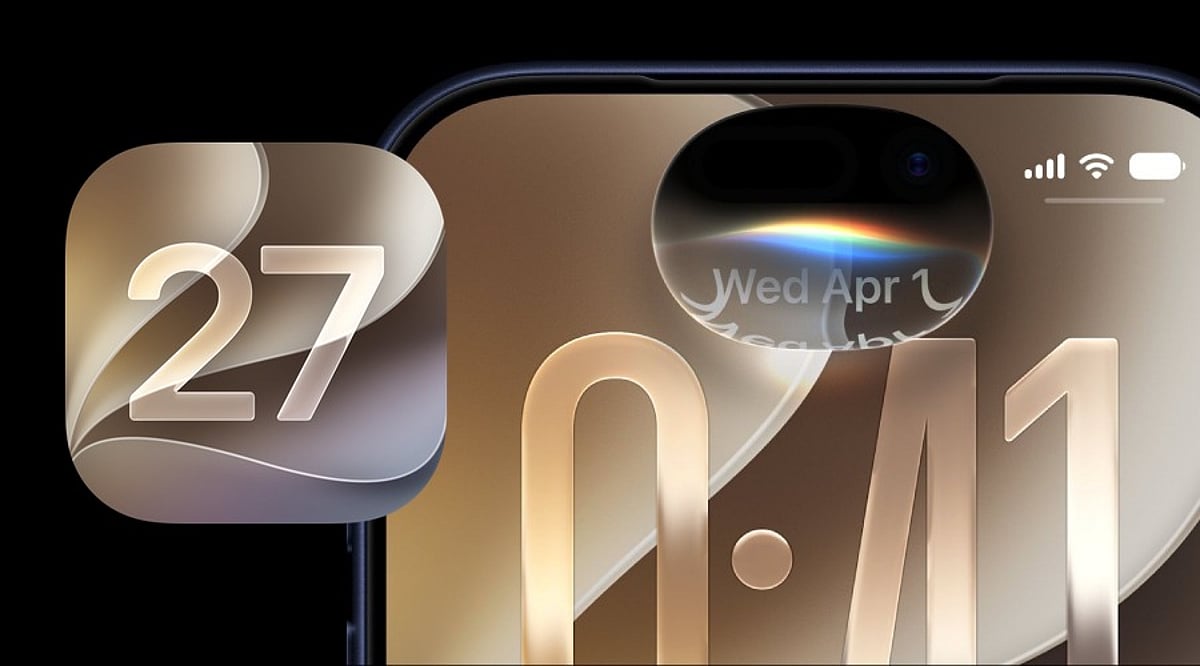
    Apple has begun rolling out iOS 27 to supported iPhones, starting September 14, 2026. The Cupertino-based tech giant warns that not all eligible devices will receive the update simultaneously, so users should first confirm their iPhone is supported and the update is available in their region.

    iOS 27 introduces a redesigned look, a stronger emphasis on artificial intelligence, and several practical enhancements. Key updates include a smarter Siri capable of handling more natural conversations and understanding context across apps, new Apple Intelligence features, improved call tools, and updates to Messages, Photos, Maps, and the Phone app.

    Apple Maps now offers the Flyover experience, using aerial imagery and Visual Intelligence to deliver detailed route views. Siri can also work across supported apps, making it a more integrated assistant.

    Eligible devices range from iPhone SE (2nd Generation) to iPhone 17 Pro Max, with iPhone 18 Pro, iPhone 18 Pro Max, and iPhone Duo also included. Rollout timing may vary by region.

    To install iOS 27, go to Settings > General > Software Update, select iOS 27, and follow on-screen instructions. Apple recommends backing up your device, using a stable Wi-Fi connection, and ensuring sufficient free storage.

    The real test will be daily use. If Siri can understand on-screen content and help across apps, AI may shift from an extra feature to a natural part of the iPhone experience. Apple demonstrates that a major phone upgrade doesn’t always require new hardware. For supported iPhone users, iOS 27 offers a fresh experience without purchasing a new device.

  • 2026’s Top Smartwatches: Bluetooth Calling and Voice Assistant Showdown

    2026’s Top Smartwatches: Bluetooth Calling and Voice Assistant Showdown

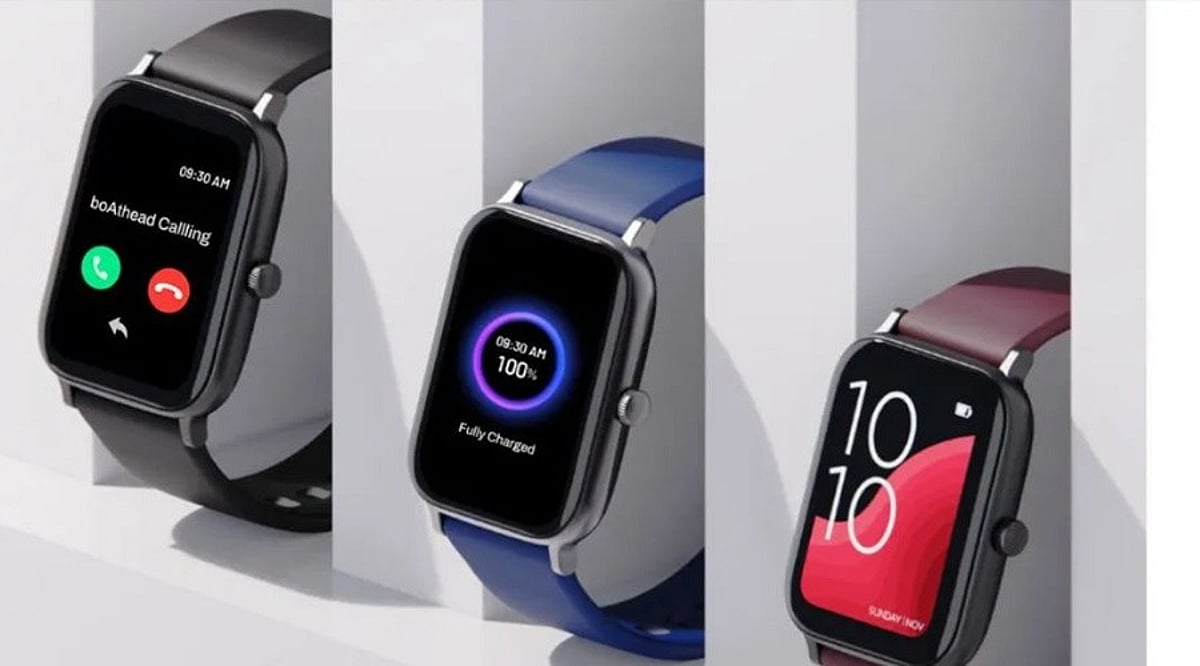
    A smartwatch today needs more than just a bright screen and fitness tracking. Clear wrist calls and fast voice assistance add real value. Premium Apple and Samsung models now compete with long-life Wear OS watches and affordable picks. The key differences lie in voice assistant quality, phone compatibility, battery life, and price.

    Top Smartwatches Compared

    Samsung Galaxy Watch8

    The Samsung Galaxy Watch8 stands out as a strong Android all-rounder. It supports Bluetooth calls through its built-in microphone and speaker. Gemini provides a more advanced voice assistant experience, with Samsung’s software focused on AI help. Battery life is about 30 to 40 hours, so daily charging may still be needed. Best for Samsung phone owners, but works well with other Android devices. Price near Rs. 23,999.

    Apple Watch Series 11

    The Apple Watch Series 11 remains a top choice for iPhone users. It supports Bluetooth calls and Siri voice control. Battery lasts about 24 hours, making daily charging likely. Price near Rs. 40,999 places it in the premium class. A score of 4.8 from about 13,000 reviews confirms its high-end status.

    OnePlus Watch 3

    The OnePlus Watch 3 puts battery life at the center of its appeal, with up to 120 hours of use. It works with Google’s assistant ecosystem and Gemini. The 43 mm model costs around Rs. 20,710, with a 4.8 rating from about 1,200 reviews. Ideal for buyers who want long battery life at a lower price.

    CMF Watch 3 Pro

    The CMF Watch 3 Pro takes a different route with a low price and strong AI focus. It supports Bluetooth calls, ChatGPT access, voice recording, transcription, and voice assistant access. Battery life can reach up to 13 days. India launch price was Rs. 7,999 (early price Rs. 6,999), making it one of the most affordable options with calls, voice tools, and long battery life.

    Samsung Galaxy Watch8 Classic

    The Galaxy Watch8 Classic adds a more traditional watch look to Samsung’s Wear OS range. Bluetooth calls and Gemini voice assistant are included. Battery life is near 30 to 40 hours. Price around Rs. 35,499. It fits buyers who want a formal watch style with voice help and wrist-based calls.

    Moto Watch Ultra

    The Moto Watch Ultra brings one of the newest options, with Wear OS 6, Gemini, Motorola’s Qira assistant, LTE, and a built-in speaker and microphone for calls. Battery life reaches about two days. Its 46 mm stainless-steel case suits those who prefer a large premium design. US price is USD 349.99, with sales starting September 10, 2026.

    Why Bluetooth Calling and Voice Assistants Matter

    Bluetooth calls let you take calls without reaching for your phone. Voice assistants provide quick access to information and controls. Battery life, phone support, and assistant quality shape the overall experience, so the right choice depends on your needs.

    What Sets These Watches Apart

    The Galaxy Watch8 offers a strong Android package, while Apple Watch Series 11 is best for iPhone users. OnePlus Watch 3 leads on battery life. CMF Watch 3 Pro offers the lowest price with strong AI features. Galaxy Watch8 Classic adds a traditional design, and Moto Watch Ultra brings newer software and assistant options. Voice tools now mark the biggest shift—Bluetooth calls are common, but assistant quality varies sharply from basic phone assistants to Gemini or ChatGPT.

    FAQs

    1. Which smartwatch is best for Android users? Samsung Galaxy Watch8 is a strong overall choice, especially for Samsung smartphone owners.
    2. Which smartwatch has the longest battery life? OnePlus Watch 3 offers up to 120 hours, while CMF Watch 3 Pro can reach up to 13 days.
    3. Which smartwatch is best for iPhone users? Apple Watch Series 11 is the natural choice due to close integration with iPhone and Siri.
    4. Which smartwatch is the most affordable? CMF Watch 3 Pro is the most budget-friendly, with an India launch price of Rs. 7,999.
    5. Which watches support voice assistants? Models include Gemini, Siri, ChatGPT, or other voice-assistant features, depending on the watch and phone ecosystem.
  • Master Siri on iPhone: Create Calendar Events with Voice Commands

    Master Siri on iPhone: Create Calendar Events with Voice Commands

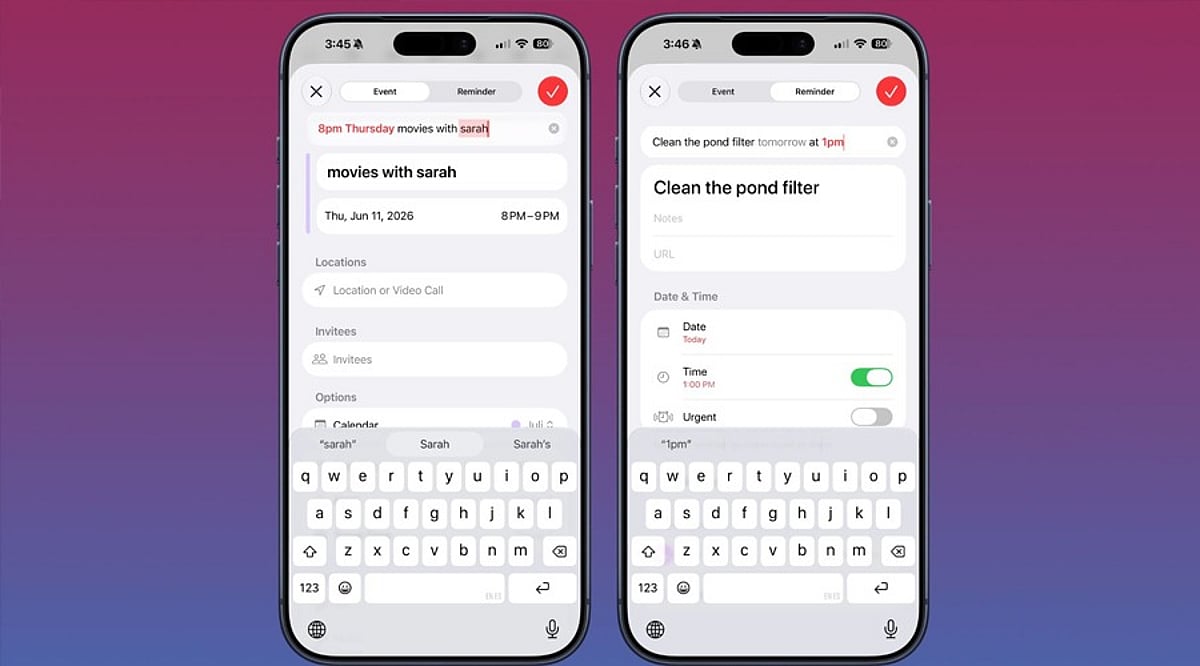
    Apple’s Siri makes it easy to create and manage calendar events on your iPhone without ever opening the Calendar app. Whether you’re driving, cooking, or juggling multiple tasks, voice commands let you schedule meetings, set recurring appointments, and check your availability hands-free.

    Granting Siri Access to Your Calendar

    Before Siri can create events, you need to give it permission to access the Calendar app. Follow these steps:

    1. Open Settings and tap Siri & Search.
    2. Scroll to the Before Asking section and ensure Learn from this App is enabled for Calendar.
    3. Return to the main Settings menu, tap Calendar, then Siri & Search.
    4. Turn on Use Siri with this App and Show App in Search.

    If you use third-party calendars like Google Calendar or Outlook, repeat the same process for those apps.

    What to Say to Siri

    Activate Siri by saying “Hey Siri” or holding the side button. The wording matters—phrases like “Remind me to call John” create a reminder, not a calendar event. To add a calendar entry, use keywords such as event or meeting.

    Try these examples:

    • “Create a calendar event for a dentist appointment tomorrow at 10 AM.”
    • “Schedule a meeting with Sarah on Friday at 2 PM.”
    • “Set a team sync every weekday at 9 AM.” (recurring event)
    • “Create a flight event with a reminder two hours before departure.”
    • “Check tomorrow’s calendar.”

    Fixing Common Siri Mistakes

    If Siri checks the wrong calendar, go to Settings > Calendar > Default Calendar and select the one you use most often.

    When Siri creates a reminder instead of a calendar event, simply say “Actually, put that in my calendar.” Siri will move it to Calendar.

    Using Siri with Google Calendar and Outlook

    Siri works with Google Calendar when you add your Google account to the iOS Calendar app and grant the necessary permissions. Similarly, Outlook calendars sync with the native iOS Calendar app to enable Siri voice commands.

  • Apple Reveals Siri AI Usage Caps: Free Users Face Limits, Paid Option Planned

    Apple Reveals Siri AI Usage Caps: Free Users Face Limits, Paid Option Planned

    Apple has officially confirmed that its upcoming upgraded Siri AI assistant will come with usage limits for certain advanced features. While the company has been teasing significant improvements such as personal context awareness, on-screen understanding, and cross-app actions, it now reveals that these capabilities will not be entirely free from restrictions.

    How the Limits Will Work

    The exact number of allowed requests has not been disclosed, but Apple states that the limits are designed to ensure a consistent and reliable experience for all users. Most users are unlikely to notice the thresholds in daily use. When a specific AI feature reaches its maximum request limit, that feature will be temporarily paused, but other Siri functions will remain accessible.

    Importantly, the limits are dynamic, varying based on the feature, the complexity of the request, and current system demand. This means the threshold may change over time.

    Paid Option on the Horizon

    For users who require more extensive access to Siri’s AI capabilities, Apple is planning a paid subscription. Pricing has not been announced, but higher-tier iCloud+ plans may include additional access to Apple Intelligence features.

    What Remains Free

    Basic Siri tasks such as setting alarms, playing music, or making calls will continue to work without any limitations. The usage caps apply only to the new server-dependent AI features like personal context, screen understanding, and app actions. Apple emphasizes that Siri is not becoming a fully paid service; free access will persist, but heavy users of the advanced tools may need to consider a paid plan.

    Why Limits Are Being Introduced

    Running advanced AI features requires substantial computing power. Usage limits help Apple manage operational costs while keeping the assistant free for everyday users. For the majority, normal Siri usage should feel unchanged, but power users of AI features may experience a difference.

  • iOS 27 Set for September 2026 Launch: Key Features and Improvements

    iOS 27 Set for September 2026 Launch: Key Features and Improvements

    Apple is expected to unveil iOS 27 alongside its new iPhone lineup in September 2026, following the company’s annual release cycle. While the exact rollout date will be confirmed during Apple’s official announcement, users can anticipate the update to be made available for compatible iPhone models shortly after the event.

    Updated Interface

    iOS updates typically bring visual refinements, and iOS 27 is no exception. Users can expect changes to system apps, menus, and navigation, all designed to create a more cohesive and user-friendly experience without overhauling the familiar iPhone look.

    Apple Intelligence and AI Advancements

    Artificial intelligence remains a core focus for Apple. iOS 27 is likely to expand Apple Intelligence with smarter automation and improved on-device capabilities. Availability of specific AI features may depend on the iPhone model, processing power, language support, and regional rollout.

    Enhanced Siri

    Siri is undergoing significant upgrades as part of Apple’s broader AI strategy. iOS 27 could bring better contextual understanding, deeper app integration, and the ability to handle more complex requests, making voice interactions more practical for everyday tasks.

    Privacy and Security

    Privacy continues to be a cornerstone of iOS. iOS 27 is expected to introduce stronger protections against emerging digital threats, along with more granular controls over app permissions and personal data. Users are advised to install the update promptly once available.

    Health and Accessibility

    Apple regularly enhances health, wellness, and accessibility features with each iOS iteration. iOS 27 may include updates to existing tools and new capabilities aimed at making iPhones more useful for tracking personal health and supporting users with diverse accessibility needs.

    Compatible iPhones

    Not every iPhone will support all iOS 27 features. Hardware constraints—especially those tied to AI processing and newer chips—may restrict advanced functions. Before upgrading, users should consult Apple’s official compatibility list to see which features work on their specific device.

    Stay tuned for official announcements from Apple regarding the exact release date, supported models, and regional availability.

  • Apple iOS 27: September 2026 Release, AI-Powered Features, and Compatible iPhone Models

    Apple iOS 27: September 2026 Release, AI-Powered Features, and Compatible iPhone Models

    Apple is set to release iOS 27 in September 2026, bringing a wave of artificial intelligence enhancements, a smarter Siri, upgraded Photos capabilities, and new child safety tools. The update was first previewed at WWDC 2026 on June 8 and has since undergone developer and public beta testing. Here’s everything you need to know about the release timeline, standout features, and which iPhones will support the new operating system.

    When Will iOS 27 Be Released?

    Apple plans to roll out iOS 27 sometime in September 2026, following its traditional release schedule alongside new iPhone launches. While an exact date hasn’t been confirmed, the company is expected to unveil the iPhone 18 Pro, iPhone 18 Pro Max, and its first foldable smartphone at a September 9 event. The iOS 27 update will likely become available to the public shortly after that event.

    Key Features in iOS 27

    Artificial intelligence is the centerpiece of iOS 27. The update introduces a more capable Siri that understands natural language better and delivers more helpful assistance. AI-powered tools are also coming to the Photos app, allowing users to edit and manipulate images with ease. Additionally, Siri will integrate with the Camera app to recognize objects and provide real-time information about what the iPhone is viewing.

    Apple is also adding new child safety features, alongside broader improvements to performance, Search, design, and the Liquid Glass interface.

    Which iPhones Are Compatible with iOS 27?

    iOS 27 will support iPhone models starting from the iPhone 11 and iPhone SE (2nd generation) onward. However, Apple has noted that not all supported devices will receive every AI feature. The full list of compatible models includes:

    • iPhone 17 series
    • iPhone 16 series
    • iPhone 15 series
    • iPhone 14 series
    • iPhone 13 series
    • iPhone 12 series
    • iPhone 11 series
    • iPhone SE (2nd generation and later)

    What to Expect

    As September approaches, iOS 27 promises to deliver a range of AI-based features, security enhancements, and system-level changes that will redefine the iPhone experience. Stay tuned for more details as the official launch draws near.

  • Apple Intelligence Explained: Complete Guide to iPhone AI Features

    Apple Intelligence Explained: Complete Guide to iPhone AI Features

    Apple Intelligence is Apple’s built-in AI system that helps users write, communicate, edit photos, and complete everyday tasks across iPhone apps. Only iPhone 15 Pro and newer support it, a hardware limit rather than a marketing choice.

    In 2026, the system behind those features has quietly shifted: Apple now leans on an outside AI partner for its hardest reasoning tasks, a development covered later in this guide. First, here’s what Apple Intelligence actually does and how it works.

    What Apple Intelligence Actually Does

    Siri is one of the most noticeable Apple Intelligence features. It understands what’s on screen, maintains conversational context, and performs actions across multiple apps without requiring users to switch between them. Writing Tools lives inside Mail, Notes, and Messages, rewriting drafts and fixing tone without pulling anyone out of the app they are typing in.

    In Photos, Clean Up erases people or objects from the background of a shot, and search works by plain description instead of date or album. Live Translation handles real-time conversation inside Messages, Phone, and FaceTime, useful for travel or chatting across languages.

    Genmoji and Image Playground turn a text description into a custom image or emoji, mostly used inside Messages and Notes. Notification Summaries condense a busy thread into one line instead of ten.

    The Architecture Behind the Features

    These features run on a system layer built into iOS itself, not a separate app. Simple tasks, like notification summaries, run right on the iPhone’s Neural Engine. Heavier requests travel to Private Cloud Compute, Apple’s server system designed to process data and then discard it rather than store it.

    Some work stays on the phone while other moves to Apple’s own servers. That split is the core idea, and it holds steady no matter which outside model powers the cloud side in a given year.

    Foundation Models, Explained Simply

    A foundation model is a large AI system trained on huge amounts of text and images, built to understand language, recognize objects, and follow instructions. Most consumer AI tools lean on one big cloud model to handle every request. Apple splits the job instead. A compact model runs on the phone for routine tasks, while a larger model sits on Apple’s servers for anything that needs deeper reasoning. Simple tasks feel instant. Complex ones take a moment longer.

    Why Some iPhones Miss Out

    Apple Intelligence needs an A17 Pro chip or newer, starting with the iPhone 15 Pro. Running AI models on a phone demands high Neural Engine performance and sufficient memory to avoid lag, overheating, and slower app performance. Older chips cannot hold that load without slowing everything else down. That limit shapes Siri’s design too: it still passes harder requests to the cloud rather than solving them on the device alone.

    Apple picked a smaller pool of supported phones over a weaker experience spread across older ones, a bet that stretched out the timeline for features first shown back in 2024.

    What It Actually Costs

    Apple Intelligence comes with supported iPhones, but its on-device AI features use extra storage and may increase battery usage. On-device models take up several gigabytes of storage, a fixed and measurable cost. Some users report higher battery usage after turning on Apple Intelligence, though it varies by device and Apple has not shared official figures. There have also been reports of software updates re-enabling Apple Intelligence after users had turned it off.

    How It Stacks Up Against Rivals

    Apple keeps sensitive tasks on the device by default. Samsung and most Android tools send far more to the cloud as a matter of routine. Apple pairs a small local model with a larger cloud one, balancing speed with depth. That pairing runs across the whole Apple lineup too: Live Translation and Writing Tools behave the same way on iPhone, iPad, and Mac rather than living inside one app alone.

    Is It Worth an Upgrade?

    The iPhone 15 Pro or newer already gets the full feature set as it rolls out through 2026. For anyone on an older phone, Apple Intelligence should count as one factor among several, since the biggest features still lean on cloud access and an active rollout schedule. Writers, photographers, and anyone deep inside Apple’s ecosystem gain the most. Casual users may barely notice the difference day to day.

    Recent Developments

    Industry reports from early and mid-2026 point to Apple licensing Google’s Gemini models for the cloud side of its Foundation Models, alongside a rebuilt Siri AI shown at WWDC 2026. Cost figures and technical specifics remain reported rather than officially confirmed, so this section will need a refresh as the story develops.

    Final Thought: What This Means Going Forward

    The Gemini reports do not change what Apple Intelligence is. They change which model handles the cloud half of a system Apple had already built. The on-device split, the A17 Pro hardware floor, and the privacy-first default remain Apple’s own design choices, separate from whichever outside company powers its toughest reasoning tasks in a given year. Providers can shift. The features and the architecture running underneath them are the part worth understanding and the part that will still be true after the next partnership announcement.

    FAQs

    1. What is Apple Intelligence? Apple Intelligence is Apple’s built-in personal intelligence system that uses generative AI to help users write, communicate, organize information, edit photos, and interact more naturally with Siri. It is integrated into iOS, iPadOS, and macOS rather than being a separate app.
    2. Which iPhones support Apple Intelligence? Apple Intelligence is available on iPhone 15 Pro, iPhone 15 Pro Max, the iPhone 16 lineup, and newer compatible models. It requires supported hardware and the appropriate version of iOS to access its AI-powered features.
    3. What AI features does Apple Intelligence include? Apple Intelligence includes Writing Tools, notification summaries, smarter Siri, ChatGPT integration, Genmoji, Image Playground, Visual Intelligence, natural language photo search, and AI-powered photo editing features like Clean Up.
    4. How does Apple Intelligence protect user privacy? Apple Intelligence performs many AI tasks directly on the device. For more demanding requests, it uses Apple’s Private Cloud Compute, which is designed to process data securely while minimizing the sharing and storage of personal information.
    5. Is Apple Intelligence worth upgrading your iPhone for? If you frequently use Siri, write emails and messages, edit photos, or want AI-powered productivity features, upgrading to a compatible iPhone can provide access to Apple’s latest AI capabilities and future software enhancements.