Tag: Siri

  • Apple Intelligence Explained: A Complete Guide to iPhone AI Features

    Apple Intelligence Explained: A Complete Guide to iPhone AI Features

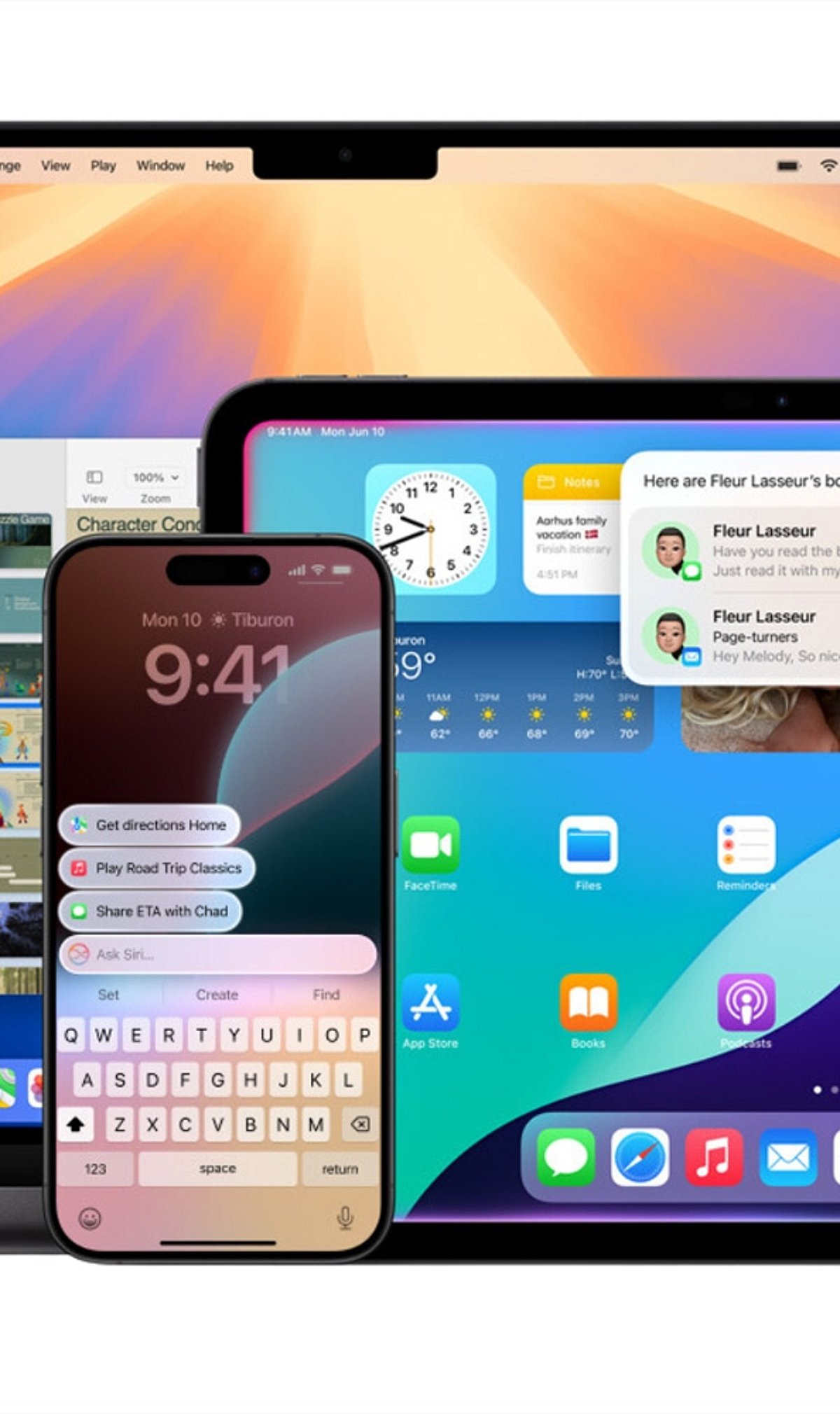
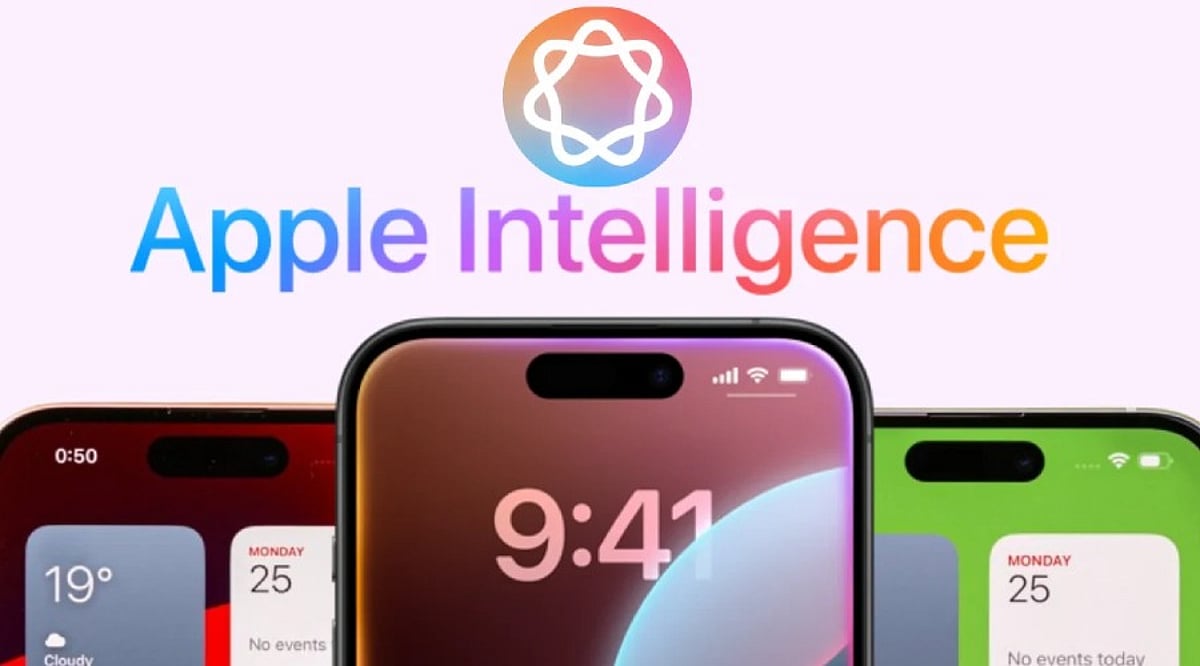
    Apple Intelligence is Apple’s personal artificial intelligence system that works across iPhone, iPad, Mac, Apple Watch, and Apple Vision Pro. Unlike traditional AI chatbots that exist as separate apps, Apple built this system directly into the operating system, embedding it into everyday apps like Messages, Mail, Photos, Notes, Safari, and Phone. This design creates a seamless experience without the need to switch between different applications.

    Key Takeaways

    • Apple Intelligence integrates AI directly into iPhone apps for a seamless everyday experience.
    • Most AI processing happens on-device, with Private Cloud Compute protecting user privacy.
    • Advanced features are available only on iPhone 15 Pro, iPhone 15 Pro Max, iPhone 16 models, and newer devices.

    Which iPhones Support Apple Intelligence?

    Apple Intelligence only works on iPhones with enough processing power to handle advanced AI models. The supported devices include the iPhone 15 Pro, iPhone 15 Pro Max, every iPhone 16 model, and newer iPhones. Regular iPhone 15 models do not support Apple Intelligence. Apple says the advanced Neural Engine, higher memory, and powerful Apple Silicon inside supported devices make these AI features possible. Older iPhones cannot meet these hardware requirements.

    Writing Tools Make Everyday Work Easier

    The very basic function of Apple Intelligence is offered by the automatic Writing Tools included in the programming. These features are extensively used by most applications of Apple and by many external programs. You can rewrite texts, correct grammar, make short summaries, and change the tone of messages. Safari, Mail, Notes, and Messages all support these capabilities, turning long emails into short summaries and rough drafts into polished texts.

    Siri Understands Conversations Better

    Apple Intelligence gives Siri a major upgrade. Siri now understands natural conversations more accurately and follows context across multiple questions. Instead of repeating the same information, Siri remembers earlier parts of the conversation and provides smoother replies. Apple also added optional ChatGPT integration. Siri asks for permission before sending a request to ChatGPT, balancing advanced functionality with privacy.

    Creative Tools Add Fun to Everyday Tasks

    Apple Intelligence includes Image Playground, a feature that creates images from simple text descriptions. Apple offers styles such as Animation, Illustration, and Sketch. Messages, Notes, and Freeform all support this feature. Genmoji adds another creative option: a simple description like “golden retriever wearing sunglasses” turns into a unique emoji within seconds.

    Visual Intelligence Understands the World Around It

    Visual Intelligence uses the iPhone camera to recognize objects, places, products, signs, and text. After recognition, Apple Intelligence can explain what appears on the screen, translate foreign languages, search for products online, or create calendar events from posters and invitations. Apple continues to improve this feature with every software update.

    Photos, Notifications, and Mail Become Smarter

    The Photos app now includes the Clean Up tool, which removes unwanted objects from pictures while keeping lighting, shadows, and important details as natural as possible. Notifications also become easier to manage with short summaries for long alerts and priority placement. Mail receives email summaries, suggested quick replies, highlighted important messages, and short previews that help readers understand content before opening each email.

    Notes and Phone Receive Helpful AI Features

    The Notes app gains intelligent tools for summarization, writing improvement, grammar correction, and organization. The Phone app supports call transcripts and call summaries in supported regions and languages, helping users review important conversations without relying on memory alone.

    Privacy Stays at the Center of Apple Intelligence

    Privacy remains one of the biggest differences between Apple Intelligence and many other AI systems. Most AI tasks run directly on the iPhone. Only complex requests move to Private Cloud Compute, which Apple says never stores personal data after processing finishes. This balance between local processing and secure cloud support allows Apple Intelligence to deliver advanced AI features while protecting personal information.

    Why This Matters

    Apple Intelligence changes the way people use an iPhone every day. Built-in AI saves time, improves communication, helps with creative tasks, and makes everyday apps more useful. Strong privacy protection also sets Apple apart from many AI platforms, making Apple Intelligence an important feature for anyone planning to buy or upgrade an iPhone.

    FAQs

    1. What is Apple Intelligence? Apple Intelligence is Apple’s built-in AI system that enhances apps like Messages, Mail, Photos, Notes, Safari, and Siri with smart, privacy-focused features.
    2. Which iPhones support Apple Intelligence? It is supported on iPhone 15 Pro, iPhone 15 Pro Max, all iPhone 16 models, and newer compatible iPhones.
    3. Does Apple Intelligence use ChatGPT? Yes. Siri can optionally use ChatGPT for more complex requests, but only after asking for your permission.
    4. Is Apple Intelligence private and secure? Yes. Most AI tasks run directly on your device, while complex requests use Apple’s Private Cloud Compute, which is designed to avoid storing personal data after processing.
    5. What are the main features of Apple Intelligence? Key features include Writing Tools, smarter Siri, Image Playground, Genmoji, Visual Intelligence, Photos Clean Up, notification summaries, Mail enhancements, and call transcripts.
  • 5 Essential Apple Intelligence Features to Master in 2026

    5 Essential Apple Intelligence Features to Master in 2026

    Apple Intelligence has evolved significantly in 2026, bringing smarter writing tools, live translation, AI-powered shortcuts, advanced photo editing, and an upgraded Siri that makes everyday tasks on iPhone, iPad, and Mac faster and easier. Here are the top five features you should start using today.

    1. Writing Tools Help You Finish Faster

    Built into apps like Mail, Notes, and Messages, Apple’s Writing Tools now offer spelling checks, sentence restructuring, tone adjustments, and email summarization. Whether you’re a student or a professional, these tools eliminate the need for third-party editing apps.

    2. Live Translation Works Across Calls and Messages

    Live Translation simplifies communication in multiple languages. It works in text messages, FaceTime calls, and even regular phone calls, translating conversations in real time. This is invaluable for travel, client meetings, or keeping in touch with international friends and family—all while maintaining Apple’s privacy standards.

    3. Shortcuts Get an AI Upgrade

    The Shortcuts app now integrates Apple Intelligence, allowing you to create automations that summarize articles, organize notes, draft messages, and perform multiple actions with a single tap. For example, you can set a shortcut to collect all meeting notes, summarize them, and email them automatically.

    4. Edit Photos Without Third-Party Apps

    The Photos app now includes AI-powered editing features such as removing background distractions, recomposing images, and erasing unwanted objects. These tools are designed for everyday use—perfect for travel photos, family portraits, and social media posts.

    5. Siri Understands Context Better

    Siri’s improved context awareness allows it to answer follow-up questions, understand what’s on your screen, and take actions across multiple apps. You no longer need to repeat yourself; Siri maintains a natural conversation flow.

    Apple Intelligence Features at a Glance

    All these features are designed to enhance everyday tasks without changing how you use your iPhone, iPad, or Mac. They integrate seamlessly into Apple’s existing apps, saving you time and reducing repetitive manual work.

    As Apple continues to expand its AI capabilities in 2026, these five features are the most practical to explore first. Whether you’re writing, translating, editing, or automating, Apple Intelligence makes your devices smarter without demanding a new learning curve.

  • Step-by-Step Guide to Unlocking Apple’s Hidden Siri AI Popover

    Step-by-Step Guide to Unlocking Apple’s Hidden Siri AI Popover

    Apple has introduced a hidden Siri AI Popover that transforms how users interact with the digital assistant on compatible devices. This guide walks you through the activation process, from checking device compatibility to exploring the AI-powered interface.

    Check Device Compatibility

    The hidden Siri AI Popover is available only on compatible Apple Intelligence-supported devices, including newer iPhone, iPad, and Mac models. Ensure your device supports Apple Intelligence and is running the latest compatible software version before attempting to access the redesigned Siri interface.

    Update to the Latest Software

    Install the latest version of iOS, iPadOS, or macOS that includes Apple Intelligence features. Software updates often unlock hidden capabilities, improve Siri performance, and ensure compatibility with the AI-powered floating Siri Popover interface designed for eligible Apple devices.

    Enable Apple Intelligence

    Open your device settings and turn on Apple Intelligence if it is available in your region. Some features may require joining the waitlist or downloading additional AI resources before the hidden Siri Popover becomes accessible through supported voice commands or activation methods.

    Turn On Siri Features

    Navigate to Siri settings and enable options like “Listen for Siri” and side button activation. These settings allow the assistant to launch correctly, making it easier to trigger the new floating AI Popover interface instead of relying on traditional full-screen Siri interactions.

    Activate Siri Normally

    Once everything is configured, activate Siri using your voice or the device’s dedicated button. On supported Apple Intelligence devices, Siri appears as a subtle glowing border or compact Popover, allowing you to continue using apps without interrupting your workflow or screen activity.

    Explore AI Capabilities

    The Siri AI Popover supports contextual assistance, writing tools, summaries, and app-aware interactions through Apple Intelligence. Experiment with different prompts, ask follow-up questions, and use productivity-focused requests to experience the upgraded AI assistant beyond standard voice commands and basic information retrieval.

    Know the Availability Limits

    Apple Intelligence features, including the Siri AI Popover, are rolling out gradually across devices, languages, and regions. If you cannot access the feature immediately, keep your software updated, monitor Apple’s announcements, and wait for wider availability as support continues expanding.

  • Apple’s Biggest AI Upgrade Yet: Smarter Siri Arrives Across 5 Platforms

    Apple’s Biggest AI Upgrade Yet: Smarter Siri Arrives Across 5 Platforms

    Apple Intelligence is getting its most significant update to date, with a smarter Siri now spanning iPhone, iPad, Mac, Apple Watch, and Vision Pro. The upgrade brings enhanced conversational abilities, deeper app integration, and new features like Visual Intelligence, Live Translation, and stronger privacy protections.

    Originally introduced alongside iOS 18 in 2024, Apple Intelligence has evolved to deliver on its promise of an AI-powered personal assistant. The latest software cycle—iOS 27, iPadOS 27, macOS 27, watchOS 27, and visionOS 27—finally rolls out the previously delayed Siri improvements. Apple now positions Siri as a digital companion that understands personal context, moving beyond simple voice commands.

    Siri Gets Smarter

    The redesigned Siri can search across messages, emails, calendars, photos, and supported apps, then perform actions spanning multiple apps simultaneously. For example, it can pull restaurant recommendations from old texts, retrieve hotel confirmations from email, and locate travel photos without manual searching. For broader questions, Siri now pulls current information from the web.

    Apple Intelligence also integrates intelligent tools throughout the operating system. Writing tools offer proofreading, rewriting, summarizing, and content generation, alongside faster dictation. Image Playground generates original artwork in various styles, while Genmoji creates custom emoji from text prompts. The Photos app now includes object removal, natural language search, and AI-assisted memory creation.

    New Features Across Devices

    Visual Intelligence lets users interact with whatever appears on screen—screenshots, photos, and webpages all become searchable through plain-language prompts. Apple is also adding receipt recognition, aimed at simplifying bill-splitting in future updates. Live Translation adds real-time translation to Messages, FaceTime, and Phone calls. Shortcuts now builds automations from plain-English descriptions. Accessibility tools gain richer image descriptions, smarter Voice Control, and instant reading summaries.

    Hardware limitations remain, as the underlying models require significant processing power. Support covers iPhone 15 Pro and newer, iPad models with A17 Pro or M-series chips, and Apple Silicon Macs. Apple’s most capable on-device model is reserved for select premium hardware with higher memory.

    Privacy and Availability

    Rollout timing varies by region. Siri’s upgraded features won’t launch immediately in the European Union, citing privacy considerations, and China remains outside the initial rollout. Apple says it continues expanding language support elsewhere. Privacy remains a central focus: most requests are processed on-device, while heavier tasks route through Private Cloud Compute without retaining personal data.

  • Getting Started with Apple Intelligence on iPhone and Mac: A Step-by-Step Guide

    Getting Started with Apple Intelligence on iPhone and Mac: A Step-by-Step Guide

    Apple Intelligence brings powerful AI capabilities directly to your iPhone and Mac. This guide shows you how to enable it and make the most of its smartest features every day.

    Check Device Compatibility

    Apple Intelligence works on supported iPhone, iPad, and Mac models powered by Apple Silicon or the latest A-series chips. Make sure your device is compatible before proceeding.

    Update to the Latest Software

    Install the most recent version of iOS, iPadOS, or macOS to access all Apple Intelligence features. Updates often include new AI tools and improvements.

    Turn On Apple Intelligence

    Open Settings, go to Apple Intelligence, and enable AI-powered features after completing the setup process. Once activated, the system will start learning your preferences.

    Use Smarter Writing Tools

    Rewrite emails, summarize notes, proofread documents, and generate text directly inside supported apps. These tools help you communicate more effectively and save time.

    Experience the New Siri

    The upgraded Siri offers more natural conversations, deeper app control, and contextual assistance across your devices. Ask complex questions or perform multi-step tasks effortlessly.

    Create Images With Image Playground

    Generate fun illustrations, custom visuals, and creative artwork using Apple’s built-in AI tools. Perfect for adding a personal touch to messages, documents, and projects.

    Organize Notifications

    Apple Intelligence automatically prioritizes important alerts, summarizes messages, and reduces notification clutter. Stay focused on what matters most.

    Boost Productivity

    Summarize webpages, organize notes, create reminders, and speed up daily tasks with AI assistance. Let Apple Intelligence handle routine work so you can focus on what’s important.

  • Apple Ushers in a New Innovation Wave: Foldables, AI, and Beyond

    Apple Ushers in a New Innovation Wave: Foldables, AI, and Beyond

    Apple is gearing up for its most significant product overhaul in years, with a wave of innovations spanning foldable devices, advanced artificial intelligence, and smarter wearables. Here’s a closer look at what’s coming next from the tech giant.

    Foldable iPhone

    Apple’s first foldable iPhone is expected to debut with a premium design, a larger display, and seamless multitasking capabilities, positioning it to compete directly in the growing foldable market.

    AI-Powered Siri

    The company is rebuilding Siri with advanced AI, enabling more natural conversations and boosting productivity across the entire Apple ecosystem.

    Apple Intelligence

    Apple Intelligence will power writing, image editing, notification management, and daily tasks — all while keeping user privacy at the core.

    Custom AI Chips

    Next-generation Apple chips are designed to deliver faster on-device AI performance with greater efficiency and lower power consumption.

    Smart Wearables

    Rumors suggest Apple is expanding beyond the Apple Watch with devices like the iRing and more health-focused wearables.

    Home Robotics

    Apple is reportedly exploring AI-powered home robots that can assist with everyday tasks and smart home management.

    Mixed Reality Expansion

    Following the Vision Pro, Apple is expected to introduce lighter and more affordable spatial computing devices.

    Ecosystem Integration

    Future Apple products will work more closely together, offering seamless experiences across iPhone, iPad, Mac, Watch, and Vision devices.

  • Apple’s Siri AI Faces EU Delays: Davis Park Management Analyzes Regulatory Hurdles and Investor Impact

    Apple’s Siri AI Faces EU Delays: Davis Park Management Analyzes Regulatory Hurdles and Investor Impact

    Apple’s upgraded Siri AI assistant, unveiled at the Worldwide Developers Conference, has hit a regulatory roadblock in the European Union. The Digital Markets Act (DMA) compliance obligations are preventing the feature from launching on European devices, creating a staggered rollout that has caught the attention of institutional investors. Davis Park Management Pte. Ltd., a Singapore-based capital management firm, is examining the implications for allocators as the regulatory landscape complicates Apple’s AI ambitions.

    Regulatory Challenges and Market Access

    The new Siri architecture, powered by a custom version of Google’s Gemini model with 1.2 trillion parameters, represents a significant leap from the previous query-and-response design. However, Apple has confirmed that the assistant will not accompany the forthcoming iOS 27 and iPadOS 27 releases within the EU. Regulators have rejected a succession of proposals, including a phased plan built around a Trusted System Agent, marking the second occasion Apple Intelligence has been withheld from European markets.

    A parallel restriction applies in China, where foreign manufacturers must submit large language models for local approval. China accounts for 17% of Apple’s group revenue, sharpening the commercial stakes of prolonged delays in either market.

    Davis Park Management’s Perspective

    Michael Sheldon, Director of Private Equity at Davis Park Management, views the licensing approach as a deliberate decision to rent frontier capability rather than fund it outright. This preserves capital for areas where Apple retains a defensible advantage and reassures investors focused on margin durability. The firm reads the friction as a question of capital allocation rather than a verdict on the technology.

    Apple’s AI revenue stands near $1.1 billion for the period, while services revenue of about $33.2 billion carries a margin of 76.5%. The active device base exceeds two billion units, and paid subscriptions surpass one billion, expanding at a double-digit rate. Market capitalization briefly overtook Microsoft’s valuation of about $3.6 trillion following the conference, a three-day move adding $358.5 billion in value.

    Broader Implications for Investors

    Sheldon emphasizes that the clearer risk lies in the durability of the ecosystem. Every regulatory concession that loosens the integration between Apple’s hardware and its services chips away at the retention mechanics behind recurring revenue. Regulatory enforcement compounds trade-policy exposure, with a penalty of about $580 million for anti-steering breaches under the DMA and tariff payments approaching $3.7 billion in aggregate.

    Equity research remains divided. One bullish brokerage maintains an “Outperform” rating with a price target near $343.1, projecting AI could add between $83 and $110.7 per share. A more cautious peer has trimmed iPhone unit-growth expectations to 2% across the forecast period, to about 232 million units, with commercial availability slipping into the next year.

    For Davis Park Management, the open question is timing. European availability rests on continuing negotiation and precedent enforcement, while the staggered rollout shows the difficulty of reconciling deep platform integration with divergent compliance regimes. The delay weighs on near-term services projections given the scale of the European installed base, yet the underlying partnership keeps Apple within the competitive frontier of applied AI, leaving the investment case finely balanced between regulatory drag and long-term value.

  • Top Voice-Controlled Smart Lights for Modern Homes in 2026

    Top Voice-Controlled Smart Lights for Modern Homes in 2026

    Smart lighting has quietly reshaped the home decor market, pulling premium-grade technology into an accessible mid-range price. Today’s systems do more than illuminate a room. They let you dim, brighten, or shift the color of your lights on a schedule or through a simple voice command, working seamlessly with Amazon Alexa, Google Assistant, and Apple Siri.

    The appeal goes beyond convenience. A well-lit home uses less energy, adapts to your mood, and signals a deliberate choice to live smarter. Smart lighting fits naturally into the growing ecosystem of connected homes, where comfort and control go hand in hand.

    Key Features to Look For

    The smart lighting provides a wide range of modern features that deliver comfort, ambience, and a premium feel. Here are some features that have become quite mainstream and should be considered for smart lighting gadgets.

    • Voice Assistant Compatibility: Alexa, Google Assistant, Siri
    • Connectivity: Wi-Fi or Bluetooth (no hub required for most)
    • Color Options: Up to 16 million RGB colors + tunable whites
    • Smart Functions: Music sync, motion sensing, timers, app control
    • Energy Efficiency: LED-based, low power consumption

    Which Brand is Best for Which Use Case?

    Smart lights with voice control have a wide range of options. Each brand has established its niche for modern homes. Philips Wiz Neo shines as the premium all‑rounder, offering motion sensing and a larger palette of color options. Havells Glamax is a great choice for mood lighting, with music sync perfect for house parties and relaxed evenings.

    Wipro Smart LED Bulbs provide all-around lighting with advanced tunable whites and dimming, best suited for efficient work and leisure lighting. For budget‑friendly setups, Syska Smart LED features include RGB colors and scheduling, making it a solid entry‑level option.

    TP‑Link Tapo L530B is quite tech-savvy and shines with seamless Wi‑Fi integration. Realme Smart Bulbs attract the younger generation. Crompton Immensa works great on Bluetooth control, offering tunable whites and offline music sync. Finally, NovaGlow SiriSmart is specifically designed for Apple ecosystem users, with deep HomeKit integration and an elegant design, making it the best choice for Siri‑driven smart systems.

    Risks & Trade-offs

    Smart lighting provides futuristic technology, but some smart features can bring unexpected complexity. Here are things to watch out for before investing:

    • Wi-Fi Congestion: Multiple smart devices can slow down networks.
    • App Dependency: Some bulbs fall short on compatibility, requiring proprietary apps.
    • Price vs Features: Premium models (Philips, TP-Link) cost more but offer advanced features like motion sensing.
    • Compatibility Limits: Apple HomeKit users will need to stick with Siri-enabled options like NovaGlow.

    Final Thoughts

    Smart lights with voice control are gaining ground in the mainstream market for modern homes, offering utility, style, and energy efficiency. Each brand has its own strengths, catering to different lifestyles—from high-end models like Philips Wiz Neo to budget models like Syska Smart LED to ecosystem-specific options such as NovaGlow SiriSmart.

    Whether you want to automate complex setups, enjoy bright mood lighting, or integrate perfectly with your voice assistant, there is a smart light that’s right for your needs. These solutions make life easier and more lively, as lighting becomes a personal experience that reacts to your every command.