Tag: social media tips

  • How to Add and Edit Music on Instagram: A Step-by-Step Guide for Photos and Carousels

    How to Add and Edit Music on Instagram: A Step-by-Step Guide for Photos and Carousels

    Instagram has evolved beyond static photos and captions. Now you can add music to photo posts and carousels, letting you pair visuals with songs that match the mood. Whether you’re sharing travel snapshots or celebratory moments, music adds an extra layer of emotion.

    This guide walks you through adding and editing music on Instagram, from choosing a track to adjusting the clip before publishing.

    How to Add Music to an Instagram Photo Post

    1. Open Instagram – Launch the app and log into your account.
    2. Create a new post – Tap the “+” icon, select “Post,” then choose an image (or multiple images for a carousel) from your gallery.
    3. Edit your photo – Tap “Next,” then apply filters or make other adjustments as desired.
    4. Select the music option – On the caption screen, find the “Add Music” button and tap it to access Instagram’s music library.
    5. Choose a song – Search for a specific track or browse. Select the song you want. Instagram will let you pick a section of the song to play.
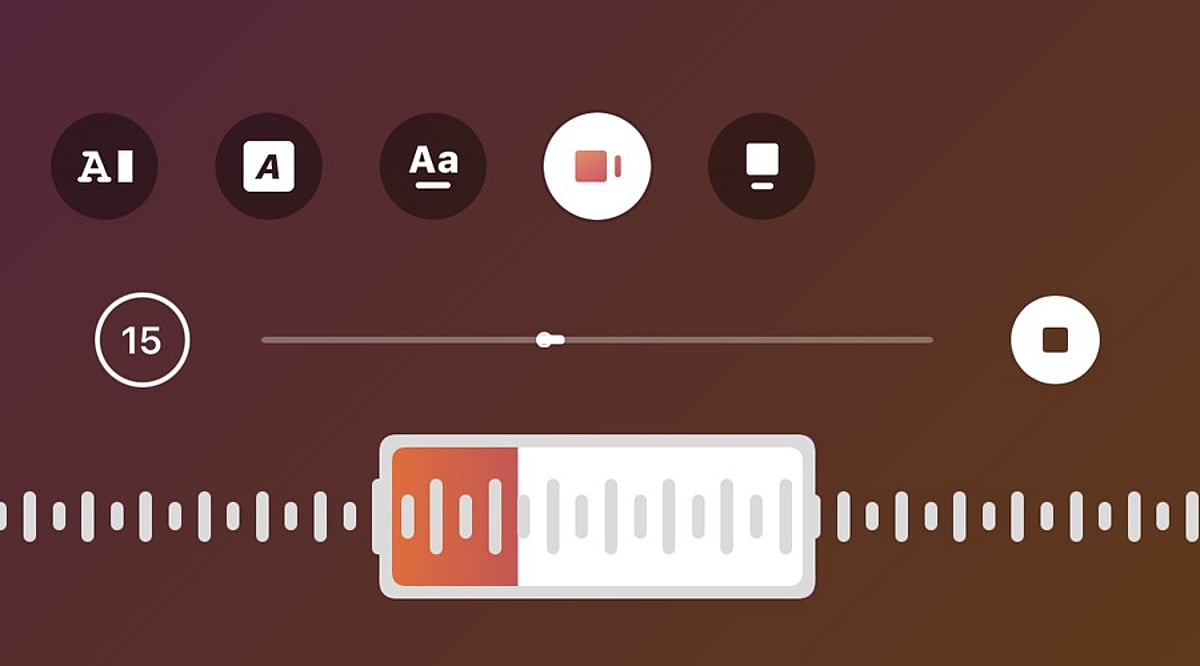
    6. Adjust the music clip – Use the music selector to choose the exact part of the song. Confirm your selection and return to the sharing screen.
    7. Publish the post – Add a caption, tags, or other details, then tap “Share.” The music will play alongside your photo or carousel.

    How to Edit Music Before Posting

    If you change your mind about the song before publishing, go back to the edit or post details page and tap the music icon again. Choose a new track from the library and customize the portion you want. This is especially useful if the first song doesn’t match the mood of your photos.

    Can You Edit Music After Posting?

    Editing options after publishing vary based on your account type, app version, and post type. If the music editing option isn’t available, you may need to delete the post and re-upload it with your chosen song. Before deleting, save a copy of the images and captions to reuse.

    Tips for Choosing Music

    • Select a song that suits the mood of your images. For travel or lifestyle photos, a soothing track works well. For celebrations, choose upbeat music.
    • Test different sections of a song to find the perfect clip that complements your visual story.

    Frequently Asked Questions

    Can you add music to an Instagram photo post?

    Yes, Instagram allows you to add songs to photo posts. Select a track from the music library and choose the section that plays with your photo.

    Can you add music to an Instagram carousel?

    Yes, Instagram supports music on photo carousels. Select multiple images while creating a post, tap Add Music, choose a song, and adjust the desired portion.

    Can you change the music before publishing an Instagram post?

    Yes, you can change the selected song before publishing. Return to the music option, choose another track, and adjust the section you want to include.

    Can you edit Instagram post music after publishing?

    Music editing options after publishing can vary. If editing is unavailable, you may need to recreate the post with different music.

    Why can’t I find the Add Music option on Instagram?

    The Add Music option may depend on your account, region, post type, app version, or music licensing availability. Updating Instagram may help restore missing features.

  • Master Reddit Posting: Proven Tips to Avoid Post Removal and Boost Engagement

    Master Reddit Posting: Proven Tips to Avoid Post Removal and Boost Engagement

    Reddit offers millions of people a platform to share ideas, ask questions, post stories, and join discussions. However, many new members find their posts removed within minutes—often due to simple, avoidable mistakes. Understanding each subreddit’s unique rules and best practices is key to keeping your content visible and engaging.

    Every Subreddit Has Different Rules

    One common mistake is assuming all subreddits follow the same standards. Each community has its own moderation team and rules tailored to its purpose. For example, a photography subreddit may allow only original images, while another accepts edited photos. A news subreddit may require trusted sources, whereas a gaming subreddit welcomes personal opinions. Always read the rules—usually found in the sidebar, community description, or pinned posts—before posting.

    Wrong Titles Lead to Quick Removal

    Your title is the first impression. Vague, misleading, or clickbait titles often break rules. Some communities require descriptive titles with specific tags or brackets. Avoid all caps, dramatic language, or hidden details. A simple, honest, and direct title improves readability and matches community expectations.

    Low-Effort Content Rarely Stays Visible

    Posts that lack substance—such as single lines, vague questions, or repeated jokes—are quickly removed. Communities value informative, well-developed content that sparks discussion. Spend time crafting a post with enough detail to engage readers and encourage thoughtful comments.

    Repeated Topics Create Problems

    Many subreddits see the same questions daily. Moderators remove duplicates to keep discussions fresh. Before posting, search the subreddit for existing threads. If you start a new discussion, bring new information or a different angle to add value.

    Incorrect Flair Causes Confusion

    Flairs are labels (e.g., Question, Discussion, News) that categorize posts. Using the wrong flair can lead to removal. Choose the correct flair to help moderators and readers find your content easily.

    Poor Formatting Reduces Readability

    Large blocks of text are hard to read. Use short paragraphs, spacing, and punctuation to improve clarity. Follow any special formatting rules for code, spoilers, links, or quotations to make your post presentable.

    Promotional Content Faces Strict Checks

    Reddit prioritizes discussion over advertising. Posts promoting websites, products, or referral links are often removed, even if they contain useful information. Focus on genuine participation and helpful discussions to build trust.

    Respect Community Etiquette

    Each subreddit has its own culture. Some prefer deep conversations; others want quick solutions. Avoid insults, attacks, or bullying—these can end discussions or get you banned. Civil dialogue fosters positive interactions, even during disagreements.

    Watch Account Requirements

    Some subreddits require a minimum account age or karma before you can post. These limits prevent spam and abuse. Build karma through regular, meaningful comments and participation.

    Why This Matters

    Reddit offers valuable opportunities for learning, networking, and discussion. Simple mistakes can prevent your content from reaching the community. Understanding posting rules helps your posts stay visible, attract genuine engagement, and build a positive reputation.

    Final Thoughts

    Effective Reddit posting requires preparation, adherence to rules, and high-quality content. Read subreddit guidelines, craft clear titles, use correct flairs, format well, and communicate politely. A little effort before posting leads to better visibility and engagement.

    FAQs

    1. Why are Reddit posts removed so quickly? Most removals happen due to breaking subreddit-specific rules, incorrect formatting, low-effort content, or missing flairs.
    2. Do all subreddits have the same posting rules? No. Each subreddit has its own moderators, rules, and requirements.
    3. What is post flair on Reddit? A flair is a category label (e.g., Question, Discussion, News) that organizes posts within a subreddit.
    4. Can a new Reddit account post everywhere? Not always. Some communities require minimum account age or karma.
    5. How can I improve my chances of keeping a post live? Read the rules, write a clear title, provide valuable content, use the correct flair, and avoid promotional language.
  • Instagram Best Practices: Essential Dos and Don’ts for 2025

    Instagram Best Practices: Essential Dos and Don’ts for 2025

    Instagram’s algorithm continues to evolve, making it crucial for creators and businesses to adapt their strategies. Here are the key dos and don’ts to maximize your presence on the platform.

    Do: Post Consistently

    Maintain a regular posting schedule to keep followers engaged while improving visibility through Instagram’s evolving recommendation algorithms and discovery features. Consistency signals reliability to both your audience and the platform.

    Do: Create Original Content

    Produce authentic photos, videos, and Reels instead of repeatedly reposting content that limits engagement and audience trust over time. Original material stands out and builds a stronger connection with your followers.

    Do: Use Relevant Hashtags

    Choose targeted hashtags that match your niche instead of stuffing posts with unrelated tags that reduce discoverability and credibility. A focused hashtag strategy helps the right audience find your content.

    Do: Engage With Followers

    Respond to comments, messages, and stories regularly to strengthen community relationships and encourage meaningful interactions with your audience consistently. Engagement fosters loyalty and boosts algorithmic performance.

    Do: Optimize Your Profile

    Keep your bio, profile picture, contact information, and highlights updated to make a professional and trustworthy first impression. A polished profile encourages new visitors to follow.

    Don’t: Buy Followers

    Artificial follower growth hurts engagement rates, damages credibility, and limits long-term success on Instagram’s recommendation systems significantly. Organic growth is more sustainable and valuable.

    Do: Focus on Reels

    Short-form videos receive higher visibility, helping creators reach wider audiences and improve engagement across multiple content categories consistently. Reels are currently Instagram’s priority format.

    Do: Respect Community Guidelines

    Follow Instagram’s policies to avoid content removal, account restrictions, reduced reach, or permanent suspension from the platform. Compliance protects your account and reputation.

    Do: Track Performance Insights

    Analyze Instagram analytics regularly to understand audience behavior, improve future content, and maximize overall account growth effectively. Data-driven decisions lead to better results.

  • How to Discover the Best Subreddits for Your Interests

    How to Discover the Best Subreddits for Your Interests

    Reddit hosts thousands of communities covering nearly every subject imaginable. Finding the best subreddit for your interests requires more than a quick search. A clear idea of your topic helps narrow the options. For example, a photography enthusiast might need a group focused on camera tips, street photography, nature shots, or photo editing—each with its own style and purpose.

    Broad topics yield many results, but specific keywords often lead to better matches. Terms related to a hobby, skill, or specific question can help you locate useful communities. Searching for “home gardening” may show large groups, while “small balcony plants” can reveal a more focused space.

    Use Reddit Search With Care

    Reddit’s search function is a straightforward way to find communities. Start with a few related words rather than a single exact term. Many subreddits have names that don’t match common search words, so extra terms can uncover hidden options.

    Search results require closer inspection. A subreddit with a large member count may not always offer the best value. A smaller group may provide better discussions, clearer advice, and more useful posts. Quality often matters more than community size.

    Check the Community Style

    Every subreddit has its own culture. Some focus on expert advice, while others welcome casual conversation. Before joining, review recent posts to gauge the tone. The rules page reveals important details: some subreddits allow open discussions, while others enforce strict guidelines about post types, links, or questions. A good match comes from a community whose rules align with the content you find valuable.

    Study Recent Posts

    Recent posts give a clear view of a subreddit’s activity. A group may have many members but little fresh content, while another with fewer members may host active daily discussions. The best communities balance useful posts, thoughtful replies, and regular activity. Reviewing titles and comments can show whether members share genuine knowledge or repeat basic points.

    Compare Similar Subreddits

    Many topics have several related communities. Searching for fitness, books, technology, or travel often yields multiple options. Compare these groups to find the one that fits your specific goal. One subreddit may focus on beginners, another on experts; one may prefer short answers, while another supports deep discussions. The right choice depends on the content you find valuable.

    Look at Rules and Moderators

    Effective moderation fosters a better community. Good moderators keep conversations constructive and remove harmful content. The rules section reveals how a subreddit handles spam, personal attacks, or irrelevant posts. The best-moderated subreddits have clear guidelines, helping users understand which posts belong. A well-regulated community creates an ideal environment for discussions and inquiries.

    Use Reddit Recommendations

    Reddit often suggests communities based on topics you’ve viewed or groups you’ve joined. These suggestions can reveal related subreddits that don’t appear in normal searches, helping you find smaller, focused groups. Outside sources like websites, blogs, and forums also mention popular subreddits for specific interests. Combining Reddit search with external research gives you a broader list of options.

    Avoid Judging Only by Numbers

    Large member counts can look impressive but don’t always indicate quality. A subreddit with millions of members may have repetitive posts and less personal discussion, while a smaller community may offer stronger connections and better answers. Evaluate member count, post activity, and comment quality together as signs of a good group. A useful subreddit should match your purpose, not just show high numbers.

    Join a Few and Observe

    After creating a short list, join a few communities to compare them. Each group offers a different experience: some provide news, others advice, and some support creative work. Save useful posts, read comments, and notice how members interact. Over time, the best subreddit becomes clear—one that feels relevant, respectful, and valuable.

    Why This Matters

    Choosing the best subreddit helps you find relevant information, connect with like-minded people, and gain insights from firsthand experiences. The right subreddit saves time and improves the quality of discussions. It offers insightful advice, novel ideas, expert opinions, and engaging conversations on specific topics.

    Keep Exploring New Communities

    Reddit is constantly evolving. New subreddits appear regularly, and existing ones may shift focus. Make it a habit to look for new communities. The best subreddit isn’t necessarily the most popular—it’s the one where you discover something interesting, get useful information, and join meaningful discussions.

    Frequently Asked Questions

    1. What are Subreddits?
    Subreddits are individual communities on Reddit that focus on specific topics, interests, or discussions.

    2. How can I find the best Subreddits?
    Use Reddit search with related keywords, check recommendations, and review community activity and rules.

    3. Does a large subreddit always offer better content?
    No. Smaller communities can provide more useful discussions and stronger engagement.

    4. Are there Subreddits for Technology, Books, and Fitness?
    Yes, Reddit has many communities covering these and other subjects.

    5. Why should I check subreddit rules before joining?
    Rules help you understand the community style, allowed content, and member expectations.

  • Your Guide to Reddit Karma: How to Earn Post and Comment Karma

    Your Guide to Reddit Karma: How to Earn Post and Comment Karma

    Reddit karma is a measure of community appreciation, earned through upvotes on your posts and comments. Understanding how it works helps you participate confidently, unlock community access, build credibility, and grow an active Reddit presence.

    Key Takeaways

    • Post karma comes from upvotes on posts shared in subreddits.
    • Comment karma grows through helpful and relevant replies.
    • Quality content and community rules play a major role in karma growth.

    Reddit karma shows how much value an account adds to the platform. Every account has a karma score that grows after other members upvote posts or comments. The score drops if people downvote content. Karma does not work like money, and no one can spend or transfer it. Instead, it acts as a public record that reflects activity and community support.

    Many Reddit communities check karma before they allow new members to post or comment. This system helps moderators reduce spam, fake accounts, and unwanted content. A higher score often opens access to more communities and creates a smoother experience across the platform.

    The Difference Between Post Karma and Comment Karma

    Reddit keeps post karma and comment karma as separate scores. Post karma comes from upvotes on posts shared in different communities. A post can include text, images, videos, links, or polls, depending on community rules.

    Comment karma comes from replies under posts. Helpful answers, useful tips, funny remarks, or thoughtful opinions often receive upvotes that raise comment karma. The total karma score combines both values. Reddit uses its own formula, so one upvote does not always equal one karma point. The exact calculation stays private and changes under different conditions.

    How Post Karma Works

    Post karma is gained when an individual’s post receives favorable votes from other members of Reddit. The quality of the title is important for attracting attention, while the quality of the content is crucial for gaining upvotes. The community guidelines also influence how successful a post will be. Posts that relate to the subreddit in question will work much better than those that do not.

    The time of posting is important. Posts made when the community is active usually get more views during the first hours. New posts often receive more visibility initially, which can increase the chances of getting votes. Bad posts, generalized topics, or misleading titles lead to downvotes. Too many negative votes lead to lower visibility.

    How Comment Karma Works

    Comment karma grows after people upvote replies. Many Reddit users build comment karma faster than post karma since comments require less effort and appear under active discussions. Helpful replies often receive positive attention. Clear answers, useful advice, personal knowledge, and respectful conversations usually perform well. A quick reply on a new discussion also increases the chance of visibility before the comment section becomes crowded. Short replies with little value rarely gain support. Arguments, insults, or off-topic remarks often receive downvotes that reduce karma.

    Best Ways to Earn Post Karma

    A good post starts with the right community. Every subreddit has its own audience, rules, and interests. Content that fits the community usually receives a better response than random topics. Original photos, detailed stories, useful guides, and interesting discussions often attract attention. Clear titles also help readers understand the topic before opening the post.

    Reading community rules before posting prevents common mistakes. Many subreddits remove posts that ignore formatting rules, title requirements, or restricted topics. A removed post cannot collect votes, which limits karma growth. Regular activity also helps. Consistent posting creates more chances for positive feedback over time.

    Best Ways to Earn Comment Karma

    Comment karma often grows through active participation in discussions. New posts usually attract more readers, so early comments receive greater visibility. Useful information creates trust within a community. Honest opinions, thoughtful explanations, and friendly conversations often receive steady support from other members.

    Community culture also matters. Some subreddits enjoy humor, while others expect detailed answers or serious discussion. A comment that matches the tone of the community usually performs better. Respectful conversations protect karma. Civil replies encourage healthy discussions, while rude behavior often attracts negative votes.

    Common Mistakes That Reduce Karma

    Many new users lose karma after rushing into large communities without reading the rules. Removed posts, repeated questions, or unrelated content often receive poor reactions. Clickbait titles also create problems. A title that promises one thing but delivers another usually disappoints readers and attracts downvotes.

    Frequent arguments can damage karma quickly. Heated discussions often shift attention away from the original topic and encourage negative voting. Copying content from other users also creates trust issues. Original contributions receive stronger support than repeated material.

    Why Karma Matters on Reddit

    Karma does not unlock special rewards from Reddit itself, yet it plays an important role across many communities. Several subreddits require a minimum karma score before new members can publish posts or leave comments. This rule helps moderators protect discussions from spam and fake accounts. A healthy karma score also builds credibility. Members often trust accounts with a history of positive contributions more than brand-new accounts with no activity. Karma also encourages better participation. Helpful discussions, useful information, and respectful conversations create stronger communities where quality content receives greater recognition.

    Final Thoughts

    Reddit karma reflects community appreciation for valuable posts and comments. Post karma grows through quality submissions, while comment karma increases after useful replies. Patience, consistent activity, and respect for community rules create the best path toward steady growth. Strong contributions, meaningful discussions, and original content usually earn positive attention, which helps build both post and comment karma over time.

    Frequently Asked Questions

    What is Reddit karma?

    Reddit karma is a score that reflects positive community feedback through upvotes on posts and comments.

    What is the difference between post karma and comment karma?

    Post karma comes from upvotes on posts, while comment karma comes from upvotes on replies.

    Can Reddit karma decrease?

    Yes. Downvotes on posts or comments can lower the karma score.

    Why do some subreddits require karma?

    Many communities use karma requirements to reduce spam, fake accounts, and low-quality participation.

    Does one upvote equal one karma point?

    No. Reddit uses a private calculation, so karma does not increase on a one-to-one basis with upvotes.

  • How to Clean Up Your X (Twitter) Feed: Stop Unwanted Tweets and Improve Your Experience

    How to Clean Up Your X (Twitter) Feed: Stop Unwanted Tweets and Improve Your Experience

    Are you tired of seeing irrelevant, annoying, or offensive tweets on your X (Twitter) timeline? You’re not alone. Fortunately, the platform offers several built-in tools to help you curate a more enjoyable experience. Below, we break down the most effective methods to reduce unwanted posts and take control of your feed.

    Mute Keywords

    Hide any tweet containing specific words, hashtags, or phrases. This is perfect for avoiding spoilers, political arguments, or topics you simply don’t care about.

    Mute Accounts

    Silence posts from specific users without unfollowing them. They won’t know you’ve muted them, and their tweets will no longer clutter your timeline.

    Block Problematic Users

    For those who are truly disruptive, blocking prevents them from interacting with you or appearing in your feed at all. Use this when muting isn’t enough.

    Mark ‘Not Interested’

    When X recommends a post you dislike, tap the three-dot menu and select “Not interested.” This helps train the algorithm to show you better recommendations.

    Adjust Sensitive Content Settings

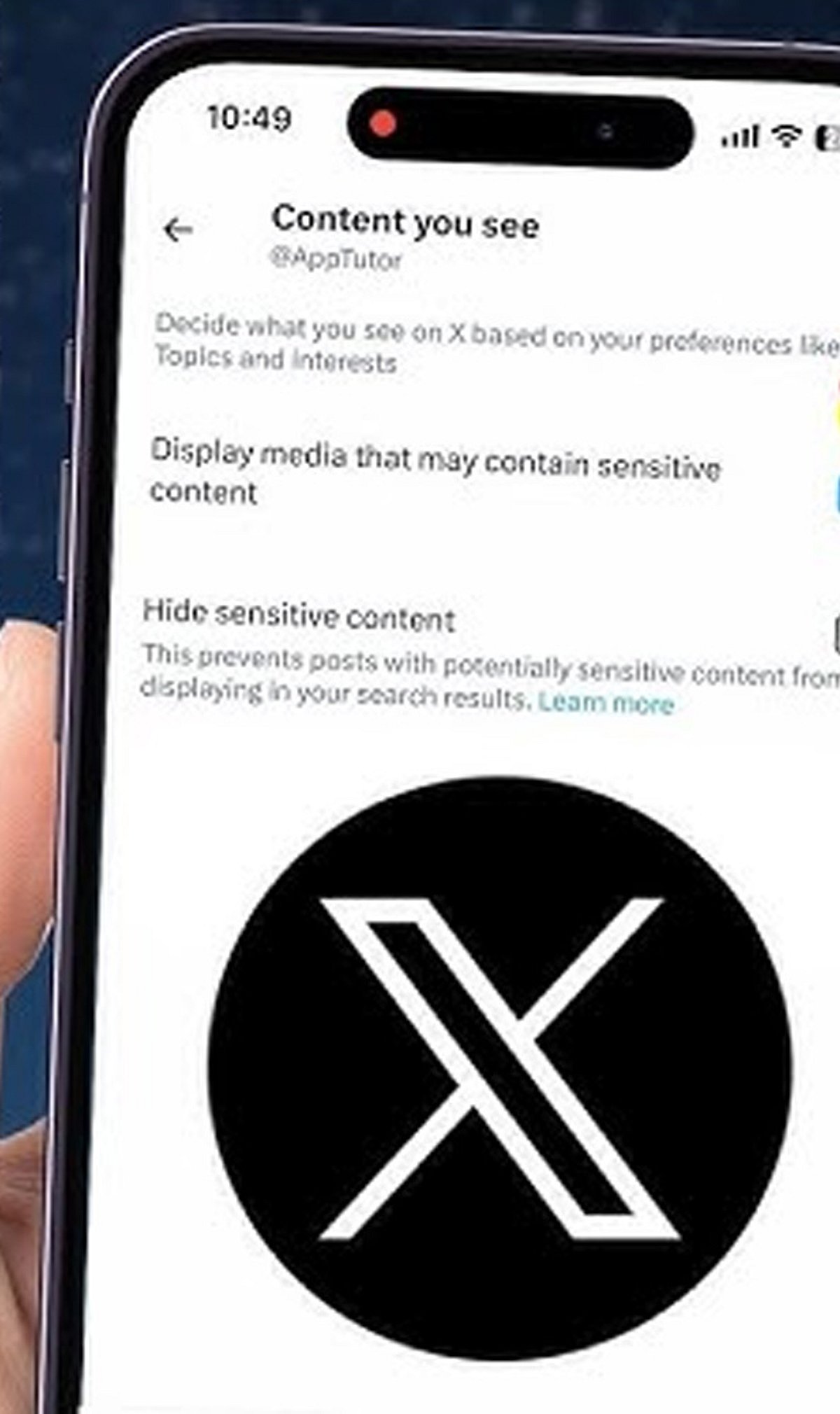
    You can limit exposure to sensitive or explicit media. Go to your privacy settings and toggle the “Display media that may contain sensitive content” option.

    Unfollow Noisy Accounts

    If an account no longer aligns with your interests, don’t hesitate to unfollow. A leaner timeline means fewer distractions.

    Manage Notifications

    Reduce interruptions by filtering notifications. You can choose which types of interactions (likes, retweets, replies) you want to be alerted about.

    Customize Your Following Feed

    Switch between the “Following” (chronological posts from people you follow) and “For You” (algorithmic recommendations) tabs. Prioritize “Following” to see only content from accounts you chose.

    By applying these settings, you can transform your X experience from noisy to enjoyable. Start with one or two changes and gradually refine your feed.

  • How to Refresh Your Instagram Explore Page: Step-by-Step Guide

    How to Refresh Your Instagram Explore Page: Step-by-Step Guide

    Open Instagram Settings

    Launch the Instagram app and tap your profile icon in the bottom right. Then tap the three-line menu (hamburger icon) in the top right and select Settings to begin resetting the content recommendations shown on your Explore page.

    Find Content Preferences

    Within Settings, scroll down and tap Content Preferences. This section houses Instagram’s controls for managing suggested posts and recommendation settings.

    Select Reset Suggested Content

    Tap Reset Suggested Content to refresh recommendations across Explore, Reels, and Feed with a cleaner content profile. Instagram will remove the signals it currently uses to suggest posts.

    Confirm the Reset

    Review the reset information and confirm your choice. This action clears Instagram’s current recommendation signals, giving you a fresh start.

    Refresh Your Explore Page

    After resetting, Instagram gradually rebuilds recommendations based on the content you view and interact with. Be patient—it takes time for the algorithm to learn your new preferences.

    Avoid Unwanted Content

    Use the Not Interested option on posts you dislike to actively tell Instagram what content you want to see less often. This helps refine your Explore page faster.

    Engage With Preferred Content

    Like, save, and share posts matching your interests to help Instagram personalise your Explore recommendations. The more you interact with relevant content, the better the suggestions become.

    Unfollow Irrelevant Accounts

    Unfollow accounts that no longer match your interests to reduce unwanted content influencing your Explore page. A cleaner follow list leads to better recommendations.

    Clear Your Search History

    Clear recent searches to remove old search signals that may continue influencing Instagram’s content recommendations. Go to Settings > Privacy > Search History and tap Clear All.

  • Transform Travel Photos into Engaging Instagram Reels: A Step-by-Step Guide

    Transform Travel Photos into Engaging Instagram Reels: A Step-by-Step Guide

    A strong travel photo can perform well in a carousel, but when you need a quick Instagram Reel teaser, that same image often feels static. It has the view, but lacks the movement and pacing that short-form video requires. For beginners, building a full travel edit from scratch for a single post is rarely worth the time.

    That’s where many people get stuck. Some overwork the photo until it looks unnatural, while others post the image as-is and hope music will do the rest. Neither approach typically yields a useful teaser. A lighter image-to-video workflow is often the better fit, especially when you only need a short preview. If you want to test that kind of setup in a browser, Media.io is a practical place to start.

    The Real Problem Behind Travel Photo Teasers

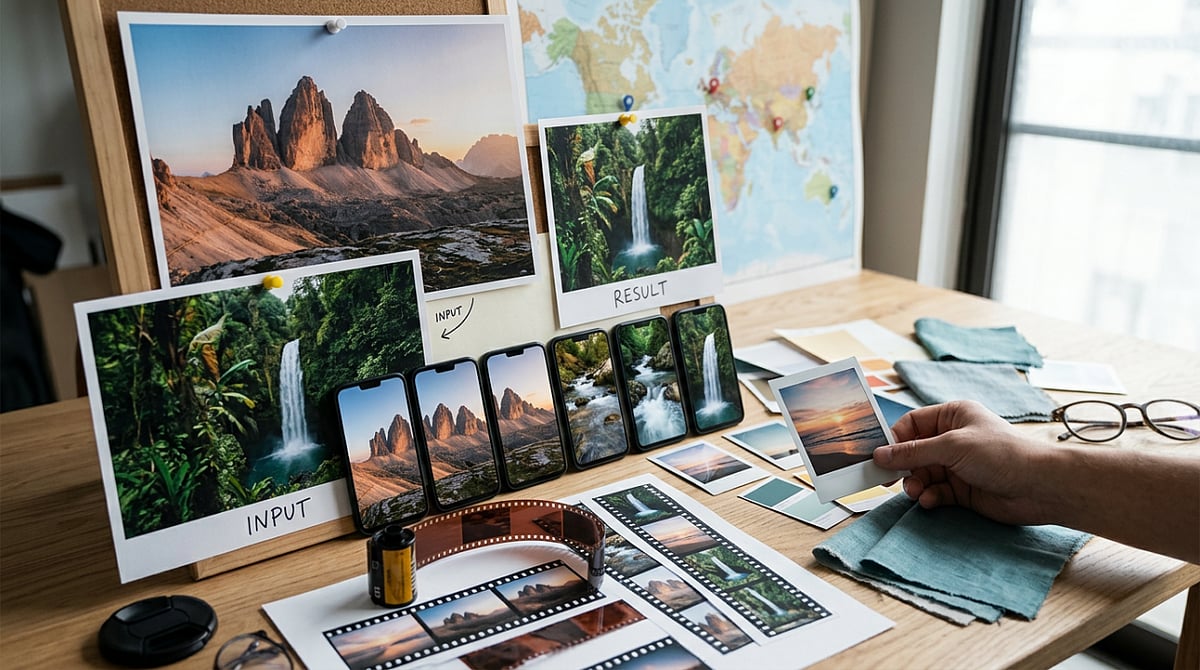
    The problem isn’t the photo itself—it’s that a still image and a Reel are trying to do different things. A destination photo captures one moment well, but a Reel teaser needs motion, pacing, and a sense of atmosphere, even if the clip runs only a few seconds. A slow push toward a skyline or a soft drift across a beach scene can change how the image lands, making it feel like a native short video instead of a reused still.

    Beginners usually go wrong in one of two ways: they add too much artificial motion, making the result distracting, or they leave the image static and call it finished. Sometimes that works, but it rarely creates anticipation. For this kind of content, the goal is simple: turn one good travel photo into a short Reel-style preview without overcomplicating it. That’s why Media.io’s image-to-video tool is worth trying.

    What a Publishable Result Should Look Like

    For travel teasers, a publishable result is easy to define: subtle motion, one clear subject, and a vertical-friendly clip that feels at home on Reels. It should feel clean and watchable, not busy.

    That usually comes down to a straightforward workflow: upload the image, add a motion prompt, choose from a few video models, and compare the results. Keeping those steps in one place helps, especially if you don’t want to bounce between tools. Media.io also includes 5,000+ templates, free daily credits for testing, and the option to add music or do light editing after generation.

    One thing beginners often miss: longer prompts do not automatically give better results. With travel teasers, clear and simple usually works better. A single image plus one restrained motion idea often produces a better clip than a long prompt trying to force too much into a few seconds.

    How to Complete Travel Photo Teasers with Media.io

    You don’t need a big workflow. If the photo is strong and the motion idea is clear, three steps are usually enough.

    Step 1: Start with One Strong Travel Photo

    Open Media.io and go to the image-to-video workflow. Upload one destination photo with a clear subject, such as a beach path, skyline, street scene, or mountain view. The best starting images already have mood, depth, or a clear visual direction. Avoid busy collages or weak snapshots—a tool can animate a still image, but it cannot fix a cluttered composition.

    Step 2: Add a Motion Prompt and Choose a Style Direction

    Describe the kind of motion you want. Keep it short and visual, for example: “slow zoom toward skyline,” “gentle pan across beach,” “soft cloud drift,” or “subtle push-in on city street.” That’s usually enough. Then choose a model or template direction that suits a travel teaser. Travel content usually looks better with smooth motion and atmosphere than with a promo-style look. Since Media.io puts multiple video models in one workflow, you can try different directions without switching platforms.

    Step 3: Generate, Check the Feeling, and Export

    Generate the clip, then watch it for overall feel rather than just technical movement. Does the motion support the scene, or does it pull attention away? If it feels too busy, simplify the prompt and try again. If it feels flat, test a slightly stronger zoom or pan. Once the motion looks right, add music or light polish if you want a more complete Reel teaser. Then export it and check how it fits into your posting flow.

    Tips and Mistakes to Keep in Mind

    • Keep motion prompts short and tied to the actual scene. “Slow zoom on snowy peak” usually works better than a long prompt with extra actions.
    • Match the motion to the image. A skyline can handle a push-in. A beach scene works with cloud drift or a soft pan. A narrow street often looks better with gentle camera movement.
    • If possible, test more than one output. Results vary based on the image, model, and prompt clarity. Free daily credits make this easier.
    • Avoid starting with a crowded image that has no focal point—movement can look messy when the eye has nowhere to settle.
    • Don’t ask for too much action from a calm scene. A quiet lake photo doesn’t need dramatic movement, just enough to add mood.
    • Check the vertical format early. If the image doesn’t adapt well to a Reel layout, the teaser can feel awkward before animation starts.

    Final Takeaway

    If you already have strong travel photos and need quick social-ready motion, this workflow is a solid fit. It takes less effort than building a full travel video and usually gives you a stronger result than posting a static image with music. What makes it useful for beginners is how connected the process feels: upload a photo, add motion, compare model outputs, and make light refinements in one browser-based workflow. Start with one destination photo, turn it into one short Reel teaser, see what works, adjust the motion, and repeat.

    FAQs

    Do I need editing experience to make Reels from travel photos?

    No. If you can pick a strong image and describe simple motion, you can make a usable teaser. The bigger learning curve is choosing the right photo and giving the tool a clear prompt.

    What kind of travel images work best for image-to-video?

    Photos with a clear subject, visible depth, and a strong sense of place usually work best. Skylines, beaches, mountain views, street scenes, and landmark shots are all good options.

    Can I add music after generating the motion clip?

    Yes. In many cases, that’s the better order. Generate the motion first, check the result, and then add music or light polish before posting.