Tag: SQL

  • Data Analytics Bootcamp: Build Job-Ready Skills and Boost Your Salary in 2026

    Data Analytics Bootcamp: Build Job-Ready Skills and Boost Your Salary in 2026

    Why Data Analytics Bootcamps Are on the Rise

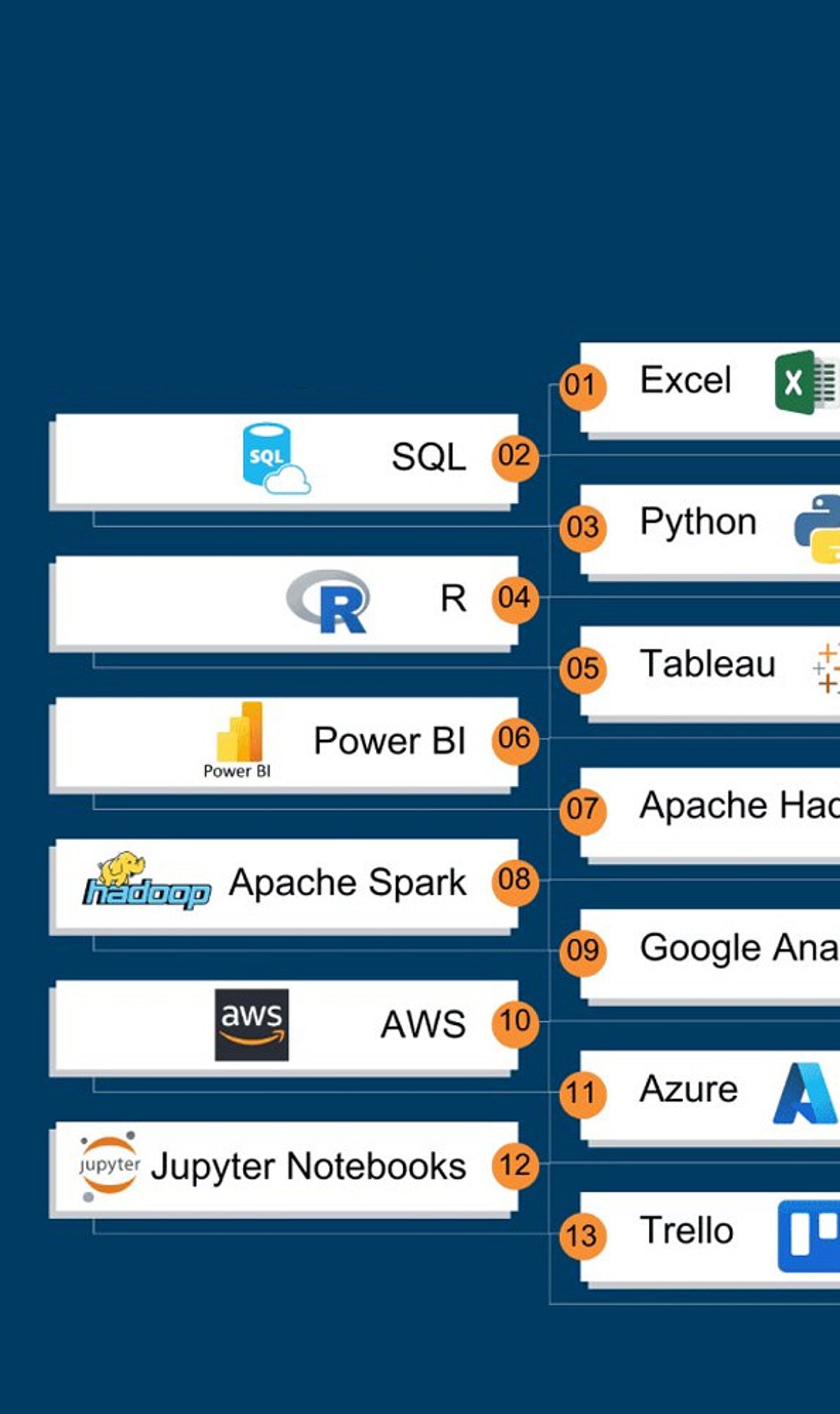
    Data analytics has become one of the fastest-growing career fields, driven by companies across banking, healthcare, retail, and tech that rely on data for decision-making. A data analytics bootcamp offers a fast, structured path to gain skills like Python, SQL, Excel, and Tableau—often in 12 to 24 weeks, compared to years in a traditional degree program. For career changers and recent graduates, these programs have emerged as a practical bridge into a high-demand profession.

    What You Actually Learn in a Bootcamp

    Most bootcamps center their curriculum on core tools: Python for programming, SQL for database queries, Excel for analysis, and Tableau for visualization. Alongside these, students develop skills in data cleaning, trend identification, and clear communication of insights. Programs typically run 12–24 weeks, with 18 weeks being the sweet spot between depth and speed. Hands-on projects and a final capstone assignment build a portfolio that employers can review immediately after graduation. This project-based approach often stands out more than a transcript to hiring managers.

    Job Placement and Salary Outcomes

    Verified bootcamp trackers report an average job placement rate of about 79% within six months, with top programs hitting 85–89%. Career changers frequently see a median salary increase of roughly USD 35,000. Entry-level data analysts typically start in the USD 65,000–85,000 range, varying by location and industry. Common first roles include reporting analyst, insights analyst, and product analyst, while specialized roles like data engineering can surpass USD 100,000 with experience.

    How to Choose the Right Bootcamp

    Not every bootcamp fits every learner. Key factors to compare include program cost (free income-share agreements to USD 15,000+), mentorship availability, job guarantees, and partnerships with hiring companies. Online and hybrid formats now dominate, making it easier for working professionals to enroll without leaving their current job. Look for programs with live mentorship and transparent placement statistics.

    Why This Career Path Matters Right Now

    Unlike some tech roles facing automation pressure, data analysis work continues to grow as organizations collect more data and need skilled interpreters. A bootcamp offers a shorter, more affordable route into a well-paying career that spans industries from healthcare to finance to e-commerce. With strong placement rates and flexible formats, these programs provide a genuine opportunity to pivot without spending years in a classroom.

    Frequently Asked Questions

    What skills does a data analytics bootcamp teach?

    Most bootcamps cover Python, SQL, Excel, and Tableau, along with data cleaning, trend identification, and data communication. Students complete hands-on projects and a capstone for their portfolio.

    How long does a bootcamp take?

    Programs run 12 to 24 weeks, with 18 weeks being the most common length for balancing depth and speed.

    What salary can I expect after completing a bootcamp?

    Entry-level analysts start at USD 65,000–85,000; career changers often see a median increase of USD 35,000.

    What jobs can I get after a bootcamp?

    Common entry points include reporting analyst, insights analyst, and product analyst. With experience, roles like data engineering pay over USD 100,000.

    Are bootcamps worth the cost?

    Costs range from free to over USD 15,000. Given placement rates up to 89% and strong salary growth, many find the investment worthwhile if the program offers solid mentorship and hiring support.

  • SQL or Python? 7 Essential Differences Every Data Analyst Needs to Know

    SQL or Python? 7 Essential Differences Every Data Analyst Needs to Know

    SQL and Python are two of the most valuable tools in a data analyst’s toolkit. They solve different problems, and knowing where each excels can make your analysis faster, more accurate, and more efficient. This guide breaks down seven core differences between SQL and Python to help you choose the right tool for the right task.

    1. Core Purpose

    SQL is built specifically for working with structured data stored in relational databases. It helps analysts retrieve, filter, sort, and combine large datasets with precision. Python, on the other hand, is a general-purpose programming language that goes far beyond data queries—it handles data cleaning, automation, statistical analysis, machine learning, and visualization.

    2. Database Strengths

    When your data lives in a database, SQL is the natural starting point. You can query millions of records directly without moving the entire dataset elsewhere. Python can also interact with databases, but it shines after the data has been extracted, when deeper processing is needed.

    3. Beyond Queries

    SQL specializes in data retrieval and manipulation. Python, however, opens the door to advanced analytics and automation. Libraries such as pandas, NumPy, Matplotlib, and scikit-learn allow analysts to transform data, build predictive models, and create rich visualizations—all in one environment.

    4. Learning Curve

    SQL has a relatively straightforward syntax for common analytical tasks. Beginners can quickly pick up commands like SELECT, WHERE, GROUP BY, and JOIN to start exploring business data. Python requires understanding broader programming concepts such as variables, functions, loops, and library management, making the learning curve steeper. Yet that extra effort pays off as analytical challenges become more complex.

    5. Data Retrieval vs. Deeper Analysis

    SQL’s biggest strength lies in accessing and transforming database data. It answers questions like: Which products sold the most? Which customers spent the most? How did performance change over time? Python becomes especially useful when you need statistical modeling, predictive analytics, or automation—tasks that go beyond simple queries.

    6. Tooling and Libraries

    SQL is a query language with a focused ecosystem. Python offers a vast collection of libraries and frameworks for every stage of the data workflow, from data manipulation (pandas, NumPy) to visualization (Matplotlib, Seaborn) and machine learning (scikit-learn, TensorFlow). This makes Python a more flexible, all-in-one platform for end-to-end analysis.

    7. Integration and Flexibility

    SQL is generally confined to database operations. Python, meanwhile, can connect with APIs, files, other databases, and machine-learning frameworks. This flexibility means Python can automate entire pipelines, pull data from multiple sources, and deliver production-ready models—something SQL alone cannot do.

    Final Thoughts

    Both SQL and Python are essential for modern data analysis. SQL is your go-to for efficient database querying, while Python enables deeper analysis, automation, and machine learning. By mastering both tools, you can work smarter and handle a broader range of analytical challenges.

  • The Complete Guide to MySQL: Database Management and Development Software

    The Complete Guide to MySQL: Database Management and Development Software

    MySQL is a widely adopted open-source relational database management system (RDBMS) designed for storing, organizing, and querying structured data. Known for its robust SQL support, cross-platform compatibility, transactional capabilities, and extensive suite of developer tools, MySQL is a go-to choice for websites, applications, analytics projects, and business systems.

    Overview

    MySQL is an open-source RDBMS built around SQL and structured data management. The MySQL Community Edition provides a free, feature-rich option for developers, students, and organizations alike. It supports applications across Windows, Linux, macOS, and other major platforms.

    Download MySQL Community Server

    The MySQL Community Edition is available for free download under the GNU General Public License (GPL). Users can select the appropriate package for their operating system from the official MySQL download page.

    • Developer: Oracle Corporation
    • Category: Developer Tools / Database Management
    • License: GNU General Public License (GPL) for Community Edition
    • Platforms: Windows, Linux, macOS, and other Unix-like systems
    • Version: MySQL Community Server 8.0.46
    • File Size: Varies by operating system and installation package

    About MySQL

    MySQL is engineered to handle databases ranging from small development projects to large-scale production applications. It leverages tables, relationships, indexes, and SQL queries to organize information efficiently. Developers use MySQL for websites, business applications, content management systems, analytics projects, and backend services. The InnoDB storage engine provides transactional support, while replication and high-availability features cater to larger deployments.

    Key Features

    • Relational database management
    • SQL-based querying
    • InnoDB transactional storage engine
    • Replication and high-availability options
    • MySQL Shell and development tools
    • Support for indexes, views, stored procedures, and triggers
    • MySQL Document Store capabilities
    • Cross-platform support
    • Security and user-access controls
    • Integration with popular programming languages and frameworks

    The Community Edition also includes a transactional data dictionary, pluggable storage engines, replication, Group Replication, and InnoDB Cluster.

    Is MySQL Free?

    Yes. The MySQL Community Edition is free, open-source, and distributed under the GPL license. It can be downloaded without any subscription. For businesses needing additional commercial features, support, or enterprise services, MySQL offers commercial versions.

    System Requirements

    MySQL supports Windows, Linux, macOS, and several Unix-like platforms. Requirements vary by operating system and installation method. Developers compiling from source need tools like CMake and a suitable compiler. For Windows source builds, Windows 10 or later is required. Users installing pre-built packages should consult the official documentation for their specific OS and architecture.

    How to Use MySQL

    1. Download the appropriate MySQL Community Server package.
    2. Install and configure the MySQL server.
    3. Set a root password and create database users.
    4. Start the MySQL server.
    5. Connect via MySQL command-line client, MySQL Shell, or a compatible application.
    6. Create a database using SQL commands.
    7. Create tables and add data.
    8. Use SQL queries to insert, update, retrieve, and manage records.

    Beginners can start with basic commands such as CREATE DATABASE, CREATE TABLE, INSERT, SELECT, UPDATE, and DELETE.

    Pros and Cons

    Pros

    • Free Community Edition
    • Open-source and widely supported
    • Easy to find learning resources
    • Strong SQL capabilities
    • Works with many programming languages
    • Suitable for both development and production

    Cons

    • Advanced administration can require technical knowledge
    • Configuration may become complex for large deployments
    • Some enterprise features require commercial products

    Best Alternatives to MySQL

    If MySQL doesn’t fully meet your project’s needs, consider these alternatives:

    • PostgreSQL: A powerful open-source RDBMS suited for complex queries and advanced applications.
    • MariaDB: An open-source fork of MySQL, offering strong compatibility.
    • SQLite: A lightweight, serverless database ideal for embedded applications.
    • Microsoft SQL Server: A commercial platform for business and enterprise workloads.
    • Oracle Database: An enterprise-focused database with advanced features.

    Related Software

    MySQL integrates with a range of tools for administration and development:

    • MySQL Workbench: A graphical tool for database design and management.
    • MySQL Shell: A command-line interface for development and administration.
    • MySQL Router: Ensures high-availability connections.
    • MySQL Connectors: APIs for connecting to MySQL from various programming languages.

    FAQs

    1. What is MySQL?

    MySQL is an open-source RDBMS that stores data in structured tables and uses SQL for management. It enables developers to create databases, run queries, update records, and build data-driven applications.

    2. Is MySQL free to download?

    Yes, the MySQL Community Edition is free and open-source under the GPL license. Commercial versions are also available for enterprise needs.

    3. What is MySQL used for?

    MySQL is used for websites, backend applications, content management systems, business software, analytics, and online services. It stores customer data, product catalogs, transactions, user accounts, and more.

    4. Is MySQL a programming language?

    No, MySQL is a database management system. It uses SQL (Structured Query Language) to interact with databases.

    5. Which operating systems support MySQL?

    MySQL supports Windows, Linux, macOS, and other Unix-like platforms. Check Oracle’s documentation for the latest supported versions.

    MySQL remains a practical choice for developers who need a reliable relational database for websites, applications, and business systems. Its SQL support, broad platform compatibility, large ecosystem, and free Community Edition make it accessible to both beginners and experienced developers.

  • Top Full Stack Java Interview Mistakes Freshers Must Avoid to Land the Job

    Top Full Stack Java Interview Mistakes Freshers Must Avoid to Land the Job

    Full Stack Java interviews have evolved significantly. Today, employers look beyond rote memorization and expect candidates to demonstrate practical knowledge, confident communication, and logical problem-solving. For fresh graduates, avoiding common pitfalls can make the difference between advancing or being rejected. This guide covers the most frequent mistakes and provides actionable preparation strategies.

    Why Memorized Answers Fail

    Many freshers spend weeks memorizing answers from websites or videos, but this approach rarely succeeds. Interviewers quickly detect memorized responses and often ask follow-up questions to test genuine understanding. Instead of recalling definitions, focus on explaining core Java concepts—inheritance, polymorphism, encapsulation, and abstraction—using simple examples from your projects. This shows practical experience and helps interviewers see how you apply knowledge in real situations.

    Resume Preparation: Less Is More

    Listing too many technologies on your resume without solid practice creates unnecessary pressure. Every item can become a question. Hiring teams pay special attention to the project section. Be ready to discuss your project’s goals, architecture, database choices, API design, and challenges. Honest answers always outperform exaggerated claims. A small, well-understood project carries more weight than a large one with weak explanations.

    Master Java Fundamentals First

    Core Java is the foundation of every Full Stack Java interview. Recruiters expect proficiency in OOP, collections, exception handling, strings, generics, multithreading basics, and memory management. Topics like HashMap, ArrayList, StringBuilder, JVM, JDK, and JRE are common. Jumping directly to Spring Boot without solid Java basics often causes confusion during technical rounds. Strong fundamentals build confidence and help you solve coding problems clearly.

    SQL Skills Are Non-Negotiable

    Database knowledge is critical for Java development. SQL questions appear regularly: CRUD operations, JOINs, GROUP BY, HAVING, subqueries, normalization, and indexes. Many freshers lose points by writing incorrect queries or failing to explain database design. Good SQL skills demonstrate your ability to manage application data accurately and support backend development.

    Coding Practice That Builds Confidence

    Coding rounds test reasoning, not memory. Expect tasks with arrays, strings, HashMap, lists, recursion, stacks, queues, and simple algorithms. Write clean code, use clear variable names, and explain each step as you go. Interviewers favor candidates who talk through their solution—it shows poise and logical thinking. Solving problems silently in your head rarely impresses.

    Modern Java Features Show Readiness

    Knowledge of features introduced after Java 8 is increasingly important. Be comfortable with lambda expressions, Stream API, Optional, method references, and functional interfaces. These improve code quality and are used in real projects. Using simple project examples to illustrate them proves practical understanding.

    Spring Boot and Frontend Knowledge Complete the Picture

    Spring Boot is central to many Full Stack Java projects. Understand dependency injection, REST APIs, Spring Data JPA, Hibernate, validation, exception handling, and application architecture. Connect every concept to project work, not just definitions.

    Frontend skills also matter. Basic knowledge of HTML, CSS, JavaScript, and either React or Angular is common. Be ready to explain how frontend pages communicate with backend services via APIs. This shows complete full stack understanding rather than isolated technical expertise.

    Small Details That Influence Results

    Git proficiency is now a standard requirement. Know how to create repositories, commit changes, branch, merge, push, pull, and resolve conflicts. These skills show readiness for team-based development.

    Communication cannot be overlooked. Clear, concise explanations help interviewers grasp your technical knowledge quickly. Practice mock interviews and project discussions to build natural confidence.

    Final Thoughts

    Succeeding in a Full Stack Java interview requires sound knowledge, strong fundamentals, coding ability, database skills, and clear communication. Recruiters appreciate candidates who explain ideas in detail, approach problems logically, and speak honestly about their projects. Comprehensive preparation across Java, Spring Boot, SQL, frontend technologies, Git, and coding practice creates a balanced profile and greatly improves your chances in today’s competitive job market.

    Frequently Asked Questions

    1. Which Java topics get the most attention during interviews?
    Core Java, OOP concepts, collections, exception handling, multithreading basics, and Java 8 features are the most common.

    2. Why do interviewers ask detailed questions about projects?
    Project discussions help measure practical knowledge, problem-solving ability, and technology understanding.

    3. Is SQL important for a Full Stack Java interview?
    Yes. Recruiters frequently ask about CRUD operations, JOINs, subqueries, indexes, and database design.

    4. Which frontend skills should freshers prepare?
    Basic HTML, CSS, JavaScript, and knowledge of React or Angular demonstrate complete full stack skills.

    5. How can freshers improve interview performance?
    Regular coding practice, concept revision, honest project preparation, and clear communication help build confidence.

  • Top CSE and IT Interview Questions Every Fresher Should Master

    Top CSE and IT Interview Questions Every Fresher Should Master

    Recruiters evaluate far more than technical knowledge in a first CSE or IT interview. They assess problem-solving, communication, coding fundamentals, and project understanding across every interview stage. A structured preparation plan focused on concepts, practical scenarios, and consistent practice helps candidates build confidence and perform better.

    The Question Behind Every Question

    Most freshers walk into their first technical interview expecting a quiz. What they actually face is closer to an audit of how they think. A recruiter asking about linked lists rarely cares whether the definition is memorized. They want to see reasoning happen in real time: how a problem gets broken down, where the logic might fail, and how clearly that thinking gets explained out loud.

    A first CSE or IT interview, whether for a campus placement drive or an entry-level software developer role, usually spans programming, data structures, object-oriented concepts, databases, operating systems, networks, and behavioral rounds. The exact mix shifts with the role. A developer position leans heavily on coding and algorithms, while IT support or infrastructure roles lean more on troubleshooting and systems knowledge.

    Programming: Where Code Quality Gets Tested

    Programming questions reveal how a candidate writes and reasons about code, not just whether syntax gets remembered correctly. Common ground includes the difference between a compiler and an interpreter, how loops and conditionals behave, and how a broken program gets debugged. Interviewers watch closely for whether a candidate clarifies the problem first, writes readable code, and checks edge cases before calling a solution finished. Estimating the time and space complexity of a solution matters here too, even for problems that look simple on the surface.

    Data Structures and Algorithms: Where Efficiency Gets Tested

    DSA questions move the focus from writing code to choosing the right approach. Expect arrays, linked lists, stacks, queues, hash tables, trees, and graphs to come up regularly. A candidate might be asked to detect a cycle in a linked list or compare breadth-first and depth-first search. These questions judge algorithmic thinking and awareness of trade-offs between time and space. Recognizing patterns across problems matters more than memorizing solutions.

    Object-Oriented Programming: Where Design Thinking Gets Tested

    Object-oriented questions assess how a candidate structures software rather than how many terms they can define. Encapsulation, inheritance, polymorphism, abstraction, and the difference between overloading and overriding come up often. A simple example, such as a payment system supporting multiple payment methods, tends to surface how abstraction works in practice. Freshers also face basic version control questions, including the difference between Git and GitHub or how a merge conflict gets resolved. Since most entry-level roles involve collaborative codebases.

    DBMS and SQL: Where Data Modeling Gets Tested

    Database questions check whether a candidate understands how applications store and protect information. Primary and foreign keys, normalization, joins, indexes, and ACID properties form the core of this section. Recruiters ask about normalization to assess scalable database design, not a textbook definition. Writing a basic query or explaining how an index speeds up lookups while adding storage overhead signals genuine practical readiness.

    Operating Systems and Networks: Where Resource Management Gets Tested

    Operating system questions cover processes versus threads, deadlock, virtual memory, and context switching, testing how well a candidate understands resource management. Networking questions typically include TCP versus UDP, DNS, and how to troubleshoot a system that cannot connect to the internet. These areas carry extra weight for infrastructure and cybersecurity roles.

    Real Scenarios: Where Problem Ownership Gets Tested

    Scenario questions reveal how a candidate responds when something breaks. A recruiter might ask what gets checked first when a user cannot log in or how a slow website gets investigated. Developers face similar scenarios framed differently: debugging a failing API or tracing a slow database query. A strong answer follows a clear sequence: identify the issue, gather information, isolate the cause, test a fix, and communicate the result. Many interviewers care more about how a candidate explains an imperfect solution than how fast they reach the optimal one. Online assessments and recorded video screenings now appear before many technical rounds, so coding tests, aptitude sections, and SQL exercises are worth expecting alongside live interviews.

    Coding Round vs Technical Round

    Not every company tests the same way. Service-based companies such as TCS, Infosys, and Wipro emphasize core CS fundamentals, aptitude, and basic coding over advanced algorithms. Product-based companies place far more weight on DSA and multiple rounds of coding interviews. Startups often focus on projects and how quickly a candidate can debug real, messy code. Knowing which category a target company falls into helps direct limited preparation time toward what actually gets tested.

    Projects and Behavioral Questions: Where Ownership Gets Tested

    Project questions separate candidates who understand their résumé from those who simply list technologies. Expect questions on personal contribution, technology choices, and lessons learned from mistakes. The STAR method, covering Situation, Task, Action, and Result, works well for structuring behavioral answers.

    A Preparation Plan That Actually Works

    A focused plan beats scattered revision. Reading the job description first identifies which technologies matter most. Revising one core subject a day, rather than cramming everything at once, builds retention. Solving coding and SQL problems under a time limit builds speed. Rehearsing project explanations aloud builds fluency under pressure. Keeping a short error log, noting each mistaken concept and its correction, turns preparation into a measurable cycle instead of passive review.

    Final Thought

    The candidates who stand out rarely know more facts than everyone else in the room. They connect concepts to real problems, explain their reasoning without hesitation, and treat an interview as a conversation rather than an exam. That shift in mindset, more than any single answer, is what separates a strong first impression from a forgettable one.

  • How Data Analysis Tools Have Evolved: Then vs. Now

    How Data Analysis Tools Have Evolved: Then vs. Now

    Excel vs. AI-Powered Spreadsheets

    A decade ago, Microsoft Excel was the undisputed king of data analysis. Today, modern spreadsheets integrate AI assistants, automation, predictive formulas, and real-time collaboration—transforming how analysts work with numbers.

    Traditional SQL vs. AI SQL Assistants

    Analysts used to write every SQL query by hand. Now, AI-powered tools generate, optimize, and explain complex database queries in seconds, dramatically cutting the time spent on data retrieval.

    Static Dashboards vs. Interactive BI

    Basic, static reports have given way to interactive dashboards in Power BI, Tableau, and Looker. These platforms offer real-time visualization and self-service analytics, putting insights into the hands of decision-makers instantly.

    Local Databases vs. Cloud Data Warehouses

    On-premise databases were once the norm. Organizations now rely on cloud platforms like Snowflake, BigQuery, and Redshift for scalable analytics, faster processing, and lower maintenance overhead.

    Manual ETL vs. Automated Data Pipelines

    Data preparation used to involve manual effort for extraction, transformation, and loading. Automated ETL platforms now streamline the entire pipeline, handling data from multiple sources with validation and error-checking built in.

    Basic Python Scripts vs. AI Coding Assistants

    Python remains an essential tool, but AI coding assistants accelerate script creation, debugging, documentation, and workflow automation—enabling analysts to focus on insights rather than syntax.

    Historical Reporting vs. Predictive Analytics

    Analysts once focused on reporting what had happened. Now, machine learning models forecast trends, customer behavior, and business performance with remarkable accuracy, enabling proactive decision-making.

    Desktop Collaboration vs. Cloud Workspaces

    Emailing spreadsheets back and forth is a thing of the past. Cloud-based collaboration allows simultaneous editing, data governance, and secure enterprise-wide sharing in real time.

    Manual Insights vs. Generative AI Analytics

    Modern analytics platforms summarize datasets, generate reports, recommend visualizations, and answer natural-language questions—all powered by generative AI, making data exploration faster and more accessible than ever.

  • Wipro Seeks Azure Data Engineer with Databricks, SQL, and PySpark Expertise

    Wipro Seeks Azure Data Engineer with Databricks, SQL, and PySpark Expertise

    Wipro, a global leader in IT consulting and business process services, is hiring an Azure Data Engineer skilled in Databricks, SQL, and PySpark. The role is based in major Indian cities including Bengaluru, Hyderabad, Chennai, Mumbai, and Pune. The ideal candidate will design scalable data systems, resolve technical challenges, and enhance operational support within active data engineering teams.

    Key Responsibilities

    • Oversee daily team performance by reviewing transactions and process quality parameters.
    • Provide technical guidance to production specialists and continuously improve process efficiency.
    • Document client queries, resolutions, and troubleshooting steps systematically.
    • Handle technical escalations with effective diagnosis and resolution within defined SLA timelines.
    • Conduct training sessions to close skill gaps and boost technical capabilities.

    Essential Qualifications

    • Bachelor’s degree in Computer Science or a related field.
    • Extensive Azure Data Engineering experience with Databricks and PySpark.
    • Strong SQL proficiency for data querying, transformation, and database management.
    • Proven ability to troubleshoot data pipelines and resolve production issues.
    • Experience in enterprise environments with SLA-based delivery models and client support.

    Preferred Skills

    • At least 2 years of experience with cloud-based data platforms and distributed processing frameworks.
    • Strong analytical and problem-solving abilities for complex data engineering challenges.
    • Mentoring and training skills to instruct team members on technical topics.
    • Familiarity with performance monitoring dashboards and reporting tools.
    • Excellent communication skills for client interaction and cross-team collaboration.

    Location: Bengaluru, Hyderabad, Chennai, Mumbai, Pune
    Experience: 5–8 years
    Job Type: Full-time
    Apply: Submit your application.

  • Essential Programming Languages for Modern Database Administrators

    Essential Programming Languages for Modern Database Administrators

    Every institution—banks, hospitals, online stores, schools, and government offices—depends on huge amounts of information. Database administrators (DBAs) ensure this data stays safe, organized, and available at all times. They also fix performance issues, manage security, recover lost data, and keep databases running without interruptions.

    The role of a DBA has evolved. Today, database professionals handle cloud platforms, automation, security checks, database migration, and system monitoring alongside traditional tasks. Programming skills have become as important as database knowledge. The 2025 Stack Overflow Developer Survey, with over 49,000 respondents from 177 countries, shows Python (66%) and SQL (59%) among the most widely used languages, and PostgreSQL remains the most admired database platform.

    SQL Builds Every Database Career

    SQL is the first language any DBA must learn. It is used for relational database systems—designing schemas, creating tables, updating records, and deleting unwanted data. SQL helps identify slow queries and speed up the database. Modern systems handle millions of transactions daily; efficient SQL queries reduce server load and improve response time. SQL is recognized as one of the most important skills for a successful DBA career.

    Python Saves Time Through Automation

    Python is popular because it automates repetitive tasks that could take days or weeks. DBAs use Python for backups, health checks, performance audits, data transfers, and log monitoring. Python’s libraries—SQLAlchemy, Psycopg, Pandas, PyMySQL, PyODBC, and cx_Oracle—make ETL (extract, transform, load) operations easy. It also supports AWS, Microsoft Azure, and Google Cloud, offering flexibility for modern database solutions. The 2025 Stack Overflow Survey shows a 7% rise in Python adoption.

    PowerShell Makes SQL Server Management Easier

    Many organizations use Microsoft SQL Server. PowerShell helps DBAs complete routine work faster—server setup, database deployment, backup schedules, security audits, system updates, and Availability Group management. Large organizations manage hundreds of SQL Server instances; PowerShell scripts control all servers instead of manual work. It also integrates with Microsoft Azure, simplifying cloud migrations and reducing errors.

    Bash Helps Linux Database Administrators

    A large number of enterprise databases run on Linux servers—PostgreSQL, MySQL, MariaDB, and Oracle. Bash remains important for DBAs. Bash scripts automate backups, schedule maintenance, monitor storage, review system logs, and restart services. Linux command-line tools like grep, awk, sed, and find help locate problems quickly. Strong Bash skills allow DBAs to manage Linux servers with speed and confidence, especially in cloud environments.

    Java Helps Solve Enterprise Database Problems

    Java does not replace SQL or Python but adds value for DBAs supporting enterprise applications. Many business apps use Java to connect with databases via JDBC. A DBA who understands Java can identify connection problems, review slow database calls, and work with developers to improve performance. This is especially useful in large organizations running ERP, banking platforms, or healthcare systems.

    R Supports Data Analysis and Reporting

    Some DBAs collaborate with business intelligence or analytics teams. R focuses on statistics and data analysis, helping DBAs monitor database growth, detect anomalies, anticipate storage needs, and generate detailed reports. Organizations that rely on data for strategy value these skills. Although not every DBA uses R, those supporting reporting and analytics gain an advantage.

    Go Powers Modern Cloud Infrastructure

    Go (Golang) has grown popular because many infrastructure tools are built with it. Cloud platforms, monitoring tools, and database utilities rely on Go for speed and efficiency. Go handles multiple tasks simultaneously without heavy system use, making it suitable for cloud databases, distributed systems, and Kubernetes. As organizations adopt cloud-native technologies, Go continues to gain importance.

    Why This Matters

    Programming proficiency equips DBAs to use modern database technology efficiently. It minimizes workload, improves security, eases administration, and bolsters cloud processing. As data becomes increasingly critical, DBAs with programming knowledge will remain competitive, solve complex problems, and advance their careers.

    Final Thoughts

    Database administration is no longer just SQL queries and backups. Modern DBAs handle cloud platforms, automation, security, performance optimization, and monitoring. Programming knowledge helps complete these tasks with greater speed and accuracy. SQL remains the foundation; Python simplifies automation; PowerShell and Bash improve server management; Java strengthens enterprise support; R and Go add value for analytics and cloud infrastructure. DBAs who build expertise in these languages stay ready for current demands and improve career opportunities.

    FAQs

    • Which language should a beginner DBA learn first? SQL—every relational database relies on it.
    • Why is Python popular among DBAs? It automates repetitive tasks like backups, monitoring, and data migration, saving time and reducing errors.
    • Do DBAs need to learn Java? Java helps troubleshoot enterprise apps and understand application-database communication, though it’s not mandatory for every role.
    • Is Bash useful for database administration? Yes, for Linux DBAs to automate maintenance, backups, and server management.
    • Which language is best for cloud database environments? Python stands out because it works well with AWS, Azure, and Google Cloud.
  • How to Launch a Data Science Career Without a College Degree

    How to Launch a Data Science Career Without a College Degree

    Data science no longer requires a traditional degree to launch a successful career. Employers now prioritize practical skills, GitHub portfolios, certifications, and real-world projects. With 34% job growth projected through 2034 and salaries of Rs. 6–14 LPA in India, opportunities remain strong for those who take the right approach.

    Why Employers Are Reconsidering Requirements

    Hiring managers today look past pedigree and straight toward proof of ability. One survey found that 67% of practicing data scientists did not major in computer science. Portfolios and GitHub repositories now get reviewed before transcripts ever come up. The US Bureau of Labor Statistics projects data science jobs will grow 34% between 2024 and 2034, leaving companies short on qualified applicants and loosening entry requirements.

    The Financial Case Remains Strong

    Pay in this field stays competitive no matter which route a candidate took to enter it. Fresher salaries in India typically range between six and fourteen lakh rupees annually, based on Glassdoor figures. Professionals a few years in, with sharper technical depth, often clear that range comfortably.

    How To Become A Data Scientist Without A Degree

    Getting there without a formal degree takes more patience than most guides admit upfront. Below is a sequence that has worked for many self-taught professionals already in the field.

    • Start with mathematics, statistics, and probability, using structured platforms rather than scattered videos.
    • Pick up Python and SQL first, then move into specialized machine learning libraries.
    • Earn one recognized certification so employers have something concrete to check against.
    • Build projects on real datasets and post the finished work publicly on GitHub.
    • Target entry-level analyst roles before aiming straight for a data scientist title.
    • Update your resume after every interview, based on what the feedback actually revealed.

    Certifications Still Carry Weight

    Free tutorials teach the material well, but a certificate gives a hiring manager something to verify quickly. One solid credential from a known platform can separate an application from a stack of similar ones. Analyst roles often work as a practical bridge toward a full data scientist position later.

    Portfolios Do The Talking

    A portfolio with three or four solved problems says more than a transcript ever could. Projects tied to real business questions show judgment that coursework alone rarely reveals. Interviewers tend to favor candidates who can walk through why they made each modeling choice.

    What Skills Do I Need?

    A handful of core skills stay fixed no matter which path a candidate takes to learn them. Programming proficiency in Python and R, alongside data visualization and advanced statistics, forms the essential skill set.

    Technical And Analytical Skills

    Coding alone will not carry a candidate through interviews or the job itself later. Cleaning messy data, choosing the right algorithm, and evaluating model output all matter just as much. These are the tasks that fill most working weeks in an entry-level role.

    Communication And Business Understanding

    A finding buried in code means little until someone can explain it to a business team. Employers value analysts who tie a model’s output back to a decision worth making. Domain knowledge in one industry, paired with clear explanation, often separates strong hires from average ones.

    Final Words

    A missing degree no longer closes the door on a data science career the way it once did. Structured learning, a verified certificate, and a portfolio of real projects can carry a candidate through hiring rounds. What employers reward now is proof of output, not a line on a certificate. Anyone willing to put in steady hours over months, not weeks, can realistically get there. Data science still rewards curiosity and applied thinking well above where a person studied. Those building portfolios today are setting themselves up for solid, well-paid careers ahead.

    Frequently Asked Questions

    Can someone realistically become a data scientist without any formal degree? Yes, many professionals have built successful careers through self-study, certifications, and strong portfolios, since employers increasingly prioritize demonstrated skills over academic credentials during hiring decisions.

    How long does this alternative path typically take to complete? The timeline varies based on prior background and daily commitment, though most learners need between six months and a few years to reach genuine job readiness.

    Are certifications actually necessary for someone without a degree? Certifications are not mandatory, but they give employers a verifiable marker of competency, which carries more weight than informal, purely self-taught learning claims alone.

    What matters more to recruiters, degrees or project portfolios? Recruiters increasingly favor well-documented portfolios showing applied problem-solving, since practical project work demonstrates readiness better than transcripts or classroom coursework alone ever could.

  • A Beginner’s Roadmap to Data Science Tools: Python, SQL, and Visualization Libraries

    A Beginner’s Roadmap to Data Science Tools: Python, SQL, and Visualization Libraries

    Key Takeaways

    • Python, SQL, and Pandas form the foundation of modern data science.
    • Hands-on practice with Kaggle and Google Colab strengthens practical skills.
    • Visualization and version control tools improve project quality and career readiness.

    Data science can seem overwhelming at first, but selecting the appropriate tools simplifies the learning curve. Each tool serves a distinct purpose: some gather data, some organize it, while others create charts or build machine learning models. Rather than trying to learn dozens of programs at once, beginners see better results by focusing on a core set of essential tools. Recent learning guides and industry experts recommend this approach, as it builds strong practical skills before tackling advanced topics. A solid grasp of these tools also makes project work easier and prepares learners for internships and entry-level jobs.

    Python: The First Language to Learn

    Python has become the most popular programming language in data science because of its readability and simplicity. Even people with no coding background can learn its basics without much difficulty. Python helps clean raw data, analyze information, automate tasks, and create machine learning models. It also supports artificial intelligence projects, making it useful beyond beginner-level work. Another reason for its popularity is its vast collection of libraries. Instead of writing long programs from scratch, learners can use ready-made libraries that save time and reduce effort.

    Pandas and NumPy Make Data Easy to Handle

    Pandas and NumPy are two essential Python libraries that beginners should know. Pandas helps organize and clean datasets using simple commands. It can combine files, handle missing (NaN) values, and prepare data for analysis. These tasks are part of almost every data science project, so becoming familiar with Pandas is important early on. NumPy works with numbers and mathematical calculations. It is much faster than standard Python code when working with arrays and matrices. Moreover, many machine learning libraries are built on NumPy, so understanding it is necessary.

    Jupyter Notebook Creates a Better Learning Experience

    Jupyter Notebook offers an interactive workspace where code, text, and charts appear on the same page. This format helps beginners understand every step of a project, as explanations stay next to the code. Many teachers, researchers, and data scientists use Jupyter Notebook for tutorials, reports, and experiments. When mistakes appear, small sections of code can run separately, making debugging much easier than traditional programming methods.

    SQL Remains an Essential Skill

    Most companies store business information inside databases. SQL helps access that information quickly and efficiently. Beginners should learn basic commands such as SELECT, JOIN, GROUP BY, filtering, and aggregate functions, as these appear regularly in real business tasks. Industry reports continue to list SQL among the most requested skills for entry-level data science and data analytics jobs. Strong SQL knowledge also helps professionals work with large datasets without depending on spreadsheets.

    Excel Still Has an Important Place

    Even with advanced tools in the spotlight, Microsoft Excel still plays an important role in data science. Many firms use Excel for report generation, quick calculations, and simple analyses. Excel features such as Pivot Tables, Charts, Lookup Functions, and Data Cleaning tools make it easy to explore data without writing complex programs. For anyone starting out, Excel is a solid first step toward data analysis.

    Data Visualization Brings Numbers to Life

    Charts often explain data better than large tables. Matplotlib and Seaborn help create clear visualizations from Python data. These libraries produce bar charts, line charts, scatter plots, histograms, and heatmaps with just a few lines of code. Good visualizations help identify trends, compare values, and discover hidden patterns. Before building any machine learning model, data scientists usually study charts to understand the information more clearly.

    Scikit-learn Opens the Door to Machine Learning

    Once learners understand the basics of data analysis, Scikit-learn provides a reliable and simple introduction to machine learning. It offers popular algorithms such as Linear Regression, Logistic Regression, Decision Trees, Random Forests, and K-Means Clustering. Beginners can build predictive models without needing deep mathematical knowledge. Thanks to its simplicity and effective documentation, Scikit-learn is a great choice for newcomers.

    Git, GitHub, and Cloud Learning Platforms

    GitHub helps track project changes and maintain version history. It also enables collaboration when multiple developers work on the same project. Google Colab allows beginners to code without installing any software, and it provides free access to GPUs, making projects more accessible. Projects can be shared with classmates or mentors via a simple link. Kaggle is another excellent tool, offering thousands of datasets, coding notebooks, and tutorials for hands-on practice.

    Power BI and Tableau for Business Reporting

    Many organizations expect data specialists to present findings clearly and compellingly. Power BI and Tableau allow users to create responsive dashboards that illustrate business results, sales patterns, customer habits, and performance metrics. Beginners do not need to learn both platforms; mastering one visualization tool is enough for most entry-level positions. Using such dashboards improves communication, making key findings obvious to decision-makers regardless of their technical background.

    Why This Matters

    Learning the right data science tools from the beginning saves time and builds practical skills that employers value. Knowledge of Python, SQL, Jupyter Notebook, and Power BI helps solve real business problems, complete projects with confidence, and create a strong foundation for advanced analytics, machine learning, and future career growth.

    A Smart Learning Path

    A practical learning order makes the journey smoother. Start with Excel to build basic data understanding, then move to Python fundamentals, NumPy, Pandas, and SQL. After that, visualization libraries like Matplotlib and Seaborn help present insights clearly. Jupyter Notebook supports project work, while Scikit-learn introduces machine learning. Git and GitHub help organize projects, and Power BI or Tableau improve reporting skills. Google Colab and Kaggle complete the toolkit with cloud-based practice and real datasets. Recent learning roadmaps also encourage project-based learning instead of endless theory, as practical experience creates stronger skills and better job opportunities.

    Frequently Asked Questions

    1. Which programming language should beginners learn first for data science? Python is the best starting language because its simple, readable syntax makes it easy to learn while offering powerful data science libraries.
    2. Is SQL necessary for data science? Yes. SQL is essential for querying, retrieving, and managing large datasets stored inside relational databases.
    3. Should Excel be learned before Python? Learning basic Excel first helps build foundational data analysis skills, such as filtering and pivot tables, before transitioning to programming with Python.
    4. Is Google Colab better than installing Python locally? Google Colab is ideal for beginners as it runs entirely in your web browser with zero local installation or complex environment setup required.
    5. Why is Kaggle useful for beginners? Kaggle provides free access to real-world datasets, community code notebooks, and tutorials that help beginners build practical experience and strong portfolios.