Tag: streaming

  • AI-Generated Music Dominates Charts and Streaming, But New Rules Are Emerging

    AI-Generated Music Dominates Charts and Streaming, But New Rules Are Emerging

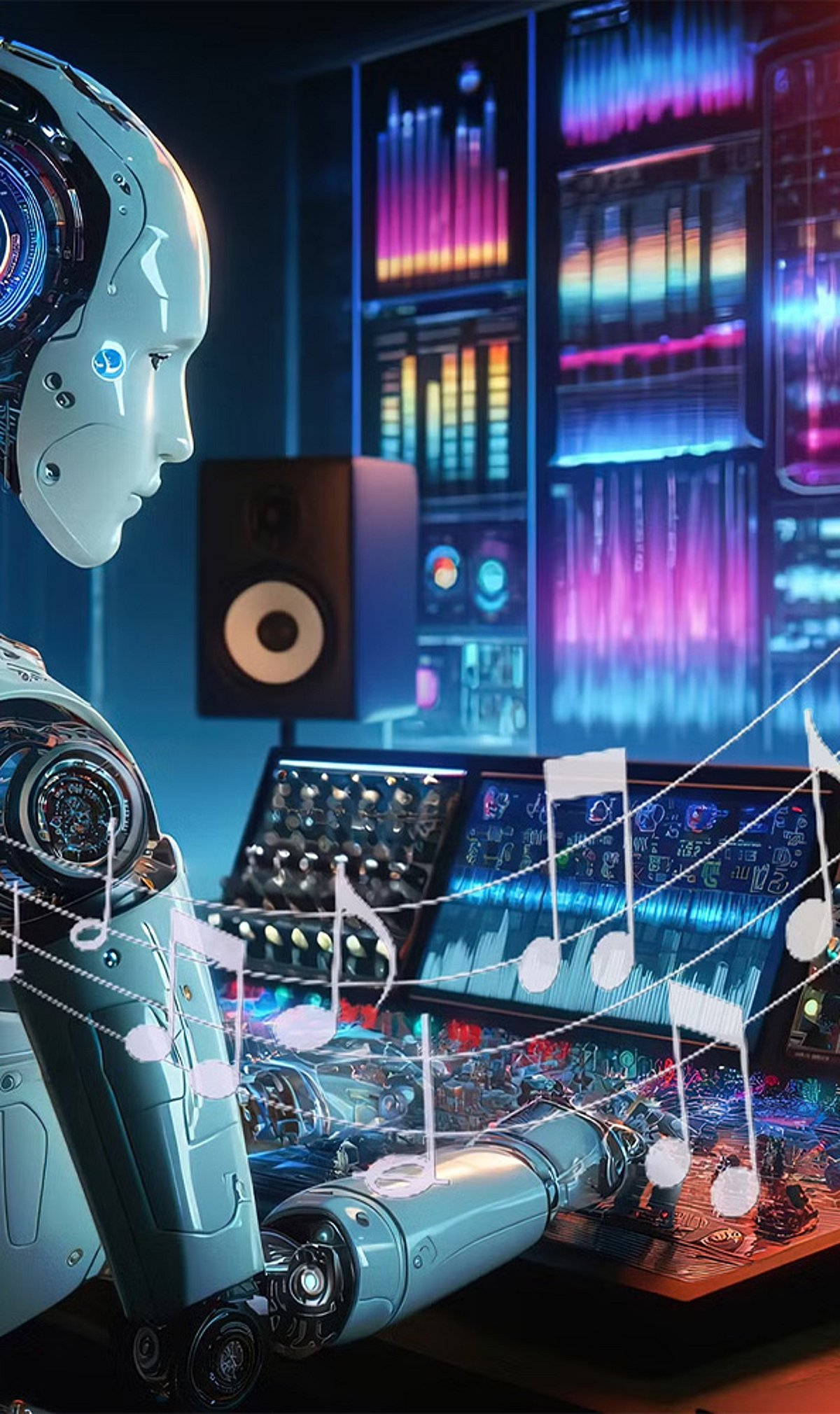
    AI-generated music has moved from experimental curiosity to mainstream phenomenon, with virtual artists now competing head-to-head with human musicians on major streaming platforms and music charts. This surge has prompted platforms and industry bodies to introduce new rules and labels to manage the influx of synthetic tracks.

    Chart Success for AI Artists

    AI-powered country act Breaking Rust has captured significant attention with songs like “Walk My Walk,” which reached No. 1 on Billboard’s Country Digital Song Sales chart. Meanwhile, Xania Monet, created using Suno by poet Talisha Jones, made history as one of the first AI-generated artists to appear on Billboard charts, gaining recognition across gospel and R&B genres.

    Streaming Audiences Embrace AI Singers

    Virtual blues artist Enlly Blue has become one of AI music’s biggest names, attracting hundreds of thousands of monthly Spotify listeners and millions of streams. This growing fan base underscores how AI-generated music is resonating with audiences worldwide.

    Explosive Growth in AI Uploads

    Streaming platform Deezer reported receiving approximately 90,000 fully AI-generated tracks daily in June 2026, with AI music accounting for more than half of its new daily uploads. This staggering volume is reshaping the music industry’s landscape.

    Platforms Introduce New Measures

    In response, Spotify plans to introduce AI Persona badges to identify synthetic artist identities and will limit their visibility in personalized and curated recommendations. Tidal has stopped monetizing fully AI-generated music, but allows AI-assisted songs when humans remain involved in writing, producing, or performing the creative work.

    Industry Rules and Debates

    Australia’s ARIA now excludes wholly AI-generated recordings from official charts, though songs using AI can still qualify if the creative work is substantially human-made. These moves have sparked a broader industry debate: supporters view AI as a powerful creative tool, while musicians fear playlist flooding, lower royalties, voice cloning, and copyright disputes could make competition harder for human artists.

    As AI music continues to evolve, the balance between innovation and protecting human creativity will remain a central challenge for the industry.

  • How Netflix Uses AI and Machine Learning to Personalize Your Viewing Experience

    How Netflix Uses AI and Machine Learning to Personalize Your Viewing Experience

    Netflix relies on artificial intelligence and machine learning to decide what appears on a user’s homepage every time they open the app. The system tracks what a person watches, how long they watch it, and whether they finish a show or abandon it halfway. It also notices smaller signals, such as pausing, rewinding, or skipping certain scenes.

    All of this data feeds into an algorithm that builds a detailed picture of individual taste, covering genres, actors, themes and even the pacing of a show. Netflix then ranks titles in its library based on how well they match that profile, along with overall popularity and ratings from similar users.

    Also read: What New Netflix Series Are Coming in September 2026?

    Inside Netflix’s Recommendation Engine

    Netflix currently serves more than 325 million subscribers across 190 countries, and its recommendation engine plays a central role in keeping that massive base engaged. Company data shows more than 80% of what people watch on the platform gets discovered through personalized recommendations rather than active searching.

    A 2024 internal study by Netflix reportedly found that removing personalized suggestions entirely would cause viewer engagement to drop by 16%, underlining how much the system shapes viewing habits. The company also estimates the recommendation engine saves it more than a billion dollars a year by reducing subscriber churn.

    New users are not left out of this process either. Since Netflix has little data on a fresh account, it asks new subscribers to pick a few titles they already enjoy right at sign-up. This gives the algorithm a starting point, and it keeps refining suggestions the more a person watches.

    Reinforcement learning also allows the system to react quickly, adjusting recommendations almost instantly after someone rates a show or watches something new.

    Also read: Most Underrated Netflix Shows You Shouldn’t Have Missed

    How AI Shapes Netflix

    Netflix’s AI-driven system does more than recommend a movie for a Friday night. It also decides how thumbnails look for each user, since two people can see completely different cover images for the same title based on what usually catches their attention.

    This level of personalisation extends to search results and even the order of rows on the homepage. For a platform competing against Amazon Prime, Disney+ and other streaming services, this kind of tailored experience became a major reason people stick around instead of switching to a rival.

  • How to Stream JioHotstar on Your TV: A Complete Setup Guide

    How to Stream JioHotstar on Your TV: A Complete Setup Guide

    Watching movies, TV shows, and live sports on a smartphone is convenient, but a television offers a more comfortable viewing experience. If you want to stream JioHotstar on your TV, you can either install the app directly on a compatible smart TV or use a supported streaming device such as a Chromecast. The setup usually takes only a few minutes, but the exact process can vary depending on the TV brand, operating system, and streaming device. Here is everything you need to know about connecting JioHotstar to your television.

    Check JioHotstar Compatibility

    Before installing the app, check whether your TV or streaming device supports JioHotstar.

    • Check the TV model: Older smart TVs may not support the latest JioHotstar application.
    • Check the operating system: The required software version can determine whether the app appears in the TV’s app store.
    • Look for the app: If JioHotstar doesn’t appear in the store, check the device’s compatibility before trying other methods.

    Connect Your TV to Wi-Fi

    A stable internet connection is required to stream JioHotstar content.

    • Open Settings: Go to the network or Wi-Fi section on your television.
    • Select your network: Choose your home Wi-Fi connection from the available networks.
    • Enter the password: Complete the connection and wait for the TV to connect to the internet.
    • Check the connection: A weak or unstable network can cause buffering, playback interruptions, and login problems.

    Download JioHotstar App

    Once the television connects to the internet, install the streaming application.

    • Open the app store: Launch the application store available on your smart TV.
    • Search for JioHotstar: Enter ‘JioHotstar’ in the search bar.
    • Install the official app: Select the JioHotstar application and download it.
    • Launch the app: Open JioHotstar from the TV’s app menu after installation.
    • Update if required: If you already have an older Hotstar app installed, check whether an update is available.

    Sign in to Your JioHotstar Account

    After installing the app, connect your account.

    • Open JioHotstar: Launch the application and select Login or Sign In.
    • Follow the instructions: The TV will display the login method supported by the device and the app version.
    • Complete verification: Depending on the login process shown, you may need to enter your phone number and verify it using an OTP.
    • Use the correct account: Make sure you sign in with the JioHotstar account linked to your subscription.

    Enter the JioHotstar Activation Code

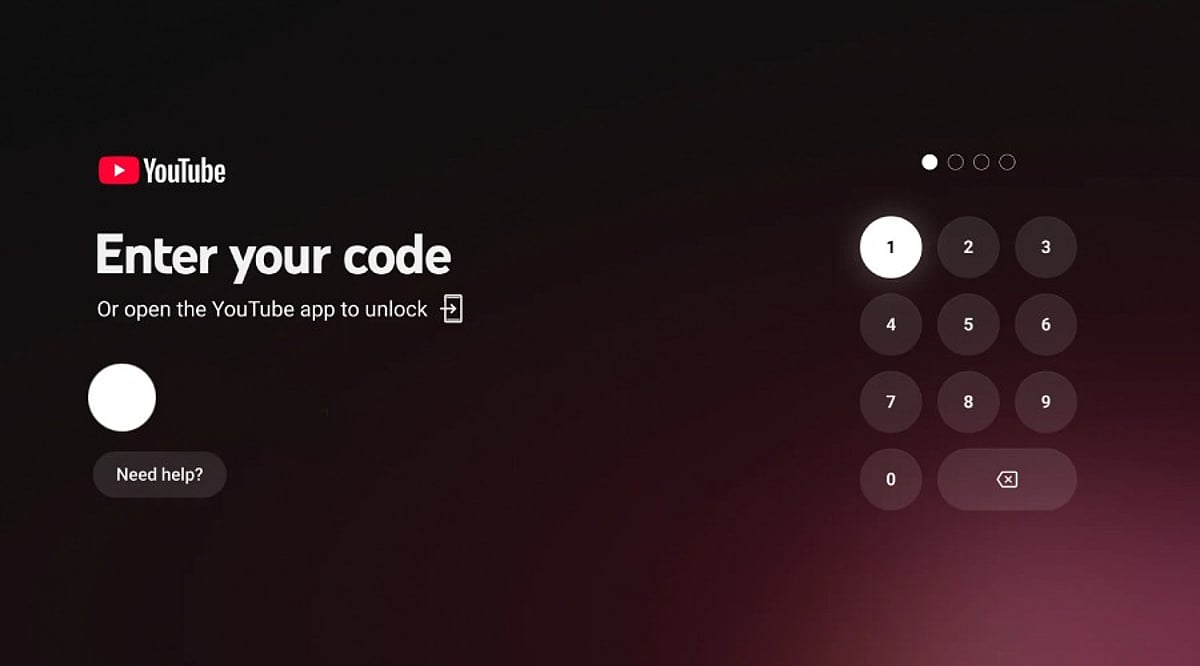
    Some televisions and streaming devices may show an activation code during login.

    • Look for the code: Keep the JioHotstar login screen open on the TV.
    • Use another device: Open the activation page JioHotstar provides on your smartphone or computer.
    • Sign in to your account: Use the same JioHotstar credentials you use on the TV.
    • Enter the TV code: Type the activation code displayed on your television.
    • Wait for confirmation: After successful authentication, the TV app should connect to your account.

    How to Watch JioHotstar Using Chromecast

    Chromecast offers another option for televisions without the JioHotstar app.

    • Connect Chromecast: Plug the Chromecast device into the television and complete its setup.
    • Connect to Wi-Fi: Make sure the smartphone and Chromecast are connected to the same Wi-Fi network.
    • Open JioHotstar: Launch the app on your smartphone.
    • Choose content: Select the movie, show, or live program you want to stream.
    • Tap Cast: Select the Cast icon when it appears.
    • Choose the TV: Select the Chromecast or compatible television from the list.
    • Start watching: The selected content should appear on the TV screen.

    JioHotstar supports Chromecast Gen 2 and newer devices, along with compatible televisions with Chromecast built-in.

    What to Do If JioHotstar Is Not Working

    Login or playback problems do not always mean the TV is incompatible. Try these basic troubleshooting steps first.

    • Check the internet: Make sure the TV stays connected to Wi-Fi.
    • Restart the TV: Turn off the TV and restart it before opening JioHotstar again.
    • Restart the router: Restarting the router can resolve temporary connectivity problems.
    • Update the app: Install the latest available version of JioHotstar.
    • Update the TV software: Check whether a system update is available.
    • Sign in again: Log out of the JioHotstar account and complete the login process again.
    • Check compatibility: For older televisions, verify whether the TV’s operating system meets JioHotstar’s requirements.

    Bottom Line

    Connecting JioHotstar to a TV is relatively straightforward when the television supports the application. The simplest route is to install JioHotstar directly from the TV’s app store and sign in with your account. If the app isn’t available, Chromecast or another supported streaming device can be an alternative. Before troubleshooting, check the TV’s model and operating system. This can quickly determine whether the issue is device compatibility, the app, the internet connection, or the account.

    FAQs

    Can I watch JioHotstar directly on my smart TV?
    Yes, JioHotstar works directly on several compatible smart TVs, including supported Android TV, Samsung and LG models.
    How do I activate JioHotstar on my TV?
    Open JioHotstar, select Login, follow the displayed instructions, and enter the activation code if your television provides one.
    Can I use Chromecast to watch JioHotstar?
    Yes, connect Chromecast and your smartphone to the same Wi-Fi network, open JioHotstar, tap Cast, and select your TV.
    Why is JioHotstar not appearing on my TV?
    Your television may not meet compatibility requirements. Check its operating system, model year, software updates and supported applications.
    Do I need a JioHotstar subscription to watch content?
    Access depends on the content and account plan. Some titles may require an active subscription, while availability varies across programmes.
  • 7 Underrated Netflix Series You Shouldn’t Overlook

    7 Underrated Netflix Series You Shouldn’t Overlook

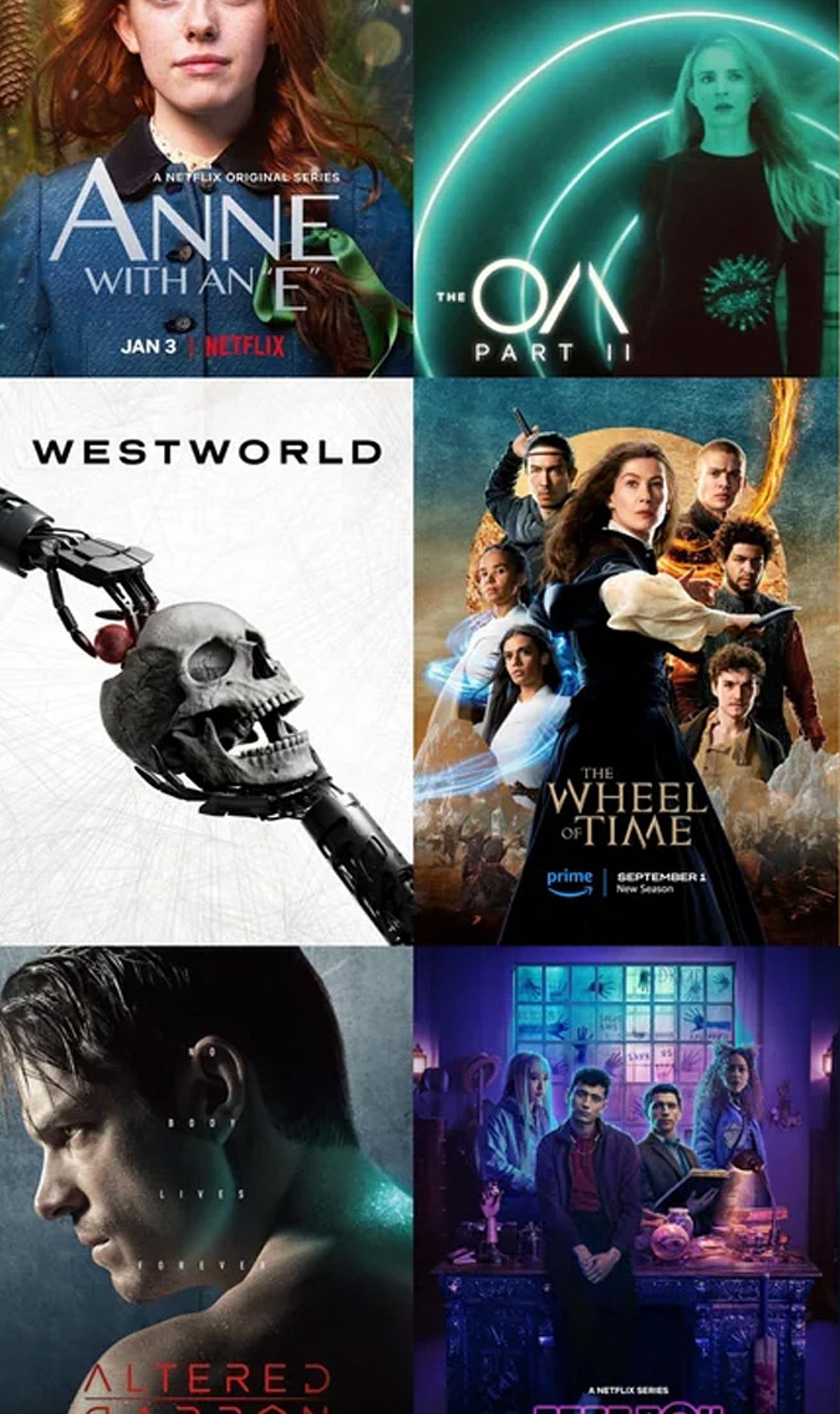
    Netflix has a vast library of content, and while some shows become global sensations, many others quietly build loyal audiences without getting the attention they deserve. If you’re looking for something beyond the biggest hits, here are seven underrated series that are well worth adding to your watchlist.

    The OA

    The OA mixes science fiction, mystery, and supernatural storytelling into a deeply unusual series. Its ambitious plot and strange twists make it one of Netflix’s most memorable hidden gems.

    Maniac

    Maniac takes viewers into a bizarre world of experimental therapy and psychological adventure. Emma Stone and Jonah Hill lead this visually striking limited series that constantly keeps you guessing.

    Godless

    Godless delivers a gripping Western story filled with revenge, violence, and unforgettable characters. Its stunning cinematography and powerful performances make the seven-episode series an easy recommendation for fans of serious drama.

    Unbelievable

    Unbelievable is a tense crime drama inspired by real events. The series explores the investigation of a string of attacks while focusing on the human impact of disbelief and institutional failure.

    The End of the F***ing World

    This dark comedy follows two troubled teenagers who run away together on an unpredictable road trip. Its strange humor, short episodes, and unconventional characters make it surprisingly addictive.

    Archive 81

    Archive 81 combines found footage, horror, and mystery into a slow-burning supernatural thriller. As an archivist restores mysterious videotapes, he becomes increasingly connected to a disturbing story from the past.

    The Midnight Gospel

    The Midnight Gospel is unlike almost anything else on Netflix. Its colorful animation is paired with philosophical conversations about life, death, consciousness, and existence, creating a bizarre but surprisingly thoughtful viewing experience.

    Blue Eye Samurai

    Blue Eye Samurai combines stunning animation with revenge, action, and a powerful character-driven story. Set in Edo-period Japan, the series quickly became a favorite among viewers who discovered it beyond the mainstream conversation.

  • Why Enterprise AI Chat Interfaces Fail in Production and How to Fix Them

    Why Enterprise AI Chat Interfaces Fail in Production and How to Fix Them

    Enterprise teams build AI chat interfaces, showcase smooth demos, and watch them break in production. The root cause often lies not in the model but in the frontend architecture. Connecting raw token streams directly to React components causes slow renders, lag, and broken state. This article explores why this happens and presents a robust solution.

    The Core Problem: Streams vs. UI Rendering

    AI chat operates differently from standard interfaces. Responses arrive as continuous event streams while users cancel requests, switch chats, or trigger tools simultaneously. The common approach of reading a POST response stream inside a React component—whether manually or with hooks like Vercel’s useChat—creates three critical couplings:

    • Schedule coupling: The component controls when the UI updates, but it shouldn’t.
    • Concurrency coupling: The component manages which stream may write, but this logic belongs elsewhere.
    • Protocol coupling: The component interprets raw bytes, but this is not its responsibility.

    How These Couplings Fail

    These couplings manifest in three main failure modes:

    1. Interaction Latency That Scales with Session Length

    As the transcript grows, each update takes more work to render. Once a task exceeds 50 ms, it blocks user input. When this delay pushes the interface beyond the 200 ms threshold for a good Interaction to Next Paint (INP), typing feels sluggish. Because the problem appears gradually, teams often blame the model instead of the architecture.

    2. Concurrency Races on Stop, Regenerate, and Switch

    When the current response lives in effect closures and isLoading booleans, there’s no central mechanism to decide which stream can update state. Switching conversations mid-stream can cause late events to update the wrong conversation. Open WebUI documents this: “Chat B’s content disappears—replaced by a loading state meant for Chat A.”

    3. Protocol Flattening

    AI providers send typed event streams, not plain text. For example, Anthropic’s protocol interleaves text, thinking, and tool-call deltas, with tool arguments arriving as partial JSON. Flattening these events into string concatenation loses meaning, leading to incomplete tool arguments, missed mid-stream errors, or truncated output stored as final content—corrupting the context for the next turn.

    The Correction: Ingest, Log, Project

    The solution introduces a boundary with three components, none of which import React:

    • Stream Ingestor: Handles the connection and provider events, turns them into typed application events, validates order, and assigns a run ID. Starting, stopping, or switching conversations creates a new ID, and late events are dropped. AbortController lives here, separating cancellation from the component lifecycle.
    • Conversation Log: The single source of truth. It records events in order and marks a response complete only when the provider sends its final message event (e.g., message_stop). A dropped connection cannot look like a completed answer. The log also serves as a test case and debugging trace.
    • Projection Scheduler: Converts the log into the state React needs to display. Using useSyncExternalStore, it updates the UI on a controlled schedule (e.g., frame budget or ~50 ms interval) instead of on every token. Per-message views remain referentially stable, so memoized components skip unchanged work.
    provider SSE / fetch stream
            |
            v
    Typed protocol events
            |
            v
    +-----------------------------+
    | Conversation runtime (no React) |
    | - Stream Ingestor: parse, validate, epoch-guard |
    | - Conversation Log: append-only, replayable |
    | - Projection Scheduler: frame-budget flush |
    +-----------------------------+
            |
            v
    useSyncExternalStore commit
            |
            v
    React component tree
    

    Trade-offs and When to Use This Approach

    The UI trails the stream by one flush interval, and the architecture requires more code than a simple hook. For short prototype sessions without tool calls, it’s probably unnecessary. The event log also needs periodic compaction. However, the payoff is that interaction cost stops growing with conversation length.

    Real-World Numbers

    In a benchmark comparing three versions of the same React chat harness, the naive architecture showed a p95 heartbeat-task lateness of 20.9 ms at 12 messages—acceptable at demo scale. But at 48 messages, each UI update took three times longer, frame rate dropped, and user interactions waited 61 ms before handlers ran. The naive version attempted 100 UI updates per second but managed only 38, saturating the main thread. The projection variant committed 5× less often and spent 12× less main-thread time, at identical perceived text speed.

    Conclusion

    Treat an LLM conversation as distributed-systems data: an ordered, typed, cancellable event log. The frontend should control when the UI updates. Review streaming state architecture like an API contract: Who controls the update schedule? Who decides which stream can write? Which events mark a response as complete? Measure interactivity at realistic conversation lengths, not demo lengths. A chat interface that feels responsive at message ten should not degrade by message fifty.

    References:

    • WHATWG. HTML Living Standard, §9.2 Server-sent events.
    • React Team. React v18.0 — automatic batching.
    • Google web.dev. Interaction to Next Paint (INP); Optimize long tasks.
    • Vercel. AI SDK UI: Chatbot—per-chunk renders and the throttle option.
    • Anthropic. Streaming Messages—event types and ordering.
    • Brysbaert, M. (2019). How many words do we read per minute? Journal of Memory and Language, 109.
    • Artificial Analysis. LLM output speed comparisons.
    • Open WebUI. Discussion #21462: chat switching causes race conditions.
  • Jio Introduces Rs 550 and Rs 2,000 OTT Passes with 5G Data and Streaming Subscriptions

    Jio Introduces Rs 550 and Rs 2,000 OTT Passes with 5G Data and Streaming Subscriptions

    Reliance Jio has expanded its OTT prepaid offerings with two new passes priced at Rs. 550 and Rs. 2,000. These plans combine data benefits, 5G upgrades, and subscriptions to multiple streaming platforms, giving users a comprehensive entertainment and connectivity package.

    Jio Rs. 550 OTT Pass: 90GB Data for 84 Days

    The Rs. 550 prepaid plan comes with a validity of 84 days and offers 90GB of 4G data. It is a data-only pack and requires a base prepaid plan with a validity of three months or one year. The plan includes OTT subscriptions for the entire 84-day period, covering the following platforms:

    • YouTube Premium
    • Amazon Prime Lite
    • JioHotstar
    • SonyLIV
    • ZEE5
    • Lionsgate Play
    • Discovery+
    • SunNXT
    • Kanccha Lannka
    • ETV Win
    • Chaupal
    • Hoichoi
    • FanCode
    • Times Play
    • Tarang Plus

    Customers also get access to JioTV Mobile, which offers over 1,000 live TV channels. Additionally, the Rs. 550 plan provides a 5G upgrade if the base plan does not already include 5G. The 5G benefit is valid for either 84 days or until the base plan expires, whichever is shorter.

    Jio Rs. 2,000 OTT Pass: 365GB Data

    The Rs. 2000 prepaid plan has a validity of 365 days and provides 365GB of data. It is available only to customers with a one-year validity base prepaid plan. The same OTT bundle as the Rs. 550 plan is included, covering all the streaming services listed above. JioTV access with over 1,000 live TV channels is also part of this plan.

    The Rs. 2,000 plan also includes a 5G upgrade if the base plan does not have 5G. The 5G benefit remains active for 84 days or until the base plan expires, whichever is less.

    Availability and Existing Plans

    Both the Rs. 550 and Rs. 2,000 OTT Passes are now available to Jio customers across India. These plans add longer-validity options for users seeking a combination of mobile data and OTT entertainment. Jio already offers a Rs. 200 OTT Pass with 28 days of validity, 30GB of data, and access to several OTT platforms and live TV channels.

  • Step-by-Step OpenAI API Tutorial: How to Build Your First AI Application

    Step-by-Step OpenAI API Tutorial: How to Build Your First AI Application

    Artificial intelligence has become a cornerstone of modern software development. From websites and mobile apps to business tools, AI features help users complete tasks faster and more efficiently. OpenAI offers a straightforward way to integrate these capabilities through its API, which connects applications with powerful AI models that understand text, images, and more. This tutorial walks beginners through building their first AI application using the latest OpenAI platform.

    Getting Started with an OpenAI Account

    The first step is to create an OpenAI account. Once logged in, the developer dashboard provides access to the API platform. You’ll need an API key—think of it as a secure password that allows your application to communicate with OpenAI. Each project should have its own API key, and it’s crucial to store it safely using environment variables rather than hardcoding it in your source code. This practice protects sensitive information and reduces security risks while making future updates easier.

    Install the Official Software Library

    Next, install the official OpenAI software library. Python developers can use pip, while Node.js developers will use npm. The official library simplifies communication with the API, requiring only a small amount of code to connect your application. Compared to older tutorials that required more setup, the latest library offers a smoother experience that helps beginners grasp the process faster.

    The Responses API: A Unified Interface

    The Responses API is now the recommended interface for new applications. Unlike earlier APIs, it supports text generation, image understanding, structured output, reasoning tasks, and tool calling—all through a single, consistent interface. This unified approach keeps projects cleaner and easier to manage, reducing confusion during development.

    Building Your First AI Application

    A basic AI application follows a simple structure: a user enters a question through a website or mobile app, the backend sends the request to the OpenAI API, the AI model generates a response, and the application displays the answer. This entire process happens in seconds. As a developer, you control every step—including the prompt, model selection, and output format—allowing complete customization for different business needs.

    Beyond Chatbots: Versatile Use Cases

    While many people associate AI with chatbots, modern OpenAI applications offer far more possibilities. You can build writing assistants that create reports and emails, document assistants that analyze large files and answer questions, customer support systems that solve common problems quickly, education platforms, coding assistants, research tools, translation services, and productivity software. The flexible API design adapts to diverse projects.

    Working with Images, Files, and Tools

    The latest OpenAI platform supports more than just text. You can send images for analysis, upload files for review, and receive structured information in return. This is especially useful for applications that handle invoices, contracts, reports, manuals, and other documents. The platform also supports tool calling, which lets your application connect the AI model with external services—for example, a travel app can search flight details, or a business app can retrieve customer records.

    Structured Output and Streaming

    Structured output allows you to receive data in a fixed format like JSON, which is essential for integration with databases and software systems. Streaming, on the other hand, displays the response piece by piece as it’s generated, creating a faster, more natural user experience—especially in chat applications.

    Moving Toward AI Agents

    OpenAI now emphasizes AI agents, which can complete multi-step tasks rather than answering single questions. An agent might search for information, examine files, use tools, and prepare a final response within one workflow. The OpenAI Agents SDK helps developers build these advanced systems with less code, making large AI projects easier to organize.

    Learning Path: Step by Step

    A successful learning journey starts with a simple chatbot. From there, you can add streaming responses, image support, file analysis, structured output, tool calling, and finally AI agents. This gradual approach helps you understand each concept before moving to the next level, building confidence and technical skills along the way.

    Frequently Asked Questions

    What is the OpenAI API?

    The OpenAI API allows developers to integrate AI capabilities such as text generation, image analysis, file processing, reasoning, and tool calling into applications without building AI models from scratch.

    What is the Responses API in OpenAI?

    The Responses API is OpenAI’s recommended interface for new applications. It combines text generation, multimodal inputs, structured outputs, streaming, and tool calling through a single, unified API.

    How do I get started with the OpenAI API?

    Create an OpenAI account, generate an API key from the developer dashboard, store it securely using environment variables, install the official SDK, and make your first API request.

    Which programming languages support the OpenAI API?

    OpenAI provides official SDKs for Python and JavaScript (Node.js). The API can also be accessed from any programming language that can make HTTP requests.

    What can I build using the OpenAI API?

    You can build AI chatbots, writing assistants, coding assistants, document analyzers, customer support systems, research tools, translation apps, and AI-powered business workflows.

  • Spider-Man: Brand New Day OTT Release Window Revealed – When and Where to Stream

    Spider-Man: Brand New Day OTT Release Window Revealed – When and Where to Stream

    Tom Holland’s Spider-Man: Brand New Day has officially swung into theaters, and fans are already eager to know when they can watch the latest Marvel adventure from the comfort of home. While no official streaming date has been confirmed, reports indicate that Netflix has secured the digital rights for the film, with a release expected in late September or early October 2026.

    OTT Release Timeline

    According to industry sources, Spider-Man: Brand New Day will likely arrive on Netflix in the latter half of September or early October 2026, following its theatrical run. This timeline aligns with typical release patterns for major Marvel films, though fans should await an official announcement from Netflix or Sony.

    Story Continues After No Way Home

    The film picks up four years after the events of Spider-Man: No Way Home. Peter Parker (Tom Holland) now lives in solitude, deliberately avoiding contact with MJ (Zendaya) and his best friend Ned (Jacob Batalon) to protect them from the dangers of his crime-fighting life. Directed by Destin Daniel Cretton, the movie explores Peter’s struggle to rebuild his identity while grappling with the consequences of Doctor Strange’s spell.

    Star-Studded Cast

    Alongside Holland and Zendaya, the film features an impressive ensemble including Mark Ruffalo, Jon Bernthal, Jacob Batalon, Sadie Sink, Liza Colón-Zayas, Tramell Tillman, Marisa Tomei, Naomi Watts, Michael Mando, Keith David, Marvin Jones III, Olivia Booth-Ford, Eman Esfandi, Leah Phillips, Billy Clements, and Zabryna Guevara.

    Strong Opening in India

    The Marvel sequel has made a strong start in India, earning an estimated net of ₹11.88 crore (gross ₹14.02 crore) by midday on its opening day. The film’s popularity suggests a significant audience eagerly awaiting its streaming debut.

    Stay tuned for official updates on the OTT release date. For more entertainment news, follow our channel.

  • Top Crunchyroll Anime Picks by Region: What to Stream in Your Country

    Top Crunchyroll Anime Picks by Region: What to Stream in Your Country

    Crunchyroll’s anime catalog varies across countries due to region-specific licensing agreements. While global hits are widely available, many titles remain exclusive to certain markets or debut at different times. To help you find your next binge, we’ve curated two standout shows from each of five major regions: North America, Europe, India, Latin America, and Australia/New Zealand.

    North America: Big Franchises, Bigger Adventures

    One Piece
    After more than 25 years, Monkey D. Luffy’s quest for the legendary treasure remains one of anime’s richest stories. Balancing humor, emotional payoffs, and unforgettable world-building, the series rewards long-time viewers with every episode.

    Solo Leveling
    Instantly popular for its stunning animation and relentless action, this series follows Sung Jinwoo, a low-level hunter who gains incredible power after surviving a dungeon. Each episode elevates the stakes, making it one of the best action shows on Crunchyroll.

    United Kingdom & Europe: Thoughtful Fantasy Meets Classic Mystery

    Frieren: Beyond Journey’s End
    Instead of ending after the villain’s defeat, this fantasy begins there. The story follows an immortal elf mage reflecting on the memories of companions who have passed. It’s emotional, beautifully animated, and proves that fantasy can be profoundly peaceful.

    Detective Conan (Case Closed)
    A beloved mystery series where young detective Shinichi Kudo is poisoned and turned into a child. He continues solving intricate crimes while searching for his assailant. Known for clever cases rather than spectacle, it’s a staple for mystery lovers.

    India: Modern Action Anime at Its Best

    Jujutsu Kaisen
    One of the most significant shonen series of the decade. Yuji Itadori’s battles against cursed spirits deliver amazing fights and deeply emotional character moments.

    Kaiju No. 8
    Kafka Hibino spends his life cleaning up after monster attacks until he unexpectedly gains the ability to transform into a monster. This twist sets it apart from other action anime.

    Latin America: Timeless Favorites Continue to Shine

    Dragon Ball DAIMA
    Few series have the dedicated following in Latin America that Dragon Ball enjoys. DAIMA continues the tradition with Goku and friends on a new journey, offering everything fans love plus fresh surprises.

    My Hero Academia
    The superhero narrative remains irresistible. Izuku Midoriya’s journey from a powerless teenager to a true hero captures bravery, duty, and determination.

    Australia & New Zealand: Fantasy with Nuance

    Re: Starting Life in Another World
    This isekai stands out by having the protagonist fail and face the dire consequences. Repeatedly reliving tragedies and learning to prevent them creates a psychologically rich fantasy.

    That Time I Got Reincarnated as a Slime
    What begins as a strange reincarnation tale becomes an epic of leadership, diplomacy, and nation-building. Combining humor, epic fights, and world-building, it’s one of Crunchyroll’s most entertaining ongoing series.

    Final Take

    Crunchyroll’s regional library means the best anime often depends on where you live. Whether it’s One Piece in North America, Jujutsu Kaisen in India, or Dragon Ball DAIMA in Latin America, every region has standout titles worthy of your watchlist. Before starting your next binge, check what’s available in your country—you might discover a series that wasn’t on your radar.

    FAQs

    What is the best anime to watch on Crunchyroll right now?
    Popular choices include One Piece, Solo Leveling, Jujutsu Kaisen, Frieren: Beyond Journey’s End, and Kaiju No. 8. The best option depends on your preferred genre and regional availability.

    Why are some Crunchyroll shows unavailable in my country?
    Crunchyroll licenses anime on a region-by-region basis. Distribution agreements vary between countries, so some titles may be unavailable or arrive later depending on your location.

    Does Crunchyroll have the same anime library worldwide?
    No. The catalog differs across regions due to licensing restrictions. While many popular series are available globally, some anime are exclusive to specific countries.

    Which Crunchyroll anime is best for beginners?
    My Hero Academia, Jujutsu Kaisen, Kaiju No. 8, and One Piece are excellent starting points, offering engaging stories, memorable characters, and accessible introductions to anime.

    Can I watch region-locked Crunchyroll anime while traveling?
    Your available catalog may change when traveling internationally. The anime you can stream depends on the country you’re accessing Crunchyroll from and its regional licensing agreements.