Tag: Telegram

  • The Critical Role of Localization in Messaging Apps for Global Users

    The Critical Role of Localization in Messaging Apps for Global Users

    Messaging apps have become an essential part of global digital communication. People use them to manage business discussions, coordinate remote work, stay connected with communities, share documents, and communicate across borders. As digital communication becomes more international, one important factor is often overlooked: localization.

    Localization is not just about translating buttons or menus into another language. It is about helping users understand how a platform works in their own language, cultural context, and daily communication environment. For messaging apps, this can affect account setup, privacy settings, notification control, security awareness, and overall user confidence.

    As more people rely on messaging platforms for both personal and professional communication, localized experiences are becoming more important. A clear interface, understandable settings, and reliable setup guidance can help users communicate more efficiently and safely.

    The Growing Need for Localized Messaging Platforms

    Digital communication is no longer geographically constrained. A small business could be talking to suppliers in other countries. Remote team members can be based in different geographical areas. Messaging apps might be how students, freelancers, creators, and online communities stay connected across languages and time zones.

    Messaging platforms must, in this context, be inclusive of users with different language preferences. Users may miss important settings, ignore security features, or use unverified instructions from unknown sources in difficult-to-understand apps. This can create confusion during installation, account registration, device login, or privacy configuration.

    Localized messaging experiences help reduce these barriers. When users can read instructions, settings, and security options clearly, they are more likely to use the app correctly. This is especially important for users who are setting up a messaging app for the first time or switching between mobile and desktop devices.

    How Language Support Improves Digital Communication

    Language support has a direct impact on how people interact online. A messaging app can have powerful features, but if the user doesn’t know how to access or manage them, they aren’t very useful. For example, it is difficult for users unfamiliar with the interface to configure group settings, privacy controls, file-sharing options, and notification preferences.

    Good localization makes the users navigate the app more confidently. They know where to change account settings, manage contacts, change message notifications, and review connected devices. These details may seem simple, but they can make a big difference in the user experience.

    For global communication, language clarity can also reduce mistakes. In business or team environments, unclear app settings may lead to missed messages, accidental information exposure, or poor coordination. A localized interface makes communication tools more practical for daily use.

    Security Settings Should Be Easy to Understand

    Security is now one of the most important elements in messaging that users need to control. Users should know how to protect their accounts from harm, control their login sessions, understand their privacy settings, and recognize suspicious links or unofficial apps. Nevertheless, even the most efficient security features may not be of value unless they are comprehensible and usable by users.

    There is a risk that users will keep their default settings intact because they do not understand what the privacy settings represent. Users do not know how to restrict profile visibility, manage contacts or view their status in the system. Under such conditions, users may be unnecessarily exposed to dangers.

    Thus, user-friendly security instructions can simplify information processing. Understanding what the settings mean helps users realize the importance of each setting. Users can recognize dangerous activities, such as sharing codes or downloading unknown applications from dubious websites.

    Localization Improves User Confidence and Safety

    For many users, the first challenge is not advanced security. It is simply understanding how to install, open, and configure the messaging app safely. This is where localized resources can be useful. Users often look for language-specific guides to help them understand setup steps, account options, and basic safety practices.

    For Chinese-speaking users, resources such as telegram 中文版 can help users review relevant information in a more familiar language environment before they configure communication tools for daily use.

    This kind of localized guidance can improve user confidence. Instead of guessing through unfamiliar menus or relying on random third-party instructions, users can better understand what they are doing. This is especially important when managing account access, privacy settings, and device synchronization.

    Confidence also affects adoption. If users feel that a messaging app is difficult to understand, they may avoid using important features. If the experience is clear and accessible, they are more likely to use the platform effectively and responsibly.

    Cross-Border Communication and Productivity

    Messaging apps are now deeply connected to productivity. Teams use them to discuss projects, share files, confirm schedules, and coordinate decisions in real time. For cross-border teams, clear communication becomes even more important because members may work in different languages, regions, and time zones.

    Localized messaging tools can help reduce friction in these situations. Team members can manage their own settings more easily, understand notifications, and avoid missing important updates. This improves coordination and helps communication move faster.

    For businesses, localization can also support customer communication. A company that communicates with users in multiple regions may need messaging tools that are easy for both staff and customers to understand. When users feel comfortable with the communication platform, they are more likely to respond, ask questions, and stay engaged.

    Productivity is not only about speed. It is also about reducing confusion. A messaging app that supports clear setup, understandable controls, and reliable cross-device access can help users focus more on communication and less on technical barriers.

    The Role of Mobile and Desktop Access

    Modern users often move between devices throughout the day. They may start a conversation on a mobile phone, continue it on a desktop computer, and later check updates from a tablet. This cross-device behavior makes messaging apps more flexible, but it also creates new challenges.

    Users need to understand how device login works, how sessions are managed, and how to remove access from devices they no longer use. If these settings are not clear, users may leave old sessions active or fail to notice unusual account activity.

    Localized instructions can make cross-device access safer. When users understand how to connect and manage devices, they are better prepared to protect their accounts. This is especially important for people who use messaging apps in shared work environments, public computers, or multiple personal devices.

    Privacy Awareness in Global Messaging

    Privacy awareness is becoming a core digital skill. Users should know how much information they share through messaging apps, who can see their profile, how group visibility works, and what data may be exposed through public channels or shared links.

    In global communication, privacy expectations may vary by region and user group. Some users may prefer open communities, while others may need stricter account controls. A localized experience helps users understand these options more clearly and choose settings that match their needs.

    Privacy education should be simple and practical. Users do not need to become security experts, but they should understand the basics: avoid sharing verification codes, review active sessions, be careful with unknown contacts, check file sources, and update apps regularly.
  • India Orders Telegram to Combat Piracy Within 15 Days

    India Orders Telegram to Combat Piracy Within 15 Days

    The Indian government has issued a formal directive to Telegram, demanding immediate action against the circulation of pirated content on its platform. The Ministry of Information and Broadcasting has instructed the messaging app to submit an Action Taken Report within 15 days, marking an escalation in regulatory oversight of digital intermediaries.

    The notice specifically targets the widespread sharing of copyrighted films, web series, and other audio-visual content through Telegram channels and groups. This follows complaints from OTT platforms that have reported significant revenue losses due to unauthorized distribution of their content.

    Officials have asked Telegram to identify infringing material, take action against offending channels, and implement stronger enforcement measures to prevent repeated violations. The directive signals a shift in the government’s approach—moving beyond individual takedown requests toward requiring platforms to adopt proactive compliance systems.

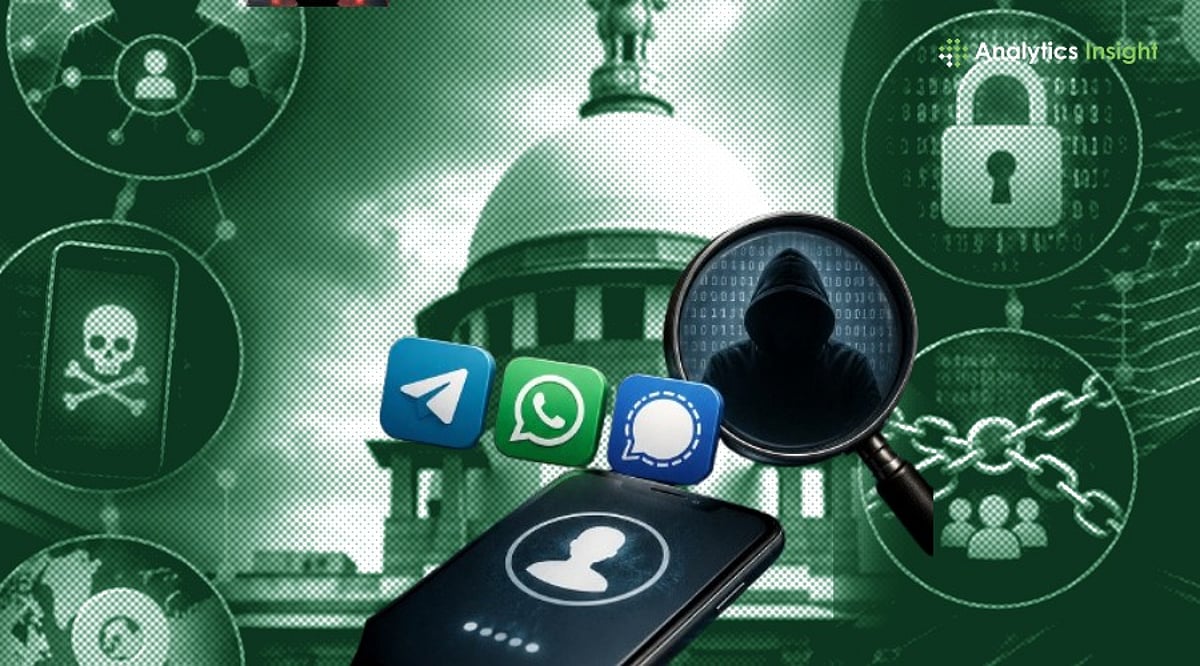
    The action is part of a broader regulatory crackdown on digital platforms. In recent weeks, Telegram has also been asked to explain how its username feature works and what safeguards exist against fraud, phishing, and impersonation. Similar notices were sent to Signal, while WhatsApp was asked to delay its username rollout. Additionally, Telegram faced questions over the spread of fake and leaked exam materials during the NEET-UG re-examination period.

    The government’s latest move emphasizes that online platforms must take preventive measures to curb illegal activity, rather than acting only after receiving complaints. Telegram now has 15 days to report the steps it has taken to address piracy-related concerns.

  • India Expands Scrutiny to Telegram and Signal Over Username Feature Security Risks

    India Expands Scrutiny to Telegram and Signal Over Username Feature Security Risks

    The Indian government has intensified its oversight of messaging platforms, extending its scrutiny to Telegram and Signal after raising concerns about WhatsApp’s planned username feature. The Ministry of Electronics and Information Technology (MeitY) has sent formal notices to both Telegram and Signal, requesting detailed information on how their username features operate and what safeguards are in place to prevent fraud, impersonation, and misuse.

    Why the Government is Concerned

    Username features allow users to communicate without revealing their mobile phone numbers. While this enhances privacy, it also reduces traceability and makes it easier for fraudsters to create fake identities. The government’s primary worry is impersonation of public figures, government officials, banks, and trusted institutions. Officials are also alarmed by the potential rise in phishing, online fraud, and so-called “digital arrest” scams, which have become a growing cybercrime threat in India.

    Earlier, MeitY had asked Meta to delay the launch of WhatsApp’s username feature in India, citing security concerns. The ministry gave WhatsApp a three-day deadline to provide information on its security measures and to refrain from introducing the feature until consultations are complete. India is WhatsApp’s largest market, with over 500 million users, making any new feature a major regulatory concern.

    Major Security Risks

    • Reduced traceability: Anonymity makes it harder for law enforcement to track cybercriminals who hide their phone numbers.
    • Increased impersonation risks: Usernames can mimic those of government agencies, celebrities, or financial institutions.
    • Facilitation of digital arrest scams: Fraudsters can contact users without revealing phone numbers.
    • Phishing attacks: Fake profiles can send harmful links or fraudulent messages at scale.
    • Undermined SIM identity association: Reduced traceability weakens the link between SIM identity and messaging activity.

    WhatsApp’s Safeguards

    WhatsApp has stated that usernames will be used for public accounts, government bodies, celebrities, and verified Meta accounts. It has also proposed an optional “Username Key” feature, requiring a four-digit number along with the username before unknown contacts can reach the user.

    The government will review responses from WhatsApp, Telegram, and Signal before taking any action under Indian IT laws.

  • Top Telegram Features That Outshine WhatsApp in 2026

    Top Telegram Features That Outshine WhatsApp in 2026

    Massive Groups and Channels

    Telegram is built for large communities, supporting groups with hundreds of thousands of members and powerful admin tools. Its Channels let creators, brands, and organizations broadcast updates to unlimited subscribers without cluttered discussions. This makes Telegram especially useful for news, education, businesses, and public communities compared with WhatsApp’s more limited community features.

    True Cloud-Based Messaging

    Unlike WhatsApp, Telegram stores chats securely in the cloud, allowing users to access messages, photos, videos, and documents instantly across multiple devices. You can log in on phones, tablets, or computers without relying on your primary phone to keep everything synchronized, making device switching much more convenient.

    Powerful Bots and Mini Apps

    Telegram offers an extensive ecosystem of bots and Mini Apps that can automate tasks, provide customer support, manage communities, conduct polls, process payments in supported regions, and deliver interactive services. These built-in automation tools make Telegram a more flexible platform for businesses, developers, and productivity-focused users than traditional messaging apps.

    Superior File Sharing

    Telegram allows users to send files up to 2 GB per file, including videos, documents, ZIP archives, and high-quality images without aggressive compression. This makes it ideal for professionals, students, and content creators who frequently exchange large files, while maintaining fast downloads and cloud accessibility.

    Advanced Privacy and Customization

    Telegram provides extensive privacy controls, including hiding phone numbers, granular visibility settings, temporary QR codes for contact sharing, Secret Chats with end-to-end encryption, and highly customizable themes, chat folders, and interface options. These features give users greater control over both privacy and the overall messaging experience.

    Better Productivity Features

    Telegram includes tools like Saved Messages for personal cloud notes, chat folders for organization, message scheduling, silent messaging, pinned chats, editable sent messages, and searchable shared media. These productivity-focused features help users manage personal conversations, work communication, and important information more efficiently than many competing platforms.

    Why Telegram Continues to Stand Out

    Telegram continues introducing new features at a rapid pace, including improved business tools, enhanced video capabilities, AI-powered search and moderation features in some services, and stronger collaboration options. For users who prioritize flexibility, large communities, cloud convenience, and powerful customization, Telegram remains one of the strongest alternatives to WhatsApp in 2026.

  • Leading TON Blockchain Tokens by Market Cap in 2026

    Leading TON Blockchain Tokens by Market Cap in 2026

    The Open Network (TON) ecosystem continues to expand, with a diverse range of tokens powering decentralized applications, gaming, finance, and community engagement. Here are the top TON blockchain tokens by market capitalization in 2026:

    • Toncoin – The native cryptocurrency of TON, enabling transactions, staking, governance, and decentralized applications across the network.
    • USDT on TON – Tether’s stablecoin on TON provides fast, low-cost transactions, improving payments, trading, remittances, and DeFi accessibility worldwide.
    • Notcoin – A community-driven gaming token that gained popularity through Telegram integration, boosting user engagement and TON ecosystem adoption.
    • Dogs – A meme-inspired TON token leveraging Telegram’s massive user base, combining entertainment, rewards, and decentralized participation.
    • Catizen – A gaming-focused token supporting blockchain-based virtual pet experiences, rewarding players and driving decentralized gaming adoption.
    • Hamster Kombat – A play-to-earn gaming token on Telegram, attracting millions with engaging gameplay and blockchain-powered digital economies.
    • STON.fi – A decentralized exchange token facilitating liquidity, governance, and seamless token swaps across the TON network.
    • DeDust – An automated market maker protocol token enabling decentralized liquidity pools and efficient token exchanges for TON DeFi.
    • EVAA Protocol – A lending protocol token supporting decentralized borrowing and lending, helping users earn yields and improve financial utility within the TON ecosystem.