

Tag: travel tips

  • 5 Key Factors for Selecting Travel Gear That Endures for Years

    5 Key Factors for Selecting Travel Gear That Endures for Years

    Choosing durable travel gear is a critical decision for frequent travelers. The difference between a suitcase that lasts a decade and one that fails after a single trip often comes down to materials, construction, and small details. This guide covers the five essential factors to consider: shell material, construction quality, wheels and zippers, weather resistance, and warranty.

    Start with the Shell Material

    The shell material determines how well a suitcase or backpack withstands pressure. Hard-shell luggage is typically made from polycarbonate, polypropylene, or aluminum. Polycarbonate offers an excellent balance of weight and strength, flexing under pressure without cracking—making it the preferred choice for premium brands. Aluminum provides the highest level of protection and a sleek appearance but is heavier and can dent with rough handling. Polypropylene is more affordable but does not match the long-term durability of polycarbonate. For soft-sided bags, ballistic nylon offers superior abrasion resistance, keeping the bag looking new for longer, while canvas remains a durable and classic option when treated with a waterproof coating.

    Pay Attention to Construction and Stress Points

    Materials alone do not guarantee durability; construction is equally important. Reinforced corners absorb shock when luggage is dropped or handled roughly at the airport, as corners endure the most impact. Stitching quality is another overlooked factor. Reinforced box stitches at stress points and the absence of loose threads indicate a bag built to withstand repeated strain. Handles and straps also deserve scrutiny, as they carry the weight of a fully packed bag during movement. Bags with reinforced handle seams distribute weight more evenly, reducing the risk of tearing over time.

    Check the Wheels and Zippers Closely

    Wheels and zippers are small components, but they often fail before any other part of a suitcase. Smooth, reliable wheels are essential for frequent travelers who navigate through crowded terminals and uneven pavements. Spinner wheels with sealed bearings generally outperform basic inline wheels. Zippers are equally critical—a broken zipper can render a bag unusable mid-trip. Checking for trusted zipper brands like YKK or SBS markings on the metal slides provides a good indication of build quality.

    Consider Weather Resistance and Weight Balance

    A durable bag should also withstand the elements. Many travel-ready fabrics now feature coatings that repel moisture and reduce fabric degradation over time. This is particularly valuable for those traveling through unpredictable weather. Weight-to-capacity balance is another important consideration. A bag that is too heavy on its own eats into airline weight allowances before packing begins, while one that is too light may compromise on protection.

    Look for Strong Warranties and Brand Reputation

    The warranty a brand offers often reflects its confidence in product durability. Longer warranties generally signal that a manufacturer trusts its materials and construction. Reputable brands also follow strict quality testing and often provide repair services for worn-out wheels, zippers, or handles, rather than requiring a full replacement.

    Why Durability Matters More Than It Seems

    Durable travel gear is an investment, not an expense, as it eliminates the recurring cost and inconvenience of replacing broken luggage every few years. It also protects belongings better during transit, which is especially important when traveling with fragile or valuable items. A well-built bag retains its shape and function through years of frequent trips, proving that investing in material, construction, wheels, zippers, and warranties pays off well beyond the initial price tag.

    Conclusion

    Travel gear that lasts for years depends on five key factors: shell material, construction quality, wheels and zippers, weather resistance, and warranty. Getting these right transforms luggage from a recurring expense into a long-term investment, protecting belongings trip after trip while saving money over time.

    FAQs

    1. What is the most durable material for a suitcase?
    Polycarbonate is generally considered the best balance of strength and weight, as it flexes under pressure instead of cracking. Aluminum offers even greater protection but weighs more and can dent with rough handling.

    2. Is hard-shell or soft-shell luggage more durable?
    Hard-shell luggage provides better impact and moisture protection, making it a strong choice for frequent flyers. Soft-shell bags offer more flexibility and extra pockets, but they typically show wear faster than a well-made hard shell.

    3. How can someone tell if a zipper is high quality?
    Look for trusted brand markings like YKK or SBS on the metal zipper slides. These brands are known for reliable, long-lasting closures that withstand repeated use.

    4. Does a longer warranty indicate better quality?
    Yes, in most cases. A longer warranty usually signals that a manufacturer trusts its materials and construction, and many brands offer repair services instead of a full replacement.

    5. How does weight affect luggage durability?
    Weight itself does not determine durability, but a bag that is too heavy reduces airline weight limits, while one that is too light may compromise protection. The right weight-to-capacity balance is as important as material choice.

  • 9 Clever Google Maps Features That Save You Time

    9 Clever Google Maps Features That Save You Time

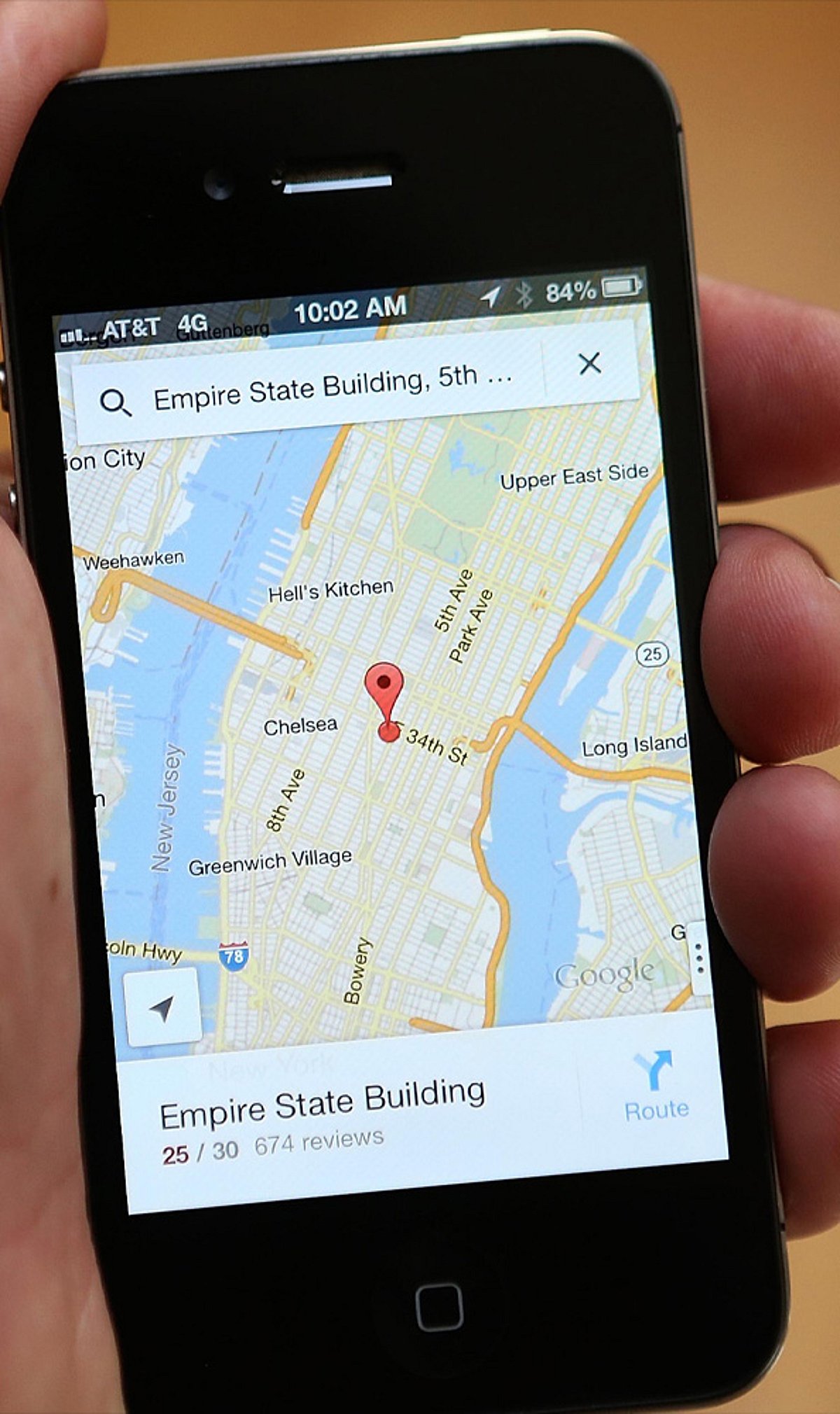
    Google Maps is more than just a navigation tool—it’s packed with features that can streamline your daily commute, road trips, and errands. Here are nine time-saving tricks you may not be using.

    1. Save Home & Work for One-Tap Directions

    Add your home and work addresses to Google Maps for instant directions and live ETA updates. No more typing the same locations every day—just tap and go.

    2. Beat Traffic with Smart Navigation

    Enable live traffic updates to compare travel times and avoid congestion. Set your departure or arrival time to plan the fastest route before you even start driving.

    3. Download Offline Maps Before You Travel

    Save maps for cities or regions in advance. This lets you navigate even without mobile data or in areas with weak network coverage—perfect for travel abroad or remote areas.

    4. Plan Better with Multiple Stops & Parking Saver

    Add up to nine stops on a single route for errands or road trips. After parking, save your location to quickly find your car later—no more wandering around.

    5. Find What You Need Along the Way

    Search your route for petrol pumps, cafés, restaurants, ATMs, or EV chargers without ending navigation. You can also avoid tolls, highways, or ferries to suit your preference.

    6. Use Hidden Features for Faster Travel

    Share your live location with friends, use one-finger zoom to quickly scan the map, explore indoor maps for large buildings, and check popular times at businesses to avoid crowds. These small tricks add up to big time savings.

    Start using these tips today to make your travel smoother and more efficient. For more productivity tips, stay tuned.

  • Cut Mobile Data Costs Abroad: Smart eSIM Tips for Travelers

    Cut Mobile Data Costs Abroad: Smart eSIM Tips for Travelers

    Travel eSIMs have quickly become a mainstream solution for staying connected abroad. According to GSMA Intelligence, 12% of international travelers used an eSIM in the past year, and global eSIM smartphone penetration is expected to keep rising through 2026. The appeal is clear: store multiple operator profiles on one device, switch between them remotely, and skip the hassle of hunting for a physical SIM at the airport. But securing a decent eSIM plan is only half the battle. Real savings come from how you manage data after activation.

    Check Usage Early

    The easiest way to overspend is to treat mobile data like an endless bucket. App refreshes, photo backups, map loading, message sync, and a few reels while waiting for a train can quietly drain your plan. Apple lets you view data usage by app and reset the statistics window, making it easier to spot drains. Android users can leverage built-in Data Saver controls and app-by-app update settings. The first move should always be to see what your phone is actually doing.

    Activate Data Controls Before You Fly

    Many travelers skip this step and wonder why a short trip burns through a full plan. On iPhone, Low Data Mode pauses automatic updates and background tasks on cellular. You can also toggle cellular data on or off for individual apps. On Android, Google’s Data Saver keeps most apps on Wi-Fi for background activity, while the Play Store offers auto-update options like Wi-Fi only or no automatic updates.

    Use Offline Maps

    Navigation is a major data drain. Google Maps supports offline maps on both Android and iPhone. According to Google, an offline map can guide you as long as the full route is within the downloaded area. However, offline transit, bicycling, and walking directions are unavailable on Android, and traffic updates disappear. The smart move: download the parts of the city you need before leaving Wi-Fi, and save live data for unexpected detours.

    Stop Streaming from Eating Your Data

    Videos can quietly blow your travel budget. Netflix offers controls for cellular data use and Wi-Fi-only downloads. The same logic applies to any streaming habit. Use lower-quality streaming, offline content, and manual control instead of letting apps decide for you. The goal is not to avoid entertainment but to prevent it from setting your data bill.

    Restrict Background Activity

    Background data is the sneaky culprit. Every phone has a feature to restrict network use when you’re not actively using an app. Experts warn travelers about auto-updates, cloud sync, and misconfigured backup apps that can wreck a small eSIM plan before lunch.

    Watch Roaming and Wi-Fi Traps

    Data Roaming should be turned off to avoid charges. Apple’s Wi-Fi Assist may switch you to cellular when Wi-Fi is weak, quietly burning through your eSIM. Use your travel eSIM for the data line you want, keep your home line from roaming by default, and ensure your device isn’t jumping onto cellular every time a hotel Wi-Fi login screen gets flaky.

    Use Wi-Fi as a Bulk-Download Window

    Public Wi-Fi should have a specific job: download maps, update apps, save tickets, and pull down content for later. Experts recommend preloading maps and entertainment before travel.

    Why This Approach Beats Buying a Bigger Plan

    The temptation is to solve everything with a larger data pack, but that often leads to lazy spending. A smarter approach: buy the right-sized eSIM, keep background use under control, download offline maps, tame streaming, and avoid accidental roaming. GSMA’s 2026 research highlights that travel eSIMs are becoming mainstream, yet provider differences matter. The cheapest connection isn’t the one with the biggest number on the sales page—it’s the one that matches your actual habits while away.