Tag: two-factor authentication

  • Gmail’s ‘Copy Code’ Button Eliminates a Step in Two-Factor Authentication

    Gmail’s ‘Copy Code’ Button Eliminates a Step in Two-Factor Authentication

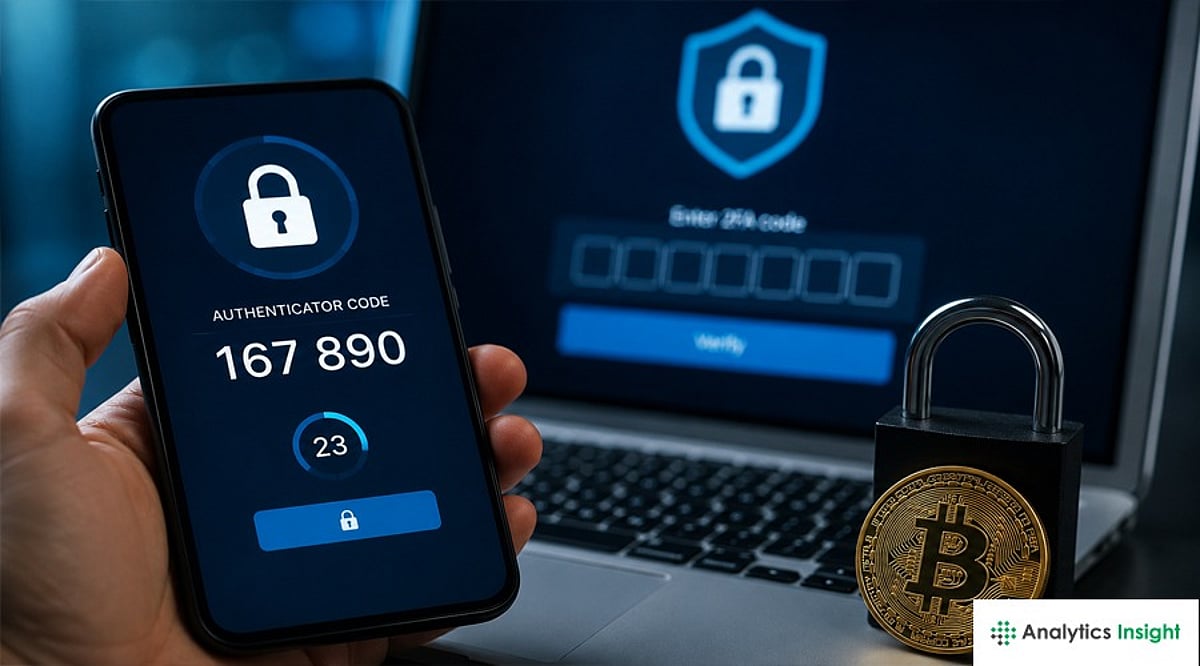
    Gmail is rolling out a new ‘Copy code’ option for two-factor authentication (2FA) emails. This feature allows users to copy verification codes directly from the inbox without opening the email. Instead of manually selecting numbers, users can tap a button below the subject line to copy the code to their clipboard.

    The change is designed for people who regularly use email-based 2FA when signing into banking, shopping, work, social media, and other online accounts. While it does not alter the security of two-factor authentication, it significantly improves convenience by reducing the number of steps required.

    How Gmail’s 2FA Code Copy Feature Works

    When a user attempts to log into a third-party application using a Gmail ID with 2FA enabled, Google detects the verification email. It then displays a ‘Copy code’ button below the subject line. Users do not need to open the message to find the number. They can tap the button and copy the code to their phone’s clipboard, then paste it into the sign-in page.

    Currently, this feature is available on Android and iOS devices; the web version of Gmail will not receive it during this rollout phase. The whole process takes only a few seconds, saving time compared to the previous method of opening the email, searching for the code, selecting it, copying it, and switching back to the other app.

    What Gmail’s New Feature Means for Users

    The biggest benefit is convenience. For users who perform 2FA tasks multiple times a day, the single extra tap can reduce frustration. This change also demonstrates how email apps are becoming more action-oriented, adding quick actions based on email content. A verification email is a perfect example: most people only need the code, so giving them a direct copy option makes sense.

    The feature may also reduce small mistakes, such as copying an extra space or missing a digit when manually selecting a code. However, security remains important. Users should never share verification codes with anyone, even with the new shortcut. Scammers can still trick users into giving away codes. The feature does not replace stronger login methods like passkeys or security keys, which Google recommends for better phishing protection.

    A Small Change That Makes 2FA Easier

    Gmail’s ‘Copy code’ option is not a major security change; its value comes from streamlining a familiar, repetitive task. Users no longer need to open every 2FA email just to find a number. A single tap copies the code and gets them back to the sign-in screen. This fits into a larger trend of making account protection easier while reducing friction. Until passkeys become more widespread, verification codes remain common, and this shortcut can make them a little less annoying.

    Frequently Asked Questions

    1. What is Gmail’s new 2FA Code Copy feature?

    It is a new Gmail option that lets users copy a verification code directly from the inbox without opening the email.

    2. How does Gmail’s Copy code button work?

    Gmail shows a ‘Copy code’ button below eligible verification emails. Users tap it to copy the code and paste it into the required sign-in field.

    3. Is Gmail’s Copy code feature available on iPhone?

    Yes, it is rolling out on both Android and iPhone, depending on the Gmail app version and account.

    4. Does the feature make 2FA more secure?

    It mainly makes 2FA easier to use. It does not change how verification codes protect an account. Google recommends passkeys and security keys for stronger protection.

    5. Should users share their Gmail verification codes?

    No. Users should never share verification codes with other people, as a scammer could use them to bypass account security.

  • Gmail’s New ‘Copy Code’ Button Speeds Up Two-Factor Authentication on Mobile

    Gmail’s New ‘Copy Code’ Button Speeds Up Two-Factor Authentication on Mobile

    Google is making two-factor authentication (2FA) codes easier to handle in Gmail. The mobile versions of the Gmail app on Android and iOS are rolling out a new feature called Copy Code. This button appears in the email preview, allowing users to tap and copy verification codes directly to their clipboard without opening the full message.

    The Copy Code option is designed specifically for 2FA emails. It appears below the subject line and next to the preview snippet. Once tapped, the code is copied, and users can return to the website or app they are signing into and paste the code. This eliminates the need to open every verification email individually.

    The feature is currently available on Gmail for Android version 2026.09.07.x and iOS version 6.0.260907. It is not yet available on the web version of Gmail.

    Getting a 2FA code from email has traditionally required opening Gmail, locating the right message, copying the numbers, and then switching back. The new shortcut removes several steps, making the login process faster. Google Messages already offers a similar convenience for SMS-based verification codes.

    While the change is small, it has a noticeable impact on daily user experience. The security of two-factor authentication remains unchanged; only the copying process is streamlined. As more services rely on email for verification codes, features like this reduce friction without compromising security.

  • Ultimate Crypto Security Guide: Safeguard Your Digital Assets from Scams, Hacks, and Theft in 2026

    Ultimate Crypto Security Guide: Safeguard Your Digital Assets from Scams, Hacks, and Theft in 2026

    Cryptocurrency has revolutionized how people invest, trade, and store wealth. Unlike conventional banks, the crypto world offers no safety net—a forgotten password, lost seed phrase, phishing attack, or malicious smart contract can wipe out your entire savings instantly, often with no recourse. As crypto adoption grows and cybercriminal tactics become more sophisticated, securing your digital assets is essential. Whether you’re a first-time Bitcoin buyer or a seasoned investor with a diverse portfolio, understanding the risks is the first step to protecting yourself. This comprehensive guide covers the most critical crypto security practices for 2026.

    Common Cryptocurrency Scams and How to Avoid Them

    Crypto scams evolve alongside the industry. The most prevalent include fake investment platforms, giveaway scams, celebrity or exchange impersonation, rug pulls, and pump-and-dump schemes. Scammers often promise guaranteed returns or claim you’ve won free crypto. Others create fake customer support accounts on social media to steal wallet credentials.

    How to stay safe:

    • Never trust guaranteed profits.
    • Verify social media accounts and websites.
    • Avoid clicking unknown links.
    • Research projects thoroughly before investing.
    • Ignore unsolicited investment advice in messaging apps. If something sounds too good to be true, it almost certainly is.

    How to Secure Your Crypto Wallet: Essential Safety Tips for Beginners

    A crypto wallet doesn’t actually store coins—it stores the private keys that provide access to blockchain assets. For beginners, security starts with choosing a trusted wallet provider and keeping software updated. Basic wallet safety includes:

    • Download wallets only from official sources.
    • Enable password protection.
    • Use biometric authentication when available.
    • Update wallet software regularly.
    • Never install unofficial wallet extensions. If you’re holding significant funds, avoid keeping everything in a single wallet. Diversifying storage reduces overall risk.

    How to Protect Your Private Keys and Seed Phrase from Theft

    Your private key and seed phrase are the master keys to your crypto holdings. Anyone with access to them can transfer your assets permanently.

    Best practices include:

    • Write your recovery phrase on paper or metal backup plates.
    • Store backups in secure physical locations.
    • Never take screenshots of your seed phrase.
    • Never save recovery phrases in cloud storage or email.
    • Never share them with anyone—even customer support. Many scams begin with fake “wallet verification” requests asking users to enter their seed phrase. Legitimate wallet providers never ask for it.

    Hot Wallet vs Cold Wallet Security: Which is Safer for Your Crypto?

    Choosing the right wallet depends on how often you use your crypto. Hot wallets are ideal for trading and small balances. Cold wallets, including hardware wallets, offer stronger protection because private keys never leave the device. Many experienced investors use a combination of both: a hot wallet for spending and a cold wallet for long-term holdings.

    How to Spot Crypto Phishing Scams, Fake Apps, and Fraudulent Websites

    Phishing remains the biggest threat in cryptocurrency. Attackers build fake exchange login pages, counterfeit wallet apps, and malicious browser extensions that look identical to legitimate services. Warning signs include:

    • Misspelled URLs
    • Unexpected login requests
    • Poor grammar
    • Pressure to act immediately
    • Fake customer support chats

    Always bookmark official websites instead of relying on search engine advertisements, which can sometimes promote fraudulent sites. Before approving wallet connections, verify the domain carefully.

    How to Keep Your Crypto Exchange Account Safe from Hackers

    Even major cryptocurrency exchanges face ongoing cyber threats. Protect your account by:

    • Using unique, complex passwords.
    • Enabling strong two-factor authentication.
    • Whitelisting withdrawal addresses when available.
    • Reviewing login history regularly.
    • Avoiding public Wi-Fi for financial transactions.

    Don’t leave large amounts of cryptocurrency on exchanges for extended periods. Exchanges are designed for trading—not permanent storage. Move long-term holdings into private wallets whenever possible.

    Best Two-Factor Authentication (2FA) Methods for Crypto Security

    Two-factor authentication provides an additional layer of protection beyond passwords. Not all 2FA methods offer equal security.

    Recommended options:

    • Authenticator Apps: Generate time-based security codes that are resistant to SIM swap attacks.
    • Hardware Security Keys: Devices like FIDO-compatible security keys provide among the strongest protection available.

    Avoid SMS Authentication: SMS verification remains vulnerable to SIM swapping, where criminals convince mobile carriers to transfer your phone number. Whenever possible, choose app-based authentication or physical security keys instead.

    How to Recover Lost or Stolen Cryptocurrency: What You Can and Can’t Do

    Crypto transactions are generally irreversible. If your assets are transferred to another wallet, blockchain networks typically cannot reverse the transaction. However, you should immediately:

    • Contact the exchange if funds were stolen from your exchange account.
    • Report the theft to law enforcement.
    • Notify blockchain analytics firms if large amounts are involved.
    • Preserve wallet addresses and transaction IDs.

    Recovery may be possible only if stolen assets pass through regulated exchanges willing to cooperate with investigations. If you lose your wallet but still have your recovery phrase, restoring access is usually straightforward. If both the wallet and seed phrase are lost, the assets are almost certainly unrecoverable.

    How to Safely Store Large Cryptocurrency Holdings for Long-Term Investment

    Long-term investors should prioritize security over convenience. Recommended strategy:

    • Store assets in hardware wallets.
    • Maintain multiple encrypted backups of recovery phrases.
    • Consider geographic separation for backups.
    • Use multi-signature wallets for substantial holdings.
    • Periodically verify backup integrity.

    Avoid discussing large crypto holdings publicly, as this can increase the risk of targeted phishing or social engineering attacks. Estate planning is also becoming increasingly important, ensuring trusted family members can access assets if necessary.

    Smart Contract and DeFi Security Risks Every Crypto Investor Should Know

    Decentralized Finance (DeFi) offers innovation but introduces unique risks. Common threats include:

    • Smart contract vulnerabilities
    • Flash loan attacks
    • Oracle manipulation
    • Rug pulls
    • Malicious token approvals

    Before interacting with any decentralized application:

    • Verify whether the protocol has undergone independent security audits.
    • Review community reputation.
    • Limit token approvals instead of granting unlimited permissions.
    • Revoke unused wallet permissions periodically.

    Even audited protocols can contain undiscovered vulnerabilities, so diversification remains essential.

    Common Crypto Security Mistakes That Put Your Digital Assets at Risk

    Many crypto losses stem from user mistakes rather than technical failures. Frequent errors include:

    • Reusing passwords
    • Ignoring software updates
    • Keeping all assets on exchanges
    • Clicking unknown links
    • Saving seed phrases digitally
    • Falling for urgency tactics
    • Using public computers for crypto transactions

    Security habits matter far more than expensive tools. Small precautions consistently applied provide significant protection over time.

    Best Crypto Security Practices Every Investor Should Follow in 2026

    Cybersecurity continues to evolve alongside blockchain technology. Core best practices include:

    • Enable strong 2FA.
    • Use hardware wallets for significant holdings.
    • Verify wallet addresses before every transfer.
    • Double-check blockchain networks before sending funds.
    • Keep operating systems updated.
    • Separate trading funds from long-term investments.
    • Regularly review connected wallet permissions.
    • Maintain offline backups of recovery phrases.
    • Test recovery procedures periodically.

    Staying informed about emerging scams is just as important as maintaining secure technology.

    Future of Cryptocurrency Security: AI, Multi-Signature Wallets, and Emerging Protection Technologies

    Crypto security is becoming increasingly sophisticated. Artificial intelligence is helping exchanges detect suspicious transactions, identify phishing attempts, and flag unusual account activity in real time. Multi-signature wallets continue to gain popularity because they require multiple approvals before funds can move, reducing the risk of a single compromised device or key. Other emerging technologies include:

    • Biometric authentication
    • Passkey-based wallet access
    • Zero-knowledge identity verification
    • Hardware isolation chips
    • Real-time blockchain threat intelligence
    • AI-powered fraud detection

    As institutional investors enter the crypto market, security standards are expected to become more advanced, benefiting retail investors as well. However, technology alone cannot eliminate risk. User awareness will remain the strongest defense against scams and theft.

    Market Outlook

    Cryptocurrency offers financial freedom, but it also demands personal responsibility. Unlike traditional banking, there is rarely a customer service hotline that can reverse fraudulent transactions or recover forgotten credentials. Protecting digital assets requires a combination of secure technology, careful online behavior, and ongoing vigilance. Using hardware wallets, safeguarding private keys, enabling strong authentication, verifying every transaction, and staying informed about new threats can dramatically reduce the chances of becoming a victim. As blockchain technology continues to mature in 2026 and beyond, investors who prioritize security alongside investment strategy will be best positioned to protect and grow their digital wealth over the long term.

  • Crypto Security Best Practices: Safeguard Your Investments with These Expert Tips

    Crypto Security Best Practices: Safeguard Your Investments with These Expert Tips

    Storing cryptocurrency securely is essential for every investor. Hardware wallets such as Ledger or Trezor provide offline storage that keeps private keys away from hackers and malware. For long-term holdings, a hardware wallet is the safest option.

    Your recovery seed phrase must be protected at all costs. Write it down on paper or metal and store it in a safe place. Never save it in cloud storage, emails, screenshots, or phone notes—any digital copy increases the risk of theft.

    Enable two-factor authentication (2FA) using an authenticator app or a hardware security key instead of SMS-based 2FA. This prevents SIM-swap attacks and adds an extra layer of security to your exchange accounts.

    Use a unique, strong password for every crypto account and store them in a trusted password manager. Activate withdrawal whitelists and security alerts to monitor any suspicious activity.

    Phishing scams are rampant. Always bookmark the official websites of your exchanges and use those bookmarks to log in. Never click login links from emails, social media posts, ads, or random direct messages.

    Additional best practices include keeping most of your funds in cold storage, regularly updating your devices, verifying wallet addresses before sending any transaction, and never sharing your seed phrase or private keys with anyone.

  • Avoid These Critical Crypto Security Mistakes to Protect Your Digital Assets

    Avoid These Critical Crypto Security Mistakes to Protect Your Digital Assets

    Overview

    Most cryptocurrency losses result from operational security mistakes such as weak passwords, unsafe wallet approvals, poor seed phrase handling, and phishing attacks rather than vulnerabilities in blockchain technology. Modern wallet drainer scams exploit token approvals, malicious smart contracts, and deceptive signature requests, making user awareness a critical layer of crypto wallet safety. A risk-based security approach that prioritizes stronger authentication, secure self-custody, regular approval reviews, and offline recovery planning can significantly reduce the chances of losing digital assets.

    The Approval You Didn’t Read is the New Front Door

    Many DeFi apps ask a wallet to approve a token before a transaction can go through. That approval lets the app move the token later, without asking again. Attackers use this same setup against people. A fake airdrop page, or a cloned DeFi site, asks for a signature that looks routine. Once someone signs it, the malicious contract can pull funds out whenever it wants, sometimes months after that first click. Since the transaction was technically approved, there’s no way to undo it on the blockchain.

    This has turned into a real criminal business. Drainer kits get rented out to attackers who barely know any code, complete with phishing pages and contracts already built and ready to use. Some scams even copy the ‘revoke approvals’ warnings that security teams send out after a hack, aiming at people who are just trying to stay safe. Many wallets now run a quick simulation before signing and flag anything that looks like a suspicious permission request. That warning is worth stopping for. The fix is simple enough: check pending approvals now and then, using the wallet’s own permissions screen or a trusted revocation tool, and cancel anything unused or unlimited.

    Password Reuse Still Opens the First Door

    Reused passwords let credential-stuffing attacks work. When one unrelated website leaks a password, automated tools test that same password against exchange and wallet-service logins elsewhere. A single reused password can compromise several accounts at once. A password manager generating unique credentials per account closes this gap with almost no daily effort.

    SMS Two-Factor Authentication has a Known Weakness

    Two-factor authentication blocks most password-only attacks, but not all 2FA is equal. SMS-based codes are more exposed to SIM-swap attacks, where an attacker convinces a carrier to port a phone number to a new SIM and intercepts the verification code. App-based authenticators or hardware security keys remove that specific weak point.

    Seed Phrases are the Master Key Rather than a Backup Note

    A seed phrase regenerates every private key in a wallet. Storing it in a screenshot, a notes app, or cloud storage puts the entire wallet one data breach away from total loss. Offline, physically secured, redundant storage remains the standard advice for a reason.

    Leaving Long-Term Holdings on an Exchange

    Exchanges are convenient for trading but carry custodial risk. An account can be compromised directly, a platform can go offline during high demand, regulatory action can freeze withdrawals, and insolvency can leave user funds unrecovered. Good crypto wallet safety means treating exchanges as a trading tool, not a vault. Assets meant for long-term holding are safer moved into self-custody, ideally a hardware wallet.

    Fix the Highest-Risk Gaps First

    • Critical Today: Use unique passwords made by a password manager. Turn on app-based or hardware-backed two-factor authentication for email and exchange accounts.
    • Important this Week: Go through token approvals and cancel the ones not needed. Move long-term holdings off exchanges and into a hardware wallet or some other self-custody option.
    • Recommended this Month: Keep seed phrases stored safely offline. Put together a recovery plan in case a device gets lost, stolen, or damaged.

    Crypto security works best with several layers of protection, not just one. Strengthening each layer means one single mistake won’t put an entire portfolio at risk.

    Final Thoughts

    Blockchain itself is built to be secure, but keeping cryptocurrency safe really comes down to the everyday choices people make. Checking wallet permissions, keeping recovery details safe, and sticking to a few basic habits can go a long way toward protecting digital assets from threats that keep changing.

    FAQs

    1. What is the biggest crypto security mistake? The most common crypto security mistake is weak account protection. Reusing passwords, skipping strong two-factor authentication, and poor recovery practices make it easier for attackers to gain access to wallets and exchange accounts.
    2. What is a token approval, and why is it risky? A token approval allows a smart contract to access specific cryptocurrency tokens in your wallet. If the approval is granted to a malicious contract, attackers may be able to move approved assets without requesting another permission.
    3. Is a hardware wallet safer than keeping crypto on an exchange? For long-term storage, a hardware wallet is generally considered safer because it gives users direct control of their private keys and reduces exposure to exchange-related risks such as account compromise or platform failures.
    4. Where should I store my seed phrase? A seed phrase should be stored offline in a secure and redundant location, such as a fireproof safe or another protected physical backup. Avoid saving it in cloud storage, screenshots, email, or note apps.
    5. How can I improve my crypto wallet security? Use unique passwords, enable app-based or hardware-backed two-factor authentication, review wallet permissions regularly, revoke unused token approvals, keep seed phrases offline, and move long-term holdings to a trusted hardware wallet or other self-custody solution.
  • Must-Follow Crypto Security Tips for Every Investor in 2026

    Must-Follow Crypto Security Tips for Every Investor in 2026

    Why Crypto Security Matters More Than Ever

    The crypto market has grown more advanced, but so have the threats. Cybercriminals now use AI-powered tools like deepfakes, voice cloning, and phishing to trick investors. Strong security habits are just as important as smart investment choices. A few simple steps can protect years of savings.

    Choose a Hardware Wallet for Long-Term Storage

    A hardware wallet keeps private keys offline, making it much harder for hackers to steal your assets—even if your computer is infected with malware. It also requires on-device approval for every transaction, stopping fake transfers. Keep only trading funds on exchanges; store long-term holdings in cold storage with a trusted hardware wallet.

    Protect Your Recovery Phrase at All Costs

    Your recovery phrase gives full control of your wallet. Never store it online—no cloud storage, email, notes apps, or screenshots. Write it on paper or a metal backup device. Recent attacks have targeted cloud services like Google Drive to steal recovery phrases.

    Stronger Authentication: Move Beyond SMS

    SIM swap attacks are rising, making SMS two-factor authentication risky. Use authenticator apps, passkeys, or physical security keys instead. Also, create strong, unique passwords for every exchange and wallet.

    Verify Every Transaction Before Approving

    Hackers often use fake approvals to gain control of your assets. Read all on-screen details—wallet addresses, token amounts, and smart contract permissions. Use transaction simulation tools available in many crypto wallets.

    Use Separate Wallets for Different Activities

    Spread your crypto across multiple wallets: one for long-term investments, one for trading, and another for DeFi or NFTs. This limits damage if one wallet is compromised.

    Stay Alert to AI-Powered Scams

    AI enables convincing fake videos, voice calls, emails, and websites. If you receive a message urging immediate action, pause. Visit the official website directly instead of clicking links. A few minutes of verification can save your assets.

    Secure Your Devices and Online Activity

    Malware can replace wallet addresses, steal passwords, or log keystrokes. Keep your OS, wallet software, and hardware firmware updated. Download apps only from official sources, remove unused browser extensions, and avoid pirated software. Use a dedicated browser profile for crypto to reduce risk.

    Review Permissions and Exchange Security

    Revoke old smart contract approvals after you stop using a DeFi platform. Enable withdrawal whitelists on exchanges to limit withdrawals to approved addresses. Remember: exchanges are for trading, not long-term storage. Not your keys, not your coins.

    Don’t Ignore Physical Security

    Protect your hardware wallet and recovery phrase from theft, fire, and water damage. Store backups in secure, separate locations. Avoid sharing details about your crypto holdings on social media or with strangers.

    Final Thoughts

    Crypto security depends on smart habits, not expensive technology. Combine hardware wallets, offline recovery phrases, strong authentication, careful transaction checks, and separate wallets. Stay vigilant against AI scams, malware, and hidden approvals. No single step stops every threat, but these layers greatly reduce risk.

    FAQs

    1. Why is a hardware wallet safer than a software wallet?
    Hardware wallets keep private keys offline, making them resistant to online hacks and malware.

    2. Is SMS two-factor authentication still safe in 2026?
    No—SIM swap attacks are common. Use authenticator apps, passkeys, or security keys.

    3. Why should I use different wallets for different activities?
    Separate wallets limit risk. If one is compromised, your other assets remain safe.

    4. What are AI-powered crypto scams?
    Scams that use AI to create fake videos, voice calls, emails, and websites that appear genuine.

    5. Should I keep all my crypto on an exchange?
    No. Exchanges are for trading; long-term holdings belong in a self-custody hardware wallet.

  • Top Two-Factor Authentication (2FA) Methods for Securing Your Crypto Accounts

    Top Two-Factor Authentication (2FA) Methods for Securing Your Crypto Accounts

    Cryptocurrency is a prime target for hackers, and a strong password alone cannot guarantee safety. Two-factor authentication (2FA) adds a vital second layer of security, requiring an additional step beyond your password. This extra measure can thwart many common online attacks, even if your password is compromised. Here are the best 2FA methods to protect your crypto assets.

    Hardware Security Keys: The Gold Standard

    Hardware security keys, such as YubiKey, Google Titan Key, or SoloKey, are widely considered the safest 2FA option. These small devices connect or tap during login and only work with legitimate websites, making them highly resistant to phishing attacks. They do not rely on your phone number, eliminating the risk of SIM swap scams. For those holding significant crypto or planning long-term storage, hardware keys are the top recommendation.

    Passkeys: Fast and Phishing-Resistant

    Passkeys are gaining traction as a password replacement. They use biometrics like fingerprints or face scans, offering a 93% login success rate compared to 63% for traditional passwords. Passkey logins average 8.5 seconds versus 31.2 seconds for passwords—nearly four times faster. Many crypto exchanges now support passkeys for their phishing resistance and enhanced security.

    Authenticator Apps: A Reliable Alternative

    If you don’t have a hardware key, authenticator apps are a strong choice. Popular options include Google Authenticator, Microsoft Authenticator, Authy, Aegis, and 2FAS. These apps generate time-based codes that work offline and do not rely on your phone number, protecting against SIM swap attacks. While they can be vulnerable to phishing if you enter codes on fake sites, they are far safer than SMS or email verification.

    SMS and Email: Weaker Options to Avoid

    SMS codes are not recommended for crypto accounts due to SIM swap risks—hackers can take over your number and intercept codes. Email verification is similarly weak; if your email is hacked, all your crypto login codes are exposed. These methods should be avoided for high-value accounts.

    Which 2FA Method Should You Choose?

    Experts rank hardware security keys as the best, followed by passkeys, then authenticator apps. SMS and email are at the bottom. For maximum safety, use a hardware key; if not possible, opt for passkeys or an authenticator app. Combining a strong password with robust 2FA significantly reduces the risk of theft. A few extra seconds during login can save your digital assets.

    Frequently Asked Questions

    1. What is two-factor authentication (2FA)? It adds a second security step after your password to access your account.
    2. Which 2FA method is best for crypto? Hardware security keys are the safest due to phishing and SIM swap protection.
    3. Are authenticator apps better than SMS codes? Yes, because they don’t rely on your phone number, making them much safer.
    4. Why is SMS authentication not recommended? Hackers can steal your number via SIM swap attacks to receive your codes.
    5. Can passkeys replace passwords? Yes, they offer faster, safer logins and are supported by many crypto platforms.